 ShizuStore

OneHZ
1.3.1 · GitHub
More about this app
Refresh-rate controller for Samsung and Xiaomi/Redmi/POCO displays with reusable multi-tier profiles, per-app rules, per-profile video mode and AOD brightness through Shizuku; no root or accessibility service.

OneHZ
Refresh-rate control for Samsung and Xiaomi/Redmi/POCO displays — Shizuku only.
Smoother when you touch, quieter at rest, lighter with the screen off.
English · Português (Brasil)








OneHZ changes the display refresh rate through Shizuku only — no root, no direct ADB
from the app, no WRITE_SECURE_SETTINGS, and no AccessibilityService.
Personal project. I built OneHZ for my own daily use. I do not provide a maintenance guarantee, but I am open to bug reports and suggestions. Use it at your own risk. All features are free and open source; donations never unlock anything.
Status
| Latest release | 1.3.0 (stable) |
| Previous stable | 1.2.1 |
| Tested devices | Samsung Galaxy S25+ (SM-S936B), POCO X7 Pro (2412DPC0AG) |
| Vendors | Samsung, Xiaomi/Redmi/POCO |
| Verdict | Multi-rate display required, LTPO not required |
Beta builds are published as pre-releases and are opt-in; stable users stay on the stable channel.
Requirements
| Requirement | Detail |
|---|---|
| Device | Samsung phone or Xiaomi/Redmi/POCO phone (HyperOS/MIUI) |
| Display | At least two refresh rates (for example 120/90/60/30) |
| Android | 12 (API 31) or newer (minSdk 31; Android 16 and 17 tested) |
| Shizuku | Installed and running |
| Distribution | Signed APK from GitHub Releases, Shizu Store and Obtainium; not on Google Play |
Install
- Install Shizuku and start it through wireless debugging or root. The tested fork is
thedjchi
v13.7.0-thedjchi. - Recommended: install and update from Shizu Store. You can also install the APK from GitHub Releases, or add the repository to Obtainium using the badge above.
- Open OneHZ, allow the Shizuku permission, and follow the setup screen.
- Turn on the master switch.
Updates, uninstall, beta channel, APK verification, and recovery commands: docs/INSTALL.md.
Features
| Feature | What it does |
|---|---|
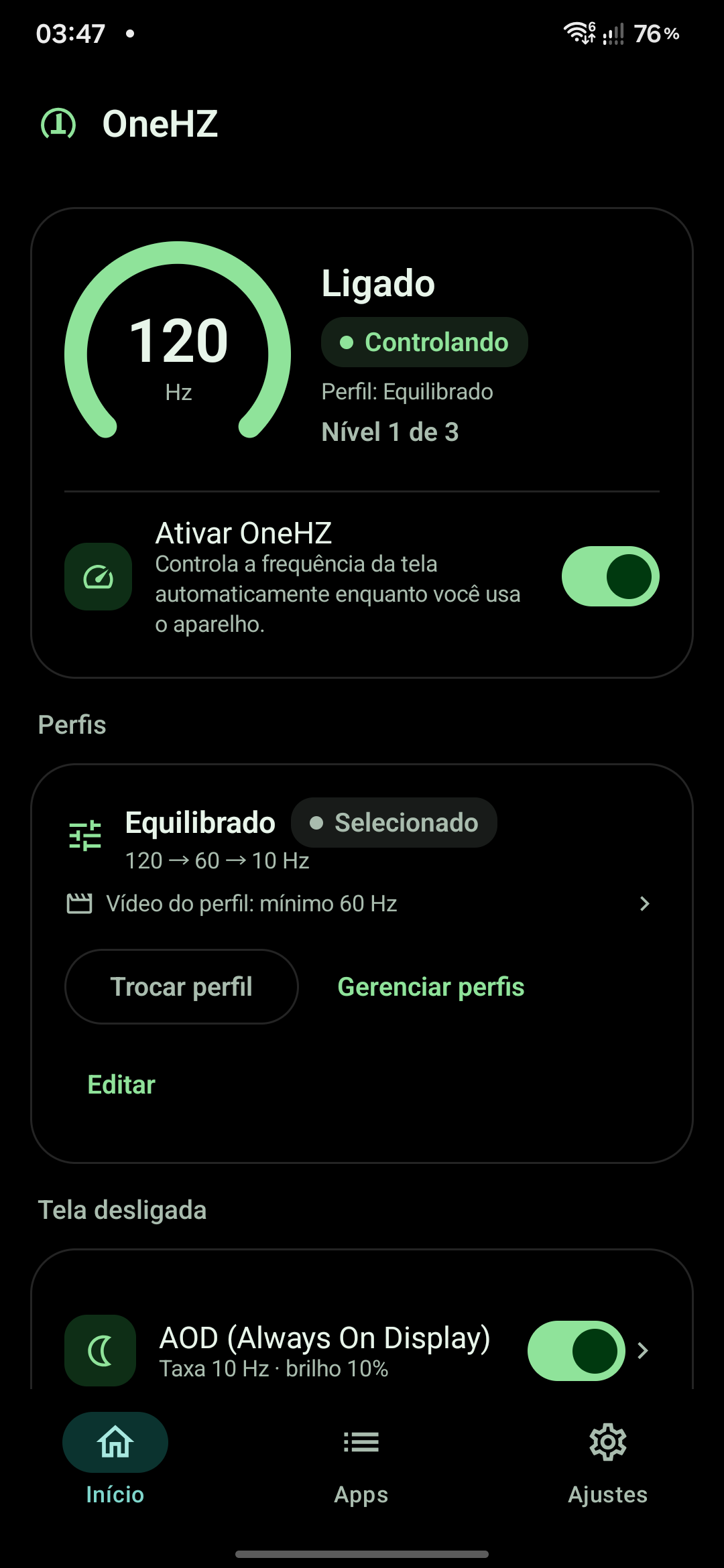
| Refresh-rate staircase | 1 to 5 descending tiers per profile, with per-tier hold times. |
| Quick controls | One-hour pause, Quick Settings tile, state-aware notification (optionally pinned) and launcher shortcuts. |
| Activation rules | Low-battery guard, charging and a time window, each pointing at a saved profile. |
| Per-app targets | Follow a profile, pin a fixed rate or hand control back to the system. |
| Usage | Fourth bottom-bar tab. Time per rate, AOD and uncontrolled time, plus the profile split, all local. |
| System changes | Lists the keys OneHZ may write, shows original values, restores everything and exports a panel report. |
| Automation | Explicit pause, resume, profile and toggle broadcasts for automation tools. |
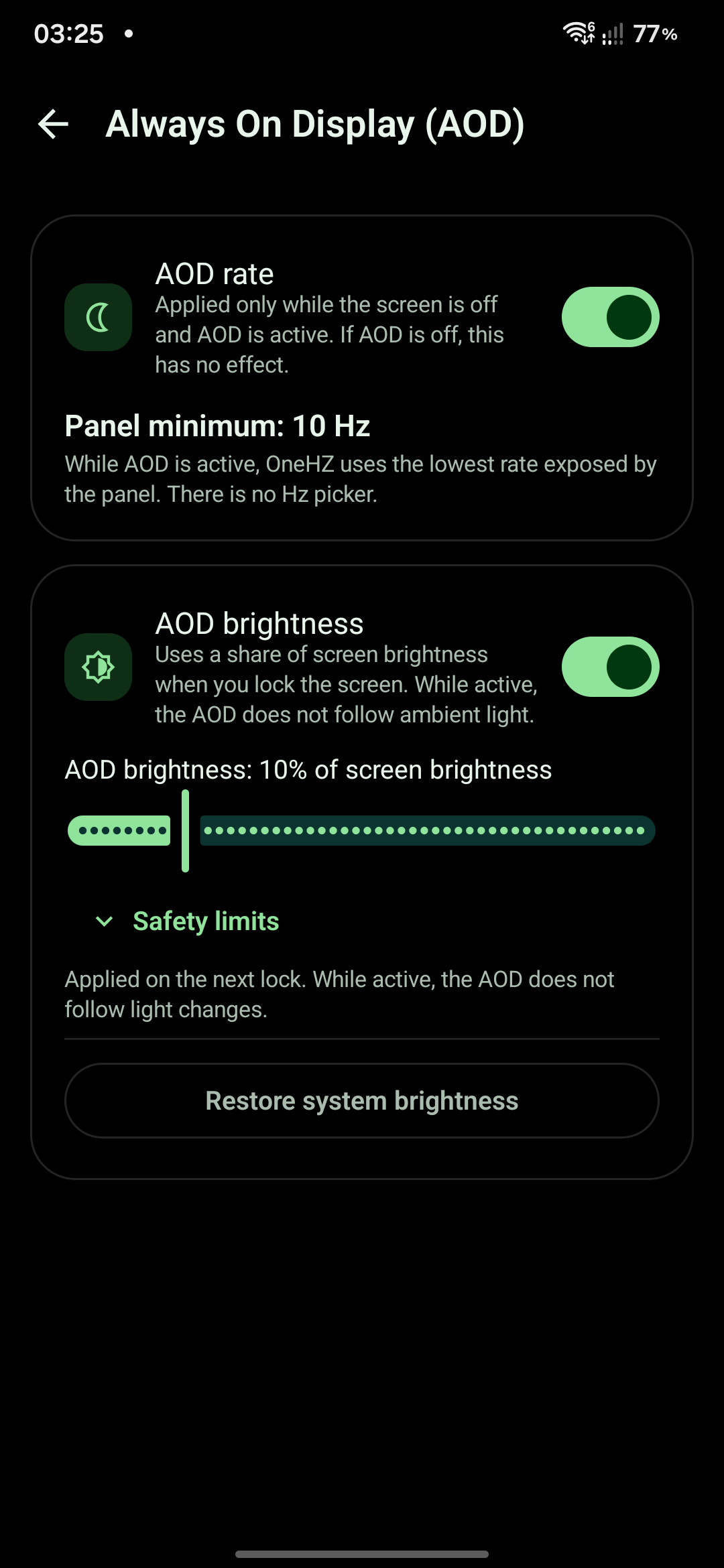
| AOD night schedule | Samsung-only brightness window inside the safety band. |
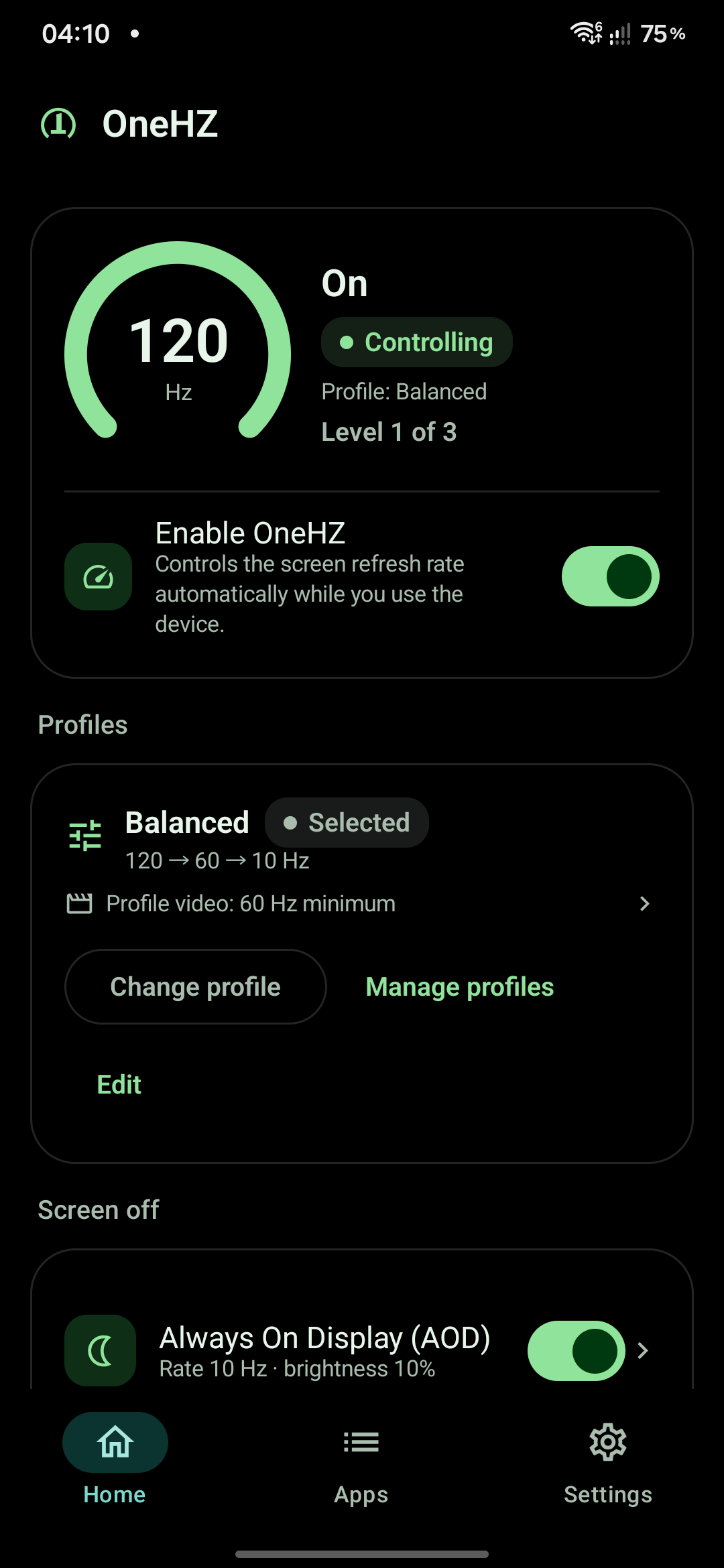
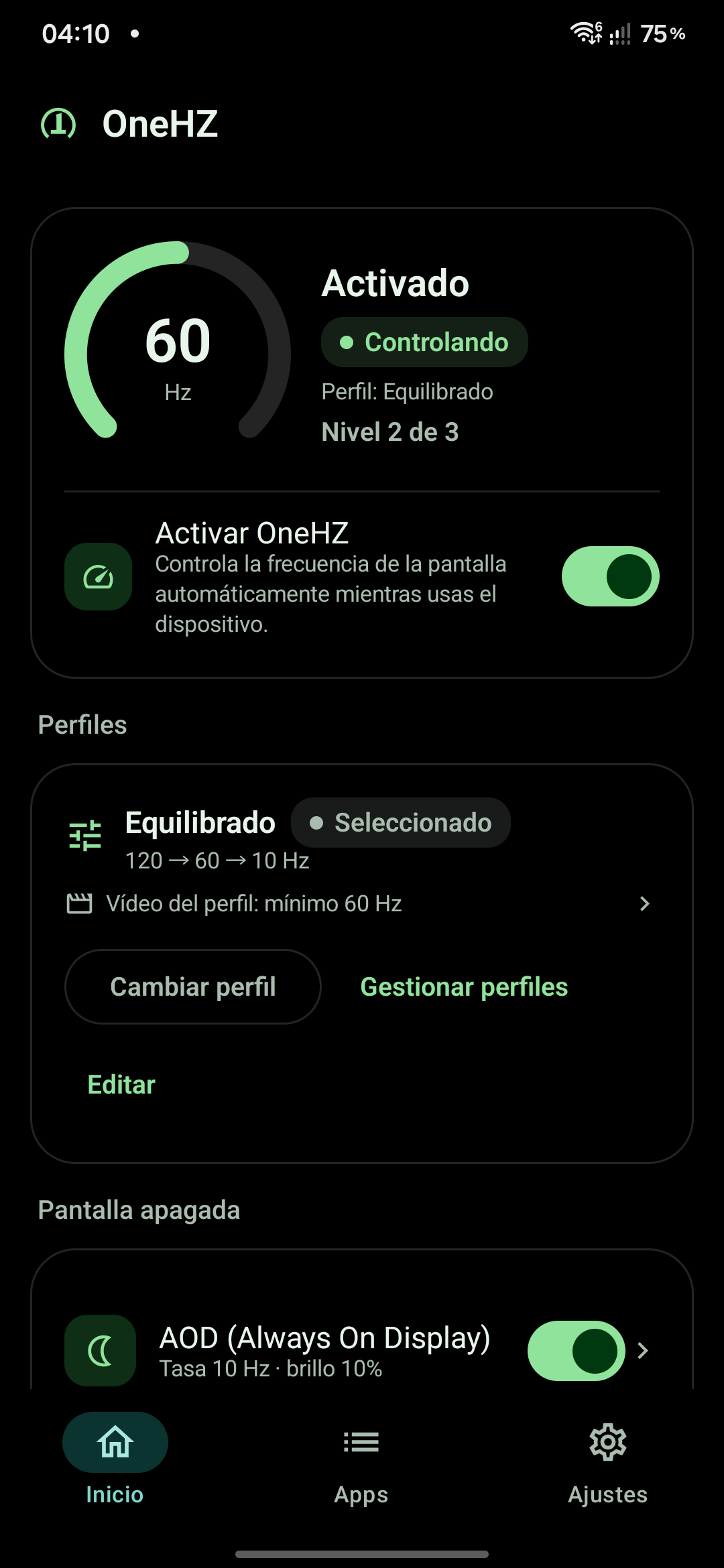
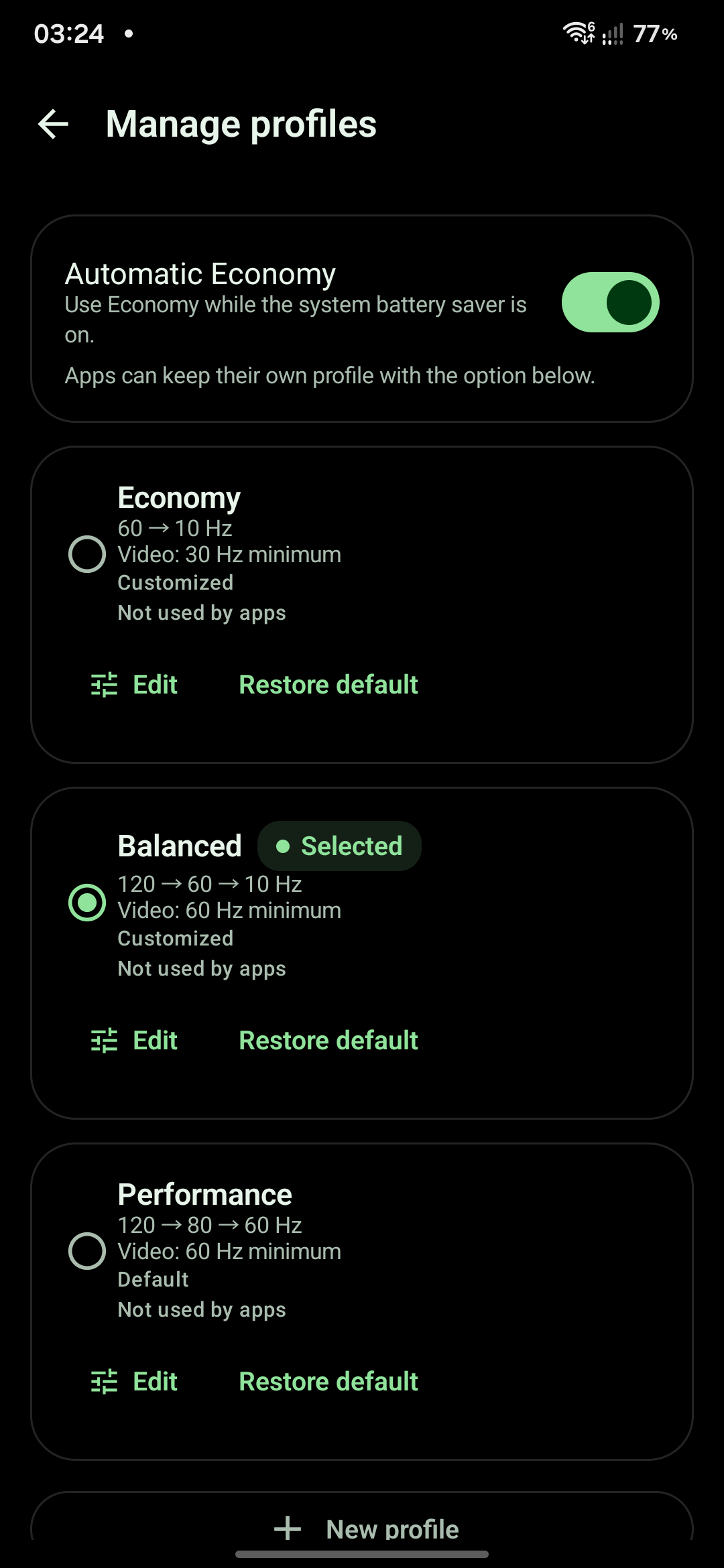
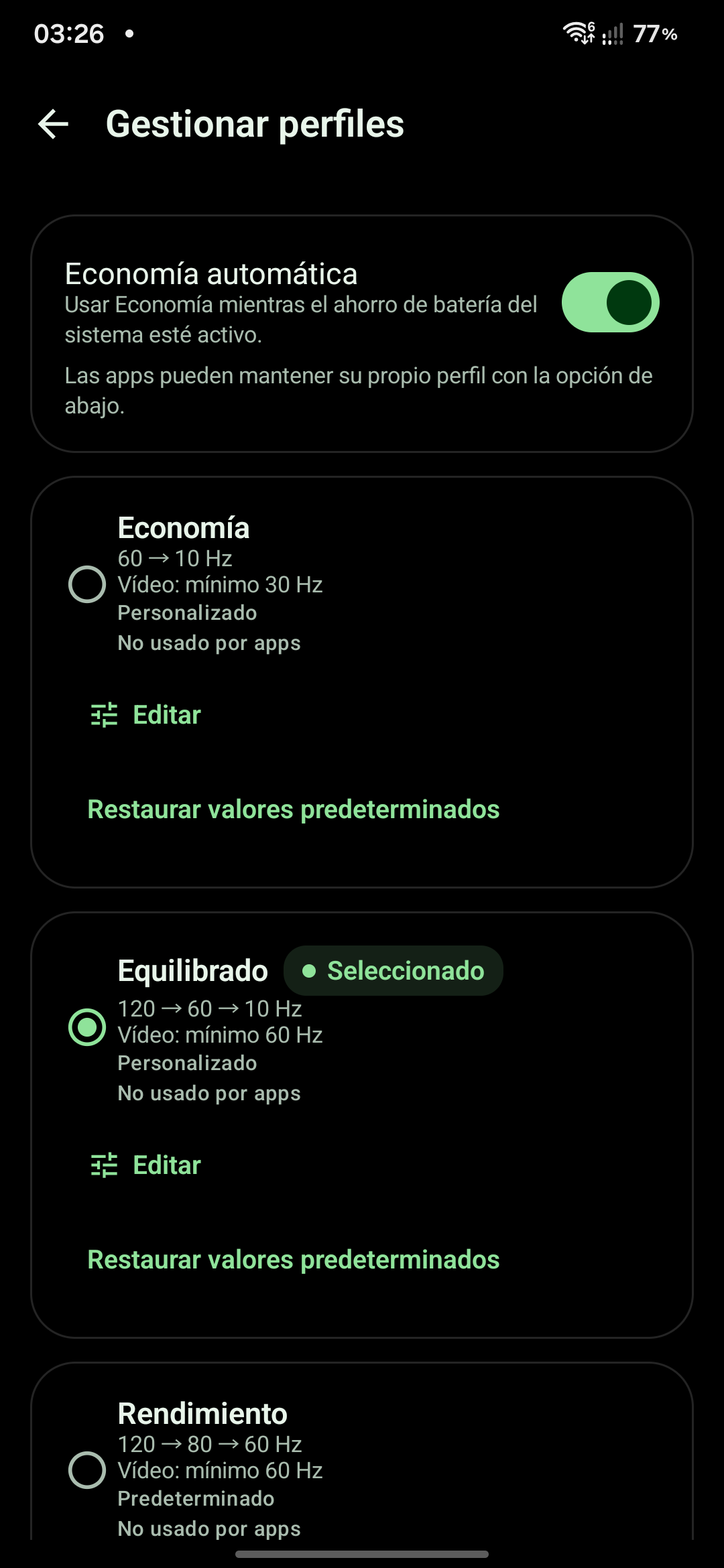
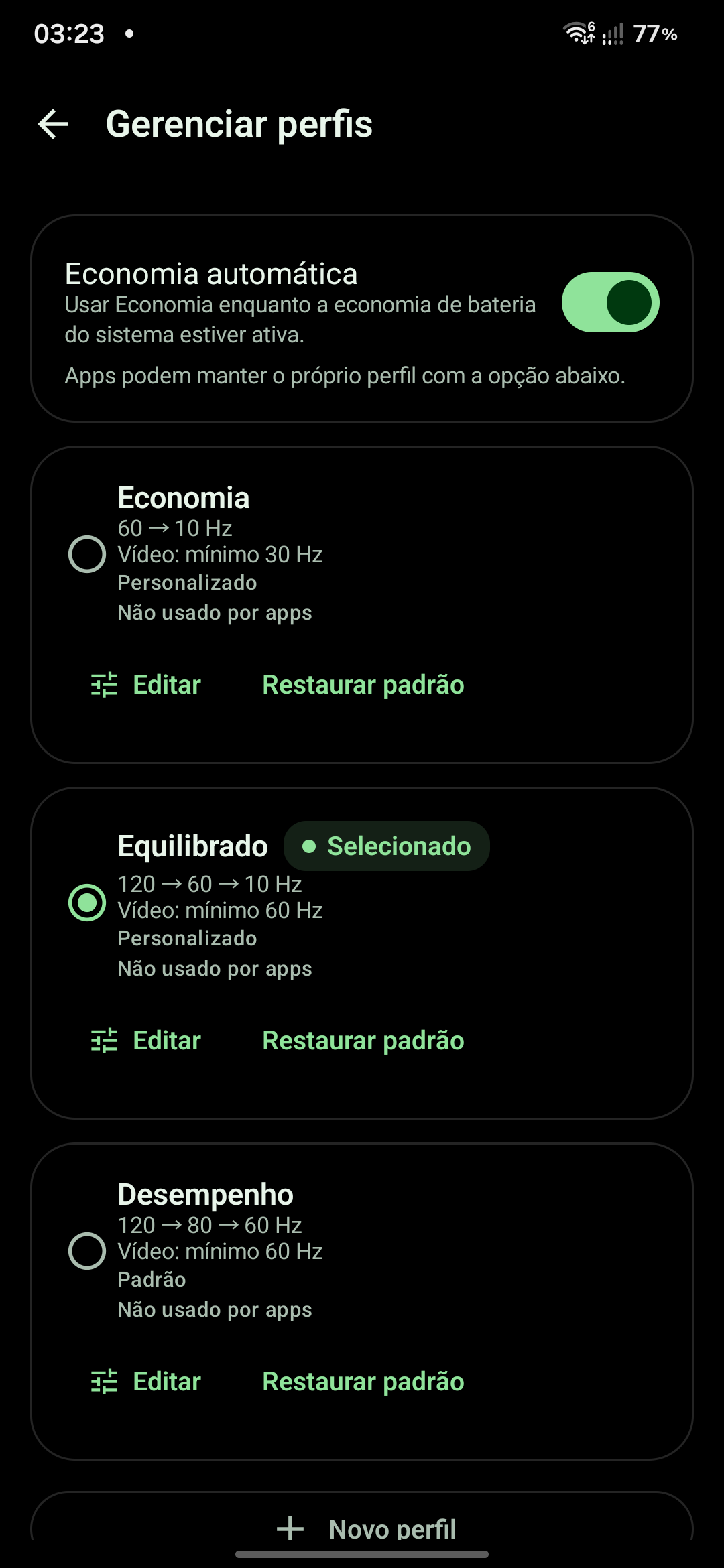
| Economy / Balanced / Performance | Three device-aware profiles created on first open; the active one is selected manually. |
| Automatic Economy | Switches to Economy while the system battery saver is on. Can be disabled in Manage profiles; each app can keep its own profile. |
| Custom profiles | Create, edit, rename and delete profiles; built-ins restore to the device defaults. |
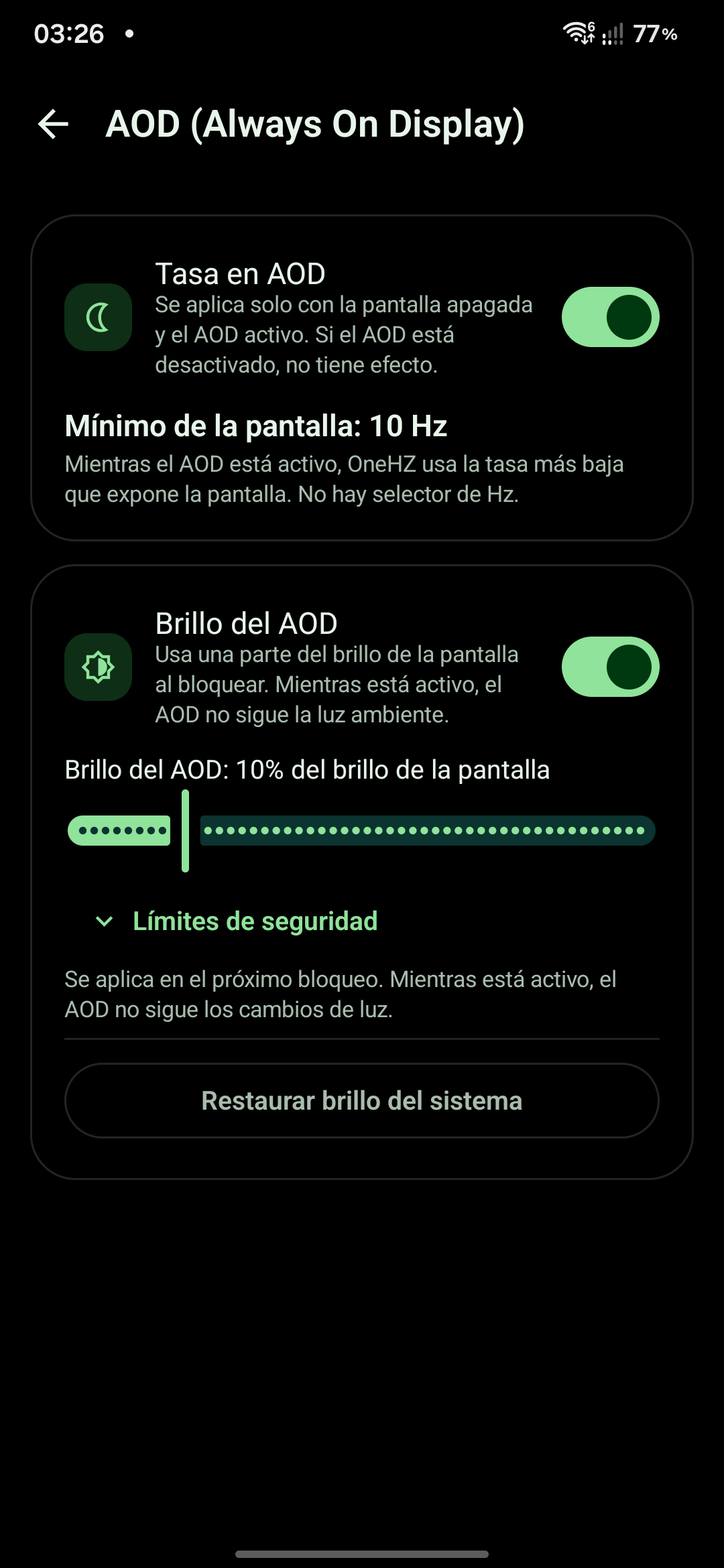
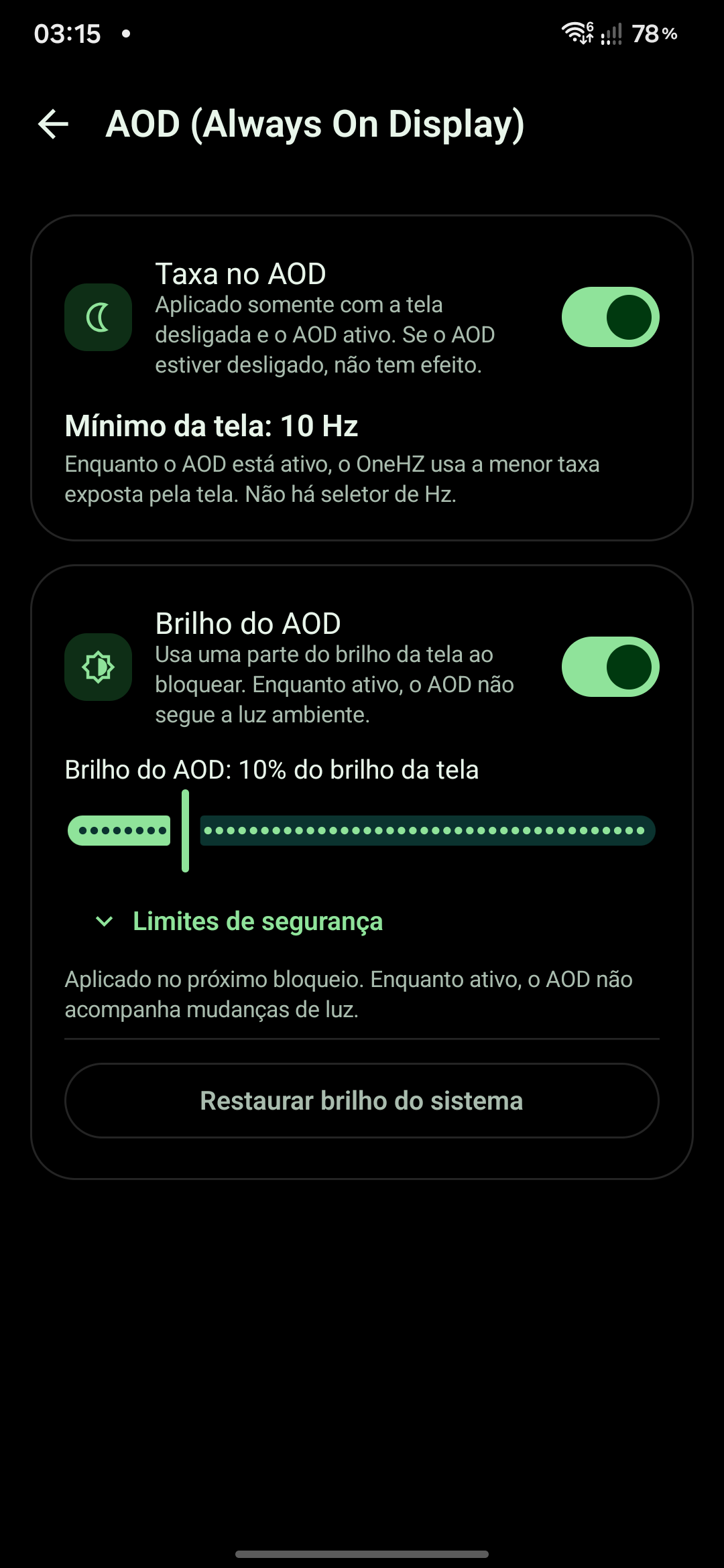
| AOD rate | Always the lowest rate exposed by the panel; the toggle is available on every supported device. |
| AOD brightness | Samsung only, with a safety band and a system restore action; on other devices the row is shown disabled with an explanation. |
| Sleep (forced Doze) | Optional and off by default. Enters Doze as soon as the screen turns off, with guards and local measurements. |
| Per-app profiles | Apps reference a saved profile, without copying the staircase or polling. |
| Video mode | A per-profile minimum rate while a video plays. Detection rules and the global forced-app list open in a dedicated sheet, and the card warns when no rule is active. |
| Picture-in-picture | Detected from the pinned task; the video floor stays active while the window is visible. |
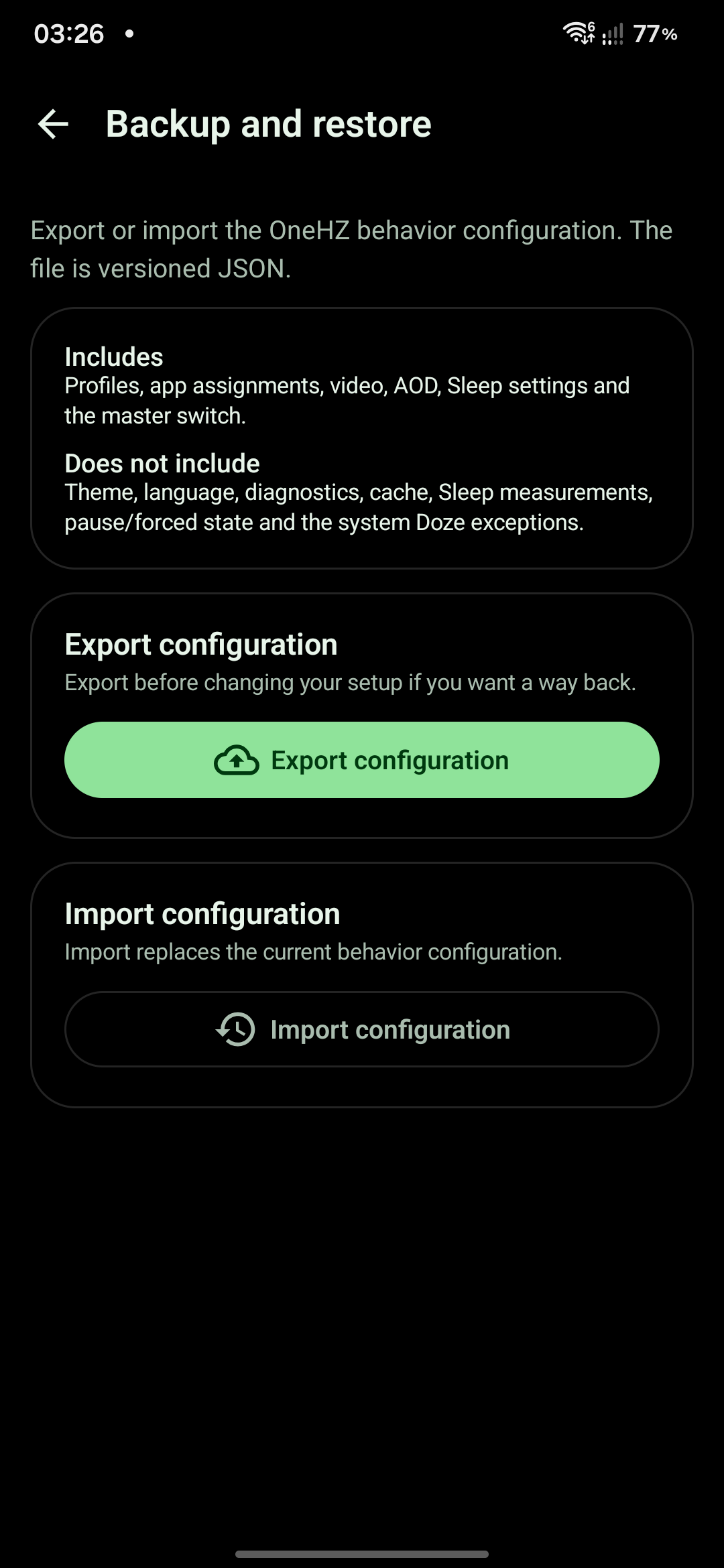
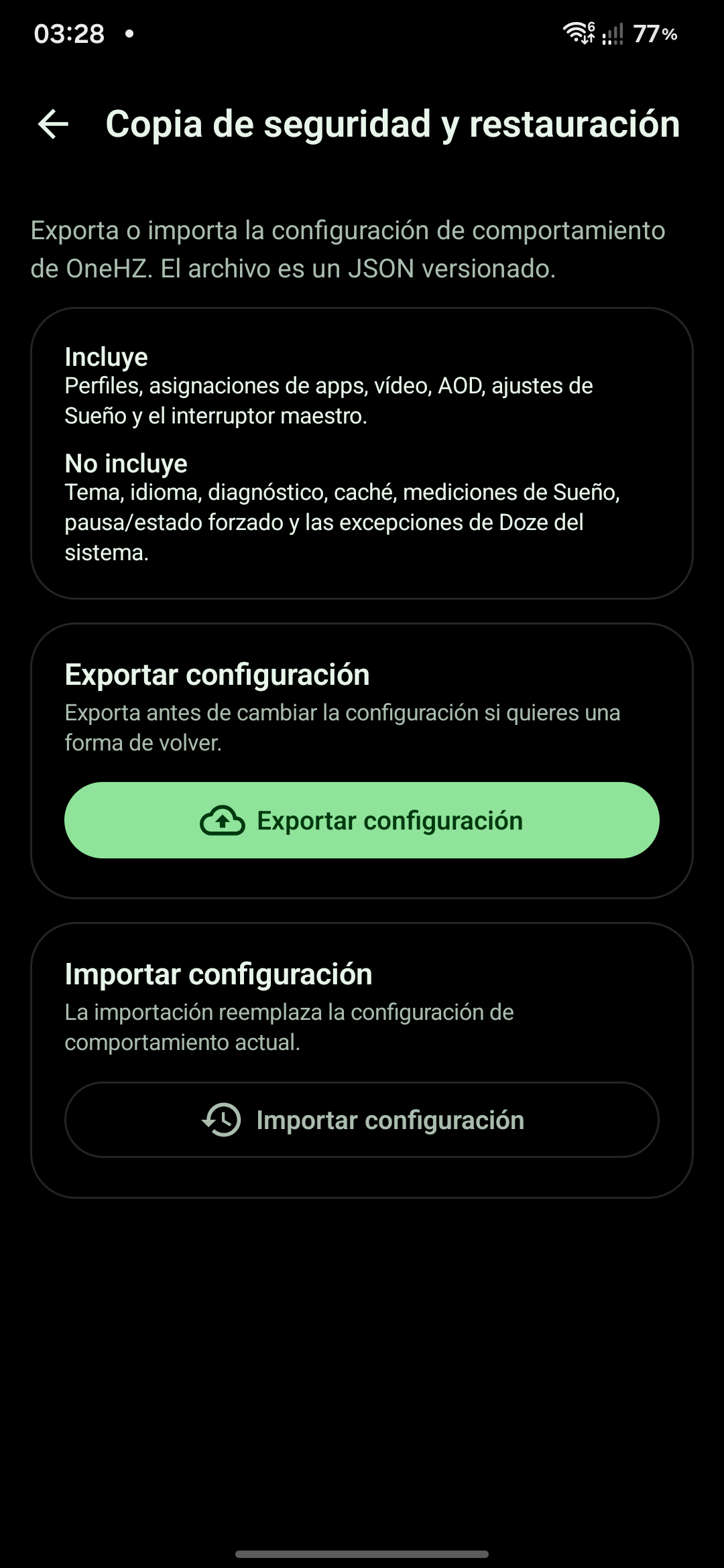
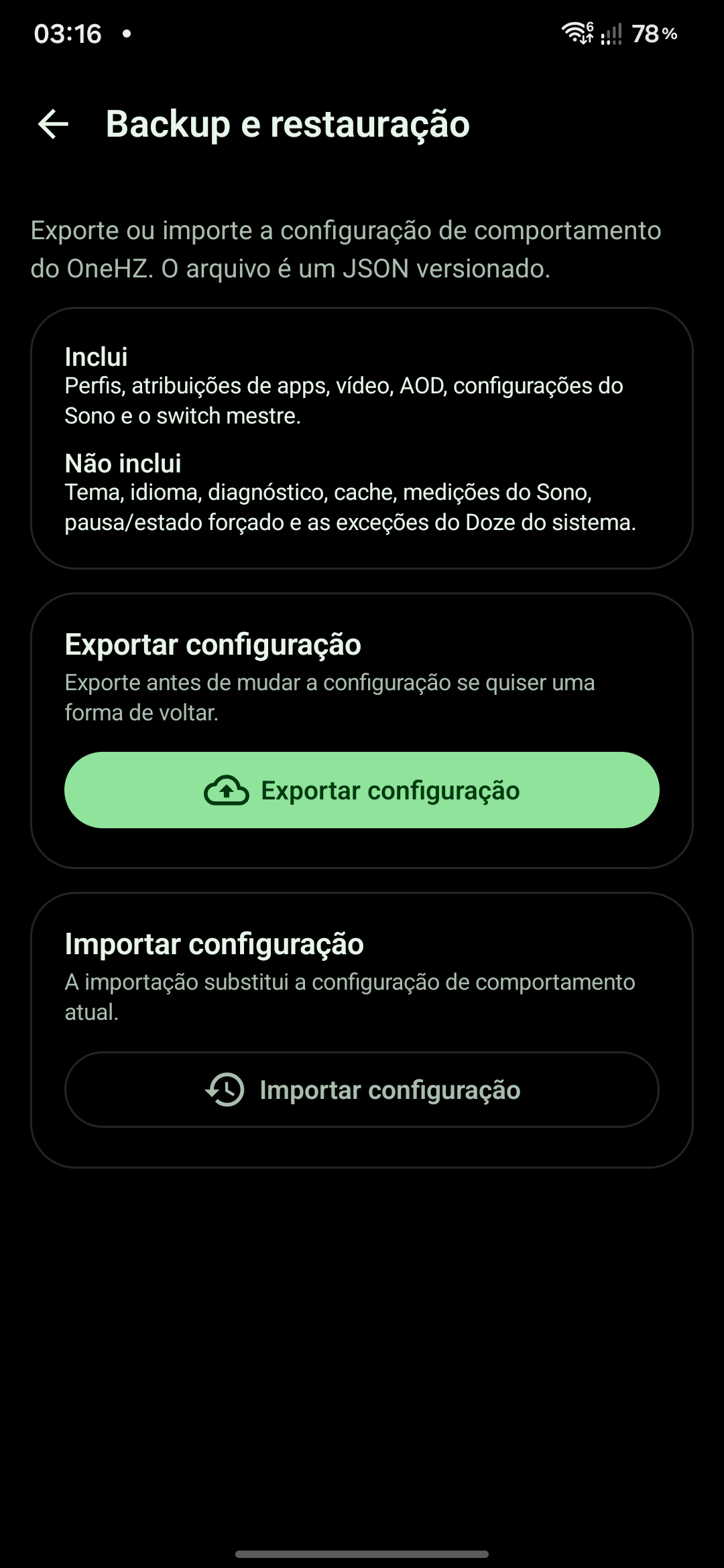
| Backup and restore | Versioned JSON export/import of profiles, app assignments, activation rules, video, AOD, Sleep settings and the master switch. Sleep measurements, the notification pin and the system Doze exceptions are not included. |
| Wake pulse | Applies the first tier on screen-on/unlock for about one second. |
| Device-aware defaults | Sensible profiles on a fresh install. |
| Guided setup | Display compatibility, Shizuku, battery/Doze, notifications, and an optional Quick Settings tile. |
| No wake locks | The optional foreground service does not keep the phone awake. |
| Diagnostics | In-memory log, filters, test actions, and a copyable report. |
| Appearance | System, light, dark, and AMOLED themes. |
| Languages | Portuguese (Brazil), English, and Spanish. |
Details, defaults, and behavior: docs/FEATURES.md.
Ecosystem
| Project | Role in OneHZ | License |
|---|---|---|
| Shizuku API by RikkaW | Bundled privileged API client | MIT |
| Shizuku by RikkaApps | External app required at runtime (not bundled) | Apache-2.0 |
| Shizuku fork by thedjchi | External app used for testing (not bundled) | Apache-2.0 |
| Adaptive Hz by Mahmut Alperen Ünal | Portions derived into OneHZ | MIT |
| Obtainium | Update client; badge only in the docs | GPL-3.0 |
| Jetpack Compose | UI toolkit | Apache-2.0 |
Full credits: CREDITS.md and THIRD_PARTY_NOTICES.md.
Documentation
| User guide | Developer |
|---|---|
| Features | Architecture |
| Install and update | Building |
| Compatibility | Testing |
| FAQ | Releasing |
| Privacy | Security |
| Credits | Backlog · Translations |
Privacy
OneHZ has no analytics, advertising, telemetry, crash reporting, or accounts. Settings
and diagnostics stay on the device. The INTERNET permission is used only by the
optional update checker, which is off by default. See PRIVACY.md.
Verify the APK
Every release includes a .sha256 file. The signing certificate SHA-256 is:
D8:E8:24:B2:5F:6B:1D:29:75:BD:72:D6:89:5F:C4:7F:7B:EB:C2:05:78:41:F7:83:3C:25:67:0A:C2:04:F8:0A
apksigner verify --print-certs OneHZ-1.3.0.apk
See docs/INSTALL.md#verify-the-apk.
Support
All features are free and open source. Donations are optional and never unlock anything.
- International: GitHub Sponsors — monthly or one-time.
- Brazil: LivePix — Pix in BRL.
Both links are also available in the app under About → Support OneHZ. Bug reports and suggestions are welcome through GitHub Issues. Include your device model, Android/One UI/HyperOS build, Shizuku version, OneHZ version, and the diagnostic report. Remove any personal data before posting.
License and credits
OneHZ is released under the MIT License. See LICENSE and the unofficial Portuguese translation. Portions are derived from Adaptive Hz (MIT, © 2025 Mahmut Alperen Ünal). Third-party components and documentation assets remain under their own licenses; see THIRD_PARTY_NOTICES.md.
- Author: neveSZ.
- LLM assistance: developed with help from LLMs through the OpenCode coding agent harness, then reviewed and tested by the author.
- Adaptive Hz by Mahmut Alperen Ünal (MIT): OneHZ includes portions derived from it.
- Shizuku API by RikkaW (MIT): bundled in the app.
- Shizuku app by RikkaApps (Apache 2.0) and the thedjchi fork (Apache 2.0): installed separately; not bundled.
- AndroidX / Jetpack Compose / Kotlin / kotlinx.coroutines (Apache 2.0).
- JUnit 4 (test only, Eclipse Public License 1.0; not distributed in the app).
- Obtainium badge (GPL-3.0): documentation only, not part of the APK and not covered by the MIT license; see docs/assets/README.md and LICENSES/GPL-3.0.txt.
- Shizu Store badge (GPL-3.0): documentation only, not part of the APK and not covered by the MIT license; see docs/assets/README.md.
- Gradle Wrapper (Apache 2.0): build only, not part of the APK.
No code or assets from closed-source applications are included.
Translations
- Português (Brasil): reviewed by the author.
- English: AI-generated, not reviewed by a native speaker.
- Español: AI-generated, reviewed for consistency, not reviewed by a native speaker.
Corrections are welcome. See docs/TRANSLATIONS.md.
Disclaimer
OneHZ is not affiliated with, endorsed by, or sponsored by Samsung Electronics or Xiaomi. Samsung, Galaxy, and One UI are trademarks of Samsung Electronics. Xiaomi, Redmi, POCO, HyperOS, and MIUI are trademarks of Xiaomi. Android is a trademark of Google LLC. Use OneHZ at your own risk; the software is provided “as is”, without warranty of any kind.
How Shizuku is used
Can apply refresh profiles, follow apps and touch, detect video, set AOD brightness and manage Doze via `settings`, `dumpsys`, `cmd` and `getevent` through Shizuku.
This is an AI-assisted analysis of Shizuku-related usages in the app's public source code. It is best effort, so it may not catch every single usage.
How this app uses Shizuku
OneHZ uses Shizuku to apply refresh rate profiles and automate them by foreground app, touch, video, brightness and sleep state.
- Apply refresh profiles: applies the chosen rate tier by writing the Samsung system rate keys and secure display mode, or the Xiaomi secure rate key on HyperOS, plus related power saver rate keys, through the privileged service.
- React to foreground apps: detects the current foreground app from the activity status output and from task stack change notifications, then switches to that app's rule on touch, resume and screen changes.
- Boost on touch input: discovers touchscreens with raw input listings and display mapping, then monitors raw input events for finger down and up to temporarily raise the rate and drop back when idle.
- Keep video smooth: checks media sessions, video codecs, running processes and audio playback state for the foreground app, including pinned window status, to detect video playback and apply the per profile video mode.
- Set AOD brightness: writes and clears a system AOD brightness override value so the always on display uses the brightness chosen in the app.
- Manage sleep whitelist: adds or removes the app from the system Doze whitelist and reads the whitelist back to confirm, used from sleep and setup screens.
- Force Doze for testing: forces deep or light idle and releases it again, with state read from the device idle dump, to test sleep behavior and save power.
Android APIs or commands used
settings get system min_refresh_ratesettings put system min_refresh_ratesettings delete system min_refresh_ratesettings get system peak_refresh_ratesettings put system peak_refresh_ratesettings get secure refresh_rate_modesettings put secure refresh_rate_modesettings get secure refresh_rate_mode_coversettings put secure refresh_rate_mode_coversettings get secure miui_refresh_ratesettings put secure miui_refresh_ratesettings get secure user_refresh_ratesettings put secure user_refresh_ratesettings get global pms_settings_refresh_rate_enabledsettings put global pms_settings_refresh_rate_enabledsettings get global psm_refresh_rate_tagsettings put global psm_refresh_rate_tagsettings put system debug_aod_brightnesssettings get system debug_aod_brightnesssettings delete system debug_aod_brightnessdumpsys inputdumpsys activity activitiesdumpsys media_sessiondumpsys media.resource_managerdumpsys audiodumpsys deviceidledumpsys deviceidle whitelistdumpsys deviceidle force-idledumpsys deviceidle unforcecmd deviceidle whitelistcmd deviceidle force-idlecmd deviceidle unforcecmd deviceidle motiongetevent -lpgetevent -ltps -A -o PID,NAMEActivityTaskManager.getServiceIActivityTaskManager.registerTaskStackListenerIActivityTaskManager.unregisterTaskStackListener
Notable details
Only Samsung One UI and Xiaomi HyperOS rate keys are supported with fixed allowlists, so other devices are blocked with no generic fallback. Touch and foreground detection fail closed when the privileged listener or input listing is unavailable.
Changelog
What's new for version 1.3.1
OneHZ 1.3.1
Stable release focused on resource use and on notification control, without changing the control model: Shizuku, the same allowlists and the same fail-closed rules.
Highlights
- Notifications in Settings. Settings → Quick controls → Notifications shows whether OneHZ can post its notification and requests the permission or opens the system page. Previously this was only reachable from the setup screen.
- Optional refresh rate. Show refresh rate keeps the profile and the applied rate, or only the profile. Rate updates are coalesced to one per second; state changes (pause, AOD, idle, profile) are immediate.
- Pin and rate options require notifications. Both are disabled while OneHZ notifications are off, and the stored pin is cleared in that case.
- AOD text. While the screen is off the notification now reads AOD · 10 Hz instead of "Inactive".
- A notification hidden by the system is not a dismissal. Enabling access again restores the notification instead of leaving it frozen.
- Battery optimization warning. While notifications are on and OneHZ is still optimized, Settings → Quick controls warns that background notification updates may lag. Allow opens the system exemption dialog; the first visit also asks once, and Not now keeps only the warning. On HyperOS, set No restrictions and Autostart as well.
- Video follows the foreground app. Leaving a video app for an audio app no longer keeps the video floor until the next touch, even without per-app assignments.
- Paused video releases the floor. The media-session parser also reads the sessions-stack format used by Android 16 builds, so a paused player stops counting as video until playback resumes. The same applies to a paused picture-in-picture window.
- Large fonts. The bottom-bar labels stay on one line at a 200% font scale.
- Stable Usage order. The Usage screen lists the refresh rates from the lowest to the highest instead of by time used.
Performance
- The profile JSON, activation rules and the vendor/rate detection are cached and only rebuilt when their source changes; the caches are cleared on a configuration change.
- Reopening the app reconciles state + foreground/video at most once every five seconds; the session audit runs at most every fifteen seconds.
- Video probes are combined: one activity dump serves foreground and PiP, the other dumps are parsed in-process, a positive verdict is reused for ten seconds and the touch-down probe is gone.
- AOD brightness ignores targets within two raw units, uses a 600 ms debounce and no longer reads the key back after writing it.
- System changes and the diagnostics actions no longer run privileged shell reads on the main thread.
- The privileged service uses one watchdog thread for command deadlines and monitor
restarts, decodes command output without an extra copy, and no longer compiles regexes per
call or per
psline. TTLs use the monotonic clock. - App icons use a 96-entry LRU; the diagnostics log reuses its formatter and filter.
Upgrade and data
Install over 1.3.0 or 1.2.x; the signing key is unchanged. Profiles, assignments, Sleep records and backups are preserved. There is no schema change in this release. The notification preference is not part of the backup, like the pin.
Verification
- Installed over 1.3.0 on a Galaxy S25+ (Android 17 / One UI 9) and a POCO X7 Pro (Android 16 / HyperOS 3).
- Notification access enabled from Settings on both devices; rows gated correctly with the access disabled; pin/rate disabled and the stored pin cleared.
- Texts observed: profile only (
Equilibrado), profile plus rate (Equilibrado · 90 Hz,Equilibrado · 10 Hz), AOD (AOD · 10 Hz). - Video: YouTube playback raised the HyperOS rate cap to 60 Hz and the notification followed.
- Profile switch by automation (
SET_PROFILE) updated the notification and the applied rate without a restart; the Apps screen listed 85 apps. - Per-app target (POCO): a fixed 60 Hz assignment for YouTube Music applied with battery saver off; the automatic Economy profile overrode it with the saver on, and Keep this app's profile during battery saver made the fixed rate win again. Assignment removed afterwards.
- Backup and restore (POCO): exported a 2,982-byte JSON, switched the selected profile to Performance, imported the file and the profile returned to Balanced with the same assignment count; Sleep settings were restored as reported.
- Quick Settings tile (POCO): added, toggled control off (rate restored to 120 Hz, notification removed), toggled back on, and the Settings row switched to Tile added.
- Upgrade path (POCO): installed 1.2.1, selected Performance, then installed 1.3.1 over it; the app opened with the same selected profile (schema-1 data migrated) and no crash.
- Restore on disable: the tile and the toggle both returned the vendor key to its original value and removed the notification.
- Fail-closed and Doze (POCO): killing the Shizuku server stopped control and showed
Inactive; the engine reconnected on its own when the service returned. Sleep forced
mState=IDLEon screen off andACTIVEon screen on; the device was left with Sleep off. - System changes opened with the asynchronous load and showed the current/original keys.
- Battery optimization warning: with the exemption removed the warning and the one-time prompt appeared on both devices, Allow opened the system dialog, and the warning disappeared after granting. With notifications off the warning stayed hidden; the exemption was restored on both devices afterwards.
- AOD brightness deadband (S25+): screen brightness 200 wrote 20/255 to the AOD key; 210 (a target one unit away) kept 20; 250 wrote 25. Screen brightness, its mode and the key were restored afterwards.
- Video on the POCO (HyperOS 3): playback raised the floor to 60 Hz from the 30 Hz resting tier; pausing released it back to 30 Hz within 5 s; YouTube Music playing without a PiP stayed at 30 Hz; a playing PiP kept the 60 Hz floor and a paused PiP released it.
:app:testDebugUnitTest,:app:lintReleaseand:app:assembleReleasepass.
Known limitations
- AOD brightness and its schedule are Samsung-only.
- The 30 Hz panel dimming on the tested POCO remains a hardware limitation.
- On HyperOS the vendor power manager keeps its own restrictions, so the app also points to No restrictions and Autostart in the app settings.
Verification of the APK
The release is signed with the OneHZ release key.
Certificate SHA-256:
D8:E8:24:B2:5F:6B:1D:29:75:BD:72:D6:89:5F:C4:7F:7B:EB:C2:05:78:41:F7:83:3C:25:67:0A:C2:04:F8:0A
Get-FileHash .\OneHZ-1.3.1.apk -Algorithm SHA256
apksigner verify --print-certs .\OneHZ-1.3.1.apk
Permissions
9 permissions requested
More from this category
 Dextop
 Extend
 akiHz
 Mirror
 MagicDesk
 Adaptive Hz
 XDesk
 SecondScreen
 Better Night Light
 Tideo Auto Brightness
 DeskControl
 Grayscaler