 ShizuStore

Applingo
2.1.0 · GitHub
More about this app
Set one or more languages for any app and keep settings if dropped by the system. Manage language settings in batch easily with modern UI and Android TV support
Applingo
Android 13 added per-app languages, but the system settings only offer them for apps that declare support, and the system may clear the setting when an app updates. Applingo sets one or multiple languages for any app and keeps the settings using Shizuku.
Features
- Set any language (supported by the system) for any app including languages the app doesn't list.
- Set a list of preferred languages at once, and the app uses the first one it supports until it falls back to default.
- Save favourite apps and languages for easy access and management. Batch settings are also supported.
- Language configurations persist. Applingo can check language settings regularly and re-apply if the system drops them.
- Export and import language settings.
- Adaptive UI support for displays of different sizes and orientations including mobile / tablet / desktop / foldable.
- Android TV and D-pad control support.
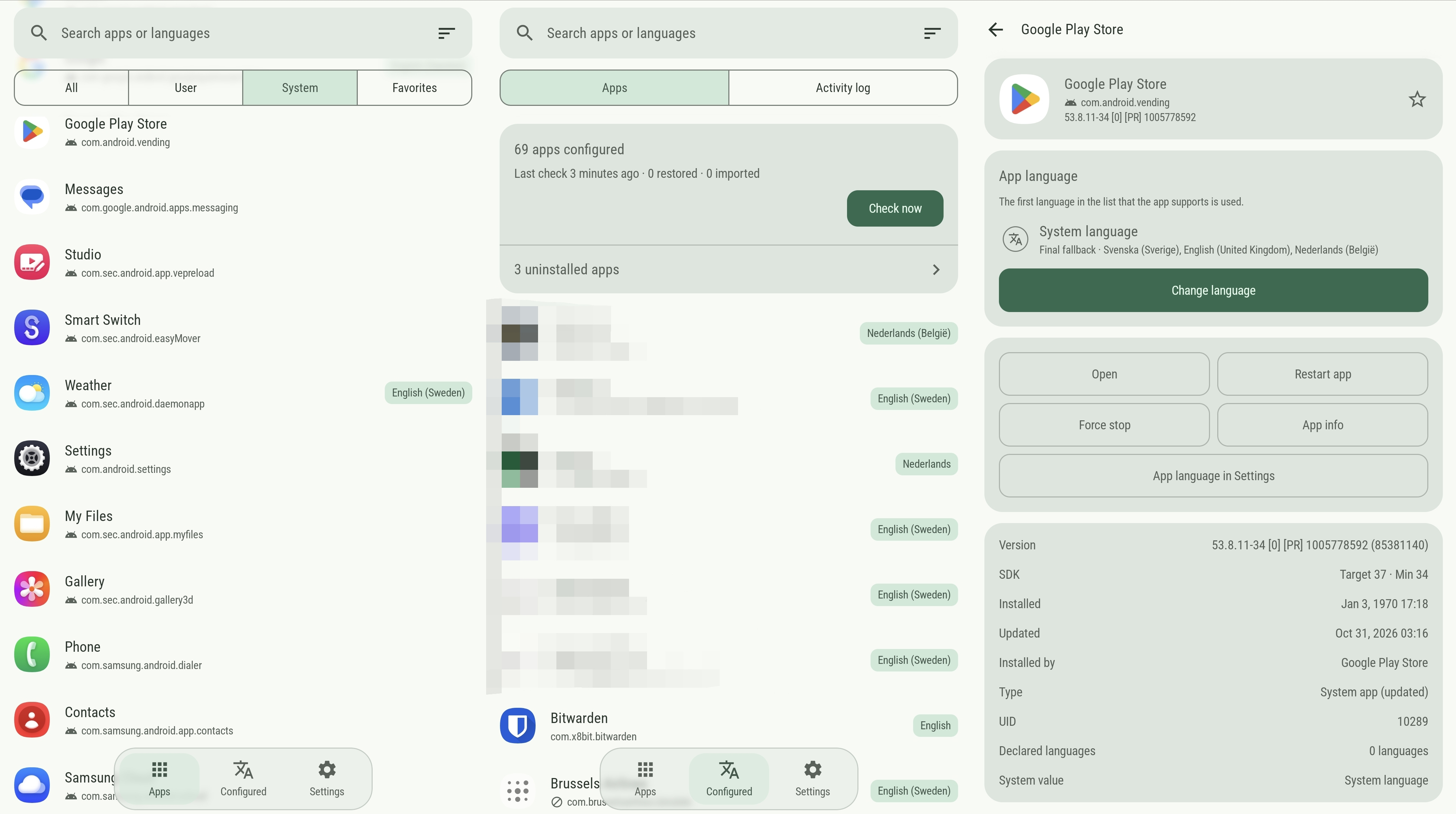
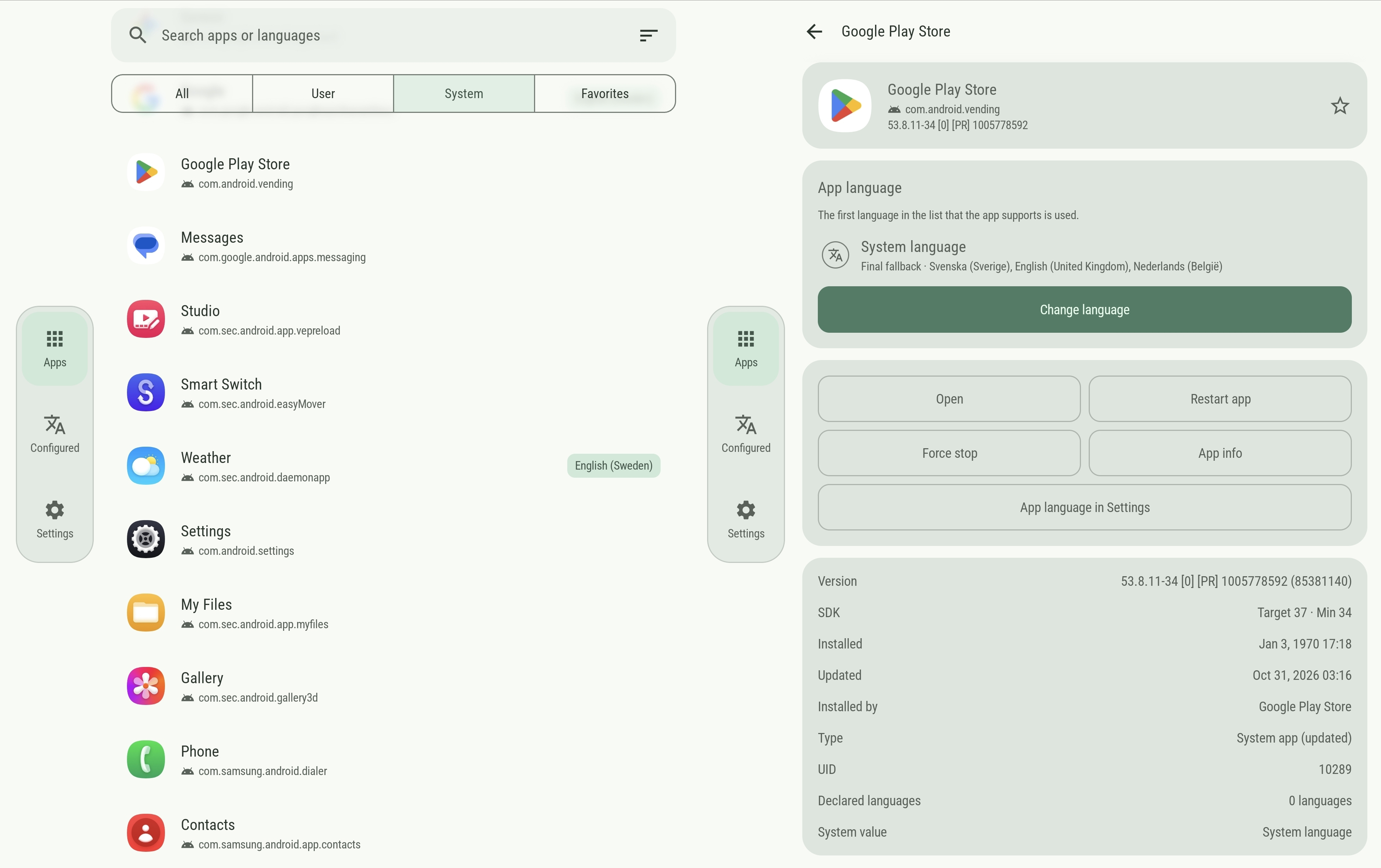
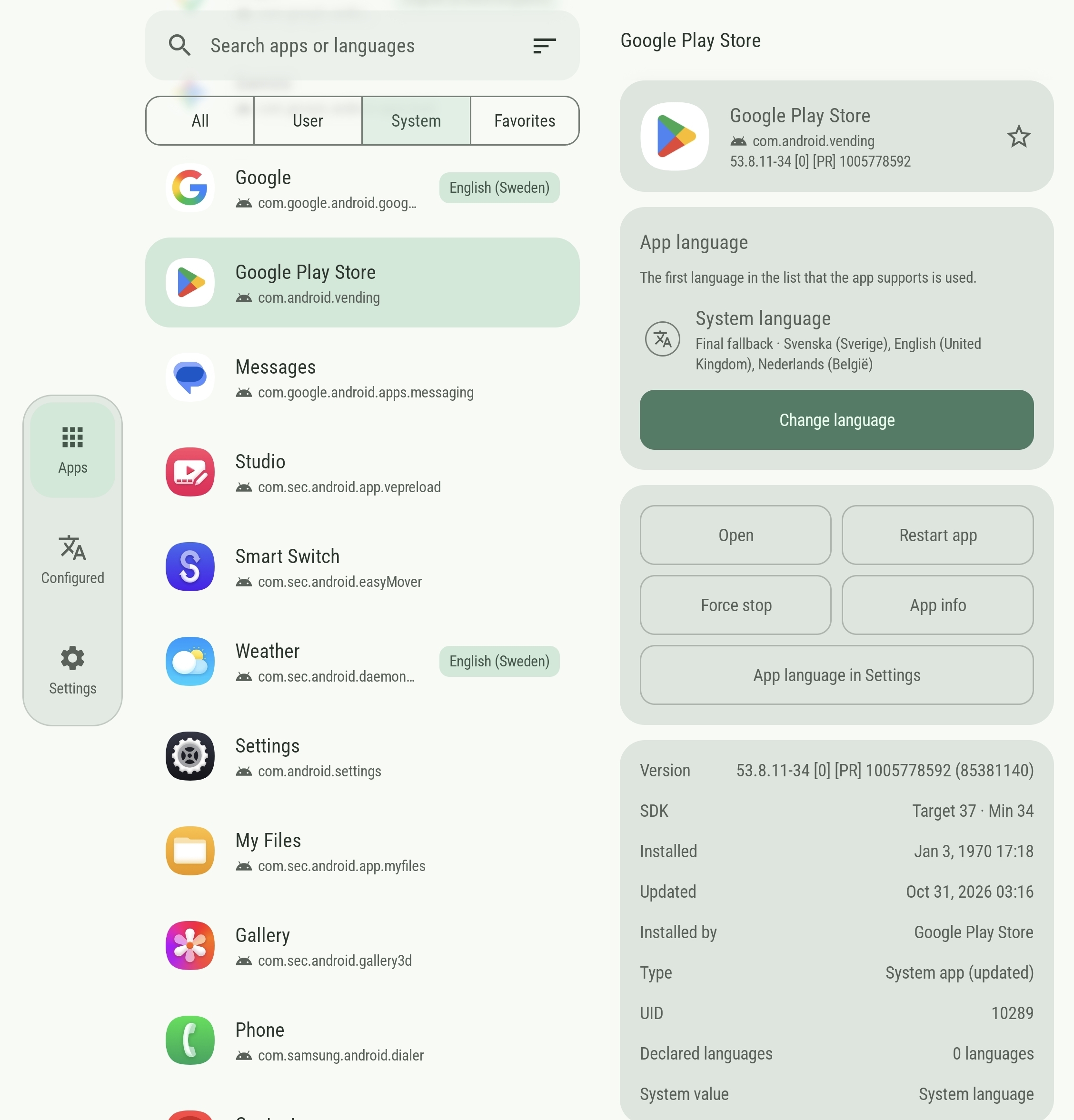
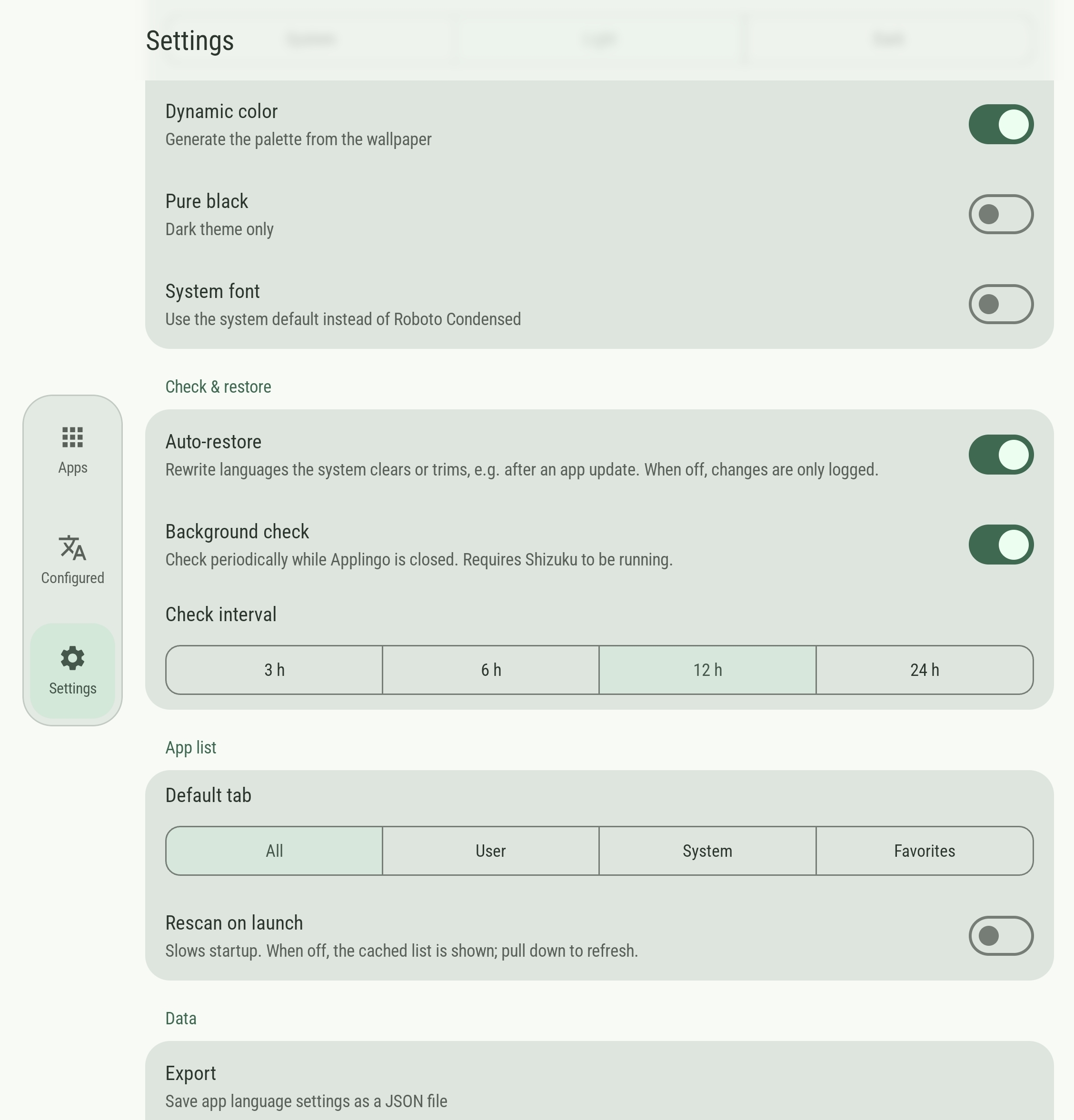
Screenshots
Portrait:

Portrait Wide:

Foldable / Landscape:

 Note: The landscape orientation screenshots may slightly differ from Android TV in some screens, where extra menu items and multiple UI changes are applied for easier D-pad control.
Requirements
- Android 13 or newer
- Shizuku installed and service running
Install & Usage
Download the latest apk file from Releases and open it to install.
- Start Shizuku (see its setup guide).
- Open Applingo and allow it to use Shizuku when asked.
- Pick an app, tap Change language, choose one or more languages and tap Apply.
- Restart the app if it doesn't switch right away.
To undo it later, open the app in Applingo and tap Follow system.
License & Disclaimer
- MIT
- The development of Applingo is AI-assisted.
How Shizuku is used
Can set per-app languages, keep them in sync and force-stop apps to apply changes via `ILocaleManager` and `am force-stop` through Shizuku.
This is an AI-assisted analysis of Shizuku-related usages in the app's public source code. It is best effort, so it may not catch every single usage.
How this app uses Shizuku
Applingo uses Shizuku to manage per-app languages beyond normal system settings, including batch changes and keeping choices persistent.
- Set per-app languages: choose one or more languages for a single app or for many apps at once and have them written to the system per-app locale setting through Shizuku.
- Read current languages: show the languages the system currently has for each installed app by reading the system per-app locale setting through Shizuku.
- Keep settings in sync: periodically compare saved choices with system values and reapply saved languages when the system has dropped or changed them, or adopt values changed elsewhere.
- Restart apps to apply: force-stop a selected app so it restarts with its new languages, and optionally launch it again immediately.
- Import saved setups: apply language choices from an imported backup file to each listed app through Shizuku.
Android APIs or commands used
android.app.ILocaleManager.getApplicationLocalesandroid.app.ILocaleManager.setApplicationLocalesam force-stop
Notable details
When the Shizuku service is unavailable, language choices are saved in the app and applied once the service is available again. Restarting uses the normal system launch intent after the privileged force-stop.
Changelog
What's new for version 2.1.0
Full Changelog: https://github.com/ernisn/Applingo/compare/v2.0.0...v2.1.0
Permissions
7 permissions requested
More from this category
 Flicky
 TVPilot
 Recent Apps
 Fluffy