 ShizuStore
ZenFile
3.5.0 · GitHub
More about this app
NFile fork with built-in remote file server support
中文 | English
ZenFile
A beautifully crafted, open-source file manager and offline media center for Android, built with Flutter. It pairs stunning glassmorphism aesthetics with system-level media indexing (Android MediaStore) for instant, battery-friendly browsing, plus an all-in-one Toolbox, fast FTP / WebDAV / SMB / SFTP access, and peer-to-peer Quick Transfer.
Note: This project is a fork of Senzme/NFile. Thanks to the original author!
📥 For users in China, download from any of the mirrors below (identical to the GitHub Release):
- ☁️ 123 Cloud Drive: https://1820255615.share.123pan.cn/123pan/WrRojv-JHpnA?pwd=hBR2
- ☁️ 115 Cloud: https://115cdn.com/s/swsho4j3hc6?password=m490
- ☁️ Baidu Netdisk: https://pan.baidu.com/s/1kYSfzTriRXwQPRL_c5Awig?pwd=xg94
- ☁️ Quark: https://pan.quark.cn/s/e6081a88d463
- ☁️ PikPak: https://mypikpak.com/s/VOxGdQB3fVNO32sq_I3o2Wkmo2
✨ Features
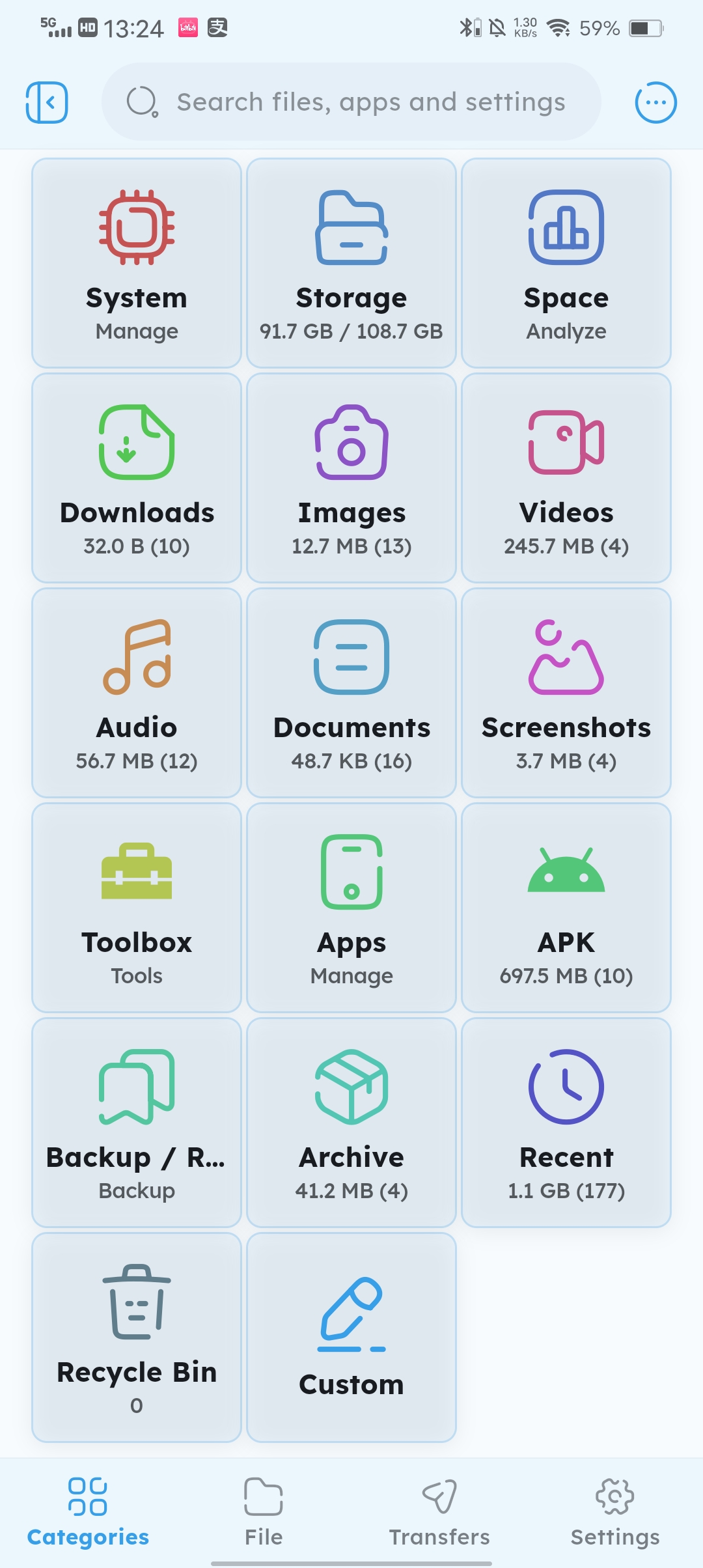
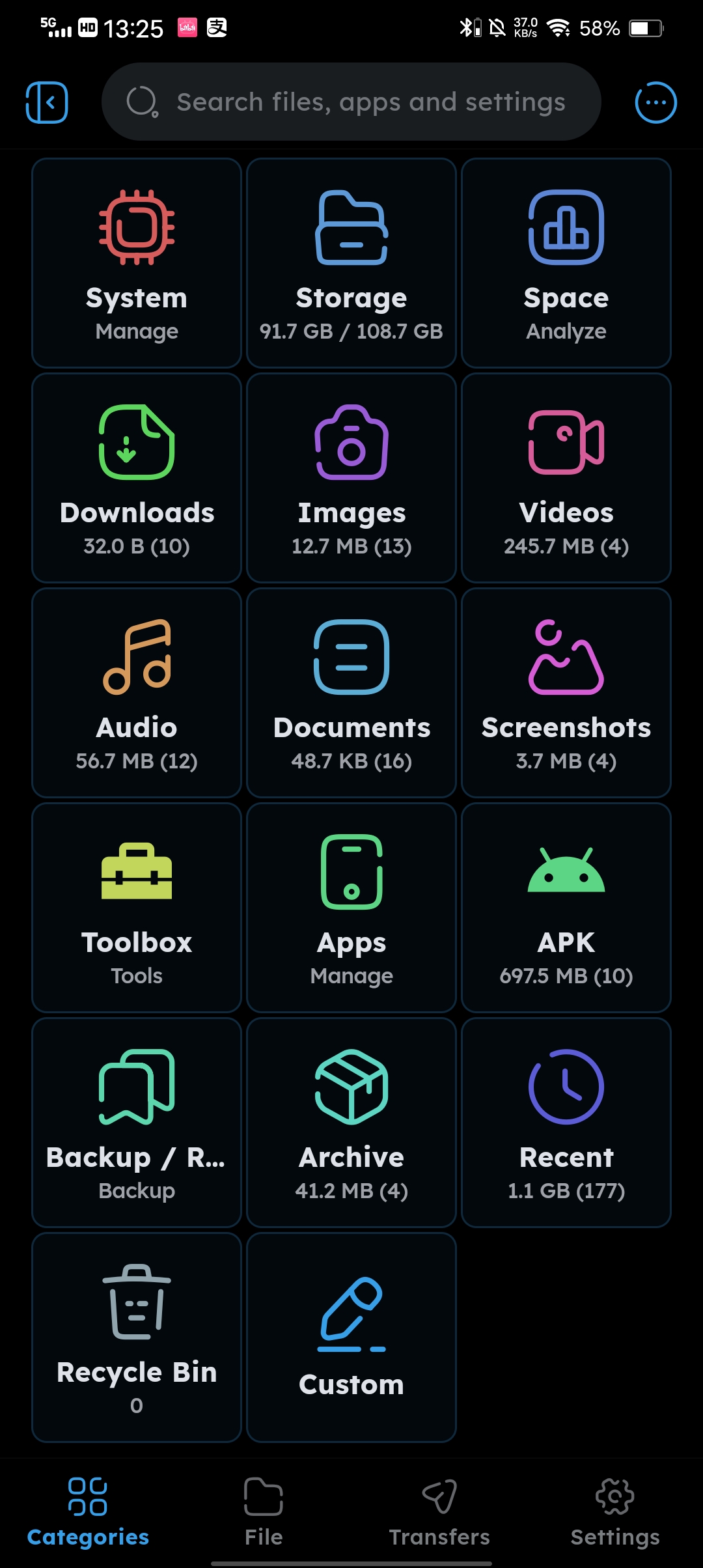
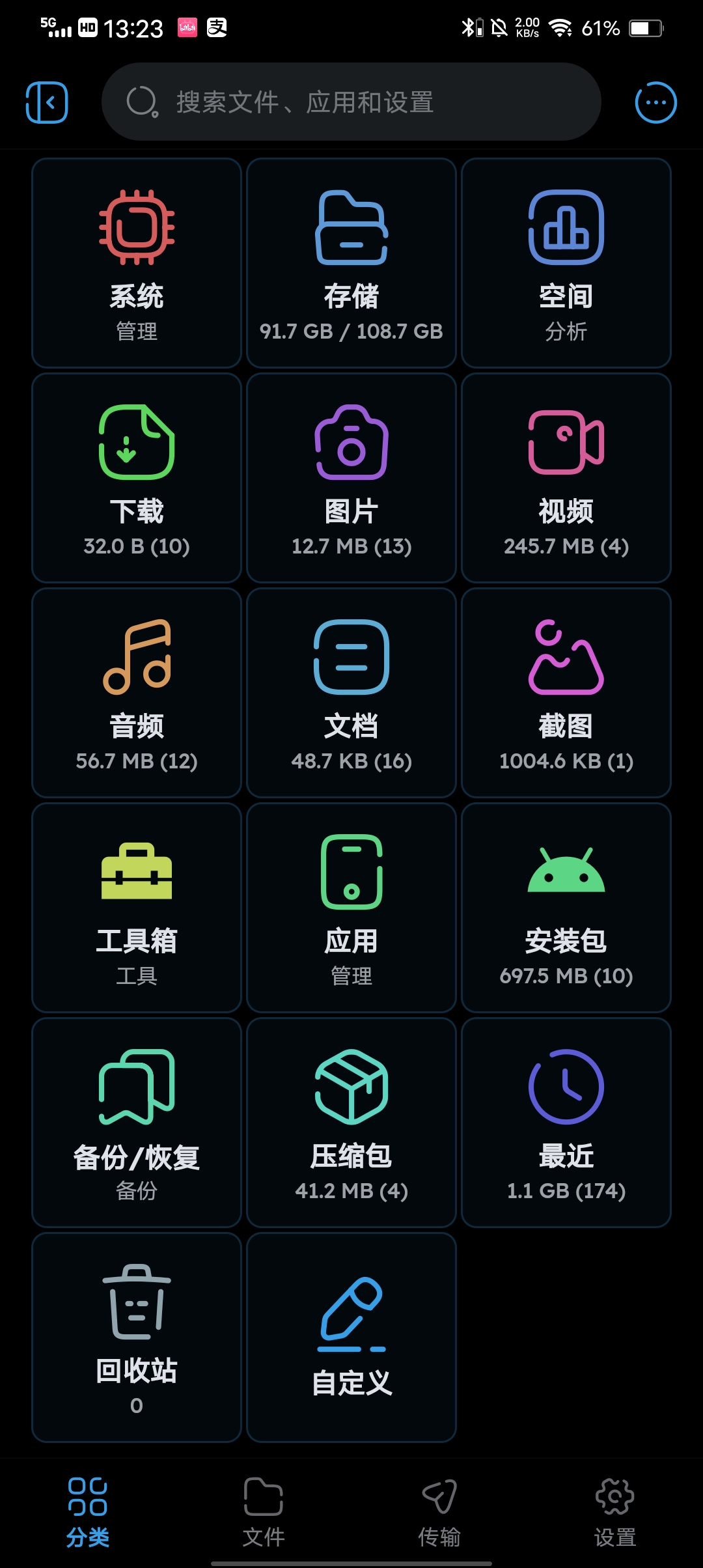
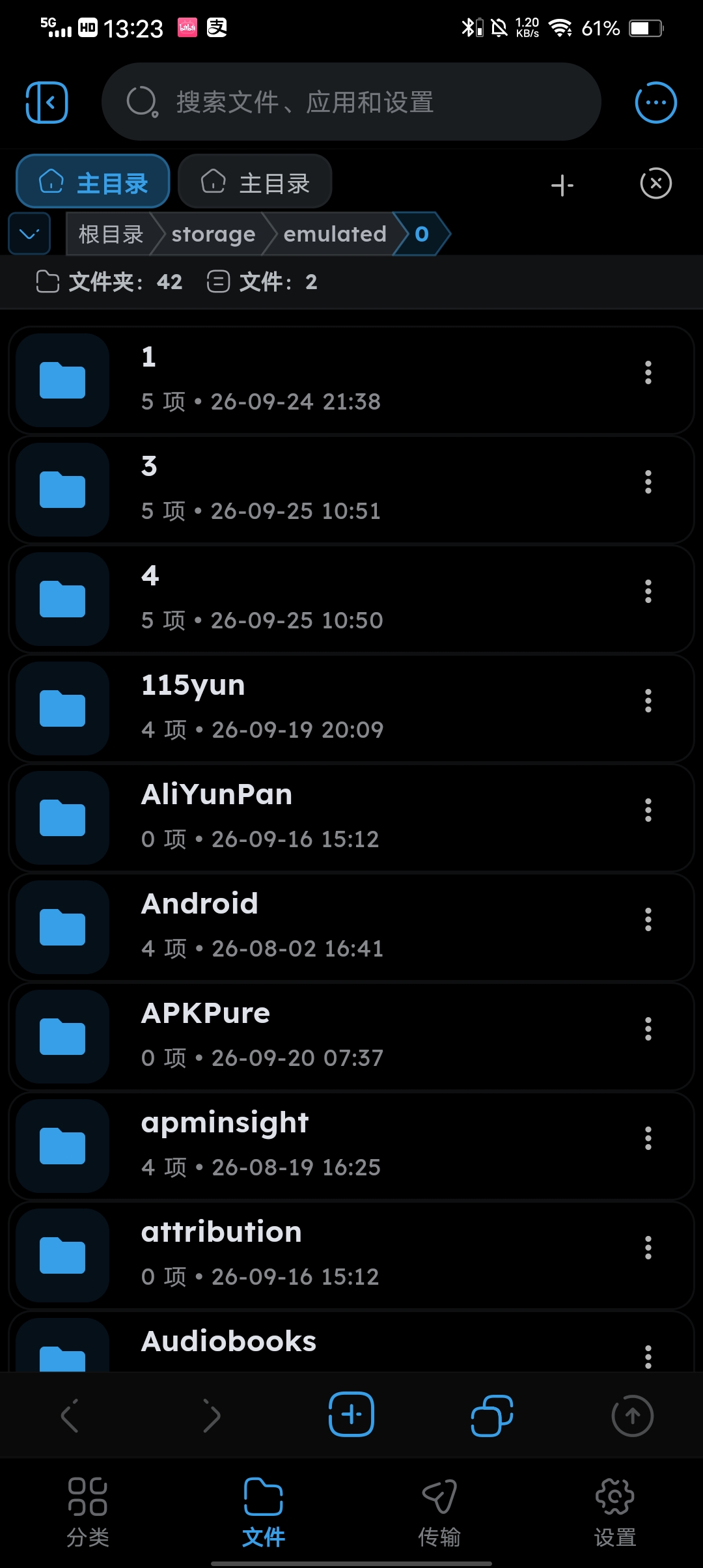
- Beautiful UI/UX — Modern glassmorphism design with textures and transparency
- Full Media Index — Accurate, stable photo, video, and audio browsing powered by system-level indexing (Android MediaStore), so moved or renamed files always stay visible without full storage scans.
- Built-in Media Player
- High-performance video player powered by
media_kit - Elegant audio player with album art and precise progress control
- Pinch-to-zoom image viewer with smooth gesture controls
- High-performance video player powered by
- Built-in Text Editor — View and edit
.txt,.md,.json, and code files in-app - Advanced Sorting — Filter by newest, oldest, or date to quickly find content
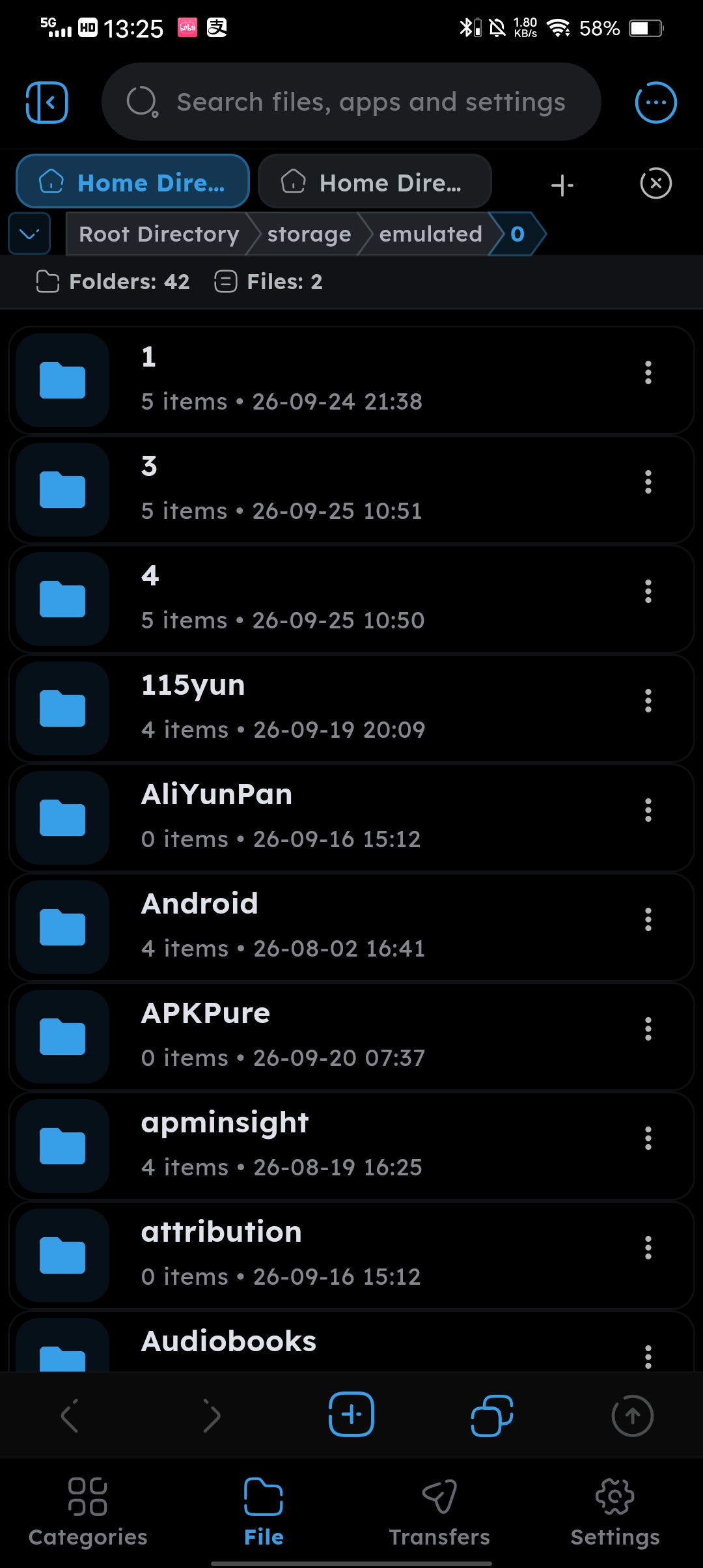
- Full File Operations — Copy, cut, paste, rename, and delete files or folders
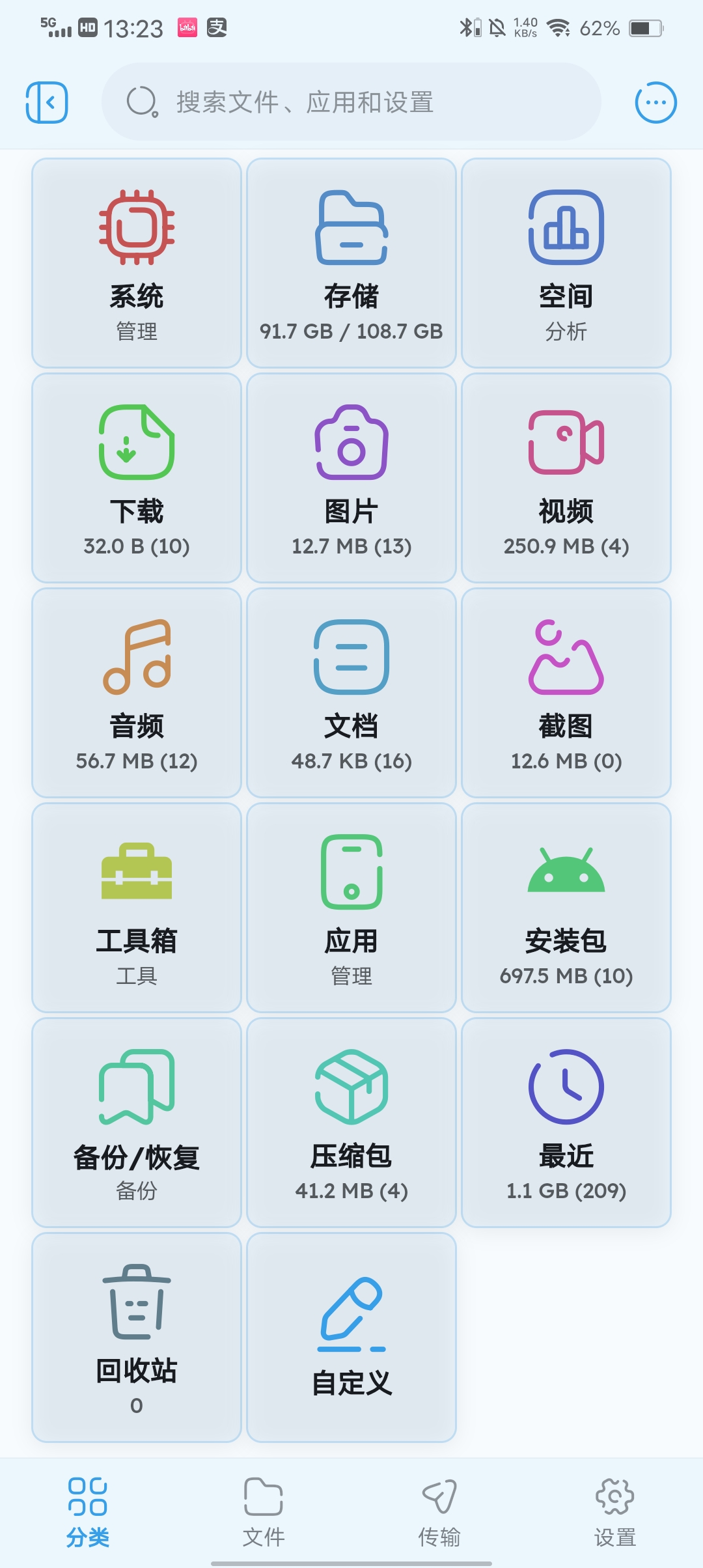
- Quick Categories — One-tap access to indexed media libraries
- Storage Overview — Visual display of internal storage usage
- Smooth Animations — iOS-style spring physics and fluid transitions throughout
- Remote Server Support — FTP, SFTP, WebDAV, SMB/LAN — all with unified browsing experience
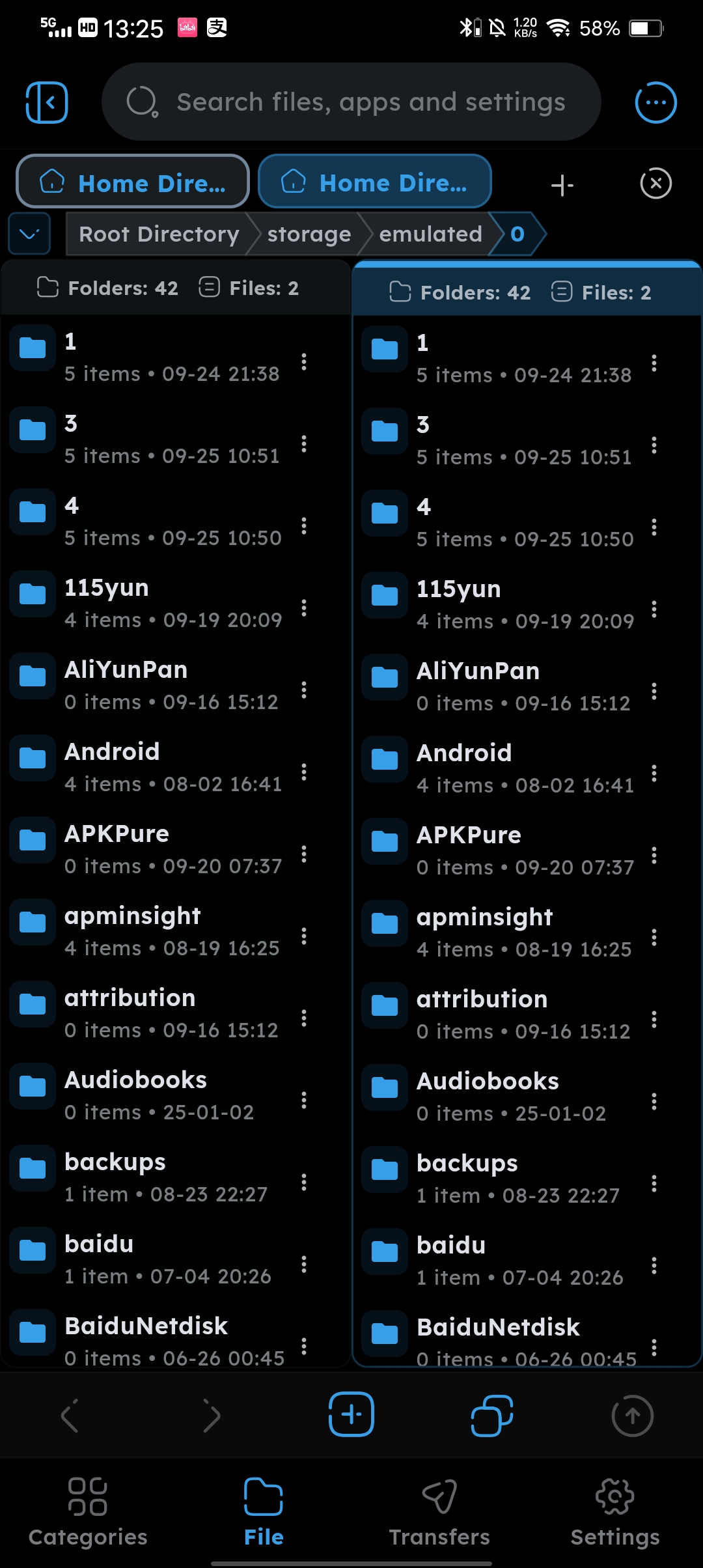
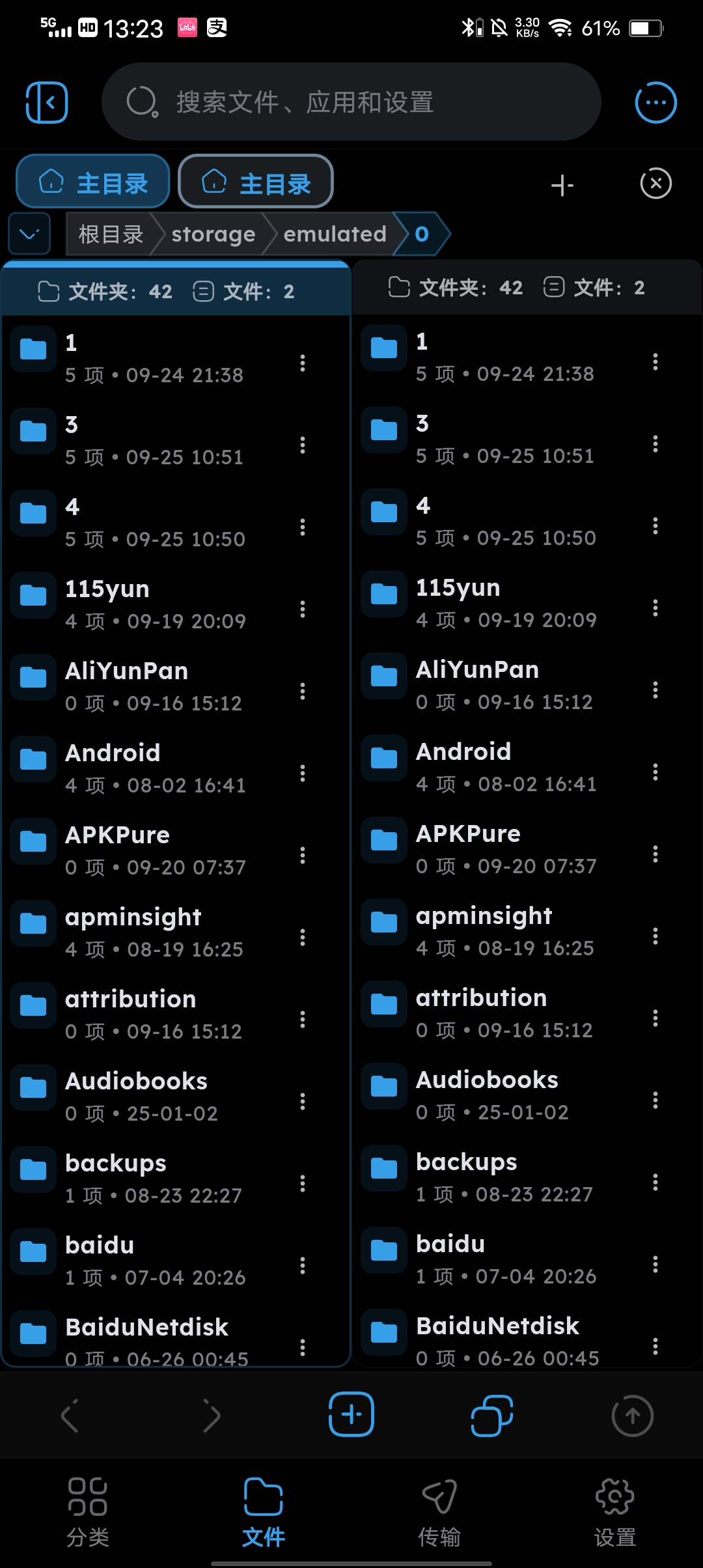
- Dual-Pane Browsing — Two directories side-by-side with drag-and-drop transfers
- Multi-Tab Support — Open multiple folders in tabs for quick navigation
- Encrypted Vault — Protect sensitive files with built-in encryption
- 🌍 Multi-language Support: Supports 10 languages including Simplified Chinese, English, Traditional Chinese, Japanese, Korean, German, French, Spanish, Russian, and Arabic.
📸 Screenshots
中文界面:
 |
 |
 |
 |
English Interface:
 |
 |
 |
 |
🔧 Permissions
Required for full functionality:
MANAGE_EXTERNAL_STORAGE— Global file operations across deviceREAD_MEDIA_IMAGES,READ_MEDIA_VIDEO,READ_MEDIA_AUDIO— Standard media read permissions
🏗️ Build & Run
- Clone this repository
- Run
flutter pub getto install dependencies - Run
flutter runon an Android device (API 21+ required)
🛠️ Tech Stack
- Flutter & Dart
- State Management:
provider - Media Engine:
media_kit - Indexing: System-level MediaStore indexing for media categories (instant, zero I/O);
photo_manager&on_audio_queryretained for audio-model compatibility - Permissions:
permission_handler - Viewers:
photo_view&open_filex
📡 Contact
- Telegram: https://t.me/+47n76Au6mhg0MDA1
- QQ Group: 792408214
- Email: [email protected]
- GitHub: https://github.com/l930203811/ZenFile
🙏 Acknowledgements
Based on Senzme/NFile — thank you for the excellent foundation!
📄 License
GNU GPL v3
How Shizuku is used
Can browse protected folders, manage files and silently install apps via `sh -c` shell commands through Shizuku.
This is an AI-assisted analysis of Shizuku-related usages in the app's public source code. It is best effort, so it may not catch every single usage.
How this app uses Shizuku
Shizuku is used to run file and app operations with shell privileges in protected storage areas.
- Browse protected folders: list files with type, size and modification time in locations the app cannot see normally using shell directory scans through Shizuku.
- Inspect file details: read type, size and modification time for a single file or folder with the
statshell command through Shizuku, and check existence the same way. - Create folders and files: make new folders and empty files in protected locations with
mkdirandtouchstyle shell commands through Shizuku, verified with a follow up check. - Copy, move and rename: copy, move and rename files and folders in protected locations with
cpandmvstyle shell commands through Shizuku, with verification that the destination exists. - Delete items: permanently remove files and folders in protected locations with a
rmstyle shell command through Shizuku, with verification that the source is gone. - Measure folder size: calculate total recursive size of a protected folder with the
dushell command through Shizuku. - Install apps silently: install single APKs without the system installer prompt using
pm installsession commands through Shizuku, and install multi file split packages withpm install-create,pm install-writeandpm install-commitsession commands through Shizuku.
Android APIs or commands used
findstatrm -rfmvmkdir -ptouchcp -rdu -sbcutlsgreppm installpm install-createpm install-writepm install-commitpm install-abandon
Notable details
If Shizuku is unavailable, app installation still works through the normal system installer prompt and split packages fall back to a PackageInstaller session. For restricted folders, some create and copy operations can fall back to the system folder access prompt when the shell path cannot write or read file contents.
Changelog
What's new for version 3.5.0
ZenFile v3.5.0
本版为 v3.5.0 正式发行版。主打保险箱「自动加密新增文件」全链路落地(论坛反馈驱动),并集中合入一轮安全加固(凭据入安全存储、SFTP 主机密钥校验、FTP/Web 分享鉴权与逃逸封堵)与性能优化(缩略图后台解码、缓存上限、加密块级写)。
✨ 新功能
- 保险箱新增「自动加密新增文件」(保险箱设置页开启):开启后,原地加密目录(如相机目录)里新出现的照片和视频会被自动加密,无需再手动点「加密新增文件」;即使相机重建了同名明文目录,也会自动并入已加密目录并实时刷新浏览页(论坛反馈)
- 空间分析页新增「垃圾清理」:一键统计并清理应用缓存、旧版缓存目录与临时文件(24 小时内的更新安装包会自动保留,避免安装器读不到)
- 文件与分类页的三点菜单新增「置顶 / 取消置顶」
- 安全分享扩展到 ZIP 压缩包与 PDF 文档:同样先剥离元数据再分享临时副本
- Web 分享新增可选访问口令:口令非空时全站 Basic Auth;启用公网隧道时强制鉴权,未设口令会自动生成 8 位口令并弹窗展示
- FTP 服务器新增用户名/密码认证模式(也可切回匿名);SFTP 首次连接记录服务器主机密钥指纹(TOFU),之后指纹不匹配即拒绝连接,防止中间人攻击
🎨 界面与交互
- 加密目录与重建的同名明文目录并存时,两个条目都能正确进入:点加密条目看到已加密内容,点明文条目看到新文件,不再互相遮住
- 加密冲突期间浏览页面包屑改显解密后的明文名,点击仍导航到真实位置
- 保险箱配置页的四个密钥空间参数(目录名/文件名加密方式等)创建后锁定并显示提示条,防止误改导致已有密文无法解回
- 分类页「空间」卡片小字改为「清理」,与新增的垃圾清理功能呼应;加密/解密操作图标统一为 Broken 风格
🐛 问题修复
- 修复 SMB 连接切后台或切页后回来「目录失效、必须关掉重进」(论坛反馈):会话假死现在能被可靠识别,回前台或下次操作时自动重建连接,全程无感
- 修复保险箱「原地加密」列表把普通文件夹误显示为密文目录(某些配置下判据恒真所致)
- 修复「加密新增文件」合并完成后浏览页不自动刷新、需要手动下拉的问题
- 修复在 FTP 服务器设置里只改用户名不改密码可能把认证配置改坏的问题
🛠️ 安全与维护
- 远程连接密码、SSH 密钥口令、网盘令牌迁入系统安全存储:旧数据自动迁移,新写入不再含明文凭据
- 应用解锁 PIN 哈希从单轮 SHA-256 升级为 scrypt:存量记录首次验证通过时透明升级,无需重设
- 关闭 Android 云备份导出应用数据;设置备份文件不再包含 PIN 哈希、FTP 密码、分享口令、加密主密码等敏感项
- 封堵 Web 分享与 FTP 服务器的路径逃逸(
../绕过)及 FTP 主动模式端口反弹;FTPS 证书默认严格校验 - 远程图片缩略图解码移入后台线程,10~30MB 大图不再卡住界面;缩略图缓存改为上限管理(400 条 / 64MB),不再无限增长
- 加密文件覆盖写入改为块级读-改-写,大文件局部改写明显提速;应用字体本地打包,首次启动不再联网拉取
English
✨ New Features
- The vault now offers "Auto-encrypt new files" (enable it in vault settings): once on, photos and videos appearing in an in-place encrypted directory (such as the camera folder) are encrypted automatically - no more tapping "Encrypt new files" by hand. Even if the camera recreates a plain-text folder with the same name, it is merged into the encrypted directory and the browser refreshes on its own (forum feedback)
- Storage analysis gains "Junk cleanup": scan and clean app caches, legacy cache directories and temp files in one tap (update packages younger than 24 hours are kept so the installer can still read them)
- "Pin / Unpin" added to the three-dot menus of file and category pages
- Secure share now covers ZIP archives and PDF documents: metadata is stripped before a temporary copy is shared
- Web sharing gains an optional access password (site-wide Basic Auth); when a public tunnel is active, authentication is enforced and an 8-character password is generated automatically if none was set
- The FTP server now supports username/password authentication (anonymous mode remains available); SFTP records the server host key fingerprint on first connection (TOFU) and rejects mismatches afterwards, preventing man-in-the-middle attacks
🎨 UI & Interaction
- When an encrypted directory and a recreated plain-text directory with the same name coexist, both entries now work: the encrypted one shows encrypted content, the plain one shows new files - they no longer hide each other
- While such a conflict exists, breadcrumbs in the local browser show the decrypted plain name while still navigating to the real location
- The four key-space parameters of a vault profile (directory/file name encryption, etc.) are locked after creation with an amber notice, preventing accidental changes that would make existing ciphertext undecryptable
- The "Storage" card caption on the Categories page now reads "Clean" to match the new junk cleanup; encrypt/decrypt icons unified to the Broken style
🐛 Bug Fixes
- Fixed SMB sessions dying silently after switching away from the app ("directory no longer valid, must reopen") (forum feedback): the dead session is now detected reliably and rebuilt transparently when you return or on the next operation
- Fixed the vault in-place encryption list treating ordinary folders as encrypted directories under certain configurations
- Fixed the browser not refreshing automatically after "Encrypt new files" finished merging a directory
- Fixed the FTP server settings allowing the password to be wiped when only the username was changed
🛠️ Security & Maintenance
- Remote connection passwords, SSH key passphrases and cloud-drive tokens moved into the system secure storage: legacy data migrates automatically and new writes never contain plain credentials
- The unlock PIN hash was upgraded from single-round SHA-256 to scrypt: existing records upgrade transparently on the first successful verification, no re-setup needed
- Android cloud backup of app data is now disabled; settings backup files no longer contain the PIN hash, FTP password, share password, vault master password or other sensitive items
- Path traversal in Web sharing and the FTP server is blocked (
../escape), as is FTP active-mode port bounce; FTPS certificate verification is strict by default - Remote image thumbnails are decoded on a background thread - 10~30 MB images no longer freeze the UI; the thumbnail cache is now capped (400 entries / 64 MB) instead of growing forever
- Encrypted-file overwrite switched to block-level read-modify-write, visibly speeding up partial rewrites of large files; fonts are bundled locally so the first launch no longer fetches them online


Permissions
31 permissions requested
Sources
3 sources
Sources
3 sources
More from this category
 SD Maid SE
 Material Files
 Buge Files
 KArchiver
 Butler
 ROSE
ROSE
 File Explorer
 Ripple Files – File Manager
 NFile
NFile
 XFiles
 XClean
 XArchiver