 ShizuStore
Yuki
1.11.0 · GitHub
More about this app
Catalog and storefront for open-source Shizuku apps, crawled from GitHub

Yuki
A catalog of open-source Android apps that use the Shizuku permission framework.
Download
Download the APK from the latest release. Alternatively, you can use the website, but the Android app is preferred for a better native experience and automatic updates.
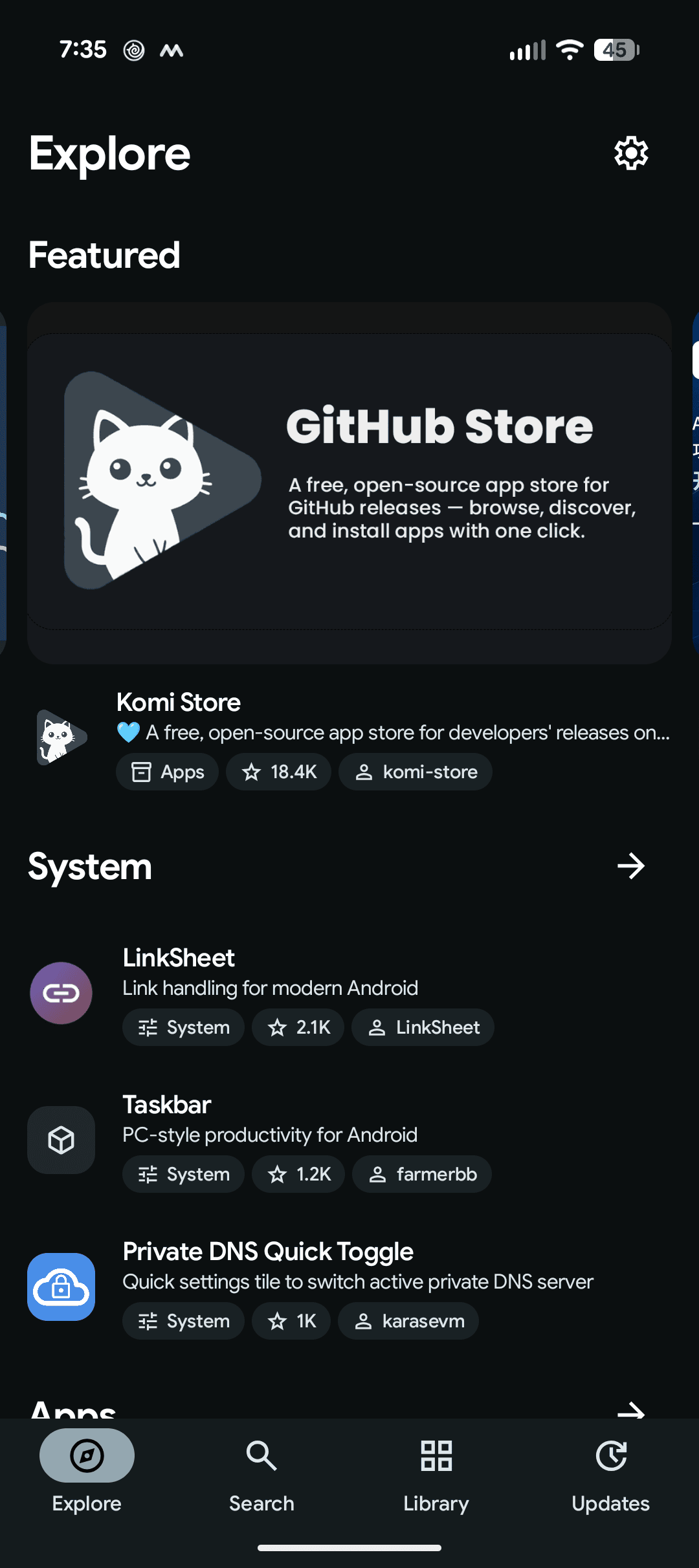
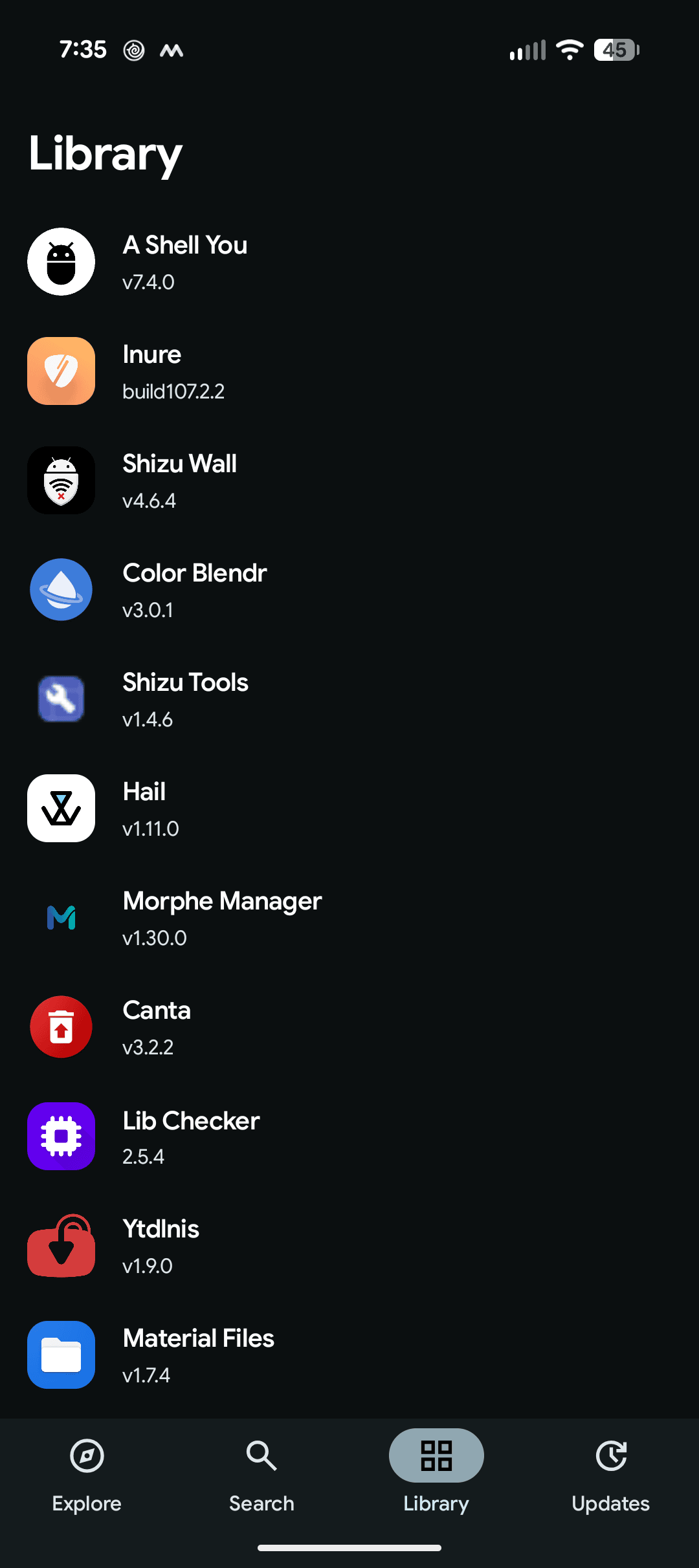
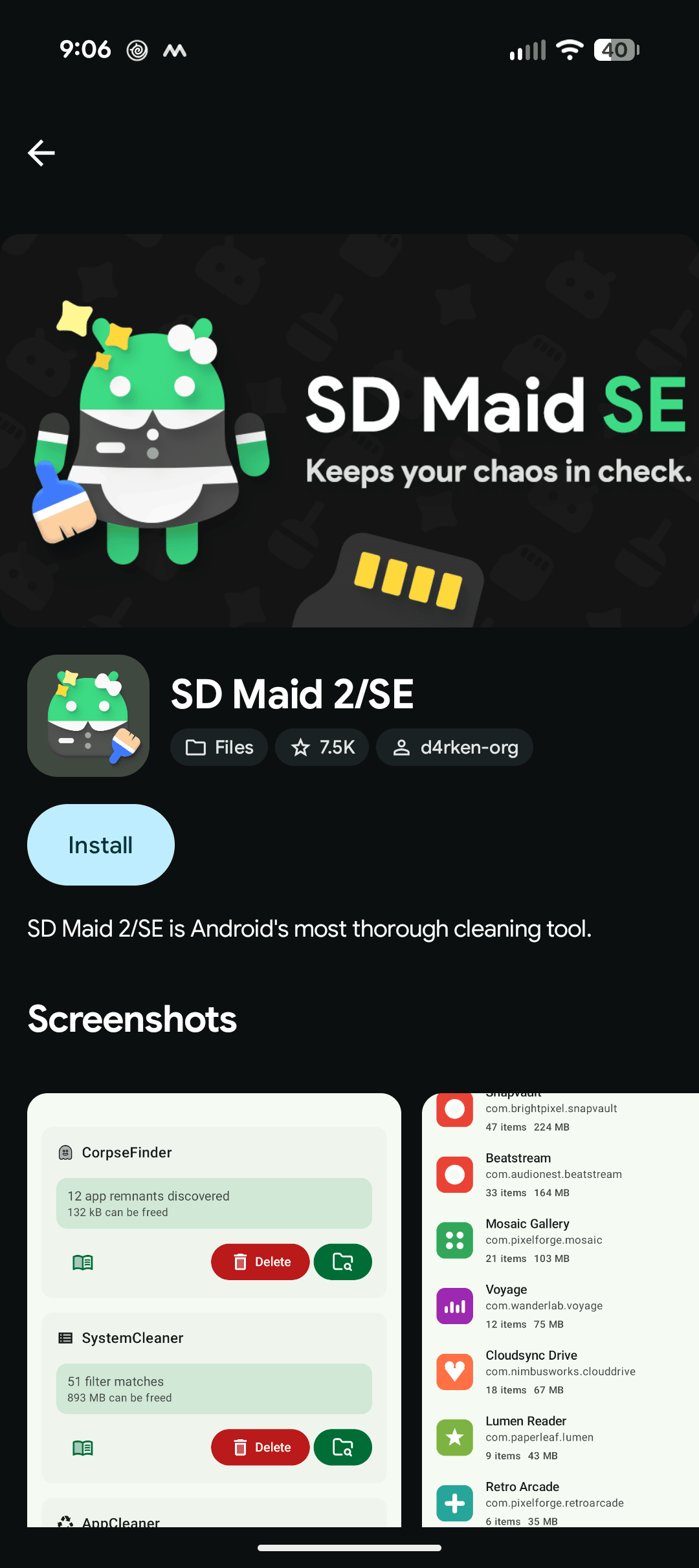
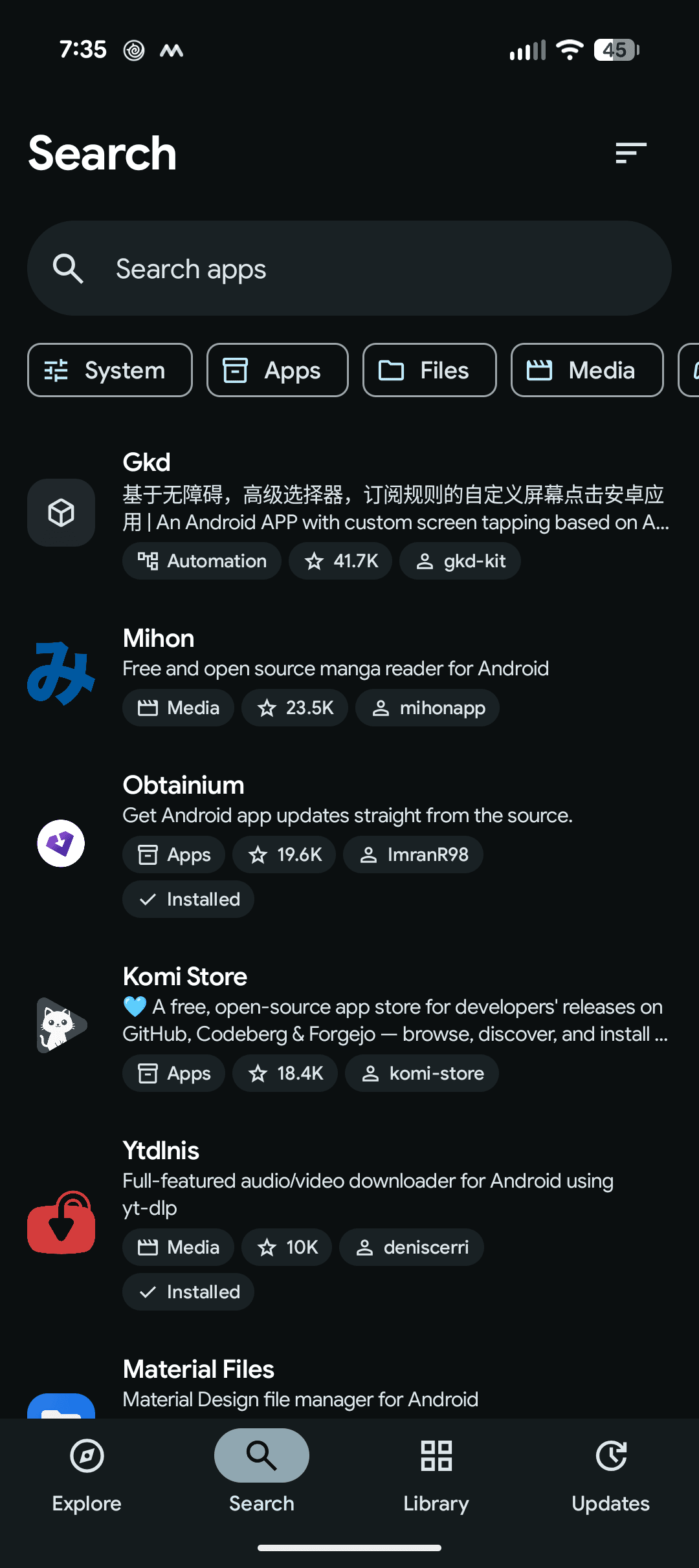
Screenshots
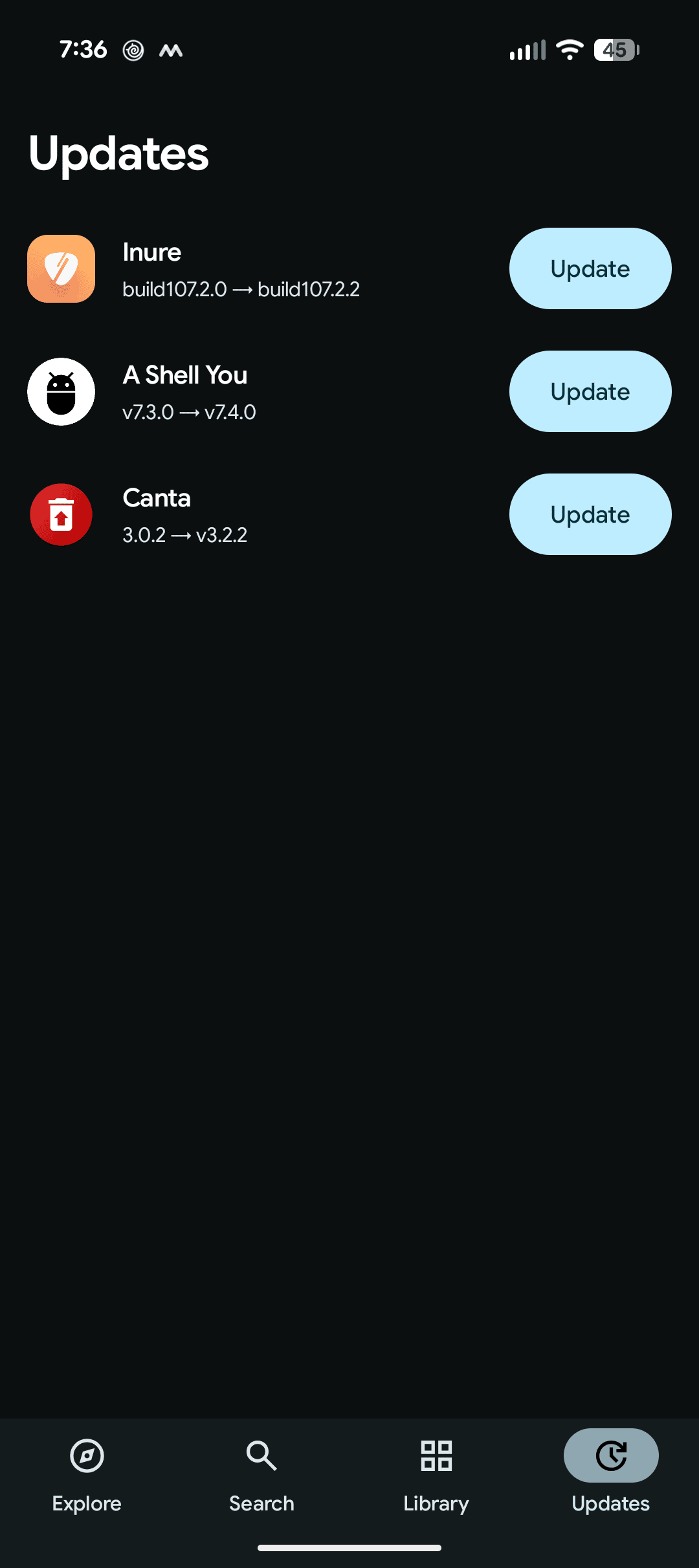
| Explore | Listing | Search | Library | Updates |
|---|---|---|---|---|
 |
 |
 |
 |
 |
How it works
Yuki crawls public GitHub repositories and scores them based on the following criteria:
| Evidence | Confidence |
|---|---|
rikka.shizuku.ShizukuProvider in the manifest |
Strong |
dev.rikka.shizuku in a Gradle build file |
Strong |
moe.shizuku.api in a Gradle build file |
Probable |
A Kotlin or Java filename containing shizuku |
Probable |
A shizuku topic, or a readme mention |
Weak |
Strong candidates are automatically indexed by the system. Weak ones are
self-assigned labels, so they wait for review before going live. Either way, a
repository is only indexed if it ships a downloadable APK and holds an
AndroidManifest.xml or a Gradle build file.
Metadata
Title - The readme's first heading, when it names the repository and reads like a title rather than a tagline or version. Otherwise the repository name, humanized.
Icons - Fastlane and Play Store icons first, then the highest-density launcher
icon in mipmap. Adaptive icons are composed from their foreground, background,
and color resources. Every icon is uploaded to Cloudflare R2 and served from there.
Banners - The first readme image whose filename reads as a banner, hero, cover, header, or splash.
Screenshots - Readme images, preferring those named like screenshots or previews, up to 8. Badges, logos, store buttons, and chat invites are discarded.
Development
apps/android    Android client
apps/web        Web catalog
apps/scraper    GitHub crawler
packages/db     Schema and migrations
packages/github GitHub API client
packages/auth   Sessions and sign-in
packages/ui     Shared components
git clone https://github.com/carlelieser/yuki.git
cd yuki

# web — requires Bun 1.4+ and Docker
bun install
cp .env.example .env
docker compose up -d
bun run db:migrate
bun run dev

# android — requires JDK 17
cd apps/android
./gradlew assembleDebug
The site runs at http://localhost:5173, and mail is caught by Mailpit at
http://localhost:8025. Scraping needs a GITHUB_TOKEN in .env with public read
access:
bun run scrape --slug=<listing>
Signing in with GitHub needs a GitHub OAuth app whose callback URL is
http://localhost:5173/api/auth/callback/github, with its credentials set as
GITHUB_CLIENT_ID and GITHUB_CLIENT_SECRET. Production uses a separate OAuth app
with the callback https://yukistore.org/api/auth/callback/github.
Locally, assets such as icons and avatars are stored in SeaweedFS instead of R2 and served from
http://localhost:8333/yuki-assets. docker compose --profile scrape up scraper runs the
scraper against them.
The Android client talks to https://yukistore.org by default. To point it at the
local web server instead, pass yukiBaseUrl and forward the port to the device:
adb reverse tcp:5173 tcp:5173
adb reverse tcp:8333 tcp:8333
cd apps/android
./gradlew installDebug -PyukiBaseUrl="http://localhost:5173/"
Use http://10.0.2.2:5173/ on an emulator, where adb reverse is unnecessary.
Debug builds allow cleartext to localhost only; release builds stay HTTPS-only.
How Shizuku is used
Can install and uninstall catalog apps silently via Shizuku `pm` commands
This is an AI-assisted analysis of Shizuku-related usages in the app's public source code. It is best effort, so it may not catch every single usage.
How this app uses Shizuku
Yuki uses Shizuku to install and remove the open-source apps it catalogs without manual confirmation taps.
- Install listed apps silently: a catalog APK chosen by the user is installed in the background with
pm install-create,pm install-writeandpm install-commitrun through Shizuku. - Uninstall listed apps silently: a catalog app chosen by the user is removed in the background with
pm uninstallrun through Shizuku.
Android APIs or commands used
pm install-createpm install-writepm install-commitpm install-abandonpm uninstall
Notable details
Without Shizuku, installs fall back to the system installer with user confirmation and uninstalls fall back to the system delete prompt.
Changelog
What's new for version 1.11.0
What's Changed
- fix: ignore foreign release assets by @carlelieser in https://github.com/carlelieser/yuki/pull/30
- feat: ratings and reviews on Android by @carlelieser in https://github.com/carlelieser/yuki/pull/32
- fix(scraper): recognise platform apks by certificate fingerprint by @carlelieser in https://github.com/carlelieser/yuki/pull/33
- fix(scraper): classify apks without readable signers as own by @carlelieser in https://github.com/carlelieser/yuki/pull/34
- fix(scraper): offer each listing's main app from its releases by @carlelieser in https://github.com/carlelieser/yuki/pull/35
- fix(web): hide foreign release assets by @carlelieser in https://github.com/carlelieser/yuki/pull/31
Full Changelog: https://github.com/carlelieser/yuki/compare/android-v1.10.0...android-v1.11.0
Permissions
12 permissions requested
More apps from this developer
 Shizzi
More from this category
 ShizuStore
 Droid-ify
 InstallerX Revived
 Universal Installer
 Komi Store
 Vyxel Apps
 APKUpdater
 Neo Store
 Orion Store
 ObtainX
 ShizuCoreFetch
 Aurora Store