 ShizuStore
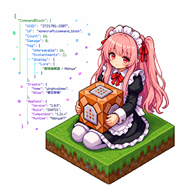
Nibnya
1.0.4 · GitHub
More about this app
An Android NBT editor for Minecraft Bedrock, powered by Shizuku for /data access





Tip
It's finally halfway stabilized, and there's still some stuff that will be added later on
Warning
I know there will be problems, but I still have to apologize
This application code is written by deepseek v4
Tip
Do you want to participate in this, add application functions, modify functions, etc.
Please fork and submit a PR, or patch and tidy it up yourself after forking.
Table of contents
directory listing
🌸 Project introduction
The imitation Blocktopograph is not directly adapted from him. Just like a tire, a similar
🖼️ App screenshots
🌸 View app interface preview


🚀 Get started quickly
📺 Introduction to use
Introduction and usage tutorial:

Tip
Make sure you have the basicsShizukuuse, the app will ask for
Otherwise, you will be unable to access Android/data Minecraft files.
Currently only supports Android 9 ~ 13
Obtaining all file permissions is for the download directory to read and write to the old directory and the private directory.
📄 Change log
This release (1.0.4 stable)
Added
- ROOT support: a unified privilege layer with three modes — ROOT / Shizuku / Normal. Root detection does not check whether a
subinary exists; it actually runssu -c idand looks foruid=0, so "su installed but not granted" and fake root are never misdetected. - Execution mode selector: a new "Execution mode" row in Settings that expands in place (no pop-up): Auto / ROOT / Shizuku / Normal. Choosing ROOT on a device without root falls back to Shizuku, then to Normal, with a toast telling you what actually took effect.
- Custom su command template: you can change the
su -c {cmd}form to match Magisk / KernelSU / modified su. Three presets are included (su -c,su -0 -c,su --mount-master -c); tapping one runs a real test immediately and tells you whether it works. A template must contain{cmd}to be saved. - "App internal" path: the path picker now offers
/data/user/0/<package>/games/com.mojang/minecraftWorlds/— Minecraft's actual private directory. It is only shown when real root is available, and re-tested every time the picker opens. - Write-back now uses atomic replacement: new data is fully staged in a temp directory on the same partition, the original is renamed aside, the new one takes its place, and only then is the old copy removed; any failure rolls back immediately. A self-check (
CURRENTmust exist, no nested folders) rolls back automatically on anomalies. - World thumbnails actually appear: the standard path lives under
Android/data, where Android 11+ scoped storage makes direct reads fail, so the three tiles used to stay grey forever. Bytes are now streamed through the privilege channel and decoded in memory, never touching disk. - Three-line world list layout: world name / folder ID / last played are separate rows now, so a long name can no longer squeeze out the timestamp; the folder ID elides in the middle so the trailing
=stays visible. - Edge-swipe sidebar: swipe right within 18dp of the left edge to open; when open, swipe left anywhere to close. The scrim is fully transparent but still handles tap-to-close.
- Dark mode properly supported: two palettes (light / dark) were added and all 76 hard-coded colours in layouts and code now use theme colours; system dialogs (settings / backups / restore / root-node actions, etc.) follow along instead of staying white and unreadable.
- Permission check moved into Settings: the home header is now just "Clear cache / Switch path"; the permission check lives in Settings and runs a real test on tap, with a clear verdict.
- Seed copies on a single tap: no more long-press-and-select, and the emoji is no longer copied along with the number.
- Free-crop now honours the row/column count: previously choosing 5×5 and then switching to "Free crop" produced only 1 map; it now splits into the full 25.
- Square lock adjusts automatically: turning on "Lock ratio (square)" immediately snaps the crop box to the largest square, instead of waiting for you to drag it.
Fixed
- Saves written under root were unreadable by the game (most serious): files written as root are owned by
root:root, while Minecraft runs as its own uid withrw-------permissions — so the files were there and the size looked fine, yet the game reported "Unable to connect to world" and the list showed an absurd4167549952. Ownership is now handed back to the owning app before the write completes. - Ownership repair looped on itself: the old logic preferred the ownership of the current db directory, so once it had been corrupted to root it stayed root and every save corrupted it again. The authoritative source is now the app's own directory.
- su command was split by the outer shell: when the command contained
&&, only the first part ran as root while the rest ran as the ordinary app uid, socpfailed withPermission denied— it looked like "root can't write". The whole command is now passed as a single argument. - Deleting an "app internal" world failed under root:
/data/...is only visible to root, so the native existence check always returned false and the app claimed the world folder was missing. - Automatic repair for already-broken saves: ownership is checked when a world is opened, so save files corrupted by earlier builds can be rescued without re-saving.
- Android 16 / HyperOS only said "cannot write": it now probes real writability and gives an actionable fix (HyperOS requires enabling "USB debugging (Security settings)" separately).
- Three sidebar interaction bugs: swiping stopped working after closing, the scrim was unclickable (taps fell through to the main screen), and there was no right-to-left close gesture.
- First swipe only showed the scrim / wrong width: the width read as 0 right after the view became visible, so positions were computed incorrectly.
Resolved
- Recycle bin: deleting a world moves it there first, so nothing is unrecoverable
- Export
.mcworld: pack a whole world into a file Minecraft can import directly - Draft box: unsaved edits are kept in a draft box instead of interrupting with a pop-up
- Clipboard rework: copies also go to the system clipboard, in JSON / SNBT / plain text
- Export to file: to the Download folder, or to any folder you pick via SAF
- Full SAF support: read / write / delete all go through DocumentFile, and saving is no longer "falsely reported as successful"
- Unified world picker / draft box / backup lists, with a bottom tab bar and long-press menus
- Fixed: player data lost after adding a List — the root cause was deleting LevelDB index files
- Fixed: large worlds misdetected as LOCK and refusing to open
- Fixed: the tree view is now fully usable (add / edit / delete / search / save)
- Fixed: out-of-memory when generating map art
- Fixed: two inconsistent backup directory definitions ("clear backups" cleared an empty folder while reporting success)
- Fixed: opening Settings popped up the "custom" input box, and the panel could not scroll
- Fixed: crash when entering a custom draft interval / thread count
- Fixed: the session-restore dialog showed the wrong target; a discarded session no longer comes back
- Fixed: the tab bar would not stick to the bottom
- Fixed: issue #6 — saving to a custom path no longer falsely claims "Shizuku is required"
- Multi-threading settings actually take effect (file copy + map art, with tunable concurrency)
- Complete internationalization (EN / ZH string keys match exactly)
- Code reorganised by domain (
nbt/db/editor/world/mapart/util/) - Renamed to Nibnya / 樱喵NBT, new icon, and the data folder
NbtEditor_Data/→Nibnya/
To do
- Low memory on large worlds (the app can be killed by the system)
- Auto-update
- UI polish
- Backup policy (stop backing up on every save; time-based / opt-in / manual)
- Map plane view and editing (view / modify / move chunks)
- Multiple worlds open at once (the same world must not be opened twice)
- Blocktopograph-style theme
- Preset templates (player / village / map)
- One-click tools (32767 equipment, command-line items, …)
- A third page with handy Bedrock utilities
- Upgrading old worlds across major versions
- Multi-user support
- KMP cross-platform (Windows / Linux desktop)
Other ideas and modifications are still being implemented
👥 Thank you list
@Yejdhi Provided me with many methods and modification ideas
@LeviMC Provided me with methods and ideas for modifications
(It is also recommended to take a look at LeviMC’s open source projects)
📜 Open source agreement
This project uses AGPL 3.0 protocol
Changelog
What's new for version 1.0.4
🇨🇳 中文
⚠️ 签名已更换
正式版改用全新的签名密钥(此前用的是临时签名 debugmt.keystore)。
- 不需要卸载任何东西:正式版包名是
yhjmew.nibnya,测试版是yhjmew.nibnya.debug,两者包名不同、互不影响,可以同时装在一起。 - 只有你以前装过同为
yhjmew.nibnya的旧正式版时,才需要先卸载那一个 —— 签名变了无法覆盖安装。 - 测试版的数据(草稿箱 / 设置 / 备份)与公共目录
Download/Nibnya/都不受影响。 - 从今以后正式版与测试版都使用这把新签名。
新增
- ROOT 支持:统一提权层,ROOT / Shizuku / 正常三种模式。root 检测不是看
su文件在不在,而是真跑一次su -c id查uid=0—— 装了 su 但没授权、假 root 都不会误判。 - 运行模式选择器:设置里点一下就地展开(不是弹窗):自动 / ROOT / Shizuku / 正常。选 ROOT 但没 root 会自动降级到 Shizuku,再不行降正常模式,并 toast 告知实际生效的模式。
- 自定义 su 命令模板:可改写
su -c {cmd}的形式(适配 Magisk / KernelSU / 改版 su)。另附三个预设(su -c、su -0 -c、su --mount-master -c),点选后立即实测并告诉你这个模板通不通。模板必须含{cmd}才允许保存。 - 「软件内部」路径:路径选择新增
/data/user/0/<包名>/games/com.mojang/minecraftWorlds/—— 这是 Minecraft 真正的应用私有目录。仅在真实 root 下显示,每次打开都重新实测。 - 写回改用原子替换:新数据先完整落到同分区的临时目录,原目录改名让位,新目录顶上,成功才删旧、失败立刻回滚。任何时刻原存档都完整存在。另加写回自检(
CURRENT必须存在、不能有嵌套),异常自动回滚。 - 存档缩略图真正显示:标准路径在
Android/data下,Android 11+ 分区存储让直接读文件必然失败,以前三个方块永远是灰底。改为经提权通道把字节流读进内存解码,全程不落盘。 - 存档列表三行布局:世界名 / 文件夹 ID / 最后游玩时间拆成三行,名字再长也挤不掉时间。
- 边缘滑动侧边栏:左边缘 18dp 内右滑拉出,已打开时任意位置左滑收起。
- 夜间模式真正适配:两套色板,76 处硬编码颜色改为主题色;系统弹窗(设置 / 备份 / 恢复 / 根节点操作等)一并跟随。
- 权限检查并入设置:主页顶部精简为「清理缓存 / 切换路径」,权限检查移进设置并改为真实探测。
- 种子单击复制:不再需要长按选中,也不会把 emoji 一起复制。
- 自由裁剪按行列出图:选 5×5 现在会正确切成 25 张,不再只出 1 张。
- 锁定正方形自动调整:打开「锁定比例(正方形)」时裁剪框立刻收敛成最大正方形,不用手动拖。
修复
- 写回后游戏读不了存档(最严重):root 写出的文件归属是
root:root,而 Minecraft 以自己 uid 运行、权限位只有rw-------—— 文件明明在、大小也正常,游戏却报「未找到本地服务器」,列表还显示4167549952这种荒谬体积。现在写回前会把归属还给该存档所属的应用。 - 归属修复的自我循环:旧逻辑优先读「当前 db 目录」的归属,一旦被写坏成 root 就一直读回 root,每次保存继续写坏。改为以应用自己的目录归属为准。
- su 命令被外层 shell 拆断:命令含
&&时只有第一段进了 root,后面的段落跑在普通应用身份上,cp直接Permission denied,看起来像「root 写不了」。改为把整条命令作为单个参数交给 su。 - root 下无法删除「软件内部」存档:
/data/...只有 root 能看见,原生存在性判断恒为 false,明明存档在却提示「找不到存档目录」。 - 老坏档自动修复:打开存档时自动检查归属,之前被写坏的存档不用重新保存也能救回。
- Android 16 / HyperOS 保存失败只说「无法写入」:现在真实探测能否写入,并给出可操作的解决路径(HyperOS 需单独开启「USB 调试(安全设置)」)。
- 侧边栏三个交互问题:关闭后再次滑动失效、遮罩层点不到(会穿透到主界面)、无法从右往左关闭。
- 首次滑动只出现遮罩 / 宽度算错:控件刚显示时宽度读成 0。
- 命令安全加固:
rm -rf只允许作用于临时目录与回收站;拒绝「上一级」目录、通配符、裸变量。mv的源与目标也走同一套校验。
🇬🇧 English
⚠️ Signing key changed
This stable build uses a brand-new signing key (previously the temporary debugmt.keystore signature).
- Nothing needs to be uninstalled. The stable build's package is
yhjmew.nibnyawhile test builds useyhjmew.nibnya.debug— different package names, so they coexist and can be installed side by side. - You only need to uninstall if you previously had a build with the same
yhjmew.nibnyapackage (an older stable build), because a signature change blocks installing over it. - Test build data (draft box / settings / backups) and the public
Download/Nibnya/folder are unaffected. - From now on both stable and test builds use this new key.
Added
- ROOT support: a unified privilege layer with ROOT / Shizuku / Normal modes. Detection actually runs
su -c idand checks foruid=0, so "su installed but not granted" and fake root are never misdetected. - Execution mode selector: expands in place in Settings (no pop-up). Choosing ROOT without root falls back to Shizuku, then Normal, with a toast reporting what actually took effect.
- Custom su template: change the
su -c {cmd}form (Magisk / KernelSU / modified su). Three presets included — tapping one runs a real test and reports whether it works. A template must contain{cmd}to be saved. - "App internal" path:
/data/user/0/<package>/games/com.mojang/minecraftWorlds/, shown only when real root is available and re-tested every time. - Atomic write-back: data is staged in a temp directory on the same partition, the original is renamed aside, the new one takes its place; the old copy is removed only on success and failures roll back immediately. A structural self-check rolls back on anomalies.
- World thumbnails actually appear: bytes are streamed through the privilege channel and decoded in memory instead of relying on direct file reads.
- Three-line world list: name / folder ID / last played on separate rows.
- Edge-swipe sidebar: swipe right within 18dp of the left edge to open, swipe left anywhere to close.
- Dark mode properly supported: two palettes, all 76 hard-coded colours replaced with theme colours; system dialogs follow along.
- Permission check moved into Settings and changed to a real probe.
- Seed copies on a single tap, without the emoji.
- Free crop honours the row/column count: 5×5 now produces 25 maps instead of 1.
- Square lock adjusts automatically when enabled.
Fixed
- Saves written under root were unreadable by the game (most serious): files owned by
root:rootwhile Minecraft runs as its own uid withrw-------, so files existed and looked fine yet the game reported "Unable to connect to world" and showed an absurd4167549952. Ownership is now handed back to the owning app. - Ownership repair looped on itself: the db directory's own ownership was trusted, so once corrupted to root it stayed root forever. The app's own directory is now authoritative.
- The su command was split by the outer shell: with
&&, only the first part ran as root andcpfailed withPermission denied. The whole command is now a single argument. - Deleting an "app internal" world failed under root:
/data/...is only visible to root, so the native check always said "not found". - Automatic repair for already-broken saves when a world is opened.
- Android 16 / HyperOS only said "cannot write": now probes real writability with an actionable fix.
- Three sidebar interaction bugs: swipe failing after close, unclickable scrim, no right-to-left close.
- First swipe only showed the scrim / wrong width.
- Command safety hardening:
rm -rflimited to temp directories and the recycle bin; parent directories, wildcards and bare variables refused;mvvalidated too.
ℹ️ 共存说明 / Coexistence:正式版
yhjmew.nibnya与测试版yhjmew.nibnya.debug包名不同,可同时安装,互不覆盖。 The stable build (yhjmew.nibnya) and test builds (yhjmew.nibnya.debug) use different package names, so they can be installed side by side.
Permissions
5 permissions requested
More from this category
 SwiftSense
 AimBuddy
 LAC Tool
 BDroid X
 PF Tool
 神原
 Stalker
 MaaMeow
Ascent
 Cinderbox Companion
 Key Viewer Overlay
 Okkei Patcher