 ShizuStore
WiFi Password Manager
1.18 · GitHub
More about this app
Simple app using Shizuku to manage & view saved Wi-Fi passwords
WiFi Password Manager
An Android application for managing saved WiFi network passwords using privileged system access through Shizuku or root access.



Key Features
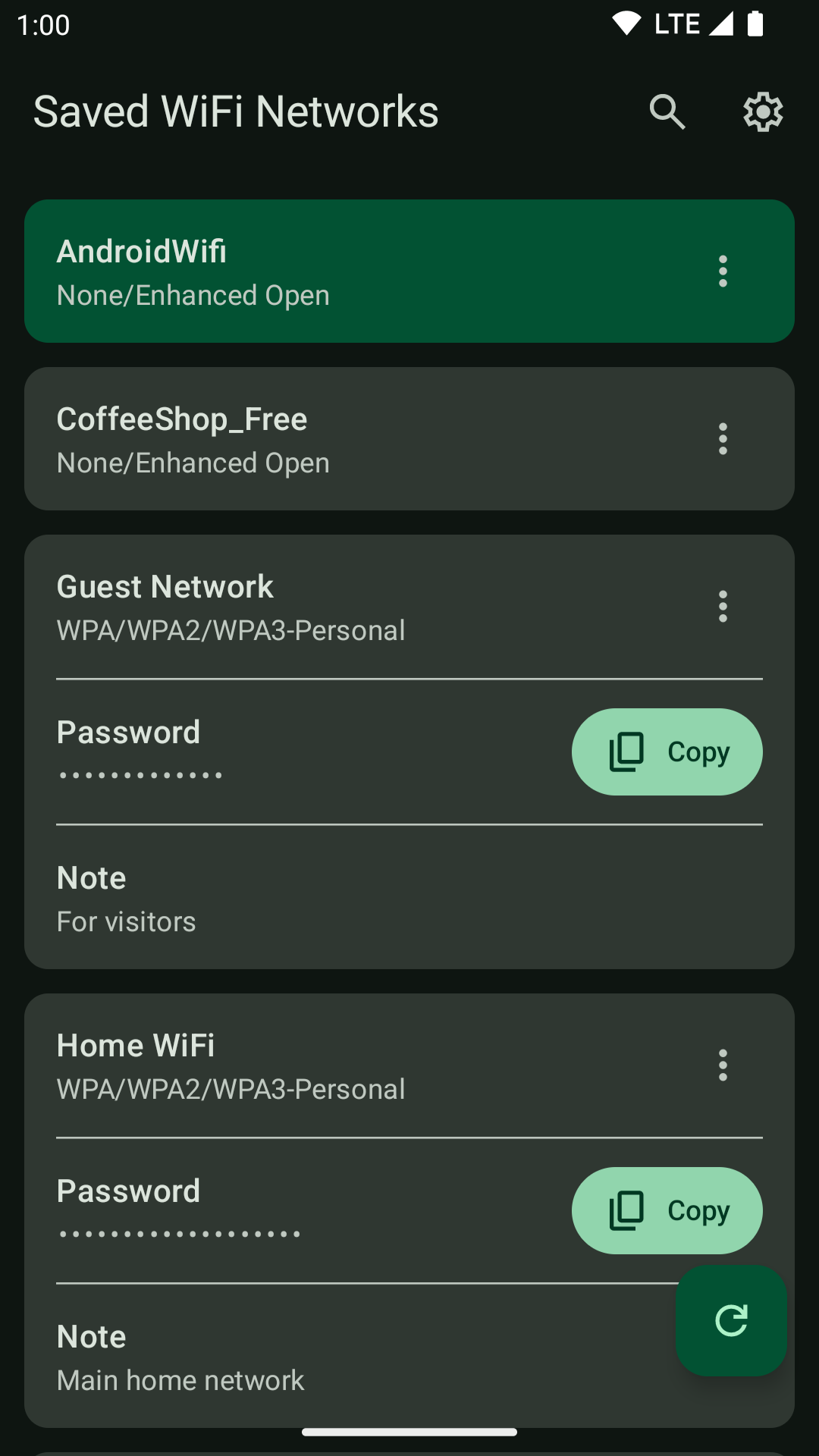
- View Saved Networks: Display all configured WiFi networks with their passwords
- Show Connected WiFi: Display the currently connected WiFi network, highlighted and pinned to the top of the list
- Connect/Disconnect/Forget WiFi: Connect/disconnect/forget WiFi networks directly from the app
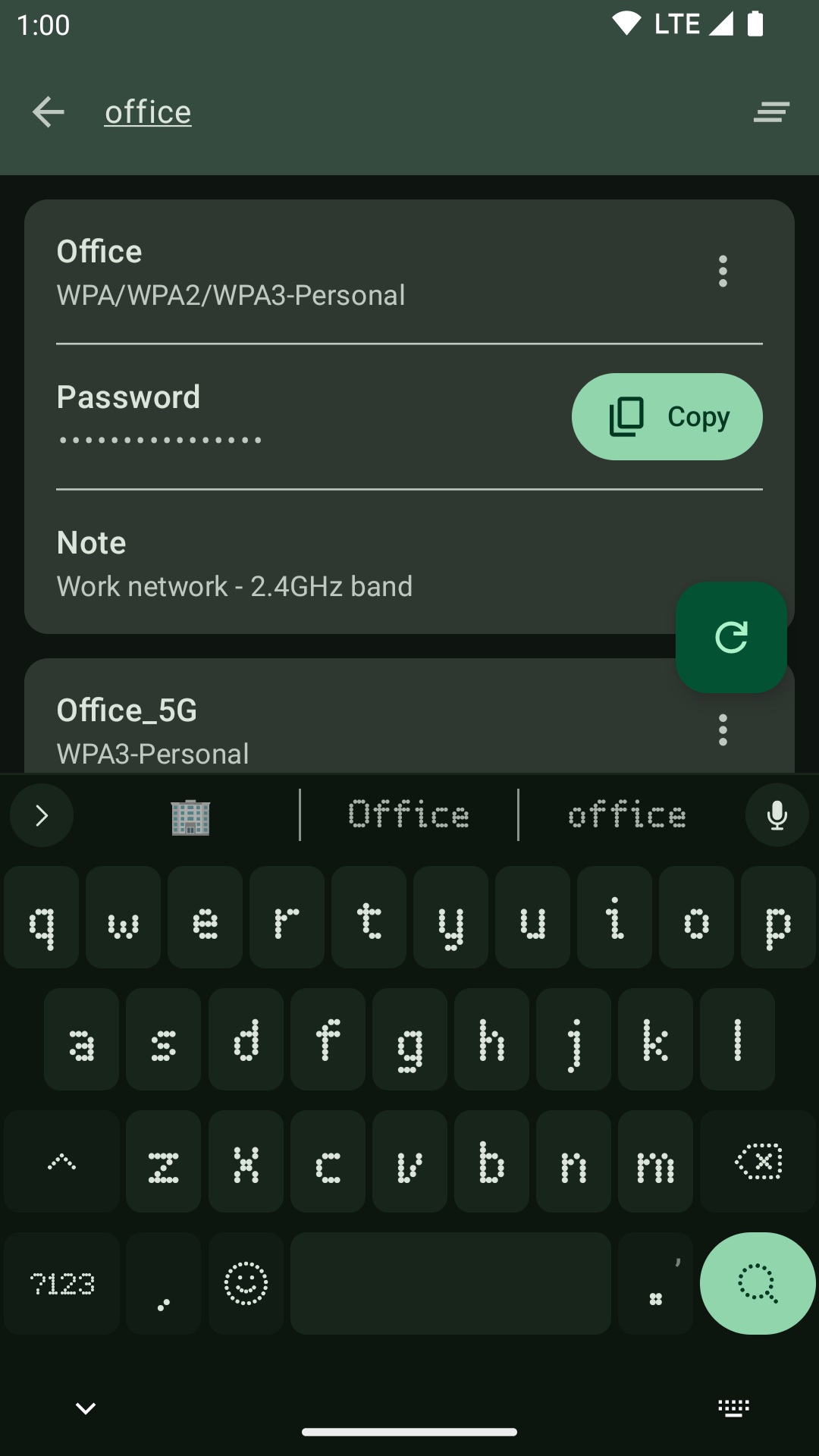
- Search & Copy: Find networks with real-time search and securely copy passwords
- Network Notes: Add custom notes to WiFi networks
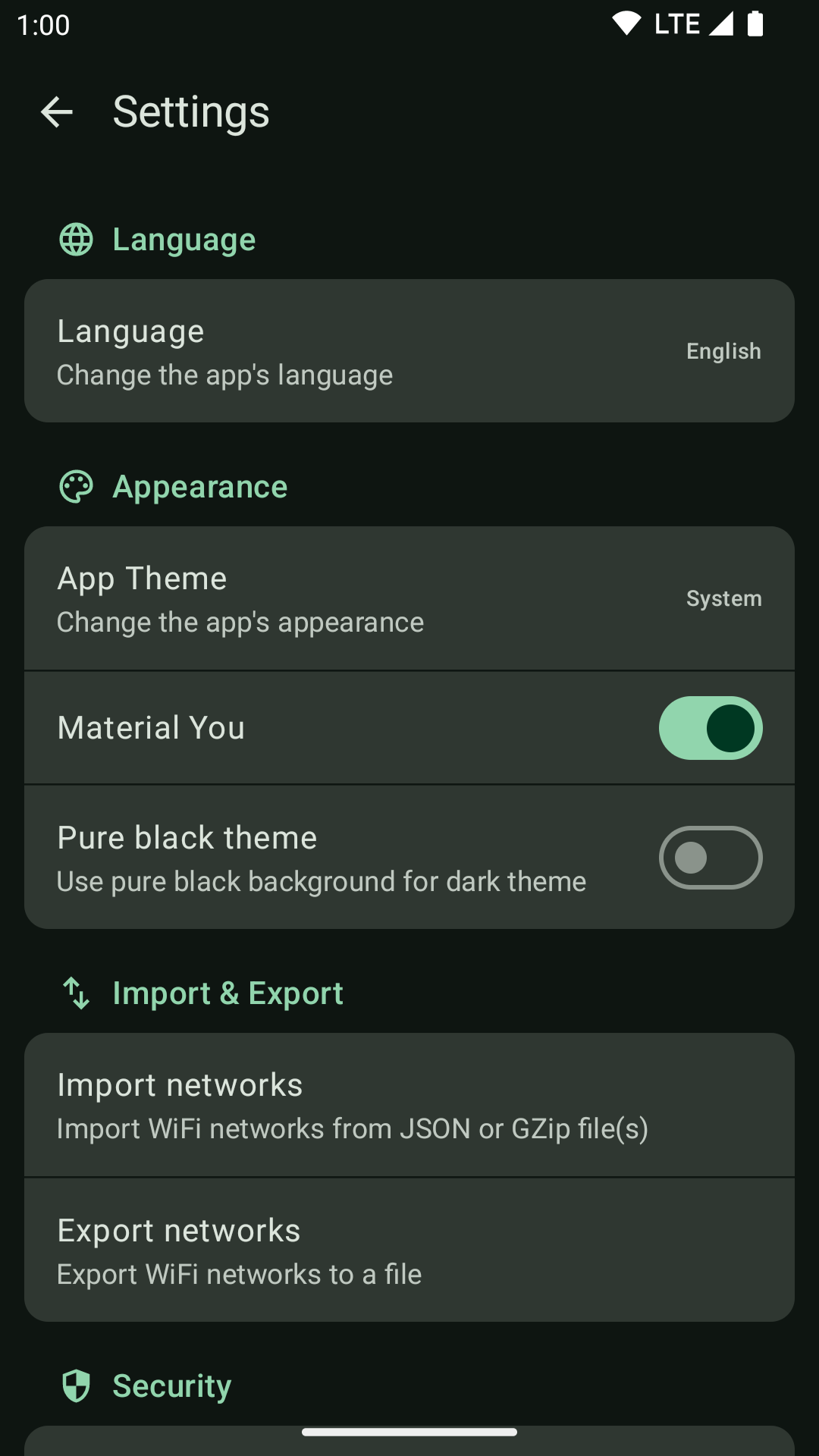
- Import/Export: Export/import WiFi configurations as JSON, with optional GZip compression and encryption
- Forget All Networks: Remove all saved WiFi networks at once
- Auto-Persist Ephemeral Networks: Automatically save temporary WiFi networks to make them permanent
- Quick Settings Tile: Toggle auto-persist feature directly from Quick Settings panel
- Material Design 3: Modern UI with dynamic theming and dark/light mode support
- Privileged Access: Uses Shizuku or root access for system-level WiFi management
Screenshots


Requirements
- Android 11 (API 30) or higher
- For system-level WiFi management: Shizuku or root access
Optional Permissions
- ACCESS_WIFI_STATE: Access information about WiFi networks
- ACCESS_FINE_LOCATION: Required by Android for certain WiFi information
- ACCESS_COARSE_LOCATION: Required by Android alongside fine location
These permissions are only needed for the Show Connected WiFi feature when you do not have Shizuku or root access. With Shizuku or root access, the feature works without any permissions.
Installation




Technical Stack
Architecture
- MVVM Pattern: Clean separation of concerns
- Jetpack Compose: Modern declarative UI framework
- Kotlin Coroutines: Asynchronous programming
- Koin: Dependency injection
Key Libraries
- Jetpack Compose: UI framework
- Material 3: Design system
- Navigation3: App navigation
- WorkManager: Background task scheduling
- DataStore: Settings persistence
- Kotlinx Serialization: JSON handling
- FileKit: File operations
- Shizuku: Privileged API access
- libsu: Root access support
- HiddenApiBypass: Bypasses hidden API restrictions
Security & Privacy
- App Lock: Protect access with biometric authentication or device credentials
- Secure Screen: Prevents screenshots and screen recording when enabled
- Local Storage: All data remains on your device
- No Network Access: App doesn't connect to the internet
- Sensitive Data Protection: Clipboard operations marked as sensitive
Verification
To verify the authenticity of downloaded APK files, you can check the SHA-256 certificate fingerprint using apksigner:
34:FF:A2:EE:65:8F:E0:36:B6:C5:D2:92:AE:B2:51:45:DE:69:57:ED:52:ED:D9:9F:4B:EB:8D:6B:36:31:C1:FF
Acknowledgments
- Shizuku Team: For providing the framework for privileged API access
- Android Open Source Project: For the underlying WiFi management APIs
Disclaimer
- This app is designed for AOSP-based ROMs. Custom ROMs or operating systems with heavily modified Android frameworks may not be fully supported or compatible.
- Use at your own risk. I'm not responsible for any misuse or damage caused by this application.
How Shizuku is used
Can view saved Wi-Fi passwords, connect, disconnect, forget and import networks via `IWifiManager` through Shizuku.
This is an AI-assisted analysis of Shizuku-related usages in the app's public source code. It is best effort, so it may not catch every single usage.
How this app uses Shizuku
Shizuku lets the app use the system Wi-Fi service with shell privileges to manage saved networks and their passwords.
- View saved passwords: the saved network list, including passwords and security details, is loaded through the privileged Wi-Fi service and shown for browsing, searching, copying and exporting.
- Show current connection: the currently connected network name is read from the system connection info and used to highlight the active network and connection status.
- Connect to networks: a saved network selected in the list is connected through the privileged Wi-Fi service, with success or failure shown in the app.
- Disconnect from Wi-Fi: the current Wi-Fi connection is disconnected through the privileged Wi-Fi service from the network list.
- Import saved networks: network files chosen by the user are restored as system Wi-Fi configurations through the privileged add or update operation, then refreshed in the list.
- Forget saved networks: a single saved network or all saved networks can be removed from the system Wi-Fi configurations through the privileged remove operation.
- Keep temporary networks: temporary and suggestion based networks are converted into saved networks through the privileged add or update operation by periodic background work.
Android APIs or commands used
IWifiManager.getPrivilegedConfiguredNetworksIWifiManager.addOrUpdateNetworkPrivilegedIWifiManager.addOrUpdateNetworkIWifiManager.removeNetworkIWifiManager.getConnectionInfoIWifiManager.getWifiEnabledStateIWifiManager.connectIWifiManager.disconnect
Changelog
What's new for version 1.18
- Improved language picker UX
Full Changelog: https://github.com/Khh-vu/wifi-password-manager/compare/v1.17...v1.18
Permissions
11 permissions requested
Sources
2 sources
Sources
2 sources
More from this category
 ADNS
ADNS
 ShizuWall
 Quintz
 Dolphy
 Traffic Light
 NetManager
 De1984
 Shizzi
 Hikari AdBlock
 sing-box
 Bluetooth Bouncer
 NetSwitcher