 ShizuStore
VOID // APPS
1.0.0 · GitHub
More about this app
Shizuku app manager: suspend, disable, debloat presets, permissions and AppOps, autostart, per-app network block, APK/XAPK installer and cleaner. Every change is read back from Android
VOID // APPS
An Android app manager that runs through Shizuku, without root, and refuses to guess.





VOID // APPS is a native Kotlin + Jetpack Compose app. Every action is a shell command sent through the Shizuku UserService as the shell user (uid 2000). After each change it asks Android again and only then reports the result:
| Verdict | Meaning |
|---|---|
| applied | the read-back shows the new state |
| not applied | the command ran (often with exit 0) but Android kept the old state |
| unverifiable | Android offers no way to read this change back |
| refused | blocked by the app's own guard, nothing was run |
| failed | the command could not run |
The exact command, its output and the before/after state are always one tap away, with Copy and Share.
 |
 |
 |
 |
 |
 |
 |
 |
 |
 |
 |
 |
What it does
Apps
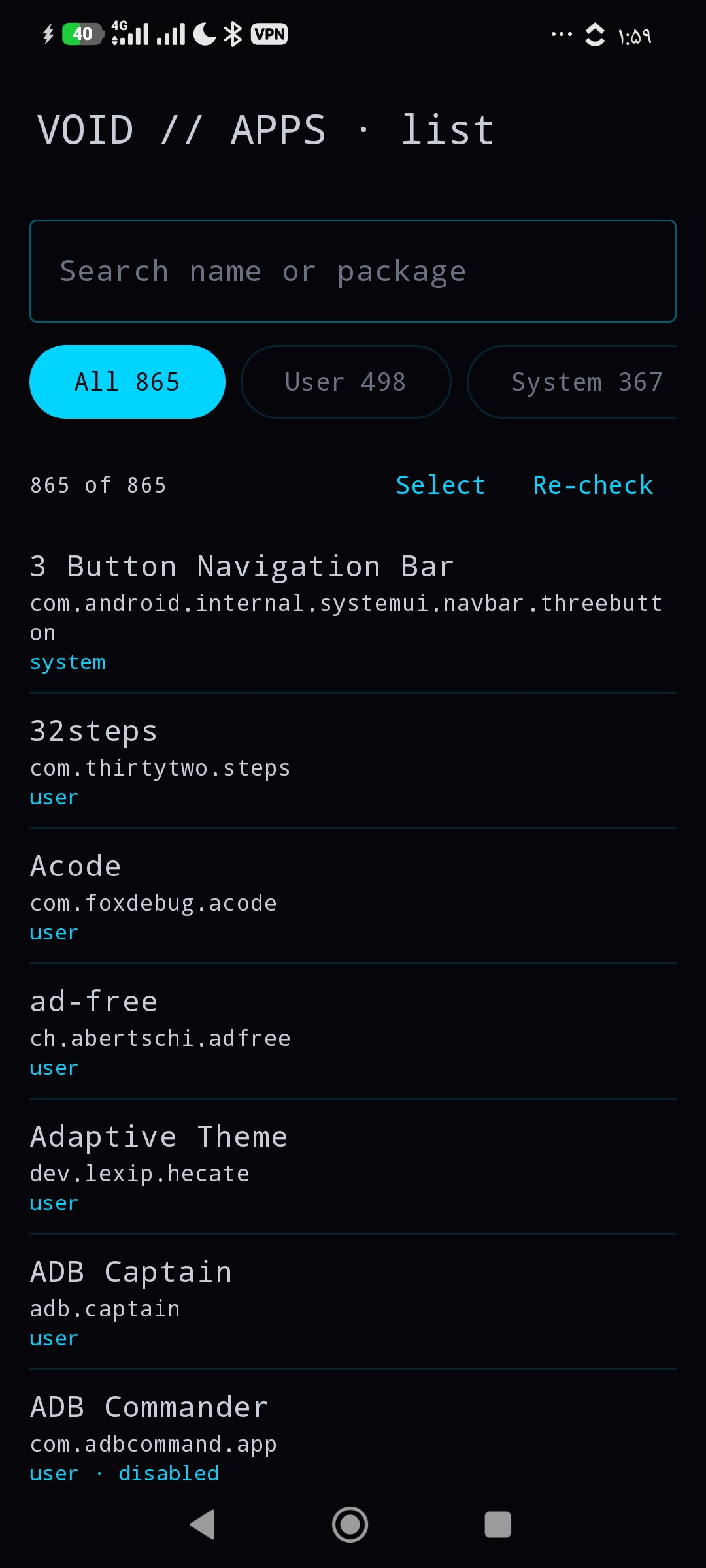
- Full package list for user 0 with search and filters: user, system, disabled, suspended, removed, protected.
- Suspend / unsuspend, disable / enable, force stop, remove for this user, restore (
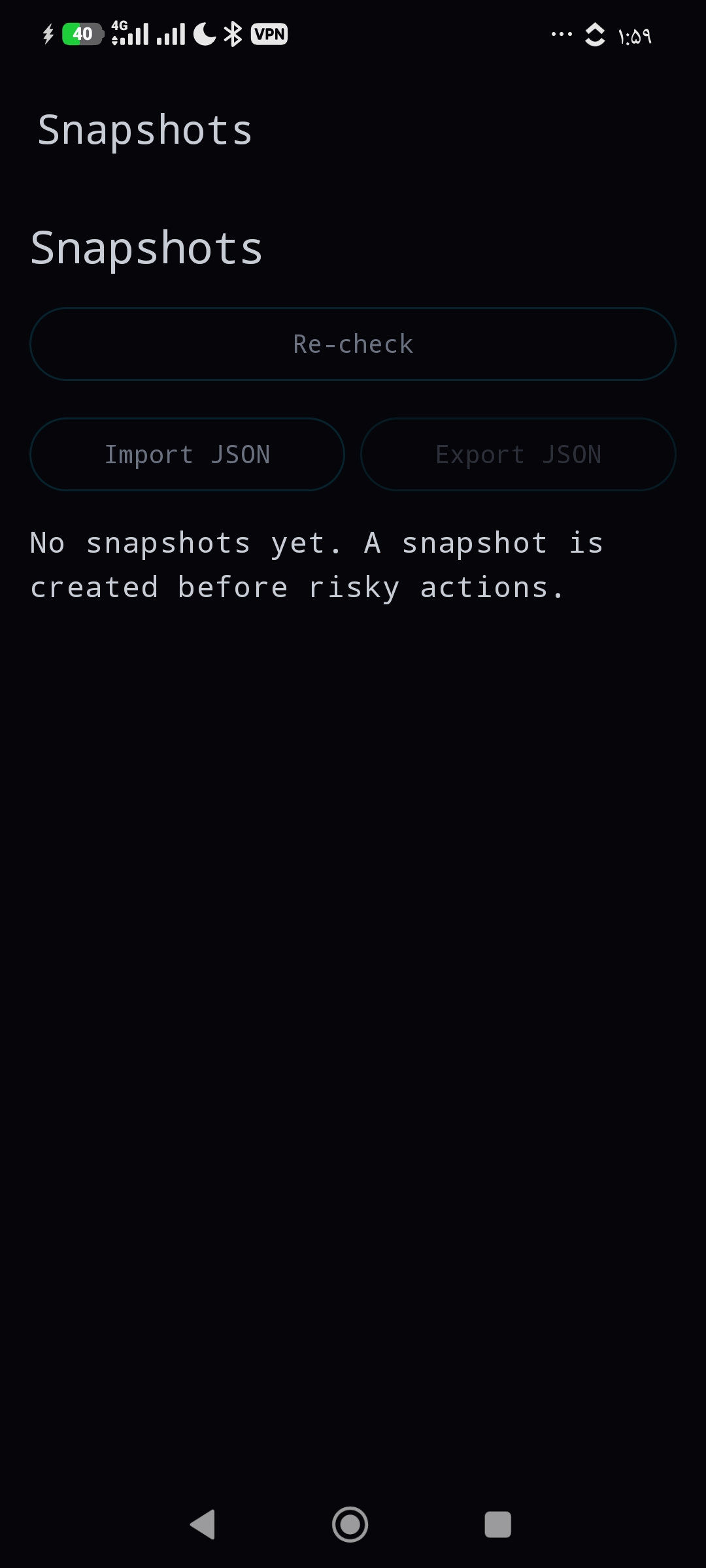
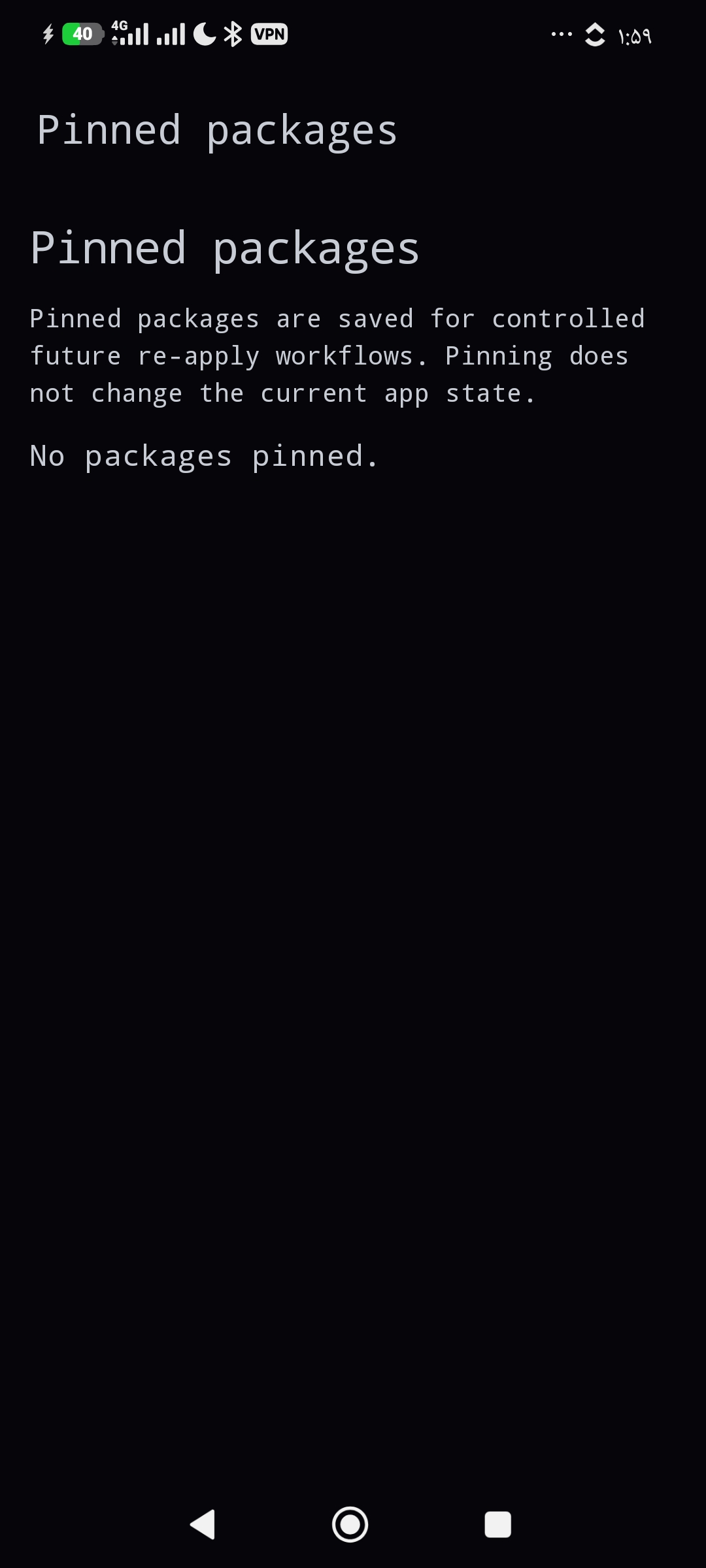
pm install-existing, also for packages another manager removed), clear data. - Snapshots before risky changes, restore with per-package read-back (undo), JSON import and export, pinned packages, batch actions with one snapshot per batch.
Debloat
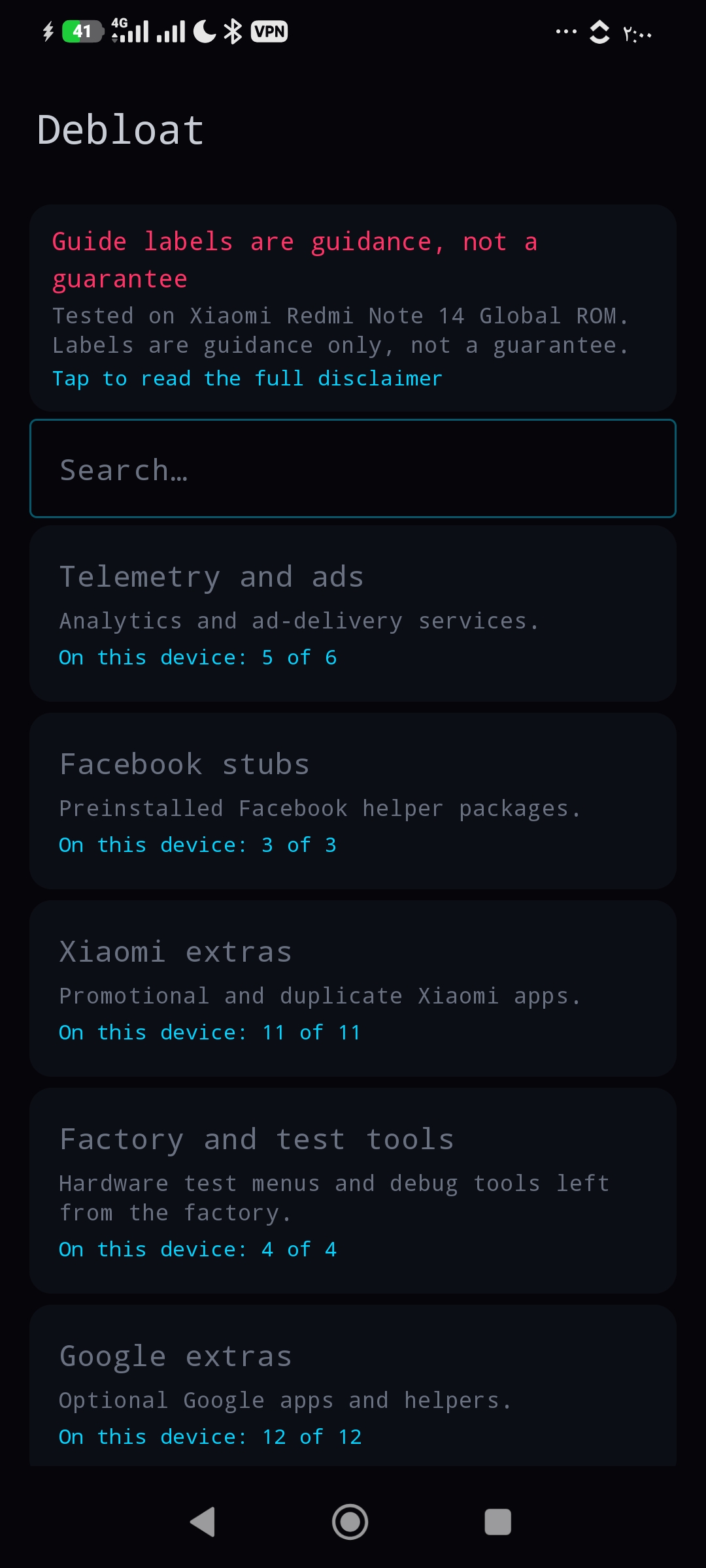
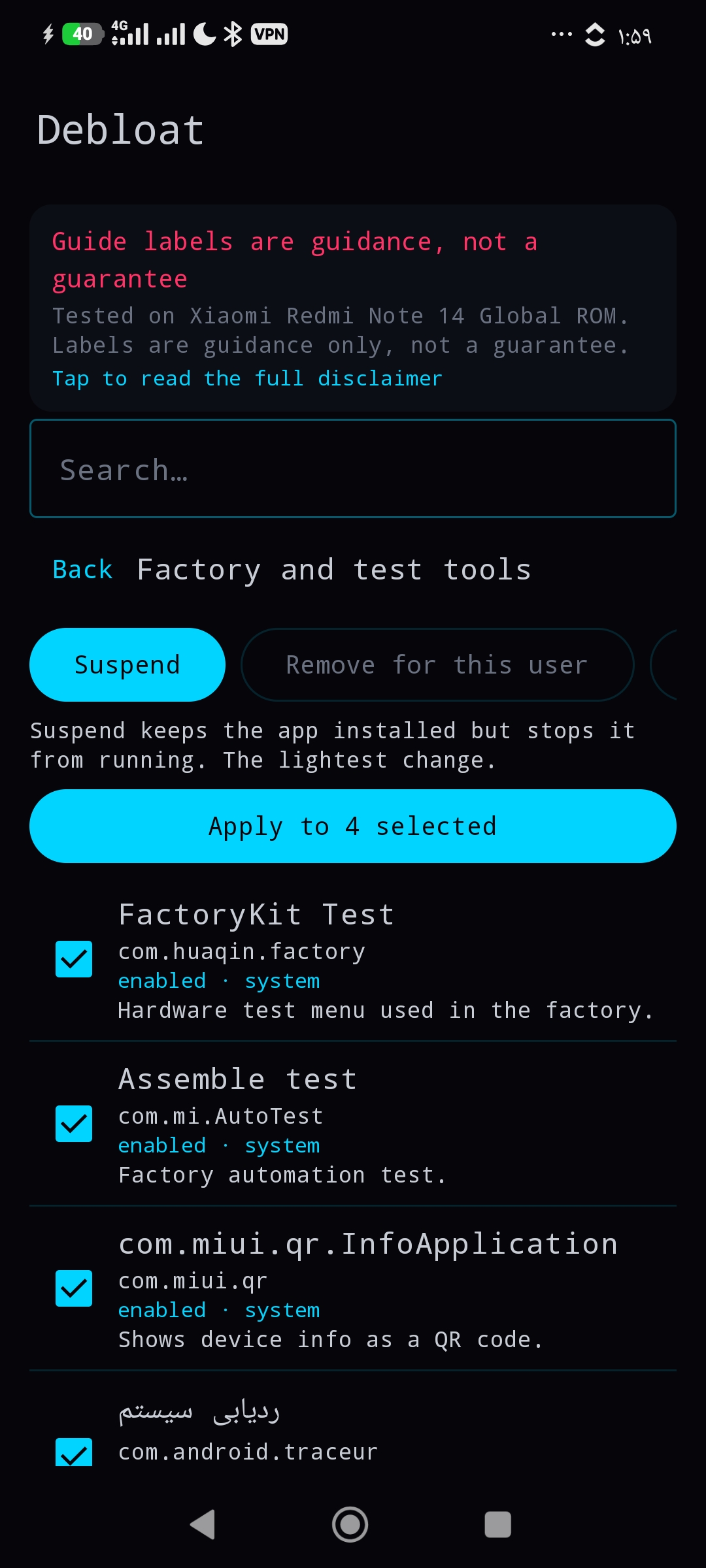
- Presets built from a package knowledge base with Safe / Caution / Core labels, a review screen, search, and a disclaimer that says what it is: guidance tested on one phone, not a guarantee.
Per-app cards in app details
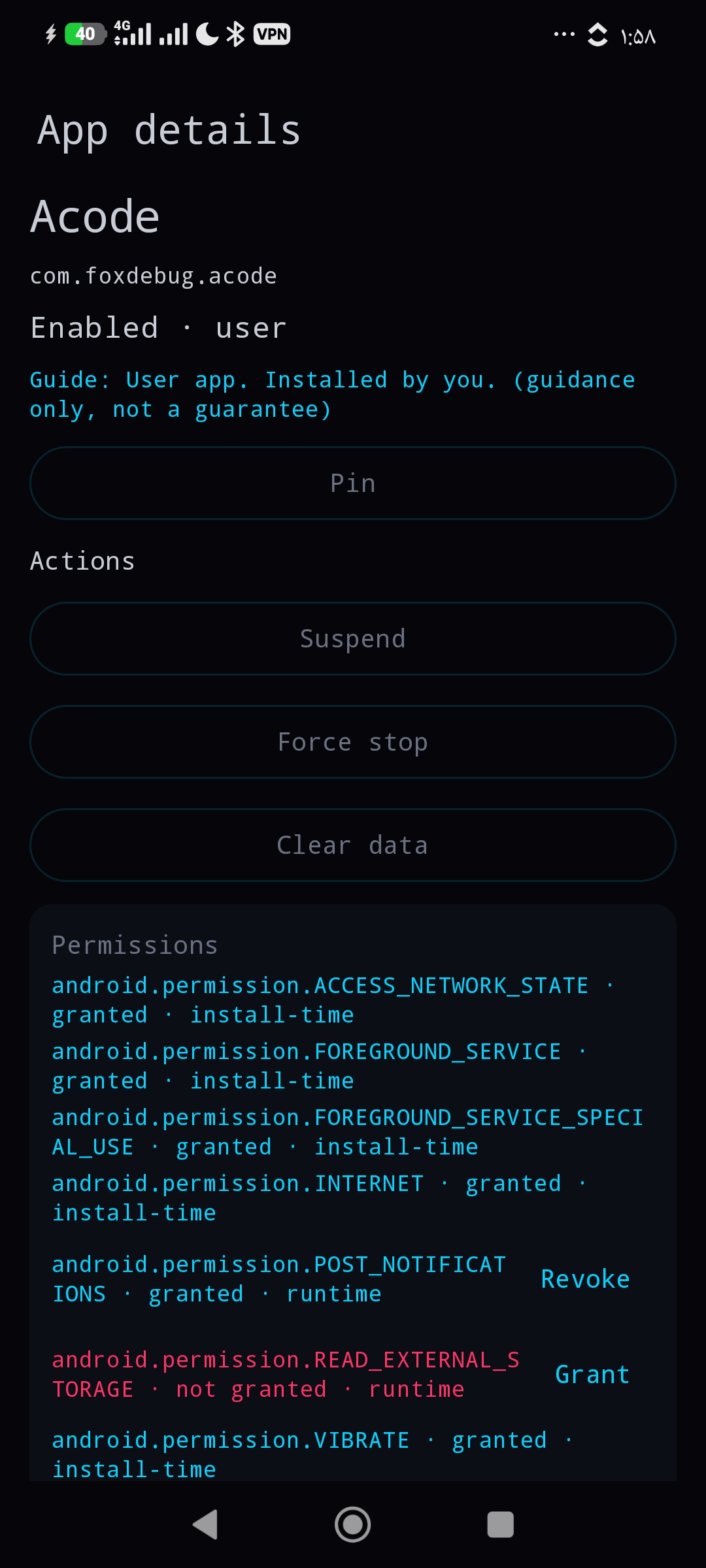
- Permissions: runtime grant / revoke checked with
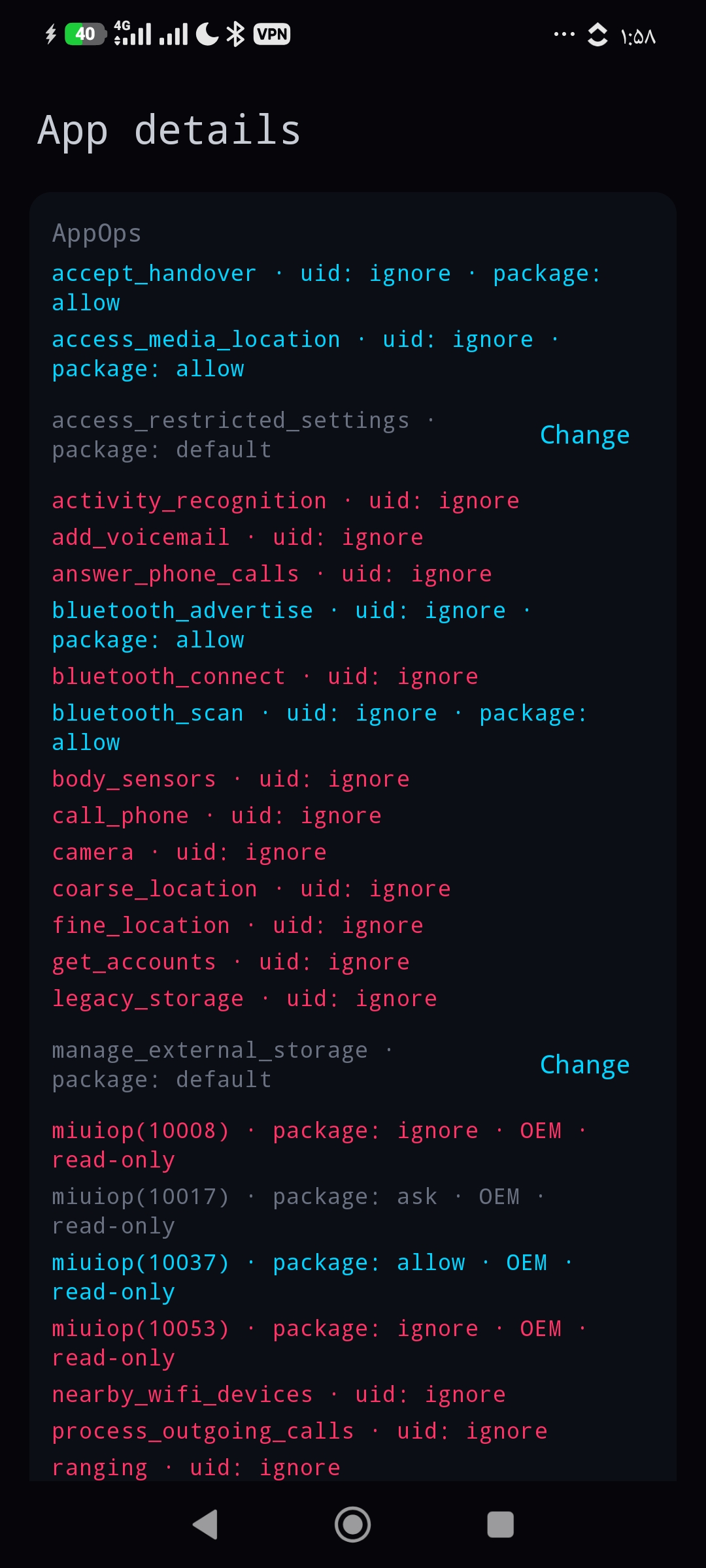
pm check-permission; install-time and fixed permissions shown read-only; shared system uid refused. - AppOps: uid and package scope shown separately; package-scope changes only where no uid mode overrides them; OEM
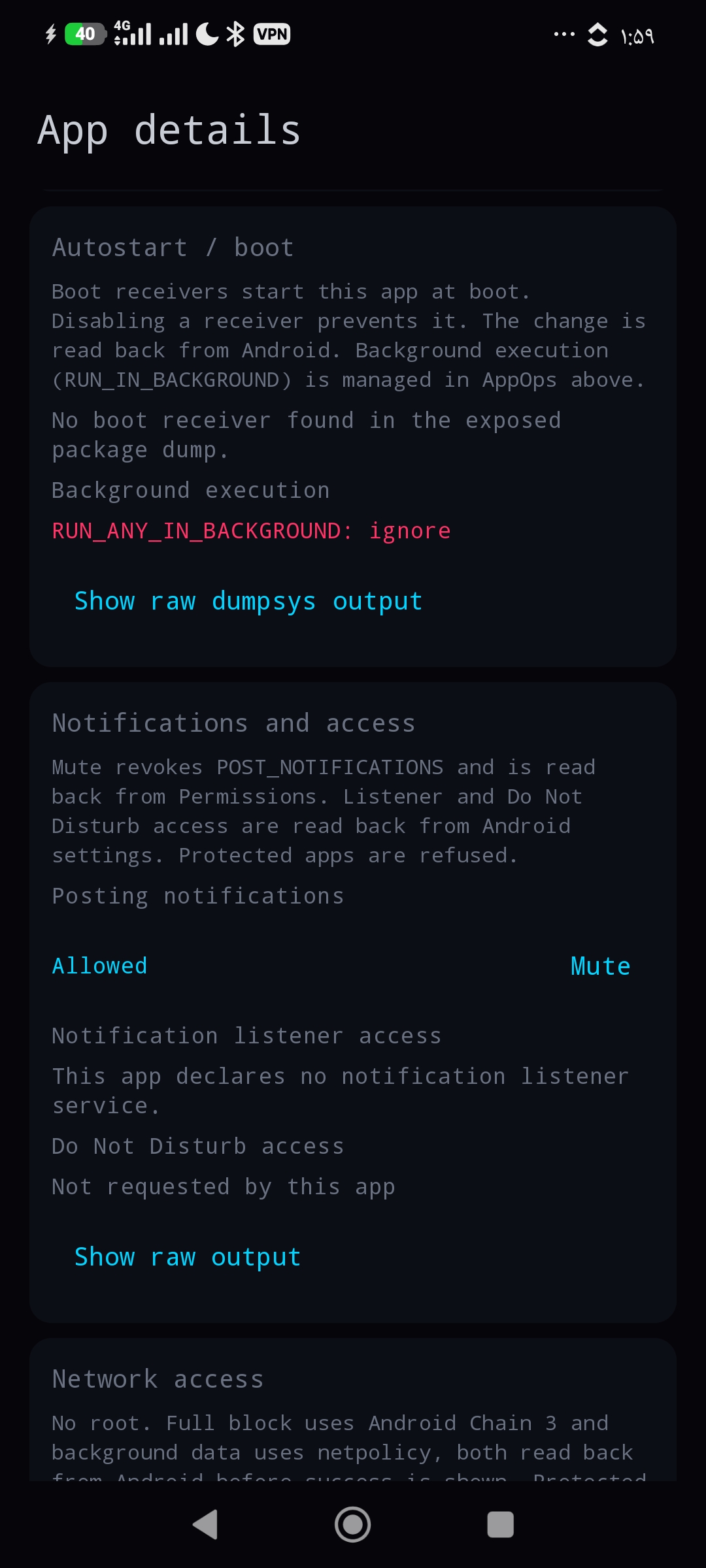
MIUIOP(n)modes shown but never written. - Autostart: boot receivers from the Receiver Resolver Table, background execution ops, component disable / enable.
- Notifications: mute (POST_NOTIFICATIONS), notification listener access, Do Not Disturb access.
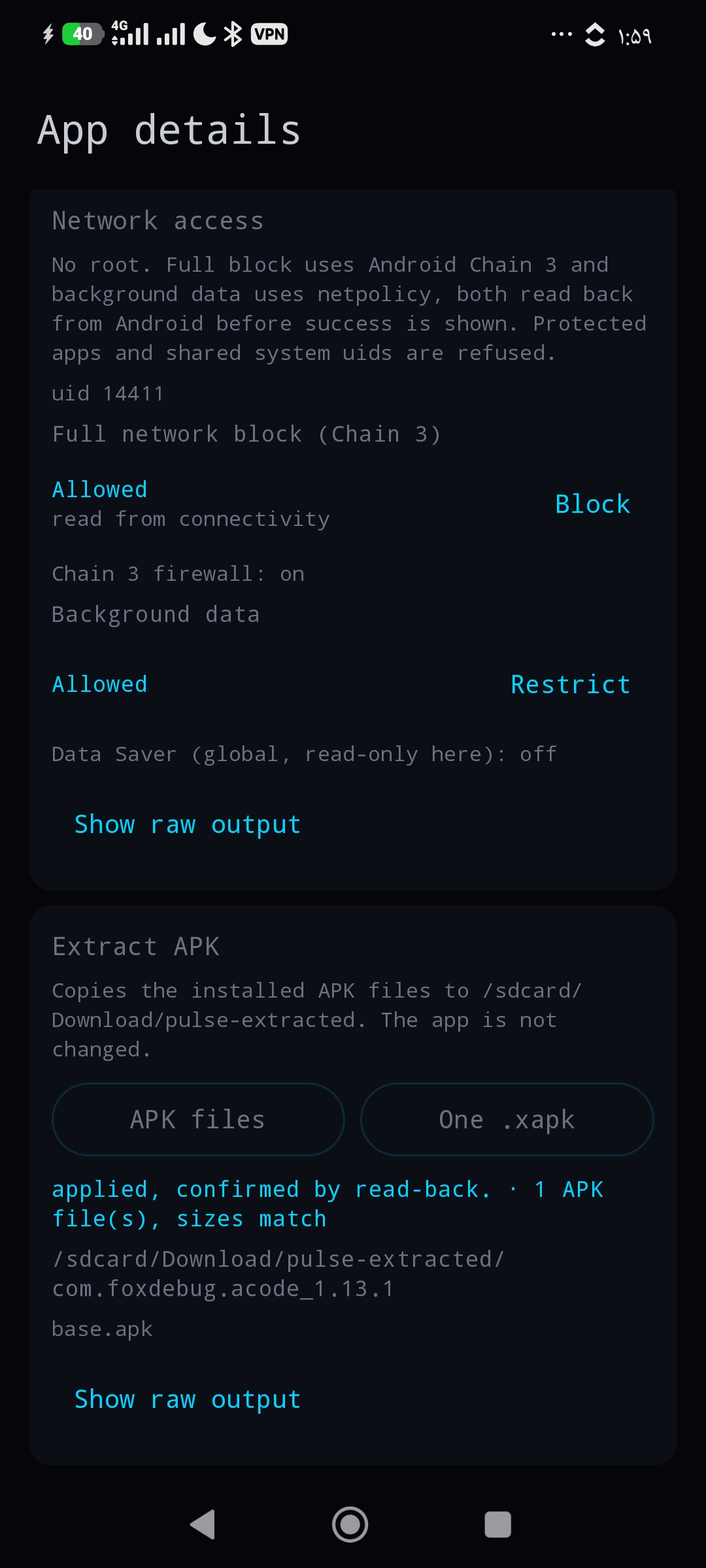
- Network: full block through Android 11+ Chain 3 (
cmd connectivity set-package-networking-enabled), background data throughnetpolicy, shared-uid warning. - Extract: copy the installed base and split APKs, or build one
.xapk.
Install & clean
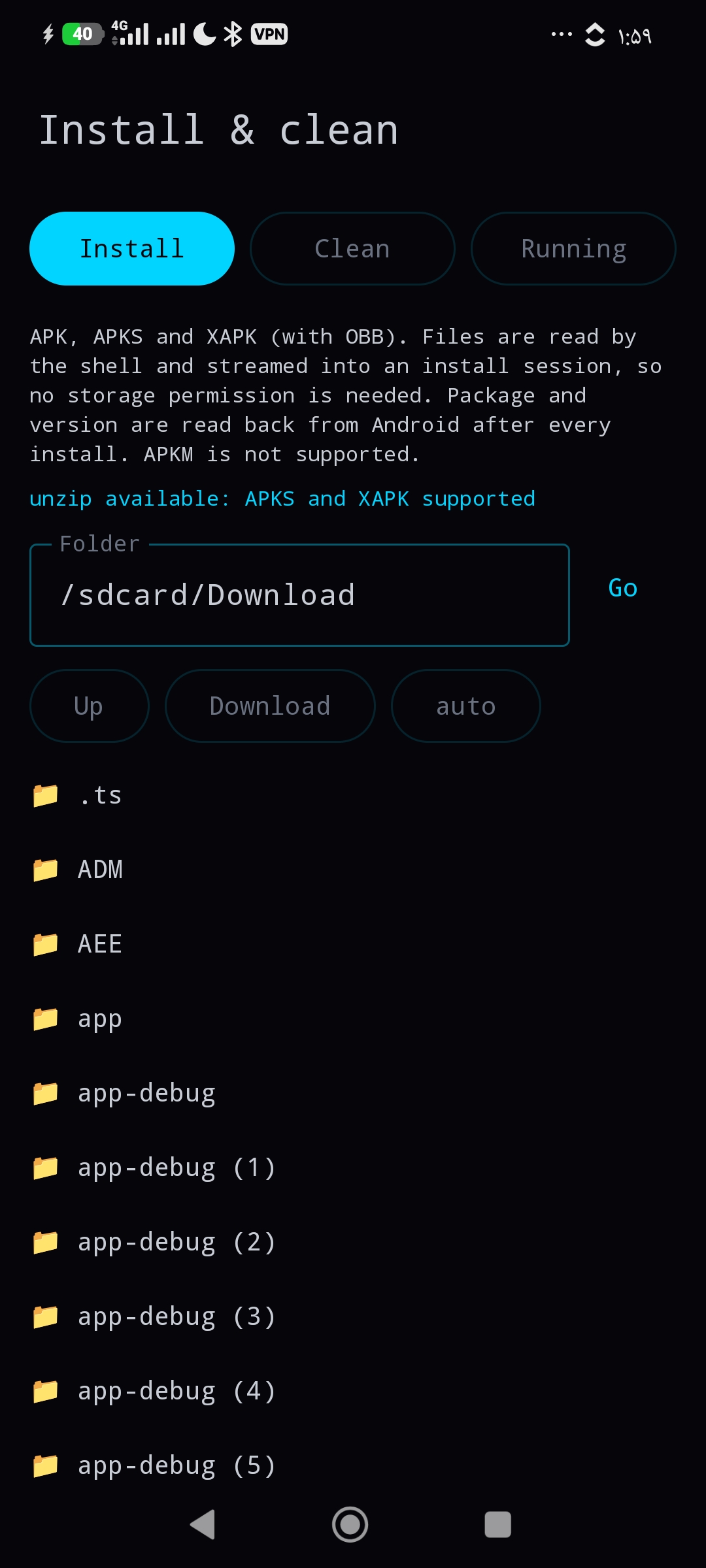
- Installer for APK, APKS and XAPK with OBB. The shell reads the file from
/sdcardand streams it into apm install-createsession, so the app needs no storage permission. Inspect shows package, version, SDK, ABIs, launcher entry, permissions, SHA-256 and the installed version (with a downgrade warning). A built-in binary-manifest reader gives the package name, which is how an install is verified. Auto-install folder and local history included. APKM is not supported. - Trim all app caches (free space measured before and after), remove empty folders (
rmdironly), list apps with live processes and stop them with a fresh process check afterwards.
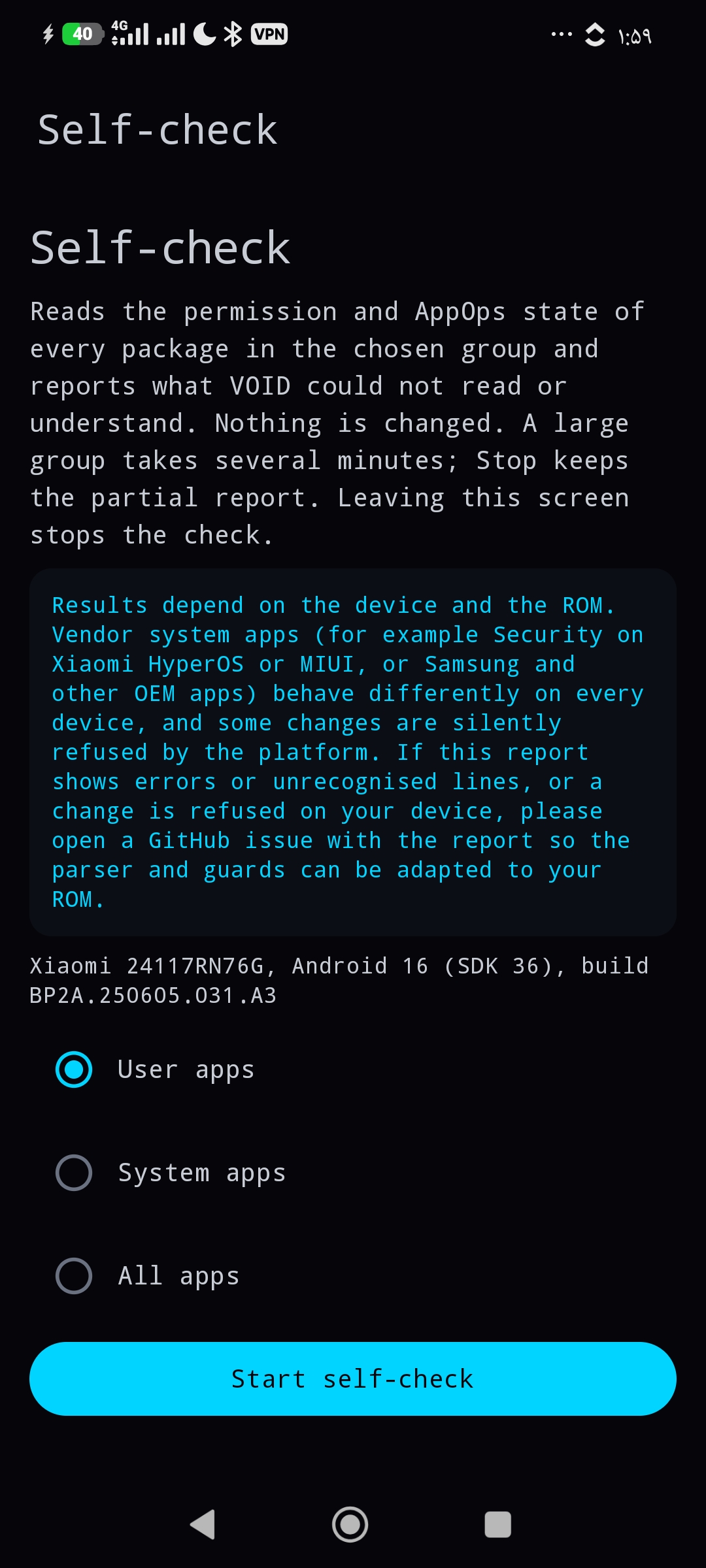
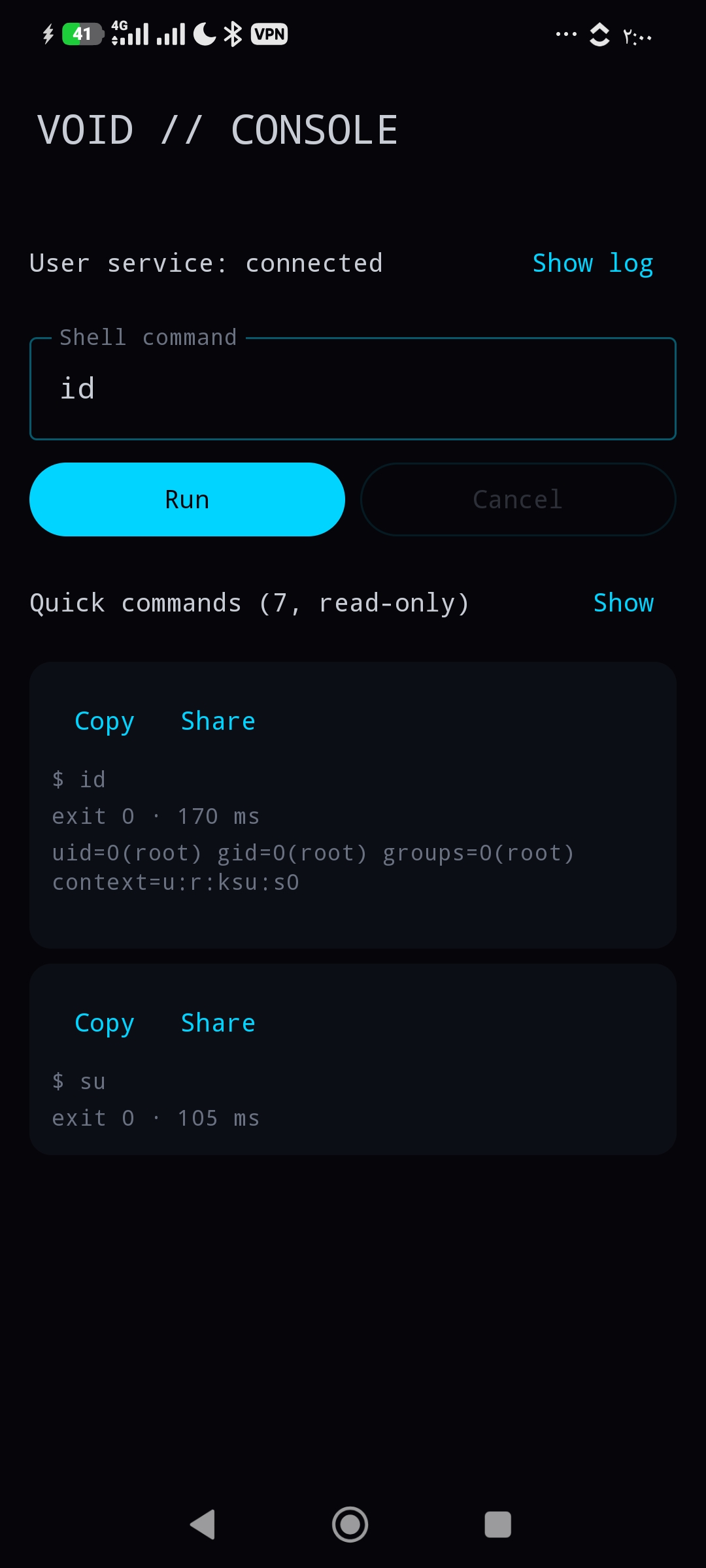
Also: a read-only Self-check for whole package groups, a ROM report template, and a console with read-only quick commands.
Safety model
- One guard for the whole app (
inventory/ProtectedPackages.kt). Framework, System UI, Settings, phone and telecom, package installers, permission controller, network stack, Shizuku, the current launcher, keyboard, default dialer, default SMS app and WebView provider are refused in the repository layer, not only hidden in the UI. - Package and component names are validated and every argument is shell-quoted.
- No INTERNET permission. Nothing leaves the phone.
- ExecBridge caps output at 64 KiB; parsers are measured on the phone and a truncated read is treated as "unknown", never as a state.
- A write button appears only where a phone test showed Android really accepts that change.
Honest limits
- Tested on one reference phone: Xiaomi Redmi Note 14, HyperOS Global, Android 16 (SDK 36), Shizuku as uid 2000. Other ROMs can and will differ; the verdicts are built to show that instead of hiding it.
- Open: boot receivers listed in shorthand form (
pkg/.Cls): the device state changes, but the card's button state does not follow yet. Seedocs/PLAN.md. - Open: Do Not Disturb access on HyperOS:
cmd notification allow_dndexits 0 and changes nothing. The app reports not applied. - Chain 3 network blocks may not survive a reboot on every ROM.
- Root-only ideas (iptables firewall, app data backup, private cache cleanup) are documented in
docs/ROOT_FUTURE.md, not implemented.
Requirements and install
- Android 8.0 or newer.
- Shizuku running, through wireless debugging, ADB or root.
- Install the APK from Releases (or F-Droid once published), open it, grant the Shizuku permission.
Build
cd android-app
gradle :app:testDebugUnitTest :app:assembleDebug
JDK 17, Android SDK 36, Gradle 8.13. CI (.github/workflows/ci.yml) runs unit tests, lint and the debug build on every push, and a signed release build when the signing secrets exist (see docs/RELEASE.md).
How it was built
The repository started on 2026-08-26 as Cyber App Manager, a WebUI module for Shevery. That module was removed from the tree before 1.0.0 and only remains in the git history. The native app was built on the branch native-app-v0 between 2026-10-02 and 2026-10-05: 127 commits up to the A8 docs, plus the release commits, 106 of them native-only. Every section was tested on the reference phone as one unit before the next one started. The commit history is left as it happened, including mistakes.
| Phase | Commits | What was hard |
|---|---|---|
| M0 core | 15eab39, f8e4afb, 9231718, 3f1020b, 7848431, cca986b |
Build setup, Shizuku runtime and exec core taken over from PULSE // BATTERY. A Shizuku UserService is not an Android Service: it is a binder the Shizuku server creates by reflection, and the bind gives no error when it fails, so the bridge got its own bind log and watchdog. The CI workflow had to be created by hand because the connector cannot write workflow files. |
| A1 inventory | 8c73166 |
The phone printed dates in Persian digits, cmd role and the WebView provider query were unknown on HyperOS, and the 64 KiB output cap forced each package list into its own call. Role detection moved to public app APIs. |
| A2 operations | 2e41051, f0b9553, 5c72a7d, f287cfb, d8cf9d4 |
HyperOS rejects disable-user for some system packages; clear data has no read-back and is reported as unverifiable. Two red CI runs before the compile-clean fix. |
| A3 snapshots, undo, pins, batch | fdb607e to 6b3d093 (32 commits) |
A pure, testable planner first, then snapshot and pin storage outside app-private data, MediaStore quirks, refresh from package manager read-back, deduplication of rapid snapshots, one snapshot per batch. |
| Debloat | 9e8628c, 4acaa96, c8d7dab, a9d19f0 |
Presets from the knowledge base, review, restore of packages removed by other managers. |
| A4 permissions, AppOps | c86a46c to 077746a (28 commits) |
The hardest section. A Drive dump was 128,886 bytes, system blocks over 100 KiB, all above the cap, so sections are now extracted on the phone first. AppOps lines had prefixes, OEM MIUIOP modes, duplicate modes, hidden Packages blocks and shared uids. HyperOS silently kept CAMERA and CALL_PHONE uid-scope changes, so uid-scope writes were turned off and the Self-check was added (311 of 311 system packages clean). |
| A5 autostart | 07ccf3b, 84ad3c9, 91082cb, a070171, eed9ff5, f82f0fb, f3c8266 |
14 commits after 077746a (0615a61 to 0c93159, CI #72 to #85) came from a broken AI session and were replaced by a clean rebuild in 07ccf3b. Then: pm disable silently ignored shorthand names (fixed by expanding them), and several read-back attempts failed on the HyperOS dump before an exact awk read of the disabled-components block worked. The shorthand UI state is still open. |
| A6 notifications | 21f03bb, b0350d5, 3b89063 |
Ported from the void-pulse module. Mute verified; DND access is silently ignored by HyperOS and reported as such. |
| A7 network | f1d5241, 8d28882 |
Ported from the VOID-WALL module. VOID-WALL kept its own list of blocked apps because it had no read-back; here the state is read from Android (get-package-networking-enabled). Its netpolicy parser only took the first uid per line; fixed. Verified on user, system and protected apps. |
| A8 install & clean | e6bd37c, de0efab, 3d3c9d1, ec0a966 |
Ported from pulse-install and void-purge. The binary manifest is gzip-compressed on the phone so it fits under the cap. void-purge's "kill background apps" never listed anything: it force-stopped every user app in a background subshell with output thrown away. Rebuilt on ps with a per-app check. CI #98 was red only because the commit was half of a two-part push; #99 to #101 are green. |
Detailed evidence for every phase is in docs/HANDOFF.md; the roadmap and open items in docs/PLAN.md.
Credits
Commands and behaviour were ported from the author's own phone-tested Shevery modules: VOID-WALL, void-pulse, void-autostart, pulse-install and void-purge. Build and Shizuku core from PULSE // BATTERY. Built on Shizuku by RikkaApps.
Disclaimer
Disabling or removing the wrong package can break features of your phone, including ones no tool can detect. Labels and presets are guidance from one tested phone, not a guarantee. Snapshots make changes made by this app reversible; use them.
License
MIT, see LICENSE.
How Shizuku is used
Can suspend, freeze, install, clean apps, control permissions, network and run shell commands via `/system/bin/sh -c` through Shizuku
This is an AI-assisted analysis of Shizuku-related usages in the app's public source code. It is best effort, so it may not catch every single usage.
How this app uses Shizuku
Shizuku is used to run privileged shell commands for full app management, with results read back from the system.
- Manage app state: suspend, unsuspend, freeze, unfreeze, force stop, uninstall, restore and clear app data using
pm suspend,pm unsuspend,pm disable-user,pm enable,am force-stop,pm uninstall,pm install-existingandpm clearthrough Shizuku. - Control permissions: grant or revoke runtime permissions with
pm grantandpm revokethrough Shizuku after auditing current grants. - Tune AppOps: change privacy and behavior operations with
appops setthrough Shizuku after reading them withappops get. - Manage autostart: inspect boot receivers and background state then enable or block startup components with
pm enableandpm disablethrough Shizuku. - Block app network: turn full network access on or off and restrict background data with
cmd connectivityandcmd netpolicycommands through Shizuku. - Control notifications: allow or revoke listener and Do Not Disturb access with
cmd notificationcommands through Shizuku. - Install packages: browse folders and install APK, XAPK and split bundles with
pm install-create,pm install-writeandpm install-commitsessions through Shizuku. - Clean device: trim caches with
pm trim-caches, find and remove empty folders, list running processes and stop running apps through Shizuku. - Run shell console: type and run arbitrary shell commands plus read-only presets through Shizuku and view output, with cancel for long runs.
Android APIs or commands used
pm suspendpm unsuspendpm disable-user --user 0pm enable --user 0am force-stop --user 0pm uninstall -k --user 0pm install-existing --user 0pm clear --user 0pm list packagespm list packages -Udumpsys packagepm check-permissionpm grantpm revokeappops getappops setpm enablepm disablecmd connectivity set-package-networking-enabledcmd connectivity get-package-networking-enabledcmd connectivity set-chain3-enabledcmd connectivity get-chain3-enabledcmd netpolicy add restrict-background-blacklistcmd netpolicy remove restrict-background-blacklistcmd netpolicy list restrict-background-blacklistdumpsys connectivity trafficcontrollercmd notification allow_listenercmd notification disallow_listenercmd notification allow_dndcmd notification disallow_dndsettings get secure enabled_notification_listenerssettings get secure enabled_notification_policy_access_packagespm query-servicespm install-createpm install-writepm install-commitpm install-abandonpm trim-cachesps -A/system/bin/sh -c
Notable details
Every change is read back from the system and reported as applied only when the new state matches, otherwise it shows as not applied or unverifiable. Protected system packages are refused for state, permission, network and stop actions.
Changelog
What's new for version 1.0.0
First release of VOID // APPS: a native Android app manager that runs through Shizuku. No root, no INTERNET permission, and every change is read back from Android before it is reported as done.
Features
- Apps: full package list with filters; suspend, disable, force stop, remove for this user, restore (
pm install-existing), clear data. - Snapshots & undo: snapshot before risky changes, restore with per-package read-back, JSON import/export, pins, batch actions.
- Debloat: presets from a knowledge base with Safe / Caution / Core labels and a review screen.
- Permissions & AppOps: runtime grant/revoke, uid and package scope shown separately, read-only Self-check.
- Autostart: boot receivers, background execution state, component disable/enable.
- Notifications: mute, listener access, Do Not Disturb access.
- Network: per-app full block (Android 11+ Chain 3) and background data restriction.
- Install & clean: APK / APKS / XAPK installer with OBB and Inspect, APK extract, cache trim, empty folders, running apps.
Requirements
- Android 8.0 or newer
- Shizuku running (wireless debugging, ADB or root)
Install
Download app-release.apk below, install it, open it and grant the Shizuku permission.
If you installed a CI debug build before, uninstall it first: the release build has a different signature.
Known limits
- Tested on one phone: Xiaomi Redmi Note 14, HyperOS, Android 16. Other ROMs may differ; the app shows "not applied" instead of guessing.
- Shorthand boot receivers (
pkg/.Cls): the change works, but the button state does not update yet. - Do Not Disturb access is ignored by HyperOS and is reported as "not applied".
Full changelog: CHANGELOG.md
Permissions
3 permissions requested
More apps from this developer
 PULSE // BATTERY
More from this category
 Canta
Canta
 Buge App Manager
 Hail
Hail
 Thor
Thor
 AppManagerNG
 MKM
MKM
 AppControlX
 DroidUtility
 AppDual
 AppVaultX
 CloneCat
 Blocker