 ShizuStore
vFlow
1.5.3-pr1 · GitHub
More about this app
Visual automation tool that combines tapping, recognition, branching, and system actions into approachable workflows

vFlow
Android visual automation that turns tapping, recognition, branching, and system actions into efficient, approachable workflows
English · 简体中文







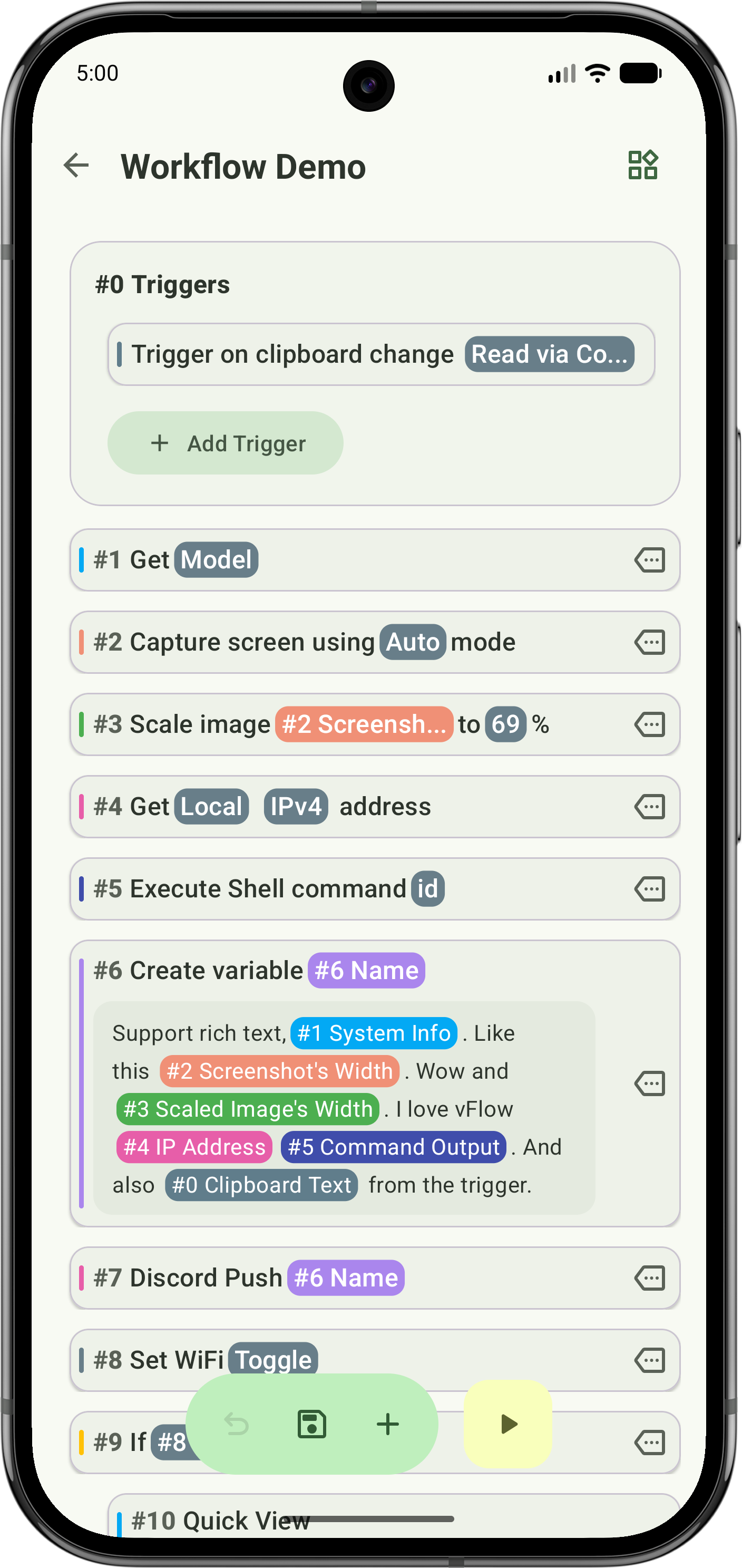
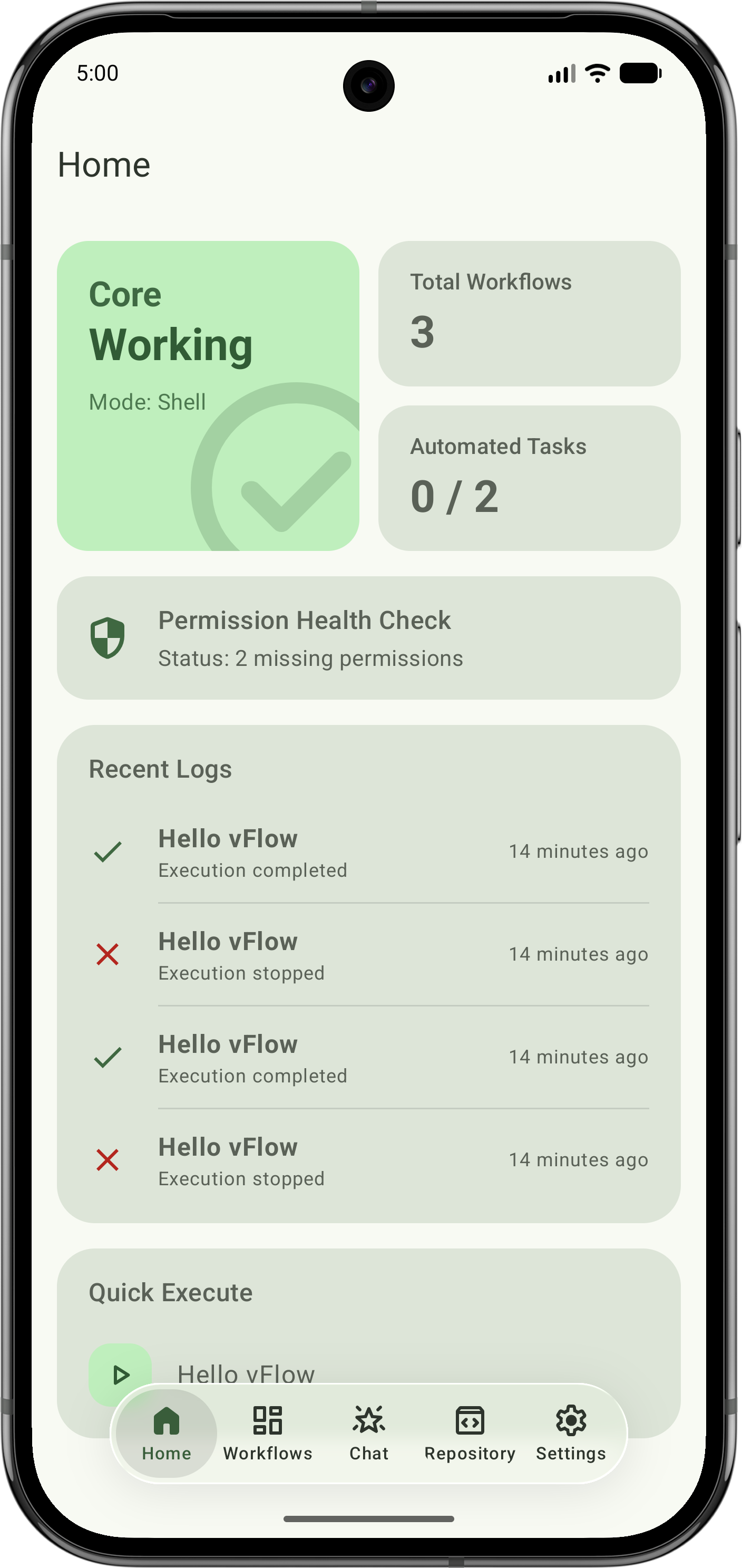
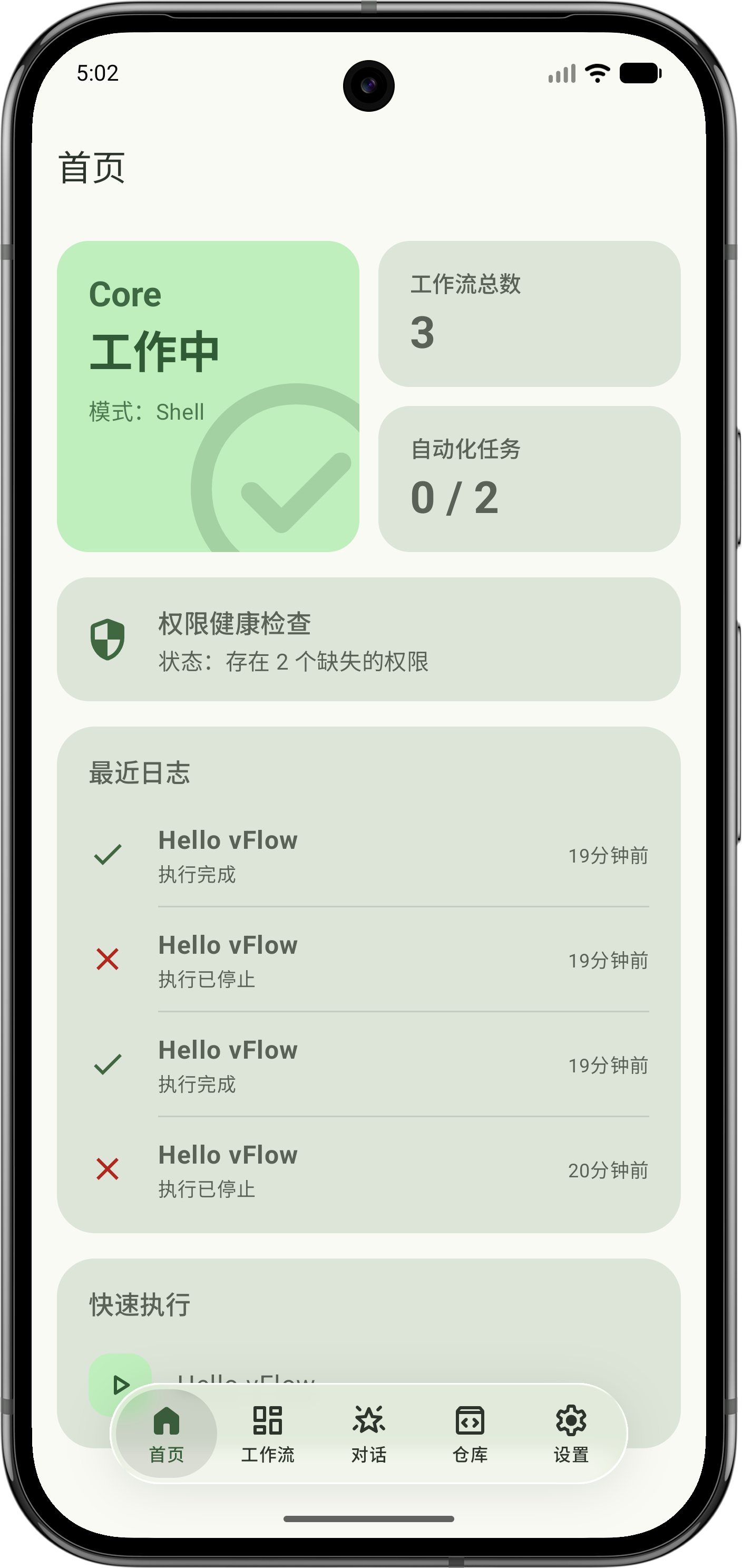
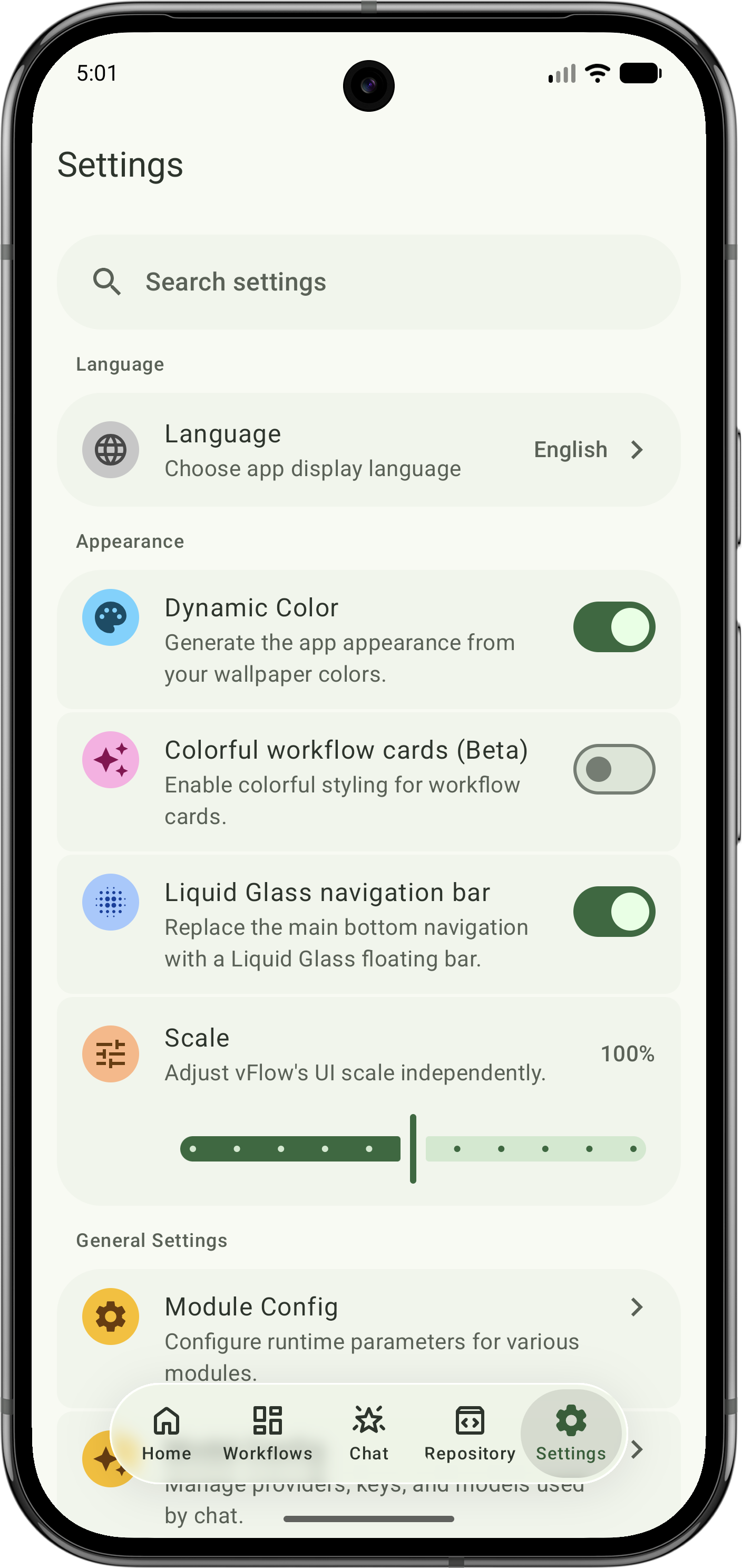
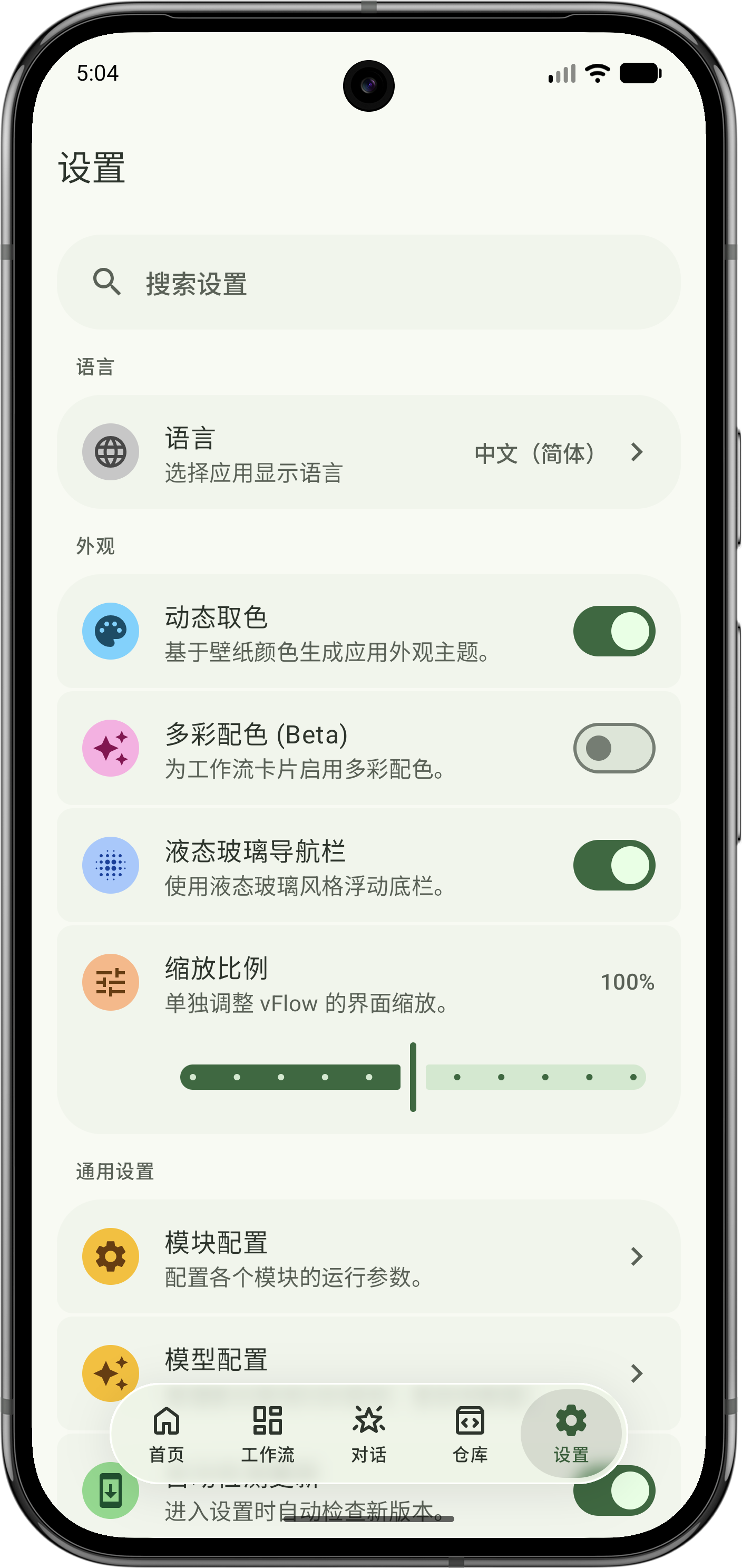
📸 Screenshots
 |
 |
 |
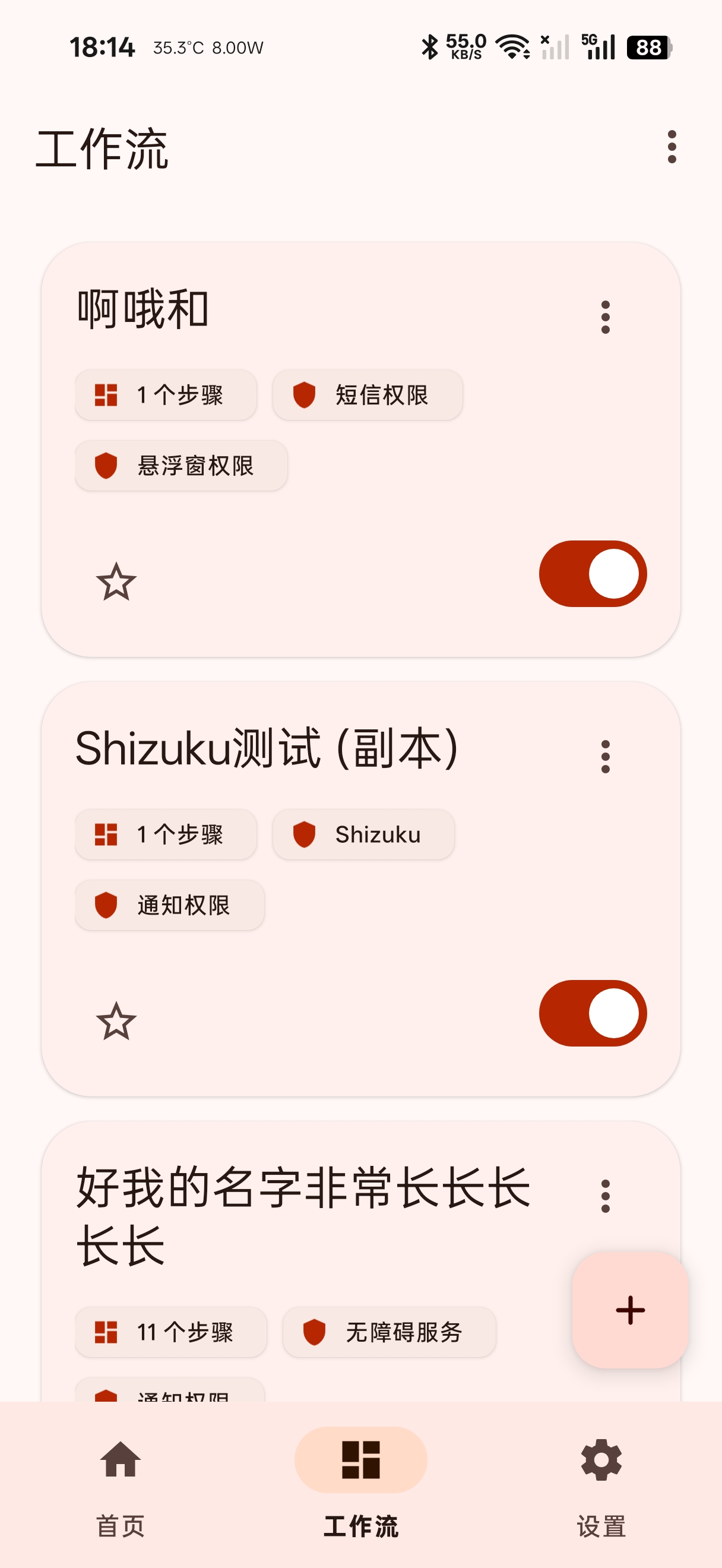
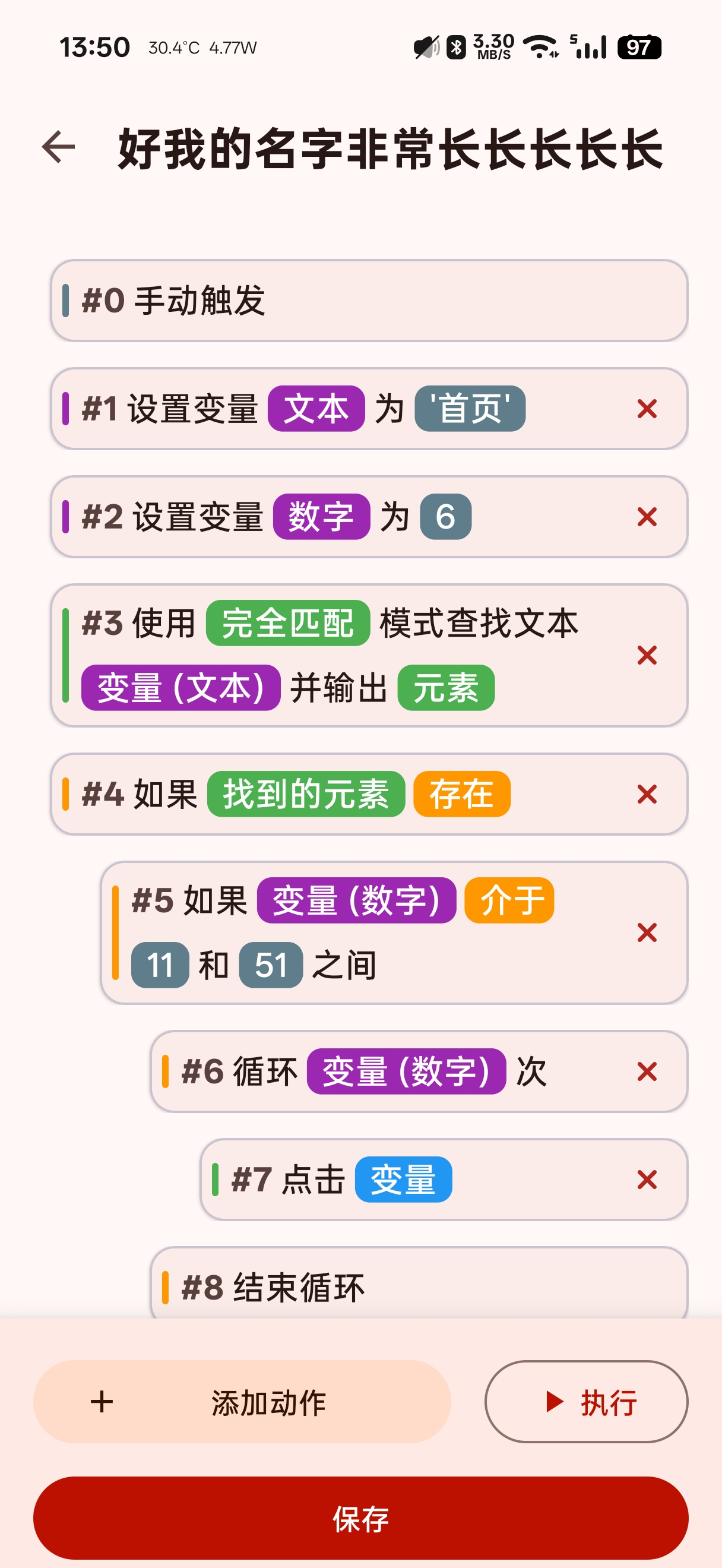
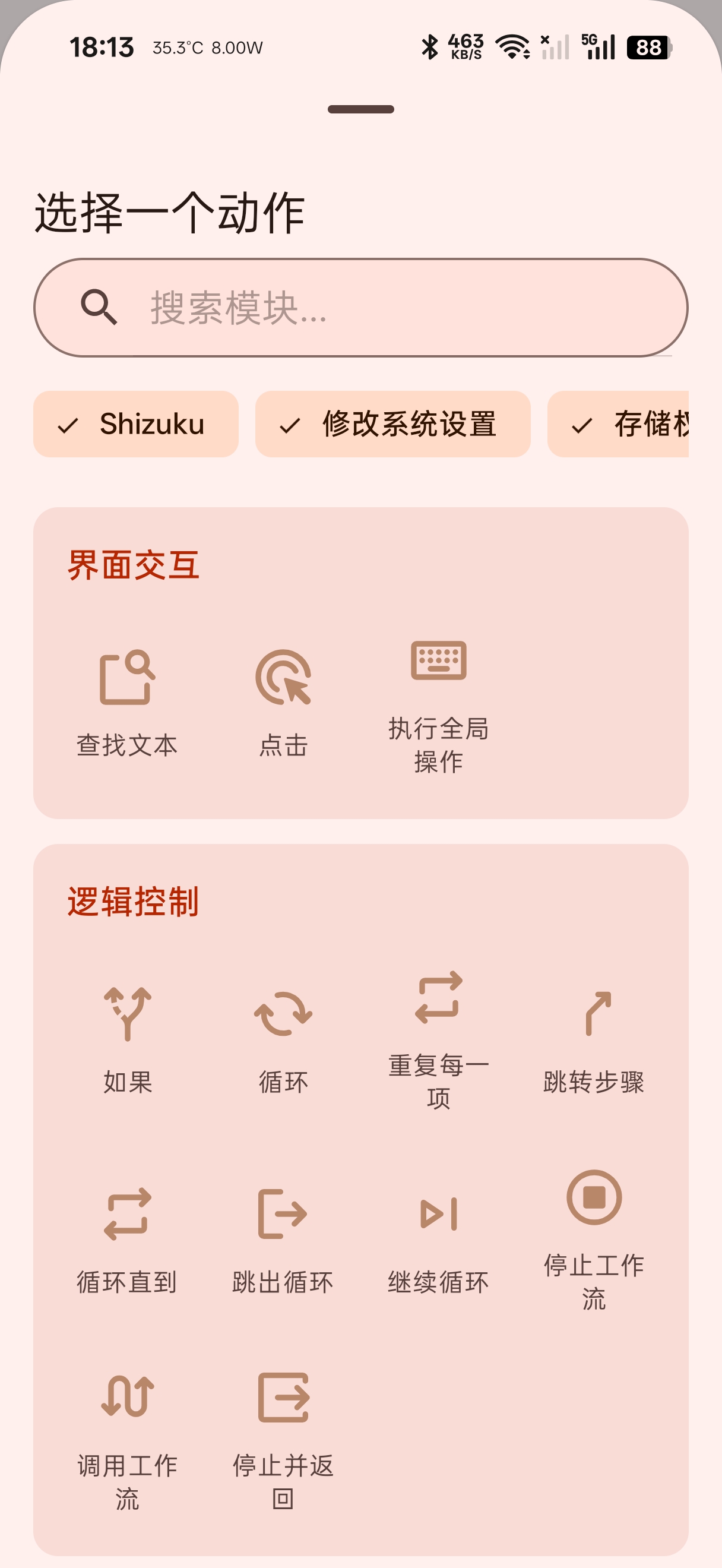
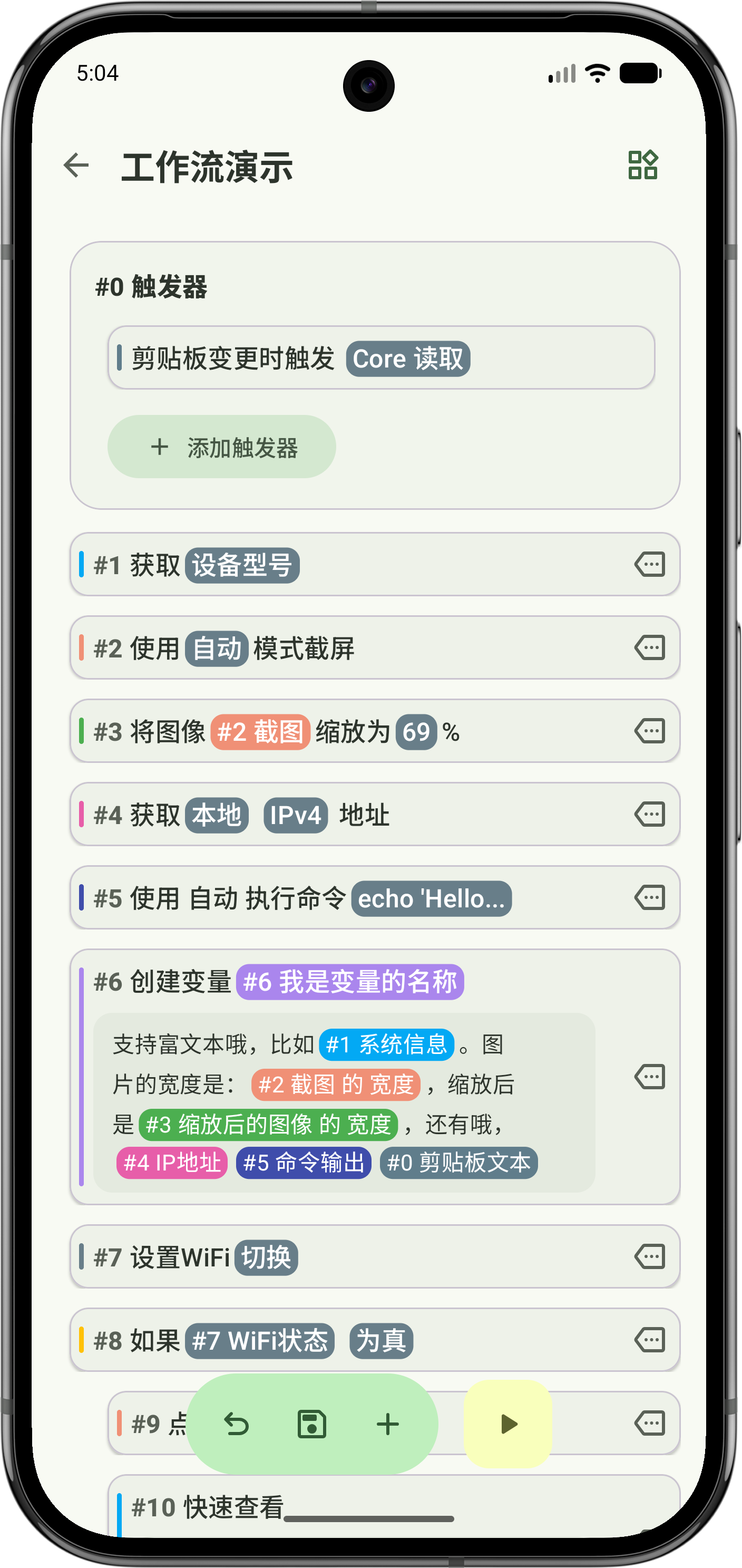
| Home | Workflow Editor | Settings |
🎁 What Is vFlow
vFlow's core design philosophy is to break complex automation logic into independent, reusable, and easy-to-understand modules. Whether you are building a simple daily check-in flow or an automation testing pipeline with conditions and loops, vFlow aims to provide an intuitive, flexible, and powerful platform.
The project is fully written in Kotlin and follows modern Android development practices. Its core architecture, including the module registry, dynamic UI generation, and type-safe execution context, is designed not only to keep current features stable, but also to make room for more capable modules in the future. Whether you want to automate repetitive tasks or explore new implementation ideas as a developer, vFlow welcomes your experimentation and contributions.
🚀 Key Features
- Visual Workflow Editor: Build automation flows through dragging and tapping, much like assembling building blocks.
- Highly Modular: Every capability, such as tapping, text lookup, and branching, is packaged as an independent module for easier maintenance and extension.
- Dynamic Data Flow: Module outputs can become inputs for later steps through "magic variables", enabling workflows with real data flow.
- Powerful Logic Control: Supports control-flow structures such as
if/elseand loops, allowing workflows to express more advanced behavior. - Dynamic Parameter Editing: The editor adapts to the parameters you choose and only shows the options relevant to the current context.
- Unified Permission Management: Required permissions are requested before execution and managed through a single consistent entry point.
- Modern UI Design: Built with Material 3 and dynamic color support for a polished and personalized experience.
- Import and Export: Easily back up, restore, and share your workflows.
🛠️ Technical Architecture Overview
vFlow currently consists of two main parts: the workflow engine running inside the Android app process, and the on-demand vFlowCore.dex backend. The former handles module registration, editing, execution, and trigger orchestration, while the latter provides a set of capabilities that benefit from elevated privileges or process isolation.
Module
- All actions, triggers, and control-flow nodes are built on top of the
ActionModuleinterface. - Most modules extend
BaseModule; paired or block-structured control-flow modules typically extendBaseBlockModule. - In addition to execution logic, modules define
ActionMetadata,InputDefinition,OutputDefinition, required permissions, summary text, and optionally aModuleUIProviderfor custom editing UI. - Examples:
ClickModule,IfModule,TimeTriggerModule.
- All actions, triggers, and control-flow nodes are built on top of the
ModuleRegistry
app/src/main/java/com/chaomixian/vflow/core/workflow/module/ModuleRegistry.ktcentrally registers built-in modules.- During registration, it injects the
ApplicationContextintoBaseModuleinstances and exposes modules by category to the action picker, editor, executor, and related components. - Built-in modules currently span triggers, interaction, logic, data, file, network, system, Core, Shizuku, snippets, and UI components.
Workflow Editor
WorkflowEditorActivityis the core UI responsible for displaying and editing theActionSteplist.ActionStepAdapterrendersActionStepdata into the visible cards users interact with.ActionEditorSheetbuilds its editing UI from a combination ofInputDefinition, dynamic input definitions, andModuleUIProvider, rather than being a purely static form.- The editor also handles magic variables, parameter visibility, error-handling policies, block-structure editing, and dedicated configuration entry points for some modules.
Workflow Executor
WorkflowExecutorruns workflows with coroutines and manages execution instances, reentry behavior, logs, timeouts, and stop control.- During execution it constructs an
ExecutionContextthat carries variables, magic variables, trigger payloads, service instances, step outputs, and a temporary working directory. - It does more than sequential step execution: it also coordinates branching, loops, sub-workflows, failure policies, and execution status notifications.
Triggers and Background Services
- Components such as
TriggerService,VoiceTriggerService, andTimeTriggerReceiverlisten for system events and start workflow execution. - This allows workflows to run both manually and in response to time, notifications, clipboard changes, location, voice, and other events.
- Components such as
vFlow Core
- The
core/module buildsapp/src/main/assets/vFlowCore.dex, which is launched and connected to from the app side throughCoreLauncherandVFlowCoreBridge. - The current Core uses a Master-Worker architecture. The Master receives requests and routes them to Shell or Root workers.
- Communication between the app and Core uses local sockets, with support for both TCP and Unix Domain Socket transports; some higher-privilege system capabilities are exposed to workflows through Core modules.
- The

📦 How to Build
- Clone the repository:
git clone https://github.com/ChaoMixian/vflow.git - Open the project in Android Studio.
- Wait for Gradle sync to finish.
- Run the project on your device or emulator.
🤝 How to Contribute
Contributions of all kinds are welcome. Whether you are opening issues, fixing bugs, adding new modules, or improving the documentation, every contribution helps move the project forward.
- Fork this repository.
- Create your feature branch (
git checkout -b feature/AmazingFeature). - Commit your changes (
git commit -m 'Add some AmazingFeature'). - Push to your branch (
git push origin feature/AmazingFeature). - Open a Pull Request.
💻 Developing a New Module
Building a module usually comes down to a few familiar steps: choose the right category, define the inputs, outputs, and execution logic, register it in the module table, then add any resources and validation it needs.
- Create the module class under the appropriate category in
app/src/main/java/com/chaomixian/vflow/core/workflow/module/, such asinteraction/,logic/, ortriggers/. - Regular modules usually extend
BaseModule. If you're building something block-structured likeIf,Loop, or a UI container, start by studyingBaseBlockModuleand the existing block modules. - Define a stable
id,metadata, input/output definitions, and theexecute()logic. For enum-like parameters, persist stable internal constants rather than localized display text. - If the parameter UI is unusual, provide a
uiProvider; otherwise the editor can generate the form directly fromInputDefinition. - Register the module in the
initialize()method ofapp/src/main/java/com/chaomixian/vflow/core/workflow/module/ModuleRegistry.ktso it becomes available to the picker and executor. - If the module depends on permissions, trigger integration, Core/Shizuku capabilities, string resources, or icon assets, make sure those pieces are implemented too instead of only registering the class.
- If you are replacing parameter values that were already shipped before, add compatibility mappings in the definition layer, such as
legacyValueMap. For brand-new modules, do not add speculative compatibility logic. - Finish by adding tests. For changes involving parsing, execution, typing, or compatibility behavior, prefer focused unit tests under
app/src/test/java.
🌟 Star the Project
📄 License
This project is licensed under the GNU General Public License v2.0 or later (GPL-2.0-or-later).
💰 Sponsorship
vFlow is still growing and still has a noticeable gap compared with more mature software. The project is currently maintained as a passion project, and we do not accept sponsorships. Thank you.
Sponsor List (not through the vFlow project, in chronological order)
鲨鱼辣椒      RMB 18.88    2026/01/29
罗密欧的沉默   RMB 26.66    2026/02/10
起飞          RMB 200.00   2026/04/08
起飞          RMB 500.00   2026/04/15
起飞          RMB 800.00   2026/05/02
起飞          RMB 500.00   2026/05/16
Warning
Disclaimer: By using this software, you acknowledge that you have fully understood and accepted all terms. This software includes high-risk capabilities such as automated operations and Root-level execution, which may lead to device damage, data loss, account bans, and other consequences. All risks are borne by the user. The developer assumes no liability. Please read the full disclaimer before use.
How Shizuku is used
Can run custom shell commands and automate taps, apps, settings, files and screenshots via `sh -c` through Shizuku.
This is an AI-assisted analysis of Shizuku-related usages in the app's public source code. It is best effort, so it may not catch every single usage.
How this app uses Shizuku
vFlow uses Shizuku to run elevated shell commands and system operations from user built workflows.
- Run custom shell commands: a command typed in the Execute Shell Command step, including variables, is run with
sh -cthrough Shizuku and its output, success flag and exit code are returned to the workflow. - Tap, swipe, type and press keys: coordinates, text and key codes chosen in interaction steps are applied with
input tap,input swipe,input textandinput keyeventthrough Shizuku. - Launch and stop apps: package names chosen in workflow steps are started and stopped with
am startandam force-stopthrough Shizuku, with current app lookup viadumpsys window. - Change system toggles: values chosen for WiFi, Bluetooth, mobile data, dark mode and input method are applied with
svc,settings put,ime setand key events through Shizuku. - Take screenshots: workflows capture the screen without manual confirmation with
screencapthrough Shizuku, plus headless capture using a Shizuku created virtual display. - Manage files in workflows: file paths and content from file steps are read, written, created and deleted with shell file commands through Shizuku.
- Auto enable app permissions: the app grants its own notification, overlay, write settings, battery, notification listener, alarm, storage and usage access with
appops set,pm grant,dumpsys deviceidle whitelistandsettings put securethrough Shizuku. - Enable accessibility service: the accessibility service is turned on, off or migrated with
settings getandsettings put secure enabled_accessibility_servicesthrough Shizuku. - Keep triggers running: a periodic
am start-servicekeep alive for the trigger service and install of a key event helper withmkdir,cpandchmodrun through Shizuku.
Android APIs or commands used
android.hardware.display.DisplayManager.createVirtualDisplayappops setpm grantsettings getsettings putinput tapinput swipeinput textinput keyeventam startam force-stopam start-servicescreencap -pscreencap -ddumpsys windowdumpsys activitydumpsys deviceidle whitelistime setsvc wifi enablesvc wifi disablesvc bluetooth enablesvc bluetooth disablesvc data enablesvc data disablemkdircpchmodbase64rmtouchsh -c
Notable details
WiFi control can fall back to the system settings panel when the shell path is unavailable, so the step still completes without Shizuku by opening system UI.
Changelog
What's new for version 1.5.3-pr1
v1.5.2 Release Note
✨ 新功能
工作流与触发器
- 循环直到 - 新增
DoWhileModule,支持先执行再判断条件的循环块 - 应用切换触发器 - 新增
AppSwitchTriggerModule,可在前后台应用变化时触发工作流 - 通知触发器增强 - 通知触发器新增更完整的过滤能力
- 执行期间防休眠 - 工作流执行时可阻止设备休眠,长流程更稳定
- 大工作流触发支持 - 改进触发服务的数据同步方式,支持更大的工作流配置
系统能力与自动化
- PP-OCRv5 引擎 - OCR 模块新增 PP-OCRv5 本地识别引擎
- OCR 输出增强 - OCR 全文识别模式新增 JSON 与文本列表输出
- 屏幕闪烁模块 - 新增屏幕闪烁 UI 模块,可用于视觉提醒
- 屏幕旋转模块 - 新增屏幕方向控制能力
- 勿扰模式模块 - 新增勿扰模式开启、关闭与切换动作
- 电池状态模块 - 新增
GetBatteryStatusModule,支持读取电池与充电状态 - 音量控制变量支持 - 音量控制模块现已支持变量输入
- 全局执行防休眠 - 新增可选的全局
PARTIAL_WAKE_LOCK,提升长时间任务稳定性
应用集成
- 应用集成分类 - 新增“应用集成”模块分类,用于集中放置第三方 App 对接能力
- FlClash 模块 - 新增 FlClash 启动、停止、切换控制
- Clash Meta for Android 模块 - 新增 Clash Meta 启动、停止、切换控制
- IT之家签到 - 新增 IT之家自动签到模块
- 支付宝快捷模块 - 支持快速打开支付宝扫一扫、付款码、收款码等
- 微信快捷模块 - 支持不依赖 Shell 的微信付款码与扫一扫快捷入口
- ColorOS 快捷模块 - 支持 ColorOS / OPlus 相关快捷操作
- Gemini 助手模块 - 支持启动 Google Gemini 助手
- Operit 交互归类 - Operit 模块移动到应用集成分类,并更新模块图标
- 应用图标适配 - 为 FlClash、Clash Meta、IT之家、支付宝、微信、Gemini、Operit 等模块补充主题染色图标
编辑器与使用体验
- 选择复制 - 编辑器支持选择多个步骤并复制
- 重做能力 - 编辑器新增重做支持,与撤销形成完整编辑闭环
- 精选模块 - 动作选择器新增“精选模块”卡片,快速访问常用模块
- 动作选择器体验优化 - 模块网格图标与文字布局更稳定,长名称显示更整齐
- 代码编辑行号 - JS / Lua 代码编辑器新增行号显示
- 更多富文本输入 - 更多模块开放富文本/变量混合输入
- 魔法变量选择器重构 - 属性选择交互更清晰,并统一属性类型显示
- 多触发器输出引用 - 改进多触发器场景下的输出引用体验
界面与视觉更新
- 工作流两列布局 - 工作流页面新增两列卡片布局
- 工作流卡片视觉优化 - 多彩卡片布局、标题与信息 chip 间距进一步打磨
- 悬浮面板关闭方式 - 工作流悬浮面板改为长按关闭,降低误触概率
- 区域/截图选择缩放 - 区域选择与截图选择支持双指缩放
- App 选择器搜索优化 - 应用选择器搜索能力增强,匹配更顺手
🐛 Bug 修复
- 快捷方式冷启动 - 修复快捷方式执行入口冷启动时未完成初始化的问题
- 旧工作流导入 - 修复旧格式工作流 JSON 的兼容导入问题
- 大工作流崩溃 - 修复工作流过大时触发服务可能崩溃的问题
- 应用选择器崩溃 - 修复应用选择器部分场景下的潜在崩溃
- 重名文件导出 - 修复工作流导出时重名文件可能导出为空的问题
- 多触发器输出 - 修复多触发器工作流中输出引用错误的问题
- 列表类型显示 - 修复列表类型在部分 UI 中显示错误的问题
- 无障碍状态误判 - 修复瞬时连接断开被误判为权限丢失的问题
- Rhino 混淆 - 修复 Release/R8 下 Rhino 被混淆导致的问题
- 国际化补齐 - 补齐部分新增能力缺失的中英文文案
🔧 代码优化
- 模块结构整理 - 应用集成相关模块拆分到独立文件与 integration 包,结构更清晰
- 剪切板事件去抖 - 改进剪切板触发事件的去抖算法
- 无障碍稳定性 - 改进无障碍模式切换与状态判断稳定性
- 类型属性系统增强 -
VScreenElement新增所有文本属性,并完善类型属性注册与解析 - 变量路径解析 - 新增变量路径解析支持,提升复杂属性访问能力
- Release 签名流程 - 统一 debug/release 签名处理,并支持 release 产物 rotate-sign
- 原生 OCR 工程接入 - 新增 ncnn / CMake / JNI 构建链路以支持 PP-OCRv5
- 测试覆盖补充 - 新增勿扰模式、电池状态、屏幕旋转、旧格式导入、应用搜索、无障碍状态等测试
✨ New Features
Workflow & Triggers
- Do-while Loop – Added
DoWhileModulefor loops that execute before condition checking. - App Switch Trigger – Added
AppSwitchTriggerModulefor workflows triggered by foreground/background app changes. - Notification Trigger Filters – Expanded notification trigger filtering.
- Keep Awake During Execution – Workflows can now keep the device awake while running.
- Large Workflow Trigger Support – Improved trigger synchronization for larger workflow definitions.
System Capabilities & Automation
- PP-OCRv5 Engine – Added local PP-OCRv5 recognition support to OCR.
- OCR Output Enhancements – Full-text OCR now supports JSON and text-list outputs.
- Screen Flash Module – Added a screen flash UI module for visual alerts.
- Screen Rotation Module – Added screen orientation control.
- Do Not Disturb Module – Added DND on, off, and toggle actions.
- Battery Status Module – Added
GetBatteryStatusModulefor battery and charging state. - Variable Volume Control – Volume control now supports variable inputs.
- Long Delay Wake Lock –
DelayModulenow usesPARTIAL_WAKE_LOCKfor long waits.
App Integrations
- App Integrations Category – Added a dedicated category for third-party app integrations.
- FlClash – Added start, stop, and toggle controls.
- Clash Meta for Android – Added start, stop, and toggle controls.
- IT Home Check-in – Added an IT Home check-in automation module.
- Alipay Shortcuts – Added quick access to scan, payment code, and collection code.
- WeChat Shortcuts – Added Shell-free WeChat payment code and scan shortcuts.
- ColorOS Shortcuts – Added ColorOS / OPlus shortcut actions.
- Gemini Assistant – Added a Gemini assistant launcher module.
- Operit Integration – Moved Operit into App Integrations and refreshed its icon.
- Themed App Icons – Added theme-tintable icons for several integration modules.
Editor & Usability
- Selection Copy – Added multi-step selection copy in the editor.
- Redo Support – Added redo support alongside undo.
- Featured Modules – Added a Featured Modules card in the action picker.
- Better Action Picker Layout – Improved module icon and label alignment.
- Code Editor Line Numbers – Added line numbers to JS / Lua editors.
- More Rich-text Inputs – More modules now accept mixed rich text and variables.
- Magic Variable Picker Refactor – Improved property selection and unified property type display.
- Multi-trigger Outputs – Improved output references in multi-trigger workflows.
UI & Visual Refresh
- Two-column Workflow Layout – Added a two-column workflow list layout.
- Workflow Card Polish – Improved colorful card spacing and chip alignment.
- Safer Float Panel Close – Workflow float panel now requires long press to close.
- Pinch Zoom Selection – Region and screenshot selection now support two-finger zoom.
- Better App Picker Search – Improved app picker search behavior.
- Global Execution Wake Lock – Added an optional global
PARTIAL_WAKE_LOCKfor better long-running task reliability.
🐛 Bug Fixes
- Shortcut Cold Start – Fixed shortcut execution before initialization completed.
- Legacy Workflow Import – Fixed compatibility with older workflow JSON formats.
- Large Workflow Crash – Fixed trigger service crashes with oversized workflows.
- App Picker Crash – Fixed potential crashes in the app picker.
- Duplicate-name Export – Fixed empty exports when file names collided.
- Multi-trigger Output References – Fixed incorrect output references with multiple triggers.
- List Type Display – Fixed list type display issues.
- Accessibility State – Fixed false permission-loss detection after transient disconnects.
- Rhino Obfuscation – Kept Rhino classes from being broken by R8.
- i18n Gaps – Filled missing Chinese and English strings.
🔧 Code Improvements
- Module Organization – Split app integration modules into dedicated files under the integration package.
- Clipboard Debounce – Improved clipboard event debouncing.
- Accessibility Stability – Improved accessibility mode switching and state detection.
- Type Property System – Expanded
VScreenElementproperties and property resolution. - Variable Path Parsing – Added variable path parser support for richer property access.
- Release Signing Flow – Unified signing behavior and added rotate-sign support for release artifacts.
- Native OCR Pipeline – Added ncnn / CMake / JNI infrastructure for PP-OCRv5.
- Test Coverage – Added tests for DND, battery status, screen rotation, legacy import, app search, accessibility state, and more.
Full Changelog: https://github.com/ChaoMixian/vFlow/compare/e516e2eb...19458700
欢迎 QQ 群讨论:1084700610
Join our Discord: https://discord.gg/7AMqhjdUH6
Permissions
39 permissions requested
Sources
5 sources
Sources
5 sources
More from this category
 IMD
IMD
 Nothing Modes
 Argus
Argus
 FlowPilot
 OpenTasker
 NexaFlow
 Service Keeper
 AutoJs6
 PhoneProfilesPlus
 自动滑动器
自动滑动器
 Tasker Settings
 MacroDroid