 ShizuStore
TitanPad
0.2.1 · GitHub
More about this app
Converts the Titan2's Physical Keyboard's capacitive input into mouse and scroll gestures. Uses Shizuku for reading the trackpad input and setting up virtual HID devices

TitanPad: Android Input Remapper
And mainly Trackpad Mouse for Titan 2





TitanPad is an Accessibility Service allowing you to remap input devices (touchscreen, trackpad, buttons and built-in keyboards) so they do something else, including send key events, move a mouse on the screen or scroll the current contents.
As a main use case it has support for Unihertz Titan 2 allowing you to use the keyboard's capacitive sensor as a trackpad moving a virtual mouse around the screen among others.
Table of Contents
Installation
The latest version can be found under releases. You can use GitHub's Watch > Custom > Releases option to be notified of new releases.
Option 1
Install using the standard package installer. Allow the accessibility service using the banner in the application.
Option 2
Install using adb:
>> adb install path/to/apk
>> adb shell settings put secure enabled_accessibility_services scot.raven.titanpad/scot.raven.titanpad.accessibility.AppAccessibilityService
Shizuku
The application also requires you to install Shizuku for most features to work.
Note that unless your device is rooted, you will either need to restart the Shizuku service upon reboot, or be under the Wi-Fi coverage of an already trusted network.
Acknowledgments
- austinauyeung whose C9 app is used as the fork / core for this project. While it has been stripped from a lot of features C9's Cursor Mode implementation is heavily used as the virtual mouse implementation that doesn't require Shizuku
- palsoftware whose Pastiera keyboard is one of the best keyboard app for Titan 2. This project also uses the shizuku workaround implemented in it to access the keypad events.
- PeterGSI whose Titan 2 TouchPad Daemon implementation contains lots of useful bits for proper mouse integration
- WuDi-ZhanShen whose Pure Java UHid implementation was used to implement the uhid based mouse support
- The Unihertz Titan 2 community in general!
Overview
The app accesses the system's input events through Shizuku allowing you to read inputs that are hidden from the main Android system. Afterwards it can translate these events to virtualized input devices, like a mouse, a virtual keyboard or a virtual gamepad.
As a main use case it can read the Unihertz Titan 2's capacitive keyboard and remap it's input as a mouse, joystick or scrollbar. It also has some basic multi-touch functionality based on the fact that the sensor while doesn't support multiple fingers, it does support obtaining the approximate size of your touch, so if you use two fingers close to each other it will return a larger touch point. This information can then be used to differentiate between single finger touches and double finger touches.
Basic setup
Follow the steps below to get started quickly:
- Install Application
- Install Shizuku from this repository. Make sure to use this Shizuku fork as the official version does not support MTK phones (like the Titan 2) properly.
- Open Application
- Grant both Accessibility permission and Shizuku permission
- Disable built in Titan 2 features, especially Scroll Assistant
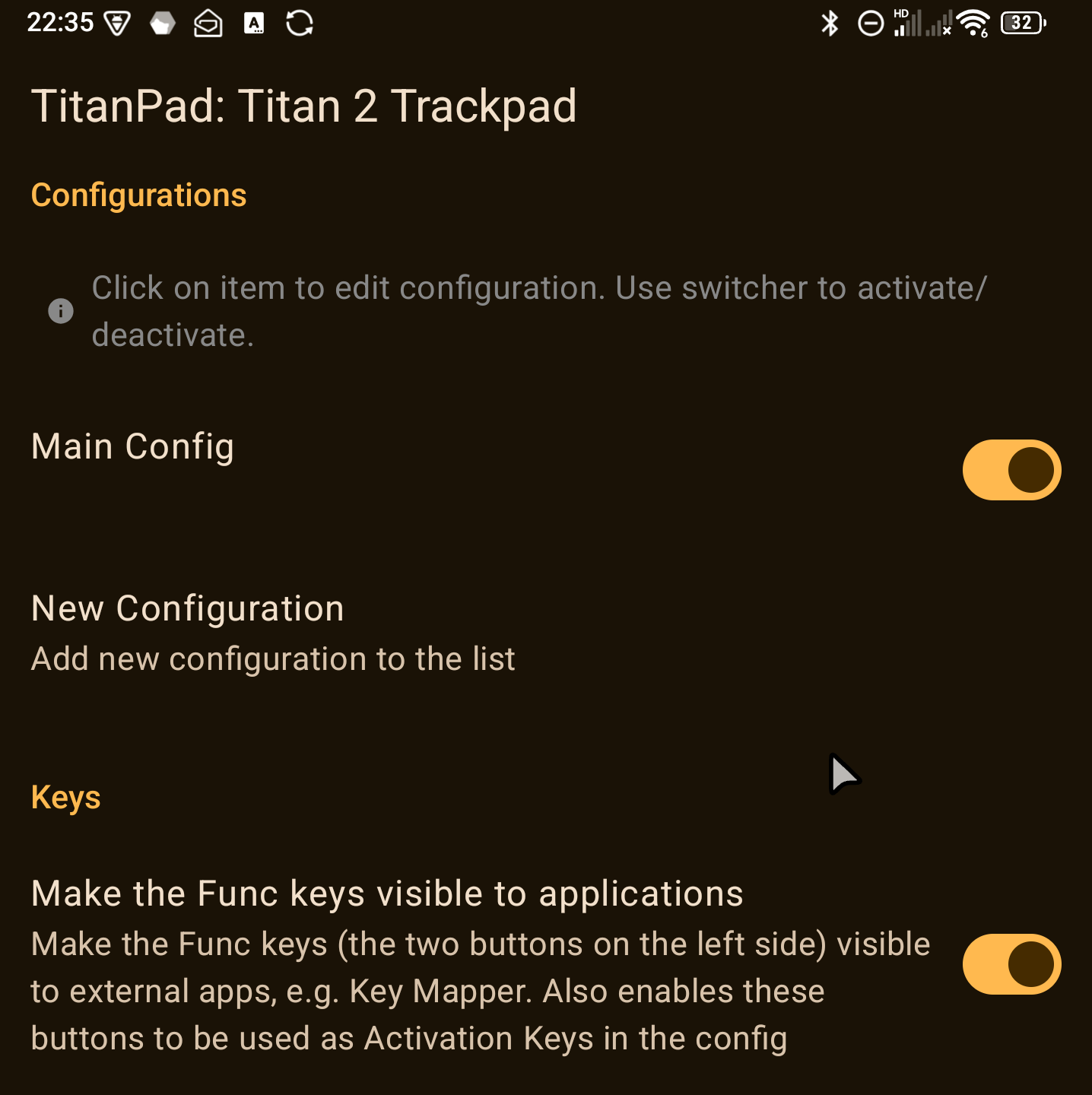
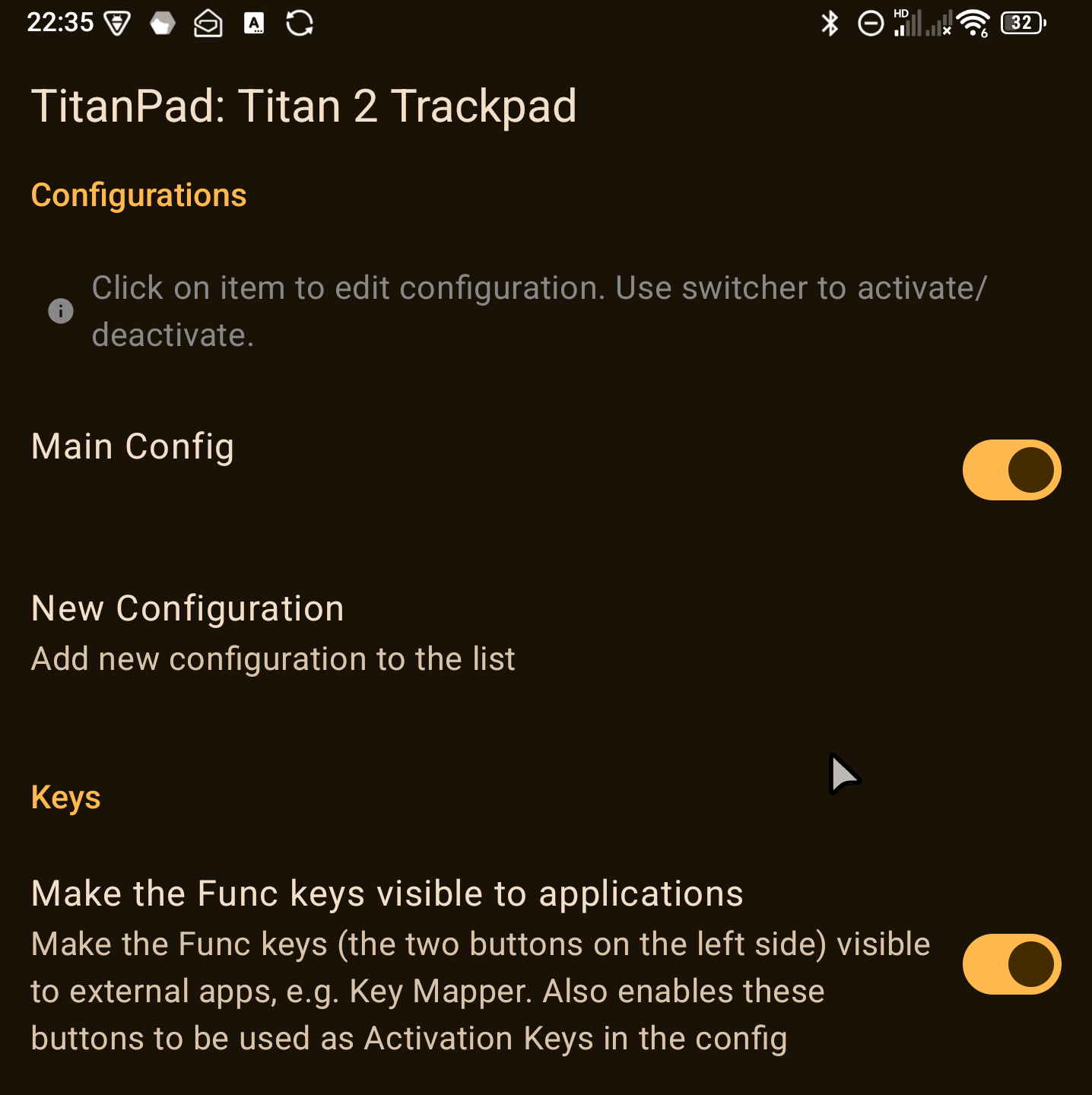
- Enable "Main Config"
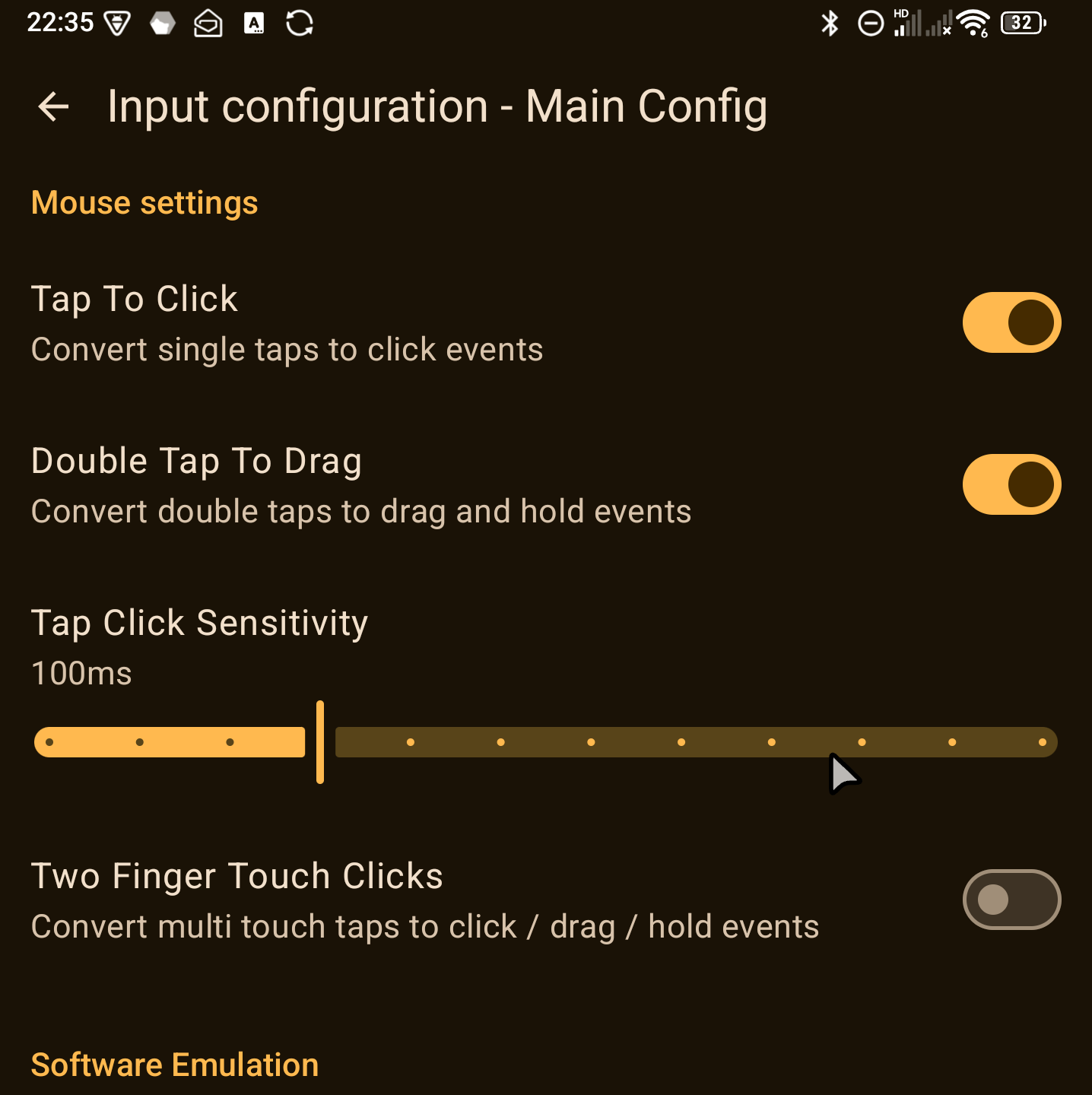
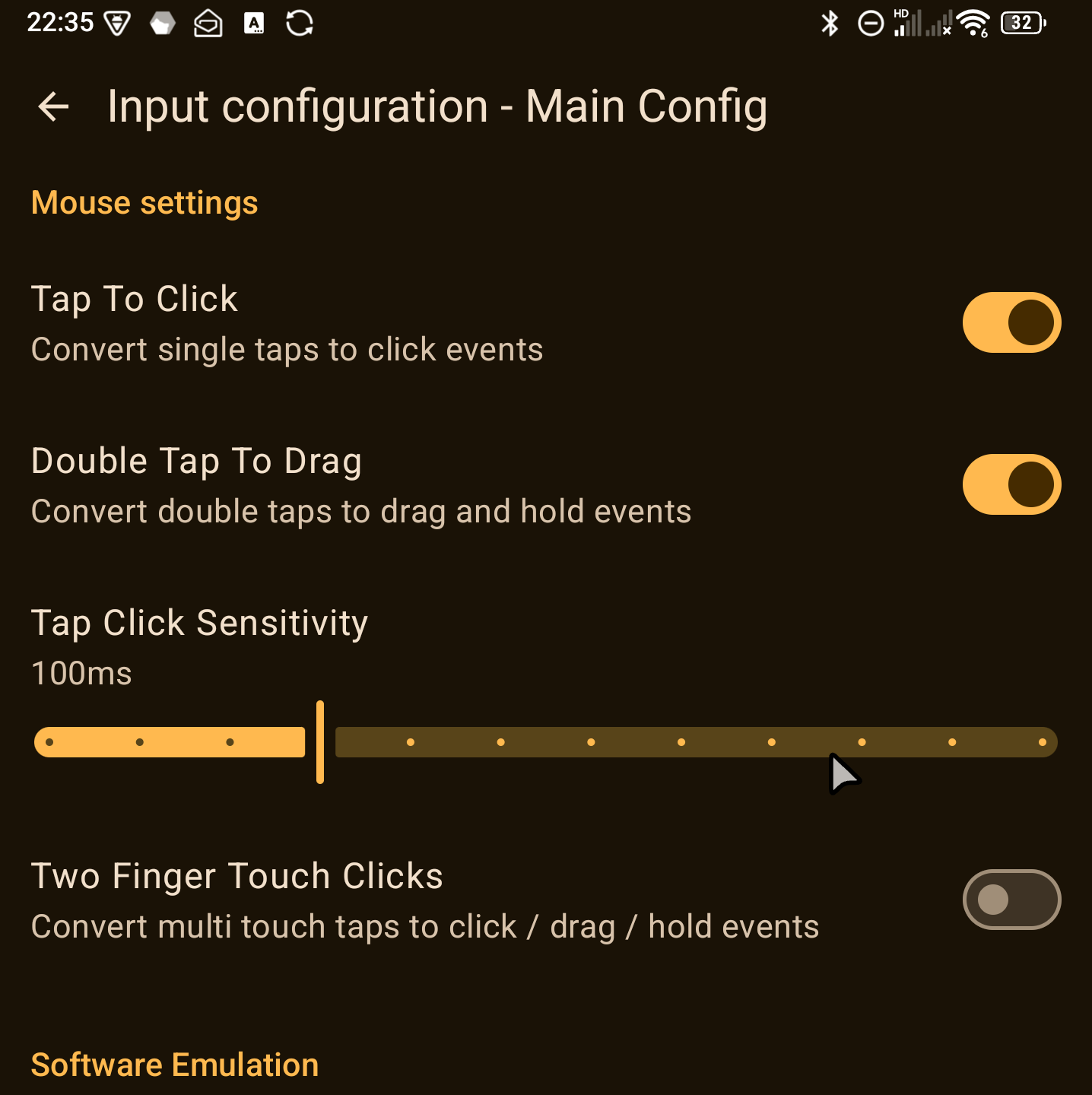
This will enable a hardware emulated mouse on the entire Trackpad with tap to click feature
Supported input methods
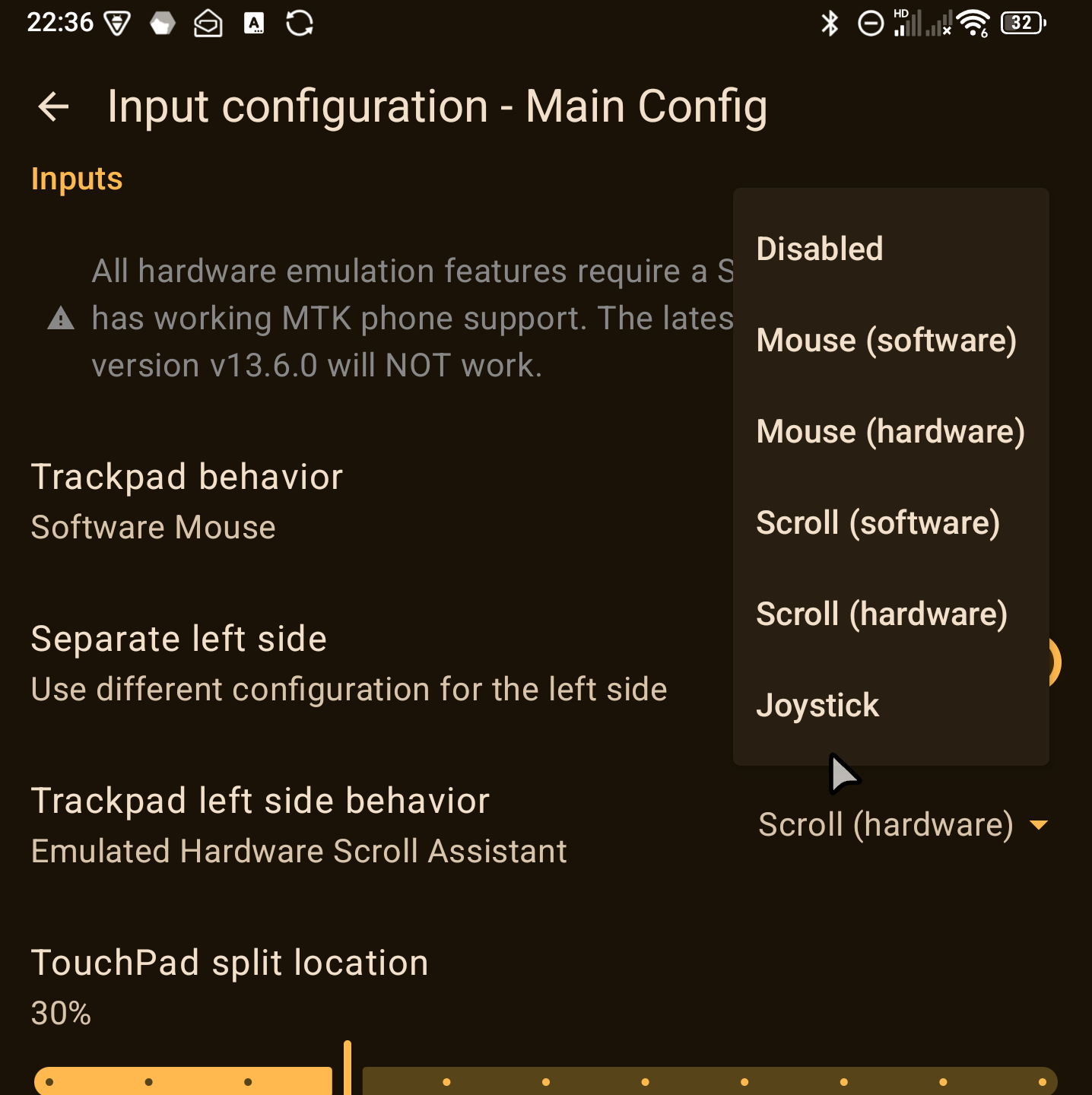
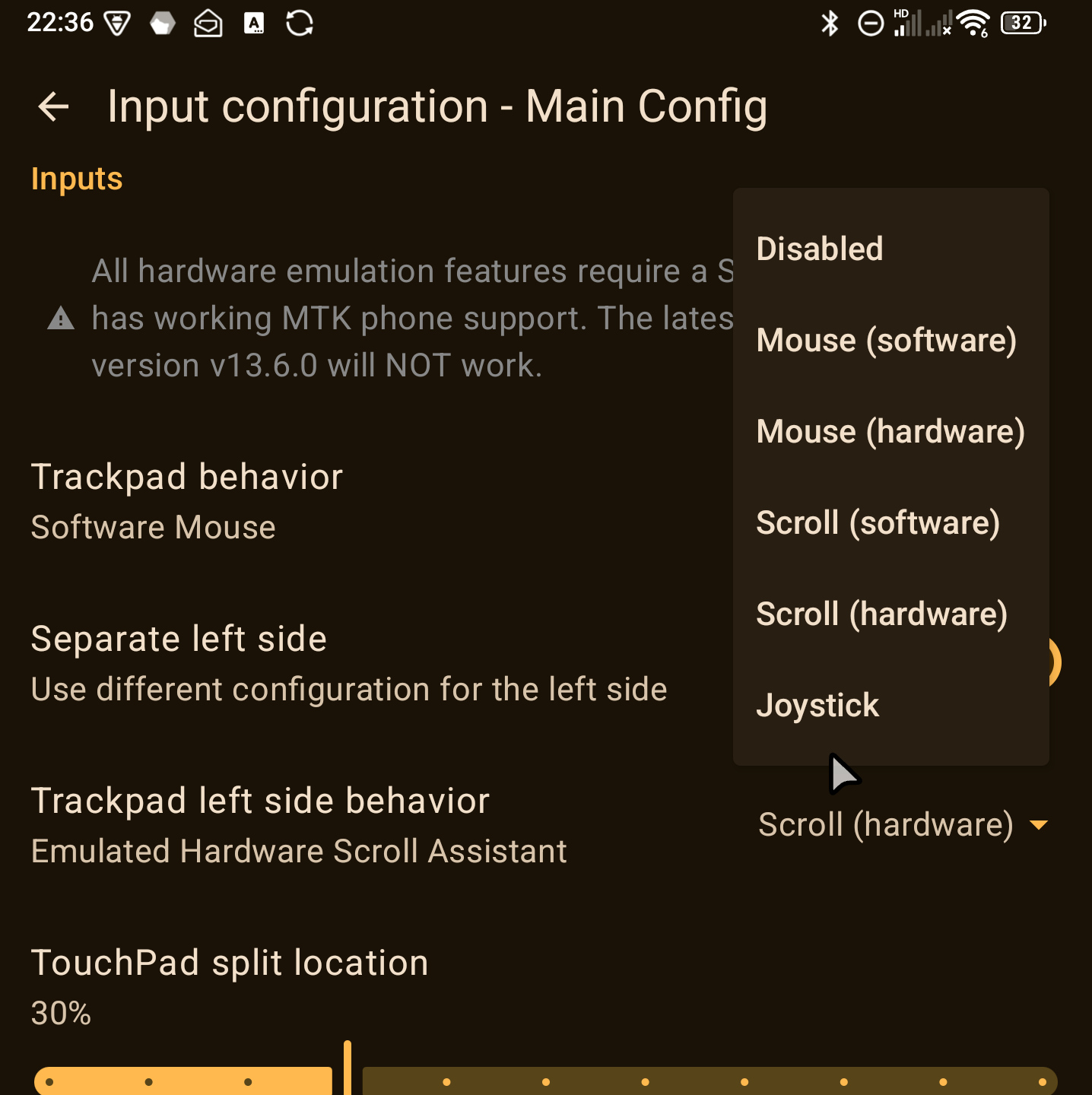
Software based mouse
This will set up a virtual mouse using Android's built in Overlay and Accessibility features, and doesn't rely on emulating a proper hardware. (Technically this option could work without Shizuku if there would be support for accessing the Trackpad's motion events without it)
Compared to the hardware emulated mouse
Pros:
- All clicks are converted to taps which have better support in Android apps
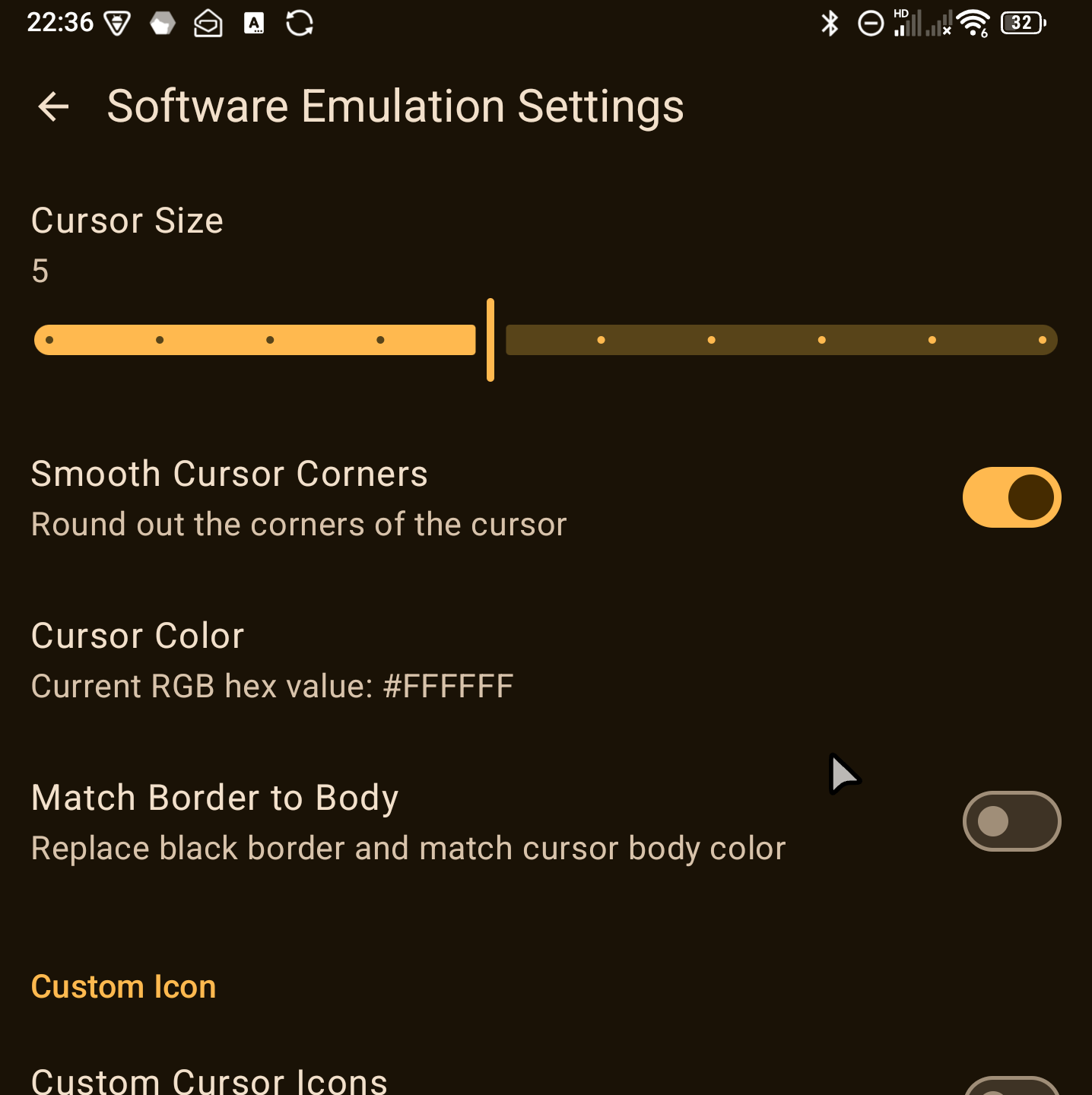
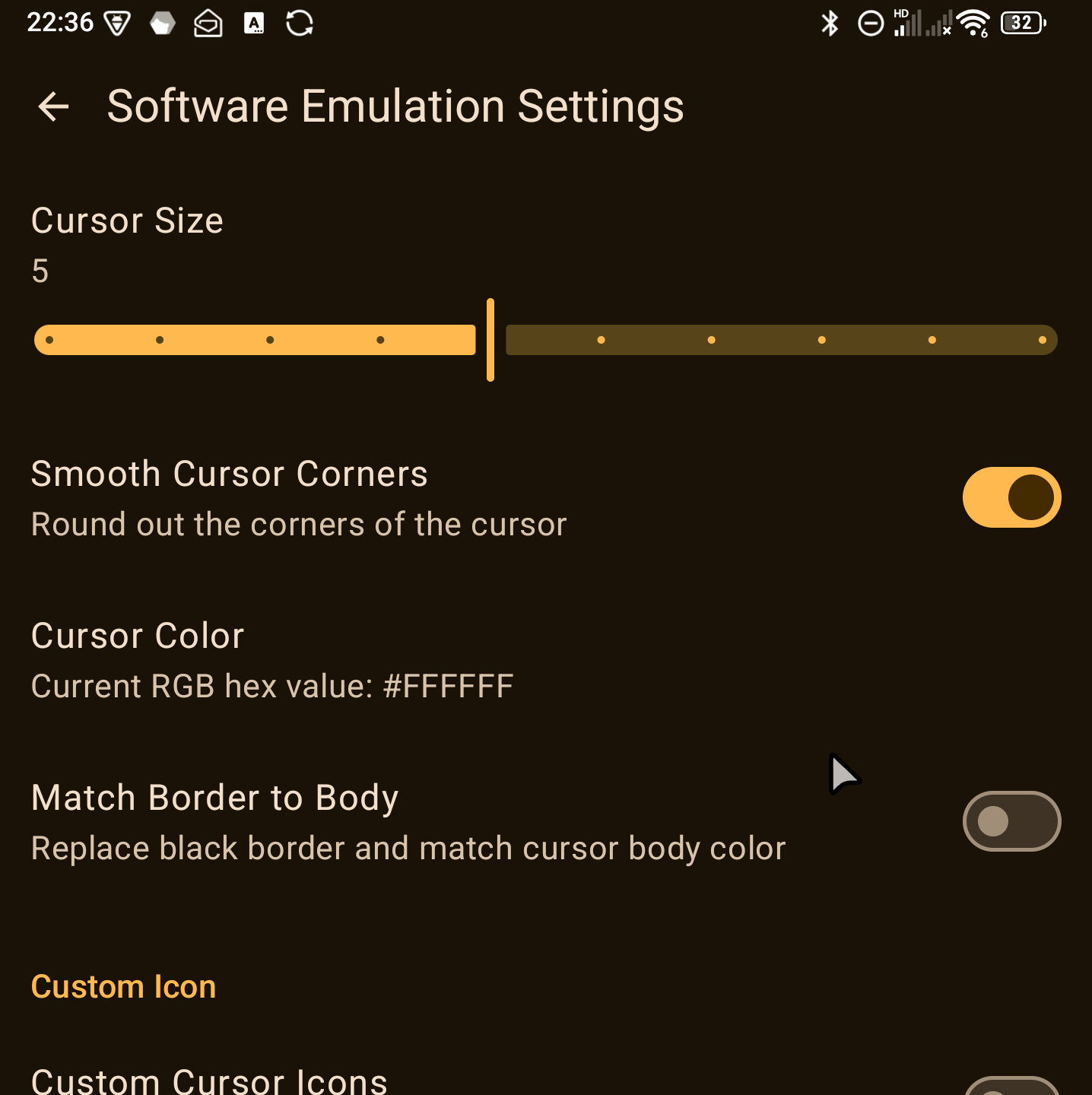
- The mouse display can be fully configured including using custom images
Cons:
- No support for hovering over elements
- Decreased performance
Hardware based mouse
This will set up a kernel based mouse as if you connected one using USB / Bluetooth.
Compared to the software based mouse
Pros:
- Higher performance, doesn't rely on Android features
- Native support for hovering over elements
Cons:
- Not all applications accept mouse clicks, and some features only work with taps
Software based scroll
This will set up a virtual touchpad using Android's built in Overlay and Accessibility features, and doesn't rely on emulating a proper hardware.
This will map touches on the trackpad as taps on the screen at the same location. Afterwards movement on the trackpad will translate to swipes on the main screen.
The software based scroll is fairly finicky right now and it is preferred to use the hardware based scroll which has the same feature set.
Hardware based scroll
This will set up a hardware emulated touchpad using kernel features.
This will map touches on the trackpad as taps on the screen at the same location. Afterwards movement on the trackpad will translate to swipes on the main screen.
This is more performant than the software based scroll and has the same features.
Hardware mouse scroll
This will send scroll events for the hardware mouse set up earlier. The mouse is set up to have smooth scrolling enabled and the events will be sent accordingly. Scroll events will always happen where the hardware mouse cursor is right now (or if it is not enabled, then by default it is considered to be in the middle of the screen)
Hardware based joystick
This will set up a hardware emulated gamepad using kernel features.
Touching the trackpad will set up the center point for the joystick, then movements up/down/left/right will translate to movements of an analog stick.
Due to how multi touch works on the trackpad it is actually possible to have both of your hands on the trackpad with one using it as a virtual joystick, and the other pressing keys that are mapped to buttons, but the setup is not straightforward.
You basically have two options:
- Use non-capacitive gloves on your hand that you don't want to use as a joystick.
- With two bare hands:
- First touch the side of the trackpad you want to use as a joystick.
- Then with your other hand touch the part where you want to use the keyboard buttons (e.g. WSAD or IJKL)
- Then without letting go of the keyboard hand from the touchpad you can now let go of the joystick side
- You can touch the joystick side whenever needed, and you can press buttons with your keyboard side
- If you let go of the keyboard hand from the trackpad you'll need to do the above setup again (release both hands, touch joystick side first, touch keyboard side second then release joystick side, keeping the keyboard side touching)
Watch this video for a video guide
Additional features
Func1 & Func2 remap
By default the Func1 and Func2 keys (the two buttons on the left hand side) are not visible in the system, so you cannot use Key Mapper and other tools to remap them. This setting will create a separate hardware keyboard that emits keypress actions whenever Func1 or Func2 is pressed that can be caught by Key Mapper and other apps for any use.
By default the buttons will be mapped to F13 and F14, which although is supported by Key Mapper, is not supported by a lot of other apps. The compatibility mode will map them to F11 and F12 which have better support overall, but might clash with some apps that actually read these events, like virtual desktop apps.
Multiple configurations
You can set up multiple distinct configurations and switch between them as you need fit for your usage.
Activation key
When you set an activation key for a config you can press that key to quickly turn on / off that particular config. When Func1&Func2 remapping is enabled you can also use them as the activator
Split trackpad
You can split the trackpad into two sides, with both sides having a different config, like one doing scroll, the other mouse emulation.
Back screen touch
You can also use the back screen's touch sensor for any events, including mouse moves, scrolling or joystick input
Troubleshooting
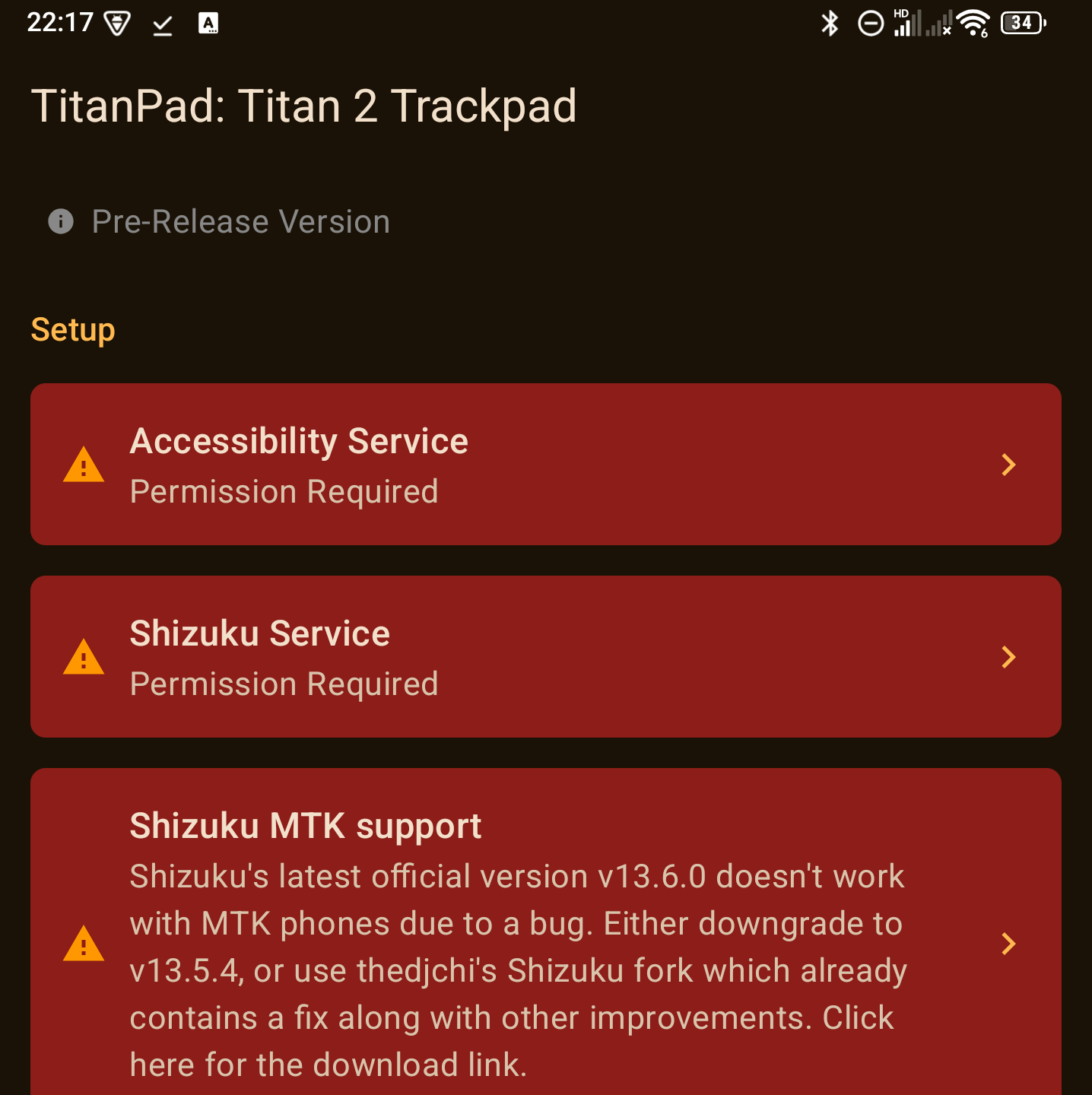
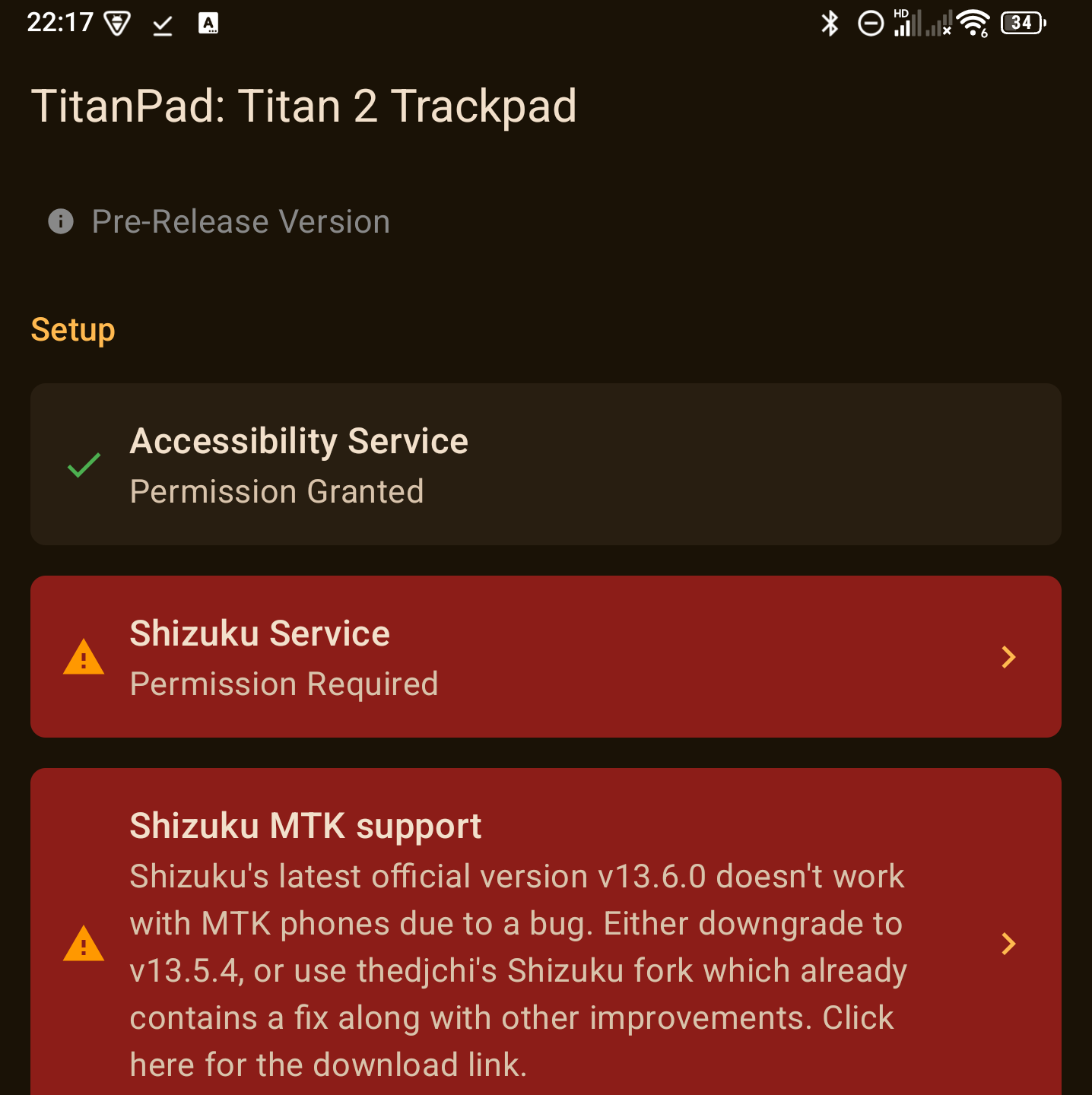
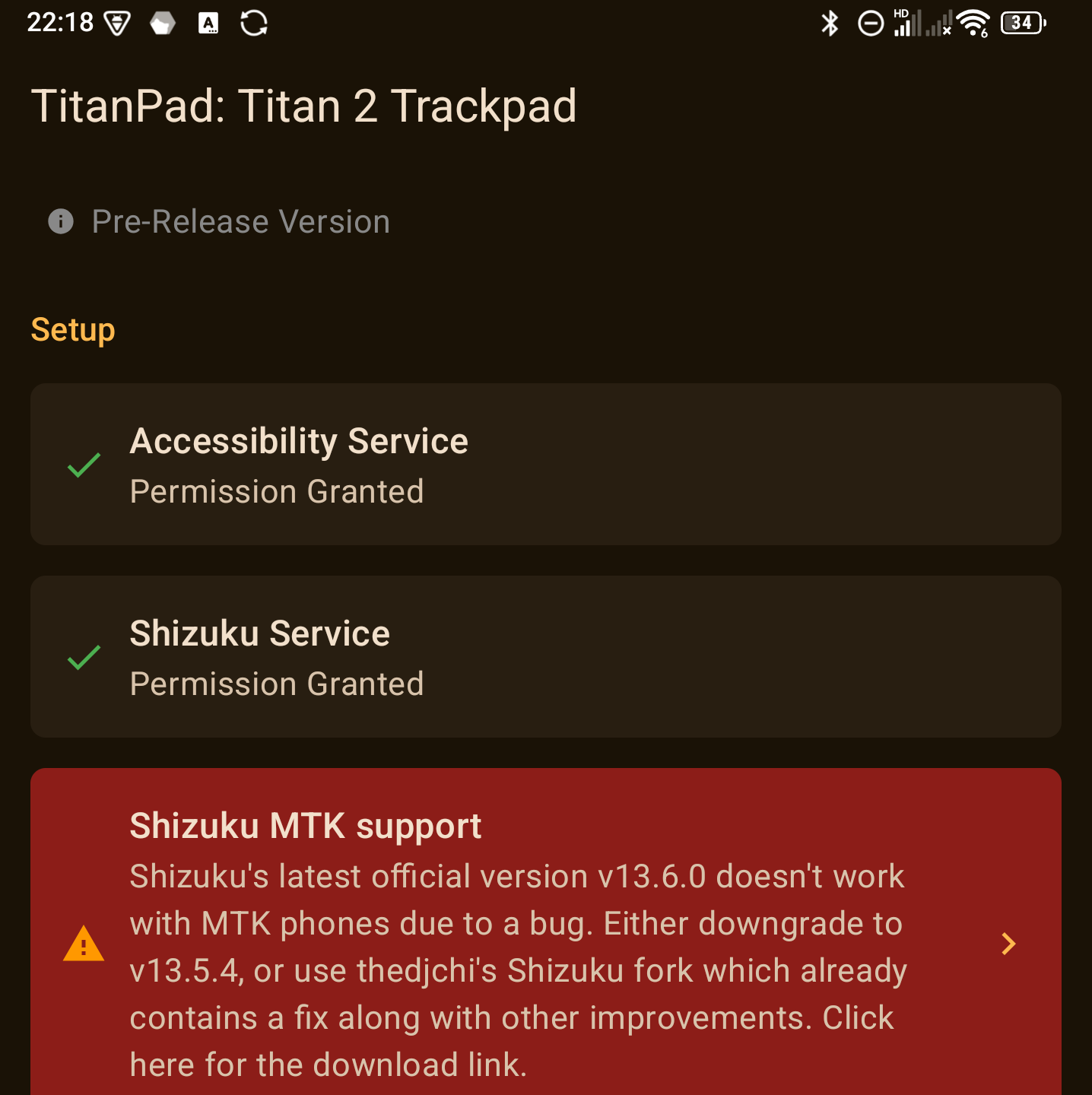
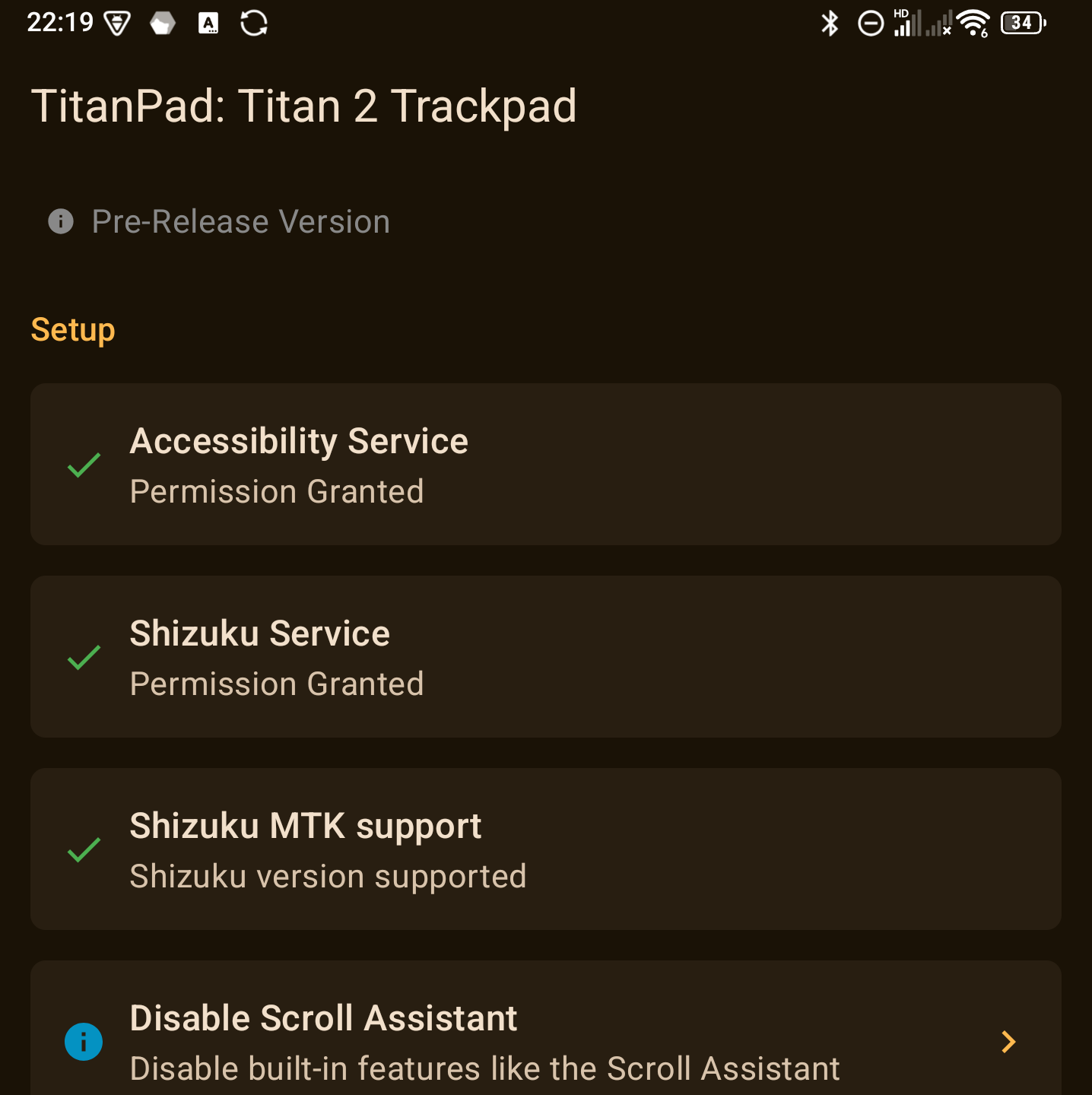
Verifying Shizuku authorization
A green banner on the main page indicates that Shizuku authorization has been granted to TitanPad. TitanPad also requires Shizuku with support for MTK phones. Only the fourth screenshot below will result in a fully working application.


WARNING! Also note that due to a bug in Shizuku v13.6.0 (the latest official release as of February 2026) it does not work fully on MTK phones. You either have to downgrade to v13.5.4 (the version present on Google Play), or use thedjchi's Shizuku fork, which also contain other fixes and improvements.
Screenshots


Build
To build the app you need:
- Android Studio Panda 1 2025.3.1 or later
- Under SDK Manager install at least:
- Android SDK 36.1
- Android NDK 29.0
- CMake 4.1.2
- Under SDK Manager install at least:
- Rust
- Install rust from https://rustup.rs/
rustup target add aarch64-linux-android armv7-linux-androideabi i686-linux-android x86_64-linux-android
FAQs
Where can I make feature suggestions or report bugs?
You can use the issues tab for both.
How else can I contribute?
Please feel free to submit a pull request, create a video walkthrough, or provide anything else you think would be helpful!
What is Shizuku?
Shizuku allows applications in general to perform actions that require elevated privileges. In TitanPad, it is required to read the trackpad events on the Keyboard on firmware versions where this is not supported natively, as well as to create and manage virtual mouse devices for more native mouse pointer support.
License
How Shizuku is used
Can turn keyboard trackpad touches into mouse, scroll, touch and joystick input via `getevent` and virtual HID devices.
This is an AI-assisted analysis of Shizuku-related usages in the app's public source code. It is best effort, so it may not catch every single usage.
How this app uses Shizuku
TitanPad uses Shizuku to read the Titan2 keyboard capacitive sensors and to host virtual input devices that replay them as system input.
- Read trackpad sensors: finger position, touch size and button presses from the keyboard trackpad, rear screen and side buttons are read continuously with the
getevent -lshell command through Shizuku. - Move virtual mouse: trackpad movement is replayed as relative motion, clicks, drag holds and vertical plus horizontal wheel scroll through a virtual HID mouse.
- Remap function keys: the two side function buttons are replayed as keyboard presses or as left, right and middle mouse clicks through virtual HID keyboard and mouse reports.
- Touchscreen taps: trackpad or rear screen drags in scroll mode are replayed as absolute screen touches and releases through a virtual HID touchscreen.
- Drive virtual joystick: trackpad displacement is replayed as X and Y stick deflection, centered on release, through a virtual HID gamepad.
Android APIs or commands used
getevent
Notable details
Only fixed sensor reads are run through Shizuku for Titan2 hardware, so there is no generic command runner. Trackpad features stay disabled until Shizuku is running and authorized; the app does not provide the same input path without it.
Changelog
What's new for version 0.2.1
This is a minor hotfix providing support for the FW 20260413 EEA / 20260422 TEE, where the device IDs have changed. Note that the new config will ONLY work on these firmwares, if you're still on the old one please use version 0.2.0
Permissions
5 permissions requested
More from this category
 Key Mapper
 BiBi Keyboard
 GameShift
 OpenMapper
 Joycon2Android
 Steam Controller
 XtMapper
 Key Sync
 Button Silencer
 GIP Bridge
 Pastiera Nightly (pastiera)
 C9
C9