 ShizuStore
SysReadout
0.2.3 · GitHub
More about this app
Terminal-style launcher that turns the home screen into a live system monitor with pinned status rows, process/connection/DNS tables and an event log, reading system data through Shizuku.
SysReadout Launcher
A minimal Android launcher that turns your home screen into a live system monitor.
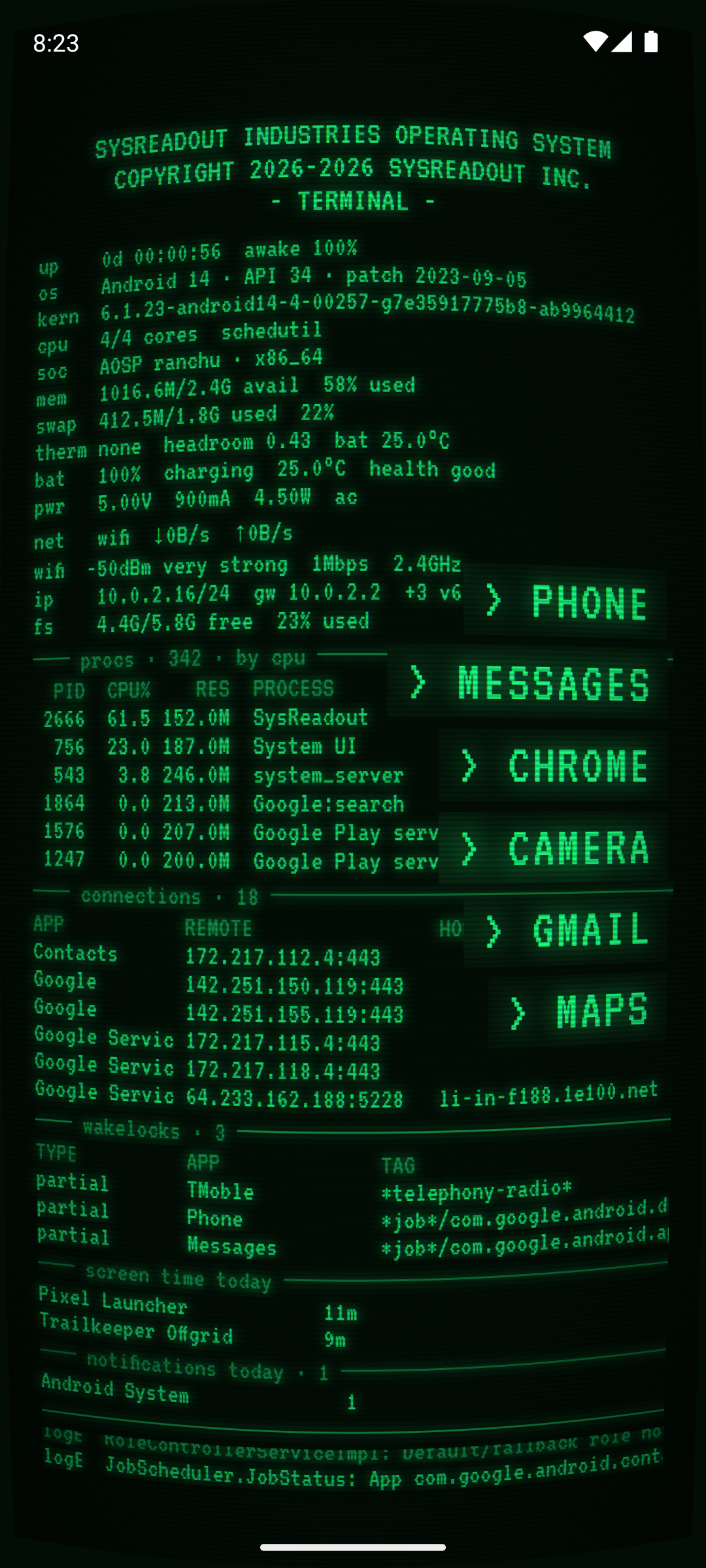
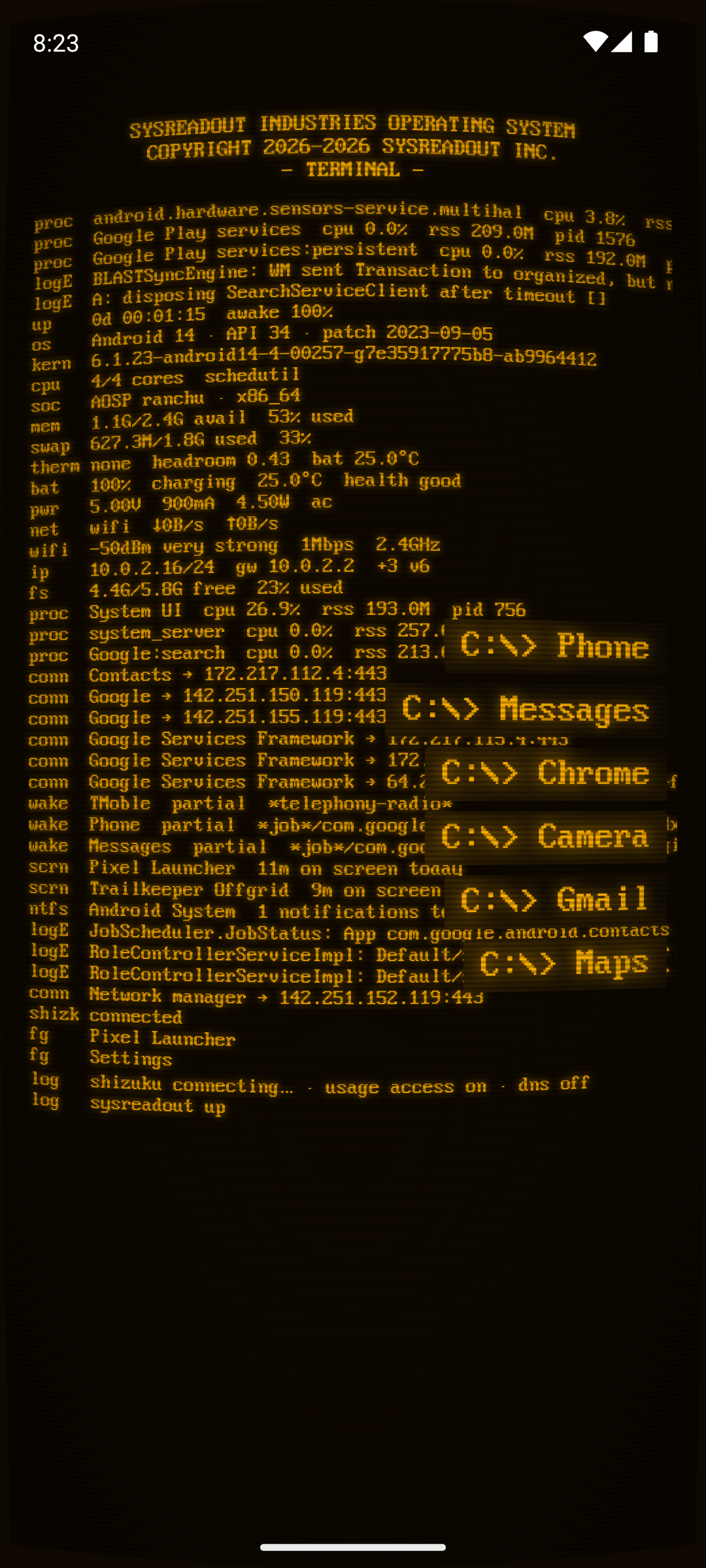
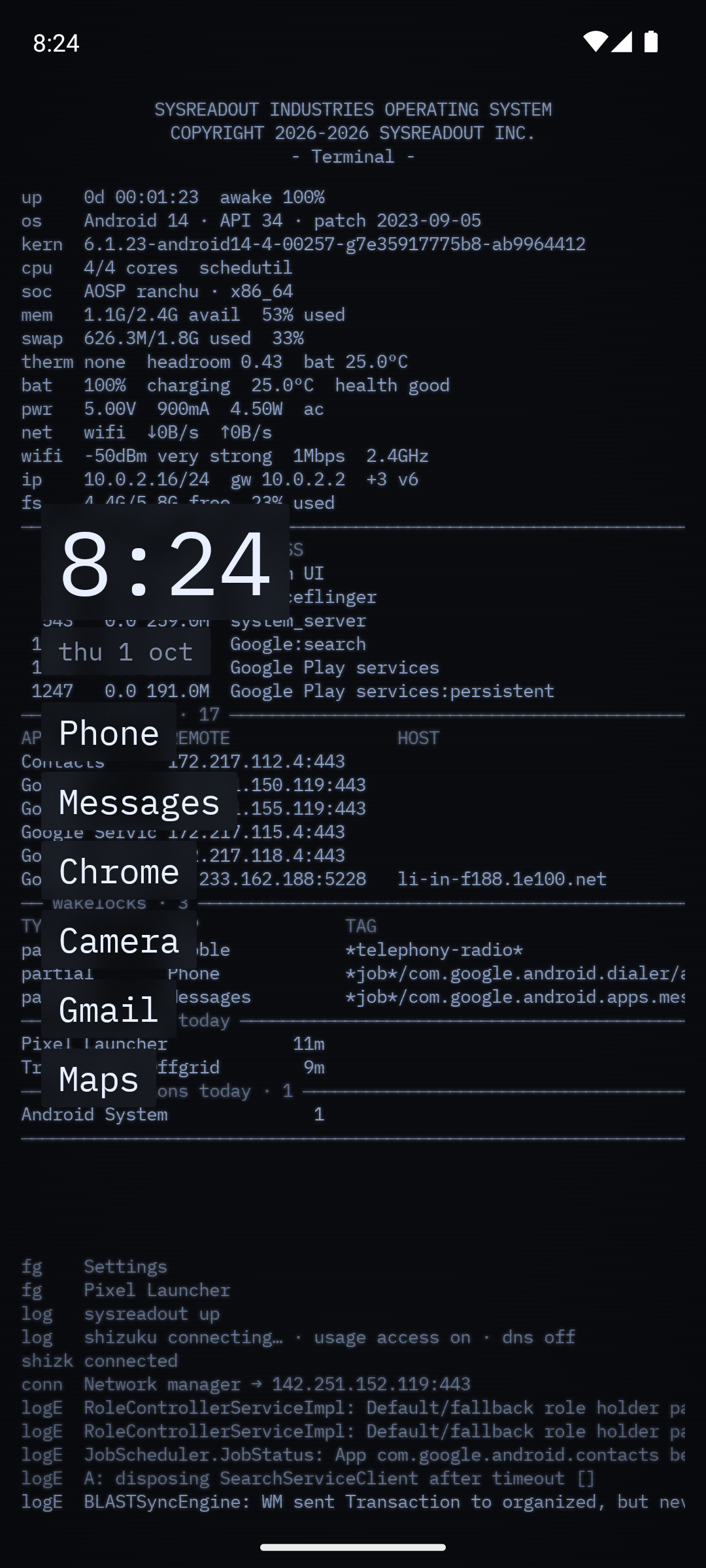
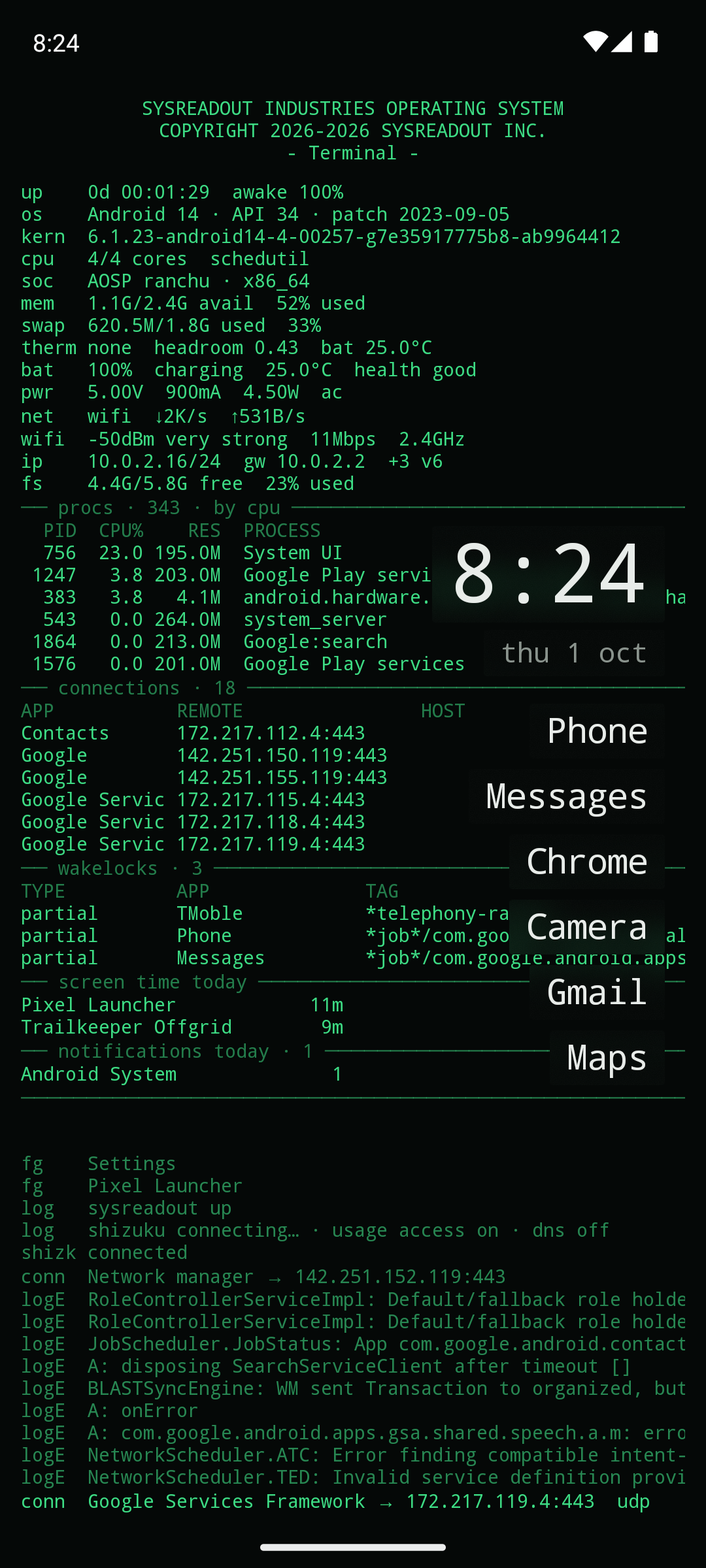
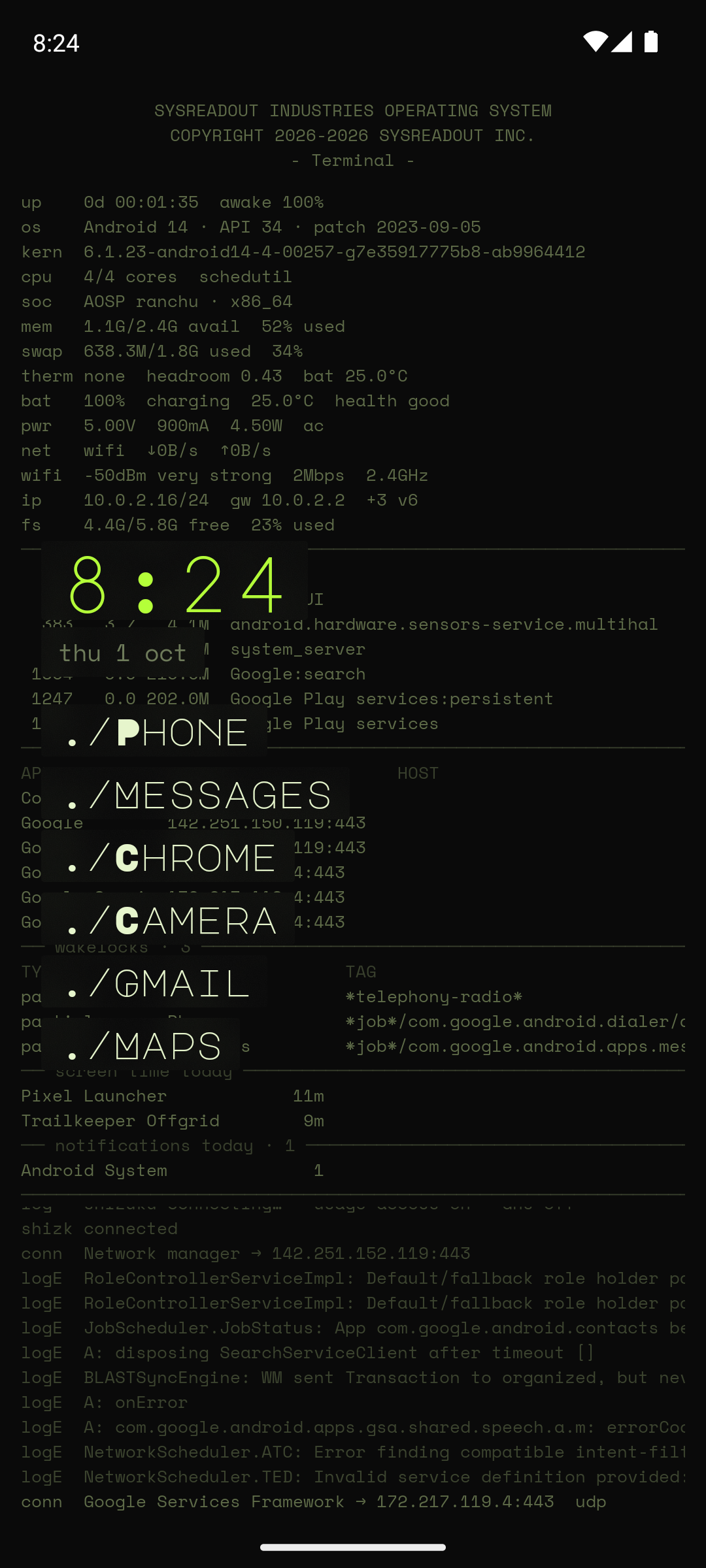
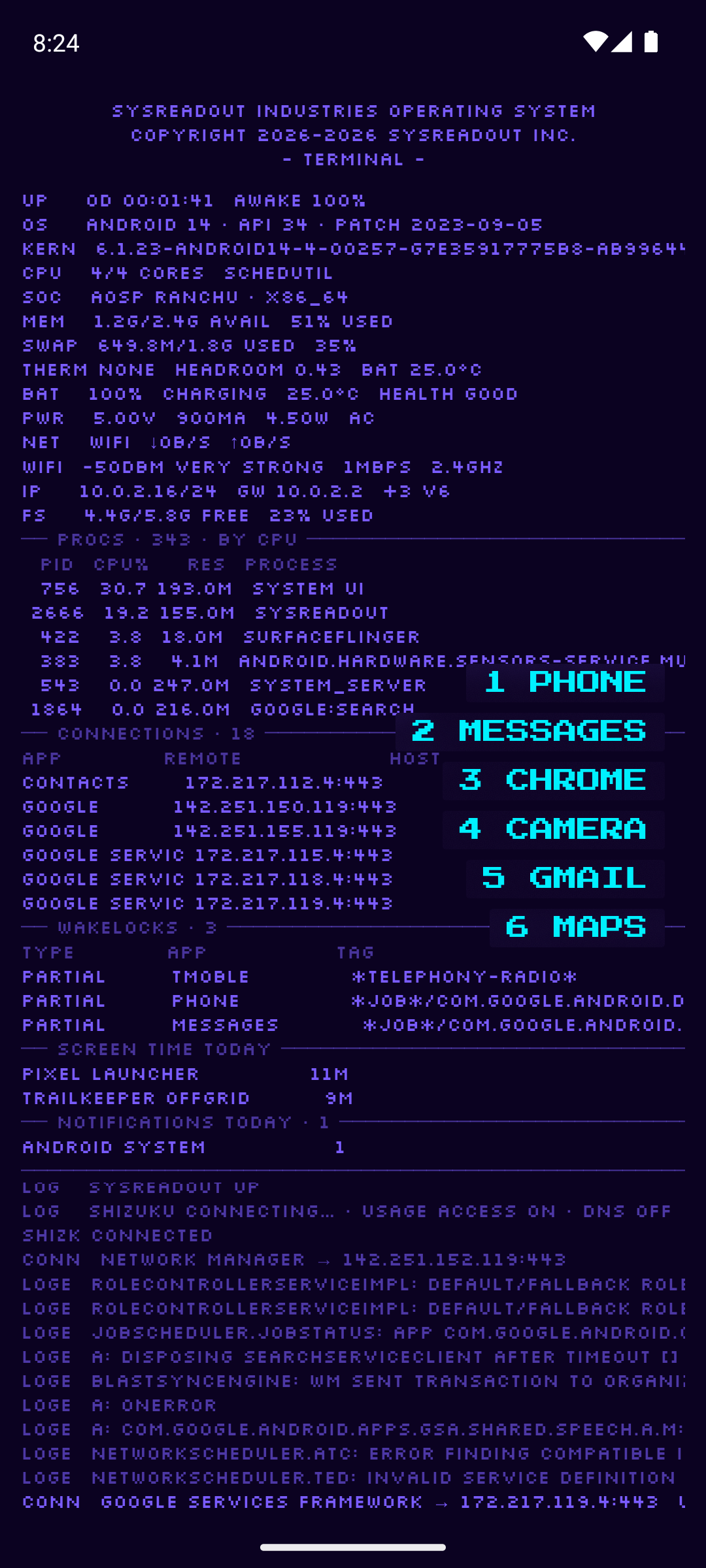
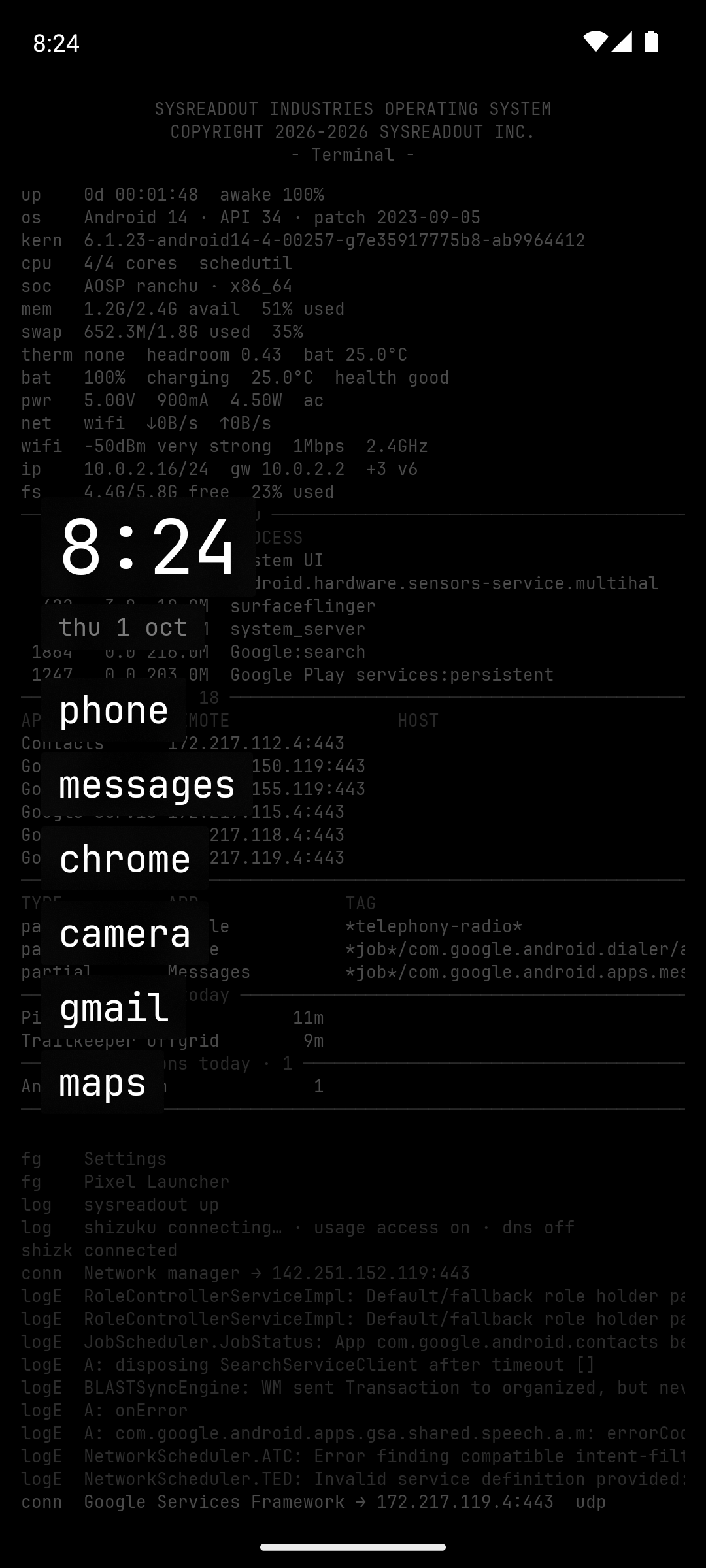
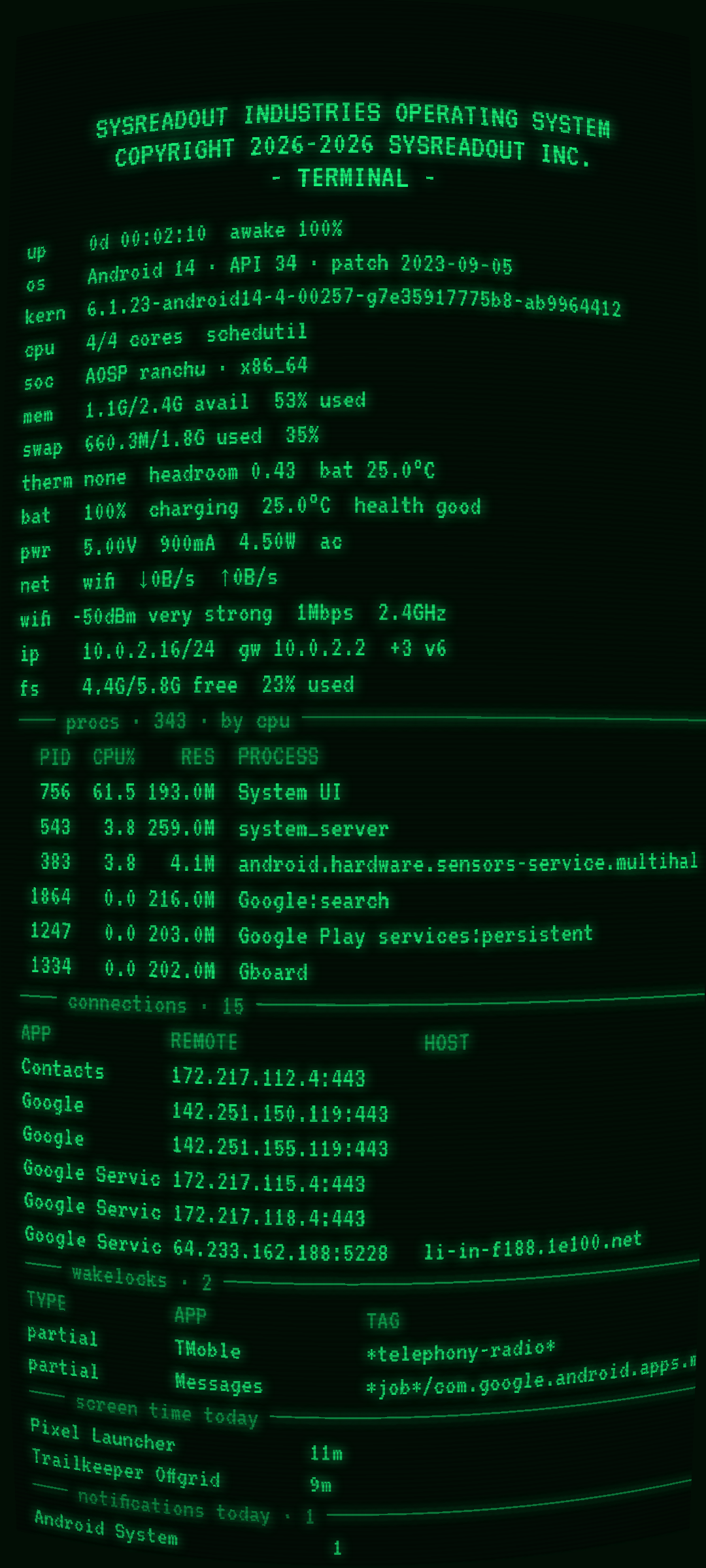
A short list of your apps sits in front of a terminal-style readout of the phone: pinned status rows, monitor tables and a scrolling event log, optionally dressed as an old CRT terminal. Built for people who like to know what their phone is doing. SRL for short.


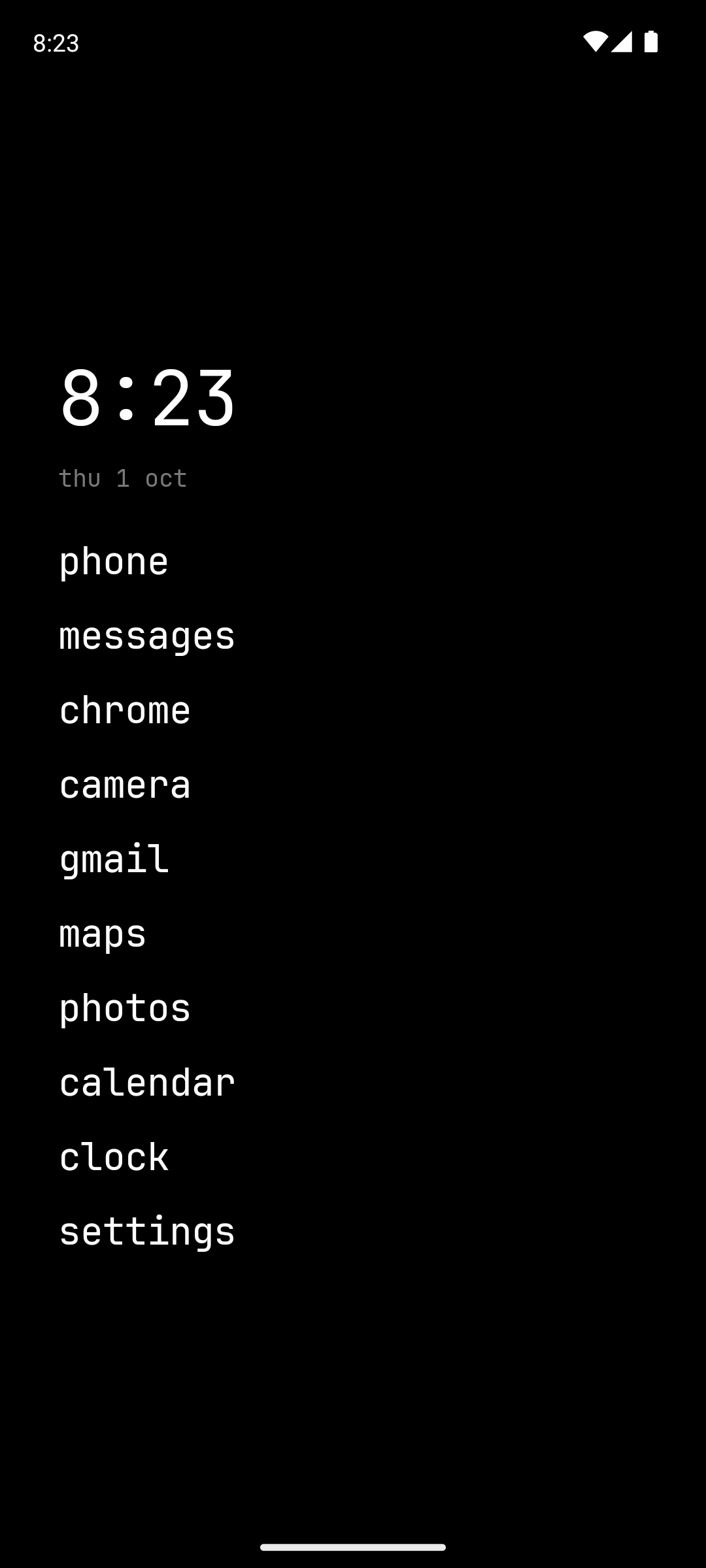
From a full CRT terminal to a plain list of apps: every look, the log and each effect can be switched on or off.
Features
Launcher
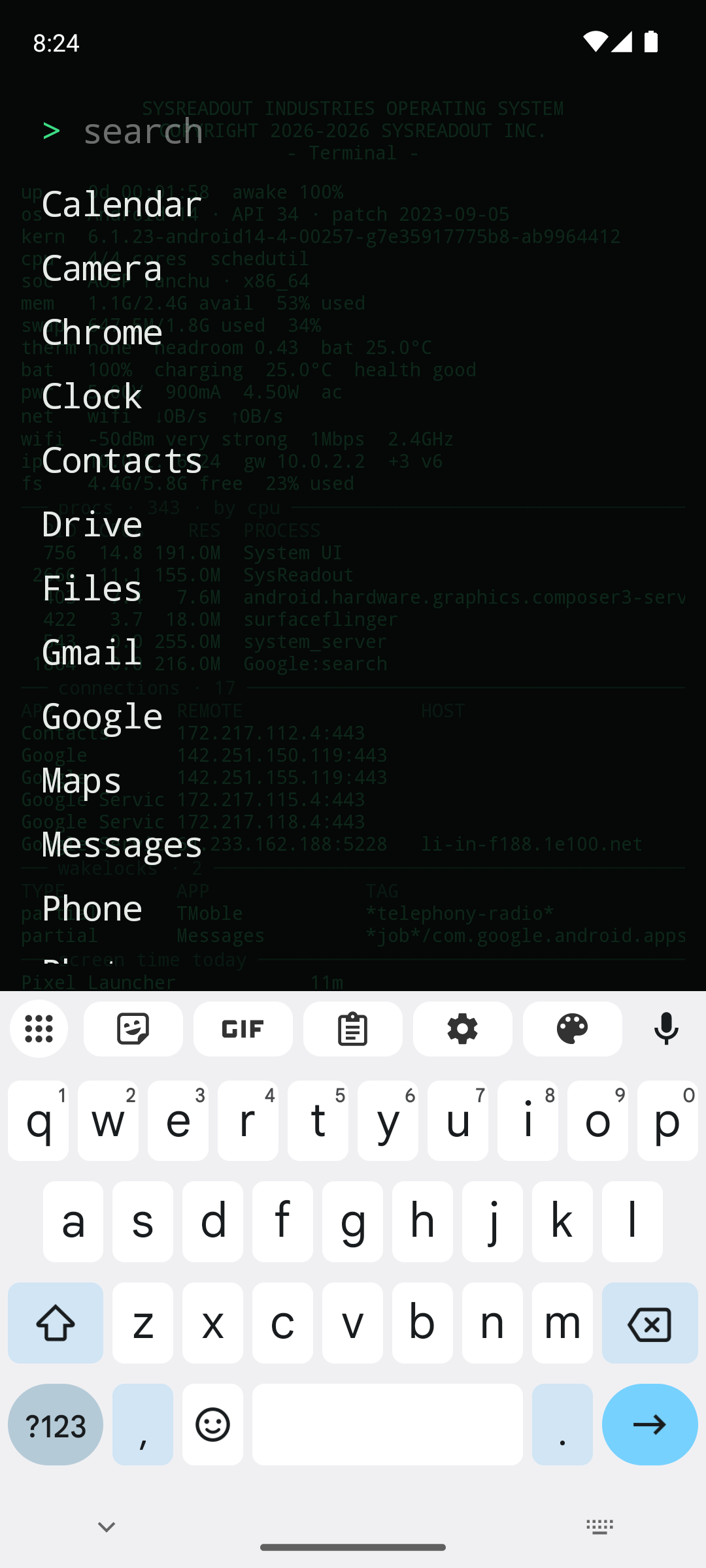
- Pinned apps as text entries, as many as fit the screen; a searchable drawer (prefix, initials, substring; opens a single match by itself).
- Gestures: up for apps, down for notifications, left/right for an app you choose, double-tap to lock, long-press for settings.
- Hidden apps, renaming, work profiles.
- Safe mode: should it ever crash twice right after starting, it comes back as a plain launcher until you resume, with the crash report under settings › about.
Readout
- 52 optional status rows: CPU, memory, swap, thermal headroom, battery current and watts, network speed, Wi-Fi and mobile signal (spelled out, never drawn as bars), IP, storage, build properties, GPU, sensors, sunrise, moon phase and more. Choose and order them yourself.
- An editable banner header with live placeholders (
{year},{device},{android}…). - An event stream: network and power changes, installs, app switches, background services.
- Two layouts: classic (rows, tables and stream in fixed places) or feed, one header-free list where new lines push older ones off the screen and lines already showing update in place.
System monitor (each part optional)
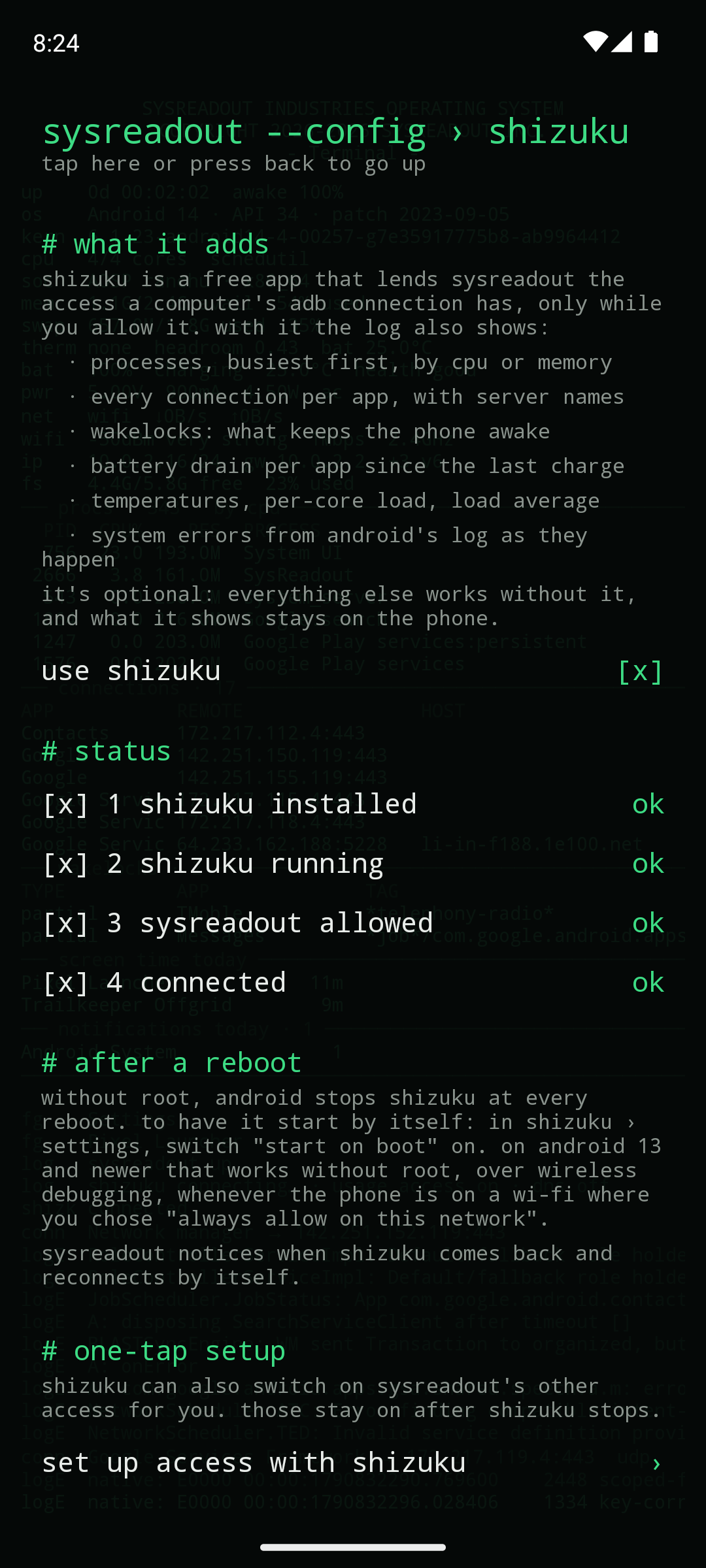
- Shizuku (optional, with a guided setup under settings › shizuku): processes by CPU or memory, every connection per app with the server's name, wakelocks, per-app battery drain, temperatures, per-core load, system errors from logcat. Once connected it can switch on the other access below in one tap.
- Usage access: screen time, unlocks, traffic per app, data used this month.
- Notification access: a notification log and per-app table, and what's playing.
- DNS monitor: a local VPN that carries only DNS, showing which app looks up which server.
- Location / phone / Bluetooth / activity: GPS fix and satellites per constellation, serving cell and 5G/LTE-CA details, connected Bluetooth devices with battery, steps.
Look
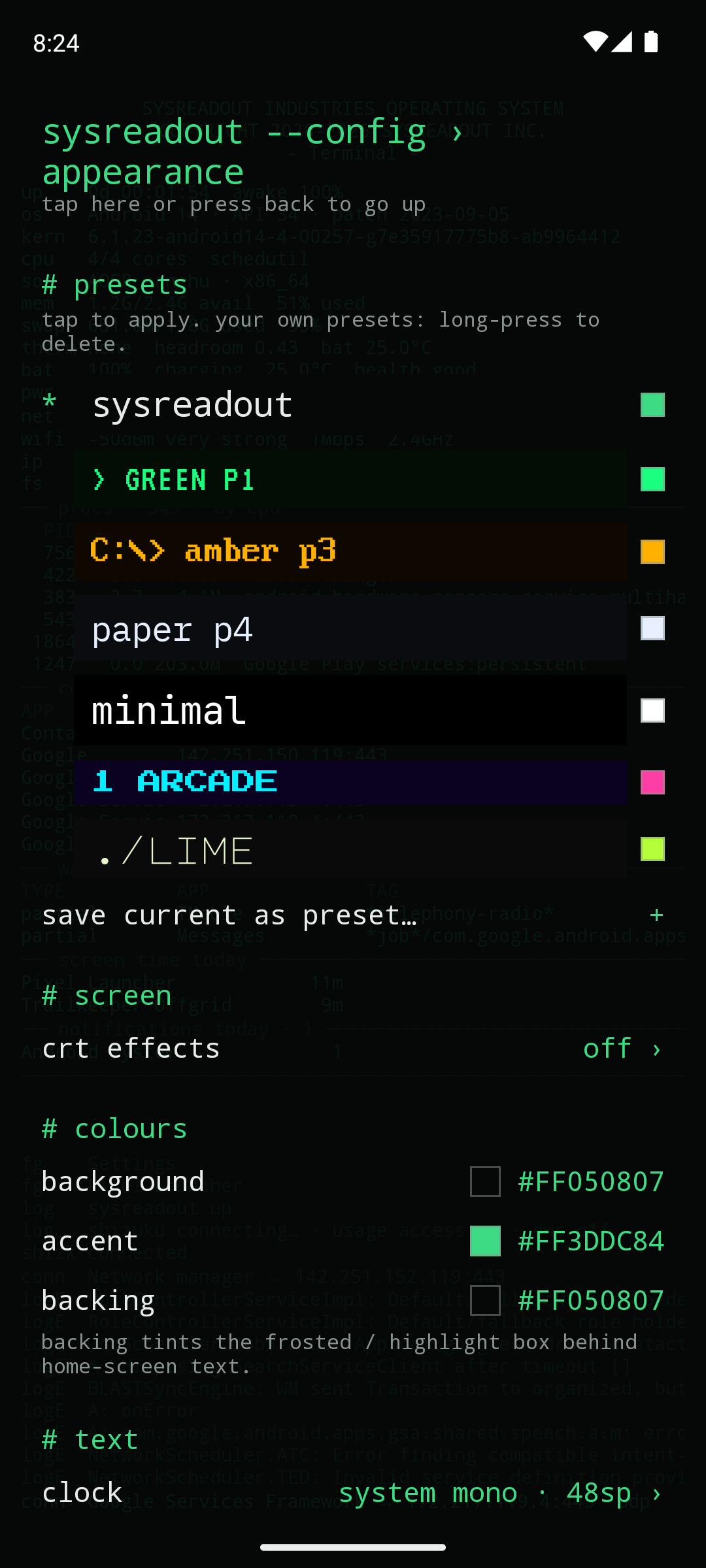
- 7 presets (including green-phosphor and amber DOS terminals) plus your own.
- 11 bundled fonts and your own .ttf/.otf, with size, weight, spacing, case and colour per element.
- CRT effects: glow, scanlines, curvature, vignette, colour fringe, flicker, grain.
- Lock screen: your own image, or a snapshot of the log redrawn whenever the screen turns off.
Everything is explained in the user manual.
Install
- F-Droid: submission in preparation.
- GitHub: download the APK from the latest release and open it (allow "install unknown apps").
Then make it your home screen: Settings › Apps › Default apps › Home app › SysReadout.
Requires Android 8.0 (API 26) or newer; curvature and colour fringe need Android 13.
Permissions
Nothing beyond the basics is used until you switch on the feature that needs it, and runtime permissions are requested at that moment.
| Permission | Used for | When |
|---|---|---|
| Network state, Wi-Fi state | connection type, IP, Wi-Fi signal rows | install-time, no prompt |
| Change Wi-Fi state | asking for a fresh scan for the nearby networks row | install-time |
| Expand status bar | swipe down for notifications | install-time |
| Request delete packages | uninstall in the drawer's long-press menu (Android still asks you to confirm) | install-time |
| Set alarm | tapping the clock opens your alarms | install-time |
| Query all packages | real app names for system processes, connections and traffic | install-time |
| Set wallpaper | lock-screen image or log snapshot | only if you choose it |
| Internet | only the optional DNS monitor, which relays your apps' own lookups to your network's DNS server (Quad9 or Cloudflare only if the network names none) | only if you switch it on |
| Usage access | screen time, traffic, app switches | you grant it in Android settings |
| Notification access | notification row, stream and table | you grant it in Android settings |
| Accessibility (lock service) | double-tap to lock; reads no screen content | you enable it in Android settings |
| Location | GPS, satellites, Wi-Fi name, nearby networks, cell tower, sunrise rows | asked when you switch one on |
| Phone | 5G/LTE link details | asked when you switch it on |
| Bluetooth connect | connected devices and their battery | asked when you switch it on |
| Physical activity | step count | asked when you switch it on |
| Bluetooth (Android ≤ 11) | reading whether Bluetooth is on | install-time on old Android |
Privacy
No ads, no analytics, no tracking, no accounts. Everything is read on the phone and kept in memory while the home screen is visible; nothing is written anywhere except your settings (and, if SysReadout crashes, the last crash report, which stays on the phone until you share or delete it). The log stops when the home screen isn't visible.
Build
Requirements: JDK 17 or 21, Android SDK (compileSdk 36).
./gradlew :app:assembleDebug :app:lintDebug :app:testDebugUnitTest
The Gradle root is the repository root; the app module is app/.
Release signing
Release builds are signed from a keystore.properties file at the repository root, which is not in git:
storeFile=/absolute/path/to/sysreadout-release.jks
storePassword=…
keyAlias=sysreadout
keyPassword=…   # PKCS12 keystores: same as storePassword
Without it, assembleRelease produces an unsigned APK (what F-Droid's build server does). CI gets the same values from repository secrets (RELEASE_KEYSTORE_B64, RELEASE_KEYSTORE_PASSWORD, RELEASE_KEY_ALIAS, RELEASE_KEY_PASSWORD).
Releasing a version
- Bump
versionCode(+1) andversionNameinapp/build.gradle.kts. - Add
metadata/en-US/changelogs/<versionCode>.txt. - Commit and push to
main; CI publishes a rollinglatestrelease. - Put the full hash of that commit into
.fdroid.yml(commit:), updateversionName,versionCode,CurrentVersion,CurrentVersionCode, commit and push. - Tag the release commit
vX.Y.Zand push the tag.release-tag.ymlpublishes a permanent release whoseSysReadout-Launcher.apkis what F-Droid compares its own build against (Binaries,AllowedAPKSigningKeysin.fdroid.yml).
Signing certificate SHA-256: 03873cc1869db581465c718d15b58d7f80999dec058ff21617b58267760a91bb
Credits
- Fonts (licences in
app/src/main/assets/licenses, also viewable in the app under settings › about): JetBrains Mono, IBM Plex Mono, Space Mono, Share Tech Mono, VT323, Major Mono Display, Press Start 2P and Silkscreen under the SIL Open Font License 1.1; Px437 IBM VGA 8x16 by VileR (int10h.org) under CC BY-SA 4.0. The "SR" in the app icon is drawn from VT323's glyphs. - Shizuku API (MIT), Haze (Apache-2.0), AndroidX and Jetpack Compose (Apache-2.0).
- Inspired by Olauncher and mLauncher.
License
GPL-3.0 — see LICENSE.
How Shizuku is used
Can show live processes, connections, wakelocks, errors and battery use via `Shizuku shell commands and system file reads`.
This is an AI-assisted analysis of Shizuku-related usages in the app's public source code. It is best effort, so it may not catch every single usage.
How this app uses Shizuku
Shizuku runs a helper with shell privileges that lets the launcher read system state it cannot see as a normal app, powering the live monitor on the home screen.
- Show running processes: the top processes by CPU or memory are listed from
topoutput collected through Shizuku, with app start and exit events in the stream. - Show network connections: active TCP and UDP connections are built by reading the system network tables through Shizuku, with new connection events and reverse DNS hostnames for remote addresses.
- Show wakelocks: held wakelocks with holder and tag are listed from
dumpsys poweroutput collected through Shizuku. - Show system errors: recent warning and error lines from the system log are shown as events using
logcatthrough Shizuku. - Show load and CPU cores: system load averages and per core usage are derived from shell readable system files through Shizuku and shown as pinned status rows.
- Show temperatures: temperature sensors are listed from
dumpsys thermalserviceoutput collected through Shizuku. - Show battery use: per app power use since charge is listed from
dumpsys batterystatsoutput collected through Shizuku. - Enable own access in one tap: optional setup grants the launcher its own usage access, notification listener access and double tap lock accessibility service using shell settings commands through Shizuku.
Android APIs or commands used
top -b -n 1 -q -o PID,UID,%CPU,RES,NAME
dumpsys powerlogcat -d -v epochdumpsys thermalservicedumpsys batterystats --usage/proc/net/tcp/proc/net/tcp6/proc/net/udp/proc/net/udp6/proc/loadavg/proc/statappops set --user GET_USAGE_STATS allowcmd notification allow_listenersettings get secure enabled_accessibility_servicessettings put secure enabled_accessibility_servicessettings put secure accessibility_enabled
Notable details
The privileged tables and rows appear only while the Shizuku option is switched on and connected; without it those sections stay empty. The one tap grants persist after Shizuku stops, so usage, notification and lock features keep working normally.
Changelog
What's new for version 0.2.3
New icon. The clock and date now move with the app list (vertical position), so on a fresh start they no longer cover the banner. No network use on first start: Google Play services no longer downloads an emoji font for the app. Smaller and faster (2 MB). Sturdier: fixes for phones without a file picker, unusual notifications and app-list updates. The DNS monitor only ever uses your network's own DNS servers.
Install: https://github.com/AndSni/SysReadout-Launcher/releases/download/v0.2.3/SysReadout-Launcher.apk
Signing certificate SHA-256: 03873cc1869db581465c718d15b58d7f80999dec058ff21617b58267760a91bb
Permissions
18 permissions requested
More from this category
 Essentials
 Extendroid
 ShizuTools
 Dragon Launcher
 Smart Island
 GAMA
GAMA
 Tap, Tap
 Expressive Cutout
 SystemUI Tuner
 Ambient Music Mod
 ColorBlendr
 SetEdit+