 ShizuStore

Stop
1.0.0 · GitHub
More about this app
Background app blocker that force-stops selected apps after you leave them via Shizuku, with new-install prompts and Play-safe updates

Stop
Background app blocker for Android.
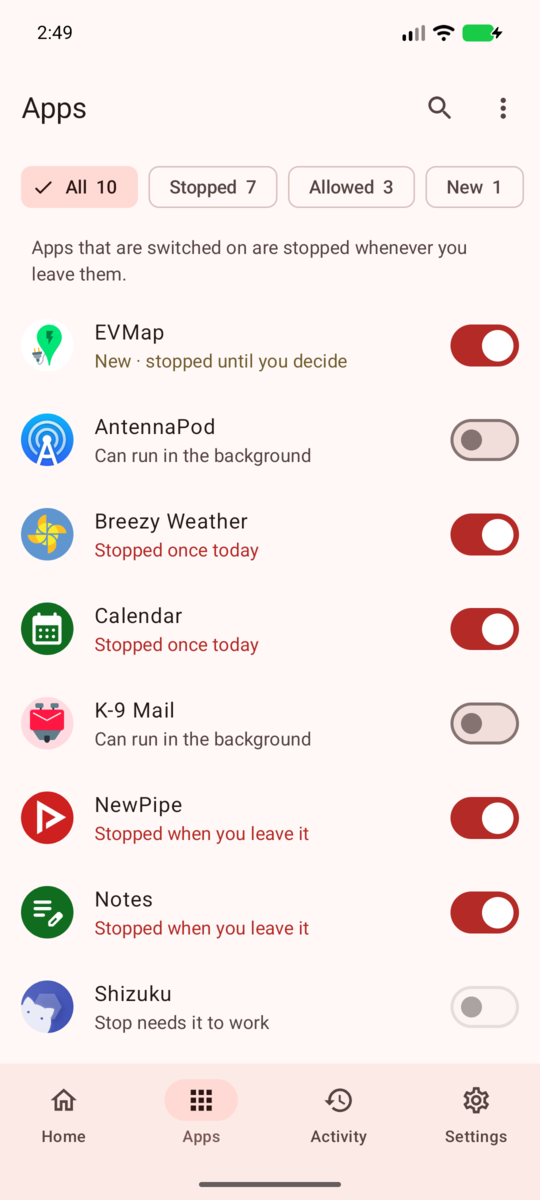
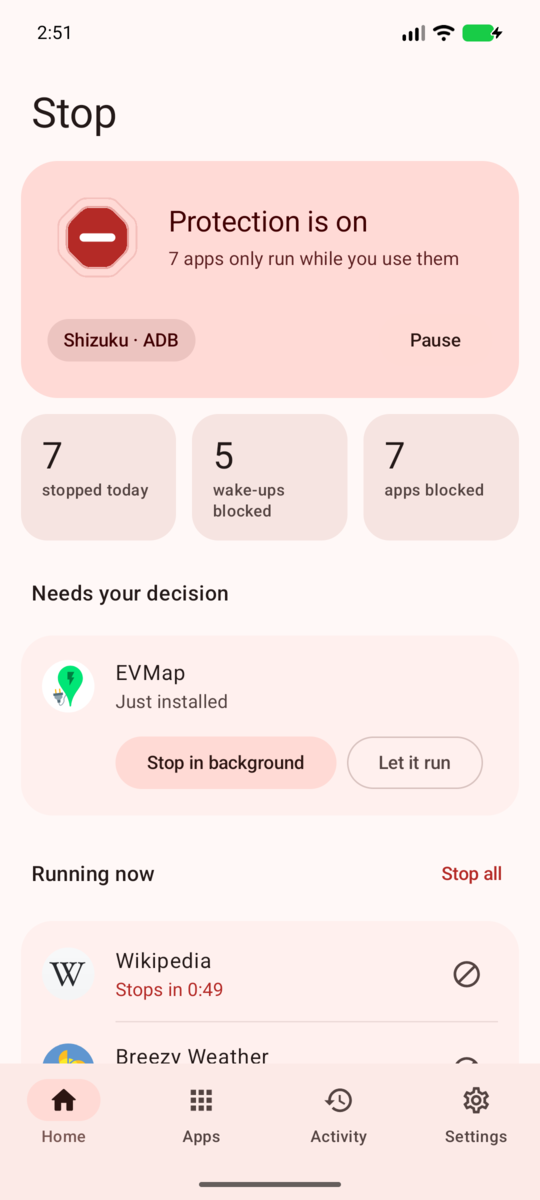
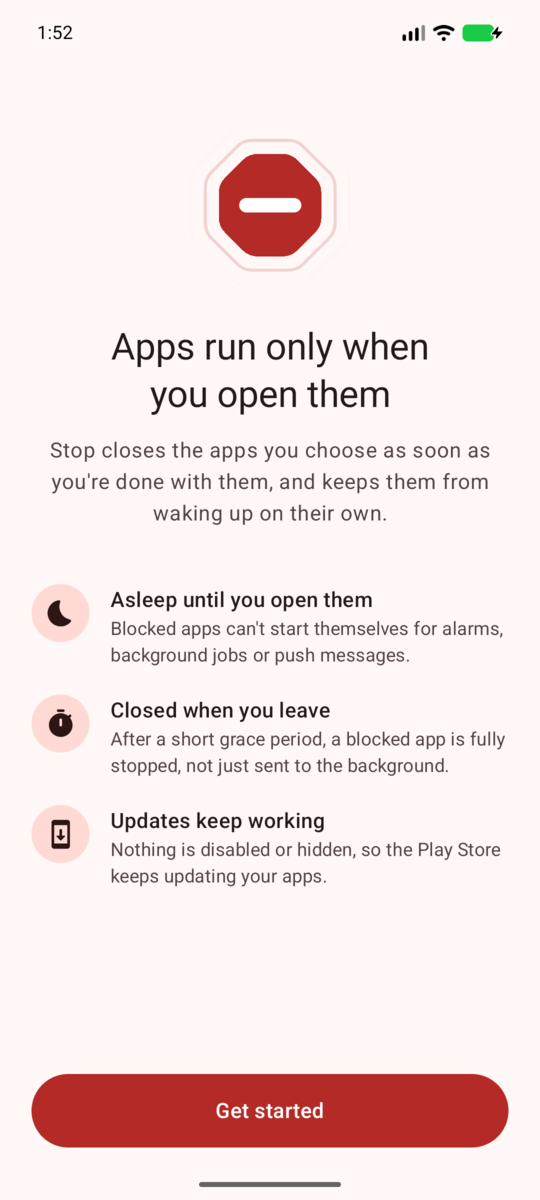
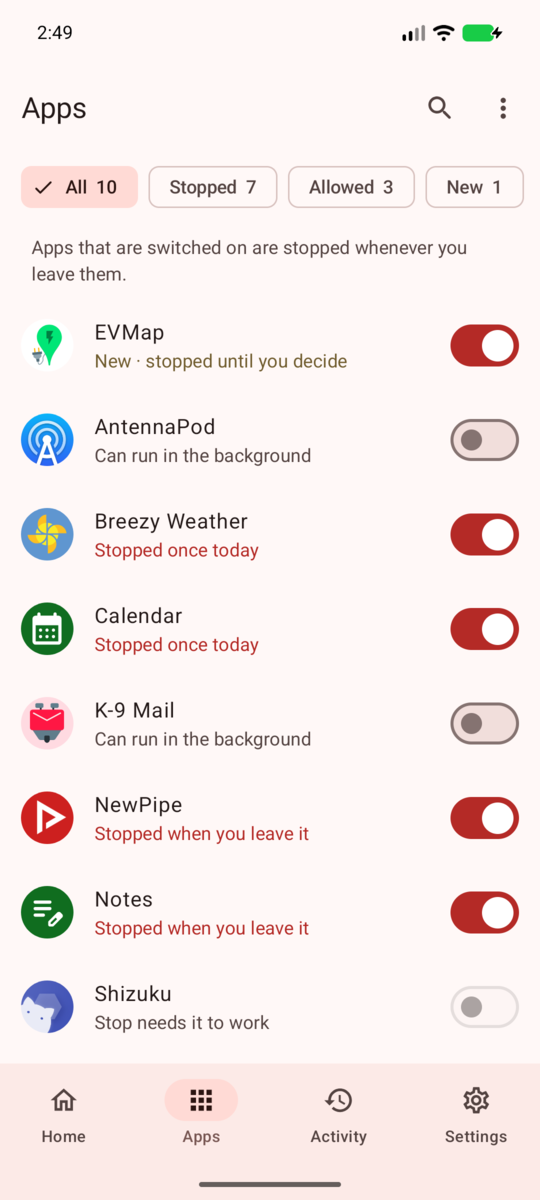
The apps you pick run only while you use them.




- Leave an app and it's force-stopped after a grace period you choose. Until you open it again, it gets no background sync, alarms, jobs or push messages.
- If something wakes it up anyway, Stop stops it again within about a second.
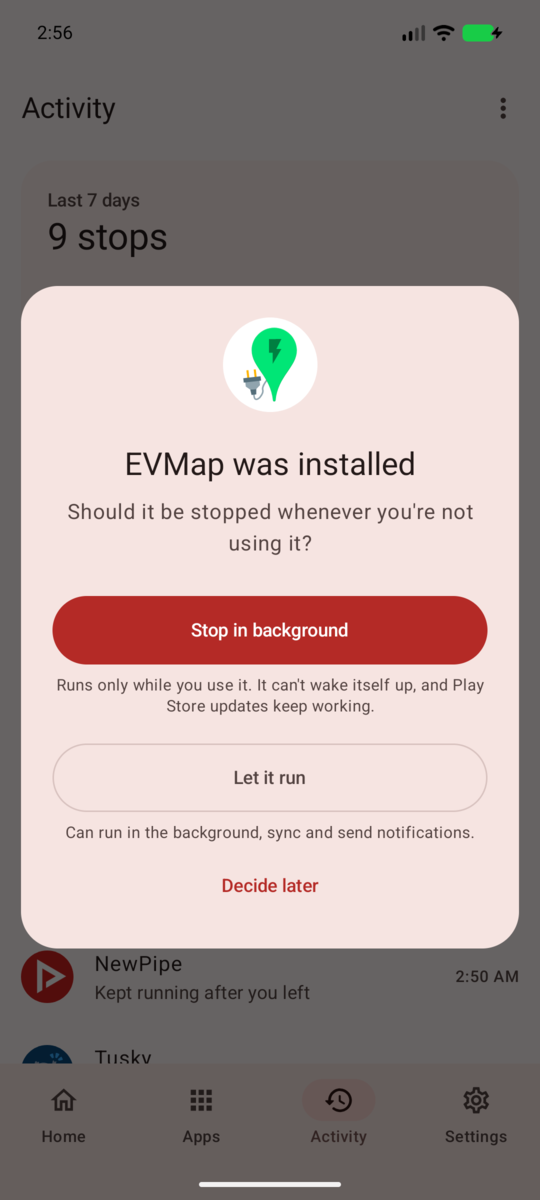
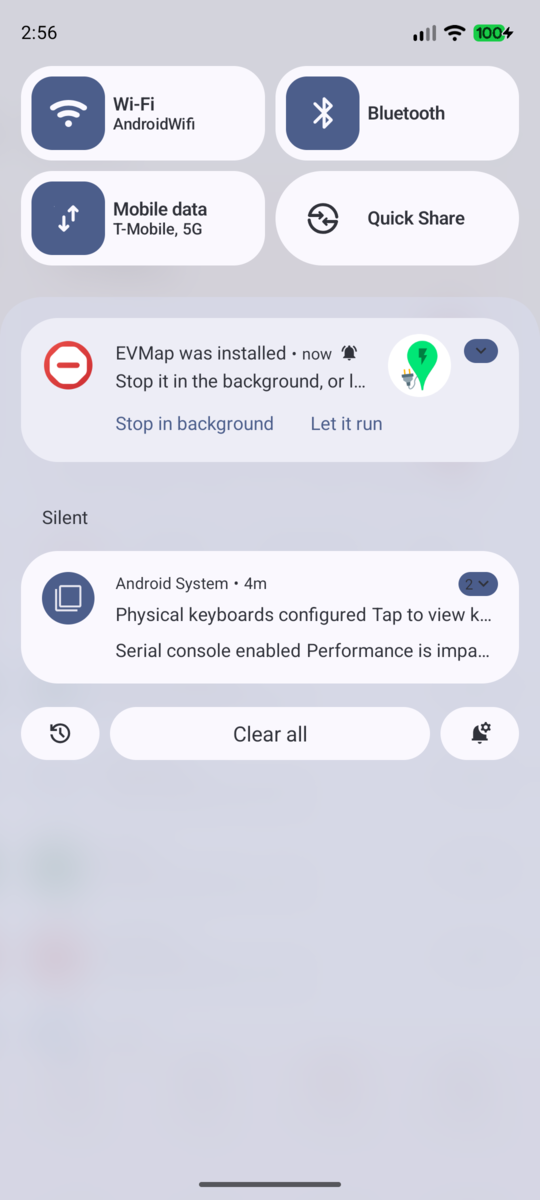
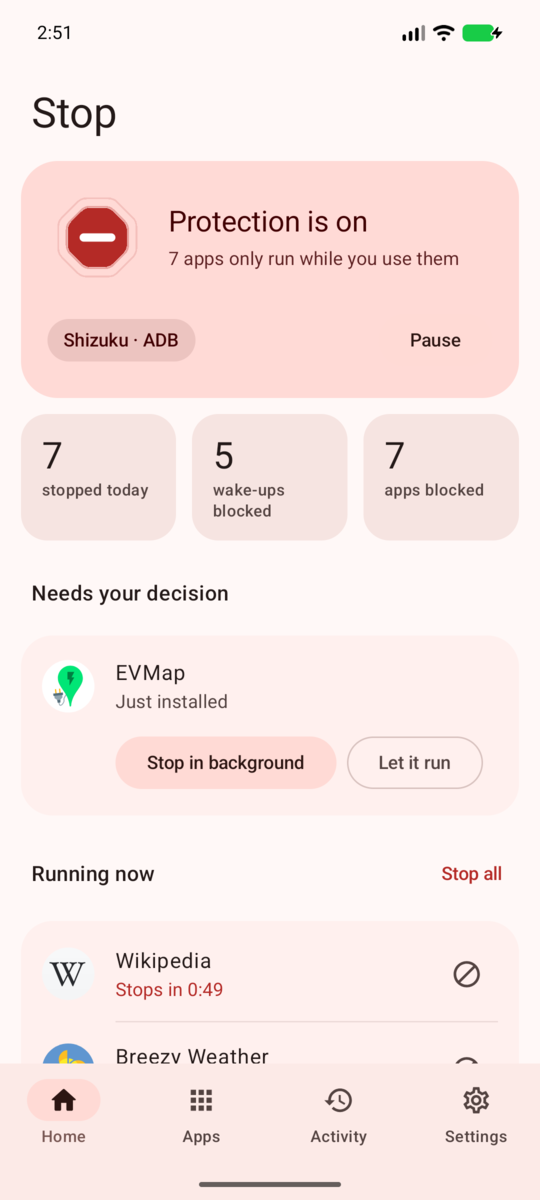
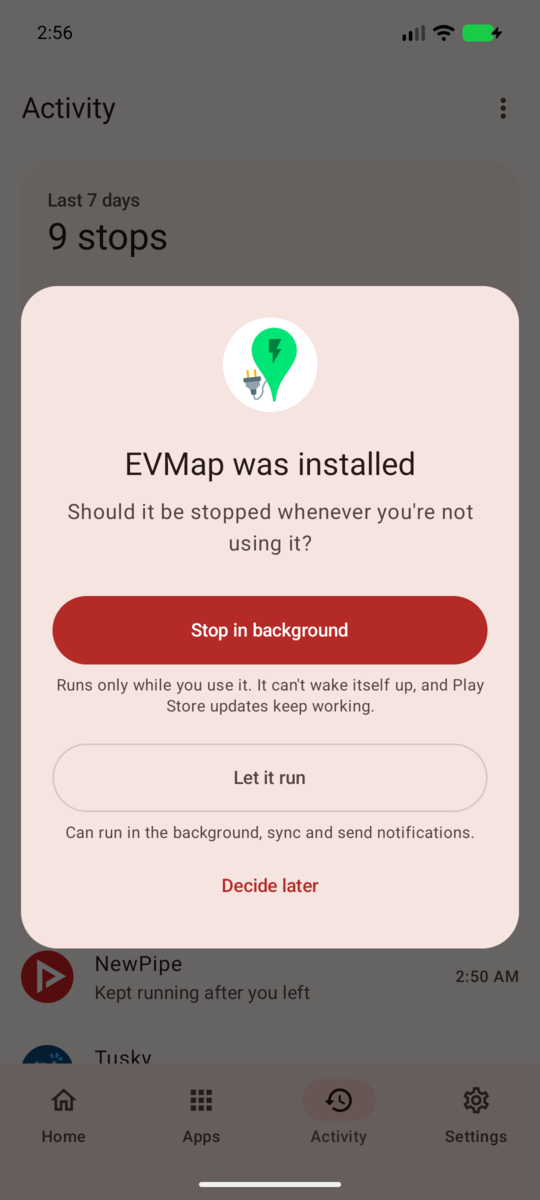
- Install a new app and Stop asks right away whether it may run in the background.
No root needed: Stop works through Shizuku. Unlike Samsung's Deep sleeping apps, it never disables or hides anything, so Play Store updates keep working.


I made it for a very specific annoyance: dozens of apps you rarely use (in my case, around 40 EV charging apps) that keep waking up in the background all day.
More screenshots


Features
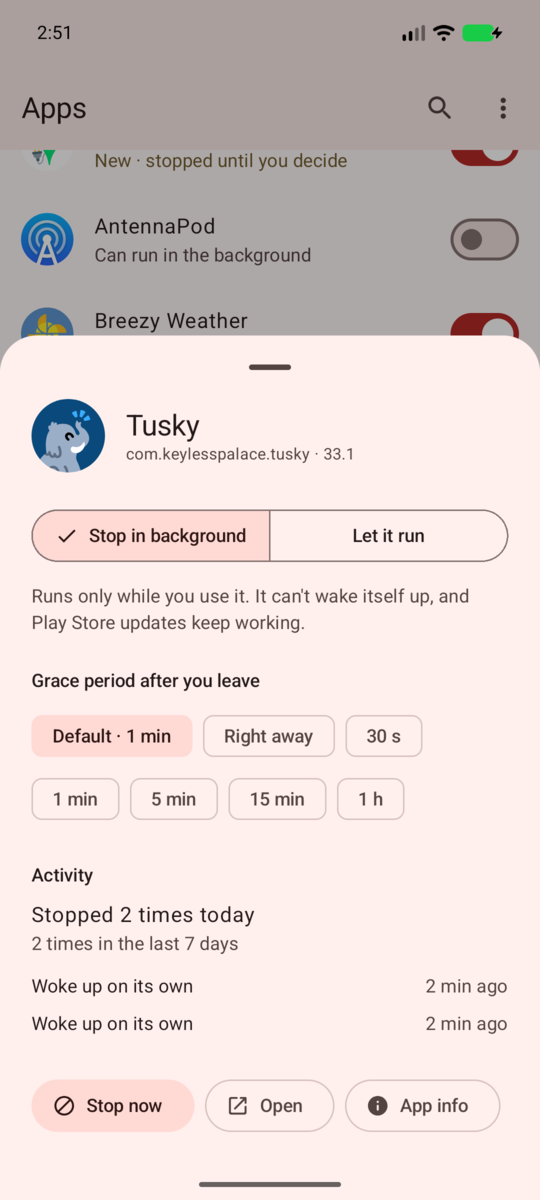
- Blocked apps only run while you use them. Leave one, and it's force-stopped after a grace period you choose (right away, 30 s, 1, 5 or 15 min, 1 h), for all apps or per app. Swiping an app away from Recents ends its grace period.
- No sneaking back. If a blocked app starts on its own (push message, alarm, job, another app poking it), Stop notices within about a second and stops it again.
- Never in your way. An app is left alone while it's on screen, while you're in something it opened (camera, file picker, a payment page), while an app on screen or Android Auto is using it, and while it's on top when you lock the phone.
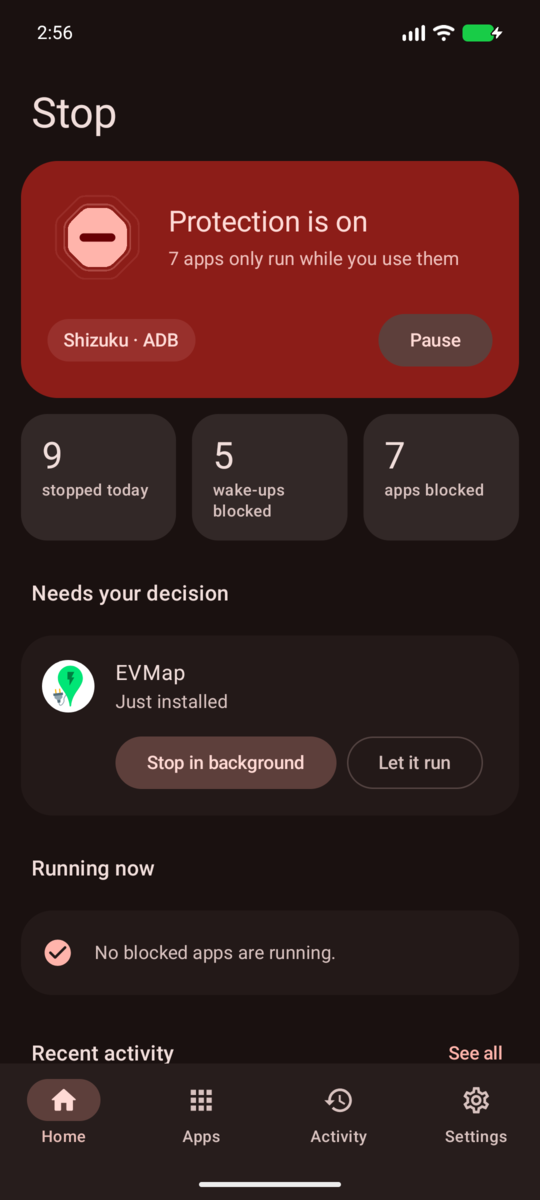
- Asks about every new app. Install something and Stop asks right away whether it may run in the background, with Stop in background and Let it run buttons on the notification.
- Play Store updates keep working. Stop never disables, suspends or hides apps. Stopped apps are in the same state as an app you installed and never opened, which the Play Store updates as usual.
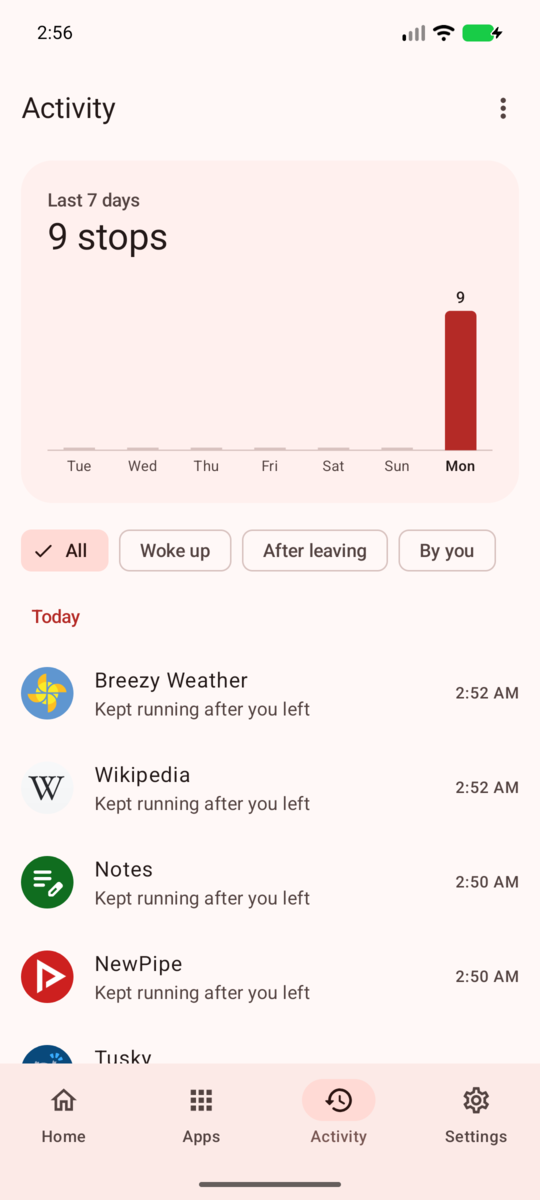
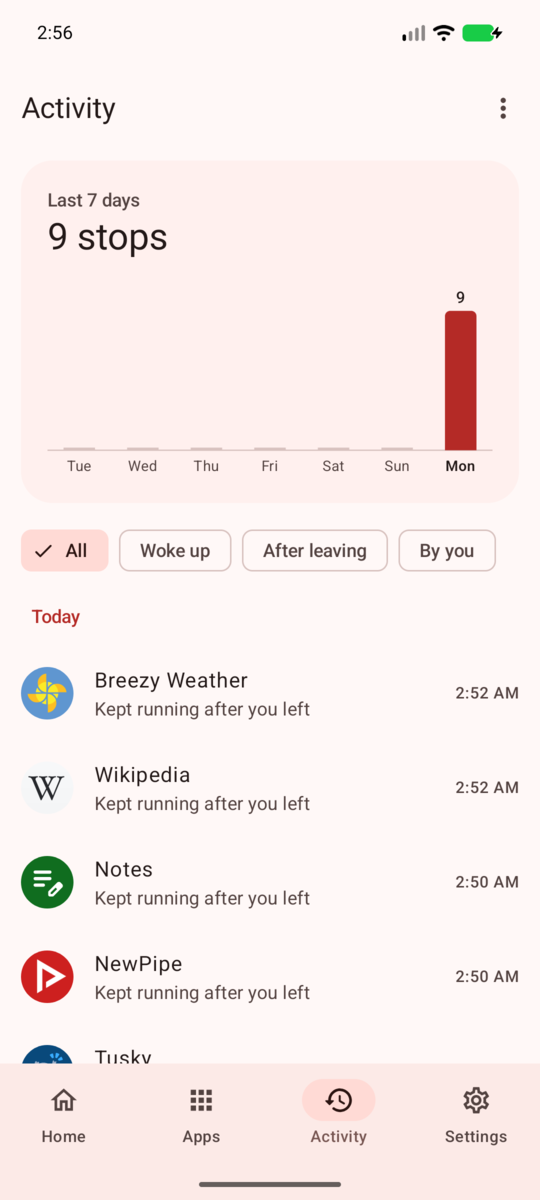
- Activity log of what was stopped, when and why, with a 7-day overview.
- Quick Settings tile and launcher shortcut to stop every blocked app at once.
- Optional extra restrictions: also mark blocked apps as Restricted in Android's battery settings, so they stay limited even while Shizuku isn't running.
- Material 3 design with light and dark themes and optional dynamic color.
- No internet permission. No analytics, no ads, nothing leaves your phone.
How it works
Android doesn't let a normal app stop other apps. Stop uses Shizuku to
run a small helper with the same rights adb shell has (or root, if you start Shizuku with root).
Your phone doesn't need to be rooted.
- The helper watches every app's process state through the system's process observer
(
IUidObserver). The system tells it about changes as they happen, so watching costs next to nothing. - When a blocked app should not be running, the helper force-stops it. Force-stopping does more than closing: it puts the app in Android's stopped state. Its alarms and scheduled jobs are cancelled, it receives no broadcasts or push messages, and since Android 15 its pending intents are dropped too, until you launch it again. The stopped state survives reboots.
- New installs are noticed by checking the package manager's change counter every few seconds while the screen is on (a cheap call that returns nothing until a package changes). The helper then wakes Stop up so it can ask you.
- The helper keeps running after you close Stop, and restarts together with Shizuku.
Compared to Samsung's "Deep sleeping apps"
Deep sleeping apps are known to stop getting Play Store updates until you open them. Stop never changes whether an app is enabled, visible, suspended or hibernated, so updates work as before. The optional extra restrictions use Android's own Restricted battery mode; on some phones that can make the Play Store update those apps later, which is why it's off by default.
Requirements
- Android 9 or newer (developed and tested on Android 17)
- Shizuku, started through wireless debugging (Android 11+), a computer (adb), or root/Sui
Install
- Install and start Shizuku.
- Download the latest APK from Releases and install it.
- Open Stop, allow it in Shizuku's dialog, and pick the apps that may keep running in the background (messengers, mail, music, maps…). Everything else is stopped when you leave it.
After a reboot
Without root, Shizuku has to be started again after every reboot. Until you do, blocked apps that you haven't opened stay asleep, because Android keeps their stopped state. Stop reminds you with a notification and picks up again by itself within a minute or two once Shizuku runs (right away if you open Stop).
FAQ
Will I still get notifications from blocked apps? No. A stopped app can't receive push messages, which is the point. Let messengers and anything else you need notifications from run in the background.
What does "Let ongoing tasks finish" do? By default, a blocked app is stopped after the grace period even if it shows an ongoing notification. Turn this on to keep apps alive while they play music, navigate or track a charging session that you started.
An app I blocked broke something. Some apps provide a system service: a keyboard, an accessibility service, a notification listener for your watch, autofill, your alarms. Stop never stops the launcher, keyboards, the dialer, SMS and clock apps, or apps running one of those services, and it leaves packages without an icon (voice data, language packs, plugins) alone unless you choose to show system apps. If something else broke, let that app run in the background.
Samsung keeps putting Stop to sleep. Stop exempts itself from battery optimization through Shizuku. If your phone still restricts it, add Stop to Settings › Battery › Background usage limits › Never sleeping apps.
How do I uninstall it cleanly? Just uninstall it. The helper notices, undoes the extra battery restrictions it applied and exits. Blocked apps simply start normally again the next time they're launched.
Building
You need JDK 17 or newer and the Android SDK.
./gradlew assembleDebug        # debug build
./gradlew testDebugUnitTest    # unit tests
./gradlew assembleRelease      # release build
Release builds are signed with the key described in keystore.properties (not committed):
storeFile=release.jks
storePassword=…
keyAlias=…
keyPassword=…
Without that file, release builds fall back to the debug key. Tags named v* are built and
published to GitHub Releases by the workflow in .github/workflows/android.yml, using the
SIGNING_* repository secrets.
Project layout
| Path | What's there |
|---|---|
app/src/main/java/…/daemon |
The privileged helper that runs inside Shizuku: enforcement logic (Enforcer), process observer, install watcher |
app/src/main/java/…/core |
Connecting to Shizuku and the helper, syncing settings, handling new installs |
app/src/main/java/…/ui |
Jetpack Compose UI |
app/src/main/aidl |
The interface between the app and the helper |
hidden-api |
Compile-only stubs for the Android framework's hidden interfaces |
License
Stop is free software, licensed under the GNU General Public License v3.0.
How Shizuku is used
Can auto force-stop chosen apps after leaving them and curb background activity via Shizuku daemon using `forceStopPackage`, `setMode` and `setAppStandbyBucket`.
This is an AI-assisted analysis of Shizuku-related usages in the app's public source code. It is best effort, so it may not catch every single usage.
How this app uses Shizuku
Stop uses Shizuku to run a privileged daemon that watches app activity and stops apps you choose once you leave them.
- Auto stop background apps: Apps you mark as blocked are force stopped automatically after you leave them, using process state monitoring plus the system force stop operation through Shizuku.
- Stop apps on demand: You can stop one running blocked app right away or stop all blocked background apps at once from the home screen, quick tile or shortcut, applied with the system force stop operation through Shizuku.
- Limit background activity: When extra restrictions are on, blocked apps are put in a restricted standby bucket and denied background running via system app standby and app operations settings through Shizuku, reapplied after each stop.
- Prompt for new apps: Newly installed or updated apps are detected in the background and the app wakes to ask whether to block or allow them, delivered with an activity broadcast command through Shizuku.
- Undo all restrictions: You can lift every background and standby limit the daemon applied and allow all apps again with the system reset operation through Shizuku.
- See running and history: The home screen shows which blocked apps still have processes and when each stop happened, pulled from the daemon through Shizuku.
Android APIs or commands used
IActivityManager.forceStopPackageIActivityManager.registerUidObserverIActivityManager.unregisterUidObserverIActivityManager.getUidProcessStateIActivityManager.getRunningAppProcessesIActivityManager.getTasksIActivityManager.getHistoricalProcessExitReasonsIPackageManager.isPackageStoppedForUserIPackageManager.getPackagesForUidIPackageManager.isPackageAvailableIPackageManager.getApplicationInfoIPackageManager.getChangedPackagesIAppOpsService.checkOperationIAppOpsService.setModeIUsageStatsManager.getAppStandbyBucketIUsageStatsManager.setAppStandbyBucketIDeviceIdleController.isPowerSaveWhitelistAppIDeviceIdleController.addPowerSaveWhitelistAppIPowerManager.isInteractivecmd activity broadcastam broadcast
Notable details
System and essential apps such as the launcher, keyboard and phone services are never stopped or restricted, even if selected. Using an app can lift its standby level, so the daemon reapplies limits after each stop. The Undo option removes all background limits and allows all apps again.
Changelog
What's new for version 1.0.0
The first release of Stop, a background app blocker for Android.
The apps you pick run only while you use them. Leave one and Stop force-stops it after a grace period you choose: until you open it again, it gets no background sync, alarms, jobs or push messages. If something wakes it up anyway, Stop stops it again within about a second.
Install
- Install Shizuku and start it. Wireless debugging works without root.
- Install
stop-1.0.0.apk, open Stop and allow it in Shizuku's dialog. - Pick the apps that may keep running in the background. Every other app is stopped when you leave it.
Highlights
- Blocked apps only run while you use them, with a grace period you choose (for all apps or per app).
- Apps that start on their own are stopped again within about a second. Swiping an app away from Recents ends its grace period.
- Stop asks about every newly installed app, right from the notification.
- Play Store updates keep working: nothing is disabled, suspended or hidden.
- The launcher, keyboards, the dialer, SMS and alarm clock apps, and apps running a service you turned on are never stopped.
- No internet permission, no analytics, no ads.
Requires Android 9 or newer and Shizuku.
APK SHA-256: 13026204657c23a5a53dd2b55c812006c6abdd17d2c2cc5cbf5729432ebcd66c
Signing certificate SHA-256: 94:BA:FC:D7:CD:E0:B3:59:26:B9:78:8D:E8:B0:7A:68:22:CC:D1:BA:A9:FC:59:19:9B:8E:AB:3F:EC:6A:13:D3
Permissions
5 permissions requested
More from this category
 Battery Health Tracker
 NoMoreBackground
 Amply
 EnforceDoze
 电池统计
 PULSE // BATTERY
 RebootNya
 Battery Monitor
 Volt
 usb pd bs
 BatStats
 Batt