 ShizuStore
Shevery
14.1.0 · GitHub
More about this app
Material 3 fork with autostart, TCP mode, Dhizuku, module support and a built-in terminal with AI integration
Shevery




English | Русский | Қазақша | Qazaqşa (Latın) | Português | Español | العربية | 简体中文 | 日本語
Fork status
Important
Migration Action Required: Due to the App Signation (moe.shizuku.privileged.api -> com.hamondev.shevery), you MUST UNINSTALL any older official Shizuku Manager app from your device before installing Shevery. Otherwise, they will conflict.
Upstream project reference: https://github.com/RikkaApps/Shizuku
Fork additions
- Jetpack Compose manager UI with Material 3 Expressive components, motion, switches, and rounded icon treatment.
- Device Owner Management & Integration: Full Device Owner management (app delegation scopes, ownership transfer, DPM-assisted ADB) inspired by and compatible with Dhizuku.
- Biometric Security & Protection: Master switch to require biometric or device PIN/pattern/password authentication with configurable timeouts and granular action protection.
- Dhizuku Experimental Support: Dedicated Device-Owner bridging system available inside Laboratory features.
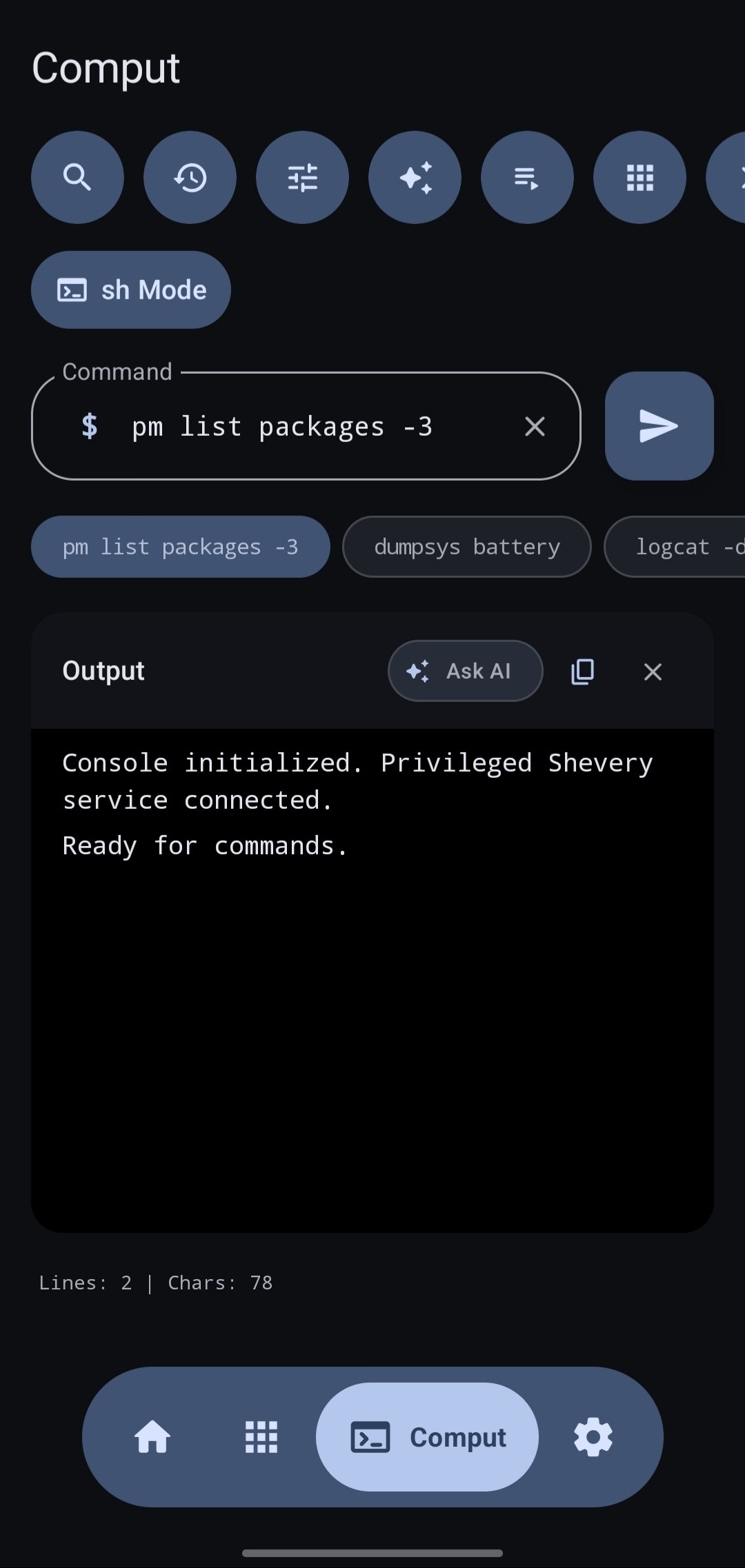
- Better shell/adb based "Comput" feature with Gemini Explaination, Macros and Commandium AI Command create.
- Android 16/17 target work with current SDK/build tooling in this fork.
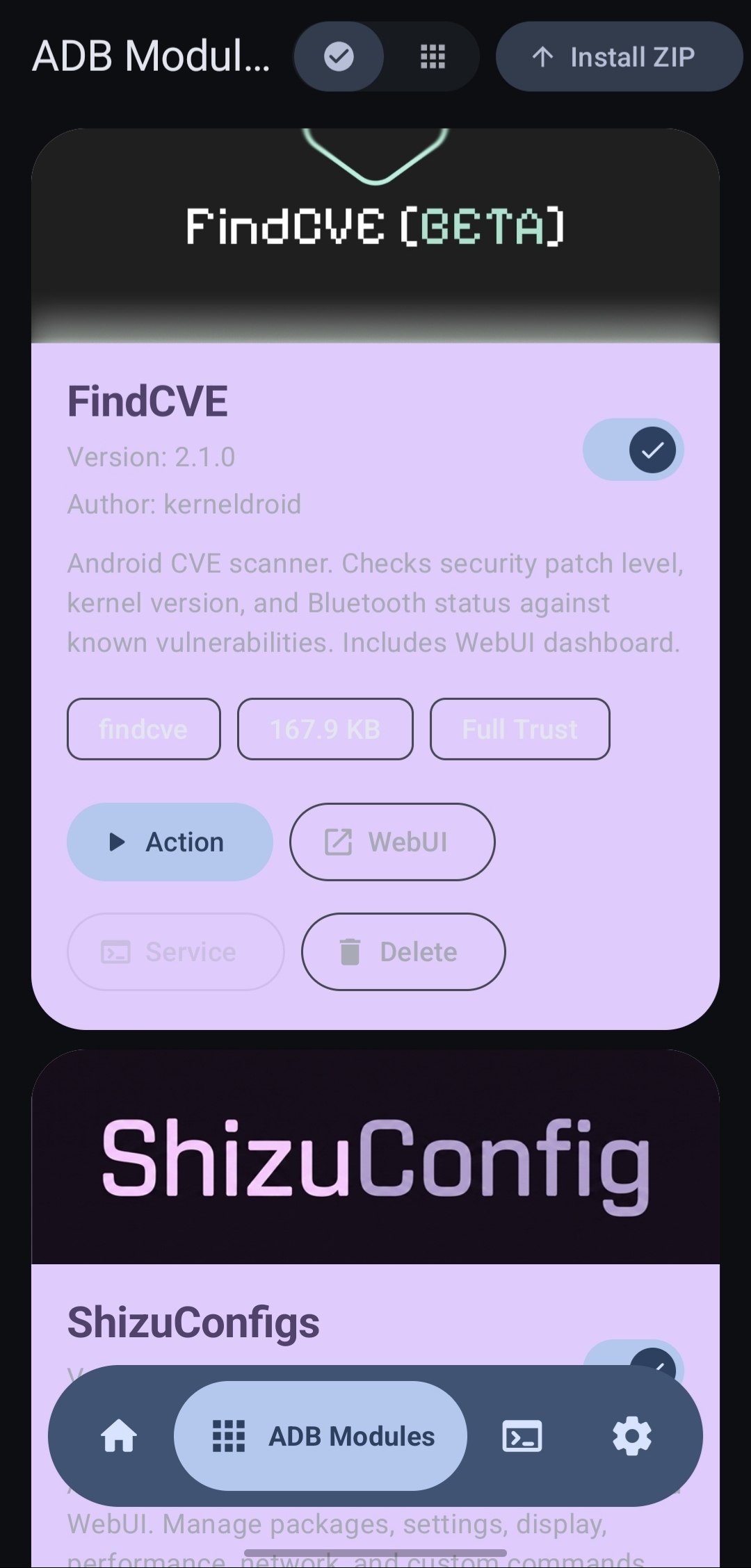
- ADB Modules screen for installing and managing ZIP modules.
- Module features:
module.prop, banner, enable/disable switch,action.sh, policy-gatedservice.sh, local WebUI, delete, path checks, size limits, output limits, and last-run logs. - Module policy settings: Safe mode, Full access, and background action control.
- Module Catalog with direct install.
Documentation
- ADB Modules guide
- ADB Modules API reference
- Shizuku Connectors API
- Android 17 Compatibility
- ADB Modules publishing guide
Background
When developing apps that requires root, the most common method is to run some commands in the su shell. For example, there is an app that uses the pm enable/disable command to enable/disable components.
This method has very big disadvantages:
- Extremely slow (Multiple process creation)
- Needs to process texts (Super unreliable)
- The possibility is limited to available commands
- Even if ADB has sufficient permissions, the app requires root privileges to run
Shizuku uses a completely different way. See detailed description below.
User guide & Download
Screenshots
Click to open Screenshots
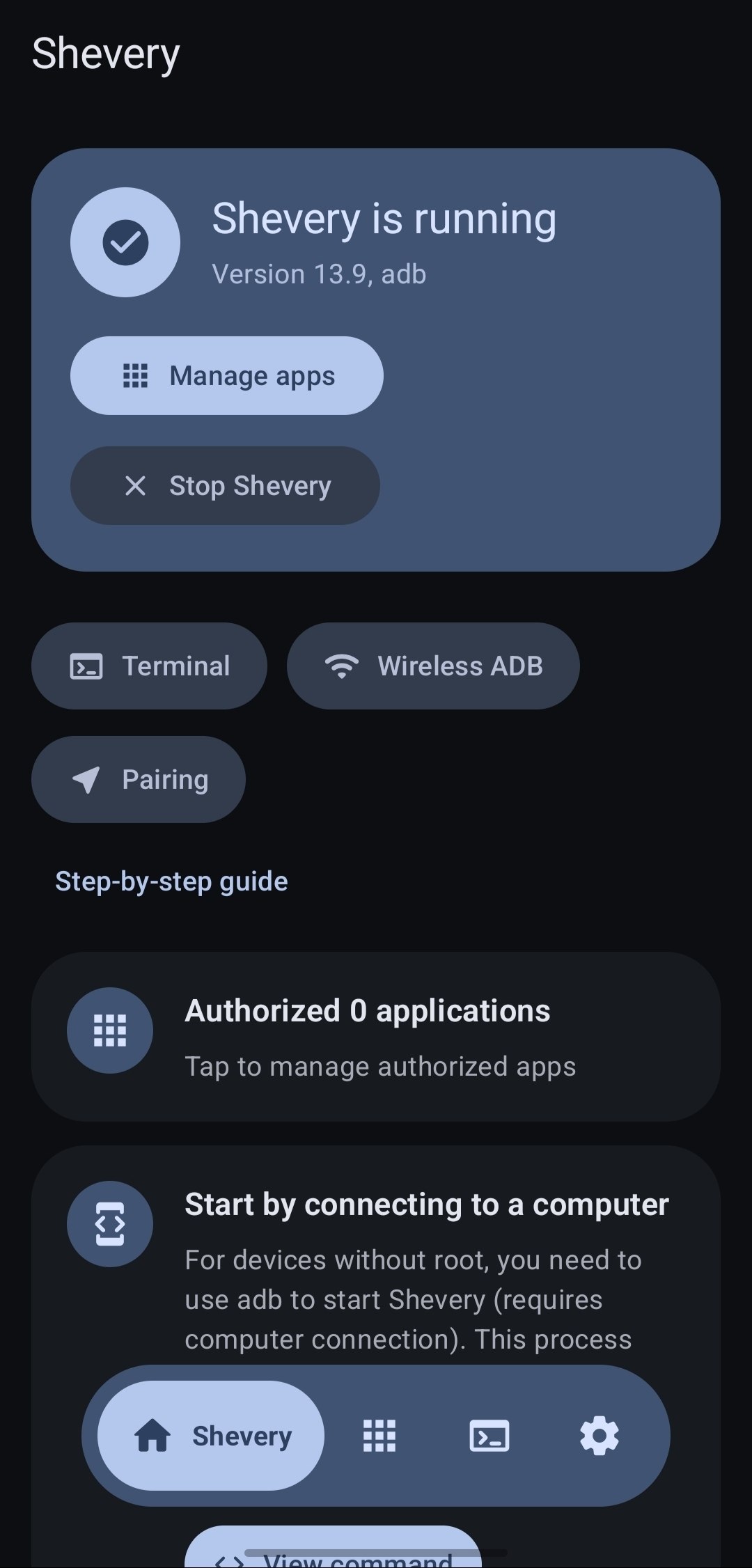
 Main Screen |
 Comput Console |
 ADB Modules |
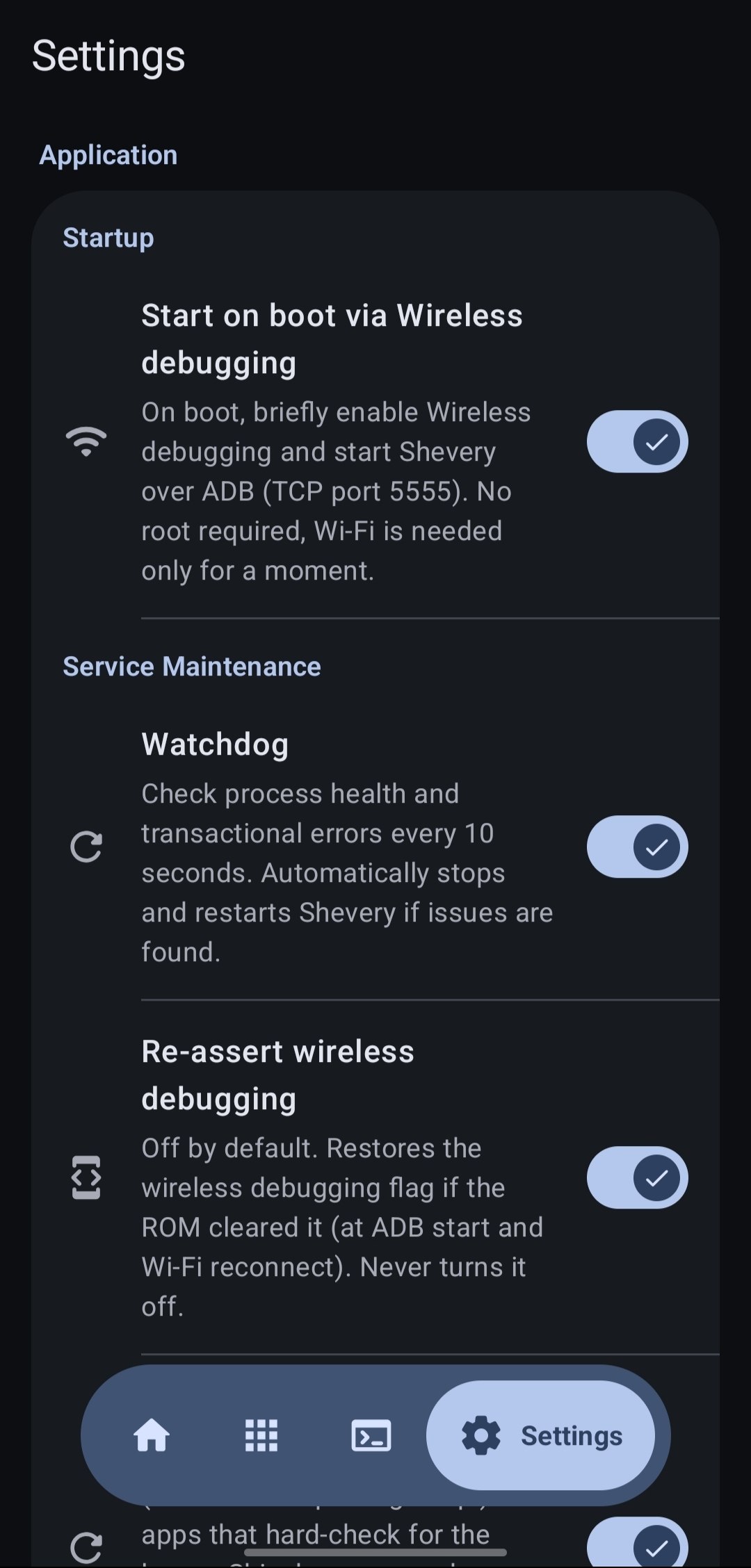
 Settings |
How does Shevery works?
First, we need to talk about how app use system APIs. For example, if the app wants to get installed apps, we all know we should use PackageManager#getInstalledPackages(). This is actually an interprocess communication (IPC) process of the app process and system server process, just the Android framework did the inner works for us.
Android uses binder to do this type of IPC. Binder allows the server-side to learn the uid and pid of the client-side, so that the system server can check if the app has the permission to do the operation.
Usually, if there is a "manager" (e.g., PackageManager) for apps to use, there should be a "service" (e.g., PackageManagerService) in the system server process. We can simply think if the app holds the binder of the "service", it can communicate with the "service". The app process will receive binders of system services on start.
Shizuku guides users to run a process, Shizuku server, with root or ADB first. When the app starts, the binder to Shizuku server will also be sent to the app.
The most important feature Shevery provides is something like be a middle man to receive requests from the app, sent them to the system server, and send back the results. You can see the transactRemote method in rikka.shizuku.server.ShizukuService class, and moe.shizuku.api.ShizukuBinderWrapper class for the detail.
So, we reached our goal, to use system APIs with higher permission. And to the app, it is almost identical to the use of system APIs directly.
Developer guide
API & sample
https://github.com/RikkaApps/Shizuku-API
Migrating from pre-v11
Existing applications still works, of course.
Attention
ADB permissions are limited
ADB has limited permissions and different on various system versions. You can see permissions granted to ADB here.
Before calling the API, you can use
ShizukuService#getUidto check if Shizuku is running user ADB, or useShizukuService#checkPermissionto check if the server has sufficient permissions.Hidden API limitation from Android 9
As of Android 9, the usage of the hidden APIs is limited for normal apps. Please use other methods (such as https://github.com/LSPosed/AndroidHiddenApiBypass).
Android 8.0 & ADB
At present, the way Shizuku service gets the app process is to combine
IActivityManager#registerProcessObserverandIActivityManager#registerUidObserver(26+) to ensure that the app process will be sent when the app starts. However, on API 26, ADB lacks permissions to useregisterUidObserver, so if you need to use Shizuku in a process that might not be started by an Activity, it is recommended to trigger the send binder by starting a transparent activity.Direct use of
transactRemoterequires attentionThe API may be different under different Android versions, please be sure to check it carefully. Also, the
android.app.IActivityManagerhas the aidl form in API 26 and later, andandroid.app.IActivityManager$Stubexists only on API 26.SystemServiceHelper.getTransactionCodemay not get the correct transaction code, such asandroid.content.pm.IPackageManager$Stub.TRANSACTION_getInstalledPackagesdoes not exist on API 25 and there isandroid.content.pm.IPackageManager$Stub.TRANSACTION_getInstalledPackages_47(this situation has been dealt with, but it is not excluded that there may be other circumstances). This problem is not encountered with theShizukuBinderWrappermethod.
Developing Shizuku itself
Build
- Clone with
git clone --recurse-submodules - Run gradle task
:manager:assembleDebugor:manager:assembleRelease
The :manager:assembleDebug task generates a debuggable server. You can attach a debugger to shizuku_server to debug the server. Be aware that, in Android Studio, "Run/Debug configurations" - "Always install with package manager" should be checked, so that the server will use the latest code.
How "Start(via Dhizuku)" works?
- First, you need to start Shevery by PC/OTG or Wireless Debugging.
- Next, start Dhizuku.
- Do not start Shevery via Dhizuku first.
License
All code files in this project are licensed under Apache 2.0
Credits
- kerneldroid - for parts of App UI, Catalog Modules System and Android 17 support.
- iamr0s/Dhizuku - for Dhizuku Device Owner architecture and API concepts integrated into Shevery.
- RikkaApps/Shizuku - for Shizuku API and main sources.
- Landon Moran - for Dhizuku, TCP and etc. fixes.
- DP-Hridayan - for parts of "Comput" UI.
- protonpony/Shizuku-Keeper - for "Autostart on boot via Wireless Debugging".
And...
Now, you can publish your ADB module! Follow this steps:
- Create your module.
- Create GH Repository for this module.
- Add topic "shevery-modules"
- Add sources and Release with module.
Caution
Free App Notice
Shevery is a completely free app. Do not pay any third-party file managers or cloud services to download this application.
How Shizuku is used
Can run shell commands, run module scripts, install helper app and manage app access via `sh -c` through Shizuku.
This is an AI-assisted analysis of Shizuku-related usages in the app's public source code. It is best effort, so it may not catch every single usage.
How this app uses Shizuku
Shevery uses Shizuku to run privileged shell commands and system lookups for its console, modules, helper install and access control.
- Run shell commands: type any command in the built in console and run saved macros, executed as a privileged shell with
sh -cthrough Shizuku and shown with output and exit status. - Run module scripts: install modules from ZIP files and run their action and background service scripts with
sh -cthrough Shizuku, including commands sent from a module Web UI. - Install helper package: install and uninstall the companion stub package using
pm installandpm uninstallthrough Shizuku. - Keep wireless debugging on: reapply the wireless debugging flag with the
settings put global adb_wifi_enabledshell command through Shizuku. - Manage app access: view installed apps and users and grant or revoke Shizuku access for other apps using the system package, permission and user services through Shizuku.
Android APIs or commands used
sh -cpm installpm uninstallsettings put global adb_wifi_enabledIPackageManager.getInstalledPackagesIPackageManager.getPackageInfoIPackageManager.getApplicationInfoIPermissionManager.grantRuntimePermissionIPermissionManager.revokeRuntimePermissionIPermissionManager.checkPermissionIUserManager.getUsers
Notable details
The built in console treats host side adb install, adb push and adb pull as unsupported inside the on device shell and suggests on device equivalents such as pm install and cp or mv.
Changelog
What's new for version 14.1.0
What's Changed
- Dev by @HmnDev-Tech in https://github.com/HmnDev-Tech/shevery/pull/223
- ci(copilot): auto-assign coding agent on issues, request review on PRs by @HmnDev-Tech in https://github.com/HmnDev-Tech/shevery/pull/224
- Dev by @HmnDev-Tech in https://github.com/HmnDev-Tech/shevery/pull/229
- feat(manager): add Requesty AI provider preset by @Thibaultjaigu in https://github.com/HmnDev-Tech/shevery/pull/241
- feat(automation): add Automation settings section and direct broadcast intents by @tim1540 in https://github.com/HmnDev-Tech/shevery/pull/242
- feat(manager): add API Route AI provider preset by @DennyHo0917 in https://github.com/HmnDev-Tech/shevery/pull/243
- feat(automation): add token authentication security and Home automation card by @CodexofLost in https://github.com/HmnDev-Tech/shevery/pull/246
- feat: add Device Owner management, Dhizuku compatibility layer, biometric security, and UI/UX modernization by @tim1540 in https://github.com/HmnDev-Tech/shevery/pull/247
- fix(ui): restore floating bottom bar after leaving screens with a back arrow by @tim1540 in https://github.com/HmnDev-Tech/shevery/pull/248
- feat(adb): accept Device Owner as an alternative to WRITE_SECURE_SETTINGS by @tim1540 in https://github.com/HmnDev-Tech/shevery/pull/249
- feat(navigation): return to Home tab on back press from secondary screens by @CodexofLost in https://github.com/HmnDev-Tech/shevery/pull/251
- feat(watchdog): reactive state listening, lockscreen recovery decoupling, notification actions & i18n by @CodexofLost in https://github.com/HmnDev-Tech/shevery/pull/250
- feat(automation): add alert notifications for auth errors and disabled connectors by @CodexofLost in https://github.com/HmnDev-Tech/shevery/pull/252
- Dev by @HmnDev-Tech in https://github.com/HmnDev-Tech/shevery/pull/254
- chore(version): bump 14.0.0 to 14.1.0 and gitCommitCount to 41 by @HmnDev-Tech in https://github.com/HmnDev-Tech/shevery/pull/256
New Contributors
- @Thibaultjaigu made their first contribution in https://github.com/HmnDev-Tech/shevery/pull/241
- @DennyHo0917 made their first contribution in https://github.com/HmnDev-Tech/shevery/pull/243
Full Changelog: https://github.com/HmnDev-Tech/shevery/compare/14.0.0...14.1.0
Permissions
21 permissions requested
More from this category
 Shizuku+
 Porter
 Stellar
 Shizuku-Next
 Xhizuku
 Shizako