 ShizuStore
Scamsung Fonts
1.0.3 · GitHub
More about this app
Font manager for Samsung Galaxy (OneUI) via System shell or Root
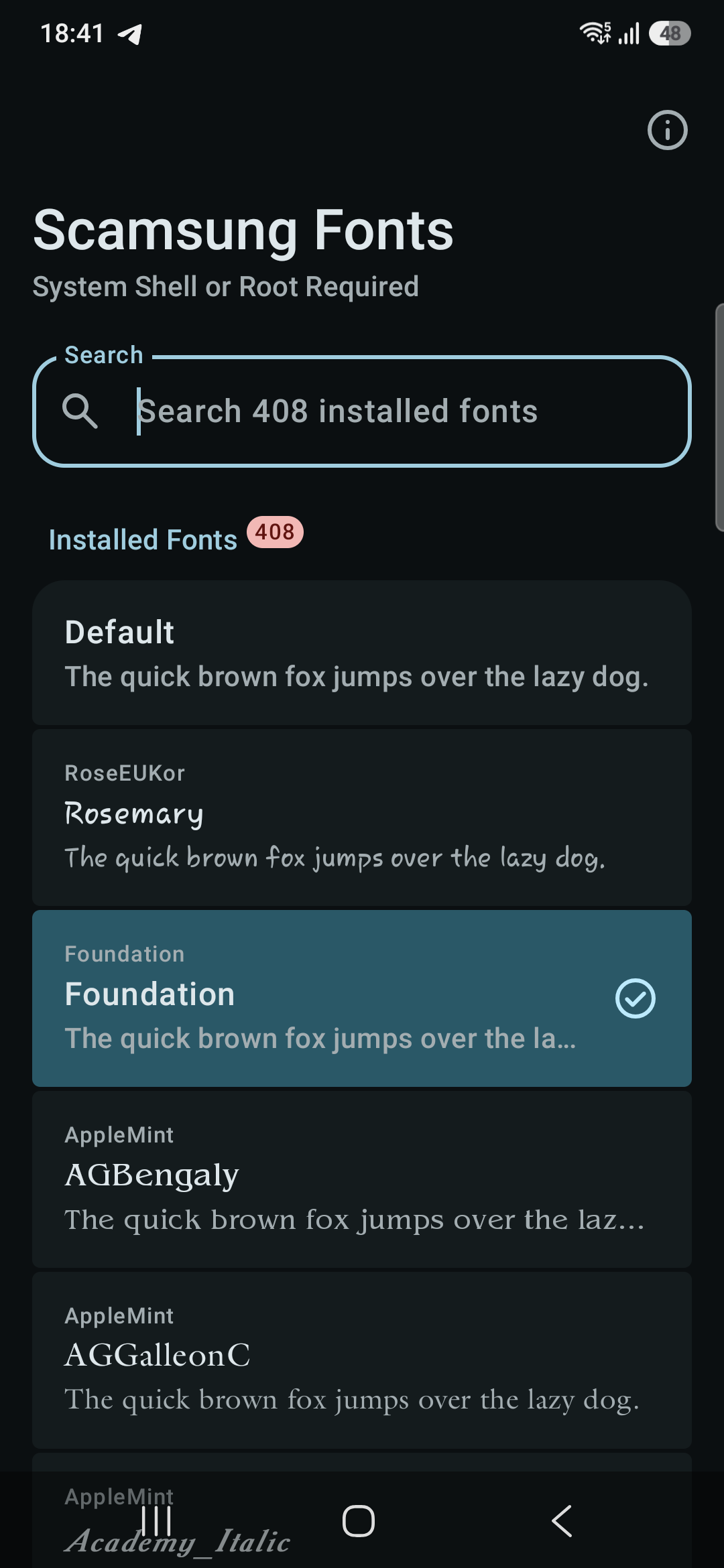
Scamsung Fonts

A free and open-source OneUI font manager for Samsung Galaxy devices.
If you have Shizuku (System Shell) or Root access, you can install and switch any font or emoji on your device — no Samsung account, no Galaxy Store, no paid themes.
Requirements
- Samsung Galaxy device running OneUI
- Shizuku (System Shell) or Root access
How to Root
Not rooted yet? Check the Root My Galaxy project. If your device isn't supported yet, you can request it there.
Download
Grab the latest release from the Releases page.
Applying Custom .ttf / .otf Fonts
You can use zFont 3 to package your font as a Flipfont APK and apply it through Scamsung Fonts:
- Open zFont 3.
- Download or import your desired font.
- On the Preview page, tap Apply → select "Kitkat and below" → tap Install package.
- Open Scamsung Fonts and apply the newly installed font.
Roadmap
- Apply OTF/TTF fonts directly
Contributing
Contributions are welcome! Feel free to open an issue or submit a pull request.
How Shizuku is used
Can apply Galaxy fonts, refresh system font config and self-grant settings access via `Shizuku UserService` and `pm grant`.
This is an AI-assisted analysis of Shizuku-related usages in the app's public source code. It is best effort, so it may not catch every single usage.
How this app uses Shizuku
Shizuku runs a privileged service that installs and activates Samsung compatible fonts without manual system changes.
- Apply Galaxy fonts: choosing a font from the list copies its regular and bold files into the system app font folder and records the selection in a lock file through Shizuku.
- Activate font system-wide: the same apply action refreshes the global system configuration FlipFont value and saves the font index so OneUI switches to the new font immediately.
- Grant settings access: if the app lacks settings permission, the privileged service runs the
pm grantshell command to give itselfWRITE_SECURE_SETTINGSso it can save the font choice.
Android APIs or commands used
pm grantActivityManager.getServicegetGlobalConfigurationupdateConfigurationUserHandle.myUserId
Changelog
What's new for version 1.0.3
- Fix: resolve service connection failure on rooted devices
Permissions
4 permissions requested
More from this category
 Battery Health
 Root My Galaxy
 Fonts
Fonts
 Samsung Region Override
 S Battery Tweaker
 Pearity
 SMT Shell
 4Zones
 Auto Brightness Offset
 ZFold Multi DPI
 ShutterMute
 Duo Fold Live