 ShizuStore
RvSystem Monitor
0.9-beta · GitHub
More about this app
High-performance system monitor (Compose + Rust) with Shizuku-fed CPU and hardware insights
🚀 RvSystem Monitor





RvSystem Monitor is a high-performance system monitoring solution for Android, merging the expressive power of Jetpack Compose with the raw efficiency of Rust. It provides low-level hardware insights while maintaining a modern, buttery-smooth user experience.
🚀 Overview
RvSystem Monitor bridges the gap between high-level UI frameworks and low-level system APIs. By utilizing a Rust-based backend, it minimizes the performance overhead typically associated with frequent polling of kernel files like /proc and /sys. This hybrid approach allows for real-time monitoring of CPU frequencies, GPU drivers, battery health, and memory usage without compromising the device's responsiveness.
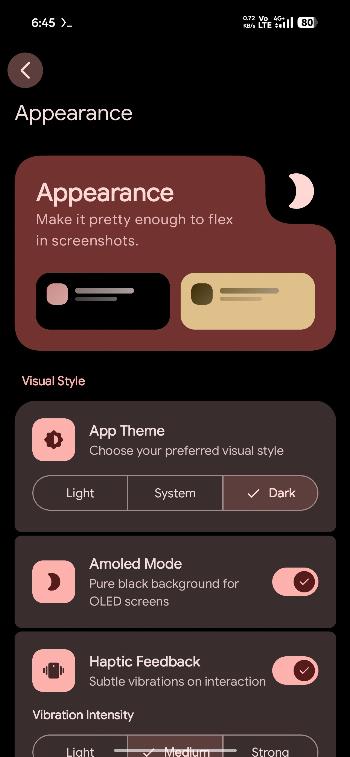
Built with Material 3 Expressive, the application offers a visually rich experience with adaptive layouts and sophisticated transitions, making system diagnostics both powerful and beautiful.
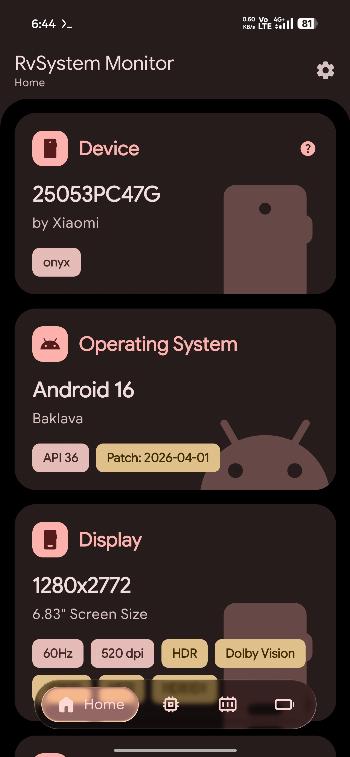
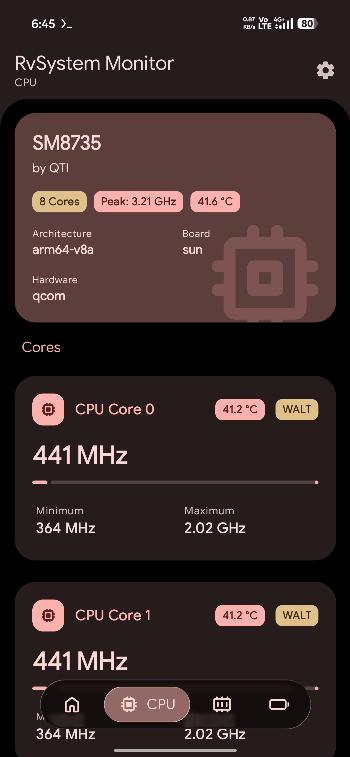
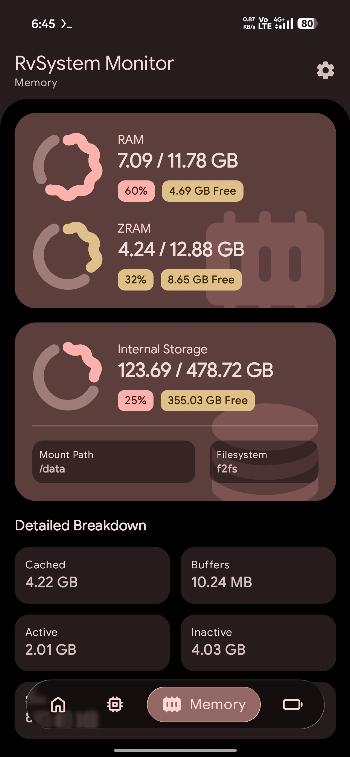
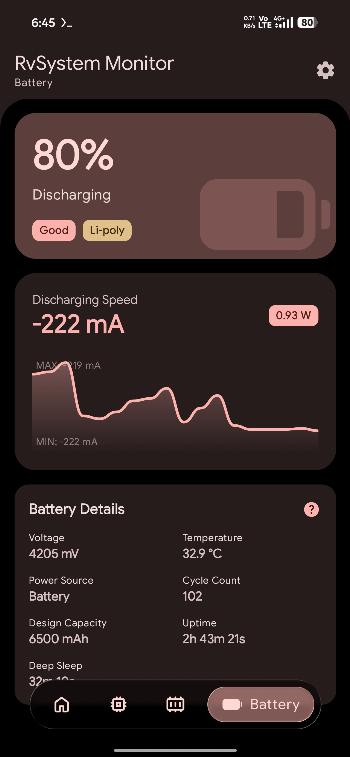
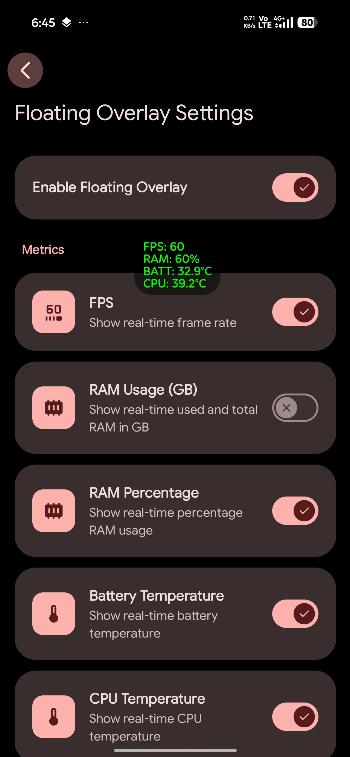
📸 Screenshots


🛠️ Tech Stack
- Languages: Kotlin, Rust, C (via
libc). - Frameworks: Jetpack Compose, Material 3 Expressive, Hilt DI.
- Native Bridge: JNI via
jni-rs,cargo-ndk. - Infrastructure: Gradle Kotlin DSL, Android NDK, Fastlane.
- Distribution: Multiple flavors (GitHub, F-Droid) with toggleable update mechanisms.
- Libraries: Retrofit, OkHttp, Coil, Jetpack DataStore.
📂 Project Structure
RvSystem-Monitor/
├── app/                  # Android application module (Kotlin)
│   ├── src/main/java/    # UI, ViewModels, and JNI bridge declarations
│   ├── src/main/jniLibs/ # Compiled native shared libraries (.so)
│   ├── src/main/res/     # App resources and icons
│   └── build.gradle.kts  # Gradle configuration for Android
├── rust/                 # Native monitoring backend (Rust)
│   ├── src/              # Kernel parsing, JNI implementation, and drivers
│   ├── Cargo.toml        # Rust package and dependency metadata
│   └── README.md         # Documentation for the Rust sub-system
├── gradle/               # Build system scripts and version catalogs
├── fastlane/             # Automation for screenshots and deployments
├── LICENSE               # GNU GPL v3.0
└── README.md             # This file
🏗️ Architecture
The project adheres to Clean Architecture principles, ensuring a strict separation of concerns and high maintainability.
The Hybrid Core
- UI Orchestration: The Kotlin layer manages the application lifecycle and UI state. It uses ViewModels to expose reactive data streams from Hilt-injected repositories.
- Native Data Source: The Rust layer handles the "heavy lifting". It parses system files and interacts with hardware drivers. By mirroring the Linux kernel's structure (
kernel/for CPU,mm/for Memory, anddrivers/for GPU), it provides an idiomatic and high-performance data source. - Optimized JNI Bridge: Instead of frequent fine-grained calls, the bridge is designed for batch data retrieval. Single calls fetch complete data sets (e.g., all CPU metrics at once), significantly reducing context-switching overhead between the JVM and Native code.
⚙️ Getting Started
Prerequisites
- Android Studio (Ladybug 2024.2.1 or newer)
- Rust Toolchain (rustup.rs): Edition 2024 (Stable 1.85+ recommended).
- Add Android targets:
rustup target add aarch64-linux-android armv7-linux-androideabi
- Add Android targets:
- Android NDK (Version
30.0.14904198configured) - cargo-ndk:
cargo install cargo-ndk
Installation & Build
- Clone the repository:
git clone https://github.com/Rve27/RvSystem-Monitor.git cd RvSystem-Monitor - Build Native Libraries:
./gradlew :app:buildRustLibraries - Build the application:
Choose the variant you want to build:
- GitHub Variant (Includes auto-updater):
./gradlew assembleGithubRelease - F-Droid Variant (No updater):
./gradlew assembleFdroidRelease
- GitHub Variant (Includes auto-updater):
- Install and run (Debug):
Connect an Android device (API 34+) and run:
./gradlew installGithubDebug
🤝 Contributing
We welcome contributions from the community! Whether you are fixing a bug, adding a feature, or improving documentation, please read our CONTRIBUTING.md to get started.
💬 Support
- Issues: GitHub Issues for bug reports and feature requests.
- Discussions: Telegram Group for questions and ideas.
- Donate: Support the project on Ko-fi
📜 License
This project is licensed under the GNU General Public License v3.0. See the LICENSE file for details.
Built with ❤️ for the Android Community.
How Shizuku is used
Can show CPU load, CPU and GPU temperatures, and frame rate via Shizuku with `cat /proc/stat`, `dumpsys thermalservice`, `dumpsys SurfaceFlinger`
This is an AI-assisted analysis of Shizuku-related usages in the app's public source code. It is best effort, so it may not catch every single usage.
How this app uses Shizuku
Shizuku is used to read privileged system counters for live hardware monitoring through a shell user service.
- Show CPU load: live total and per core usage is calculated from privileged
cat /proc/statoutput read through Shizuku. - Show chip temperatures: CPU and GPU temperatures are obtained from privileged
dumpsys thermalserviceoutput through Shizuku when the built in reading is unavailable. - Measure frame rate: the current frames per second value is derived from privileged
dumpsys SurfaceFlinger --timestatsoutput collected through Shizuku.
Android APIs or commands used
cat /proc/statdumpsys thermalservicedumpsys SurfaceFlinger --timestats -enabledumpsys SurfaceFlinger --timestats -dumpjava.io.File.readTextRuntime.exec
Notable details
CPU and GPU temperatures first try the normal on device reading and only use Shizuku as a fallback, so they can still appear without Shizuku. CPU load and frame rate depend on Shizuku, without it load is shown as unavailable and frame rate stays at zero. Use of Shizuku for monitoring can be turned on or off in settings.
Changelog
What's new for version 0.9-beta
What's New in 0.9-beta
- Added detailed Rust library information section.
- Added language selection feature with support for multiple languages.
- Expanded CPU details with ABI, bitness info, and detailed ARM architecture detection.
- Enhanced Floating Overlay with auto-toggle for selected apps.
- Added overall CPU temperature badge to overview card and temperature fallback via Shizuku.
- Extracted and displayed various Vulkan limits, properties, and extensions (OpenGL & Vulkan).
- Displayed all supported refresh rates in the display card.
- Added sponsor card, funding integration, and updated contributors list.
- Improved CPU performance by optimizing thermal parsing, inline stat parsing, and single Mutex locks.
- Fixed various CPU metric issues (thermal zones, load delta, frequency sysfs reading).
- Optimized UI with updated shapes, icons, and navigation improvements.
Variant Information
Two APK variants are available:
- GitHub Variant: Includes a self-updater feature to receive updates directly from GitHub.
- F-Droid Variant: Does not include the self-updater feature to comply with F-Droid's inclusion policies and standards.
Permissions
10 permissions requested
More from this category
 Shappky
 Pensum
 Running Services Monitor
 KillMyApps
 memhogs
 ReAppzuku
 ProcessLens
 TaskManager
 Recents
 内存快照
内存快照