 ShizuStore
Ruto
1.0 · GitHub
More about this app
Automation and Multitasking Framework using AutoGLM. Can create virtual screens that agents can run apps on and use multi-window
Ruto

An AI-powered Android Automation and Multitasking Framework, unlocking infinite possibilities.



Ruto is participating in the AutoGLM Real-World Developer Incentive Program!
*If you like this project, please give us your valuable vote. Your support is our greatest motivation! *
🤔 What is Ruto?
Ruto (Run, Auto, by iamr0s) is a powerful Android automation and multitasking framework. It leverages system-level capabilities activated by Shizuku and integrates with large AI models to transform your device into a true smart assistant.
Whether you're performing intelligent automated testing or running multiple instances of an app on a virtual screen, Ruto provides you with powerful and easy-to-use tools.
🏆 Ruto's Unique Advantage: More Than Just Automation
Unlike many automation tools that execute tasks on the main screen, Ruto provides system-level virtualization capabilities, delivering a revolutionary experience:
- 💅 Elegant & Fluid UI: Built entirely with Jetpack Compose, Ruto features a beautiful, modern interface with silky-smooth animations, ensuring a delightful user experience.
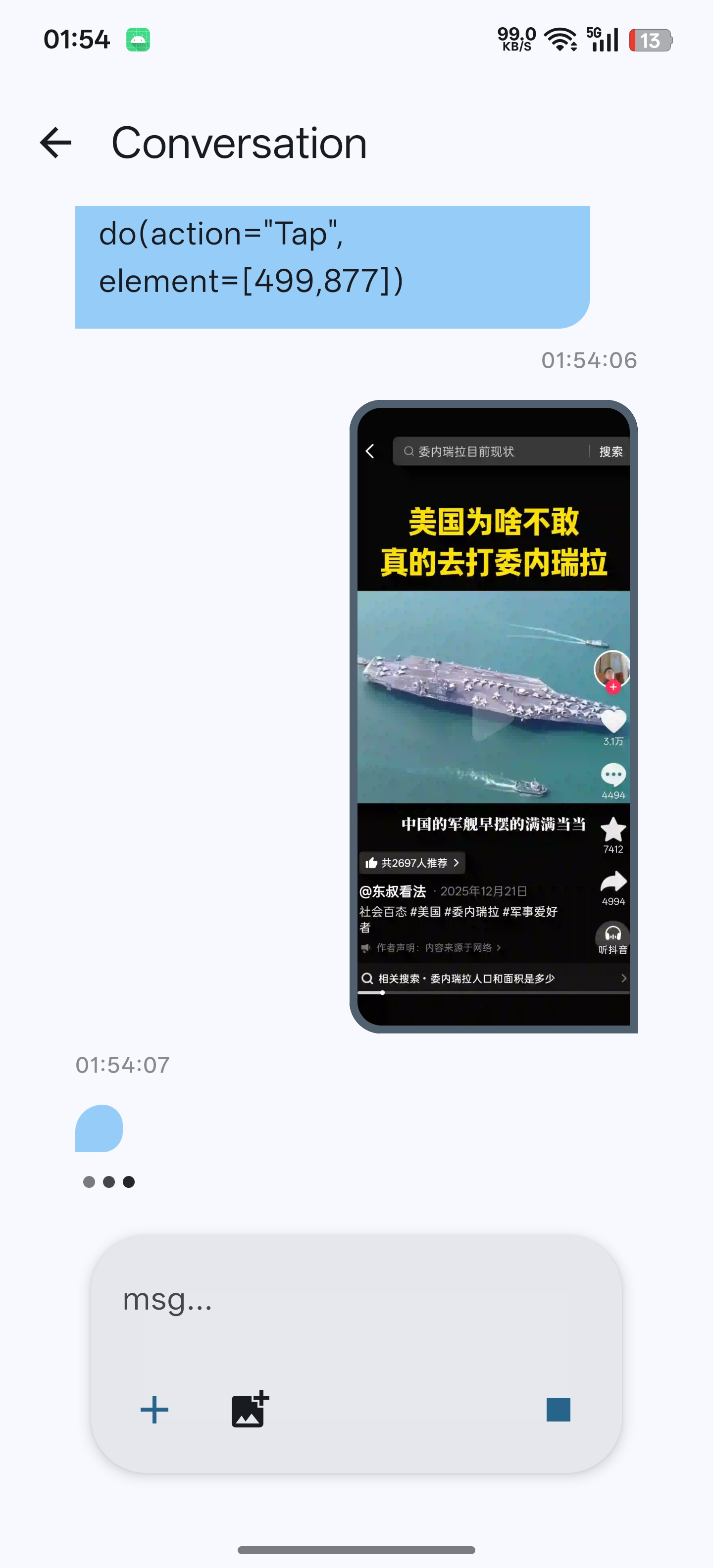
- 🚀 True Background Automation: You can run any automation task on a virtual screen created by Ruto. This means the AI can perform testing, data scraping, or any time-consuming operations in a completely separate background environment, while you can continue to use your phone's main screen normally without any interruption. This is a game-changer for automated testing and long-running tasks.
- 📱 Native App Multi-Instance: With virtual screens, you can run any app in an isolated environment, achieving true "app cloning" or multi-instance operation. Each instance has its own separate running space, providing unprecedented flexibility.
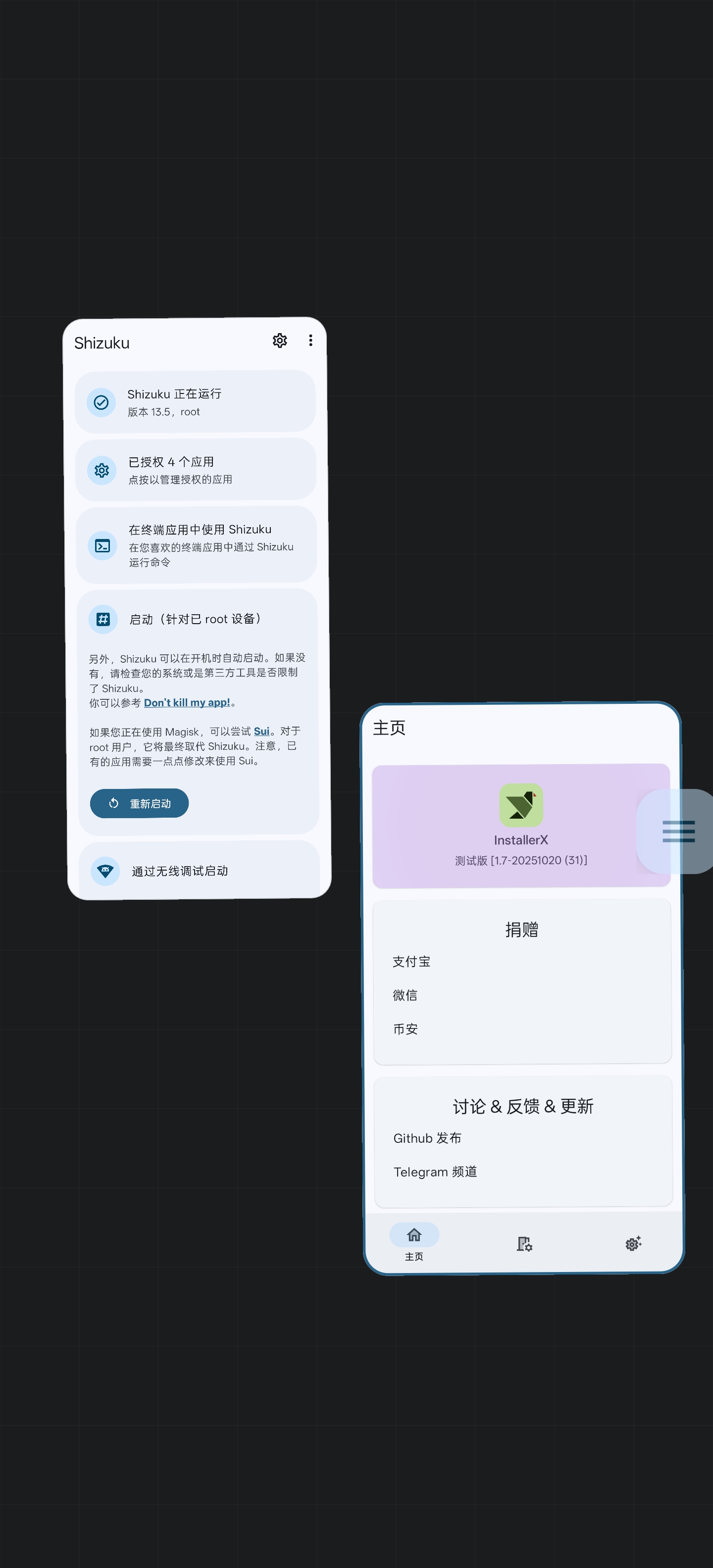
- 🖥️ Desktop-Grade Multi-Window Management: We have developed a brand-new, desktop-like multi-window management interface. You can easily switch between multiple virtual screens and manage the apps running on them, giving your Android device desktop-level multitasking capabilities.
- 🤖 Deep AI Integration: Ruto is more than just a task executor. It features a built-in AI chat interface where you can freely communicate with the AI and then seamlessly have it complete tasks for you on either the main screen or any virtual screen, delivering a true "say-and-do" smart experience.
📸 Screenshots
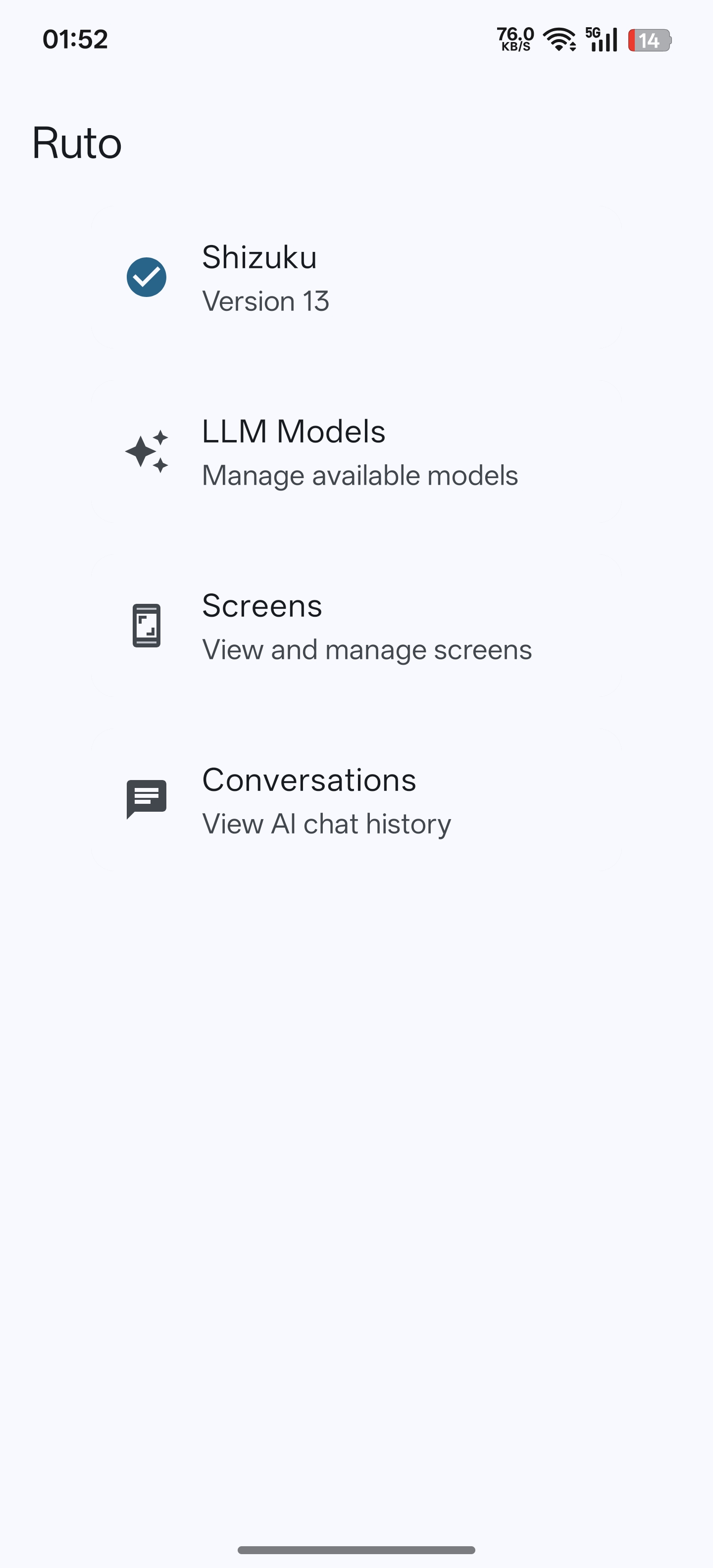
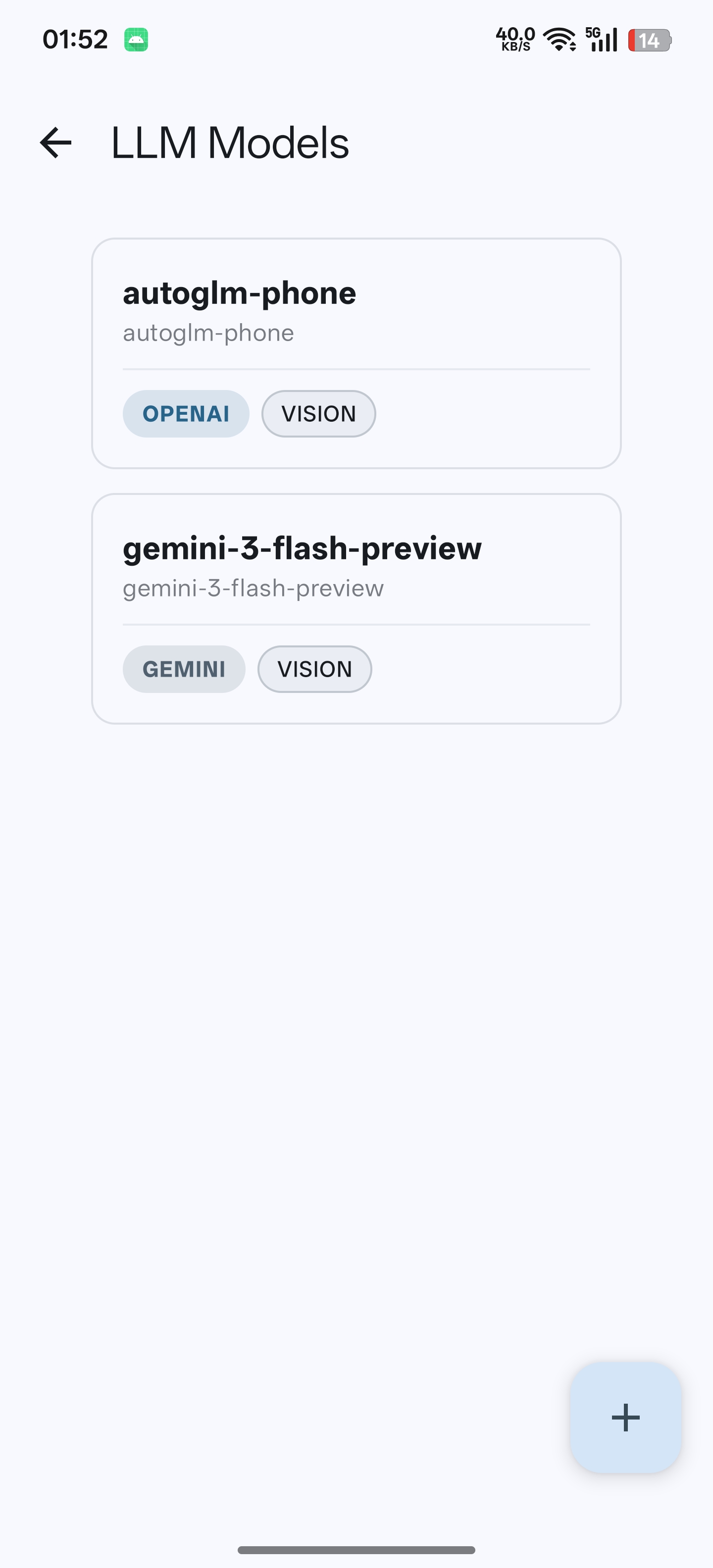
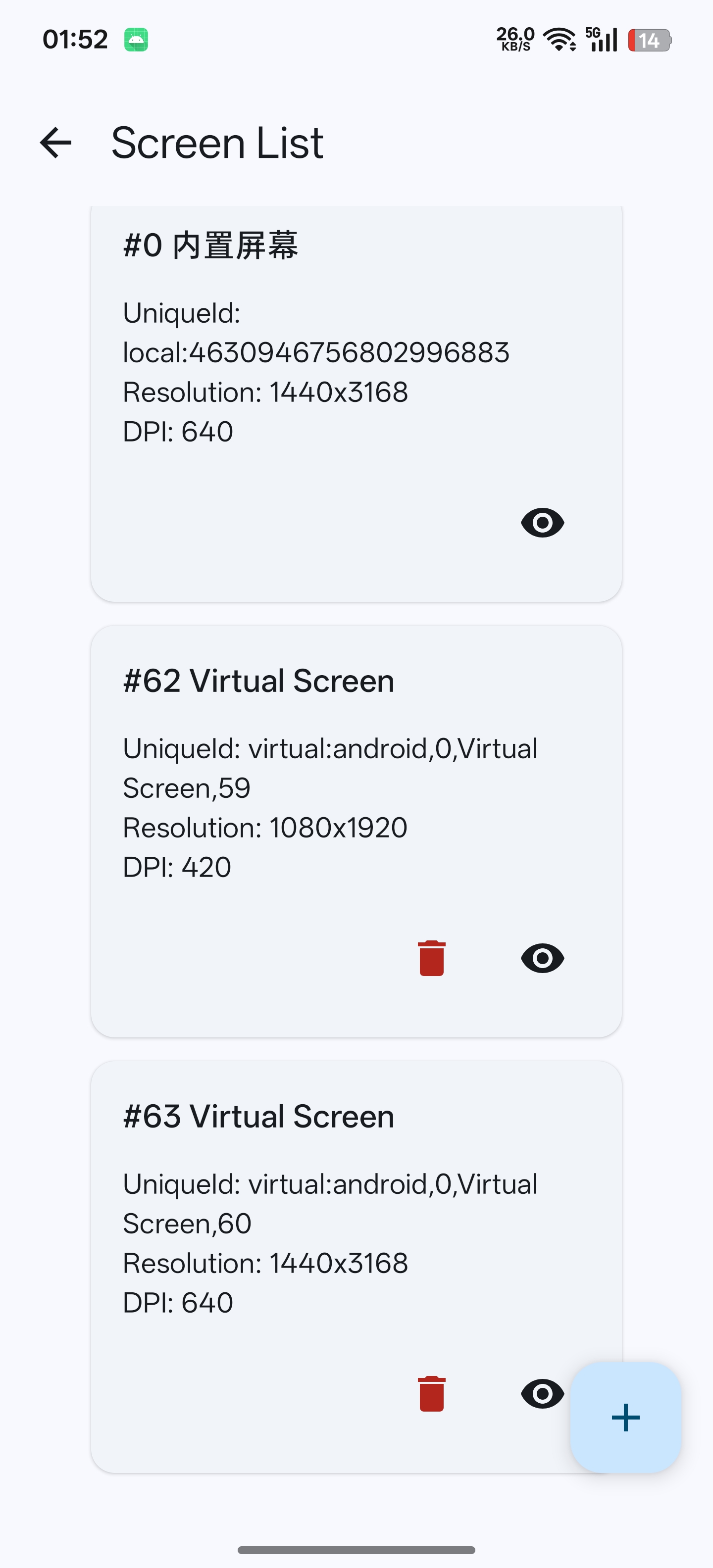
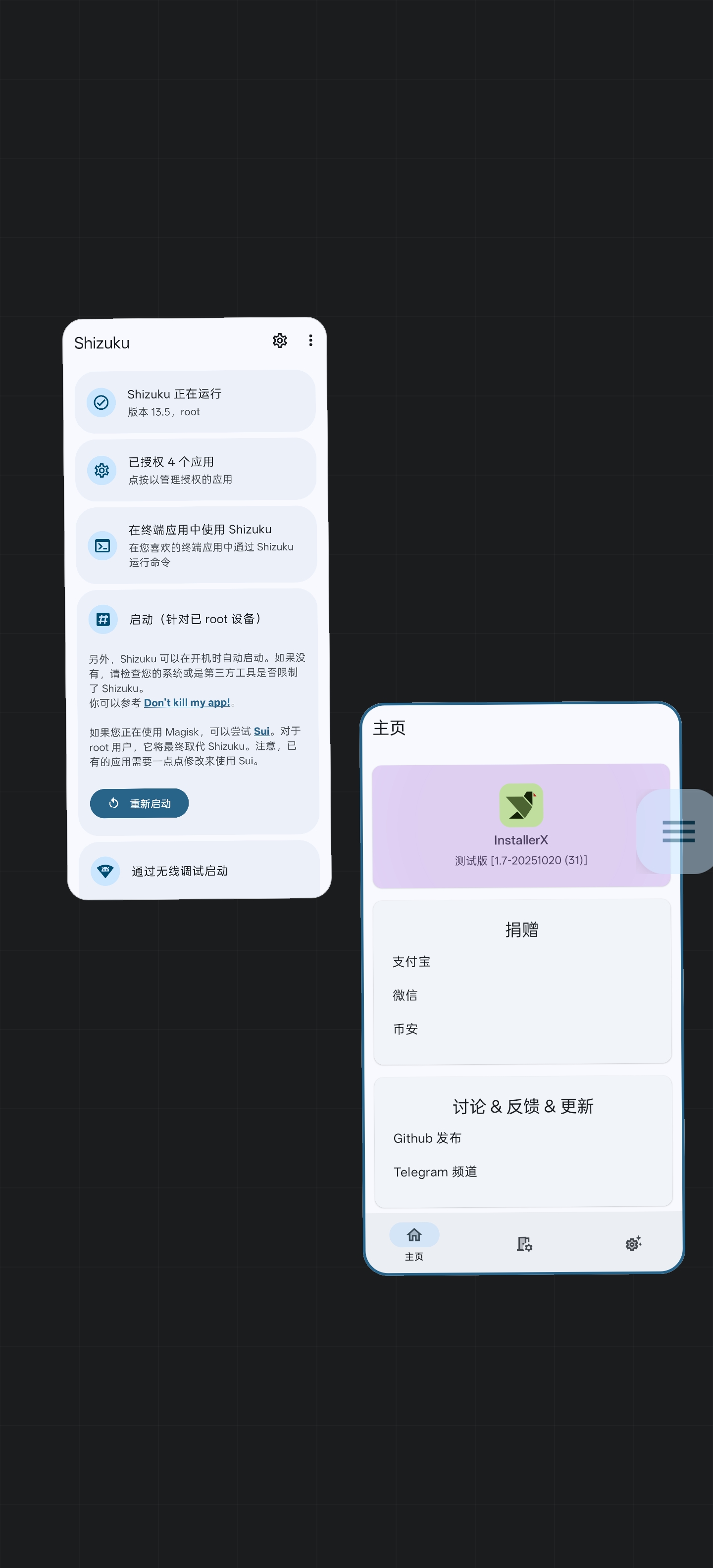
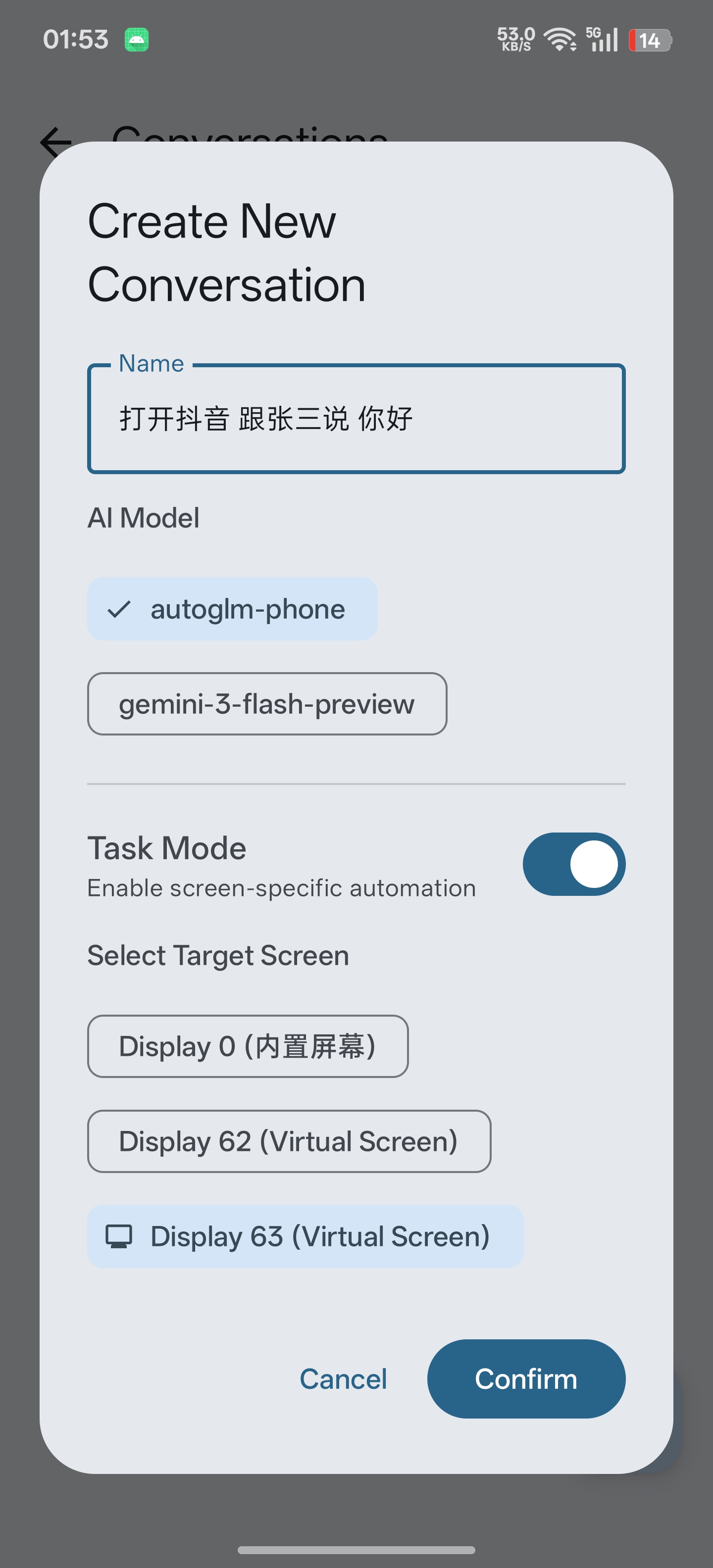
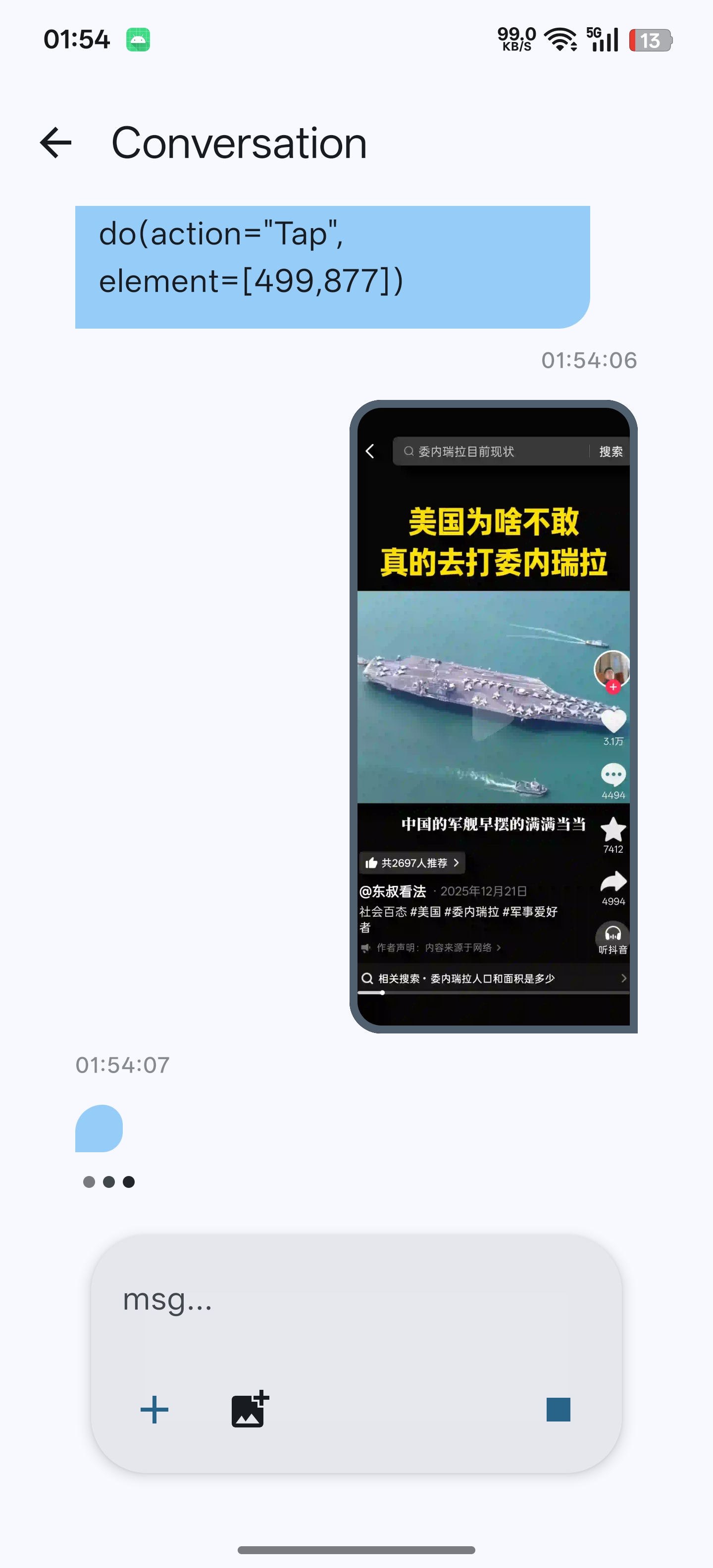
✨ Core Features
- AI Automation Tasks: Powered by the Open-AutoGLM model, Ruto can understand your instructions and automatically perform UI operations such as clicks, swipes, and more on your device.
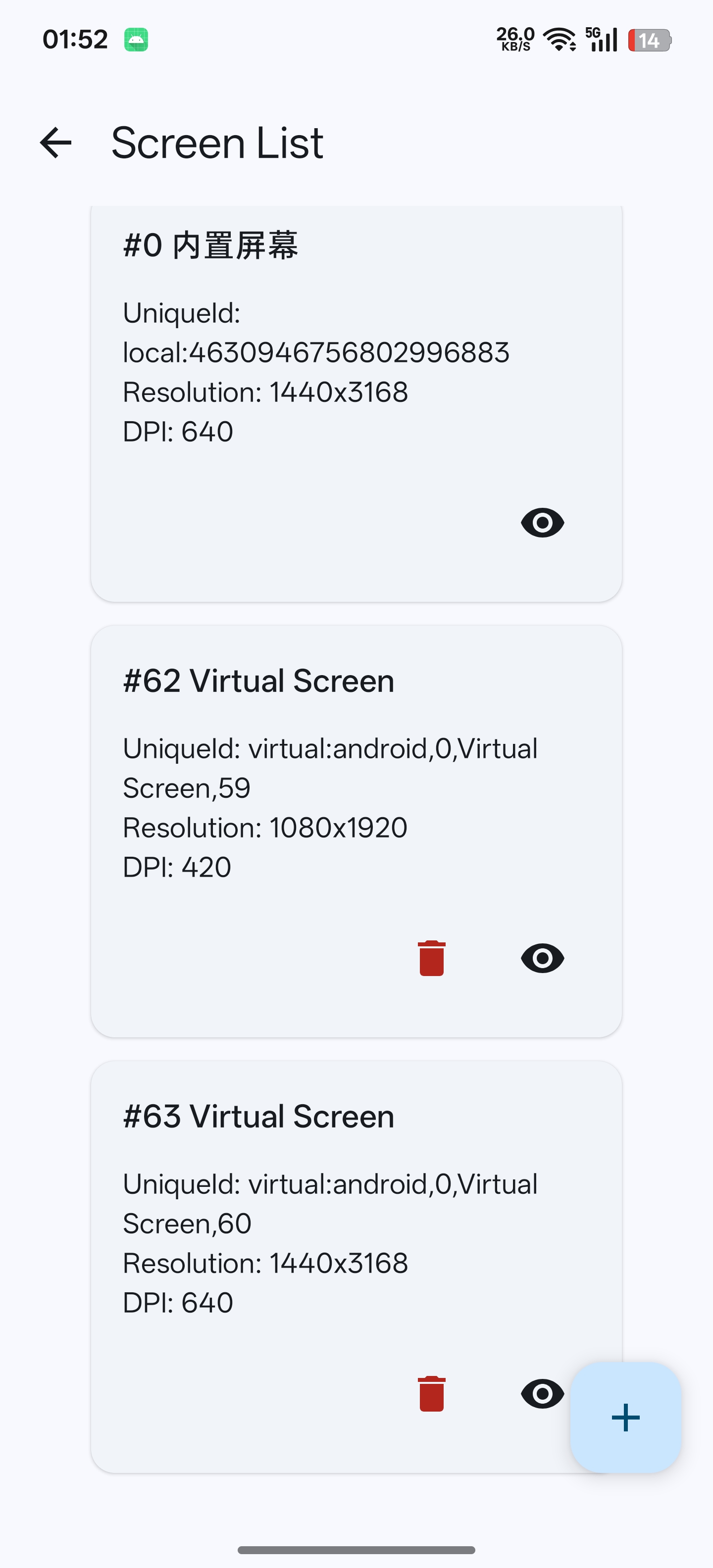
- Virtual Screens & App Cloning: Create independent virtual screens to run applications. This enables multi-instance operation of apps (app cloning) and allows tasks to run in the background without interfering with your foreground activities.
- Desktop-like Multi-Window Management: We have developed a brand-new, desktop-style multi-window management interface, allowing you to experience efficient multitasking on Android.
- AI Chat Integration: An integrated interface for conversing with large language models. You can easily add your own model API to start intelligent conversations.
- Flexible Task Execution: Automation tasks can be run on the main screen or on any virtual screen, enabling true background automation.
🚀 Getting Started
1. Download and Install
Download the latest APK file from our Releases Page and install it on your device.
2. Activate Shizuku
For Ruto to work correctly, you first need to install and start Shizuku according to the official Shizuku documentation and grant permission to Ruto within the Shizuku app.
3. How to Use
🤖 Engaging in AI Conversation
- Open the Ruto app and go to the "Models" management screen.
- Add a new model and fill in your AI model's API information.
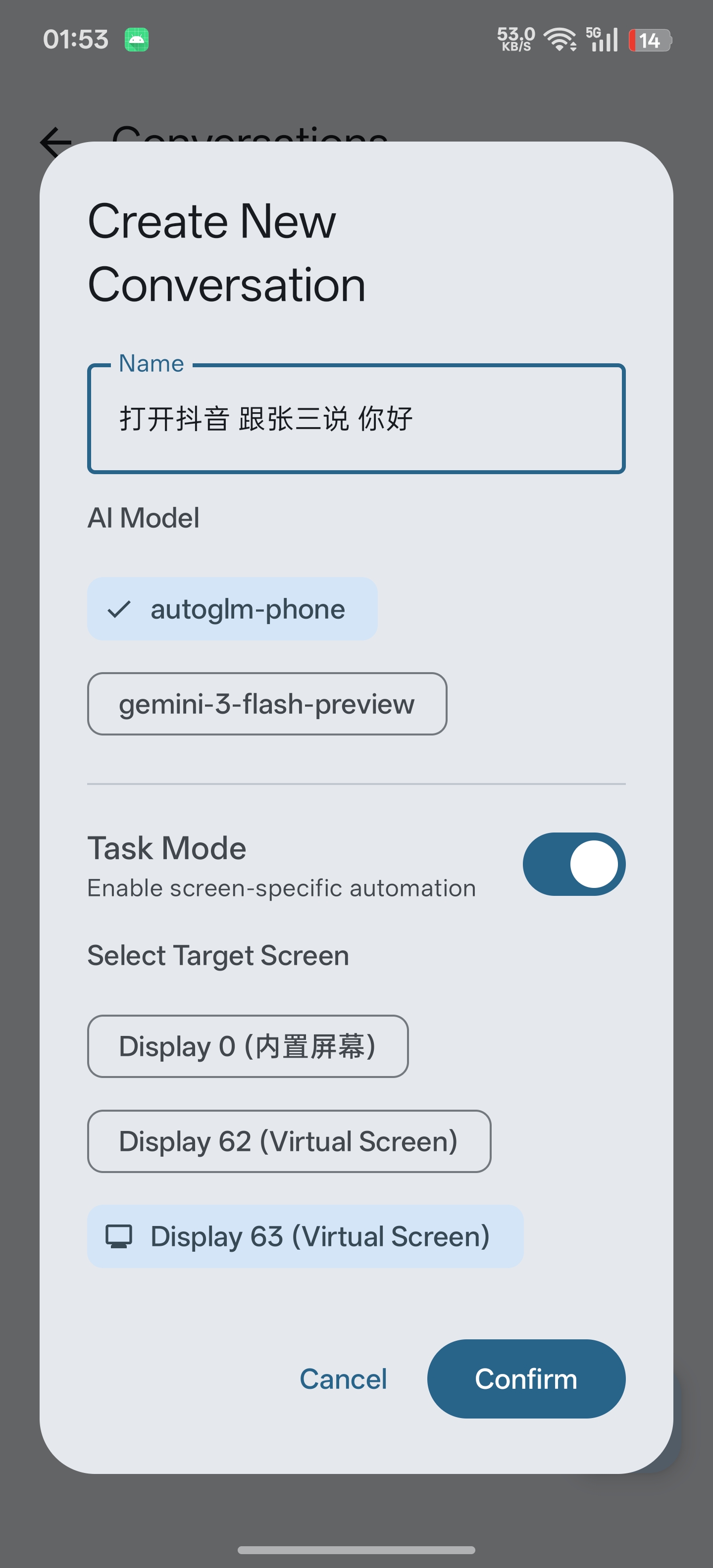
- Return to the main screen, add a new conversation, select the model you just added, and start chatting.
⚡ Automating Tasks
Ruto's automation capabilities currently rely on the Open-AutoGLM model.
- Select Execution Environment: In the task settings, choose the screen where you want the task to run.
- Running in the Background (Optional):
- If you want the task to run in the background, first create a new virtual screen.
- In the task settings, assign the execution screen to the virtual screen you created.
- Start the Task: Launch the task, and the AI will take over and start performing operations on the specified screen.
🙌 Contributing
We welcome all forms of contributions! You can get involved in the project by:
- Submitting Issues: Report bugs or suggest new features.
- Creating Pull Requests: Fix bugs or implement new functionalities.
- Improving Documentation: Make the project introduction and usage instructions clearer.
Our project is open-sourced at: https://github.com/iamr0s/Ruto-GLM
📄 License
Ruto is licensed under the Apache License 2.0.
How Shizuku is used
Can create virtual displays, launch apps on them, automate taps and text entry, and capture screens via `DisplayManager.createVirtualDisplay`.
This is an AI-assisted analysis of Shizuku-related usages in the app's public source code. It is best effort, so it may not catch every single usage.
How this app uses Shizuku
Ruto uses Shizuku to run automation inside virtual screens that AI agents can see and control.
- Create virtual screens: create extra displays for agents to work in, with adjustable size and density, and release them when done.
- Launch apps on display: open apps by name or package on a chosen virtual screen so agents and multitasking views can run them side by side.
- Automate taps and swipes: perform taps, double taps, long presses and swipes at positions chosen by the agent through privileged input injection.
- Press system keys: send back and home key presses to the selected display from agent commands or the multitasking preview.
- Type and clear text: switch to the built in input method through privileged control to enter agent dictated text, type key codes and clear the field, then restore the previous keyboard.
- Capture screen images: take screenshots of a virtual display for the agent to see what is on screen and decide the next action.
- List installed apps: read the installed app list to find and launch the app matching the name requested by the agent.
- Mirror live screens: show the content of virtual displays in the multitasking preview by attaching viewer surfaces to them.
Android APIs or commands used
DisplayManager.createVirtualDisplayDisplayManagerGlobal.getDisplayInfoDisplayManagerGlobal.getDisplayIdsActivityOptions.makeBasicPendingIntent.sendPackageManager.getInstalledApplicationsPackageManager.getLaunchIntentForPackageandroid.hardware.input.IInputManager.injectInputEventandroid.hardware.input.IInputManager.injectInputEventToTargetInputEvent.setDisplayIdMotionEvent.obtainandroid.view.inputmethod.IInputMethodManagerSettings.Secure.getStringImageReader.newInstanceandroid.hardware.display.VirtualDisplay.getDisplayandroid.hardware.display.VirtualDisplay.releasescreencap
Changelog
What's new for version 1.0
🚀 Ruto (Run, Auto) v1.0.0
我们非常自豪地发布 Ruto 的第一个正式版本!Ruto 不仅仅是一个自动化工具,它是一个赋予 Android 系统“多线程并行”能力的 AI 任务框架。
🌟 核心突破:真正的后台多任务
不同于传统的自动化工具,Ruto 结合了系统级虚拟化能力与 AI 大模型,实现了:
- 虚拟化静默执行:利用
DisplayManager创建独立的虚拟空间,AI 在“二号屏幕”执行任务,主屏幕依然由你掌控,互不干扰。 - 智能差集任务流:底层采用
Flow.scan差集算法,精准捕获每一条新指令,杜绝任务重复执行,确保后台调度的绝对稳定。 - 桌面级多窗口管理:首创 Android 端桌面级多任务界面,你可以像在电脑上一样管理多个虚拟屏幕和 AI 进度。
- 免电脑独立运行:基于 Shizuku 授权,摆脱 ADB 线缆束缚,手机端即开即用。
✨ 主要功能
- AI 深度集成:支持自定义 API,结合 Open-AutoGLM 实现“说到做到”的 UI 自动化操作。
- 应用多开分身:在隔离的虚拟屏幕中运行应用,实现真正的原生级应用多开。
- 现代 UI 体验:全量采用 Jetpack Compose 构建,拥有极致丝滑的动效与精美的 Material 3 设计。
🚀 快速上手
- 安装
app-release.apk。 - 确保设备已激活 Shizuku 并为 Ruto 授予权限。
- 进入“模型”页面配置您的 API 密钥。
- 新建一个虚拟屏幕,并在任务设置中指定该屏幕,感受“后台打工”的魅力。
Ruto 正在参加 AutoGLM 实战派开发者激励活动! 如果您觉得这个项目有用,请在 GitHub 为我们点亮 ⭐️ Star,您的支持是我们持续迭代的最大动力!
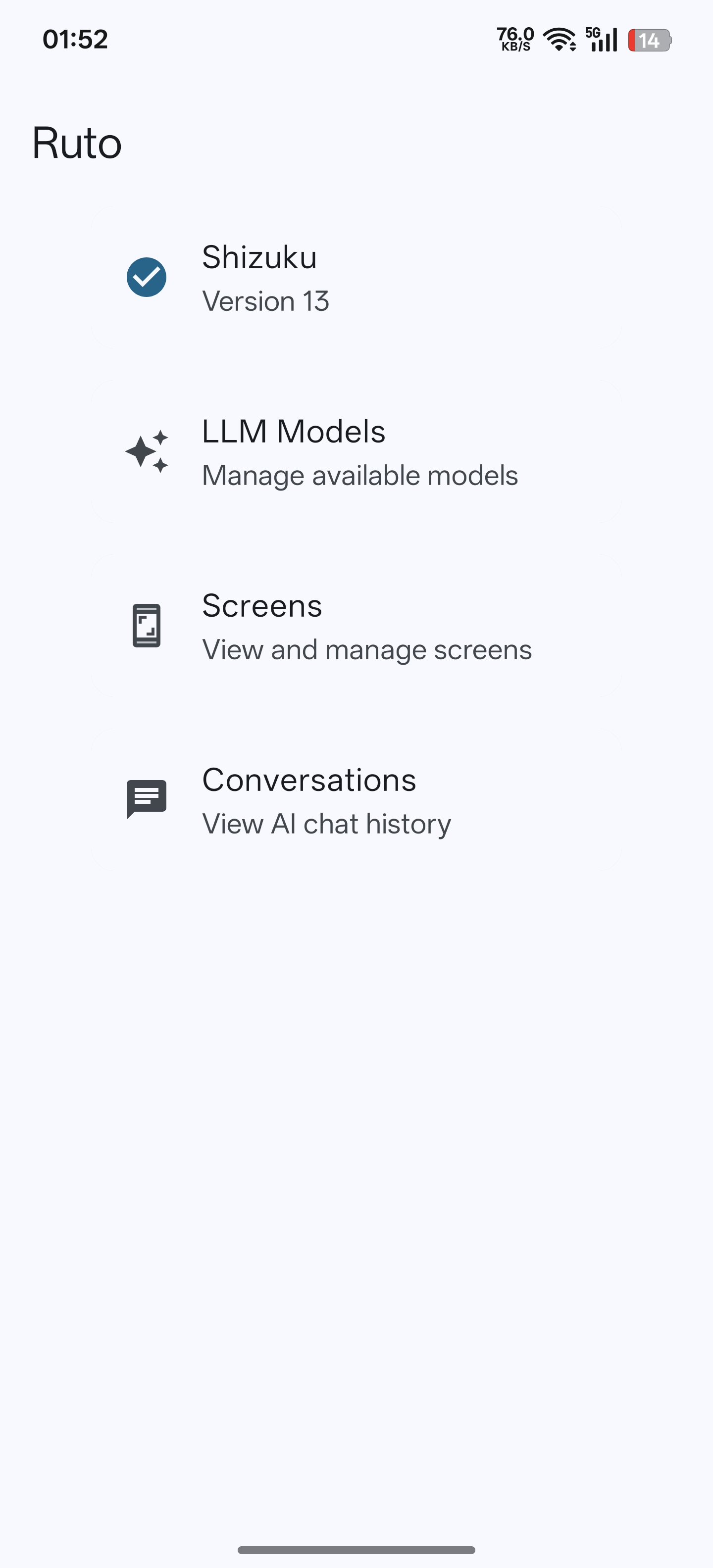
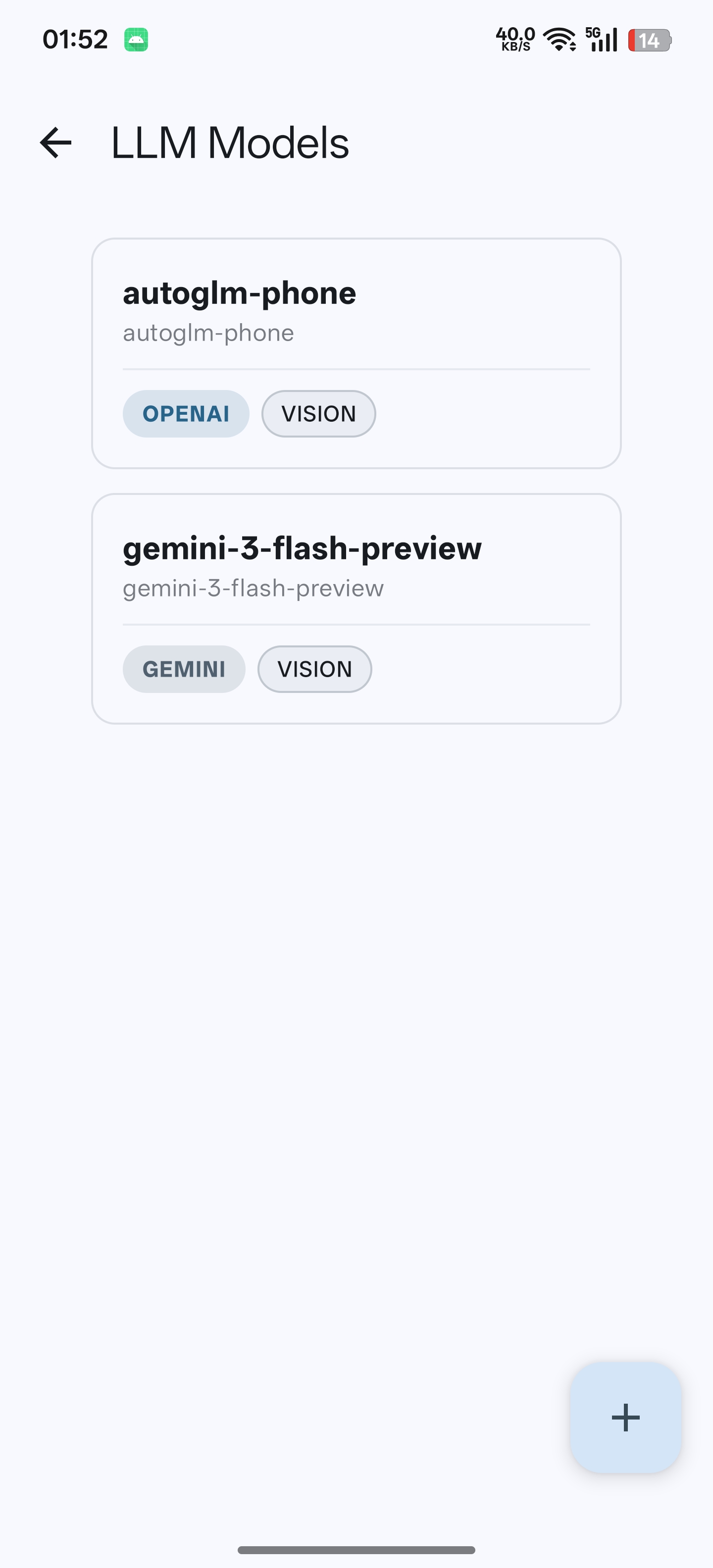
Permissions
8 permissions requested
More apps from this developer
 Dhizuku
 Accounts
More from this category
 Operit AI
 AndroidHarness
 Minis
Minis
 OpenDroid
 Agent
Agent
 XiaoEr
 Aether
 ClawGUI
 rish-mcp
 Zafiro
 小万
小万
 OpenCyvis