 ShizuStore
RedTrigger
3.0.15 · GitHub
More about this app
System-wide shoulder triggers for Nubia Red Magic phones

How It Works • Requirements • Setup • Building • Architecture





Android app that enables shoulder triggers (SAR capacitive sensors) on Nubia Red Magic phones system-wide, without needing Game Space.
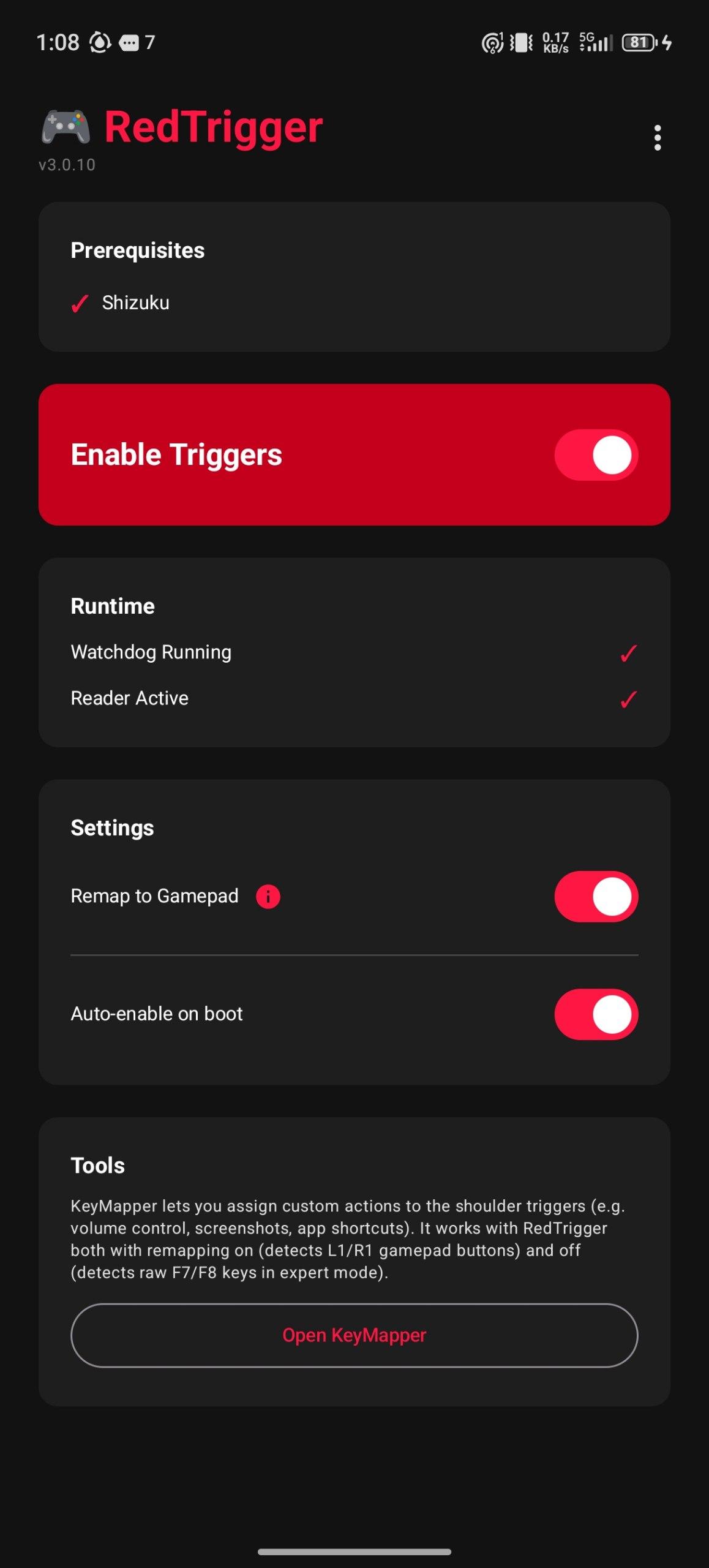
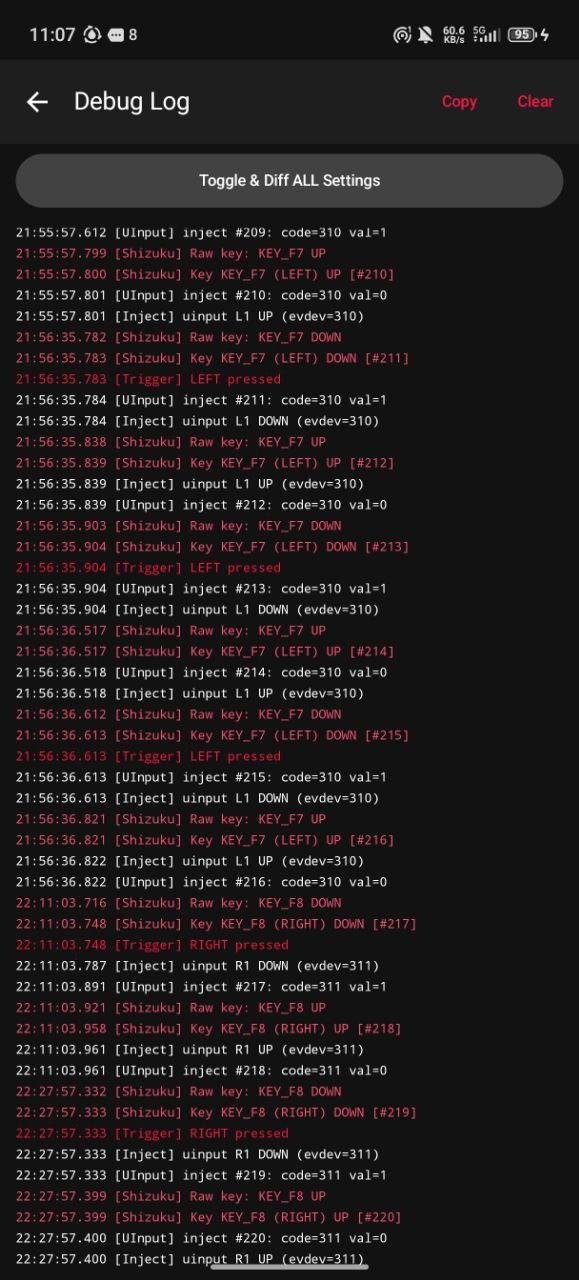
Screenshots


The Problem
Nubia's game framework controls the shoulder trigger hardware. Triggers only work inside Game Space, and the system resets trigger settings every time you switch apps. RedTrigger fixes both issues.
How It Works
- Sets
nubia_game_scene=1to activate SAR sensors without launching full Game Space - Runs a foreground service with a ContentObserver watchdog that detects when Nubia's SystemMgr resets the setting (on every
notifyActivityResumed) - Re-applies trigger settings instantly, keeping triggers active across all apps
Key Remapping (via Shizuku)
The Nubia game service intercepts the raw trigger keys (F7/F8) and converts them to screen taps. RedTrigger works around this by:
- Reading raw input events from
/dev/input/eventXusing a Shizuku UserService (getevent) - Optionally injecting remapped key events (L1/R1) so apps like KeyMapper can capture them
- Using a virtual
uinputdevice for injection so events appear as real hardware input
Requirements
- Nubia Red Magic phone (tested on Red Magic 11 Pro)
- Shizuku installed and running
Setup
- Install RedTrigger from F-Droid (or build the APK yourself)
- Install and start Shizuku (wireless ADB or root)
- Open RedTrigger and grant Shizuku permission when prompted
- Tap "Enable Triggers"
RedTrigger automatically grants itself the required WRITE_SECURE_SETTINGS permission via Shizuku, so no manual ADB commands are needed.
The watchdog service starts automatically and persists across app switches. Enable "Auto-enable on boot" in the app to survive reboots.
Building
Requires Android SDK and JDK 17.
# Using justfile (recommended)
just build        # Build debug APK
just ship         # Build + copy to shared storage
just version      # Show current version
just bump-patch   # 3.0.0 → 3.0.1
just bump-minor   # 3.0.0 → 3.1.0
just clean        # Clean build artifacts

# Or directly with Gradle
ANDROID_HOME=/path/to/android-sdk \
JAVA_HOME=/path/to/jdk-17 \
./gradlew assembleDebug --no-daemon --no-configuration-cache
APK output: app/build/outputs/apk/debug/RedTrigger-v{version}.apk
Architecture
| Component | Description |
|---|---|
TriggerManager |
Reads/writes Android Global Settings to enable/disable triggers |
TriggerService |
Foreground service with ContentObserver watchdog |
InputReader |
Manages Shizuku UserService lifecycle (app process) |
InputService |
Shizuku UserService that reads /dev/input/eventX (Shizuku process) |
uinput_injector |
Native C binary that creates a virtual gamepad via /dev/uinput |
BootReceiver |
Re-enables triggers on device boot |
DebugLog |
In-app log buffer with color-coded UI display |
Communication between the app process and Shizuku process uses AIDL:
IInputService.aidl— app → Shizuku (start/stop, config)ITriggerCallback.aidl— Shizuku → app (trigger events, debug)
SAR Input Devices
The shoulder triggers appear as capacitive touch sensors:
- Left trigger (SAR0) →
KEY_F7 - Right trigger (SAR1) →
KEY_F8 - Device names contain
nubia_tgk_aw_sar
Tech Stack
- Kotlin + Jetpack Compose
- Material 3
- Shizuku API
- Native C (uinput virtual gamepad)
- Android SDK 35 (min SDK 29)
License
MIT © Lucas Zampieri
How Shizuku is used
Can read Nubia shoulder triggers and remap them to gamepad buttons via Shizuku with `getevent` and `pm grant`.
This is an AI-assisted analysis of Shizuku-related usages in the app's public source code. It is best effort, so it may not catch every single usage.
How this app uses Shizuku
RedTrigger uses Shizuku to run a privileged input service that unlocks system-wide shoulder triggers on Nubia Red Magic phones.
- Detect trigger hardware: finds the capacitive shoulder sensors by listing input devices with the
getevent -plshell command through Shizuku and filtering for Nubia SAR devices. - Read trigger presses: streams press and release events for the left and right triggers with the
getevent -qlshell command through Shizuku, mapping them from KEY_F7 and KEY_F8. - Self grant settings permission: grants itself
WRITE_SECURE_SETTINGSwith thepm grantshell command through Shizuku, then turns on the Nubia trigger settings for game scene, game mode and gesture blocking. - Keep triggers enabled: watches those system settings and rewrites them if the system resets them, so triggers stay active system-wide.
- Remap to gamepad buttons: when injection is on, forwards trigger presses to a virtual gamepad device created by its bundled helper, so games see them as standard L1 and R1 buttons.
Android APIs or commands used
getevent -plgetevent -qlpm grantpm pathSettings.Global.putInt
Notable details
Trigger activation targets Nubia specific settings (nubia_game_scene, nubia_game_mode, cc_game_mis_operate). If no SAR trigger device is found, the service listens on all input devices instead. Key injection to L1 and R1 can be toggled in settings.
Changelog
What's new for version 3.0.15
Permissions
7 permissions requested
Sources
2 sources
Sources
2 sources
More from this category
 Calibrate SoC
 VR Launcher
 buttonoo
 Heimdall
 MindControl
 SidePad
 Glyph Barty
 ha-paneld
 BooxUltimatum
 DiAuto
 Thor Volume Link (ThorVolumeLink)
 flipx
flipx