 ShizuStore
Recents
1.8.0 · GitHub
More about this app
Launcher-agnostic replacement for the system Recents menu, with app-kill support via Shizuku

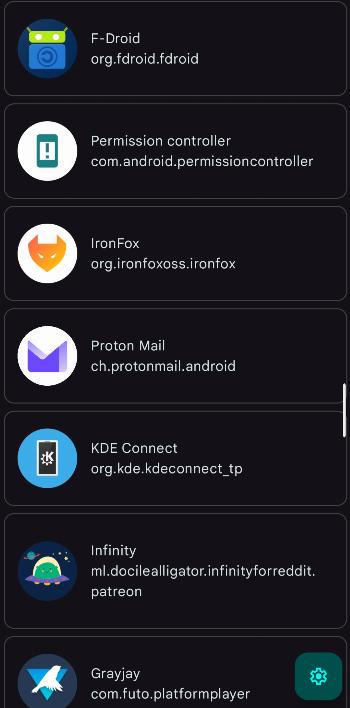
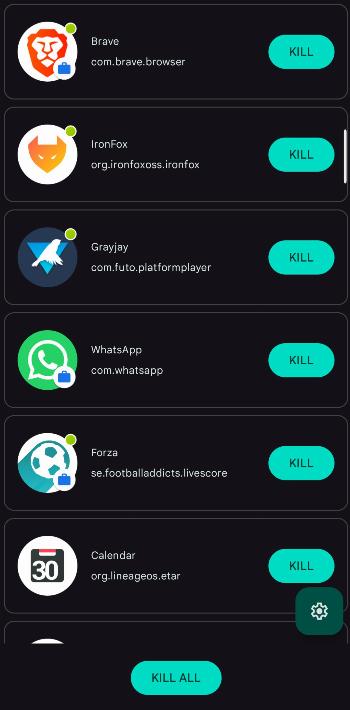
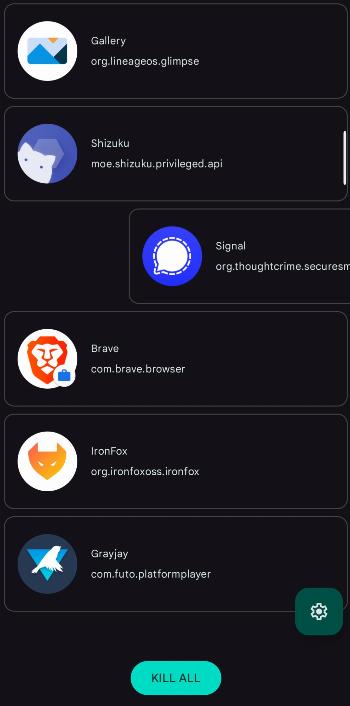
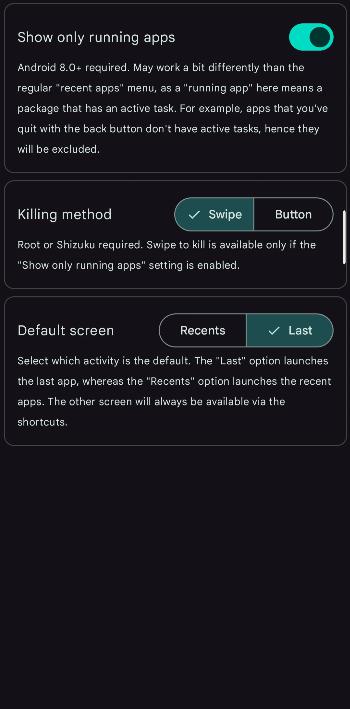
Recents is a replacement for the default system "recent apps" menu, especially useful if the system utility is unavailable (e.g. after removing the default launcher). It aims to provide all the system features, including launching the last launched app, displaying all apps by last use time and killing selected or all apps.





Featured in
How to use
Launch "Recent apps" screen
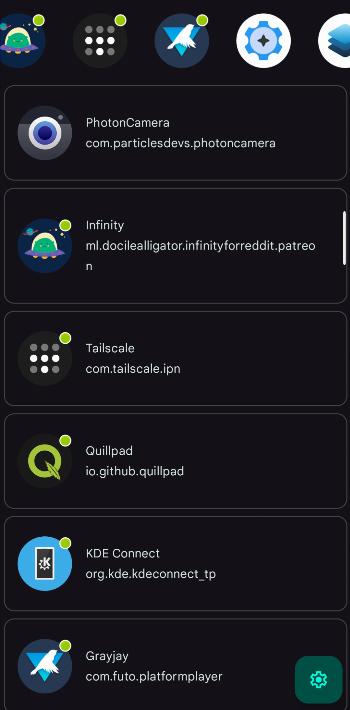
Assign the app to a custom shortcut (e.g. double-click of the power button) in your system settings. Upon triggering the shortcut, you will be shown a list of all your apps, sorted by last launch time. Alternatively, you could simply place the app in a convenient spot in your launcher.
Launch last app
The app includes a custom shortcut, which (or its activity, LastAppActivity) can also be assigned to a custom shortcut, using any shortcut assigner.
If you trigger the shortcut, you will be taken to the most recent app (excluding launchers and the current app), just like when double-tapping the "recents" button on a 3-button navbar.
Kill apps (Shizuku or root required)
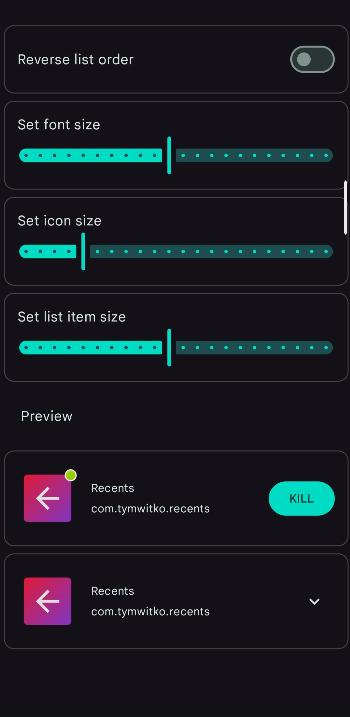
If you have Shizuku or root access, you may retain the functionality of killing apps. You can either kill apps individually, or use the "KILL ALL" button. Note: system apps cannot be killed this way.
Set up your custom whitelist
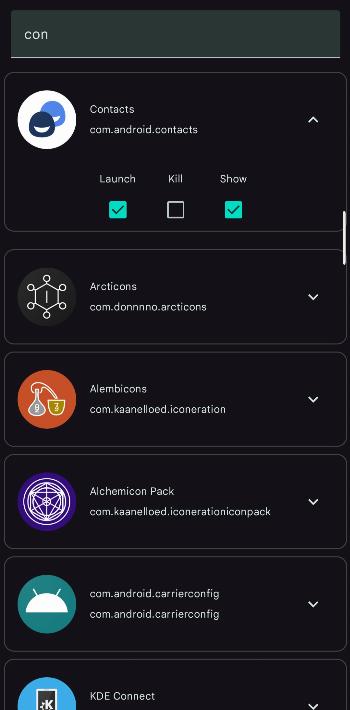
Don't want to show a bunch of OEM bloat on the list? Don't want to kill your alarm clock? Don't want to launch an app even if it was the last one launched? Mark them in settings as non-showing, non-killable or non-launchable.
Display running apps (Shizuku or root required)
You may toggle between a full list of installed apps or just the running ones in settings. Bear in mind that "running apps" are defined by having an active task, which may be a bit different to how the system "recent apps" screen treats them.
Pin apps
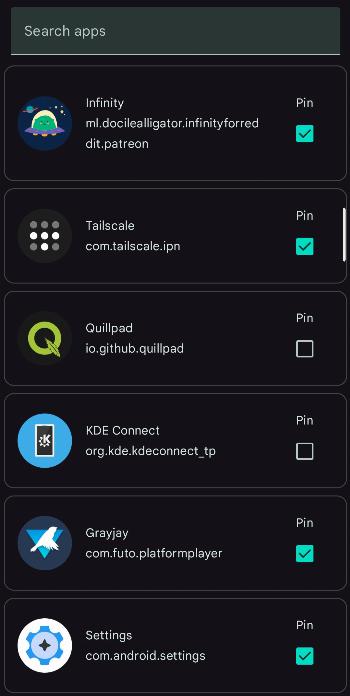
You may pin selected apps above the list. They will stay there regardless of their recency or their running status. Pinning an app doesn't mean that it's gone from the actual list and doesn't affect the "launch last app" functionality.
Quick actions
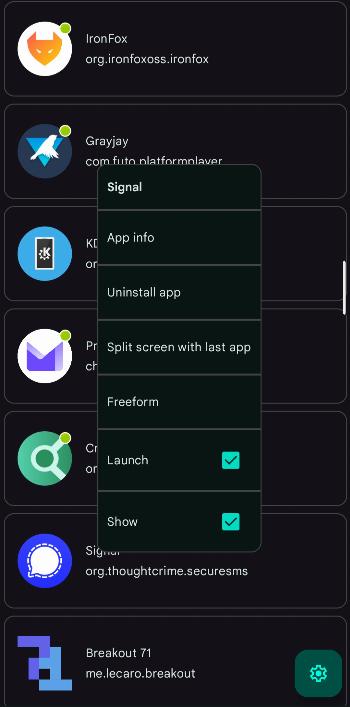
Upon holding a list item you can display a list of quick actions, including:
- launching app info
- uninstalling app
- launching app in split-screen mode
- launching app in free-form mode
- setting whitelist parameters (show/kill/launch)
How Shizuku is used
Can force-stop apps and show full recents with running state via `am force-stop`, `pm grant` and `dumpsys` through Shizuku.
This is an AI-assisted analysis of Shizuku-related usages in the app's public source code. It is best effort, so it may not catch every single usage.
How this app uses Shizuku
Shizuku is used to kill apps and to unlock the full recents list with accurate running state and timing.
- Force-stop selected apps: close a single recent app from its tile, button or swipe gesture using the
am force-stopshell command through Shizuku. - Close all running apps: clear every running recent app at once with the same
am force-stopshell command through Shizuku. - Show complete recents list: display running apps, last used times and work profile entries by reading
dumpsys activity recentsanddumpsys usagestatsoutput, enabled by permissions Shizuku grants with thepm grantshell command.
Android APIs or commands used
am force-stoppm grantdumpsys activity recentsdumpsys usagestats
Notable details
Without Shizuku the app falls back to the system usage stats list with limited running state information.
Changelog
What's new for version 1.8.0
Changelog
- added D-pad support for devices with physical keys
- made everything just a tiny bit faster
Permissions
8 permissions requested
More from this category
 Shappky
 Pensum
 Running Services Monitor
 KillMyApps
 memhogs
 ReAppzuku
 ProcessLens
 TaskManager
 RvSystem Monitor
 内存快照
内存快照