 ShizuStore
RebootNya
1.9.0 · GitHub
More about this app
Advanced reboot menu with Shizuku support

RebootNya





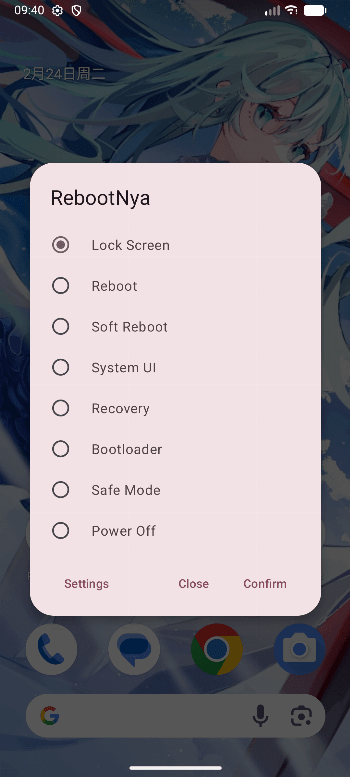
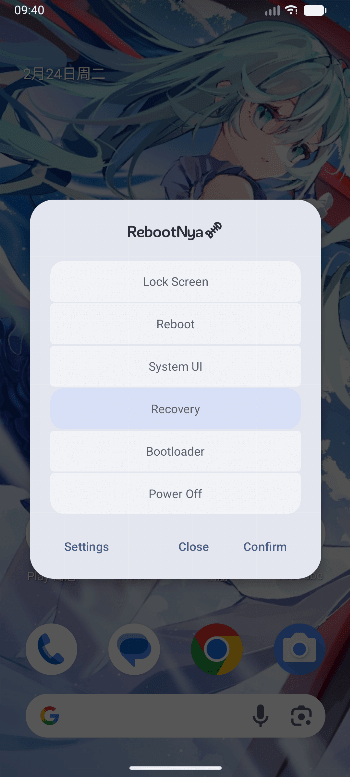
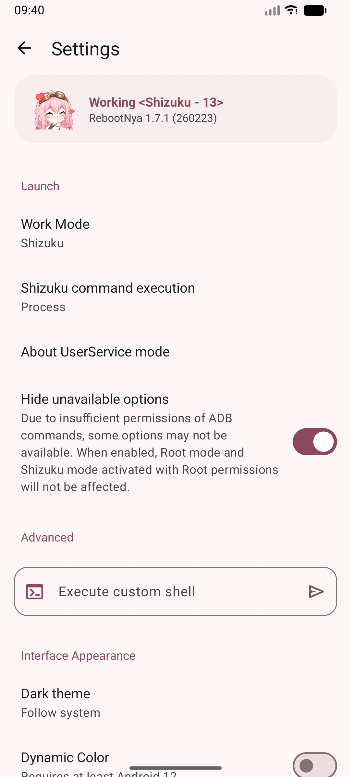
RebootNya is a simple yet advanced reboot utility, and provides convenient access to various reboot options that normally require elevated privileges. The app supports both Root and Shizuku, allowing users to execute reboot commands safely and transparently.
Tested on some devices and works well on Android 9 to 17.
On some ROMs’ default launcher, the transparent background may not display correctly (e.g., ColorOS 15). The solution is to switch to another launcher, such as Lawnchair.
Intent-based Control
RebootNya now supports launching and closing the app via specific intents, allowing integration with external automation tools. Send the following intent to class github.daisukikaffuchino.rebootnya.MainActivity to use the feature.
<!-- Launch app -->
<action android:name="github.daisukikaffuchino.rebootnya.action.LAUNCH" />
<!-- Close app -->
<action android:name="github.daisukikaffuchino.rebootnya.action.CLOSE" />
<!-- Switch interface visibility -->
<action android:name="github.daisukikaffuchino.rebootnya.action.TOGGLE" />
Development Background
One of my old phones has both the power and volume buttons broken, so I urgently needed an advanced reboot app that is aesthetically pleasing, lightweight, and easy to use.
Contributors
Feel free to dive in! Open an issue or submit pull requests (PRs).
This project exists thanks to all the people who contribute.
Licenses
- RebootNya: Apache-2.0 license
- AboutLibraries: Apache-2.0 license
- Android Jetpack: Apache-2.0 license
- Material Components for Android: Apache-2.0 license
- libsu: Apache-2.0 license
- RikkaX: MIT license
- Shizuku-API: Apache-2.0 license
How Shizuku is used
Can reboot, power off, lock screen, restart system UI and run custom shell commands via `IPowerManager.reboot` and Shizuku shell execution.
This is an AI-assisted analysis of Shizuku-related usages in the app's public source code. It is best effort, so it may not catch every single usage.
How this app uses Shizuku
RebootNya uses Shizuku to perform reboot, power and screen actions that need elevated access.
- Reboot device: restart the phone immediately using the system power manager through Shizuku.
- Reboot to recovery: restart directly into recovery using the
reboot recoveryshell command through Shizuku. - Reboot to bootloader: restart directly into the bootloader using the system power manager through Shizuku.
- Reboot to download mode: restart into download mode on supported devices using the
reboot downloadshell command through Shizuku. - Power off device: shut down the phone using the
reboot -pshell command through Shizuku. - Lock screen: turn the screen off by simulating the power key with the
input keyeventshell command through Shizuku. - Soft reboot system: restart the Android runtime without a full reboot using a system property shell command through Shizuku.
- Restart System UI: stop and restart the system interface using a shell command through Shizuku.
- Boot into safe mode: enable safe mode with a system property and then reboot through Shizuku.
- Run custom commands: type and run arbitrary shell commands with elevated access through Shizuku.
Android APIs or commands used
android.os.IPowerManager.rebootinput keyevent KEYCODE_POWERsetprop ctl.restart zygoteam force-stop com.android.systemuireboot recoveryreboot downloadsetprop persist.sys.safemode 1reboot -p
Notable details
Lock screen can also work through device admin without Shizuku when that option is enabled. When running with limited Shizuku access, safe mode and soft reboot options are hidden.
Changelog
What's new for version 1.9.0
- Added optional screen locking through Android Device Administrator #26
- Attempted to reduce visual flickering during page transitions
- Added German translation by @captainblabaer
- Added Brazilian Portuguese translation by @iKas_
- Added European Portuguese translation by @iKas_ & @RODmen
Full Changelog: https://github.com/daisukiKaffuChino/RebootNya/compare/1.8.0...1.9.0
Permissions
2 permissions requested
More from this category
 Battery Health Tracker
 Amply
Amply
 NoMoreBackground
 电池统计
电池统计
 BatStats
 EnforceDoze
 Volt
Volt
 usb pd bs
 Batt
Batt
 DozeTap
 Battery Monitor
 Battery Stats Changer