 ShizuStore
ReAppzuku
1.8.7 · GitHub
More about this app
Control and manage background applications. Fork of shappky
English | Русский | 简体中文 | Espanol | Українська | Deutsch




ReAppzuku is a fork of Appzuku (Shappky) with enhanced control over background activity of Android apps.
Monitor and stop apps that consume RAM, drain battery, and load CPU in background.
One-tap manual force-stop, periodic Kill via a timer, and flexible background restrictions for selected apps.
Root or Shizuku privileges are required.
⚙️ Features
- Smart automation:
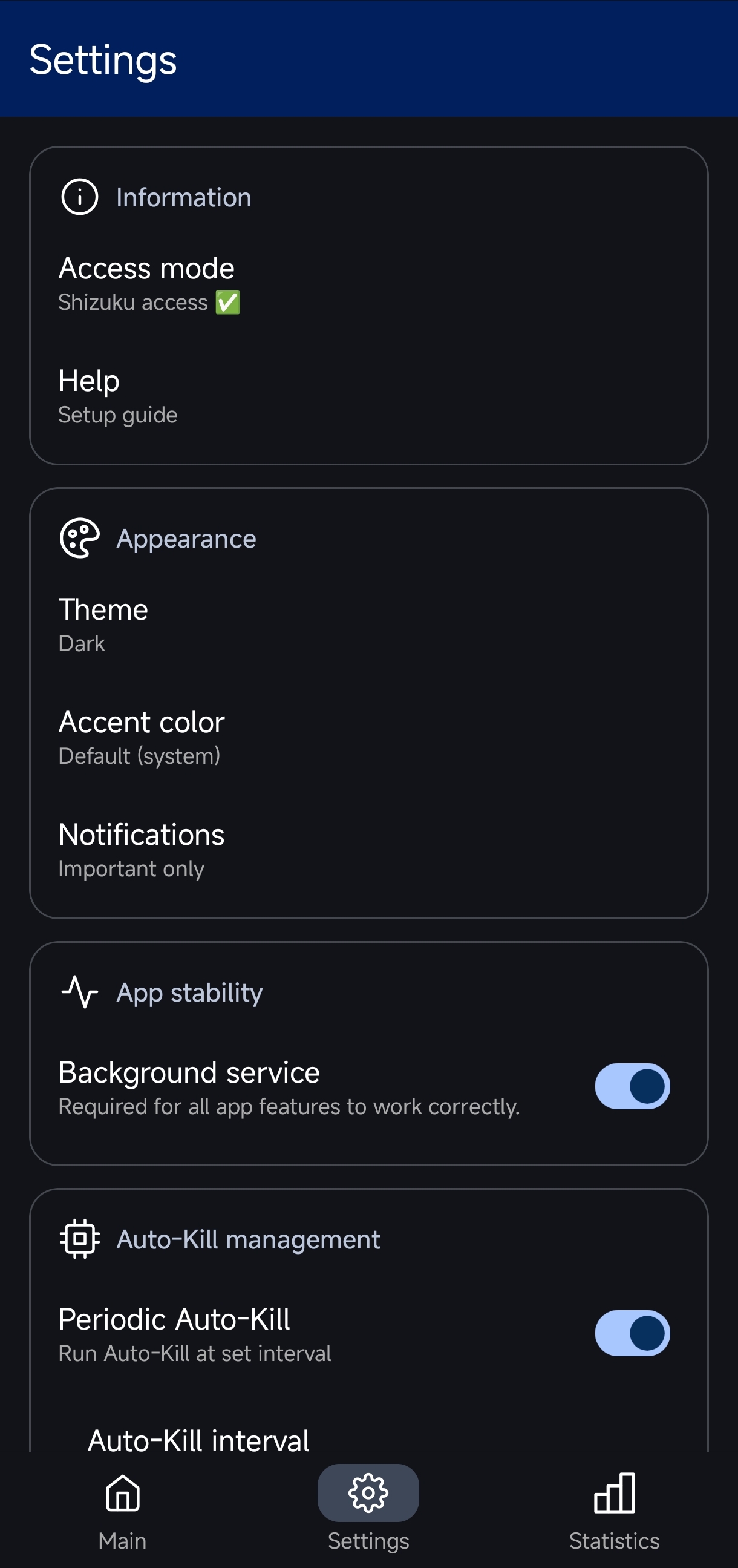
- Periodic Auto-Kill: intervals from 10 seconds to 5 minutes.
- Kill on screen lock: force-stop background processes immediately after screen turns off.
- RAM threshold: Kill triggers only when RAM usage reaches a set limit (75%–100%).
- Kill on hardware events/launch app: Kill is triggered by selected hardware events or when target application is launched, with option to additionally clear RAM.
- Auto-Kill presets: Customize and schedule Auto-Kill behavior at specific times.
- Manual controls:
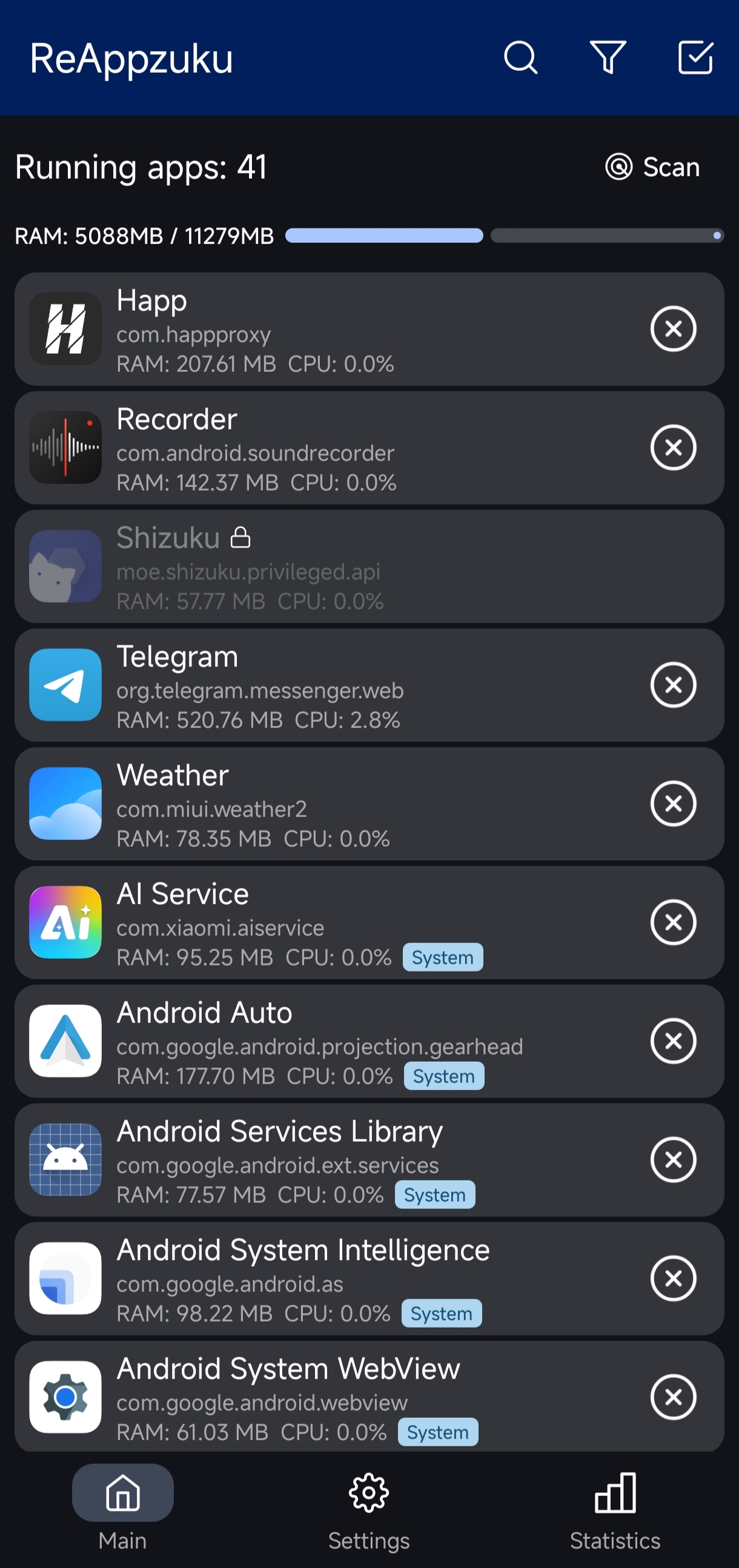
- Main screen: view all active background processes with RAM usage, select and kill in bulk.
- Quick Tiles: "Stop app" kills current foreground app; "Stop background apps" runs Auto-Kill with your lists.
- Home screen widget: displays current RAM usage and Auto-Kill statistics for last 12 hours.
- App shortcut: long-press app icon to kill current foreground app instantly.
- Background restrictions (Android 11+):
- Soft mode: blocks auto-start at OS level — app keeps running if you opened it, but won't wake up on its own.
- Medium mode: partial restriction background app activity.
- Hard mode: immediately terminates process when minimized, prevents it from staying in memory even for a second.
- Manual mode: manually select and apply required restrictions to app.
- Restriction Scheduler: set a time window to temporarily lift restrictions, with optional component launch on activation.
- Sleep Mode: full freeze of selected apps after a set inactivity timer (5–60 min), automatic unfreeze on screen unlock.
- App Triggers: deep diagnostic tool analyzing real causes of background activity — foreground services, sticky services, wakelocks, alarms, job scheduler, network connections, boot receivers, and 54 more factors (Depends on Android version).
- Analytics & Logs:
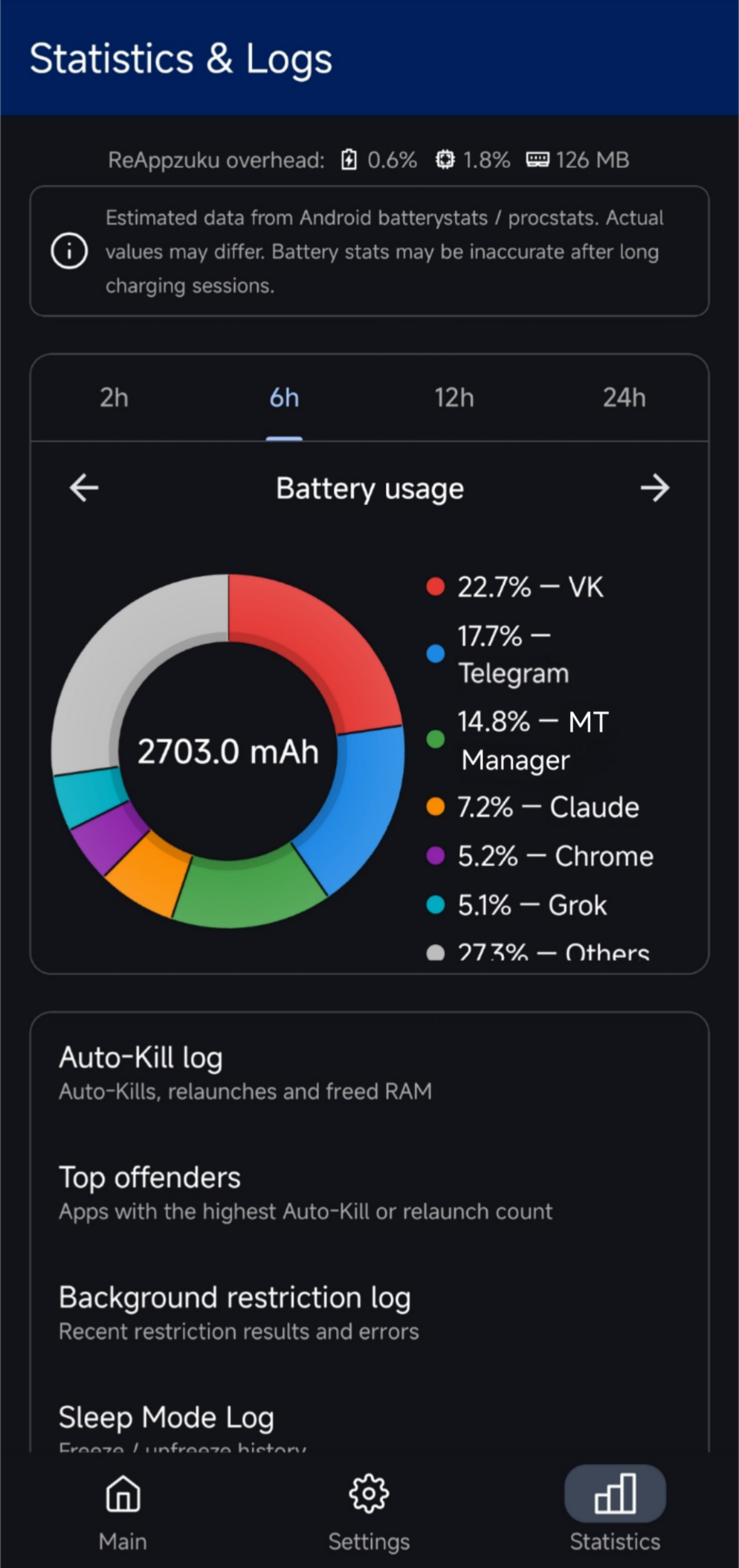
- Auto-Kill log for last 12 hours: kills, restarts, freed RAM per app.
- Top offenders ranking by RAM consumption and restart frequency (12h / 24h / 7d / all time).
- Background restriction log: applied, error, not applied — up to 200 entries.
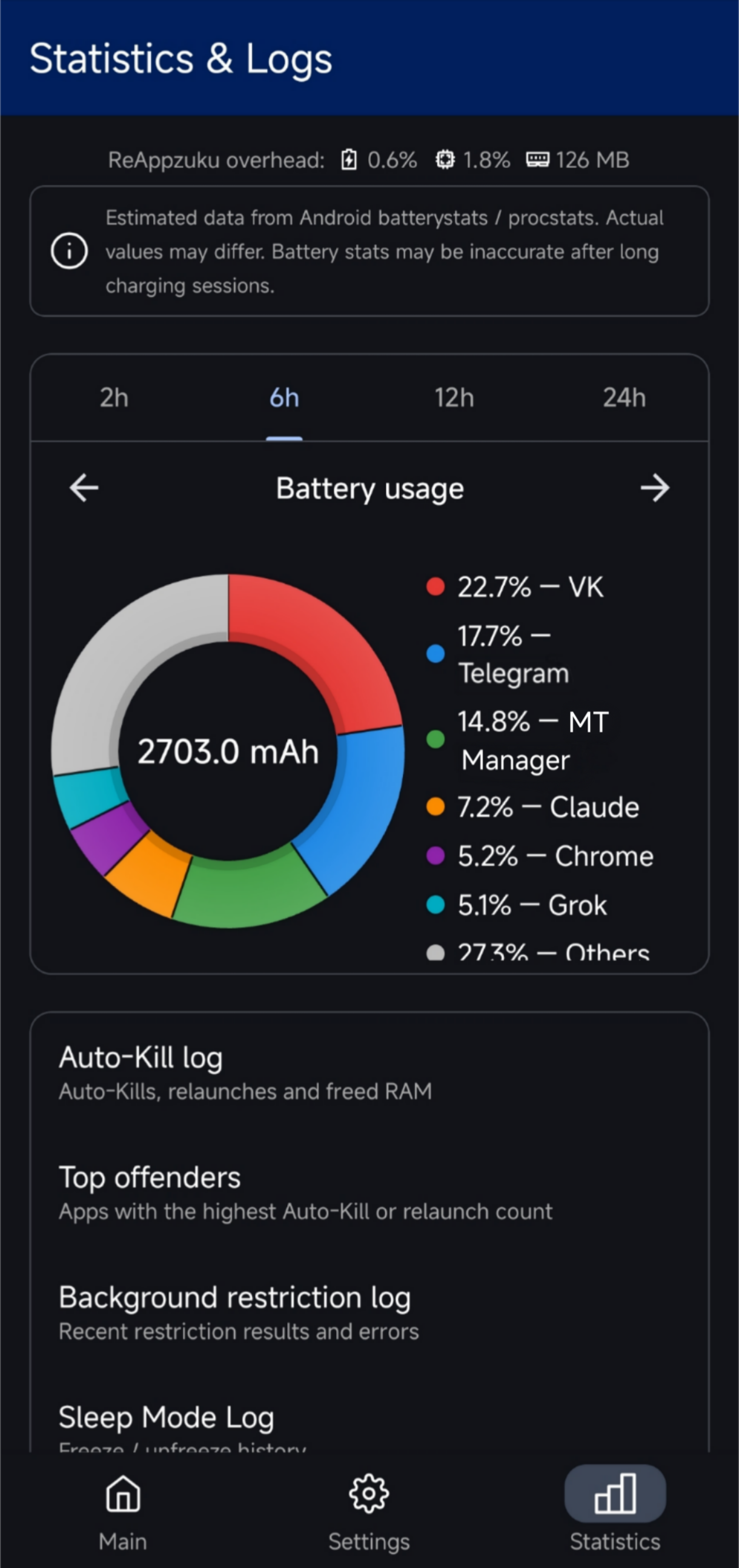
- Resource usage charts (RAM, CPU, battery) for periods of 2, 6, 12, and 24 hours.
- Flexible lists: Whitelist (Auto-Kill exclusions), Blacklist (Auto-Kill targets), Hidden apps (excluded from list and Auto-Kill entirely).
- Backup & Restore: export and import all settings to a JSON file — whitelist, blacklist, hidden apps, restrictions, Sleep Mode, and automation parameters.
🛠 Requirements
| Component | Requirement |
|---|---|
| Android | 7.0+ (Background restrictions require 11+) |
| Access | Root or Shizuku |
🚀 Quick Start
- Set up access: install and activate Shizuku, or grant root.
- Background operation: disable battery optimization for ReAppzuku and pin it in Recents — otherwise system may kill management service itself.
- Choose your strategy: Whitelist + periodic Kill for maximum savings, or Blacklist-only for targeted control of specific apps.
🛡 Safety
ReAppzuku automatically protects critical system processes — Google Play Services, System UI, current keyboard, current launcher, telephony, Bluetooth, NFC, and Shizuku itself. OEM-specific system apps (Xiaomi Security Center, Samsung Device Care, OPPO Phone Manager, etc.) are also protected.
🎨 Customization
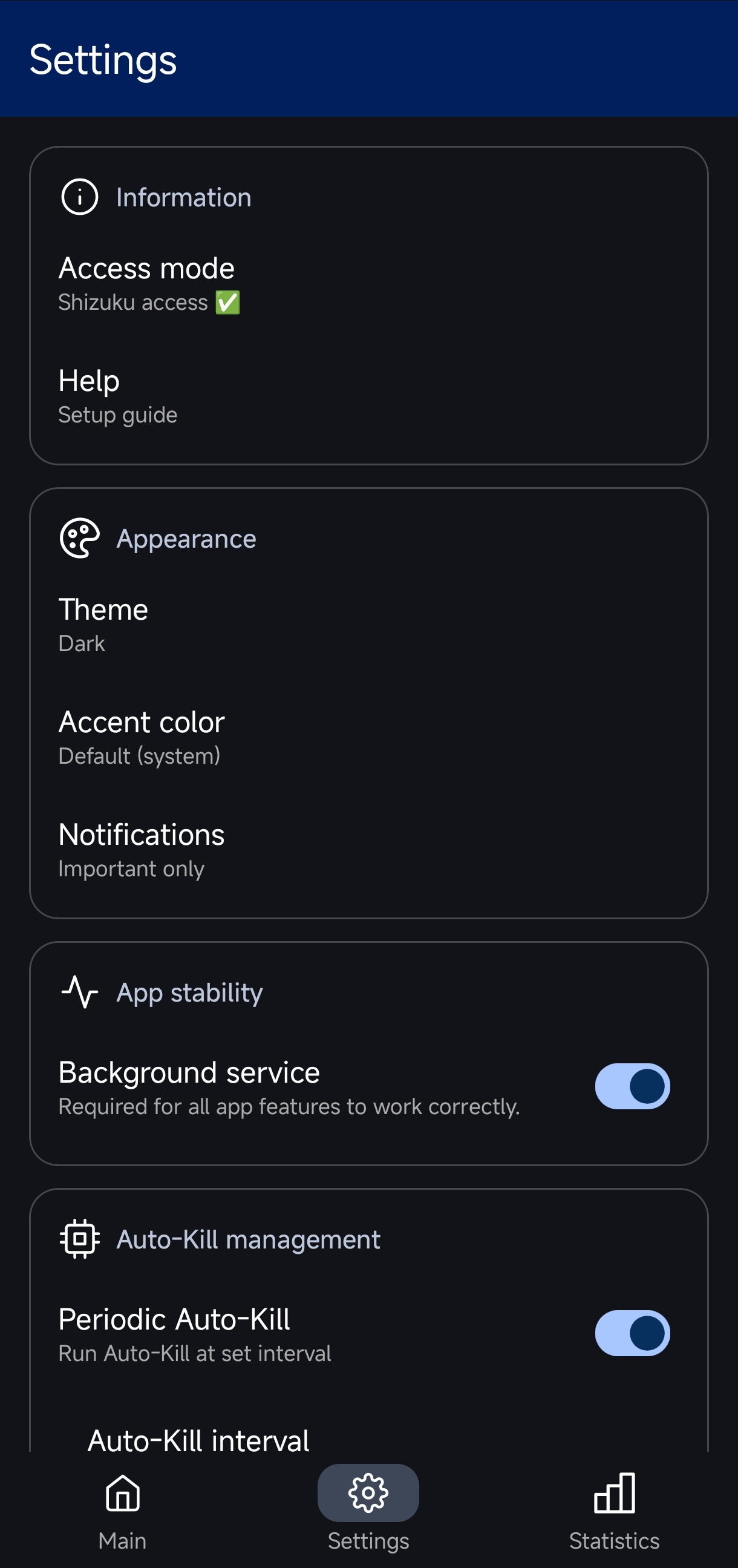
- System, light, dark, and AMOLED themes.
- Configurable color accents: Indigo, Crimson, Forest Green, Amber, and more.
🌐 Translation
Translations are welcome!
To help localize app:
- Submit a Pull Request with changes to
/values/strings.xml,README.md,HELP.md. - Open an Issue and attach your
/values/strings.xml,README.md,HELP.md(pack into.zipfirst).\
You can use AI to translate files, then check and correct any errors/mistakes. Claude and Gemini work well with technical texts (in my opinion and experience)
🖼️ Screenshots
License
ReAppzuku is licensed under GNU General Public License v3.0.
Credits
Forked from northmendo/Appzuku.


ReAppzuku was built using vibecoding — an approach where a significant part of code was generated with help of AI (LLM).
How Shizuku is used
Can stop, restrict, freeze and uninstall background apps and read system status via Shizuku shell commands and `ActivityManager`
This is an AI-assisted analysis of Shizuku-related usages in the app's public source code. It is best effort, so it may not catch every single usage.
How this app uses Shizuku
ReAppzuku uses Shizuku to manage background apps with elevated shell privileges through a long lived helper service that runs shell commands and reads memory info.
- Stop background apps: selected or automatically detected apps are stopped with
am force-stopandam kill, leftover processes are cleaned withkill -9, and memory pressure can be signaled witham send-trim-memory. - Restrict background activity: background, foreground, wake lock, alarm and other app operations are set to ignore or default with the
cmd appopsshell command, standby priority is changed witham set-standby-bucket, and battery optimization exemptions are removed with thecmd deviceidleshell command. - Freeze and unfreeze apps: apps chosen for sleep mode are suspended or disabled with the
pm suspendandpm disable-usershell commands and restored later with thepm unsuspendandpm enableshell commands. - Uninstall and clear cache: a chosen app is uninstalled with the
pm uninstallshell command and system caches are trimmed with thepm trim-cachesshell command. - Monitor memory and system state: running processes and memory use are read through the system activity service and outputs of
dumpsys,ps,catandcmd appops query-opshell commands to show RAM use, battery, CPU, wakelocks, services, alarms, sensors and location activity.
Android APIs or commands used
ActivityManager.getProcessMemoryInfoandroid.app.ActivityThread.currentApplication()Debug.MemoryInfo.getTotalPss()am force-stopam killam set-standby-bucketam send-trim-memorycmd appops setcmd appops query-opcmd deviceidle whitelistdumpsys activity activitiesdumpsys activity servicesdumpsys deviceidle whitelistdumpsys packagedumpsys powerdumpsys netstats detaildumpsys alarmdumpsys sensorservicedumpsys locationdumpsys batterystatsdumpsys batterystats --chargeddumpsys batterystats --charged --checkindumpsys batterystats --historydumpsys procstats --hoursdumpsys input_methodps -A -o pid,rss,nameps -A -o namekill -9pm suspend --user 0pm unsuspend --user 0pm disable-user --user 0pm enablepm uninstallpm trim-cachescat /proc/statcat /sys/class/power_supply/battery/charge_full_designcat /sys/class/power_supply/battery/charge_fullcat /sys/devices/system/cpu/presentsh -c
Changelog
What's new for version 1.8.7
Important fixes for critical bugs and issues. I recommend updating.
Fixes
- Switched Shizuku method from
Shizuku.newProcesstoShizuku.bindUserService. This fixes Proxy Binder Leak issue.
Because of this, minimum requirements are now higher:- Android 7
- Shizuku 13.2.0
- Fixed icon mapping in app list on Main page. Before, app extracted and cached icons in max resolution, which wasted RAM. Now icons are extracted based on your screen settings, and cached and reused instead of being extracted again — less load on your device.
- Fixed critical bugs in how app handles its screens. Before, app kept piling up Activities and did not clear them even when not on screen or minimized.
- Changed how RAM usage is calculated for each app. Before, app used RSS data, which was not accurate and could mislead you. Now RAM usage is calculated with PSS data (without SwapPss), which is more accurate. RSS is kept as a backup method in case of errors with PSS.
- Because of this new method, app list loading on Main page and in Settings dialogs is a bit slower now.
- Optimized how app works with its own database, to reduce RAM usage (switching to
sqlite-android:3.49.0lib)
Permissions
15 permissions requested
More from this category
 Shappky
 Pensum
 Running Services Monitor
 KillMyApps
 memhogs
 ProcessLens
 TaskManager
 RvSystem Monitor
 Recents
 内存快照
内存快照