 ShizuStore
PULSE // BATTERY
1.0.0 · GitHub
More about this app
Overnight per-app alarm-wakeup report with verified one-tap standby restrict and revert, plus wake lock and alarm diagnostics, Doze controls and APK backup
PULSE // BATTERY
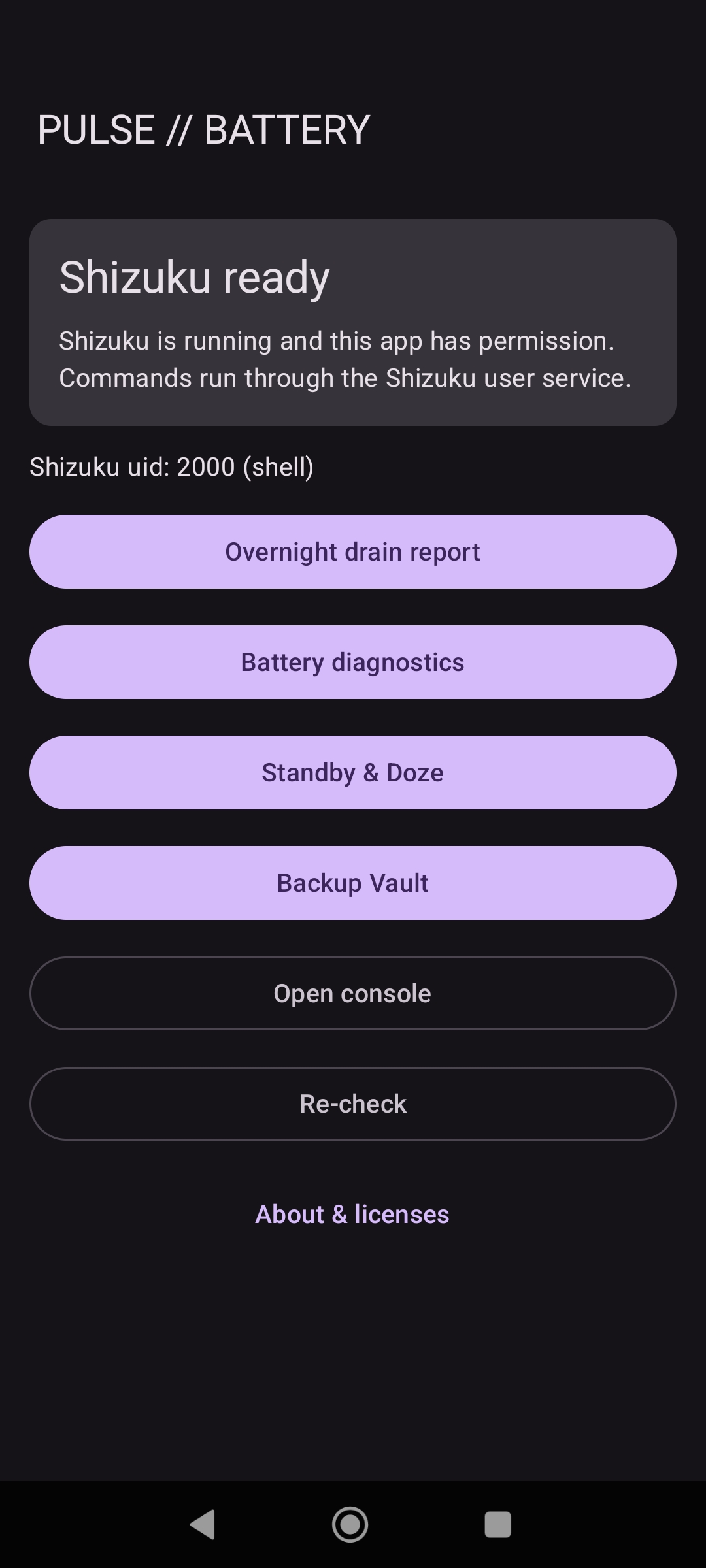
Find out what drained your battery overnight, and fix it in one tap. No root. Runs through Shizuku.




Why
Your phone loses 15% overnight and the system battery screen just says "Android System". PULSE asks Android directly which apps woke the device, ranks them, and lets you put the worst one to sleep. Every change is read back from the system and can be reverted in one tap.
Screenshots


Features
Overnight drain report (the headline)
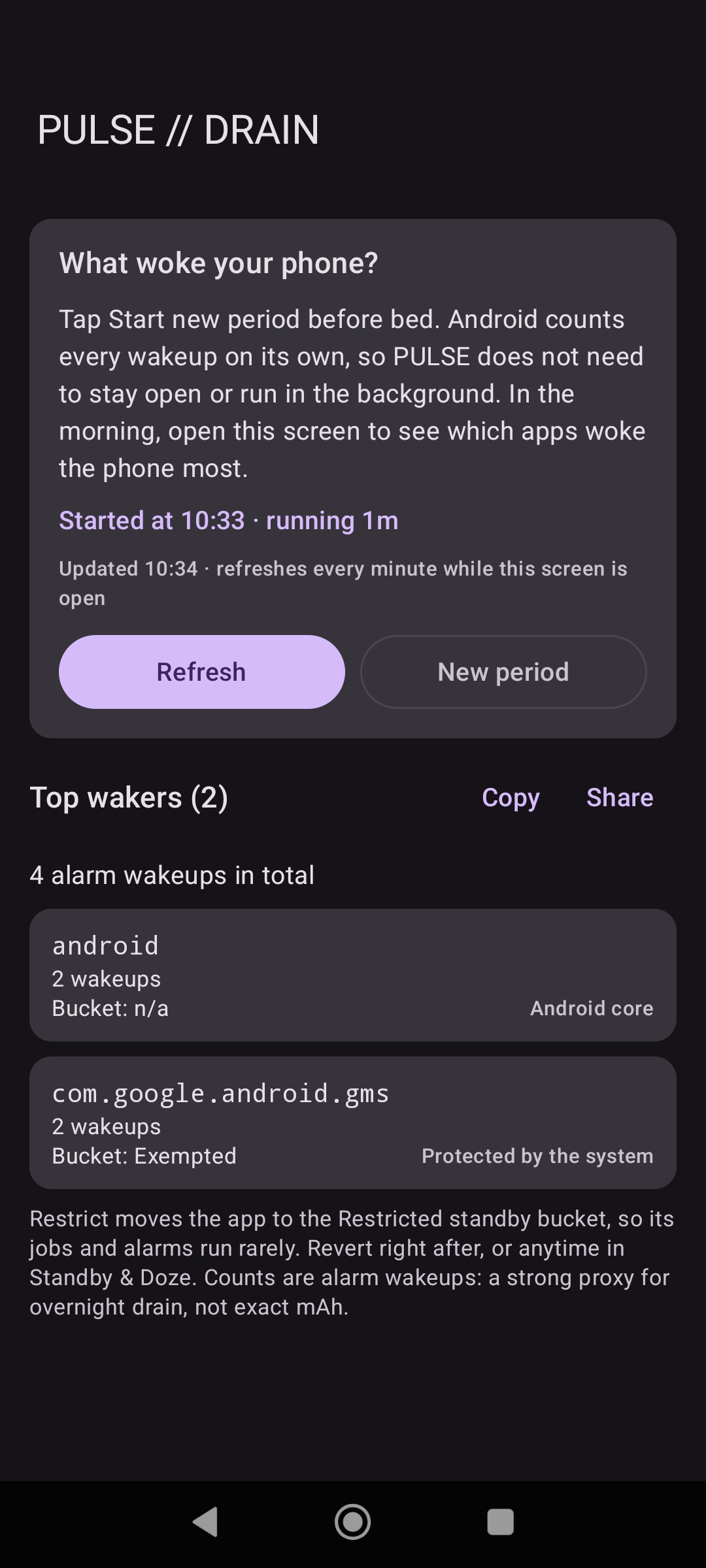
- Tap Start new period before bed. In the morning: apps ranked by alarm wakeups, with a per-hour rate.
- One-tap Restrict moves an offender to the Restricted standby bucket. One-tap Revert.
- Android keeps the counters itself, so PULSE does not run in the background. Detects reboots.
Diagnostics
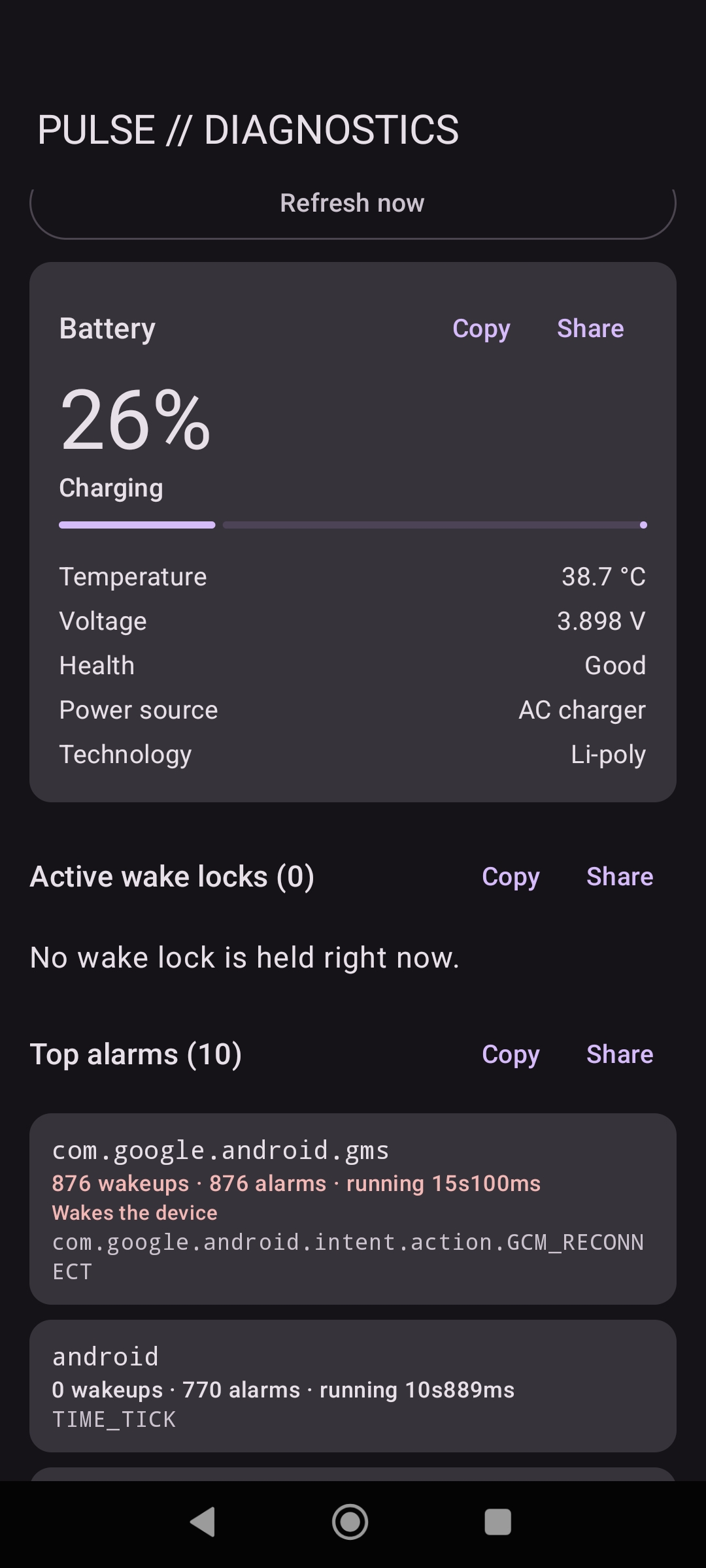
- Live battery state: level, temperature, voltage, health, power source.
- Active wake locks, attributed to the real package (including
*job*tags). - Top alarms table from
dumpsys alarm.
Standby & Doze
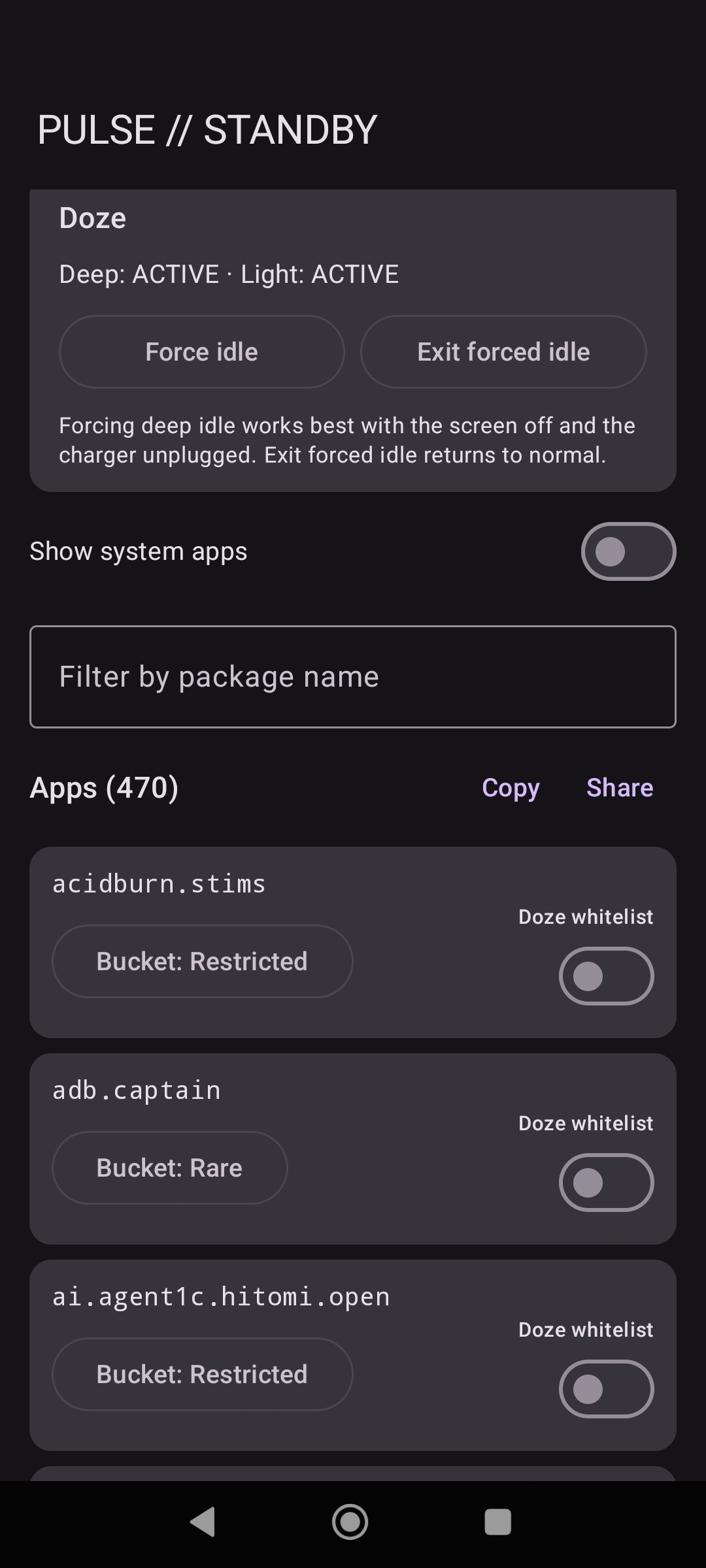
- See and change the standby bucket of every app, with raw bucket codes shown.
- Add or remove apps from the user Doze whitelist.
- Force deep Doze on demand to test whether an app survives it.
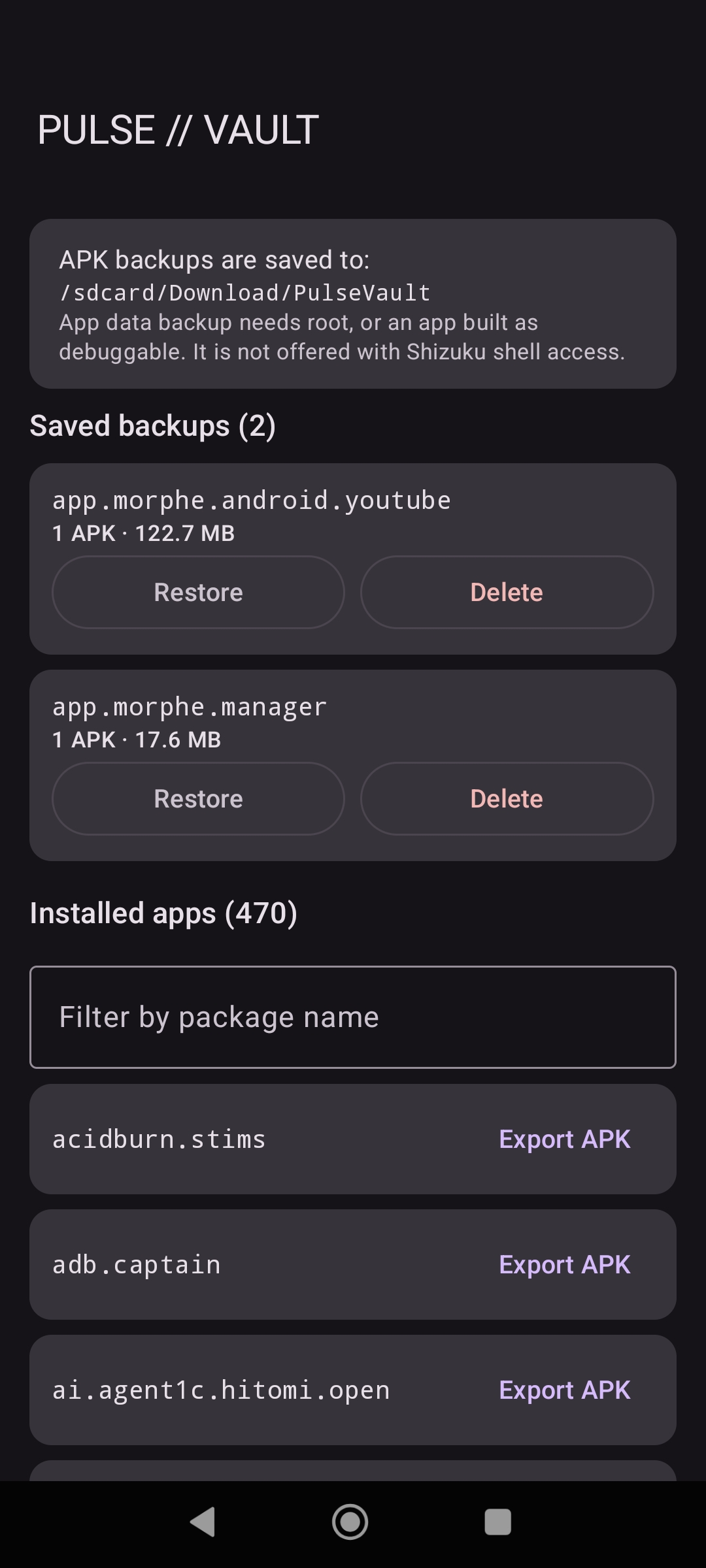
Vault (APK backup)
- Export base + split APKs of any app to
Download/PulseVault. Survives uninstalling PULSE. - Restore with one tap.
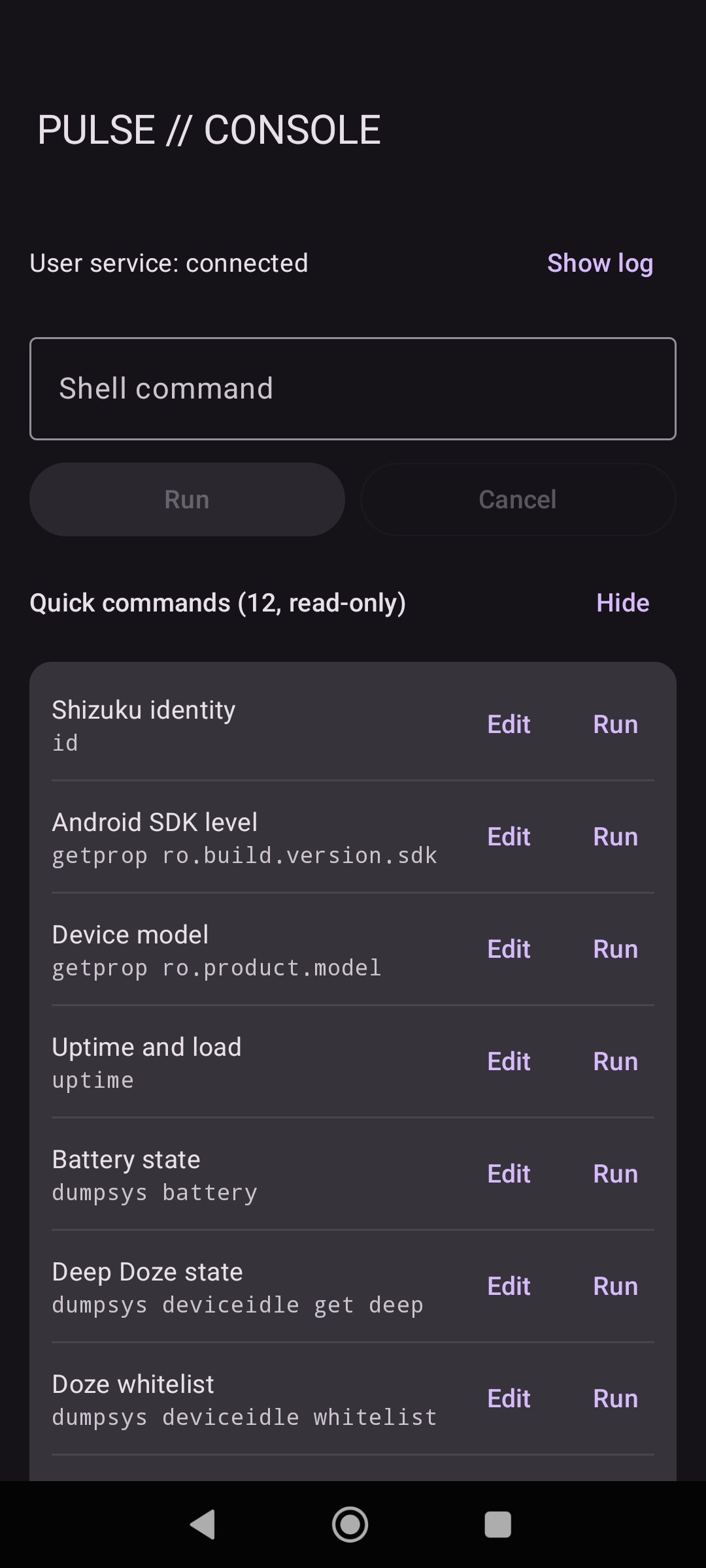
Console
- Run any shell command as the Shizuku user, with 12 read-only quick commands, cancel, copy and share.
Requirements
- Android 8.0 or newer.
- Shizuku running (wireless debugging, ADB or root).
- That is it. No root, no internet permission, no account, no ads, no trackers.
Install
Download the APK from Releases. On first launch PULSE asks Shizuku for permission. If Shizuku says allowed but PULSE still asks, tap Restart app (some Shizuku builds apply a new grant only to a fresh process).
Release signing certificate SHA-256:
3f8c1e2df2deaf9d561a8fdce3c667ed0ceda972622f20d006a1b6098c2a2512
FAQ
Is Restrict safe? It uses the same standby-bucket API Android itself uses. Restricted apps still work when you open them; their background jobs and alarms just run rarely. Messaging apps may deliver notifications late, so do not restrict the ones you need instantly. Revert is one tap, or change the bucket anytime in Standby & Doze.
Why alarm wakeups and not mAh? Per-app mAh estimates are unreliable across vendors and Android versions. Wakeups are counted by the system, are exact, and are the usual cause of overnight drain.
Some apps say "Protected by the system". Android marks core and some vendor apps as exempted. Their bucket cannot be changed without root, so PULSE does not pretend it can.
Does PULSE drain battery itself? No. Nothing runs while the app is closed. The report screen refreshes once a minute only while it is open.
Root features? Not in 1.0. Anything that needs root stays locked until it can be tested on a real rooted device.
How it works
| Feature | Command |
|---|---|
| Drain report | dumpsys alarm (Alarm Stats per-package totals) |
| Battery | dumpsys battery |
| Wake locks | dumpsys power |
| Standby bucket | am get-standby-bucket / am set-standby-bucket |
| Doze whitelist | dumpsys deviceidle whitelist +pkg / -pkg |
| Force Doze | dumpsys deviceidle force-idle / unforce |
| APK export | pm path then cp |
| Restore | staged in /data/local/tmp, then pm install -r |
All parsers are pure Kotlin, unit-tested against real device output. Package names are validated and shell-quoted before any command runs.
Build
CI is the build system: every push builds, tests, lints and uploads app-debug.
With signing secrets present it also builds a signed app-release. See docs/RELEASE.md.
Toolchain: AGP 8.13.1, Kotlin 2.2.21, Gradle 8.13, Compose BOM 2025.12.00, compile/target SDK 36, Shizuku API 13.1.5.
Support
If PULSE saved your battery, a star helps other people find it. Contributions and bug reports are welcome, see CONTRIBUTING.md.
License
MIT, see LICENSE. Uses Shizuku-API (MIT), AndroidX, Jetpack Compose and Kotlin (Apache-2.0).
How Shizuku is used
Can run arbitrary shell commands, report alarm wakeups, restrict standby buckets, control Doze and back up APKs via `Shizuku user service shell`
This is an AI-assisted analysis of Shizuku-related usages in the app's public source code. It is best effort, so it may not catch every single usage.
How this app uses Shizuku
Shizuku is used to run privileged shell commands for battery, standby, Doze and APK backup features.
- Run custom commands: type any shell command in the console screen and run it with Shizuku privileges through the system shell, with preset buttons for common checks and a cancel option for long runs.
- Report overnight drain: show per app alarm wakeup counts from
dumpsys alarmcombined with standby bucket states fromam get-standby-bucketto identify overnight offenders. - Restrict standby buckets: apply one tap standby restriction to a draining app with
am set-standby-bucketand revert it later, with the change verified by reading the bucket back. - Diagnose battery health: show battery status and health from
dumpsys battery, active wake locks fromdumpsys powerand top alarm sources fromdumpsys alarm. - Control Doze mode: view deep and light Doze states and Doze whitelists with
dumpsys deviceidle, change user whitelisting and force or clear forced idle withdumpsys deviceidleactions. - Back up and restore APKs: copy installed APKs to a vault folder with
pm pathplus file copy, reinstall vault copies withpm install, and delete vault copies when no longer needed.
Android APIs or commands used
dumpsys batterydumpsys powerdumpsys alarmam get-standby-bucketam set-standby-bucketdumpsys deviceidle whitelistdumpsys deviceidle force-idledumpsys deviceidle unforcedumpsys deviceidle get deepdumpsys deviceidle get lightpm list packages -3pm pathpm install/system/bin/sh -c
Changelog
What's new for version 1.0.0
First release of the native app.
Overnight drain report: start a period before bed, see which apps woke your phone, restrict the worst one in one tap (and revert in one tap).
- Battery, wake lock and top alarm diagnostics
- Standby bucket and Doze whitelist control, force Doze
- APK Vault: export and restore any app
- Shell console with read-only quick commands
No root, no internet permission, no ads, no trackers. Requires Android 8.0+ and Shizuku.
Signing certificate SHA-256:
3f8c1e2df2deaf9d561a8fdce3c667ed0ceda972622f20d006a1b6098c2a2512
Permissions
2 permissions requested
More from this category
 Battery Health Tracker
 Amply
Amply
 NoMoreBackground
 电池统计
电池统计
 RebootNya
 BatStats
 EnforceDoze
 Volt
Volt
 usb pd bs
 Batt
Batt
 DozeTap
 Battery Monitor