 ShizuStore
Porter
0.8.0-rc0 · GitHub
More about this app
Minimal, maintained Shizuku fork that gives apps ADB access with optional root, plus a compatibility companion for Shizuku-only apps

Porter
ADB access for your apps.
Porter is a minimal, maintained fork of Shizuku that gives Android apps ADB access through the Shizuku APIs, with optional root support.
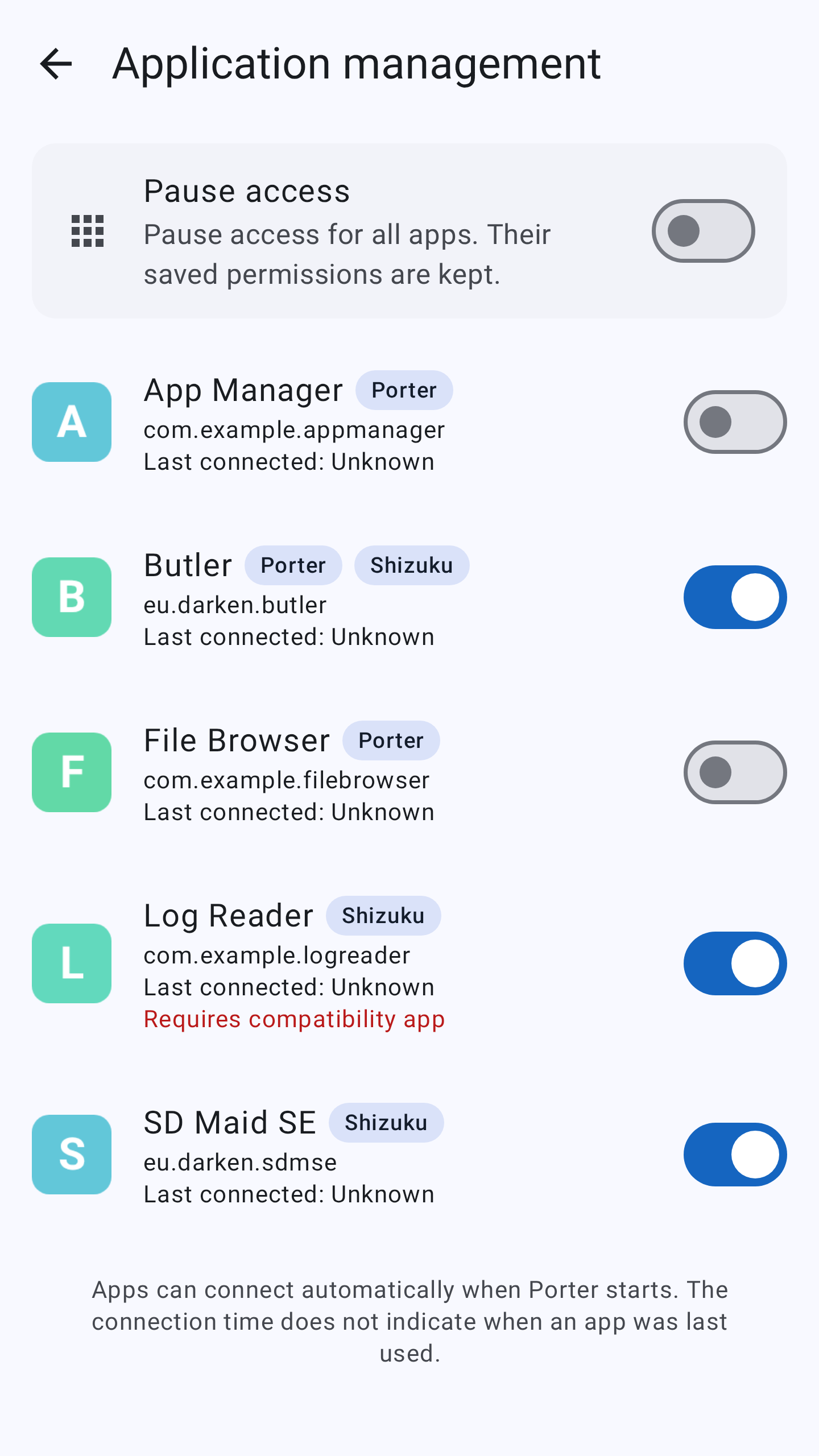
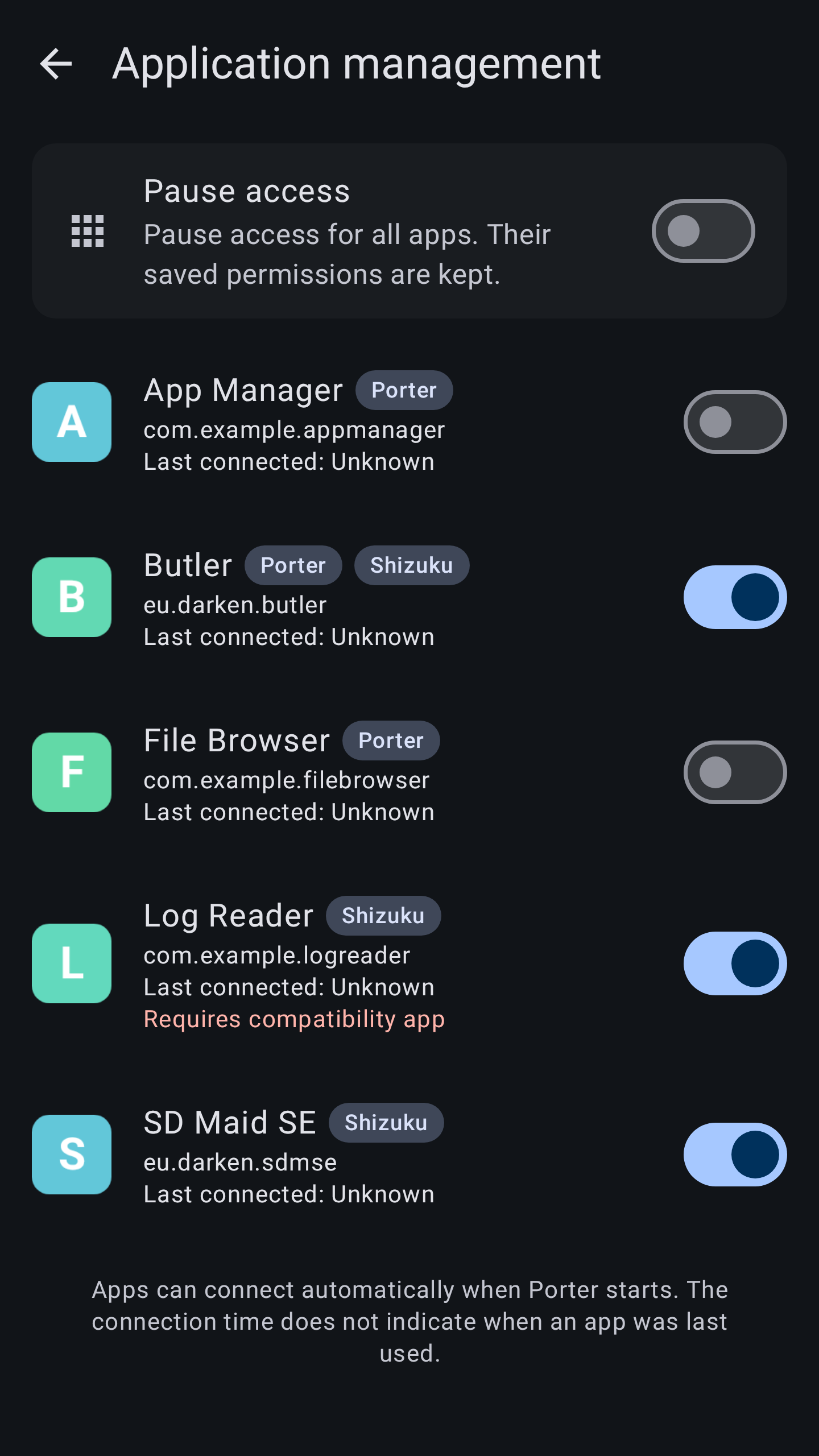
Use it with compatible apps to manage other apps and access additional files. You choose which apps get access.
Why Porter exists
I use Shizuku in my own apps, SD Maid SE and Butler. The original Shizuku app was no longer actively maintained, so I started Porter to keep a minimal, stable and maintained alternative available for apps that need ADB access.
Get started
- Install Porter from GitHub Releases.
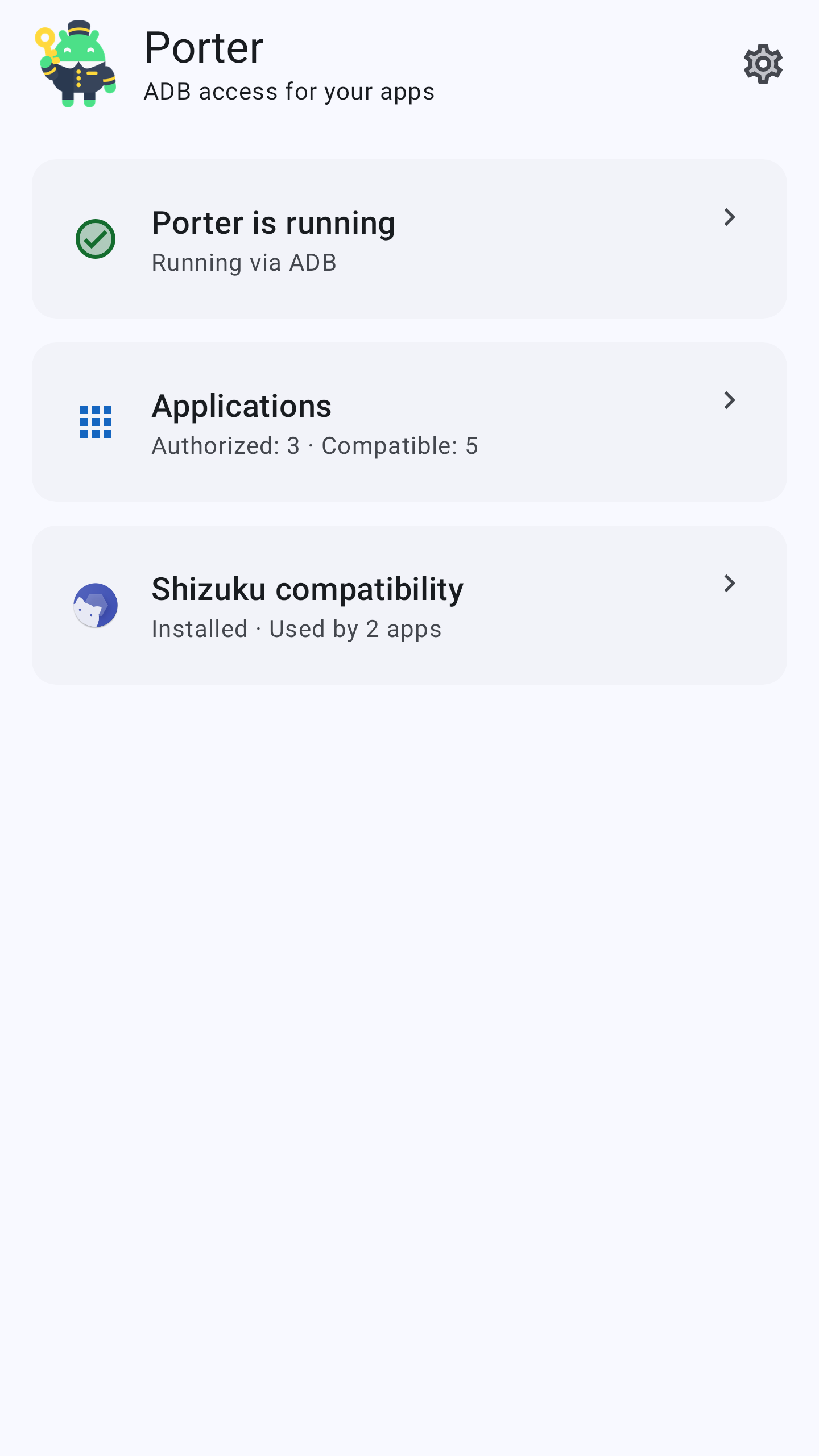
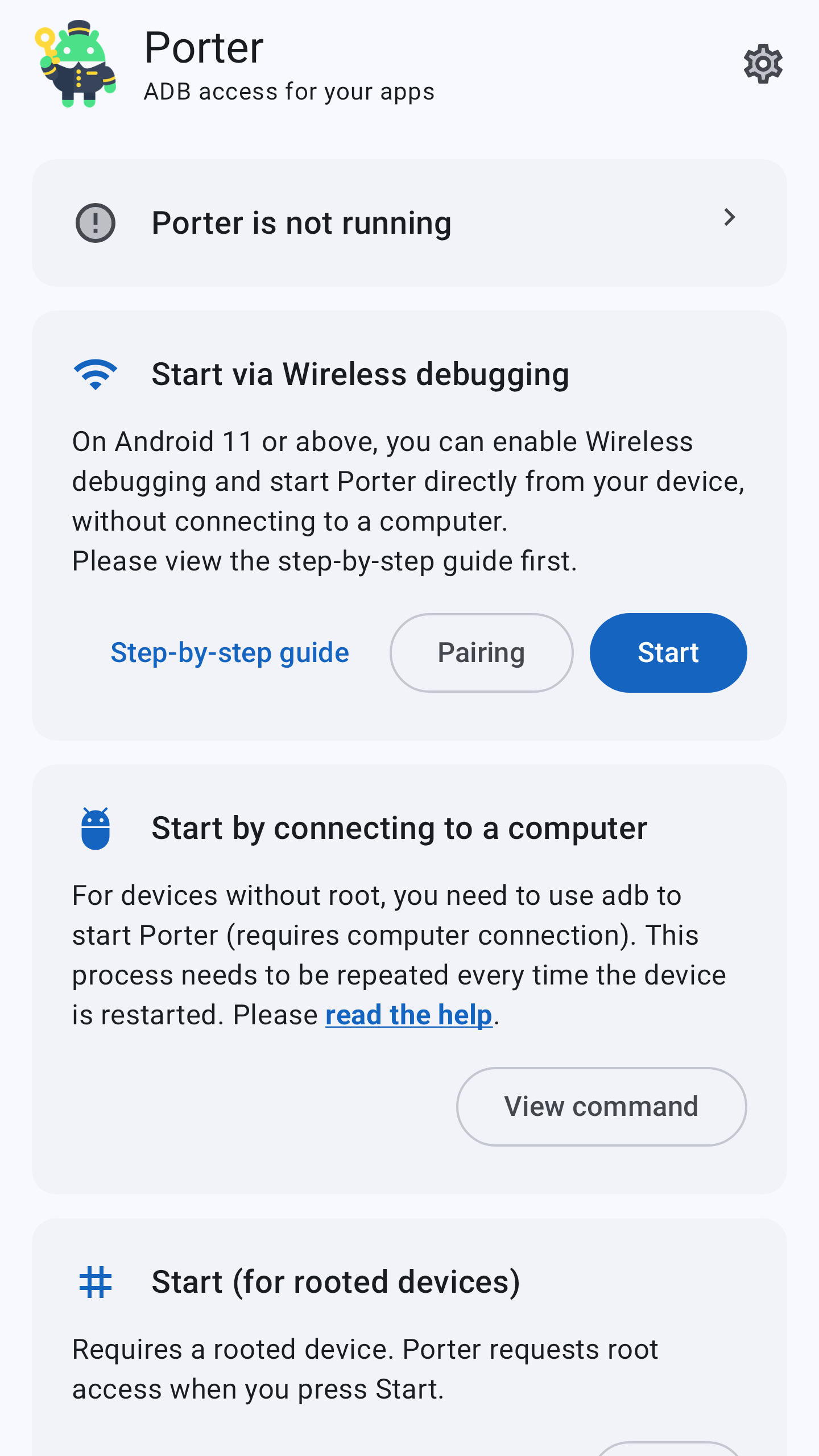
- Start Porter and follow the in-app instructions (detailed guide).
- Grant access to the apps that ask for it.
To verify the authenticity of a downloaded APK, see SECURITY.md.
Requirements: Android 7.0 or newer, plus either a computer, Android 11 or newer with wireless debugging, or a rooted device.
Porter's service stops when the device restarts. Start it again afterwards.
Using apps that support Shizuku
Apps with built-in Porter support only need Porter.
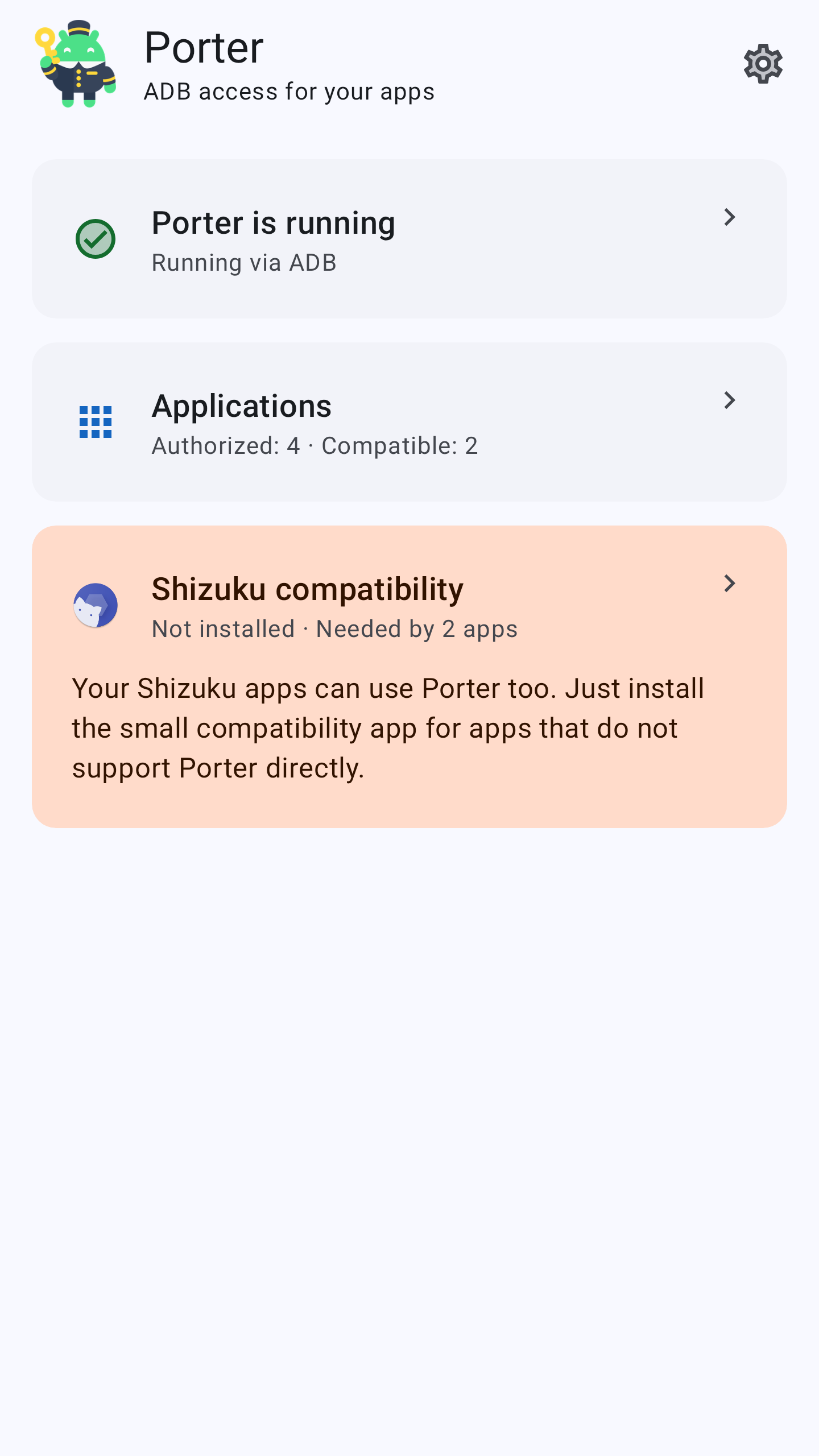
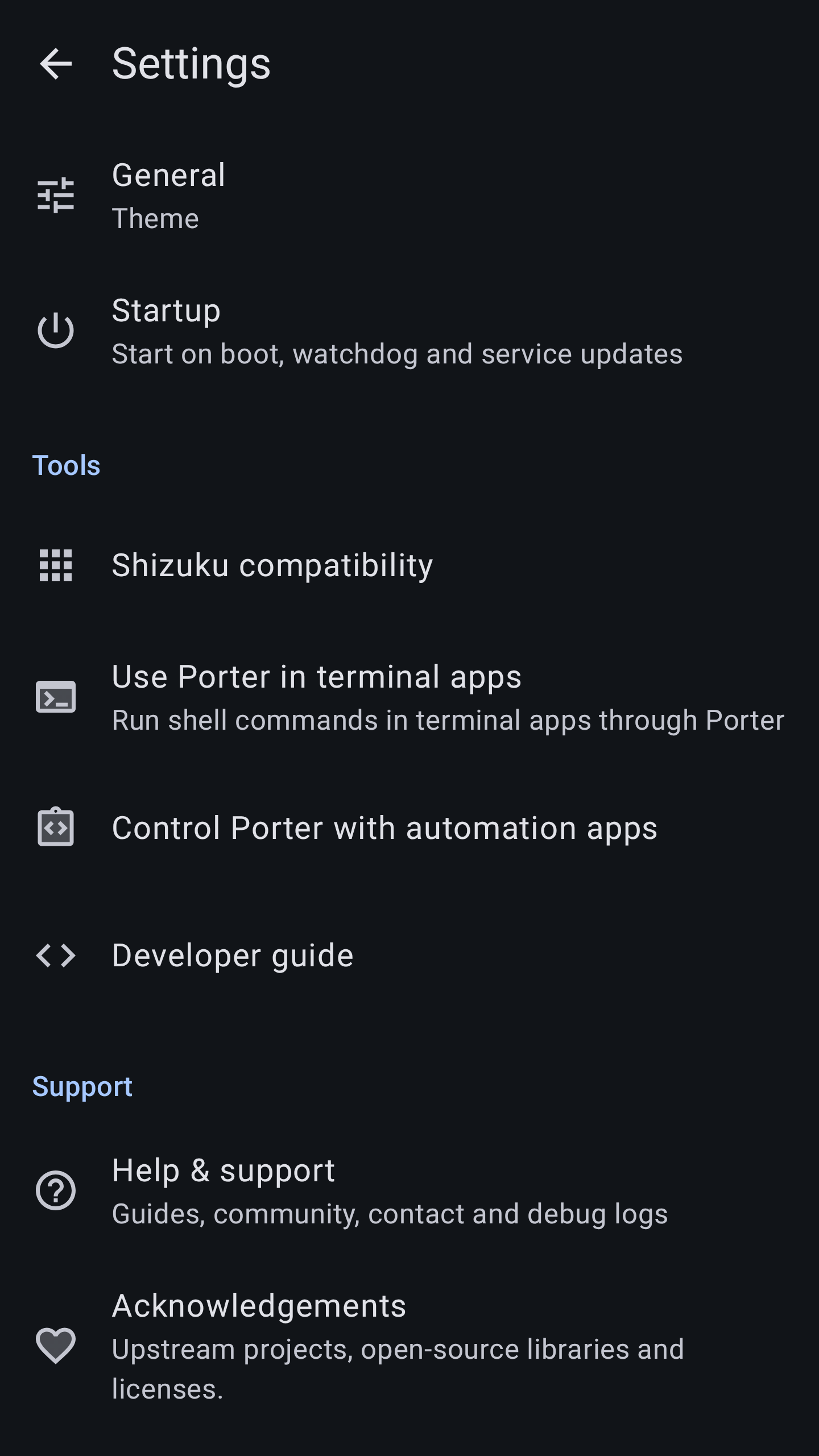
Apps that only support Shizuku need the Porter Compatibility companion, included in the Porter download. Start Porter, open Shizuku compatibility from the home screen and follow the instructions.
If Shizuku is installed, leave it installed: that screen offers to replace it and carry over your existing access choices.
Choose the right setup for your apps.
For users
Read the Porter user guide, available in ten languages with automatic language selection.
For developers
Other app developers are welcome to support Porter's permission directly. Add direct Porter support to your app.
Screenshots


About
Porter builds on RikkaApps/Shizuku and the maintenance work by thedjchi and contributors. It is not affiliated with the original Shizuku maintainers.
Porter's code is available under Apache 2.0; the bundled Shizuku API uses the MIT license. See NOTICE for attribution.
How Shizuku is used
Can install and remove the compatibility companion via `pm install` and `pm uninstall`, stop the original service via `ps`, `cat` and `kill`, stream service logs via `logcat` and update the service vi
This is an AI-assisted analysis of Shizuku-related usages in the app's public source code. It is best effort, so it may not catch every single usage.
How this app uses Shizuku
Porter uses its privileged ADB level service to manage Shizuku compatibility for other apps and to maintain and diagnose itself.
- Install companion app: installs or reinstalls the bundled compatibility companion with the
pm installshell command through the privileged process, then imports saved access choices and refreshes the setup. - Remove companion app: removes the original Shizuku app or the compatibility companion with the
pm uninstallshell command through the privileged process, after verifying the installed app identity. - Replace original service: finds a running original server with the
psshell command, confirms it by reading process files with thecatshell command, and stops it with thekillshell command before replacement. - Diagnose running service: streams the running service log with the
logcatshell command run inside theshshell command through the privileged process to capture server logs for bug reports. - Update running service: launches the bundled service updater binary through the privileged process to replace the running service with the installed build.
Android APIs or commands used
pm installpm uninstallpscatkillshlogcat
Notable details
When the privileged install or removal is unavailable, the app falls back to the normal Android package installer and uninstaller screens to install or remove the companion manually. Companion install, repair and import are available only in the FOSS build when managed from the primary Android user, and are blocked while other Android users exist.
Changelog
What's new for version 0.8.0-rc0
What's Changed
- docs: shorten the developer guide to what an integration needs by @d4rken in https://github.com/d4rken-org/porter/pull/109
- Keep the running service when Porter is force-stopped and reopened by @d4rken in https://github.com/d4rken-org/porter/pull/111
- docs: say what ends a user service once the app stops collecting it by @d4rken in https://github.com/d4rken-org/porter/pull/110
- fix(server): tell a connected app when its access changes without it asking by @d4rken in https://github.com/d4rken-org/porter/pull/114
- Fix the article in the automatic service update setting by @d4rken in https://github.com/d4rken-org/porter/pull/113
- Install the Shizuku compatibility app on Android 9 and 10 by @d4rken in https://github.com/d4rken-org/porter/pull/112
- docs: carry the app-wide user service sample in the guide by @d4rken in https://github.com/d4rken-org/porter/pull/115
- docs: link the fork line to the original Shizuku by @d4rken in https://github.com/d4rken-org/porter/pull/116
- docs: show the GitHub link as the GitHub logo by @d4rken in https://github.com/d4rken-org/porter/pull/117
- Translate the last English labels in Armenian and Filipino by @d4rken in https://github.com/d4rken-org/porter/pull/119
- docs: add a privacy policy by @d4rken in https://github.com/d4rken-org/porter/pull/120
- test(ci): run the emulator tests against the minified release build by @d4rken in https://github.com/d4rken-org/porter/pull/118
- docs: rewrite the Play listing and translate it by @d4rken in https://github.com/d4rken-org/porter/pull/121
- fix(manager): stop Android 17 QPR1 from blocking wireless Start by @d4rken in https://github.com/d4rken-org/porter/pull/122
- docs: limit the SDK compatibility promise to 0.7.0 and later by @d4rken in https://github.com/d4rken-org/porter/pull/124
- fix(manager): open Wireless debugging directly on Android 17, highlight it on MIUI/HyperOS by @d4rken in https://github.com/d4rken-org/porter/pull/126
- test(ci): save the input and window state when a tap goes unanswered by @d4rken in https://github.com/d4rken-org/porter/pull/128
- test(ci): keep track of the update test's outdated service when it is replaced quickly by @d4rken in https://github.com/d4rken-org/porter/pull/130
- ci: run the emulator tests on the lighter Android test image by @d4rken in https://github.com/d4rken-org/porter/pull/129
- test(ci): save the compositor state when a tap goes unanswered by @d4rken in https://github.com/d4rken-org/porter/pull/132
- feat(api): run apps built on Shizuku-API on Porter by @d4rken in https://github.com/d4rken-org/porter/pull/131
- docs: say that only a running command dies with the app by @d4rken in https://github.com/d4rken-org/porter/pull/125
- test(ci): cover the Shizuku fallback after Porter is uninstalled by @d4rken in https://github.com/d4rken-org/porter/pull/133
- ci: say why the boot tests stay on the full emulator image by @d4rken in https://github.com/d4rken-org/porter/pull/136
- feat(manager): offer new Porter releases on the dashboard by @d4rken in https://github.com/d4rken-org/porter/pull/134
- test(ci): never close a hang dialog because of an unrelated crash by @d4rken in https://github.com/d4rken-org/porter/pull/137
- feat(manager): add a first-start introduction by @d4rken in https://github.com/d4rken-org/porter/pull/135
- feat(manager): organise settings into General and Startup screens by @d4rken in https://github.com/d4rken-org/porter/pull/138
- fix(manager): record Porter's own debug detail in debug logs by @d4rken in https://github.com/d4rken-org/porter/pull/140
- build: read local release signing from the per-app config directory by @d4rken in https://github.com/d4rken-org/porter/pull/141
- fix(server): include work profiles and other users on Android 17 QPR1 by @d4rken in https://github.com/d4rken-org/porter/pull/142
- fix(server): stop the Applications list from coming up empty by @d4rken in https://github.com/d4rken-org/porter/pull/139
- feat(manager): keep debug logs recording the service across restarts by @d4rken in https://github.com/d4rken-org/porter/pull/143
- test(ci): retap a button the screen only moved away from by @d4rken in https://github.com/d4rken-org/porter/pull/144
- fix(server): keep apps stopped after Porter revokes or force-stops them by @d4rken in https://github.com/d4rken-org/porter/pull/145
- docs: say what uninstalling Porter does to apps it allowed by @d4rken in https://github.com/d4rken-org/porter/pull/146
- feat(manager): offer the update check during the introduction by @d4rken in https://github.com/d4rken-org/porter/pull/147
Full Changelog: https://github.com/d4rken-org/porter/compare/v0.7.0-rc0...v0.8.0-rc0
Permissions
17 permissions requested
More apps from this developer
 SD Maid SE
 Butler
 Amply
Amply
More from this category
 Shizuku+
 Shevery
 Stellar
 Shizuku-Next
 Xhizuku
 Shizako