 ShizuStore
Phone Diagnostic
1.2.1 · GitHub
More about this app
On-device phone diagnostics for CPU, GPU, battery, RAM, storage, sensors and display, with optional Shizuku/root elevated readings.
Phone Diagnostic Tool
Privacy-focused Android diagnostics: CPU, GPU, battery, RAM, storage, display, sensors, cameras, and optional network latency — all on-device.
No accounts. No analytics SDKs. No cloud upload of reports.


Screenshots
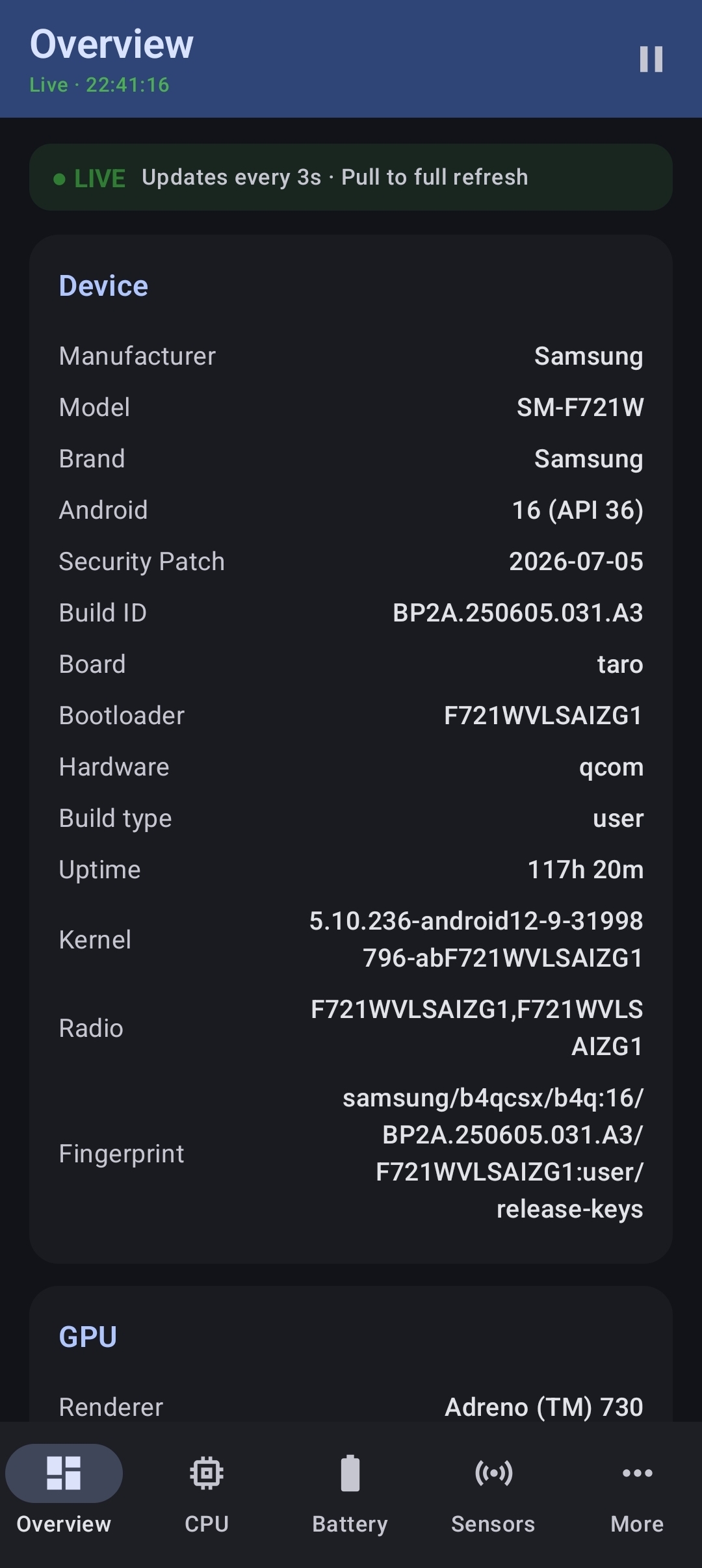
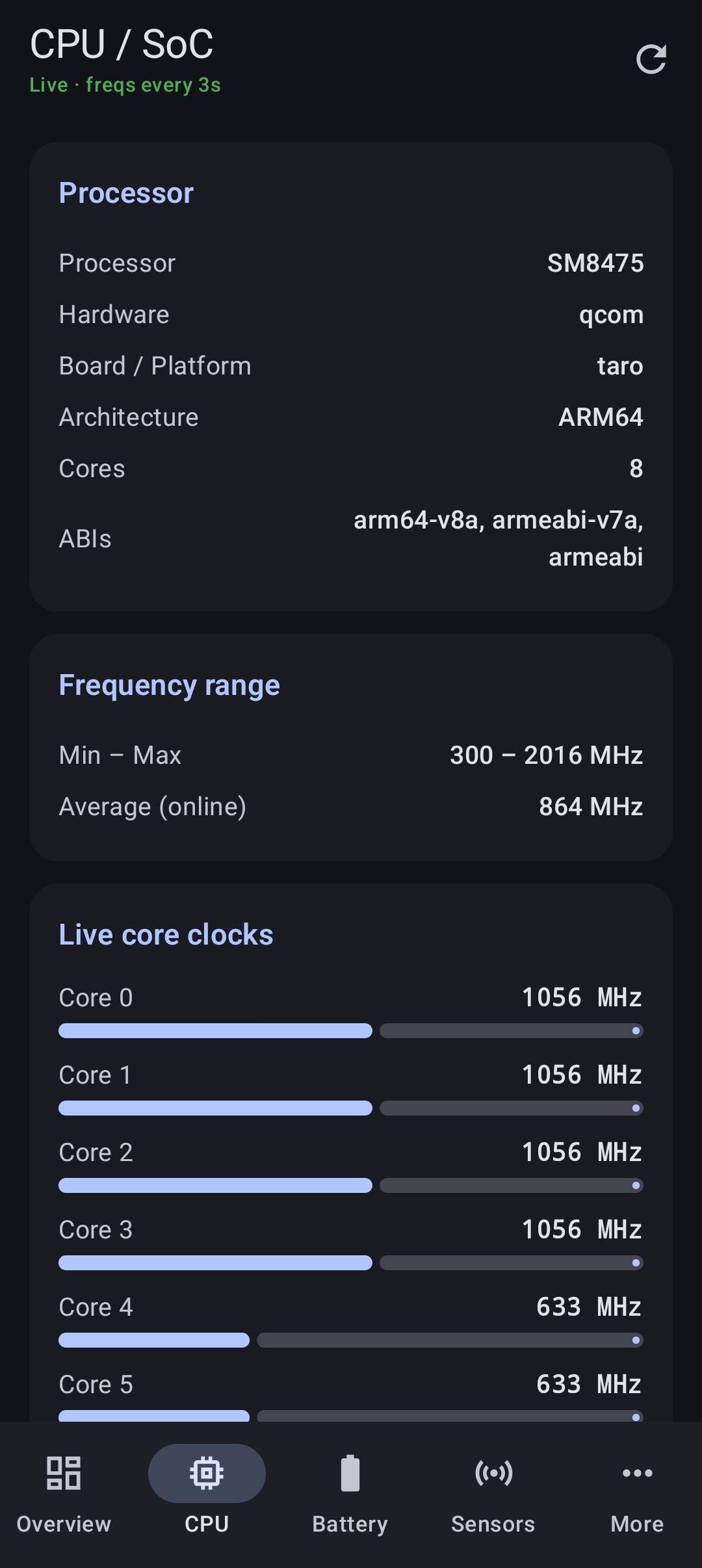
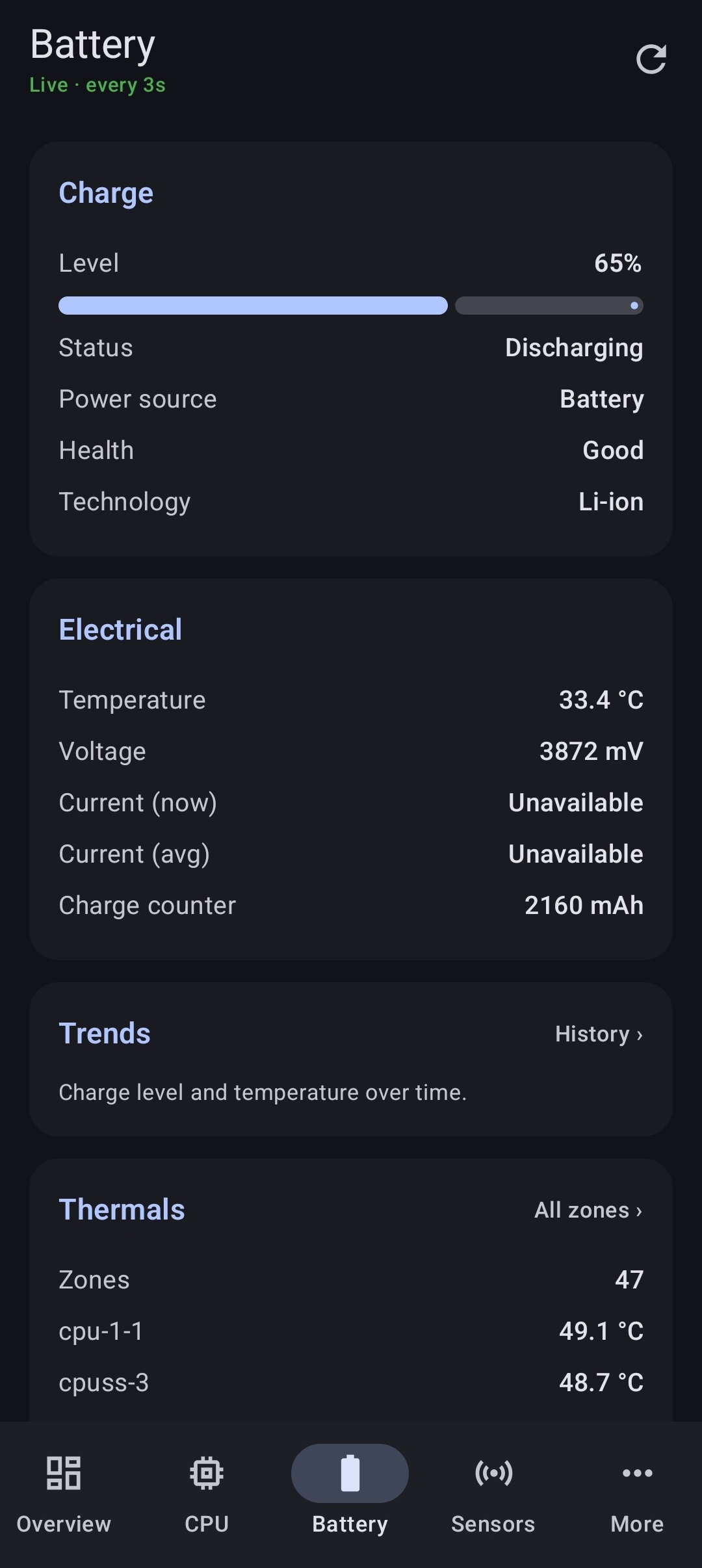
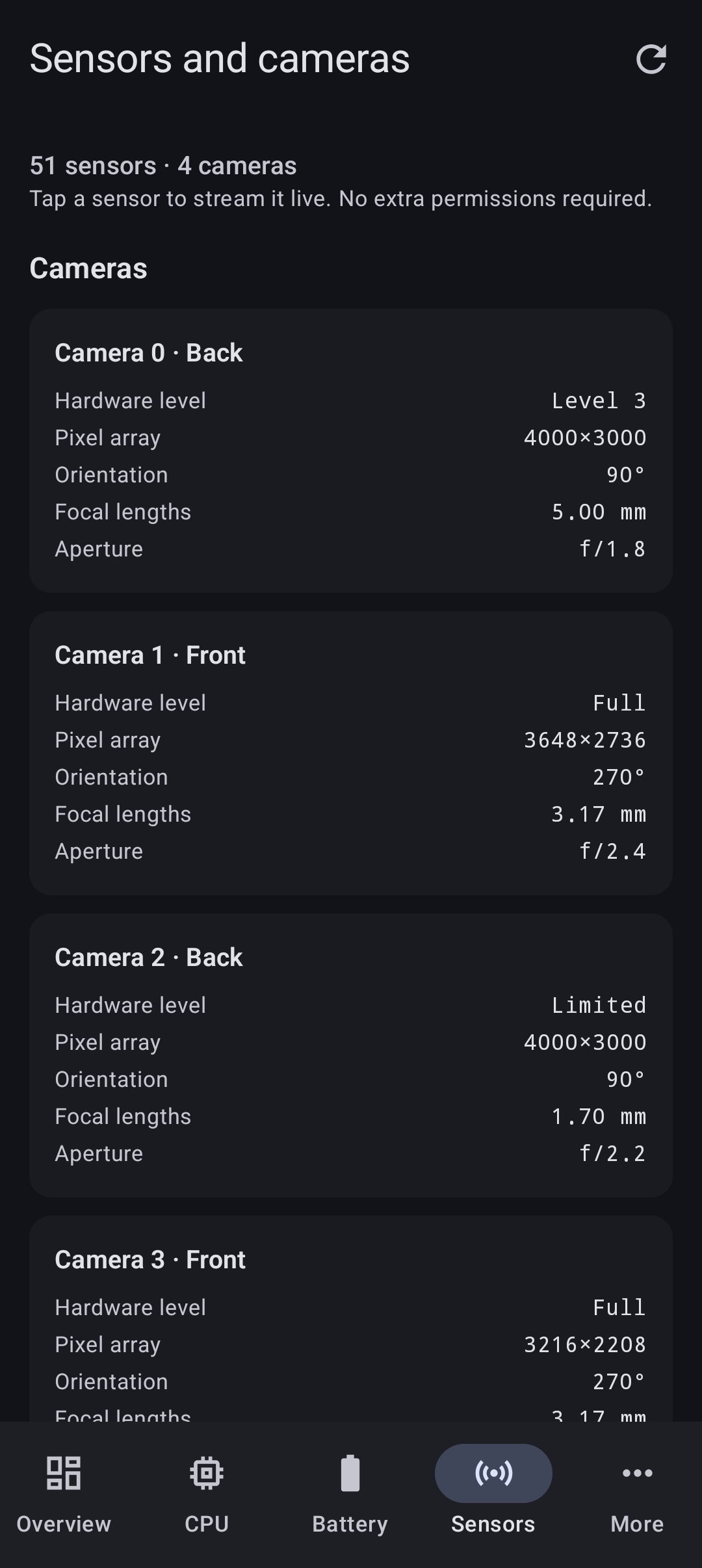
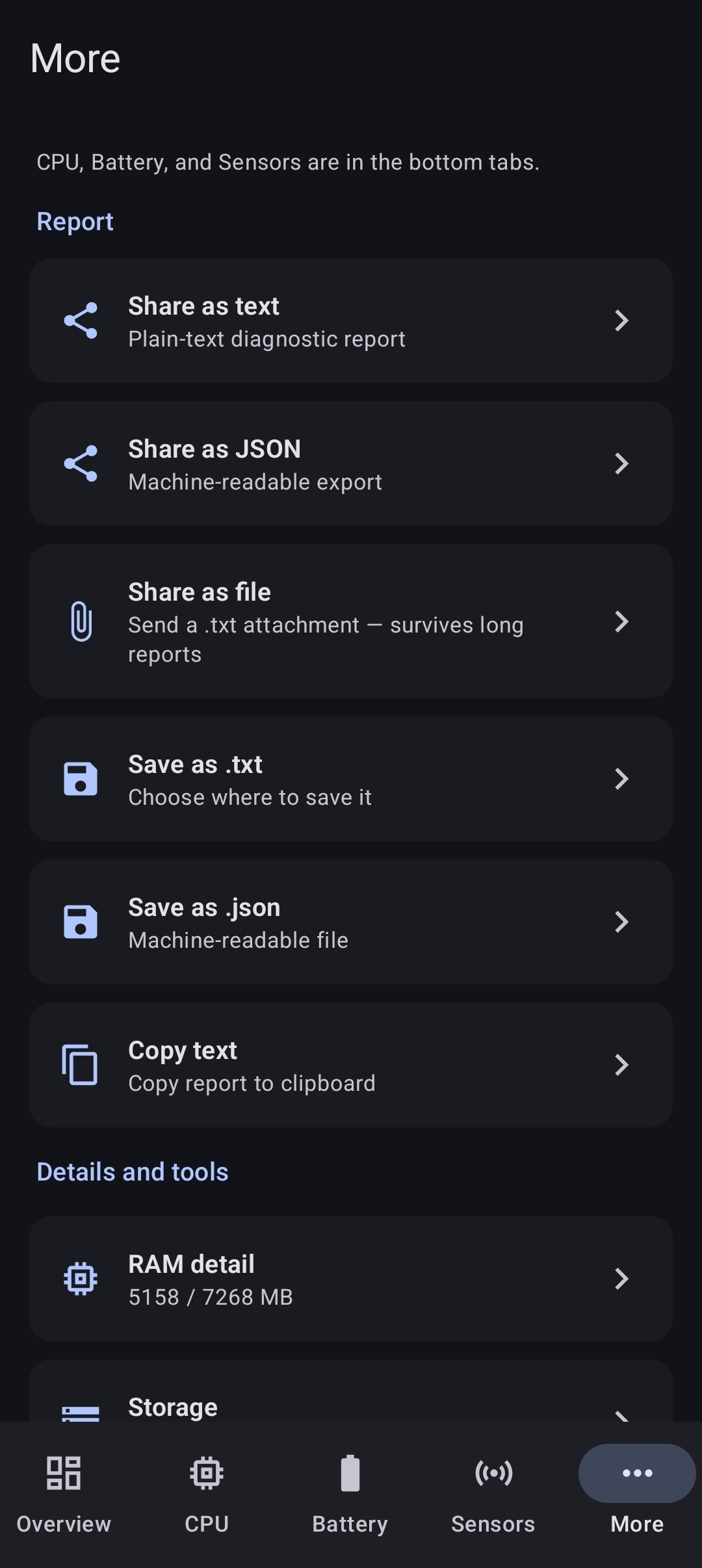
| Overview | CPU / SoC | Battery | Sensors | More |
|---|---|---|---|---|
 |
 |
 |
 |
 |
Captured on a Galaxy Z Flip4 running Android 16.
Features
- Device overview (model, Android version, security patch, fingerprint, board, bootloader, uptime)
- CPU / SoC with best-effort current core frequencies and min/max range
- GPU (OpenGL ES)
- Live battery, RAM, and network status
- Sensors list + brief live samples (accelerometer, gyro, light, proximity, etc.)
- Tap any sensor to stream it live with per-axis charts
- Camera characteristics (facing, pixel array, focal lengths, hardware level)
- Optional TCP latency check to
8.8.8.8:53(can be disabled in Settings) - Network detail: IP addresses, DNS & private DNS, Wi‑Fi link speed / band / signal, carrier, plus a 5-probe latency burst with min / avg / max / jitter / loss
- Storage volumes + per-app breakdown (with Usage Access)
- Process RAM detail
- History: battery, temperature and RAM trends charted from up to 24 h of samples
- Background monitor with rotating log (capped at 5000 lines)
- CPU load test (1 / 5 / 10 min) with a k-ops/s score
- Share as text or JSON, share as a file attachment, save to a file, or copy to clipboard
- Optional elevated access (Shizuku or root) to read data the platform gates from apps — battery fuel gauge, per-core clocks — off by default
- Theme: system / light / dark
- Settings + About (license & privacy summary)
- UI chrome fully externalised to string resources (ready for translation packs)
Privacy
See PRIVACY.md.
Short version: diagnostics run locally. The only network use is an optional latency probe you can turn off.
Download
GitHub Releases (recommended today) — grab the .apk from the
latest release.
Allow install from unknown sources when prompted.
Debug CI builds use a fixed keystore so they install over each other. Store / production builds use a separate release key when configured (see docs/DISTRIBUTION.md).
Usage Access is blocked after a sideload install
On Android 13 and newer, the per-app storage breakdown needs Usage Access, and Android treats that permission as a restricted setting for apps installed outside the Play Store. Flipping the toggle shows "App was denied access" until the app is unblocked:
- Settings → Apps → Phone Diagnostic
- ⋮ (top right) → Allow restricted settings (confirm with PIN / biometrics)
- Back in the app: Storage → Open Usage Access, then turn the toggle on
Overall volume sizes work without this; only the per-app breakdown needs it.
If the menu item is missing, reinstall the APK with a file manager or
adb install and try again — some installers do not surface it.
CI artifacts — Actions → Build APK → latest green run:
| Artifact | Contents |
|---|---|
PhoneDiagnostic-debug |
Debug-signed APK |
PhoneDiagnostic-release-apk |
Release APK (signed if secrets set) |
PhoneDiagnostic-release-aab |
Play-ready AAB (signed if secrets set) |
Artifacts expire after 14 days; Releases do not.
Stores
Work in progress — packaging is ready; store accounts and listings are manual.
- Google Play — upload the release AAB; enroll in Play App Signing
- F-Droid — draft metadata in
metadata/com.phonediagnostic.yml
Full checklist: docs/DISTRIBUTION.md.
Changelog
See CHANGELOG.md for release history.
Build from source
Requirements: JDK 17, Android SDK 35
git clone https://github.com/ScoobyDouche/PhoneDiagnosticTool.git
cd PhoneDiagnosticTool
# Optional: decode CI debug keystore for local parity
# base64 -d keystore/debug.keystore.b64 > keystore/debug.keystore
gradle test              # unit tests
gradle assembleDebug     # or open in Android Studio
gradle assembleRelease   # R8 + shrink; signs if RELEASE_* env is set
gradle bundleRelease     # Android App Bundle for Play
CI runs tests, debug APK, release APK, and release AAB on every push and pull request.
Permissions
| Permission | Why |
|---|---|
INTERNET |
Optional latency measurement only |
ACCESS_NETWORK_STATE |
Detect Wi‑Fi / cellular / etc.; DNS and link details on the Network screen |
ACCESS_WIFI_STATE |
Wi‑Fi link speed, band and signal strength |
VIBRATE |
Vibration hardware check under Tools |
PACKAGE_USAGE_STATS |
Per-app storage (user must grant Usage Access) |
QUERY_ALL_PACKAGES |
List installed apps for the per-app storage breakdown. Android 11+ hides the app list without it |
REQUEST_DELETE_PACKAGES |
Uninstall from storage detail |
FOREGROUND_SERVICE / SPECIAL_USE |
Optional background monitor |
POST_NOTIFICATIONS |
Background monitor notification (Android 13+) |
moe.shizuku.manager.permission.API_V23 |
Optional elevated access via Shizuku (off by default). Grants nothing unless you install Shizuku and approve this app |
Camera and sensors use system APIs without requesting CAMERA permission (characteristics only; no capture).
Tech
- Kotlin, Jetpack Compose, Material 3
- ViewModel + StateFlow
- Min SDK 26 · Target / compile SDK 35
- Version 1.2.0
Diagnostics are stored only on the device: a rotating log and a 24 h metric
history live in internal storage, and the app opts out of Android cloud backup
and device transfer entirely (allowBackup="false").
License
How Shizuku is used
Can read CPU clocks, battery gauge health and all process usage via `sh -c`, `cat` and `dumpsys` through Shizuku
This is an AI-assisted analysis of Shizuku-related usages in the app's public source code. It is best effort, so it may not catch every single usage.
How this app uses Shizuku
Shizuku is used as an optional elevated reader for hardware and system data the app cannot read directly.
- Read CPU clock speeds: shows per core current frequencies and min and max limits read from system files with the
catshell command through Shizuku when direct access is denied. - Read battery health details: shows full and design capacity, health percentage and charge cycle count from battery fuel gauge files and the aggregate
ueventdump with thecatshell command through Shizuku. - List system processes: shows system wide per process memory and CPU use collected with
dumpsys meminfoanddumpsys cpuinfothrough Shizuku instead of the self only view.
Android APIs or commands used
sh -ccatdumpsys meminfodumpsys cpuinfo
Notable details
Elevated access is opt in and off by default. Without it the app still works using direct reads where allowed and a self only process list, with elevated sourced readings marked in the UI.
Changelog
What's new for version 1.2.1
⚠️ Signed with a publicly known key
The private half of this APK's signing key is committed to this public repository. Anyone can build an APK that Android will accept as an update over this one, inheriting its data and permissions — so the signature proves nothing about where the file came from. Install it only from this page.
Moving to a private key is still planned. That switch will require uninstalling first, because Android does not accept a new certificate as an update to an existing install.
Phone Diagnostic Tool 1.2.1 (versionCode 32). Installs over 1.2.0 in place — no uninstall needed.
One fix, reported from the field on a Pixel 6 Pro.
The per-app storage breakdown could not be turned on
More → Storage lists how much space each app uses, which needs the Usage Access permission. Tapping Open Usage Access landed on the right Settings screen, but flipping the toggle there answered with:
App was denied access — Access to this permission can put your personal and financial info at risk.
Nothing was broken in the app. Android 13 made Usage Access a restricted setting for apps that did not arrive through the Play Store, and this one is installed from a GitHub Release. The unblock exists, but it lives on a different screen than the one that refuses you, and nothing on that screen says so — which leaves the feature looking permanently broken.
It is granted like this:
- Settings → Apps → Phone Diagnostic
- ⋮ (top right) → Allow restricted settings, confirmed with your PIN or biometrics
- Back in the app: Storage → Open Usage Access, and the toggle now works
So the storage screen now says that itself. When the app is running on Android 13 or newer and was installed by something other than the Play Store, the permission card carries the three steps and an Open App info button that goes straight to the screen holding the menu. The README covers the same ground for anyone who hits it before opening the app.
The restricted state is not something an app can query, so this is inferred from the Android version and the installing package rather than read. A wrong guess shows one extra paragraph of guidance to somebody who did not need it, which is the right way round for this trade.
Overall volume sizes never needed Usage Access and were unaffected throughout.
Also
Both CI workflows had started failing 20 seconds into every run, before a line of
the project was compiled: android-actions/setup-android installs
tools platform-tools by default, and Google has withdrawn the obsolete tools
package from the SDK repository. The release workflow carried the same step, so
this release could not have been built at all. Both now ask for the packages the
project actually builds against.
Install
Download the .apk below, allow install from unknown sources, and open it.
Requires Android 8.0 (API 26) or newer. Same signing key as 1.2.0, so it
installs straight over it.
Full compare: https://github.com/ScoobyDouche/PhoneDiagnosticTool/compare/v1.2.0...v1.2.1
Permissions
12 permissions requested
More from this category
 VineOS
 OptiDroid
 Screen Recorder
 Screen Translator
 KeiOS
KeiOS
 雨晴截屏
雨晴截屏
 CaptureCap
 Kiosk Satellite
 Iris长截图
 Fern
Fern
 GhostLock
 PoC-Deployer-System