 ShizuStore

OpenTasker
0.2.96 · GitHub
More about this app
Local-first, open-source Tasker alternative with readable rules and honest permission gates; privileged actions run through a Shizuku AIDL user service.
OpenTasker




If OpenTasker runs useful automations for you, a coffee helps me keep building and testing it.
OpenTasker is a fully open-source, on-device, FOSS alternative to Tasker for Android. It doesn't use an accessibility service, so Android's Advanced Protection limit on accessibility services doesn't touch it.
Screenshots
| Profiles | Tasks | Run Log |
|---|---|---|
 |
 |
 |
| Flow | Setup | Settings |
|---|---|---|
 |
 |
 |
Features
Automation engine
Encrypted automation database. SQLCipher encrypts the complete Room file at rest with a random key wrapped by Android Keystore. Existing plaintext databases migrate once before Room opens, and wrong-key opens fail closed
Profiles, contexts, tasks, actions. A complete Room-backed automation pipeline with a Compose UI
Companion presence triggers. User-confirmed CompanionDeviceManager associations emit low-power present/absent events without a scanning loop, with setup-time revocation
7 context families. Application, Time, Day, Location, State, Event, and Plugin (Locale/Tasker condition)
99 built-in actions plus engine-handled flow control (
task.runwith named inputs,task.stop,if/else/end if,for each/end for,try/catch/end try,stop,go toandanchor)USB device contexts. Attach/detach event pulses expose bounded device, vendor, product, and class fields for local input-device automations
Template expressions. Bounded
{{ ... }}expansion with scoped variables, arrays, JSON paths, string/math/date functions, traces, and strict regex policySide-effect-free preflight reviews. Preview a task or profile with synthetic event variables, expanded inputs, branch decisions, setup gaps, intended effects, and explicit blockers before any action runs
Trigger simulation. From a profile editor or Context Inspector, pin family-specific synthetic events and see each predicate, context expression, cooldown, and admission result without writing a production run-log row or running the task
Automation lint. Profile saves, imports, the flow graph, and Context Inspector surface missing reversals, repeated state triggers, conflicting writers, and inter-profile loops with concrete fixes
Profile lifecycle policy. Assign deterministic priority, symmetric activation grace, and never/date/once lifetimes. The Inspector explains expiry and priority suppression, while bundles and Tasker mappings preserve safe defaults
Profile execution admission. Optionally bound active and burst starts per profile, choose replayable logged holds or silent skips on overflow, and inspect rejection counts and circuit-breaker state in Diagnostics
Failure recovery. Route unhandled failures to an optional per-profile or global fallback task. The fallback receives bounded structured error variables and cannot recurse into another fallback
First-class secret variables. AES-256-GCM Android Keystore storage, deliberate reveal/re-entry UX, and provenance-based redaction for derived action arguments, logs, traces, and failures
One redaction boundary for stored arguments. Credential-bearing action arguments (HTTP authorization/headers/query/body, request payloads, script stdin, SMS text) are masked wherever they are displayed, including the task list, flow graph, and previews, so they cannot leak through a screenshot or accessibility semantics. Unregistered actions and unknown keys fail closed
Coherent execution controls. Per-profile single/restart/queued/parallel re-trigger behavior, followed by a global per-task abort-new/abort-existing/run-both/wait collision policy across profile, manual, nested, widget, notification, and external runs
Action-level flow controls. Atomic action reordering plus optional conditions and continue-after-failure behavior, with those semantics preserved through storage and bundle round trips
Durable edit history. Task, profile, and scene cards expose five-step undo/redo. Variable and project deletion offer snackbar Undo, including readable Keystore-backed secrets after a project restore
Profile groups. Organize profiles into named groups with filter chips
Nested context logic. Author backward-compatible ALL/ANY/NOT groups over profile contexts. The Inspector explains the evaluated tree
Local projects. Scope tasks, profiles, scenes, and variables behind a shared project boundary with explicit reassignment on deletion
Triggers (contexts)
Offline bundle import. Paste exported JSON or decoded QR text into the existing disabled-by-default review flow with bounded input validation
MacroDroid migration. Import full
.mdrbackups, password-protected.emdrexports or single.macroshares into disabled profiles, with bounded decoding and an exact mapped, unsupported, and lossy reviewTime/day schedules with presets, aliases, and ranges
Device state (battery, charging, headphones, screen, media playback, airplane, power save, Wi-Fi SSID, orientation, proximity, physical activity, speed, roaming, tethering, phone-call state, Bluetooth devices nearby, and Health Connect steps, heart rate, sleep and exercise). Sensor/GPS/phone callbacks are demand-gated per profile
App foreground detection via UsageStats, with optional exact/glob Activity component matching and explicit unavailable-component reporting
Wi-Fi and data/internet connectivity via NetworkCallback
Notification listener with package/title/body filters. A matching notification hands the task
{{ event.notification_package }},{{ event.notification_title }}and{{ event.notification_body }}Incoming calls while the phone rings. A task reads
{{ event.incoming_number }}and{{ event.incoming_known_contact }}, and a profile can ask for strangers only or a part of the numberNFC tag scans with normalized ID matching and a one-time NDEF write helper
Calendar windows with redacted event metadata
Sunrise/sunset filters with coordinate, offset, and window support
Shake, Bluetooth connect/disconnect and Android 16 bond-loss/encryption security events, Android 16 Advanced Protection transitions, sanitized SMS/MMS receipt on standard/F-Droid builds, package install/remove/replace
Bluetooth all-devices-disconnected transition with an editor preset and multi-device tracking
Android 15+ screen-recording visibility trigger.
event=screen_recordingreacts to whether this app is visible in a recording without capturing screen contentsSMS/MMS-received trigger.
event=sms_receivedexposes sanitized sender/body metadata on standard/F-Droid builds and hands the task{{ event.sms_sender }},{{ event.sms_body }},{{ event.sms_kind }},{{ event.sms_message_count }}and{{ event.sms_subscription_id }}, so an HTTP Request can forward a message while the run log shows a placeholder. Android 17 may delay standard OTP SMS delivery for up to three hours outside exempt appsReceived-broadcast trigger.
event=broadcastfires when another app oradb shell am broadcastsends an intent action you name. Only the actions your enabled profiles declare are ever registered, at most 16 of them, and the receiver re-checks the action on delivery. Extras arrive as bounded strings: text, numbers and booleans only, capped at 16 keys and 512 characters each, with anything oversized or Parcelable dropped and flagged inbroadcast_extras_lossyrather than truncated. Tasks getbroadcast_action,broadcast_sender,broadcast_extra_countand onebroadcast_extra_*per surviving extra. Android names the sender only when the sending app opts in to sharing its identity, which most apps and adb do not, sobroadcast_senderis usually empty and a sender filter refuses what it cannot identifyQuick Settings tile tap, home-screen widget/shortcut, boot
Authenticated
event=pushbridge for a de-googled UnifiedPush distributor. Delivery IDs are deduplicated, payloads are bounded, and message content is redacted before matching/loggingReceived Share (
ACTION_SEND/SEND_MULTIPLE) trigger for bounded text, URLs, single files, and multiple files, with MIME/text/URI filters andshare_*task variablesFOSS platform location/geofence. GPS/network fixes, balanced provider cadence, radius/accuracy/dwell evaluation, persisted dwell state, and API 36 background delivery evidence
Locale/Tasker condition plugins, polled as first-class context predicates with last-known-state caching, and asked again early when a plugin says its answer changed
Home Assistant bridge proof of concept, with bounded outbound JSON webhooks, HTTPS by default, redacted webhook secrets and retries with backoff
Actions (99 registered + 13 engine-handled)
| Category | Count | Examples |
|---|---|---|
| Settings | 21 | Wi-Fi, Wi-Fi scan, Bluetooth, brightness, volume, airplane, mobile data, Wi-Fi hotspot, always-on display, screen timeout, write setting, DND, Zen rule set/clear, ringer mode, torch, tile state, wallpaper, temporary state, keyboard info, keyboard picker |
| App | 10 | launch intent, launch app, publish shortcut, kill, archive, unarchive, go home, open URL, SMS, screenshot |
| File | 5 | read, write, append, delete, list |
| Network | 9 | HTTP Request, Home Assistant webhook, MQTT publish, legacy GET/POST aliases, ping, download, Wake-on-LAN, WireGuard and Tailscale tunnels |
| Media | 11 | play, beep, stop, pause, resume, play/pause, next, previous, rewind, fast forward, mute |
| System | 7 | vibrate, clipboard set, reboot, lock, screen off, wake, log |
| Notification | 4 | notify/toast, progress, cancel, TTS speak |
| Variable | 24 | set variable, set several variables at once, variable clear (one, a pattern or all), clipboard get, contacts lookup, read data (JSON/CSV/XML/HTML), date-time (format/parse/add), text (match, replace or collect regex matches into an array, split, join, substring, length), Tasker's numbered arrays (variable split/join, array push/pop/clear/process), variable convert (sizes, units, dates, Base64, hashes and more), sunrise and sunset times |
| Flow | 2+13 | wait, profile status; engine: task.run, task.stop, if/else/end if, for each/end for, try/catch/end try, stop, go to, anchor |
| Plugin | 2 | Locale setting dispatch, Locale condition query |
| Script | 2 | SHA-256-pinned Termux RUN_COMMAND and Shizuku shell scripts, both with bounded result capture |
| Import | 2 | unsupported Tasker and MacroDroid action placeholders |
Every action carries an explicit capability contract. An action with no reviewed contract resolves to unsupported rather than defaulting to available. Privileged actions (airplane, mobile data, always-on display, screenshot, reboot, screen off, kill app) are gated to fail honestly. Always-on display reads the setting back after writing it, so a build that accepts the write and ignores it reports a failure rather than a success. Set brightness and set screen timeout require the Modify system settings special access granted from Setup, and Wake-on-LAN requires local network access on Android 17+. Lock device needs the Lock screen admin, also turned on from Setup: Android only lets an app lock the screen through a device admin, and OpenTasker's asks for force-lock and nothing else, so it cannot wipe the device, set a password policy, or read anything. Turning it on means Android will not let you uninstall OpenTasker until you turn it back off, which the same Setup row does. No root, Shizuku, or accessibility service is involved, so it keeps working under Android 17 Advanced Protection. SMS is available in standard/F-Droid builds. Play builds omit SMS/phone-state permissions.
New automations use HTTP Request for GET, HEAD, POST, PUT, PATCH, DELETE, and OPTIONS. It accepts structured query/header lines, inline or OpenTasker-file request bodies, per-stage timeouts, status/header/body variables, and atomic file output. Redirects default off and can be enabled only for the same origin. TLS verification cannot be disabled, cleartext remains private-LAN-only, and response/request sizes are bounded. Stored http.get and http.post actions continue to execute through compatibility aliases. Put credentials in Keystore-backed secret variables and reference them from Authorization or header fields so traces remain redacted.
The Intent Dispatch action supports bounded activity, explicit broadcast, and explicit service delivery. It accepts allowlisted URI/MIME data, six activity/URI flags, capped string/int/bool extras, and optional ordered-broadcast result-code capture. Every configured data URI must carry an explicit grant_read_uri or grant_write_uri flag. External activity actions with arbitrary actions require a chosen component. Broadcasts and services always require one. file:// URIs, parcelable/serialization-style extras, unknown flags, ambiguous targets, and non-exported external components fail closed.
The MQTT Publish action uses a small in-app MQTT 3.1.1 QoS 0/1 client over platform sockets and TLS, so the F-Droid build adds no MQTT dependency. TLS is enabled by default, verifies the broker hostname, and sends SNI. Cleartext is restricted to private/local hosts and the Android 17 local-network grant. Payloads are capped at 64 KB, QoS 2 and wildcard publish topics are rejected, and username/password fields are redacted.
The Clipboard actions read and write text without an extra permission, cap transfers at 64 KiB, and mark clipboard-derived values sensitive. Contact lookup supports bounded name/phone/email matching into sensitive variables. Android 17+ defaults to a field-scoped system picker with a timeout and no broad address-book grant. Explicit READ_CONTACTS permission mode remains available for unattended runs through Setup.
Quick Settings tiles provide four app-owned slots. Long-press a tile to bind a task and configure its label, subtitle, icon, and state. tile.set can update a configured slot at runtime, and tile-triggered task runs use the same foreground execution and run-log identity as other external entry points.
The Temporary State action applies a bounded reversible setting (brightness, volume, ringer mode, or DND) and restores the captured prior value through a unique persisted WorkManager job. Reusing the same revert key replaces the earlier timer, and pending work remains inspectable through WorkManager after process death.
The Keyboard actions report the current/enabled IMEs into bounded variables. ime.set validates the requested component or package and opens Android's picker. Normal applications cannot silently select another keyboard, so it fails with an explicit user-selection message rather than pretending the switch happened.
The push trigger uses the official distributor-neutral UnifiedPush connector. Setup can discover a distributor through unifiedpush://link, register/unregister the default instance, and retain the latest endpoint for inspection or copying. The connector chooses the SDK 34+ shared-identity registration path and the immutable PendingIntent fallback on older Android versions, decrypts RFC 8291 bytes messages, and acknowledges deliveries. OpenTasker consumes the standard ntfy JSON fields (id, topic, title, and message) as event=push. Payloads are bounded, duplicate topic/event-ID deliveries are suppressed for 30 seconds, and message content is redacted before event matching and logs. VAPID_REQUIRED, network, action-required, and internal failures remain visible in Setup. The legacy token-authenticated com.opentasker.action.PUSH_EVENT broadcast remains available for existing adapters.
The Received Share trigger registers OpenTasker in Android's Sharesheet for text, URLs, MIME-typed content, and one or more file/content URIs. It sanitizes and bounds every value before matching, rejects arbitrary Parcelable or oversized extras, checks content-URI readability using the temporary grant without reading file contents, and shows an in-app error when access is missing. Matching share tasks receive share_text, share_uri, share_uris, share_mime, share_count, and share_multiple as run-scoped variables.
Variable names follow Tasker's scope rule: an all-lowercase name is local to the current task, while any name containing an uppercase letter is global and durable. var.persist promotes an all-lowercase target to a global name, and the Variable vault applies the same normalization. Concurrent runs merge changes to different globals. If two stale snapshots change the same global, the first committed value is kept and the later conflict is recorded in the run log.
Reliability and observability
- OEM battery-killer detection with per-vendor remediation (Samsung, Xiaomi, OnePlus, Oppo, Realme, Vivo, Huawei, etc.)
- Alarm-backed time/day reevaluation through Doze, with a persisted engine heartbeat and periodic WorkManager watchdog that re-arms dropped ticks and foreground-service timeout recovery
- Setup checklist covering notifications, exact alarms, battery optimization, usage access, overlays, location, physical activity, Bluetooth, SMS, phone state, call log, DND, modify system settings, Health Connect, Shizuku, and Termux
- Optional Android 16+ promoted ongoing notifications for active tasks, with standard foreground-notification fallback when promotion is unavailable or denied
- Context inspector with live source health, latest values, per-profile match explanations, and Loading/Ready/Stale/Error observation status with age-aware reporting
- Keyset-paged run logs with SQL-backed task/status/date/search filters, complete expandable action traces, redacted JSON/CSV export, per-step diagnostics and variable writes, reviewed retention reductions, held admission rows with safe manual replay, and user-pinned history
- Live view of in-flight automations (task, origin, current step and elapsed time) with per-run cancellation that unwinds nested sub-tasks and records a terminal
Cancelledoutcome - In-app diagnostics for service/foreground-type/standby/exact-alarm/matcher/watchdog health, execution admission limits and circuit trips, a bounded process log, and captured crash previews. Shared reports include the same evidence with credential redaction
- Scheduling diagnostics include API 36 pending-job reason history, API 37 aggregate pending durations, expanded WorkManager stop reasons, and plain-language standby delivery consequences with honest unsupported states
- Crash log capture and local diagnostic export
Interoperability
- Locale/Tasker plugin host. Setting dispatch, condition queries, configuration parsing, request-query events, bundle validation, and last-known-state fallback.
Set up in the pluginopens the plugin's own settings screen and saves what it returns. Bundle values keep their types, so a plugin that reads an int or a boolean gets one: plain JSON values are sent as strings, and a typed value looks like{"int":3},{"boolean":true},{"long":5},{"double":0.5},{"stringArray":["a","b"]}or{"null":true}. Variables fill in one value at a time, so a quote in one can't change the bundle around it, and a bundle that lists Tasker'sVARIABLE_REPLACE_KEYSonly gets those keys filled in - Locale/Tasker condition plugin target. Third-party hosts can configure OpenTasker profile-active, context-satisfied, and non-secret variable-comparison conditions. The exported ordered query receiver returns satisfied, unsatisfied, or unknown with bounded, typed bundles
- Locale/Tasker condition context. Condition plugins as first-class profile predicates polled every 30 seconds, with the blurb their setup saved. A plugin that sends a query request is asked again as soon as any check already under way is done, instead of at the next poll
- External automation target. Signature-scoped intents to run tasks, toggle profiles, query status, and pass variables. Task runs are asynchronous (protocol v2): the receiver validates and enqueues, then returns an execution ID that callers poll with
QUERY_EXECUTION, because a broadcast cannot stay open for a task that may wait minutes. Callers must sendPROTOCOL_VERSION=2. See docs/EXTERNAL_INTENTS.md - Home Assistant / ntfy interoperability. The Home Assistant webhook action accepts the Companion
message/dataenvelope, including documentedcommand_*values such ascommand_broadcast_intent. The push bridge accepts ntfy'sid,topic,title,time,tags,priority, and other bounded metadata names. An ntfybroadcastaction can targetcom.opentasker.action.PUSH_EVENTdirectly with the per-install token and needs no relay app. Message bodies and remote URLs stay out of event metadata and logs. - OpenTasker JSON bundles. Schema-versioned export/import with deterministic legacy migrations, project membership preservation, computed action-power manifests, data-to-external-chain warnings, explicit keep/rename/replace review for variable-name conflicts, disabled-by-default installation, explicit first-enable acknowledgement, and secret values omitted by design
- Tasker XML import/export. Preview with migration/capability warnings, deterministic mapped/unsupported/lossy reporting, and safe batches for notification, variable, media, settings, and flow actions. Tasker plugin steps (AutoInput, Kustom and the like) come over as plugin steps with their typed settings
- MacroDroid JSON import. Full
.mdrbackups, password-protected.emdrexports and single.macroshares use the same review gate, with safe trigger/action conversions, explicit placeholders, and disabled-by-default profiles - Profile sharing. Offline share manifests with editable local preview, screenshot attachments, safety findings, import-plan review, and GitHub Discussions submission text. Unverified shares stay blocked until the existing import review passes
Untrusted imports are preflighted before object/DOM allocation. OpenTasker JSON is capped at 16 Mi characters, 250,000 lexical tokens, and depth 64. A MacroDroid source file gets 3 million tokens and depth 256 because a whole-app backup passes the ordinary limit at about 1.5 MB, and what it converts into still has to fit the ordinary limits. Tasker XML is capped at 4 Mi characters, 100,000 nodes, and depth 64. Every format shares decoded limits of 5,000 top-level entities, 20,000 actions, 10,000 contexts, 10,000 scene elements, and 8 MiB of aggregate UTF-8 string data. A named budget violation aborts before the Room transaction.
UI and theming
- True-black workspace surfaces now use a compact, information-first layout across Profiles, Tasks, Variables, Flow, Scenes, Inspector, Setup, Run Log, Diagnostics, and Settings
- Five primary destinations stay visible in the bottom navigation, while advanced workspaces remain one tap away in More
- Project scope, readiness, search, and primary creation actions have a consistent hierarchy on every main page
- AMOLED-first Catppuccin Mocha (dark) and Latte (light) palettes, high contrast mode
- Refined mobile shell with clearer primary navigation, bottom-bar contrast, and edge-to-edge system bar theming
- Setup theme selector that announces its selected state, plus denser backup controls
- Compact-safe profile, task, and run-log cards with horizontally safe status chips and filtered empty states
- Variable vault, Flow, Scenes, and Inspector surfaces with summary metrics, clear status language, and polished empty states
- Shared installed-app picker across application, notification, action, and Locale plugin editors, with label/package search, app icons, validated manual entry, and a latest-observed Inspector shortcut
- Metadata-driven action forms with stable-value selectors, bounded number validation, task/app/file pickers, typed output variable chips for safe step chaining, localized parameter summaries, and forward-compatible preservation of unfamiliar imported arguments
- Guided profile templates with variable slots and safety notes, including two that search an unknown caller's number on a site you pick (one on a notification button, one automatically)
- Scene element editor with drag-to-move, resize handles, multi-select, alignment guides, scaled canvas previews, overlay launch, accessible image metadata, validated sliders, and tap/long-press task bindings
- Flow graphs with zoom/pan canvas previews, edge routing, branch/subflow markers, node deep links, and picker-backed add commands
- Profile and task search bars
- One global search across profiles, tasks, actions, variables, and scenes, including named references, with live results and deep links into the matching editor or library surface
- Saveable editor/dialog state across rotation and resize
- Adaptive navigation rail at medium/expanded widths keeps every destination discoverable while compact windows retain the bottom navigation layout
Distribution
- F-Droid readiness profile with dependency-policy and metadata verification
- Non-F-Droid builds can opt into a daily HTTPS-only GitHub release check from Setup. It sends no identifying data, stores only a newer-release link, and never downloads or installs updates. F-Droid builds omit this check because F-Droid supplies their updates.
- Play distribution profile with SMS/phone-state manifest policy gate
- Local release verification scripts for F-Droid metadata, readiness, and APK payload comparison
- Environment-driven release signing kept outside the repository. F-Droid's own source build of the F-Droid distribution is unsigned, and each release also attaches that build signed with the release key, so F-Droid can ship this project's signature once its rebuild matches byte for byte
- SQLite database backup/restore with WAL-safe validation and atomic staged restore, reviewed before staging (source, schema version, compatibility, entity counts) and cancellable afterwards. Encrypted
.otbackupv2 exports use bounded-memory, independently authenticated 64 KiB frames while legacy v1 files remain restorable. Secret rows stay ciphertext and the device-bound Keystore key is never copied, so a restore on another device requires secret re-entry - APK payload comparison tool for reproducibility checks
- SQLCipher native libraries are included in both standard and F-Droid source builds. The release gate audits their 16 KB page alignment and keeps the dependency checksum-pinned
Power-user backends
- Shizuku manager/service/permission status, a persisted default-on kill switch, and a fail-closed command allowlist. The eight elevated actions run through a separately bound AIDL user service and fail closed when Shizuku is absent, revoked, or stopped
- Termux 0.109+
RUN_COMMANDintegration with a user-managed SHA-256 allowlist, pre-run hash verification, timeouts, and bounded output variables - Run Shizuku Script runs your own shell script as the Android shell user, gated by its own SHA-256 allowlist and the same kill switch
To run a Termux script, place it below ~/.termux/tasker/, enable Termux's external-app access, and grant OpenTasker RUN_COMMAND permission from Setup. Add the script path and the expected 64-character SHA-256 under Approved Termux scripts in More > Settings. OpenTasker performs a hash preflight and rechecks inside the fixed execution wrapper before the script can run. A capture prefix such as %script writes bounded %script_stdout, %script_stderr, %script_exit_code, and original-length variables. Captured content is never written to the run log.
To run a script through Shizuku, put it where the shell user can read it (/data/local/tmp or shared storage), add its path and SHA-256 under Approved Shizuku scripts in More > Settings, and point a Run Shizuku Script action at it. It runs with /system/bin/sh as the shell user, so it doesn't need rish inside it and a #! line is ignored. Scripts can be up to 64 KB, and an edited script refuses to run until you approve its new hash. The capture prefix works the same way as above.
On Android 17 the original Shizuku app may not start, and it hasn't been updated since June 2025. The thedjchi fork adds Android 17 support and keeps the same package name, so Setup finds it like the original. Its author calls v13.7.0 the last release for now, and its home screen shows server version 13.6 while About says 13.7.0. That's expected. Some phones turn wireless debugging off when they restart (people report it on Samsung's One UI 8.5), and Shizuku can't start until it's back on. OpenTasker can't turn wireless debugging on by itself, so after a reboot switch it on in Developer options and start Shizuku again. Setup says the same thing on Android 17 while Shizuku isn't running.
Bluetooth devices nearby
Add a state context with the Bluetooth device nearby preset and type the device's name or address. OpenTasker looks for it about once a minute, and it can take a few minutes after a device leaves for the context to turn off. Open the Inspector to see what's around and how each device names itself.
A phone only shows up while it's advertising, and most change their address every few minutes. Pairing the phone once fixes that, because Android can then recognize it under its paired name. Anyone can give a device any name, so don't use this to unlock or disarm anything.
Health Connect
State contexts can compare four Health Connect readings: health_steps (steps since midnight), health_heart_rate (the newest reading from the last hour), health_sleep_minutes (minutes asleep in sleep sessions that ended in the last 24 hours) and health_exercise_minutes (since midnight). The presets cover the common ones, like 10,000 steps today. OpenTasker reads them in the background on a schedule, every 15 minutes by default, and Check every (minutes) on the context stretches that out to as much as a day. With several health contexts, the shortest schedule wins. Steps and exercise get one more read just after midnight, so they start over on time. Heart rate and sleep stay blank when there's nothing recent, so a comparison like < 60 won't match on an empty reading. It only reads, and never asks for more than 30 days of history.
Allow it under Read Health Connect in Setup, which asks for background reading along with the readings your profiles use. Android 14 and later have Health Connect built in. On Android 9 to 13 it's a separate app from Google, and Setup links to it. If Health Connect refuses a reading, the context stays off (an inverted one too) and the Inspector says which reading it won't share.
VPN tunnels
Android has no general way for one app to switch another app's VPN, but WireGuard and Tailscale both accept a request to. Install the WireGuard off at home or Tailscale off at home template to drop the VPN on your home Wi-Fi and bring it back when you leave, or use Connect or Disconnect VPN in your own tasks. WireGuard needs two things first: WireGuard tunnel control in Setup and Allow remote control apps in its own settings. The action fails with a reason if the VPN doesn't actually change.
Architecture
AutomationService (foreground)
  ↓
ProfileMatcher (monitors context streams)
  ↓
ContextSources (app, time, state, event, location, plugin)
  ↓
TaskRunner (executes action list with flow control)
  ↓
ActionRegistry (built-ins + capability gates + Locale plugin dispatch)
  ↓
Room DB (persistent storage + StateFlow live queries)
No Hilt. Dependencies are wired by hand in OpenTaskerApp_NoHilt. MVVM with Compose, Room, coroutines, DataStore, and WorkManager.
Install
Releases come from this repository.
With Obtainium (recommended, it tracks new releases for you): tap the Obtainium badge above on the device, or add https://github.com/SysAdminDoc/OpenTasker as a GitHub source. Default settings are correct, nothing needs configuring.
By hand: download the APK attached to the latest release and install it. Since v0.2.88 that file is named OpenTasker-v<version>.apk. v0.2.87 and earlier predate the naming gate, and v0.2.87 ships its APK as app-release.apk. Releases after v0.2.95 also attach OpenTasker-v<version>-fdroid.apk. That's the F-Droid flavor (no GitHub update check) under the same key, and it's there so F-Droid can confirm its own build matches ours. Take the plain one unless you want that flavor.
Checking the signature. Every release since v0.2.93 is signed with the same certificate. AppVerifier reads it in this form, package name first:
com.opentasker.app
DB:A1:AA:88:E3:7B:90:15:5F:CA:31:35:CA:3B:78:1D:E9:2C:22:51:07:E4:7C:98:06:E7:5B:F8:80:55:FD:D8
To check a downloaded APK on a computer, apksigner verify --print-certs OpenTasker-v<version>.apk prints the same SHA-256 digest in lowercase without the colons.
Upgrading from v0.2.92 or earlier? v0.2.93 and later are signed with a new key, so Android refuses to install them over an older copy. The install fails with INSTALL_FAILED_UPDATE_INCOMPATIBLE until the old one is removed. Uninstalling also erases the automation database, so export a backup before you do anything else. Open Setup, export a copy of the database or an encrypted .otbackup snapshot to a folder you control, then uninstall the old build, install the current release, and restore. A backup that only lives in app storage goes away with the app, so make sure the copy you keep is the exported one. Secret variable values stay bound to the device that created them and have to be re-entered after a restore. The previous key was published in this repository, which is why it was retired instead of reused.
Releases tagged v0.1.0, v0.3.0, v0.4.1 and v0.4.2 are dead. All four carry versionCode 1 and were signed with a key that no longer exists, so they cannot be upgraded in place. Ignore them, and if you have one installed, uninstall before installing a current build. The live line is v0.2.x, and its newest tag is the one to take.
Build & Run
git clone https://github.com/SysAdminDoc/OpenTasker
cd OpenTasker
./gradlew :app:testDebugUnitTest :app:compileDebugAndroidTestKotlin :app:assembleDebug
adb install -r app/build/outputs/apk/debug/app-debug.apk
compileDebugAndroidTestKotlin is in that line on purpose. The instrumented tests only run when a
device is attached, so without a compile step the everyday build will happily go green while the
instrumented sources no longer build against the code you just changed.
The external-decoder fuzzer is opt-in and is not part of the release or local quality gates. Run
./gradlew :app:fuzzExternalDecoders -PfuzzSeconds=30 for a bounded coverage-guided pass, or
./gradlew :app:fuzzExternalDecoderRegression to replay the checked-in regression corpus.
Compose screenshot references are generated and validated headlessly. Run
./gradlew :app:updateDebugScreenshotTest after an intentional UI change to update the checked-in
references, then run ./gradlew :app:validateDebugScreenshotTest to compare every theme, font-scale,
and RTL case.
Release builds require OPEN_TASKER_RELEASE_KEYSTORE,
OPEN_TASKER_RELEASE_KEYSTORE_PASSWORD, OPEN_TASKER_RELEASE_KEY_ALIAS, and
OPEN_TASKER_RELEASE_KEY_PASSWORD. The key file stays outside this repository,
and it has to: Android ties an app's identity to its signing key, so a key that
leaks or gets lost costs every installed copy an uninstall before it can
upgrade. That has happened twice here. SigningMaterialCustodyTest fails the
build if a keystore, a .p12, or a signing.properties ever gets tracked,
including through git add -f.
./gradlew :app:assembleRelease
Published release assets are named OpenTasker-v<versionName>.apk. Stage and check the name before
uploading anything to a GitHub release:
./gradlew :app:verifyReleaseAssetName
That stages the signed APK to app/build/outputs/release-assets/ under the published name and fails
if the staged file is still AGP's default app-release.apk, if more than one asset is staged, or if
the name disagrees with the versionName in tools/release-truth.json. Upload from that directory,
not from app/build/outputs/apk/release/.
F-Droid profile:
./gradlew -PopenTaskerDistribution=fdroid :app:assembleRelease :app:verifyFdroidReadiness :app:verifyFdroidMetadata
That build is unsigned, which is what F-Droid's server runs. Each release also attaches the same build signed with the release key. F-Droid copies that signature onto its own rebuild of the tag and publishes our APK when the two match, so F-Droid, GitHub and Obtainium installs share one key:
./gradlew -PopenTaskerDistribution=fdroid -PopenTaskerSignFdroid=true :app:verifyReleaseAssetName
It stages OpenTasker-v<versionName>-fdroid.apk to app/build/outputs/release-assets-fdroid/ with
the same name and certificate checks as the standard asset. Upload it next to the standard APK. The
Binaries: URL in fdroid/metadata/com.opentasker.app.yml expects that exact name.
Play manifest policy check:
./gradlew -PopenTaskerDistribution=play :app:verifyPlayManifestPolicy
Full local release gate (pinned Gradle bootstrap verification, blocking lint, the configured JVM test floor, JaCoCo coverage floors for scheduling, engine variable expansion, receivers and UI utilities, Room schemas, Android-test compilation, resolved dependency/SBOM and OSV policy, configuration-cache reuse, plus Play and F-Droid release builds):
Release-facing version, SDK, capability-count, schema, and required artifact-commit claims are generated and checked from tools/release-truth.json by the same gate.
Performance evidence is local and explicit. The quality gate validates the committed baseline-profile artifact and compiles the API 35+ Macrobenchmark suite. Collect device evidence with ./gradlew :app:generateBaselineProfile and run the release-like benchmark APK with ./gradlew :baselineprofile:connectedBenchmarkReleaseAndroidTest. The suite records cold-start (StartupTimingMetric) and first-navigation (FrameTimingMetric) results. Review repeated clean runs before changing a regression budget. Hosted CI is intentionally not required.
Current release claims come from tools/release-truth.json and the versioned README/CHANGELOG. The local quality gate reports stale version, schema, and capability claims found in ignored historical research files as warnings. Labeled historical snapshots remain non-blocking.
The gate writes the debug JaCoCo XML report to app/build/reports/jacoco/debugCoverage/debugCoverage.xml and an HTML drill-down beside it. Its machine-readable JVM test report records the observed JVM test count and configured JVM test floor separately. The floor is a release threshold, not a claim about the observed suite size. The four area floors are explicit in app/build.gradle.kts and fail the gate on regression.
.\tools\verify-local-release.ps1
Before it executes Gradle, the gate checks that distributionSha256Sum matches the configured binary distribution and that the checked-in gradle-wrapper.jar matches Gradle's published SHA-256. It also independently checks every dependency checksum against its recorded upstream Maven evidence, requires signature verification with an explicit trusted-key set, and rejects Gradle-generated or blanket-trust metadata. Use .\tools\verify-dependency-verification.ps1 -UpdateOrigins only after deliberately reviewing a dependency change. The normal verifier must pass without that switch. Use .\tools\verify-local-release.ps1 -BootstrapOnly for the fast bootstrap preflight alone. The gate's connected tests install and run on one device. When adb sees more than one, name it with -Serial <adb serial> or set ANDROID_SERIAL, or the gate stops before Gradle starts. The full gate writes those verified hashes into the machine-readable report under build/reports/opentasker/. To prove failure propagation without running the full build, run .\tools\verify-local-release.ps1 -SeedFailure. Success is a nonzero exit with Seeded local quality-gate failure.
The repository uses Gradle's local build cache only. Don't configure a remote build cache. Kotlin 2.4.20 fixed the cache-metadata flaw in GHSA-r937-wjx7-w2jp, and keeping the cache local means the next flaw of that kind has nothing to reach.
Treat a wrapper upgrade as one atomic change: run gradlew wrapper --gradle-version <version> --distribution-type bin --gradle-distribution-sha256-sum <official-bin-sha256>, verify the regenerated JAR against Gradle's published wrapper-JAR checksum, update both expected hashes in tools/verify-local-release.ps1 and ReleaseTruthContractTest, then run a clean wrapper bootstrap and the full local release gate. Never update only the distribution URL or only the executable JAR.
Development
| Property | Value |
|---|---|
| Kotlin | 2.4.20 |
| Gradle | 9.9.1 |
| AGP | 9.5.1 |
| KSP | 2.3.12 |
| Build Tools | 36.0.0 |
| Macrobenchmark | 1.5.0 |
| JDK | 17 or 21 |
| Min SDK | 26 (Android 8.0) |
| Compile SDK | 37 |
| Target SDK | 37 |
| Room | 2.8.5 |
| Compose BOM | 2026.09.00 |
| WorkManager | 2.12.0 |
All dependency versions are centralized in gradle/libs.versions.toml.
Planned
data.read supports bounded HTML extraction with CSS selectors and normalized element text. Parsing is local-only and never fetches linked resources. The pinned jsoup parser is MIT-licensed and included in the F-Droid-compatible dependency set. The regex-matching selectors (:matches(), :matchesOwn(), :matchesWholeText(), :matchesWholeOwnText() and [attr~=regex]) are refused with an explanation, because jsoup evaluates them with a backtracking engine that a pathological pattern can run for minutes inside a call the task timeout cannot interrupt. Every other selector, including [attr^=], [attr$=], [attr*=] and :contains(), works as usual.
Key remaining work:
- Broad device-verified background geofence reliability evidence
- API 37 foreground service readiness pass (predictive back and the tablet and freeform layouts were checked on 2026-11-07)
- Performance numbers from real phones. The checked-in Macrobenchmark measures cold start, the first trip to Tasks and how long the automation engine takes to load your profiles, and the Baseline Profile ships in each release
Non-goals
These are settled trade-offs:
- No accessibility-service automation. No UI scraping and no synthetic taps. Triggers keep working when an accessibility service is disabled by policy, by Advanced Protection, or by an OEM, and every action can honestly declare what it will do.
- No cloud sync, account, or remote execution. Automations stay on the phone, and there's no account anywhere.
- No URL or network import for shared profiles. An imported bundle is untrusted input that can request capabilities. The local review step is the control.
- No Google Play Services dependency, including for geofencing. Geofences are evaluated in-app from platform location fixes.
- No crash reporting or analytics, self-hosted or otherwise. The redacted diagnostic export you choose to share is the only way anything leaves the device.
License
MIT, see LICENSE.
Contributing
Issues and pull requests welcome. Open an issue to discuss a feature before building it. The Non-goals above are settled, and everything else is fair game.
CONTRIBUTING.md has the build and test commands, a map of where things live, and the source guards that will fail your build before a reviewer sees it.
Translations
OpenTasker supports localization. English is the source language, and Simplified Chinese (values-zh-rCN, contributed by coolLitterBear) arrives with the next release. English source copy lives in app/src/main/res/values/strings.xml, action_catalog_strings.xml, and dynamic_surface_strings.xml. The app uses AGP's generated per-app language configuration with en-US as the default. An alternate locale is included in a release only after at least 80% of the default <string> resources are translated. Incomplete or empty locale directories are rejected by the release gate. Debug builds enable Android's en-XA and ar-XB pseudolocales for expansion and right-to-left checks. To contribute a translation:
- Copy the three translatable XML files from
app/src/main/res/values/toapp/src/main/res/values-<locale>/ - Translate only the string values (not the
nameattributes) - Omit strings that are identical to English. Android falls back automatically, but the locale must still reach the 80% translated-value threshold
- Run
./gradlew :app:verifyLocaleResourcesand submit the locale directory only when it passes
No incomplete locale directories are kept as release placeholders. The gate reports the exact translated-string count when a locale falls below the threshold.
How Shizuku is used
Can toggle airplane, mobile data, hotspot and always-on display, reboot, control screen, take screenshots and run scripts via `Shizuku`.
This is an AI-assisted analysis of Shizuku-related usages in the app's public source code. It is best effort, so it may not catch every single usage.
How this app uses Shizuku
OpenTasker uses Shizuku to run privileged automation actions as the shell user.
- Toggle airplane mode: turn airplane mode on, off or toggle it with the
cmd connectivity airplane-modeshell command through Shizuku. - Toggle mobile data: turn mobile data on, off or toggle it with the
svc datashell command through Shizuku. - Control always-on display: turn the always-on display on, off or toggle it with the
settings put secure doze_always_onshell command through Shizuku. - Take screenshot: capture the screen with the
screencapshell command through Shizuku and save it to app storage. - Reboot device: perform a normal reboot with the
svc power rebootshell command through Shizuku. - Turn screen off and on: lock the screen off and wake it again with the
input keyeventshell command through Shizuku. - Toggle Wi-Fi hotspot: turn the Wi-Fi hotspot on, off or toggle it and read its state through the system tethering service through Shizuku, with no shell command.
- Run user scripts: run an approved script file as the shell user through Shizuku, with its output available to the task.
Android APIs or commands used
cmd connectivity airplane-mode enablecmd connectivity airplane-mode disablesvc data enablesvc data disablesettings put secure doze_always_on 1settings put secure doze_always_on 0svc power rebootscreencap -pinput keyevent 223input keyevent 224/system/bin/sh -candroid.net.TetheringManager.startTetheringandroid.net.TetheringManager.stopTetheringWifiManager.getWifiApStateandroid.os.ServiceManager.getServiceandroid.app.ActivityThread.currentActivityThread
Notable details
Screenshots save inside the app's own storage. Hotspot control needs Android 11 or newer. Scripts run only after approval by hash in Settings, and output can be captured to task variables.
Changelog
What's new for version 0.2.96
This is a big one, and most of it is about Tasker. Imports bring over a lot more now, like Variable Clear, Stop Task, a task handing a value back, Get Sunrise/Sunset Times and plugin steps that wait for their plugin. Tasker's built-in variables such as %TIME and %BATT fill in, and conditions follow Tasker's own pattern and math rules. Outside of imports, deleting takes one tap with Undo, profiles can read Health Connect, and sun contexts can wait for twilight. It's also the first release with an F-Droid build attached, and it's signed with the same key as every release since v0.2.93, so it installs straight over them.
Added
- Replace Text has three new options. First match only replaces just the first match. Store matches in array empties the array you name, say
%found, and puts each match in%found1,%found2and so on. Only find matches leaves the text alone, so the step just collects them. Tasker's Search Replace with Store Matches In Array, One Match Only or Replace Matches off now imports as this step, where those used to be placeholders or lose the array with a note. Like Tasker, a step that fails still empties the array, whether the pattern is bad or blank or there are too many matches. A list Split Text kept under the same name goes too, so Join Text and For Each read the matches and not the old list. A Search Replace still comes in as a placeholder that says why when any of its switches comes from a variable. Ignore Case and Multi-Line from a variable used to come in switched off. It's also a placeholder when its Replace With reads an element of the array it fills, like[%found1], because Tasker fills that in after storing this step's matches. - A Variable Clear action unsets a variable, so it reads as never set again. Turn on Pattern matching and it clears every variable whose name matches, like
%item*for a whole array or%stdout/%stderrfor a list, globals included unless Local variables only is on. The list a step like Split Text keeps under a cleared name goes too, so%parts(#)reads 0 after clearing%parts. Leave the name empty to clear every local variable, and turn on Clear all variables to clear every global too, saved ones included. The name is read as written, so%whichclears%whichitself and not the variable it names. In a task run by another one, only that task's own copy goes, and the task that ran it keeps its value. A global it clears stays gone after the run. Tasker's Variable Clear imports as this step now, where clearing a pattern or everything used to be a placeholder, and exports write it back. A Variable Clear with Local Variables Only and no pattern used to be a placeholder for a global like%Kept. Tasker clears it there, since that switch only counts with a pattern, and the import does the same now. - A task run by another one can hand a value back. Give Stop a value, and the Run Task step that ran it stores that value in the variable named in its new "Store the returned value in" field. Only the task that ran it directly gets the value, a secret stays secret, and a task that ends without a value leaves the variable as it was. Turn on "Clear it before the task runs" and the variable is emptied once the task is found, so a task that returns nothing leaves it unset instead. Only the asking task's own copy is cleared, so a task further up keeps its value of that name. When the name is an array element like %item1, changing %item afterward leaves the outer task's array alone too. That's Tasker's Reset Return Variable, and it imports and exports both ways. A name there that isn't a variable, or one that comes out empty, fails the step before the task runs. The preview hands the value back too, but not when the run would fail the task it ran. Tasker's Return and Perform Task's Return Value Variable now import this way instead of with a note, and exports write them back. Return's Local Variable Passthrough doesn't come over, and neither do Perform Task's Limit Passthrough To and Allow Overwrite Variables. The import notes each one.
- Play Sound, Say and Beep can play on the Ringer or Notifications stream as well as Music and Alarm. They use the ringer or notification volume and go quiet when the phone is on vibrate or silent, and Do Not Disturb can silence them too. Tasker's Play Ringtone usually plays on Notification, and an import keeps it there now, along with Ringer, where both used to come over on Music with a note. Exports write them back.
- A Stop Task step stops another task while it runs. Tasker's Stop with a task named comes over as this step, where it used to be a placeholder, and exports write it back as Stop. Naming the task it's in ends that run right there, like a plain Stop, and its other copies stop too. A task that isn't running is fine, the step just moves on. When the stopped task was running as another task's sub-task, that step fails and says what stopped it. A run of the same task that's still waiting for its turn isn't stopped and starts once the slot frees up. The preview warns when the task can't be found and ends where a run would, and a step that names no task stays out of a Tasker export, since Tasker would read it back as a plain Stop.
- New Resume Sound, Play/Pause, Rewind and Fast Forward steps send those media keys to the app that's playing or played last. Tasker's Media Control imports its Play, Toggle Pause, Rewind and Fast Forward commands as these steps, and they export back out as Media Control.
- Tasker's Notify Sound imports as a notification with its title and text. Its sound, icon, number, priority and repeat settings don't come over, and the import says so.
- Tasker's Delete File imports as the delete file step, and the delete file step exports back out as Delete File. Like Read File and Write File, its path is looked up inside OpenTasker's own folder. Shredding and Use Root don't come over, and the import says so when they were set.
- Tasker's Turn On imports as the wake step, which turns the screen on through Shizuku. Its Block Time doesn't come over, and the import says so. The wake step exports back out as Turn On with Tasker's default Block Time.
- Tasker's Stay On imports as a settings write to Android's stay on while plugged in setting, keeping the same mix of AC, USB and wireless power Tasker picked. A global setting needs secure settings access, which you grant once from a computer, and import review calls it out like every other settings write.
- Tasker's Reboot imports as the reboot step when it's set to Normal, and the reboot step exports back out as Reboot. Recovery, Bootloader and Shutdown stay placeholders that name the mode, since this step only restarts the phone. It runs through Shizuku, and import review calls it out before the profile can be turned on.
- Tasker's Array Set imports as Variable Split, which has a new Values field. Given Values, it splits that text instead of the variable's own value and clears the old items first, the way Array Set does, and with no splitter it splits on spaces and new lines. A Variable Split with Values exports back out as Array Set.
- Tasker's Auto Brightness and Display AutoRotate import as the settings write step, switching the same system settings Tasker does. Off and on come over. Toggle stays a placeholder, since that step writes the value it's given and can't flip what's there. A Set value taken from a variable stays a placeholder too. Both need Modify system settings, which you grant from Setup, and import review calls them out like every other settings write. Tasker's Display Brightness leaves Auto Brightness alone, but the brightness step here turns it off to set a level, so an imported Display Brightness now says that.
- Tasker's Get Clipboard imports as the clipboard read step, filling
%cl_textlike Tasker does. The HTML text, URI, image URI, MIME types and extras it also fills don't come over, and the import says so. On Android 10 and newer this app can only read the clipboard while it's open and in front, so a step that runs in the background fails with that reason. The clipboard read step exports back out as Get Clipboard too, with a warning when it reads into a name other than%cl_text, since Tasker always fills that one. - Tasker's Sound Mode imports as the ringer step now, and the ringer step exports back out as Sound Mode with Ignore DND ticked. Every mode carries over as it is. With Ignore DND off, Tasker puts Do Not Disturb back the way it was after changing the mode, which this app doesn't do, so the import says Do Not Disturb may change along with it. A mode taken from a variable stays a placeholder, since Tasker's holds a number and this step wants the mode's name.
- Tasker's Variable Subtract imports as a real step now. Like Variable Add, it rounds a value like 2.5 to a whole number first and counts from 0 when the variable isn't set, and one that subtracts another variable or wraps around stays a placeholder that says so.
- A Text Length action counts the characters in some text and stores the number. Tasker's Test Variable, whose one type is Length, now imports as this step instead of a placeholder, and exports back out as Test Variable. As in Tasker, the count is taken after variables are filled in, so a
%namethat was never set counts as the 5 characters it's written with, and so does one a Variable Clear unset. - A Set Wallpaper action changes the home screen, the lock screen or both to an image you pick with Browse. Two new templates put it on the At sunrise and At sunset presets, so the wallpaper can switch between a day image and a night image. They work from the latitude and longitude you type in and don't need location access.
- Sun contexts can wait for twilight. The presets add civil, nautical and astronomical dawn and dusk, and the new Sun elevation setting takes any angle in degrees, like -4 for the blue hour. The Inspector and profile cards name the twilight. Far enough north in summer the sun never gets that low, and the context just doesn't fire that day.
- Profiles can react to Health Connect. State contexts read steps and exercise minutes since midnight, the latest heart rate and sleep from sessions that ended in the last 24 hours, with presets like 10,000 steps today. A night that a watch and a phone app both logged counts once, minus the time the watch saw you awake. OpenTasker checks them in the background every 15 minutes, or less often if you set it on the context, and it only reads. Setup has a Read Health Connect row, which says so plainly on a phone that can't have Health Connect. When Health Connect refuses a reading, or reads fail twice in a row, the context stays off, inverted or not, and the Inspector says why.
- Locale and Tasker plugin actions and the Plugin context have a
Set up in the pluginbutton. It opens the plugin's own settings screen, hands back what you saved last time, and fills in the config JSON and description for you. It finds settings screens that skip Android's default category too, like Termux:Tasker's, and says why when it can't open one. A value that's still a variable, like{"int":"%count"}, reaches that screen as text rather than emptying the whole form. - Tasker imports bring over eight more actions: Variable Add, Variable Clear, Variable Section, Variable Search Replace, Interrupt Mode, Return, Send Intent and In-Call Volume. Search Replace and Variable Add were among the most common placeholders in real exports. Anything one of them can't do here, like clearing one key of a JSON variable or sending an intent to a
file://URI, stays a placeholder that says why, and so does a Variable Add that wraps around. A Search Replace whose pattern anchors on$comes in with a warning, unless Multi-Line or an inline(?m)already covers that$, since Tasker's$also matches just before a final line break and OpenTasker's only matches at the very end, so a pattern for the last number in a command's output can come up empty. Going the other way, a Tasker export now writes every volume stream as Tasker's matching volume action, where only media volume used to make it across. - Tasker exports carry HTTP requests as Tasker's HTTP Request, the older HTTP Get and HTTP Post actions included. They used to be left out of the file. Headers, query and body go out redacted like every sensitive value in an export, so you fill them in again in Tasker. The export also says what Tasker can't hold, like a request that should only go over Wi-Fi, or a response variable other than Tasker's own
%http_data. - Tasker's arrays work. Variable Split, Variable Join, Array Push, Array Pop, Array Clear and Array Process come over from Tasker imports as real steps, and they keep the items in
%arr1,%arr2and so on, the way Tasker does. Array Process has all 14 of Tasker's operations. Its number sorts go by the first number in each item, sob5,a3cand1xcome out as1x,a3c,b5, and items with no number go last. Steps read them the Tasker way too:%arr(#)counts the items,%arr(<)is the last one,%arr(2:4)joins a range with commas and%arr(%i)reads the item at%i. A For loop over the array's name goes through its items. Variable Split was the most common placeholder left in real exports, and across the exports we test against the placeholders went from 989 to 799. An array named through another variable, like%%list, still comes in as a placeholder. If a Push or Pop takes its position from a variable that isn't set, the step stops with an error instead of using the first item without saying so (Preflight warns about it, and marks the step blocked when it's a global like%Posthat nothing in your tasks could set first), and%arr(%i)is empty while%iisn't set (so is%arr(%a:%b)while either end is unset). When a step pops or clears a global array like%Log, the removed items stay gone after the task ends. Exports write all six back as Tasker's own actions. - A Time context's start or end can be a global, like
%Sunriseto%Sunset. That's how Tasker's own sunrise and sunset profiles work: one task saves the times in globals, and the Time context reads them. The window moves once the task that changes the global finishes, since that's when OpenTasker saves globals. A global can hold a time like6.42or18:05, or seconds since 1970, of which only the hour and minute count. When it holds anything else the context stays off, same as Tasker. An inverted one stays off then too, since an unset%Sunrisedoesn't make "not daytime" true. If the globals can't be read for a moment, the context keeps the times it read last and tries again shortly, waiting longer while the failures keep coming. Tasker imports and exports keep these windows, and the Inspector checks them against the globals' current values, shows the times it read and names any global that holds none. The editor and the Inspector flag a local like%sunriseand a bound that isn't a variable name at all (%1x), each with its own note. A simulation takes such a start as 6:00 and an end as 18:00, and says so. - Variable Convert comes over from Tasker imports as a real step, with all 32 of Tasker's conversions. That covers bytes to kilobytes, megabytes or gigabytes, seconds to a date and a date back to seconds, Celsius and Fahrenheit, inches, feet, pounds and miles, URL and Base64 encoding, binary and hex, MD5 and SHA-1, case changes, HTML to text and JSON encoding. They round the way Tasker's do, so 1572864 bytes is
1.5megabytes. The result can replace the variable's value or go into another variable, and it stays hidden when the value it came from is a secret. A value the conversion can't read stops the step with an error. One thing differs on purpose:12.30 amreads as half past midnight, where Tasker reads it as half past noon. A Convert of an array item like%list(2)stays a placeholder, and so does one whose conversion is picked by a variable. That leaves 2 of the 30 Variable Convert steps in the exports we test against as placeholders. Exports write it back as Tasker's own action. - A Beep action plays a tone at the pitch, length and loudness you set, on the music, alarm, ringer or notification stream. Tasker's Beep comes over from imports sounding the same. Tasker plays a quarter of the frequency it's given, so its 1852 arrives here as 463 Hz, and exports multiply it back. A Beep set to wait for Tasker's Do At Time comes in beeping right away, with a note saying so. One whose stream comes from a variable beeps on Music, and the import note names that variable. An export warns about a Beep pitch outside the 0 to 10000 Hz it can play.
- Go To and Anchor actions. Go To jumps to a step number, which can come from a variable like
%step, or to the first step with a given label, and the label wins when both are set. Anchor does nothing, so it's a place to hang a label. With a condition on it, a Go To back up the task makes a loop. Jumping out of a For or a Try ends it, and jumping back onto a For starts it over from its first item. A Go To that can't land (no step with that label, a number past the end, a variable that's empty, or a jump into the middle of a For or Try that isn't running) stops the task with an error saying which. Its Jump to choice can also send it to the top of the For Each it's in, which moves on to the next item the way Tasker's Top of Loop does, out of that loop, or to the End If of the If it's in. Those act on the innermost loop or If around the step and win over a number or label, and one with no loop or If around it stops the task. Preflight follows the jump and blocks the same ones, except that it stops following, with a note, when the target is a variable it has no value for yet. Tasker imports bring over every kind of Goto, along with Anchor and each step's label, so a labeled Goto still finds its spot. Exports write them back and fix the numbers for steps Tasker doesn't get, with a warning when a jump lands on one of those. An Anchor saved with the name it shows keeps that as its label, so a Go To toAnchorfinds it. A step number or label that comes from a secret stays hidden in the error and in Preflight. - For Each can loop over a list of values instead of an array, written the way Tasker's For takes them: plain values like
apple,pear, ranges like1:10,4:0or0:8:2, a variable like%fruit, a range with a variable end like1:%arr(#), and array parts like%arr()or%arr(2:4). Variables are filled in and then the list is split on commas, so a variable holdinga,bgives two items, while a whole%arr()keeps each of its items as they are (and gives nothing when there's no such array). The variable chips work here too, and they add their reference as one more item after a comma. The list is read once, when the loop starts. Tasker reads it again on every pass, which only matters when the loop changes what it reads. A named array wins over the values, and a range counting in steps of 0 or with a number over 15 digits stops the task with an error. A loop variable made from a secret stays hidden in the Run Log and in Preflight, which loops over the same items. The editor asks for an array or values when a For Each has neither. Tasker imports bring For over a range or a written-out list across as these values, where they used to need a whole array, so a task imported before this with a For like that needs importing again. Exports write the values back, with a chip's array or variable written the way Tasker does (%names(),%count), and warn about any other{{ }}part since Tasker's For won't fill it in. - A step can be turned off without deleting it. Its menu on the task screen has Turn off and Turn on, and a step that's off is dimmed with a line saying runs skip it. A run passes over it and the Run Log says why, Preflight shows it as skipped, and it keeps its number, so a Go To by number still lands where it did. Tasker imports bring a step switched off in Tasker over switched off, where it used to run. A switched-off Stop used to end the task early, and a switched-off step this app can't do kept the whole task from running and its profile from being turned on. An If, Else or End If that's off no longer opens or closes a block, so the steps inside it run every time, like in Tasker. Setup, lint and an imported profile's review leave out what only a step that's off would need, and it doesn't keep a Try from retrying. Run this action still runs a step that's off, since you asked for it. Exports mark those steps off for Tasker too.
- Profile Status action. It turns a profile on or off by name, or flips it, and the name can come from a variable. A name matches exactly first and then ignoring case, and two profiles with the same name make it stop with an error instead of picking one. It won't turn on a profile the app itself wouldn't turn on from the profile list. That covers one still waiting for its review, one whose tasks call each other in a loop, one that would fight an active profile of the same priority over a setting, and one that changes system settings before OpenTasker is allowed to. An imported profile's review lists the action under device control. Tasker's Profile Status comes over as this action, where it used to be a placeholder, and exports write it back. A Set field held in a Tasker variable still comes over as a placeholder.
- Tasker plugin steps come over from imports as plugin steps. That covers 176 steps from 25 plugins in the exports we test against, AutoInput, Kustom and Auto.js among them. Each one keeps its settings with their types, its description and how long Tasker waits for the plugin to finish. A setting OpenTasker can't send (a nested bundle, say, or a number that isn't finite, or one past the size limit) leaves the step a placeholder that names it. So does Tasker's Keyboard action, which isn't a plugin.
- Plugin steps wait for the plugin to finish and get back what it sets, the way Tasker does. Termux:Tasker's
%stdoutand%stderrland in the task, and a plugin that reports a failure fails the step with its%errmsgand puts its code in%err. Plugins that refused to run without this, like iBeacon Tasker, work now. The timeout field is how long to wait, from 0 (send it and go on) up to 30 minutes, and a plugin that asks for a longer wait on its settings screen fills it in. A step left at 5 seconds that runs a longer Termux command now fails with a timeout instead of passing before the command finished, so give those a longer timeout. - Tasker's built-in variables fill in. The clock ones come out the way Tasker writes them, so
%TIMEis09.05and%DATEis7-4-25in the US, and%TIMES,%TIMEMS,%DAYWand%DAYMwork too. The device ones are%BATT,%SCREEN,%BRIGHT,%DTOUT,%UPS,%SDK,%DEVID,%DEVMAN,%DEVMODand%DEVPROD, plus each stream's volume level in%VOLA,%VOLC,%VOLD,%VOLM,%VOLN,%VOLRand%VOLS. With location permission,%LOCand%LOCNgive the GPS and network providers' last fix aslatitude,longitude.%PACTIVE,%PENABLEDand%TRUNlist the active profiles, the enabled ones and the running tasks the way Tasker does (,Home,Car,), and stay unset when the list is empty.%TRUNincludes a task another task runs once it's allowed to start, and renaming a profile shows up in the lists right away. A profile held back by a higher priority one that you then edit leaves%PACTIVEuntil it matches again. A profile or task Tasker left unnamed gets a name on import, so it shows up in those lists where Tasker would skip it. Conditions,{{ TIME }}templates and the preview read them, and a Variable Split of%TIMEon.gives the hour and the minute. Tasker won't let a task set one of these, but OpenTasker always has, so a value you set under one of their names still wins until you set it to nothing, and Preflight warns about the step that sets it. Built-ins this app doesn't fill in yet, like%LIGHTand%LOCSPD, stay as written, and a Tasker import names them for each task that reads one, unless a step in that task sets it first, the way HTTP Request sets%HTTPD. In the 48 exports we test against, 79 of 562 tasks read a built-in. Of those, 63 only read ones that fill in now, 9 get the import note, and the other 7 set the built-in they read themselves. - A Get Sunrise/Sunset Times action fills
%ss_sunrise,%ss_sunset,%ss_solar_noonand the civil, nautical and astronomical dawn and dusk, each in seconds like%TIMES, plus%ss_sunlight_durationin minutes and%ss_day_or_night. Give it sun elevations, one per line or split by commas, and%ss_custom_morningand%ss_custom_eveninglist when the sun passes each one. The times are worked out the way Tasker 6.7.8 does it, down to the minute it rounds to. Leave the latitude or longitude blank and it uses the phone's location, which needs location access, and leave the time blank for today. A variable prefix other thanssrenames every output. Tasker's Get Sunrise/Sunset Times imports as this action and exports back out, with a warning when the prefix isn'tss, since Tasker always fills%ss_. Day or night is the one value that can come out different. Tasker drops part of the day when it works that one out, so it can call noon in Sydney night, and this app doesn't.
Changed
- Deleting a task, profile, scene or variable happens on the first tap now, with Undo in the message that pops up. There's no "Delete task?" dialog first. A task that a profile, another task or a scene still uses still opens the dialog that asks whether to point those at another task or clear them, and deleting a project still asks where its items should go.
- Undo in that message just puts things back, and so does the Undo you get after removing a step, a context or a scene element, or turning a step off or on. The "Review what actually changed" dialog still comes up for Undo and Redo picked from the menu on a task, profile or scene.
- A quick double tap on Delete in the scene list, a scene's elements, a profile's contexts, the variable list or "Settings to warn about", or on Revoke under "Locale execution grants", takes out one item now. Before, the second tap also took the row that slid up into its place.
- If whatever used a task stops using it while the "point those at another task or clear them" dialog is open, the task still gets deleted. It used to close the dialog and leave the task there.
- A Tasker step that stays a placeholder on purpose now says why in its import note. Scene steps say scenes aren't imported. Java steps say imported code doesn't run here. The others name what's missing, like the JavaScript engine or the camera. Run Shell points to saving the command as a script you approve and running it with Run Shizuku Script. Button and Back Button say there's no step that presses those keys, Wait Until says the wait step only waits a set time, and Ask Permissions points to Setup. Disable, Set Tasker Pref and Set Tasker Icon each say they change Tasker itself. Lots more now name what's missing too, like Popup, Menu, Call, Set Alarm and SQL Query. Get Location points to the location condition, and List Files says the list files step here puts file names in one variable rather than an array of paths. Simple Match/Regex and Parse/Format DateTime name the variables Tasker fills. Get Battery Info points to %BATT, and Turn Off points to the screen off and lock steps.
- A variable with no value now stays as written, the way it does in Tasker.
Battery %BATTused to come out asBatteryand now readsBattery %BATTuntil something sets it, and a link with%C3%A9in it keeps its escapes instead of losing them. Is Set and Isn't Set still ask whether there's a value, so they work as before. Comparisons change, though.%par1 ~ %*is true when a task was called without%par1, which is how Tasker tasks check for that, and a Perform Task that passes an unset%wherehands on%where.%a != %bis now true while both are unset, and%x ~ *matches an unset%x. If one of your tasks counted on getting a blank, an Is Set check does that job.{{ }}templates still come out empty when there's no value. An Array Push or Pop position written as an unset variable still stops the step with the same message, and so does a Go To with nothing else to jump to (one that also has a step number goes to that step). The preview of a task that calls another now gives the called task its inputs, so a%par1check there comes out the way it does in a run. Tasker's own variables this app doesn't fill in yet, like%LIGHT, show as written too. Across the 48 Tasker exports we test against, 176 of 562 tasks read a local variable that no earlier step in the task sets (plugins and profile events set some of those), 52 read%par1or%par2, 71 read a Tasker variable or global that nothing in the export sets, and at least 90 conditions use Is Set or Isn't Set. - Matches and Doesn't Match conditions (
~and!~) follow Tasker's pattern rules. A/separates choices, so%SSID ~ home/workmatches either one. A+stands for one or more characters, a!at the very start turns the answer around (%app ~ !*chrome*), and a pattern with no capital letter ignores case, so%WIFI ~ onmatchesOntoo. Before this,*was the only special character and case always counted. A/meant as a real slash, like in a folder path, now splits the pattern in two, just as it does in Tasker, and an empty pattern matches nothing. Of the 173 Matches and Doesn't Match conditions that come over from the 48 exports we test against, 69 have an all-lowercase pattern and none uses/or+. Tasker's Matches Regex and Doesn't Match Regex now come over as their own~Rand!~Rconditions, where they used to become a plain~with a note, and a~pattern that starts with~Ris a regex too, as in Tasker. A regex only has to match part of the value. One that uses lookahead or a backreference never matches here, and the import says so. All 16 regex conditions that come over from those exports run as they are, and exports write them back as Tasker's own. - Room moves to 2.8.5, WorkManager to 2.12.0, the Compose BOM to 2026.09.00, core-ktx to 1.19.1 and androidx.transition to 1.7.2. Macrobenchmark and the baseline-profile plugin drop the last pre-release in the graph for 1.5.0, JaCoCo moves to 0.8.16, and Bouncy Castle, which only the tests use, goes to 1.86. The APK no longer packages
work-runtime-ktx, an empty artifact since WorkManager 2.9.0 moved its Kotlin extensions intowork-runtime. - androidx.tracing moves from 1.3.0 to 2.0.5. Nothing here calls it directly, but WorkManager, Activity, core and Startup do, and every 1.3.0 call they make is still there in 2.0.5. It brings androidx.collection 1.6.0 along with it.
- SQLCipher moves from 4.18.0 to 4.20.0, which puts the encrypted database on SQLite 3.54.1.
- The Android Gradle Plugin moves from 9.3.2 to 9.5.1.
- The Gradle wrapper moves from 9.7.1 to 9.9.1. That picks up Gradle's fixes for three high-severity advisories on the build machine, two where the daemon could deserialize untrusted data (GHSA-xwqc-3h47-hg64, GHSA-mvvg-497x-hmj8) and one where Gradle kept using a repository after its TLS handshake failed (GHSA-j5m7-59rp-24f5).
- Releases are set up for F-Droid's reproducible builds (#29). Each one now attaches
OpenTasker-v<version>-fdroid.apk, the F-Droid build signed with the same key as the regular APK. F-Droid can rebuild it from source, check that its copy matches byte for byte and ship our signed file, so moving between F-Droid, GitHub and Obtainium won't take an uninstall. - Release APKs no longer carry the Git commit they were built from or Google's encrypted dependency list. Native libraries go in exactly as their libraries ship them instead of being stripped by whatever NDK the build machine has, and the release baseline profile is now part of the source. Any one of these made a build from source come out different from ours.
- The public keys that sign our dependencies now live in
gradle/verification-keyring.keys. A fresh machine used to download them from public keyservers, which don't reliably have them (Error Prone's never came back), and the build stopped before compiling anything.
Security
- Other apps can't fake an NFC tap anymore. Tags now come in through an entry only Android's NFC service is allowed to open, and OpenTasker ignores a tag handed to it any other way. Before this, any installed app could fire your NFC profiles or finish an armed tag write without a tag. Turning the phone or reopening OpenTasker from Recents also no longer runs the last tag's profile a second time.
- OpenTasker remembers the signing key of Termux and of each Locale plugin the first time it sends them anything, and stops sending to one that's been reinstalled under the same name with a different key. Before this, an app swapped in under Termux's package name would have received your approved script commands. Setup lists an app whose key changed with a Re-approve button for when you meant to switch builds, and Diagnostics lists every pinned app. Apps you already use get pinned on their next run, so nothing changes for one that stays the same, and a key rotated the official Android way keeps working.
- A Locale plugin condition set to one of a profile's contexts stops answering when Undo, Redo or a backup restore puts a different context in that spot. It used to go on answering for whichever context landed there. Saving a profile already ended those conditions, all of them at once, and now it only ends the ones whose context moved, changed or went away, so adding a context at the end leaves the rest working.
- Send Intent's extras can't be added to by a variable anymore. The field was filled in as one block of text and then split into lines, so a notification title holding a line break could add an extra you never wrote, like
evil=bool:true. Each line you wrote now fills in on its own, and if a variable puts a line break into one, the step stops and says so. Preflight blocks that step too. - HTTP Request's headers and query get the same protection. A variable with a line break in it could add a header the step never had, like an
Authorizationline, or an extra query parameter. Now the step stops instead, in a run and in Preflight. The older HTTP Get and HTTP Post steps are covered as well, and so is Download, which sends its headers and query the same way. - A plugin step's settings can't be changed by a variable anymore. They were filled in as one block of JSON, so a variable holding a quote could break the settings or add one the step never had. Each value now fills in on its own, as plain text, so one that happens to start like a condition,
(a) ? b : c, goes out as written. A value written without quotes, like{"count": %COUNT}, gets a number, true or false when the variable holds one, and plain text otherwise. Tasker's own entries, like the list of variables a plugin sets, never get filled in. A plugin that names the settings it wants filled in, through Tasker'sVARIABLE_REPLACE_KEYS, only gets those, the way Tasker does it, and setting names stay as you wrote them. Preflight fills them in the same way. Settings that only turn into JSON once a variable fills in, like a whole set of settings kept in one variable, don't get filled in anymore, and Preflight says so. A plugin step whose settings nest thousands of levels deep now stops with a message instead of crashing. - JSON nested thousands of levels deep can't crash a task anymore. A template reading a JSON path,
%json.path, Set Variable writing into one, Read Data, Home Assistant Webhook, UnifiedPush messages and the update check now count how deep it goes first and refuse it past a limit real data never gets near. Set Variable into a path of a variable like that fails and leaves the variable alone instead of replacing it. A MacroDroid or OpenTasker import with a value right after a closing bracket, like[0][0], is refused before it's read, since that shape got past the depth limit, and so is a MacroDroid import that tried to hide its depth behind//. - A Locale plugin's answer can't get OpenTasker to build one of its own classes anymore. The variables a plugin sends back and the settings it saves are read so only Android's own types can load. A variable OpenTasker can't read is named in the run log and the plugin's result stands. On Android 13 and newer the rest of its variables still come through, while older versions read them all at once and drop the whole set. A plugin setup that hands back a setting OpenTasker can't read is refused. Before, one value like that turned the plugin's OK into a failure with nothing returned, and a value nested deep enough could crash the app.
- The same goes for the other places another app hands OpenTasker data, like a broadcast or push your profile listens for, a share, a Locale condition check or plugin query, a Locale host firing a task, the automation commands and Termux's script results. Their extras are read so only Android's own types can load, and a real sender never needs more than that. On Android 13 and newer only the extra that can't be read is lost. When that's the shared text or file itself, or a value inside a Locale plugin's settings, the share or query is ignored. Older versions read every extra at once, so there a broadcast still fires without its extras and the rest are ignored. A Termux result that can't be read now times out like one that never came, where before it could crash the app.
- A Locale condition on a variable now answers only the comparison you set up. The saved settings live in the host app, and one that rewrote them could change the operator or the expected value and work out what the variable holds, one guess at a time.
- Local database backups and crash logs stay out of device-to-device transfers. A backup is sealed with a key that never leaves the old phone, so the copy could never open, and a crash log is written before redaction.
- Logs and exports hide more credentials. Only a bare
password=ortoken:was caught, soapi_key=,access_token:,client_secret=and the quoted fields of a JSON reply reached exported run logs in the clear. - A value can't change what a condition asks anymore. An If or a loop that compared
%sms_bodyhad the message pasted in before the condition was read, so a text readingtrue ||could turn false into true, and one that named another variable could read it. Conditions are split into their parts first now and each side is filled in after that, and the run preview agrees with the real run on these. Two small changes come with it:%empty != wordis true when the variable is empty, and a variable on its own works as a ternary's condition.
Fixed
- Join Text with its array written as
%partsjoins that array now. The name used to be filled in first, so after Split Text it looked for an array named after the first part, and after a Variable Split one named after the split text, and joined nothing. If a task picked the array through another variable, with%whichholdingparts, write{{ which }}instead. - Variable Split and Array Clear drop a list Split Text kept under the same name. It used to hide the new elements, so after Split Text into
%partsand a Variable Split of%parts, Join Text and For Each still saw the old parts. - A step set to carry on after an error, inside a Try with no Catch, no longer makes the End Try fail. The Try now stays open until its End Try, so the steps after it run. The same goes for a step like that inside a Catch, when the Try around it has no Catch of its own.
- The task preview now fills in %FLOW_ERROR_CAUGHT like a run. It reads "true" once a Catch takes a failure and "false" after a failure nothing catches, so a step that checks it shows the right branch.
- The task preview now follows Try and Catch the way a run does. It used to play the Catch steps even when nothing in the Try failed, and after a step that would fail it kept going through the rest of the Try instead of moving to Catch. A failure inside the Catch steps, or inside a Try that has no Catch, now shows up as one the task doesn't get past.
- A task that got stopped just as it finished, by the stop button, an Abort existing run or a Stop Task step, could lose its Run Log entry and the globals it changed, and stay unfinished in the execution journal. A stop that comes too late now leaves the finished run alone, and it's logged like any other. A stop that reaches the task while it's still working through its steps ends it the same as before.
- A Tasker export could write a Perform Task or Stop that names its task by number, like
12, and Tasker then looked for a task called 12. A step names its task by number once the task it calls is renamed, or once the task it called was deleted and its steps were pointed at another one. Exports now write that task's name. A number that doesn't match a task in the export stays as it is, and the export warns about it and names the task the step is in. A Tasker import also keeps a call to a task named with a number, like5, on that task, where it could land on whichever task had that number as its id. - A plugin condition in a profile was asked without the description its setup saved, so a plugin that tells its conditions apart by that text, like primitive FTPd's server running check, never answered. It's sent now. A plugin that asks to be checked again is also asked as soon as any check already under way is done, where its profile used to wait for the next 30 second poll, and one that keeps asking is checked at most once a second. primitive FTPd names its settings screen under a different key in that request than most plugins use, and that key is read too, so its profile catches up right after the server starts or stops.
- The clipboard read step came back empty instead of failing when OpenTasker was on screen but another window had the focus, like the other app in split screen or the pulled-down notification shade. Android only shares the clipboard with the focused app, so when it comes back empty and no OpenTasker screen has the focus, the step now fails and says so. It fails the same way while one of OpenTasker's own dialogs is open, since an empty clipboard and a hidden one look alike from there.
- A Tasker Variable Add imported from now on rounds a value like 2.5 to a whole number before it adds, the way Tasker does. It used to add to the decimal as it was, so 2.5 plus 1 came out 3.5 here and 4 in Tasker. Tasks imported earlier keep adding to the decimal until they're imported again.
- The
roundtemplate function stopped a whole task when the value was the text "NaN". It leaves the value empty now, like the other number functions do, and so does a value too big to be a number, like Infinity, which used to come out as 9223372036854775807. The older%x(/round)form left the whole text it was in unfilled when the value was NaN, other variables included. It gives back NaN now, the way%x(+1)does. - A Tasker "If" or "Run only if" that used Is Even or Is Odd was dropped on import. Now those come in as
is_evenandis_odd, which also work in conditions you write yourself, and export writes them back out as Tasker's. As in Tasker, a value that's empty or isn't a number is neither, and 2.5 counts as odd. Tasker also works the value out as math first, so%ind+1or an unset variable (which it reads as 0) still gets an answer there. Here the value has to be a plain number already, the same as the other number checks, so both of those are neither. - A Tasker "If" or "Run only if" with several conditions joined by And or Or came in as just its first condition. Now the conditions come in together, grouped the way Tasker reads them (Or2 and And2 bind tighter than Or and And), and exporting writes them back out with their joiners. Tasker stops reading a list at a missing joiner or condition number, and the import stops there too, with a note. A list that uses Xor, or a condition that can't be joined here without changing its meaning (one holding && or ||, a {{ }} template or a bracket it doesn't close), is dropped with a note, and that step runs without a condition until you give it one. Export also reads a comparison the way tasks run it, so
%x ~ (a == b)keeps(a == b)as its pattern instead of being split at the==. - An imported Tasker condition keeps its right side whole. A regex holding
&&, likex&&y, comes in wrapped in a(?:...)group so it stays one regex, and so does one with spaces at its start or end, which keeps them. If that group takes it past 256 characters, the import says it never matches here. A Matches or regex check holding another comparison sign, like%html ~ *<b>*, used to be read as two comparisons and never held. Now everything after the match sign is its pattern, as in Tasker. A pattern or text this app would read as two conditions, likeyes||no, or one holding a{{ }}template, is dropped with a note instead of coming in as a different check. A condition with nothing on its right comes in as the check Tasker settles it to, so Not Equals, Doesn't Match and Doesn't Match Regex always hold and the rest never do. Spaces at either end of a text comparison's right side are trimmed with a note, since Tasker compares them and this app doesn't. - Matches with a pattern that's just the word for on or off in the phone's language, like
Einin German orOnin English, now also matches the valueonoroff, as it does in Tasker. Only the whole word as Tasker writes it counts, soeinorEin/Ausdon't. - An imported Tasker Wifi Connected context with a network name pattern, like
home/workor!Office, now comes in as that pattern and matches the whole name the way Tasker does, instead of turning the profile off. A name with no capital, likehome, matches any case, as in Tasker. A Notification event's title and text come in as Tasker patterns too, matched against the whole title or text, and both go back out to Tasker as the same text. The state editor's operator field takes~for a Wi-Fi name pattern, and the trigger simulator tries one with a name it matches. While Android is hiding the network's name, a name or pattern doesn't hold and neither does its Not, so!Officecan't turn on while you might be on Office. A name with spaces at its start or end stays out with a note, since the whole name counts in Tasker. The check for two profiles fighting over a setting knows a pattern like+5can match more than one network, so it still warns when the other profile is on one called 15. It also knows a network's name means connected, so profiles onconnectedand onHomeget the warning, and profiles ondisconnectedand onHomedon't. A name or title holding a variable, and a notification's subtext, messages, other text or category, still turn the profile off with a note. - A profile with an exit task and no enter task never ran at all. Now nothing runs when its contexts match, and the exit task runs once when they stop matching, the way Tasker treats one. The profile editor has a None choice for the enter task. Tasker profiles that only have an exit task come in from an import that way instead of being skipped, and go back out the same way. A one-shot profile like this is used up when its exit task runs. An event can't stop matching, so a profile with an event context and no enter task now gets a blocking warning instead of saving and never running.
- Conditions in an export from an older Tasker, which numbered its comparisons differently, now import as the comparison they were. One of the 48 exports we test against comes from Tasker 4.3, and 62 of its conditions come over. Its less-than checks used to come in as Matches and its greater-than checks as Doesn't Match, its Matches and Doesn't Match as equals and not equals, its equals as a pattern match, and its regex checks didn't come in at all.
- Saving a change to any profile, or starting the engine again while it was already running, ran the enter task of each profile that was already on a second time. That doesn't happen anymore. A profile you didn't edit carries on exactly as it was, and so does one where you only changed its name, tasks, priority, cooldown or run limits. If you changed when it matches (say its contexts or grace period), it stays on until its contexts have been read again, then turns off and runs its exit task if they no longer match, like a Time window moved away from now. Before, it stayed on with no exit task until it matched and stopped matching again. A context that can't be read yet, like a location still waiting for a fix, keeps it on for 3 minutes at most. An edit that makes it wait for an event turns it off right away and runs its exit task.
- A step that set a variable to nothing, like a plugin returning an empty
%stderr, showed that change as a rawVar:line in the run's summary instead of in the step's Variables set box. A template that came out empty did the same with aTemplate:line. Both stay with their step now. - A NOT group in a profile's context logic no longer turns the profile on when the context under it has no value yet. That covers a Time bound read from a
%Sunrisethat isn't set and a Health reading Android refused, along with a state the app hasn't read since the profile was turned on. Those count as unknown now, so NOT of them stays off, the way a single inverted context already did. A profile like that which was already on turns off while the value is missing and comes back on once it's read again. The profile inspector shows them as unknown, and Simulate says why the profile stays off. - Tasker or another Locale host checking whether one of your profile's contexts is satisfied heard "no" while that context had no value yet, or after its source stopped. A host condition that's inverted turned on from that. It hears "unknown" now, the answer the Locale condition API has for it, and a context that's really false still answers "no". Asking whether a whole profile is active works the same way. A new profile, or any profile right after the engine starts, answers "unknown" until its contexts have been read, then "no" if they leave it off. A profile waiting for an event answers "no" right away.
- The profile inspector could show a profile as on while it was really off, or the other way around. A source that stopped or lost a permission counted as false there, while the profile itself keeps using the last value that source sent. And a plugin condition took another plugin's answer, or the same plugin's answer for a different setting, as its own. The inspector now works each context out the way profiles do, and says so when a stopped source's last value still counts or when the latest plugin answer was meant for something else.
- A plugin step showed "Needs setup" forever, even with its plugin installed and set up, and tapping it did nothing. The pill now shows only while the plugin isn't installed, or when an update gives it two receivers of the same kind, since the step can't tell which one to send to.
- Turning a profile on with OpenTasker's
SET_PROFILE_ENABLEDbroadcast, from a Send Intent step for example, gets the same checks as turning it on in the app. It used to only stop an import still waiting for its review, so a profile whose tasks call each other in a loop could be switched on that way without the review the app asks for. The broadcast also changes only whether the profile is on. It used to save the whole profile as it read it, so an edit saved in the same moment could be lost, and a profile deleted in the same moment came back. - Tasker tasks with more than ten steps import in the right order. Tasker writes a task's steps sorted as text, so step 11 comes right after step 2 in the file, and the import kept that order. A long task came in scrambled, with step 11 running right after step 2. That hit 21 of the 48 real exports we test against.
- A Tasker import says when a Say, Play Ringtone or Music Play step used a stream this app doesn't have, where it used to come over on Music without a word. The note names the variable when the stream came from one.
- A sunset or twilight context fires once a night when dusk comes after midnight. Far west in a time zone in early summer, nautical dusk slides past 00:00, and it used to be read as that same morning. So the profile fired twice a few minutes apart and then ran every later night at the next night's minute. Each crossing now lands on the date it really happens, and a window or offset that runs past midnight keeps belonging to the night it started.
- A step that names its variable like
%Mode, the way Tasker imports do, sets Mode every time. Once Mode held a value, the next run wrote to a variable named after that value instead, so an imported counter or Set Variable stopped changing after its first run. Preflight shows the same variable a run would set. Send Intent's result variable takes%resthe same way, where it used to stop the step with an invalid name. A result variable no run could keep, like a bare%or_res, stops the step and says so, where it used to send the broadcast with nowhere to put the answer. - Plugin settings now reach the plugin with their real types. Every value used to go out as text, so a plugin that reads a number or a switch (Termux:Tasker checks for a number version code) saw nothing and ignored the request. Plain JSON values are still sent as text, and a value like
{"int":3}or{"boolean":true}goes out as that type. - Plugins made for Tasker, like Termux:Tasker, find their settings where they look for them. OpenTasker only sent them inside the plugin's settings bundle, but Termux:Tasker reads which script to run straight off the request, so it logged that the executable was empty and ran nothing. Tasker sends the settings both ways, and OpenTasker now does the same.
- Tasker exports now write contexts the way Tasker itself does, so Tasker can open them. Day and App contexts use Tasker's own fields, and so do Power, Headset Plugged, Display State, Battery Level, Wifi Connected, Device Boot and Notification. Anything Tasker can't hold exactly is left out, and the export names it along with its settings. Tasker's Day has no Invert switch, so "not Monday" goes out as the other six days, and an inverted time window stays out. A profile that fires on either of two contexts gets a warning too, because a Tasker profile needs all of them. Tasker files that use those states and events now import too.
- Tasker profiles keep their on/off switch both ways. A profile switched off in Tasker used to come in switched on, and an export never marked a profile off, so one you'd turned off here, or one that lost a context Tasker can't hold, came out running in Tasker. Exports now mark those profiles off the way Tasker does, and imports read that mark. A Tasker profile set to switch itself off after a few more runs comes in on, with a note that its run limit stayed behind.
- A Tasker export leaves out a profile that would have no context left, like one that only runs outside a time window, and names it in the warnings. Tasker turned down the whole file over a profile like that ("no Profile found"). The profile count in the export message no longer includes it.
- The Needs setup pill on a task's action goes away once the permission it waits on is granted, and it's checked again each time you come back to the app. It used to stay on every action of that kind, granted or not. Notification actions wait on the Notifications permission, Wi-Fi scan on location (all the time, since profiles scan in the background) and Nearby Wi-Fi, Bluetooth toggle on Android 12 on Bluetooth connect, and Write Setting on Write Settings or the secure settings grant depending on its table. An SMS trigger now asks Setup for Receive SMS rather than Send SMS. Volume actions on Android 17 and actions no grant can settle (scripts, a VPN app) keep their pill.
- An OpenTasker bundle's Capability review says Ready for an action whose permission is already granted, the same way a task's actions do. It used to say Needs setup on Show Notification with notifications allowed.
- The Run Log picks up a new run on its own while you're on the first page. It used to keep showing old entries until you tapped Refresh. Once you've scrolled further back the list stays put, so nothing moves under you.
- The Run Log names a step you never gave a label after its action, like Show Notification, the way Tasks does. It used to title it with the action's id,
notify.show. - Flow does the same, so an unlabeled step reads "Step 1: Set Brightness" instead of "Step 1: brightness.set", and TalkBack hears that name too.
- Setup explains why a Bluetooth device nearby context asks for Bluetooth connect: a paired device that's already connected, like a car or headphones, often doesn't show up in a scan.
- The Inspector and profile cards show a state check the way it reads, like "Bluetooth device nearby = Car", where they used to show "key=bt_near, operator==, value=Car".
- An import that's over the size limit says it would add too many tasks, profiles, variables and scenes. It used to say "entities".
- Import JSON opens the bundle's import review. It used to open "Review community share" first, with share fields like the slug and screenshots that mean nothing to someone importing a file. Anything the share check would block (an action that can't run here) still blocks the import.
- When an imported file can't be opened, the reason stays on screen until you dismiss it or something else needs the spot, like the next message or a deleted task's Undo. If the Undo comes up before the reason ever showed, the reason follows it. A damaged or cut-off Tasker or MacroDroid file says so, and the catch-all message points to Diagnostics, where the details are logged.
- Pasting something too long for the paste box now says the end was cut off and points to the file import, instead of sending the cut text on to fail as damaged.
- A paste over about 16,000 characters shows as a character count with a Clear button instead of filling the paste box, since laying out a big export in the box could take more than a minute. Review import still reads all of it.
- Preflight's missing setup line now reads the live grants, so it stops listing what Setup already shows as done.
- Preflight names a variable that Persist Variable made global the way a run does, so
modebecomesModethere too. It used to becomeMODE, and a later step reading%Modeshowed it empty. A global name that comes out blank stops the run, and Preflight no longer shows the variable as set there. - Tapping an action's Needs setup pill opens Setup on the access it's missing. Setup only lists access for enabled profiles, so a task you run by hand used to point at a row you couldn't find.
- A state context set to charging stays on while the phone is plugged in but the battery isn't taking charge, like when a battery protection limit holds it at 85%. It used to switch off there, where Tasker's Power context stays on.
- Play Sound opens a file with a # or ? in its name. The path used to stop there, so the sound never played.
- On Android 17, Setup's Shizuku row explains that the original Shizuku may not start there, names the thedjchi fork that supports it, and says to turn wireless debugging back on after a reboot, since OpenTasker can't. The README says the same.
- A failed NFC tag write says what to do next, like holding the tag still and trying again, or checking Diagnostics when the tag keeps refusing. It used to show the tag's raw exception, such as IOException. The widget's run messages, the Locale plugin's task and condition pickers, and the names OpenTasker gives share drafts and workspace exports can now be translated too, and they come in Chinese.
- On Android 16 and later, Setup shows a Read NFC tags row when you have an NFC profile and Android isn't handing tags to OpenTasker. Its button opens the system page to allow it. Without that, scanning a tag did nothing and nothing said why. The Inspector and diagnostics report say so too.
- A diagnostics report lists special access (exact alarms, display over other apps, modify system settings, usage access, installing apps and Do Not Disturb) the way Settings has it. It used to read the install-time flag, so exact alarms showed as denied while they worked and Do Not Disturb always showed as granted. A permission the phone doesn't know, from a newer Android or an app that isn't installed, now says it isn't defined instead of denied, and other apps' permissions keep their full names.
- App triggers keep running when usage access was granted with
adb shell pm grant. OpenTasker used to count only the Settings switch, so it paused app triggers and Setup listed usage access as missing while Android was serving the data. - The Locale condition picker no longer freezes for up to 30 seconds when it's opened right after a backup restore. If the database still isn't back by then, the condition and task pickers close instead of crashing.
- After Split Text or Match Text,
%parts(#)counts the parts again and%parts(2)or%parts(%i)reads one of them. Both actions also set%partsto the first part, and that made every one of those forms give the first part instead. A range like%parts(0:1)joins those parts with commas, and an index held in a variable with a stray space still reads its part. These arrays count from 0, unlike Tasker's, so%parts(1)is the second part (that's what lets Match Text's%var(1)be the first group). Writing the variable as%partsin the step's field now stores the same array asparts, where it used to keep it somewhere%parts(#)couldn't see. And once a Tasker Variable Split has made%parts1,%parts2and so on, those win even after the split deletes%partsitself. - A task run with no parameters doesn't see its caller's
%par1and%par2as its own%pararray anymore.%par(#)there used to count the caller's parameters, and an Array Pop on%parwould take them away from the caller. - A trigger simulation no longer calls its events pinned. It builds each one from the context itself, but its notice, its per-context results and its summary all said pinned.
- Some sensor contexts show a value before anything has been measured: Activity starts at "stationary", Speed at 0, Tethering at off below Android 16, and Bluetooth Near with nobody nearby. A profile you edited while it was on could read that as real and turn off and back on, running its exit and enter tasks, and a profile you just turned on could run its enter task off it. Those first values no longer count until the sensor reports. Activity and Tethering settle within about 30 seconds and Speed with the first fix after the source starts, or about a minute after that when the phone isn't moving. With no fix at all, as with only GPS on and the phone indoors, Speed waits until one comes in. Bluetooth Near counts a device as away only after about 6 minutes of scanning, so a new "not near" profile takes that long to turn on. A Bluetooth scan that fails as it starts doesn't count toward those 6 minutes, and Speed doesn't read the silence from a location provider you just turned off as standing still. A sensor that starts over, as when Bluetooth comes back on or the location providers change, can't flip a profile with its stand-in either, so the profile keeps its state until the sensor reports again, for up to 3 minutes (8 with Bluetooth Near), going by time since the phone started so a clock change doesn't shorten it. After that the context counts as unknown, so a sensor that never reports again, like a Bluetooth scan that keeps failing, can't hold a profile on for good, and its stand-in can't turn one on either. The same wait now covers any new profile with an inverted context, so "not in Maps" waits until an app has been seen, and a Locale host asking about a context that hasn't been read hears unknown.
- A backslash before a variable works the way it does in Tasker.
\%namein any field is written as the text %name,\%%nameputs a percent sign before the value (just the percent sign while it's unset), and\\%nameputs one backslash before it. That last one holds in a regex or a JSON body too, as it does in Tasker, so to keep two backslashes right before a variable there, write three. The backslash used to stay in front of the filled-in value, so an imported Search Replace that wrote\%found1stayed a placeholder, and one with\%in it came with a warning. In<,>,<=,>=, Is Even and Is Odd an unset or empty variable now counts as 0, as Tasker's math does, so%count < 5is true before%countis set. An imported Variable Set with Do Maths on does the same. Those comparisons also read a number the way Tasker does: spaces don't count,0x1Fis hexadecimal, a trailingfordis fine, and both sides are rounded to 10 decimal places, so0.30000000000000004is no longer more than0.3.NaNandInfinityaren't numbers there, and neither is an exponent with a sign, like1e+5. Every kind of space is dropped, a no-break space on a scraped value or a line separator in the middle included, as it is in Tasker on Android, while a zero width space still keeps a value from being a number. - An imported Tasker condition that uses the maths Equals or Not Equals now compares numbers, so
5.0equals5and an unset variable counts as 0. It used to come in as a text compare. With no math equals here, it's written as a pair of checks,(%x <= 5 && %x >= 5)or(%x < 5 || %x > 5), and a Tasker export writes that pair back as the maths Equals or Not Equals, unless a side holds&&,||or a{{ }}template, which Tasker's math can't read. A Not Equals with nothing on its right side always holds, as it does in Tasker, while one with only spaces there never does, and neither does an Equals with a blank right side. A lone Equals or Not Equals guard with&&,||, a{{ }}template or an unmatched bracket in a side can't be written as a pair, so it's dropped with a note. - An App context that watches several apps, which a Tasker import can bring in, can be opened and saved. The editor used to reject the comma-separated list as an invalid app.
- A scene element that can't be drawn now says something like "Image unavailable" on the overlay. It used to show a raw [IMAGE] tag.
- The scene image field no longer shows a repair error while it's still checking the picture.
- The Locale condition editor now opens right under the variable you tap, keeps what you typed when you rotate, says why it can't save, and Clear really does clear the selection.
- The widget, Quick Settings and Locale setup screens show a spinner while they load. They used to claim you had no tasks for a moment, and Setup's script count did the same.
- The widget, Quick Settings and Locale setup screens wait for your saved theme before they draw, so they no longer flash the wrong one.
- The Quick Settings tile setup screen makes room for the keyboard. With a long task list the whole screen used to slide up, taking the title off the top and leaving the field you were typing in partly under the keyboard, and Save tile stayed out of reach until you closed it.
- Removing device admin from Setup now waits until Android has finished before updating the row, and tells you if it didn't work.
- Screen readers now hear the right label on search clear buttons, the watched setting switches and the secret variable switch, and scene errors show a warning icon, so they no longer depend on color alone.
- Watch a setting turns off at the 64 rule limit and says why. A 65th rule used to vanish as soon as you saved it.
- Project name errors now say what's wrong (empty, too long or already taken) in place of a generic failure.
- New scenes show the allowed width and height, and a size outside that range is flagged. It used to change when you saved, without a word.
- The header counts on Variables and Scenes now match the selected project, like the list under them.
- A stray tap outside the template, scene element, context logic or watched setting forms no longer throws away what you typed, and context logic survives rotating the phone.
- A template that can't be installed keeps its form open with what you entered, and tapping Install twice no longer adds it twice.
- Saving a profile that could set off its own trigger now tells you it was left off and why. It used to say the profile was saved and then switch it off without saying why.
- The cooldown field says the limit is 3600 seconds and flags a bigger number while you type, not after you tap Save.
- Tapping Save twice on a new task, profile or project no longer creates two of them.
- Opening a variable or scene from search only happens once now. The editor used to pop back open whenever the list changed, and a scene hidden by the search box was never found.
- Watched settings brought in by a bundle import now show up right away, and editing the list afterwards can't wipe them.
- A Say action that gets interrupted now ends right away. It used to hold its task for up to 10 minutes.
- A sub-task cut off by the step that started it now reports the limit that really ran out, not the budget of whatever it happened to be doing.
- A scene showing an image from another app no longer freezes OpenTasker while that image loads.
- Tasker XML export now tells you what it couldn't carry over, like secret variables it left out or a State comparison the format has no place for. Inverted contexts stay inverted in the file.
- Tasker imports now read Day and App contexts the way Tasker really writes them and keep each context's Invert switch. A profile that loses a context it needs comes in turned off, with a warning, so it can't run more often than it did in Tasker.
- Incoming call events no longer miss the next call after the last profile watching for them gets switched off mid-ring, and the known contact check now finds work profile contacts.
- A Quick Settings tile whose task was deleted now shows that it needs a task and opens setup. Tapping it used to flip the tile and run nothing.
- A home screen widget goes back to its task when you undo deleting that task. It used to stay stuck on the missing label until you set it up again.
- Profiles that depend on the phone being locked now notice a delayed lock. With a lock timeout set, the phone kept counting as unlocked after the screen came back on at the lock screen.
- An all-day calendar event keeps matching until your day ends. West of UTC its stored end passes hours before local midnight, so in New York it dropped out of the calendar query at about 7 or 8 in the evening and a Calendar profile ended early.
- Scene buttons and Locale plugin fires start their tasks again. Both send a broadcast that only apps holding OpenTasker's automation permission may receive, and OpenTasker declared that permission without asking for it, so Android dropped the app's own broadcast.
- Scene buttons, the home screen widget and the Quick Settings tile no longer write two errors to the system log every time they run a task. OpenTasker tried to hand back a result that only a Locale plugin host waits for, and Android complains when nobody asked for one.
- A run started from outside OpenTasker isn't marked failed when its request arrives twice at the same moment. The second copy got past the duplicate check, was refused further down, and that refusal overwrote the status of the run that was still going.
- Connect or Disconnect VPN no longer takes credit for a tunnel it can't vouch for. When a VPN was already up and you asked WireGuard or Tailscale to connect, the run log said that tunnel had come up. It now says a VPN was already connected and that it can't confirm it's the one you named. Disconnecting when nothing was up says there was nothing to bring down.
- Run Termux Script, Run Shizuku Script, Lookup Contact and the Home Assistant webhook get the time they're allowed. The engine stopped the first three at 60 seconds and the webhook at 120, so a script with a two-minute limit, a contact picker left open for a minute or a webhook on its last retry was reported as a timeout the action itself never hit.
- The local release gate no longer runs its device tests on every phone and emulator adb can see. It uses the one attached device, or the one you name with
-Serial, and stops before building when there are several and none is named. - The local release gate finishes again. Since the release certificate check went in on September 30, the release staging step couldn't be saved to Gradle's configuration cache, so every gate run failed after all its checks had passed.
- The local release gate sets its own Gradle memory. It compiles Kotlin, runs lint and drives the device tests in one Gradle process, and a smaller class-metadata limit in a user-level
gradle.properties(which beats the project's) made it run out three tests in. - The device test for Lock Device turns the screen back on when it's done. Locking also puts the screen to sleep, and on a device without a PIN every screen test that ran after it started on a dark screen and failed.
- The device test that compiles the app's regexes on Android's engine passes again, and the credential redaction patterns now have device tests of their own. The test's pattern list took the first line of a pattern split across several lines for the whole thing, so it failed on a fragment, and the redaction patterns, which are built from shared pieces, never reached it at all.
- The app now ships Guava 33.7.2. Health Connect support had brought in Guava 32.0.0, which has a published advisory (GHSA-xxph-c9ww-hj94) about some of its collections allocating huge arrays when they read crafted serialized data.
- The release gate's dependency check finds a jar that a library's module file serves from another version's folder, the way Guava's Android build points at its JVM jar. It used to report that jar's upstream evidence as missing and stop the gate.
Reports this release changed something for
#29 and #30, and discussion #28 (Set Wallpaper).
Install
Download OpenTasker-v0.2.96.apk below, or let Obtainium pick it up. Coming from v0.2.92 or earlier? That build used a different key, so export a backup from Setup, uninstall it, then install this one.
OpenTasker-v0.2.96-fdroid.apk is the F-Droid flavor, which skips the GitHub update check. It's signed with the same key and attached so F-Droid can confirm its own build matches. Take the plain one unless you want that flavor.
Verify
OpenTasker-v0.2.96.apk SHA-256: 1d8d797ca7fcbbcb8ca434a239289b61180ef52a9354ba7952c6b02bfbfca52c
OpenTasker-v0.2.96-fdroid.apk SHA-256: 9c627d98bea9284b5d967f04e5000c74dbe95158592010bc6b22443c8322fc95
Signed with the same certificate as every release since v0.2.93. AppVerifier reads it like this:
com.opentasker.app
DB:A1:AA:88:E3:7B:90:15:5F:CA:31:35:CA:3B:78:1D:E9:2C:22:51:07:E4:7C:98:06:E7:5B:F8:80:55:FD:D8
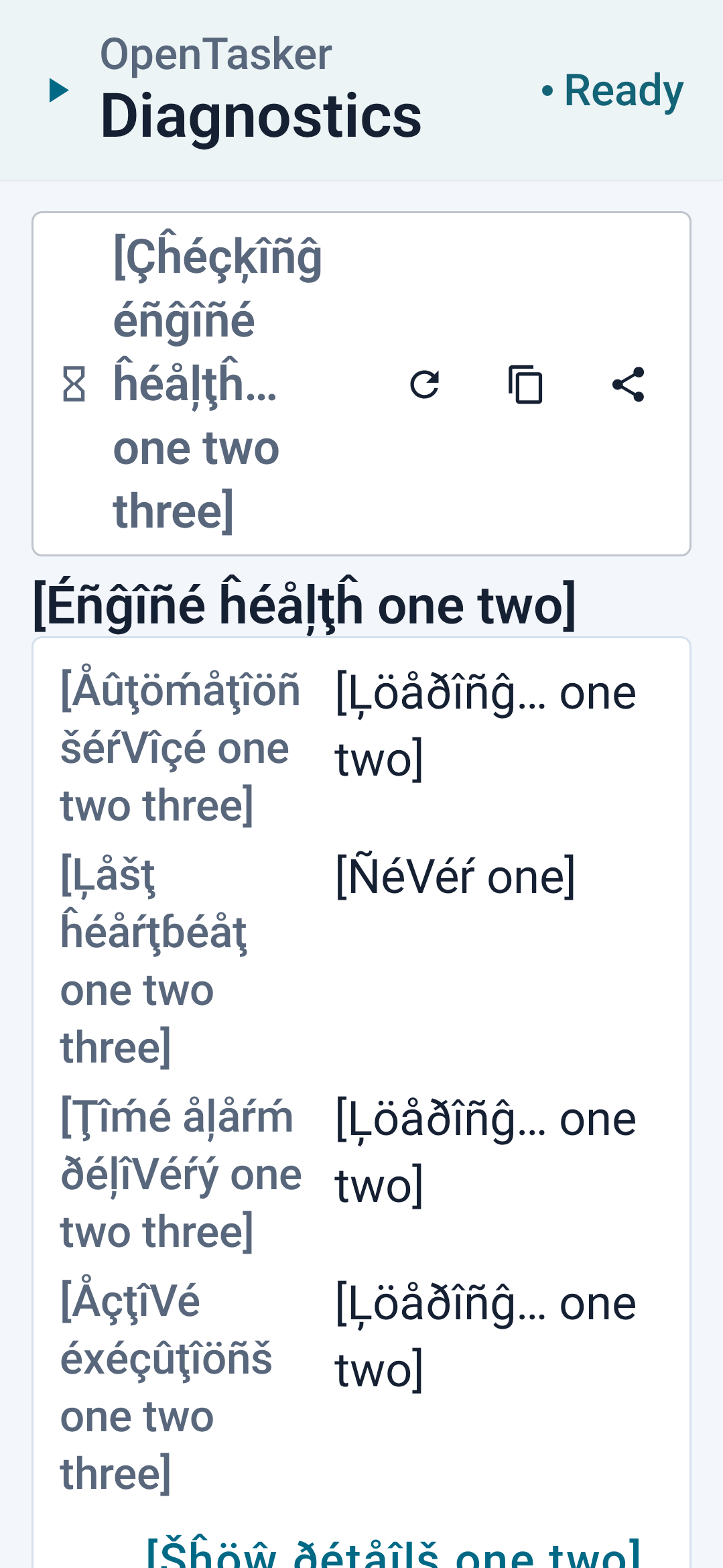
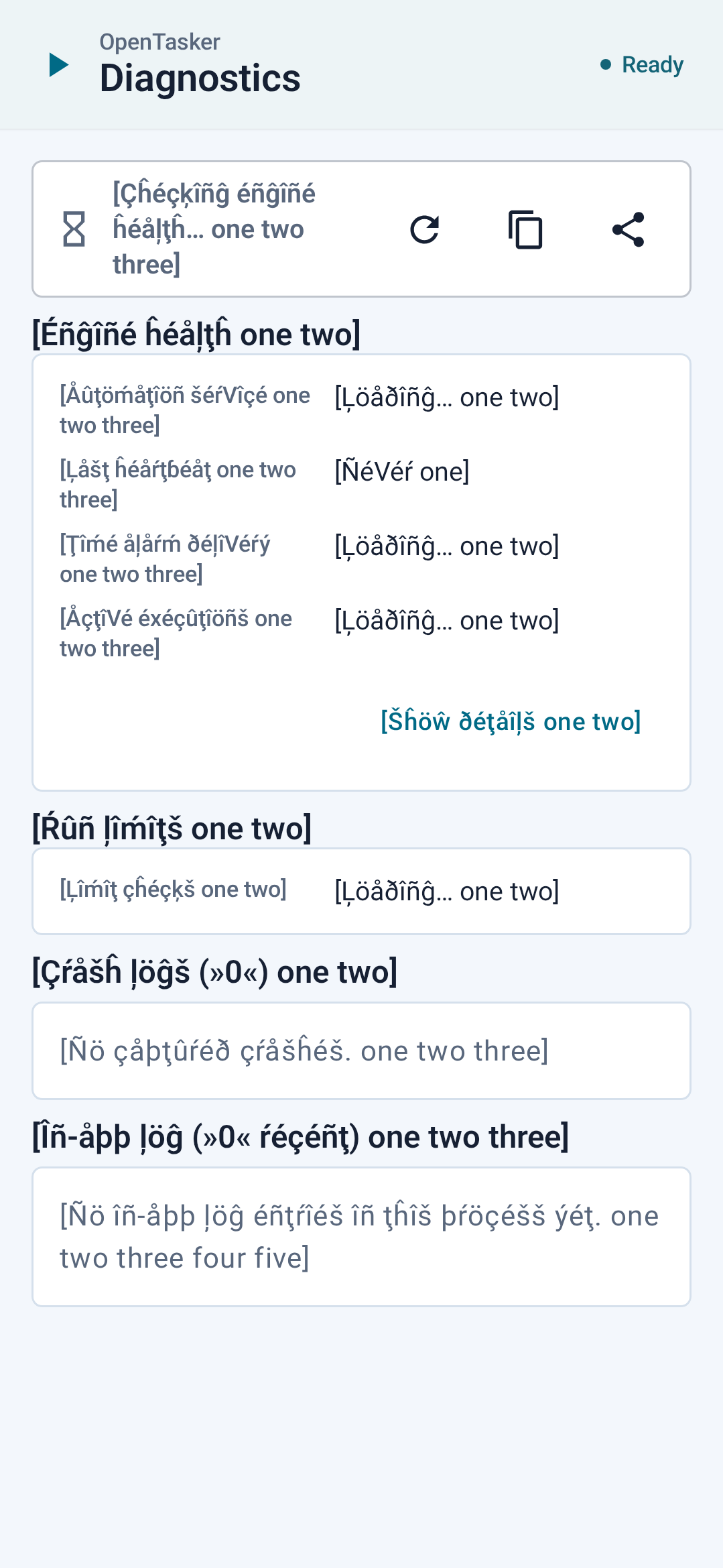
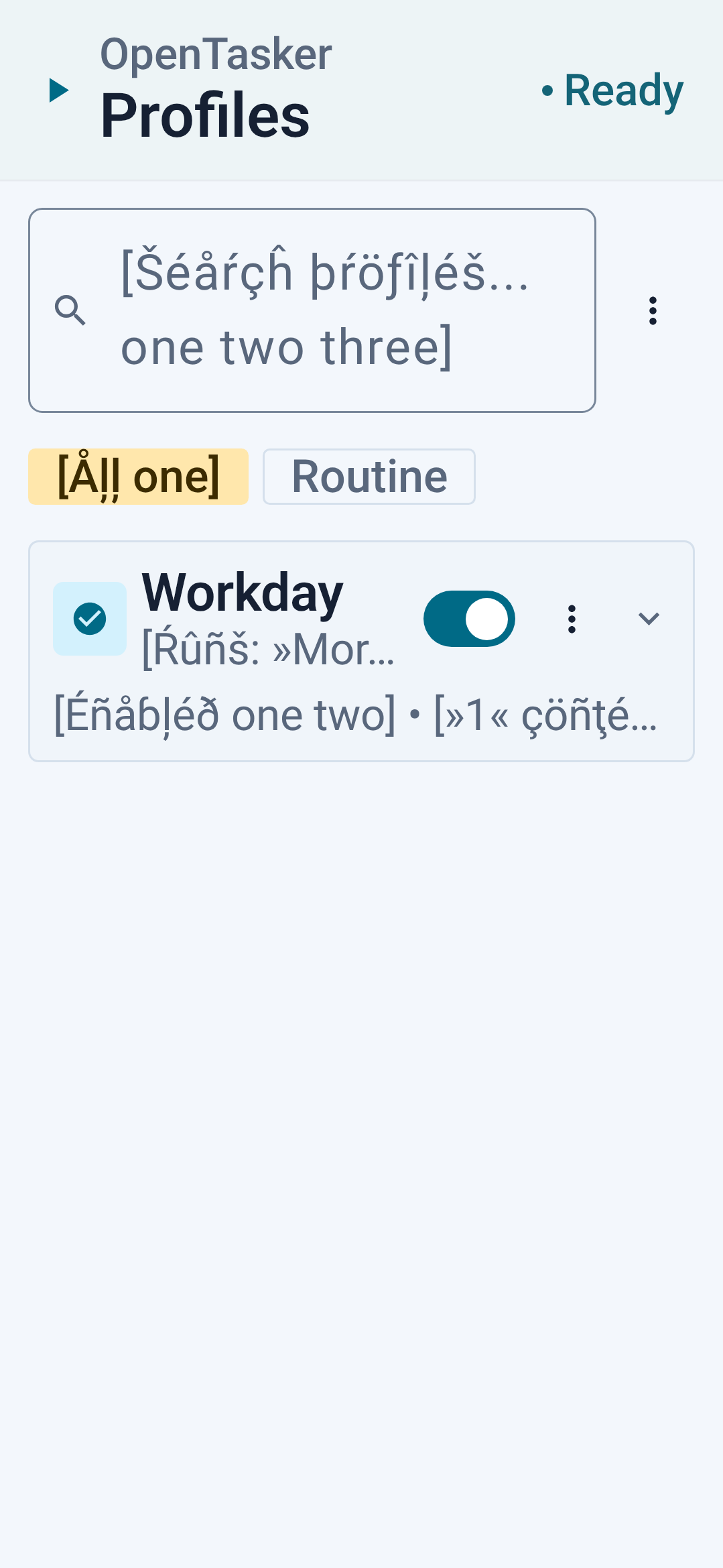
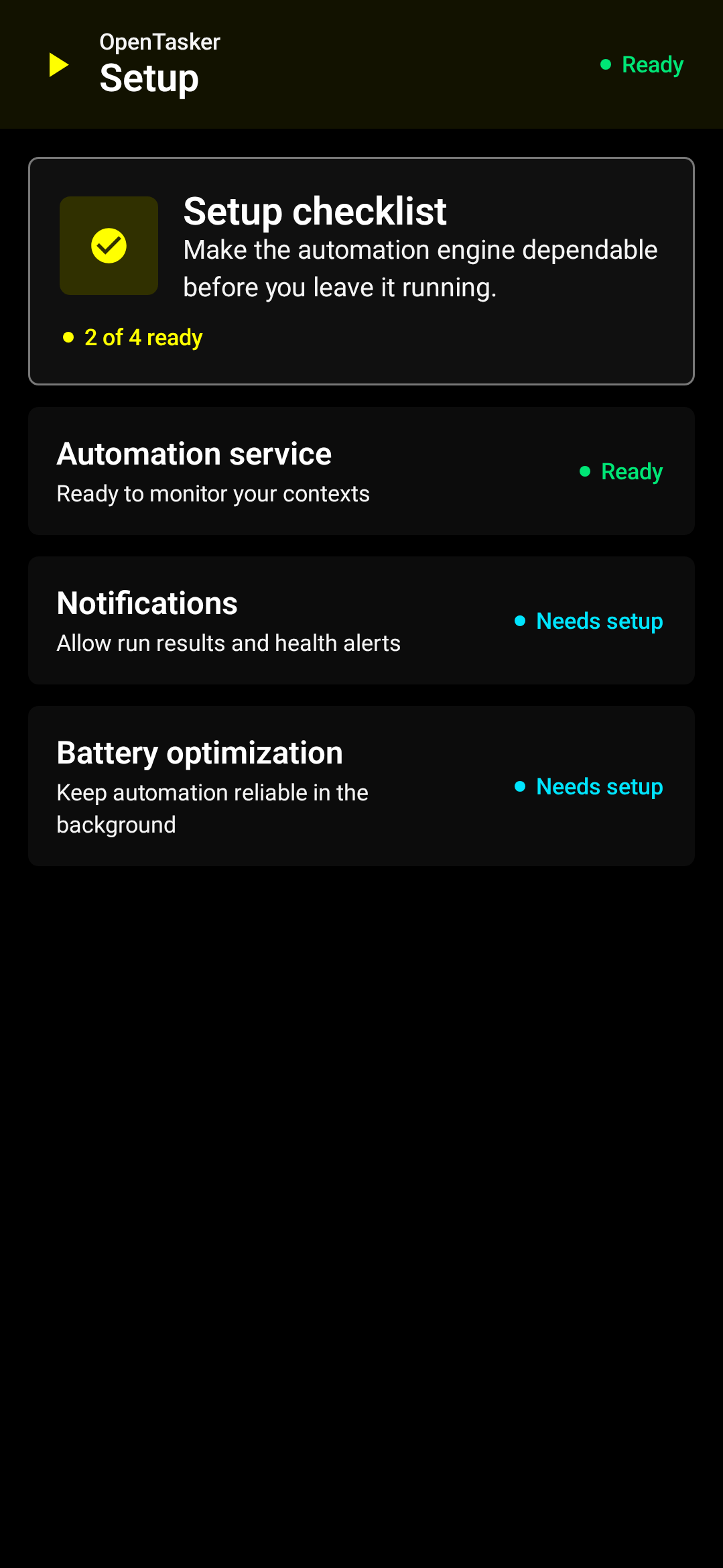
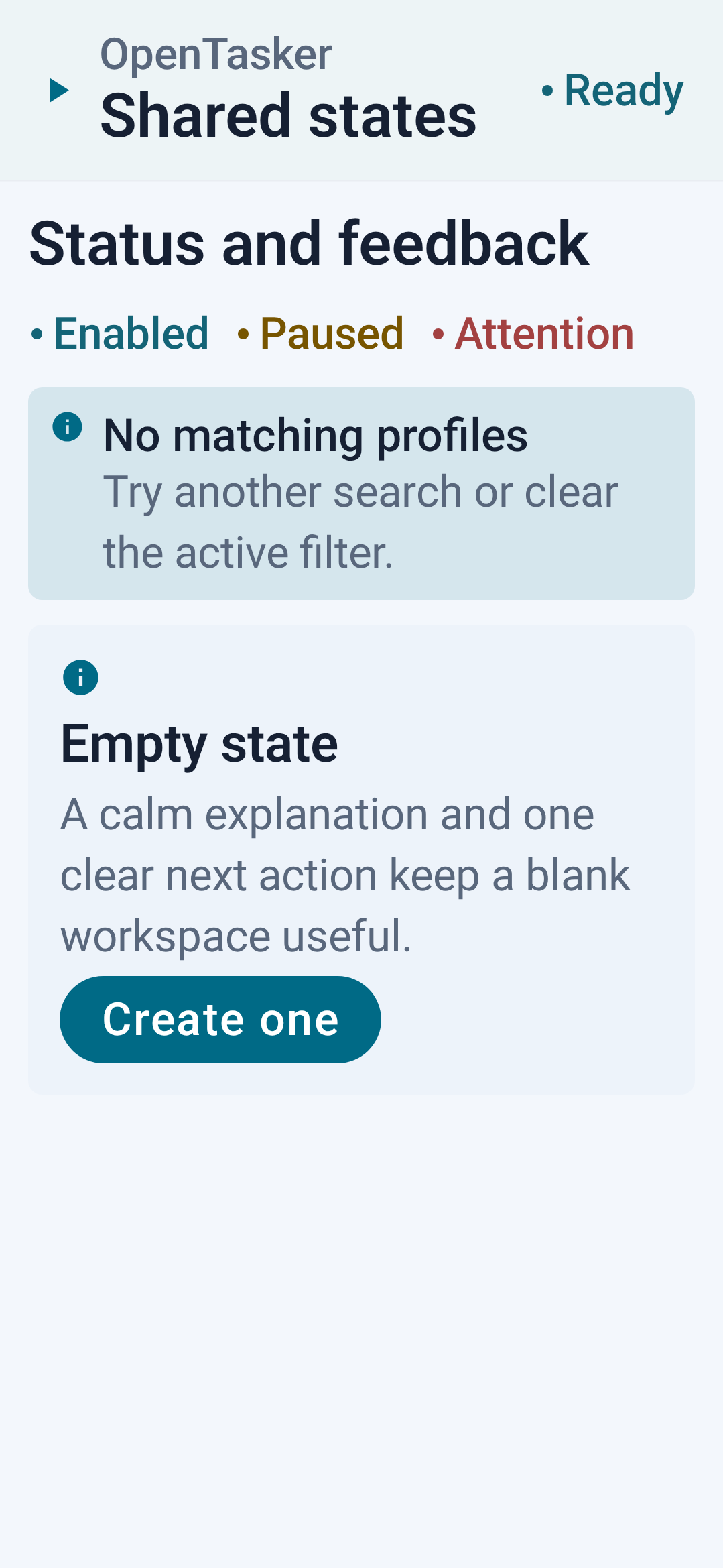
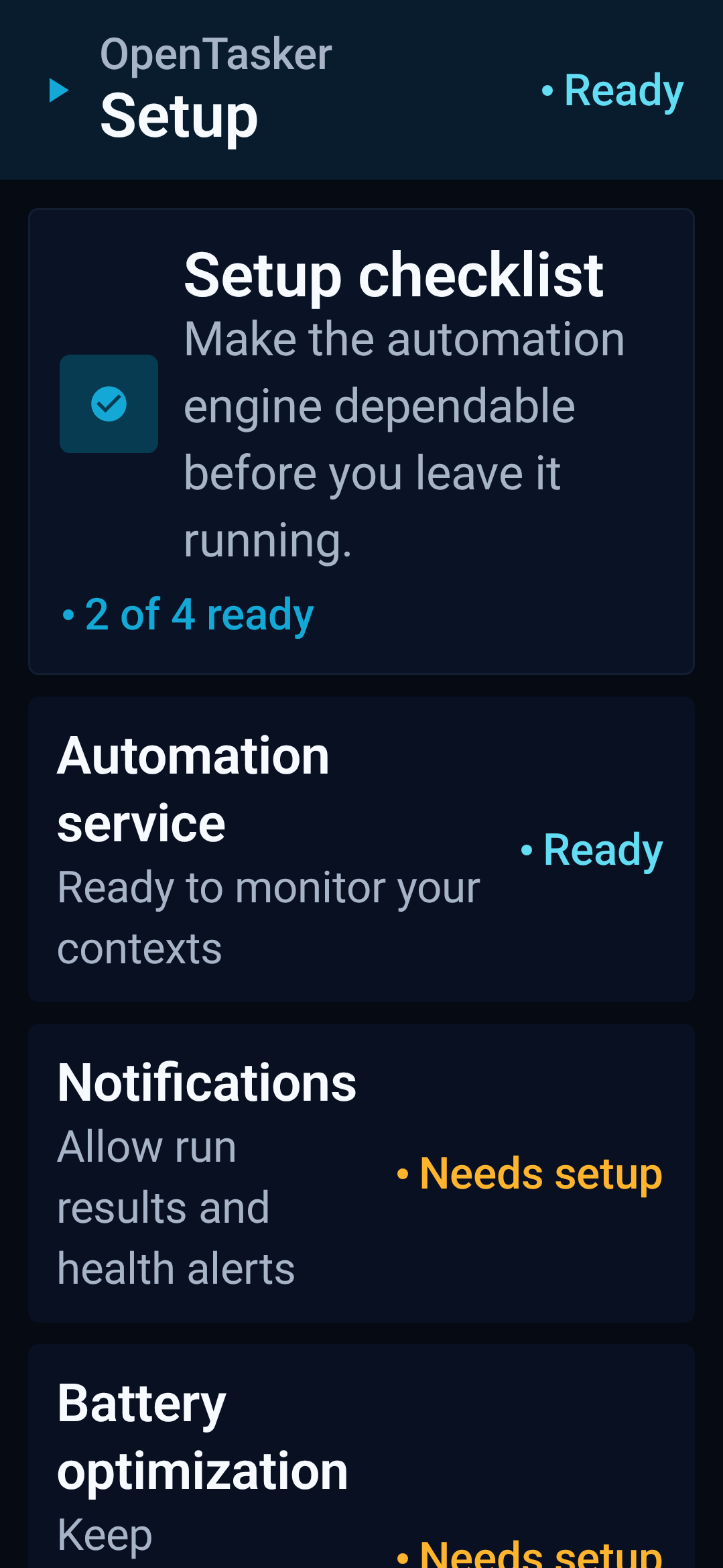
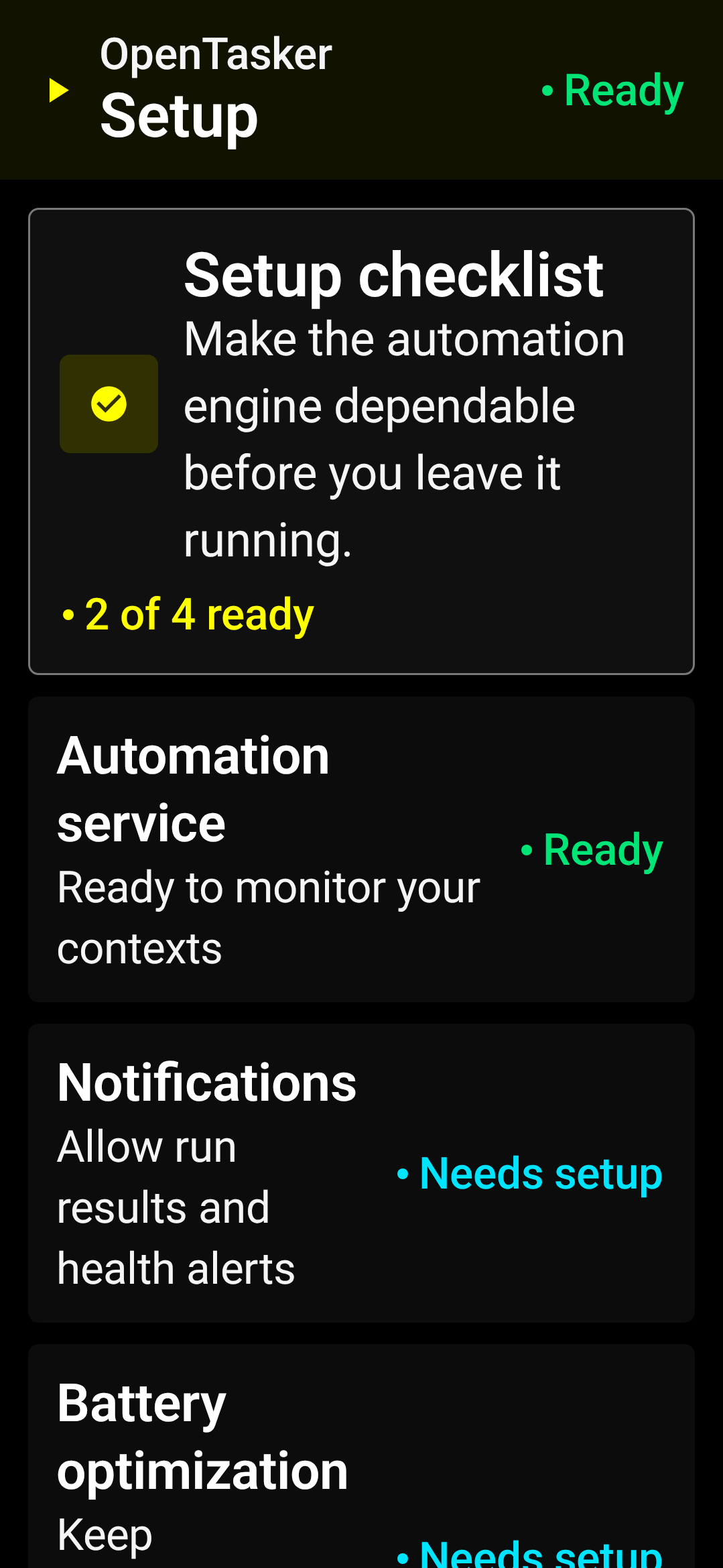
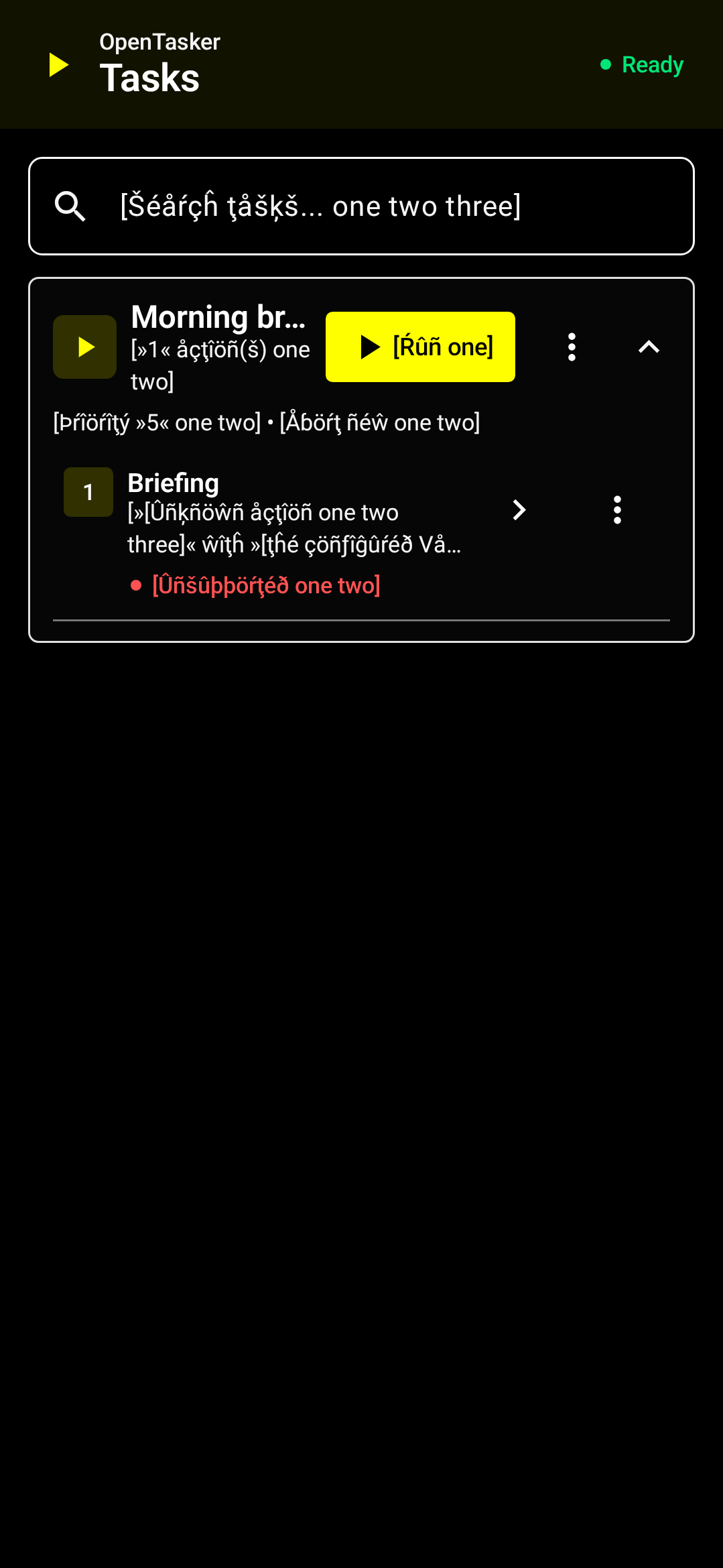
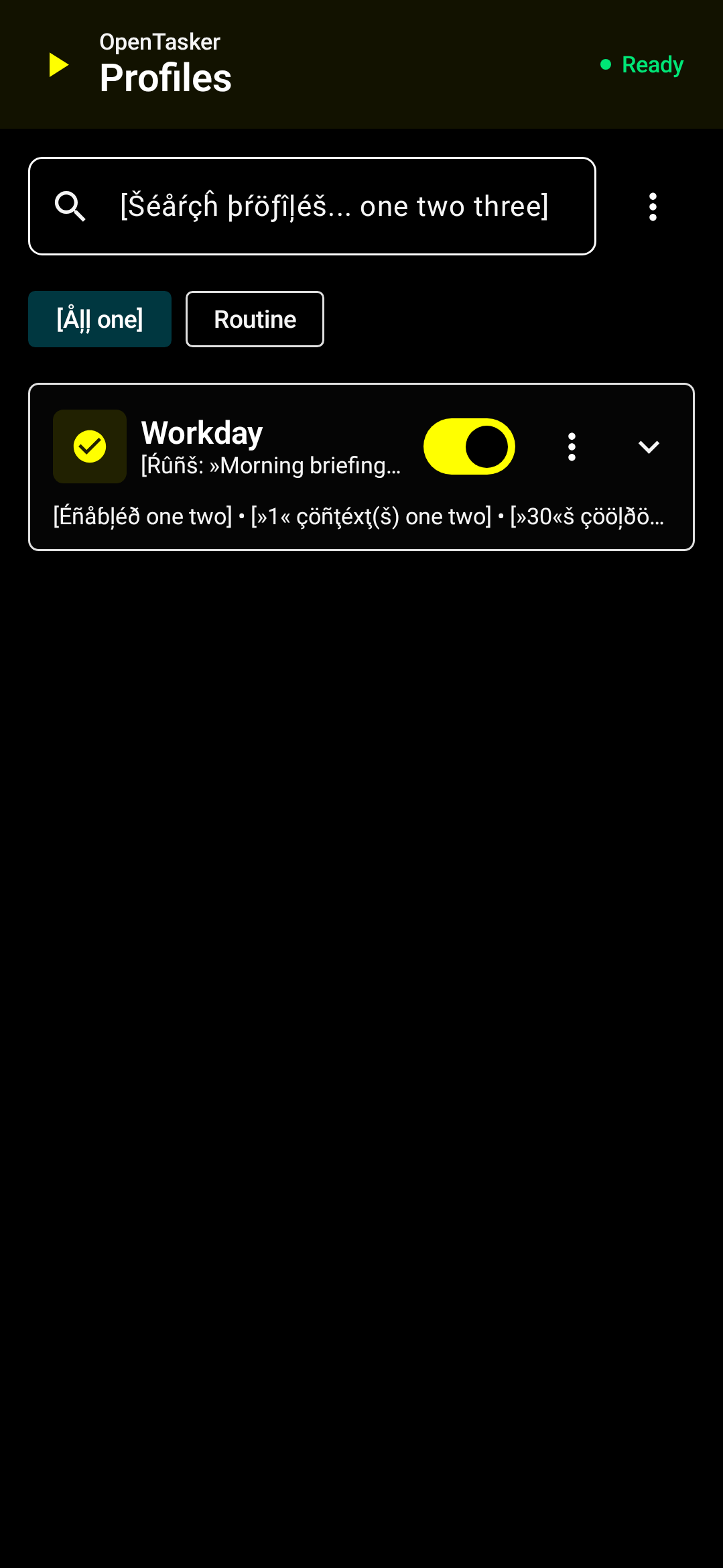
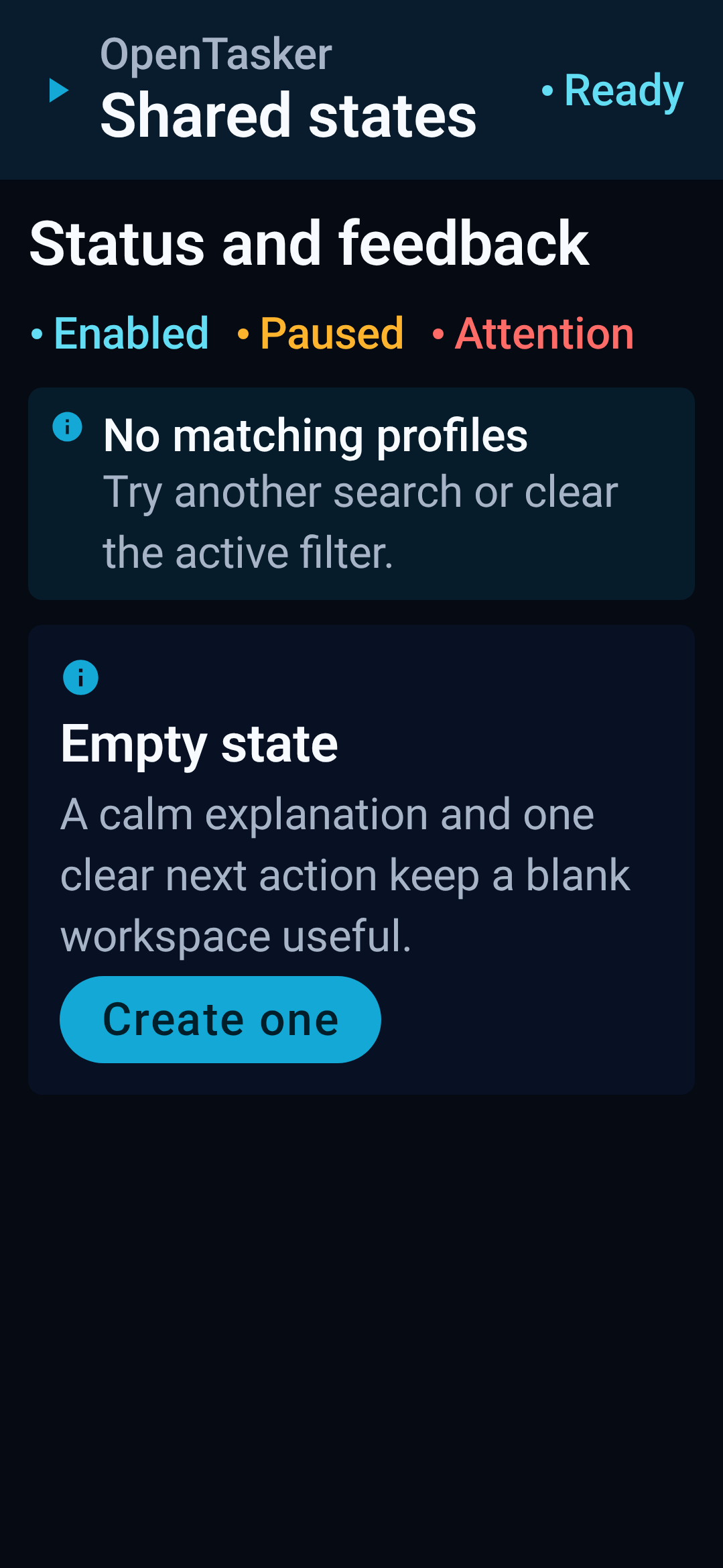
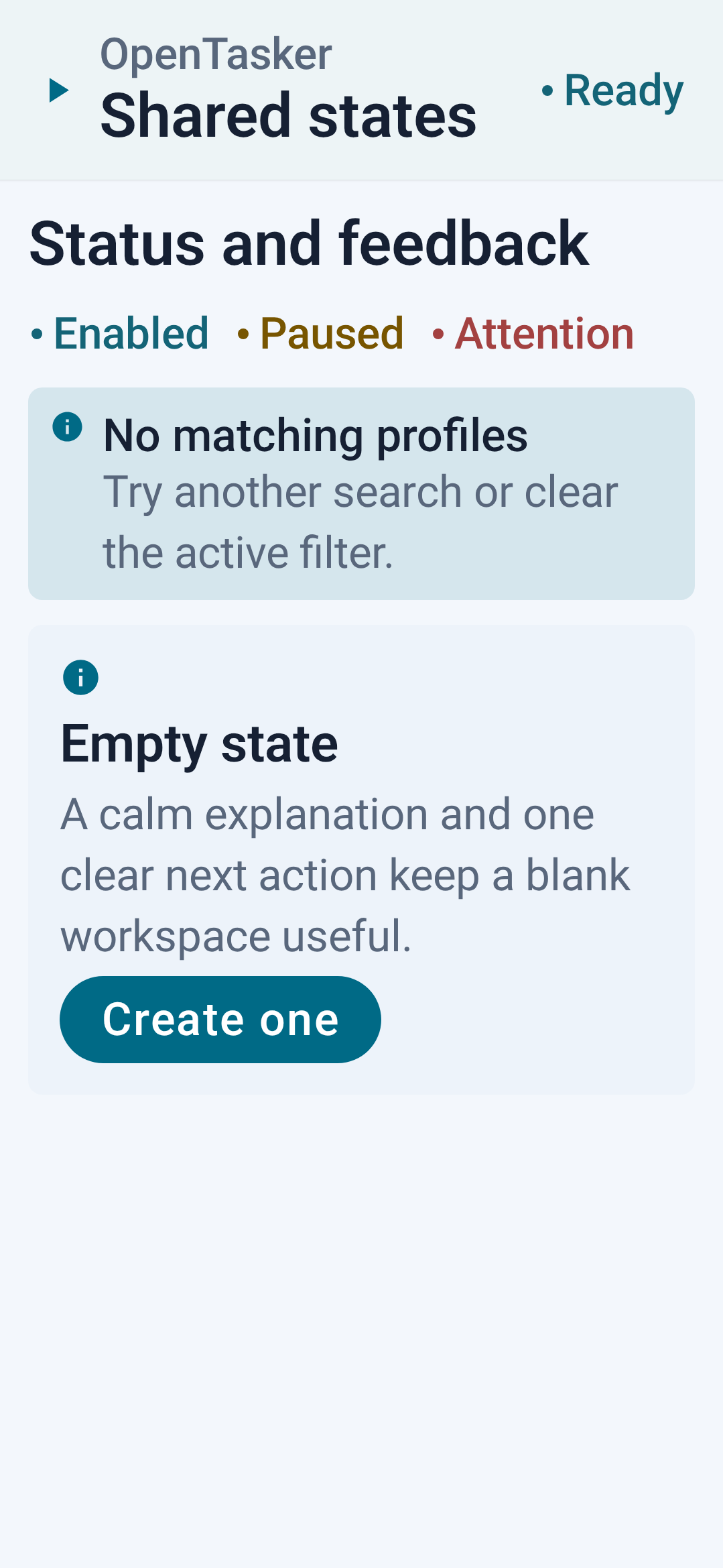
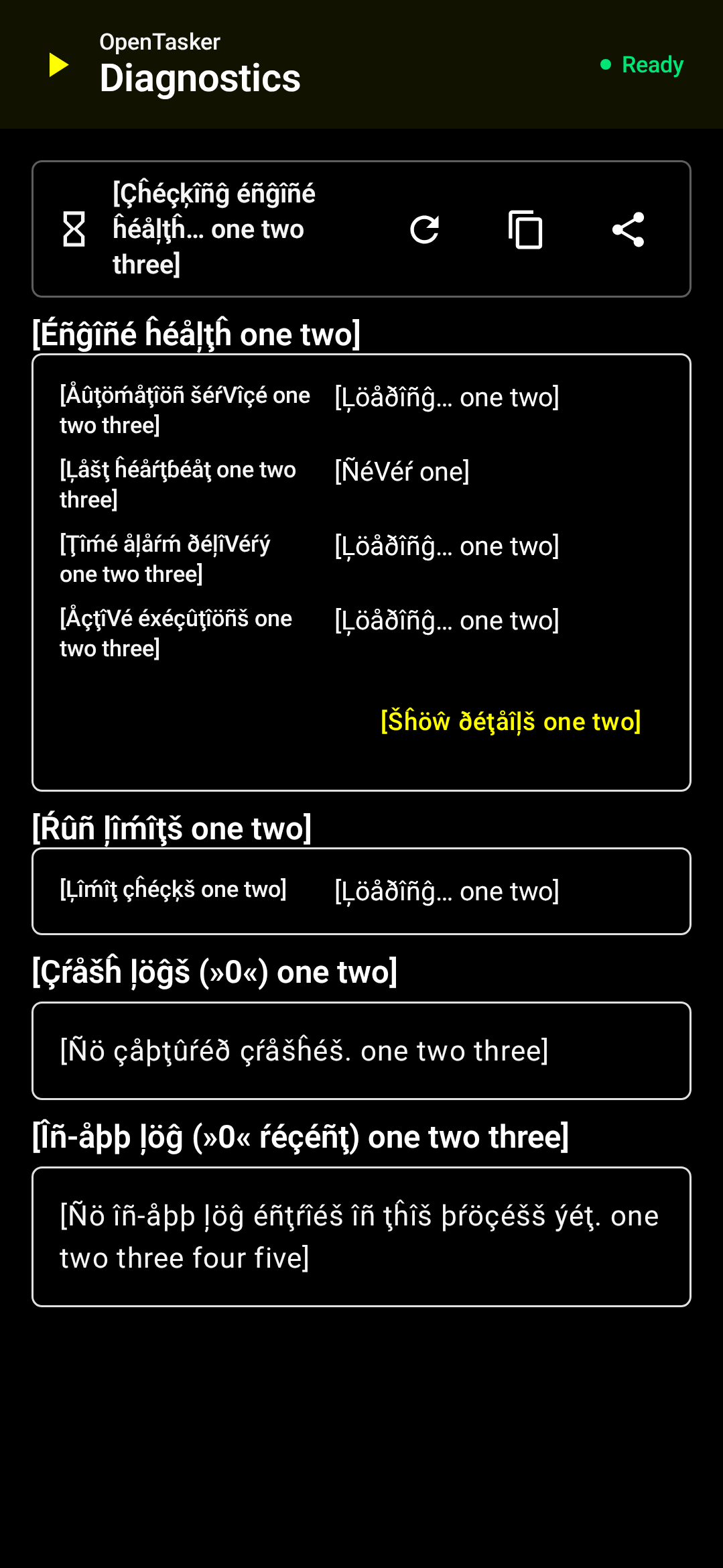
Permissions
52 permissions requested
More apps from this developer
 AppManagerNG
 File Explorer
 LocalAndroidStore
More from this category
 IMD
 Nothing Modes
 FlowPilot
 Argus
 Service Keeper
 AutoJs6
 vFlow
 NexaFlow
 Airplane Scheduler
 Latch
 PhoneProfilesPlus
 自动滑动器