 ShizuStore
OmniPrompt
0.19.0 · GitHub
More about this app
A keyboard-first Android command palette that unifies app/device search, and system utilities into an overlay
OmniPrompt

A keyboard-first Android command palette that unifies app launching, device search, and system utilities into a single, customizable overlay. Set it as your default assistant for instant access from anywhere.
Screenshots
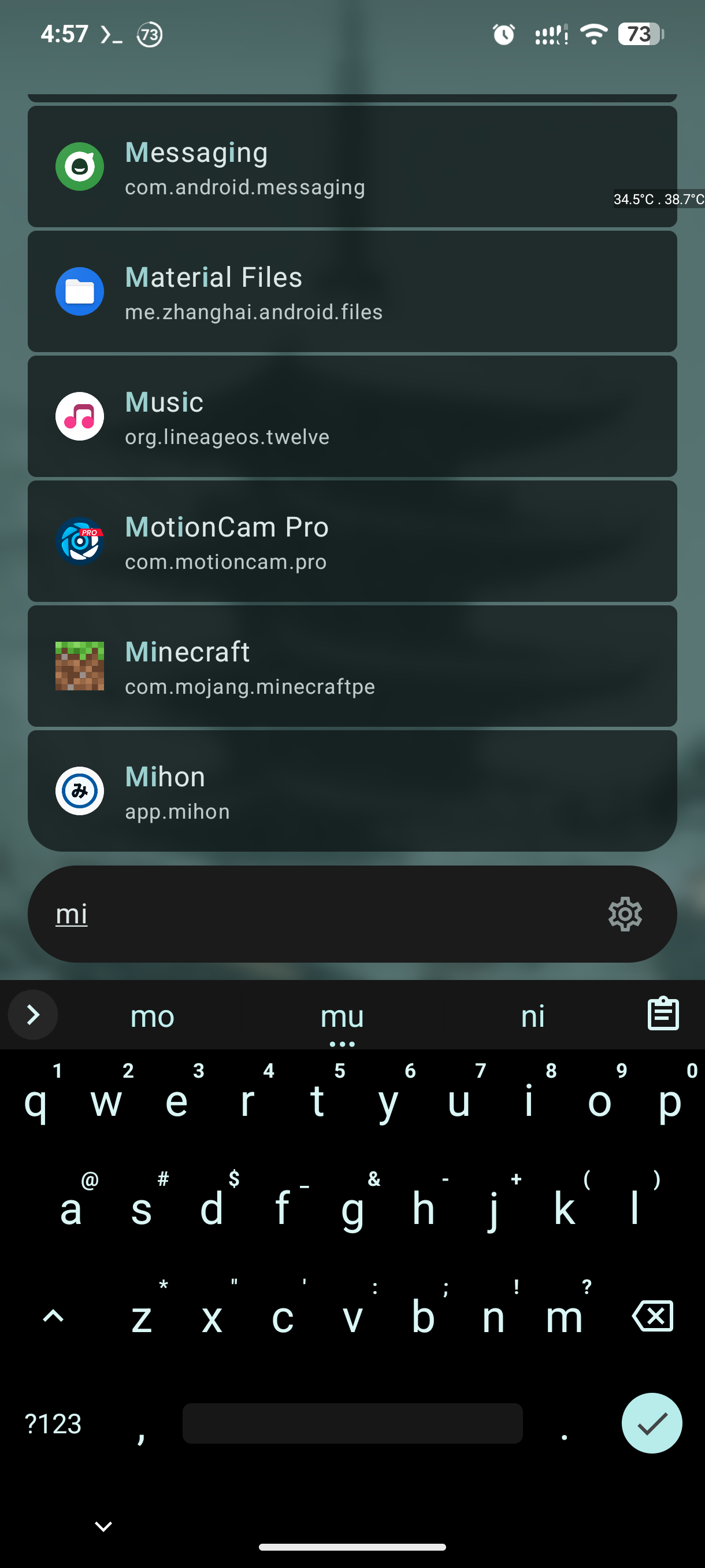
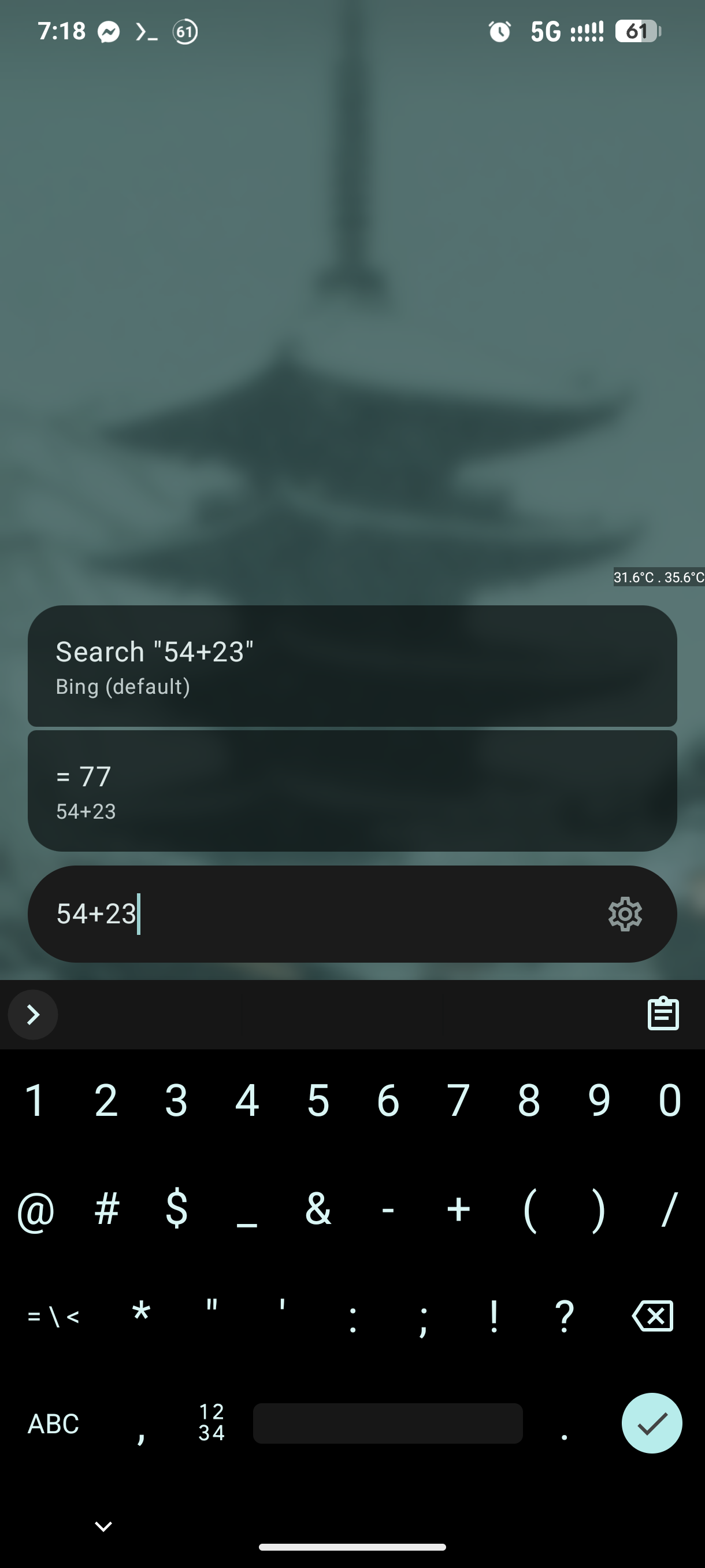
| App Launcher | Calculator |
|---|---|
 |
 |
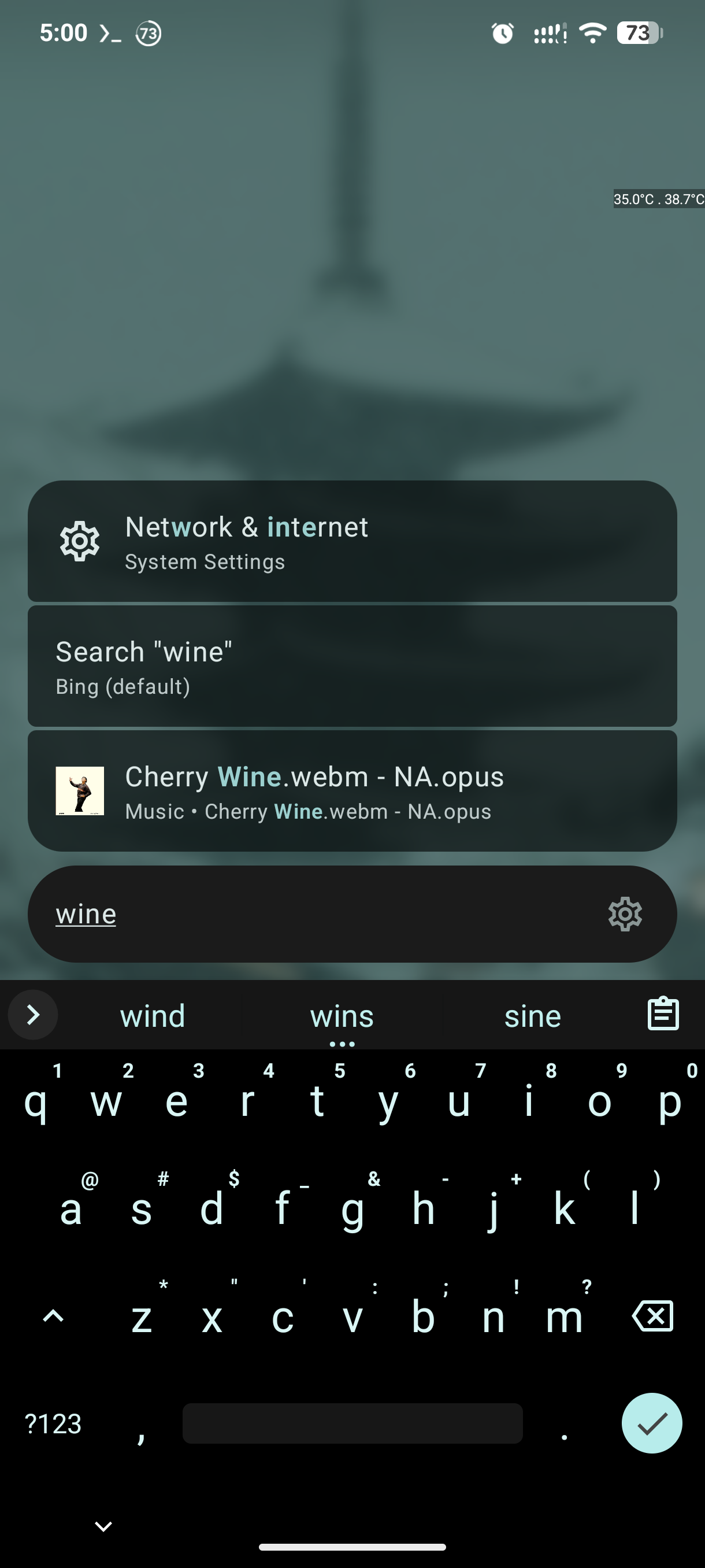
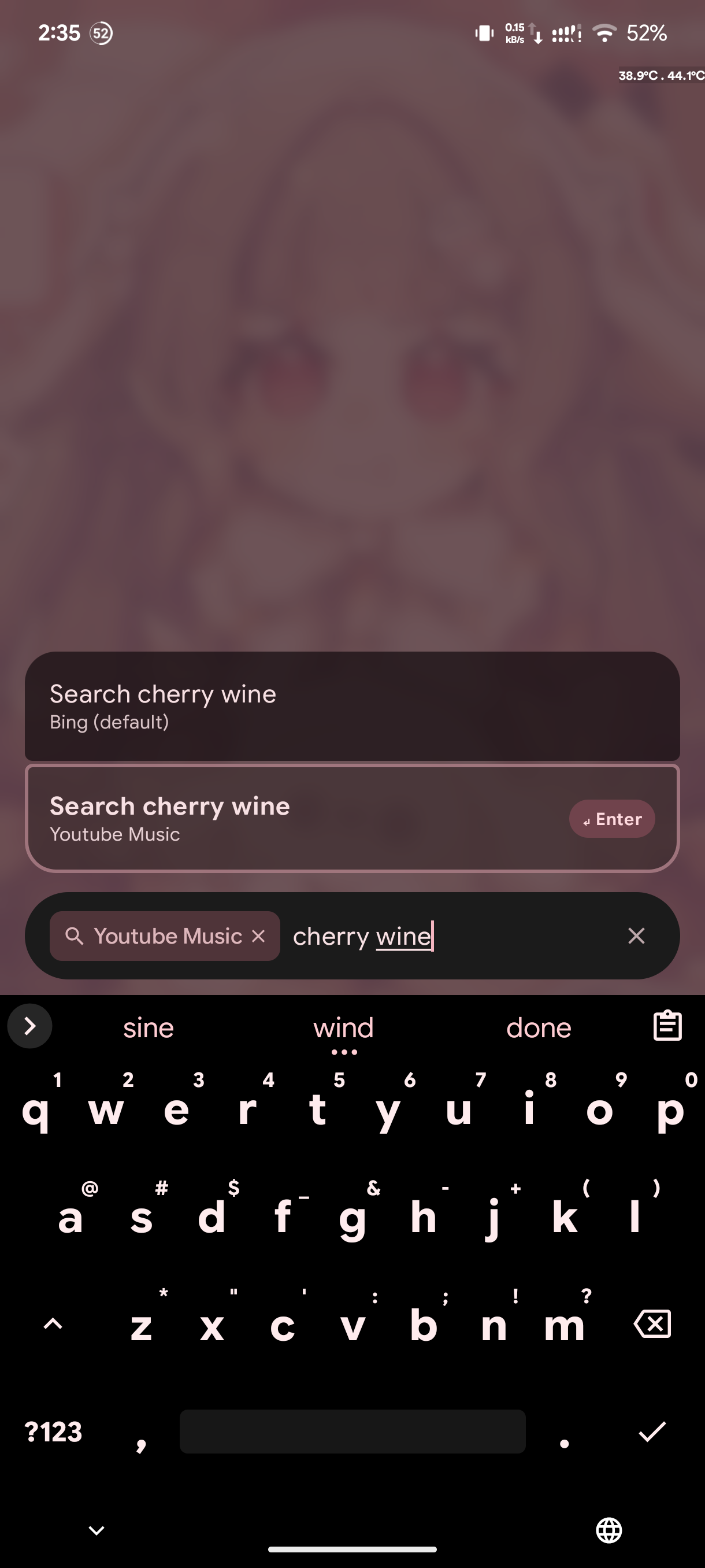
| File Search | Web Search |
 |
 |
Providers
- Apps — Fuzzy-matched launcher
- Calculator — Instant math with clipboard copy
- Contacts — Search with thumbnails and quick actions
- Files — Local search with media thumbnails
- Settings — System shortcuts + privileged toggles via Shizuku
- Termux — Execute terminal commands from the search bar
- Text Utils — Base64, URL encode/decode, redirect cleaning
- Web Search — Multi-engine with quicklinks (
g,ddg)
Features
- Alias System — Create custom keywords for apps and searches
- Smart Ranking — Learns from usage with competitive decay
- Material 3 UI — Adjustable blur, opacity, and motion
- Power-User Tools — Termux and Shizuku integration
Credits
- Blue Line Console — The keyboard-first Android launcher that inspired OmniPrompt's core interaction model.
Building
See BUILDING.md for local and CI build instructions.
License
This project is licensed under the GNU General Public License v3.0. See the LICENSE file for the full text.
How Shizuku is used
Can toggle Developer Options and open USB and wireless debugging screens via Shizuku with `settings put global` and `am start`.
This is an AI-assisted analysis of Shizuku-related usages in the app's public source code. It is best effort, so it may not catch every single usage.
How this app uses Shizuku
Shizuku is used to manage Developer Options directly from the command palette search results.
- Toggle Developer Options: searching for developer mode shows an enable or disable result that turns Developer Options on or off with the
settings put global development_settings_enabledshell command through Shizuku. - Open wireless debugging: a wireless debugging search result jumps straight to the wireless debugging settings page with an
am startshell command through Shizuku. - Open USB debugging: a USB debugging search result jumps straight to Developer Options focused on the USB debugging option with an
am startshell command through Shizuku.
Android APIs or commands used
settings put global development_settings_enabledam start -n com.android.settings/.SubSettings
Notable details
If the Shizuku launch fails, the wireless and USB debugging actions fall back to opening the normal Developer Options screen. The developer toggle also works without Shizuku when the app was directly granted WRITE_SECURE_SETTINGS.
Changelog
What's new for version 0.19.0
Features
Fixes
- prevent work badge clipping (16437b9)
- mask adaptive app icons (571afdb)
- remove app icon stagger (3d10219)
- preserve and fit recent apps (53273a3)
- launch search from launcher icon (ee2d0b1)
UI Changes
- add opacity customizations for search bar (f9b0590)
Performance
- speed up recent apps loading (37eb35a)
Permissions
17 permissions requested
More from this category
 Essentials
 Extendroid
 ShizuTools
 Dragon Launcher
 Smart Island
 GAMA
GAMA
 Tap, Tap
 Expressive Cutout
 SystemUI Tuner
 Ambient Music Mod
 ColorBlendr
 SetEdit+