 ShizuStore
NotiFixer
1.1.1 · GitHub
More about this app
Android utility to make notifications persistent/undismissable using Shizuku
 NotiFixer







NotiFixer is an Android utility designed to restore persistent notifications. The project was created as a solution for recent Android versions (specifically tested on Samsung Galaxy S25 / Android 16) where the system natively prevents apps from keeping their notifications pinned. This tool bypasses these limitations by modifying system flags.

Table of Contents
Features and Usage
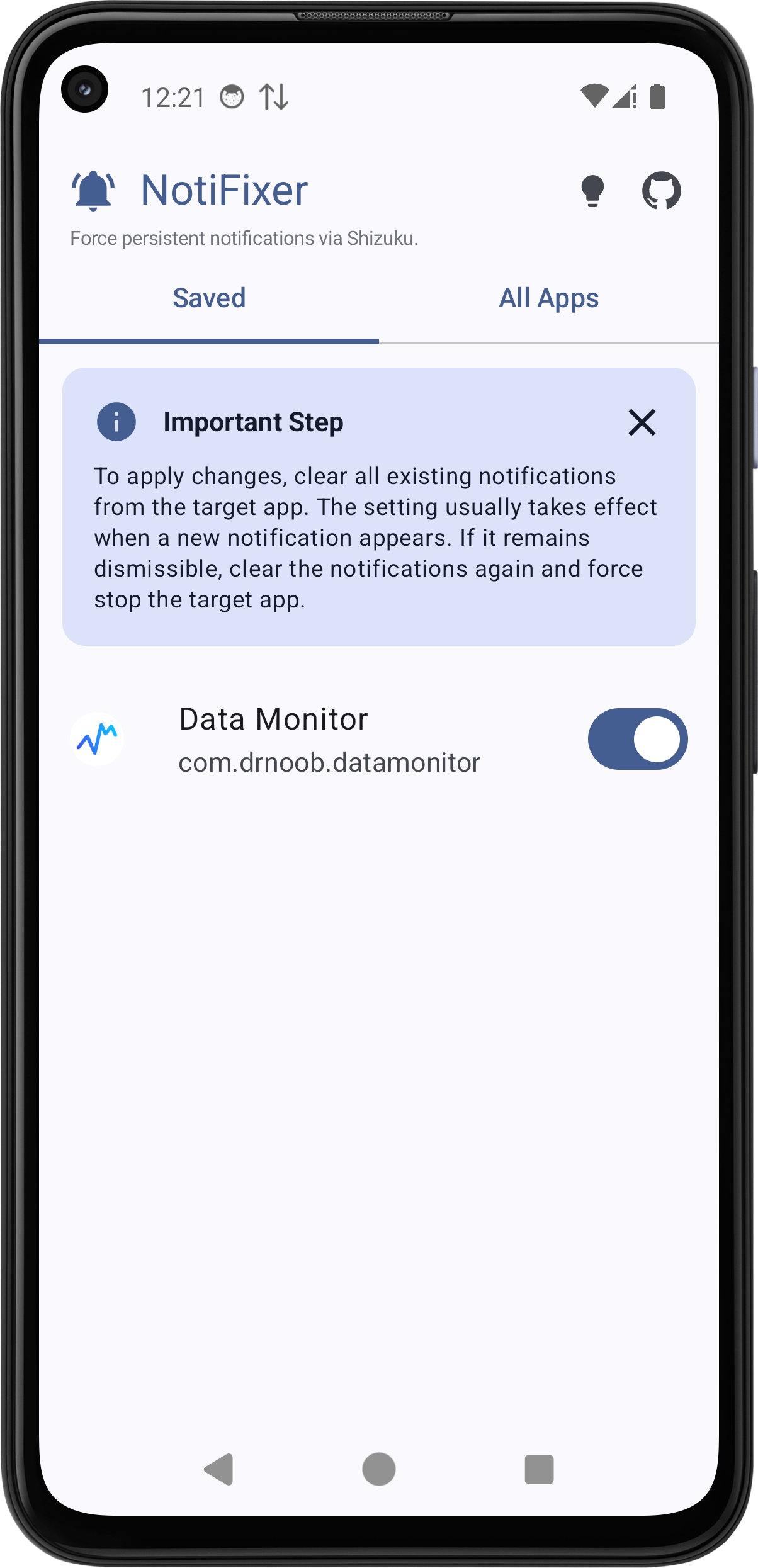
- Restore Persistence Notifications: Toggle any app's notification status to make it undismissable.
- Interface: Built using Jetpack Compose and Material 3.
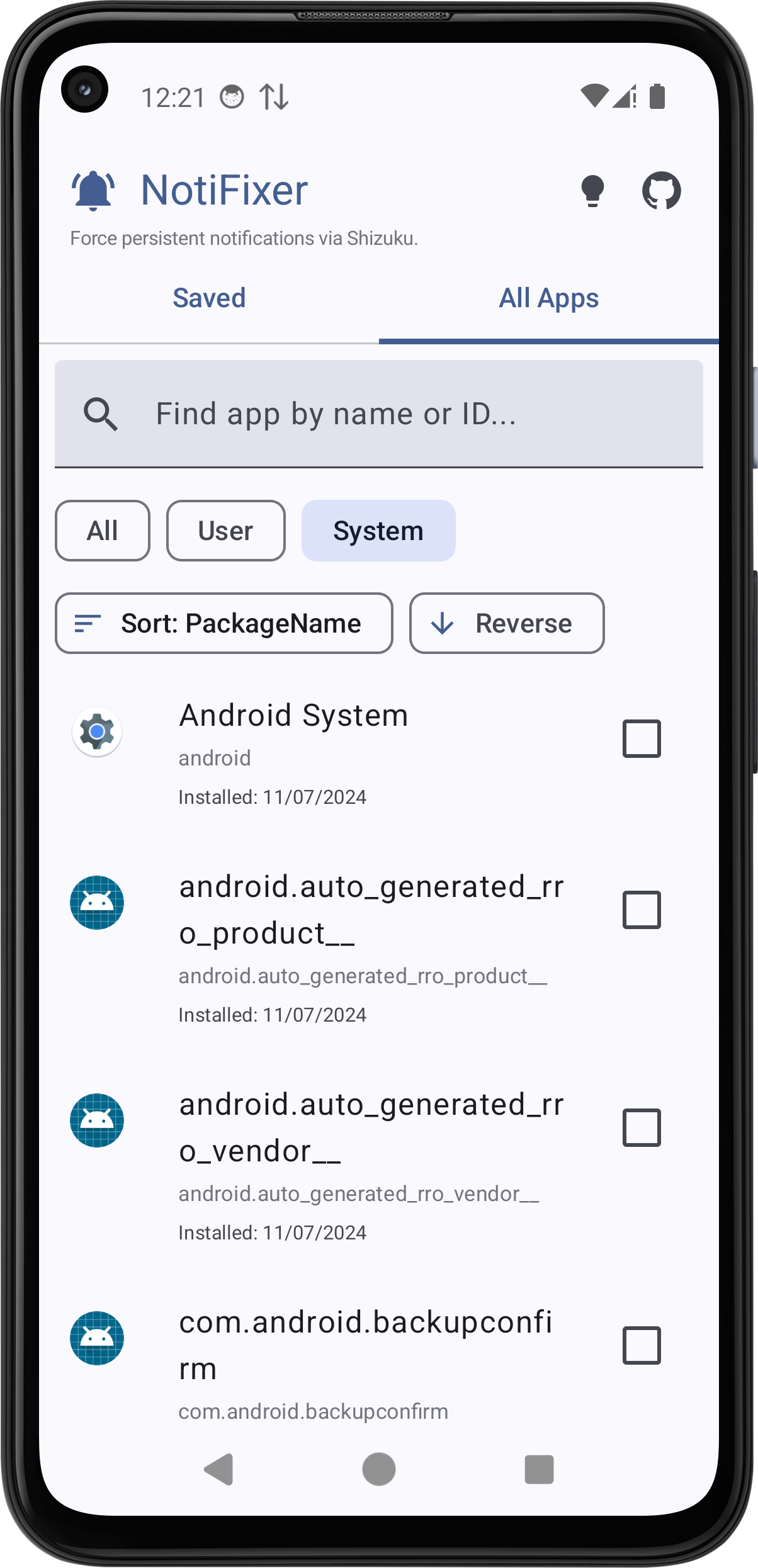
- Search & Sort: Quickly find apps by name or package ID and sort them by install date, update time, or name.
Instructions
- Ensure the Shizuku service is running on your device.
- Open NotiFixer and grant it Shizuku permissions.
- Select an app from the list to enable or disable persistent notifications.
Technical Specifications
| Category | Details |
|---|---|
| Requirements | Android 12.0+ (Optimized for Android 16) |
| Service | Active Shizuku instance (Wireless Debugging, ADB, or Root) |
| Stack | Jetpack Compose, Lottie, AndroidX SplashScreen |
Under the Hood
The application uses Shizuku to execute the following appops commands:
- Enable:
appops set <pkg> SYSTEM_EXEMPT_FROM_DISMISSIBLE_NOTIFICATIONS allow - Disable:
appops set <pkg> SYSTEM_EXEMPT_FROM_DISMISSIBLE_NOTIFICATIONS default
Screenshots


Installation & Support
Latest builds are available in the Releases section.
- Issues: If you encounter bugs or have feature requests, please open an issue.
- Disclaimer: This project is not affiliated with the Shizuku project. The developer is not responsible for any system instability, damages, or other consequences resulting from the use of this application. Use at your own risk.
License
This project is licensed under the MIT License. You are free to use, modify, and distribute the code, provided that the original copyright notice is preserved. See the LICENSE file for full details.
How Shizuku is used
Can make notifications undismissable and restart apps via `appops`, `am` and `monkey` shell commands through Shizuku.
This is an AI-assisted analysis of Shizuku-related usages in the app's public source code. It is best effort, so it may not catch every single usage.
How this app uses Shizuku
NotiFixer uses Shizuku to run privileged shell commands that control notification behavior and restart apps.
- Make notifications persistent: turning on the switch for a saved app exempts it from dismissible notifications with the
appops setshell command through Shizuku, turning it off reverts it to the default behavior. - Check exemption status: the current persistent notification state for each saved or added app is read with the
appops getshell command through Shizuku and shown in the app list. - Restart saved apps: a refresh action force stops the selected app and relaunches it in the background with the
am force-stopand launchermonkeyshell commands through Shizuku.
Android APIs or commands used
appops getappops setam force-stopmonkey
Changelog
What's new for version 1.1.1
This update expands device compatibility by adding support for Android 11, introducing tailored green color schemes for legacy Android versions while preserving dynamic colors on newer systems.
Warning
Compatibility Notice: Android 11 support was added per user request in #4. Please note that this build could not be fully tested on a real device, as I don't have a target app to test it with—testing was limited to basic UI navigation in an Android 11 emulator. However, this issue mainly affects newer Android versions, as persistent notifications worked as intended on Android 11 without this bug.
What's Changed
- Android 11 Support: Lowered minimum required Android version (
minSdk) from Android 12 (API 31) to Android 11 (API 30) per request in #4. - Legacy Color Schemes: Added custom light and dark green themes for devices running Android 11, ensuring a clean visual experience where dynamic color (Monet) is unavailable.
- Dynamic Color Preservation: Devices running Android 12 and above continue to automatically adapt to the system wallpaper color scheme without any changes.
Permissions
3 permissions requested
More from this category
 VineOS
 Phone Diagnostic
 OptiDroid
 Screen Recorder
 Screen Translator
 KeiOS
KeiOS
 雨晴截屏
雨晴截屏
 CaptureCap
 Kiosk Satellite
 Iris长截图
 Fern
Fern
 GhostLock