 ShizuStore
MindControl
1.1 · GitHub
More about this app
Hardware button remapper and AOD toolkit for the iKKO MindOne that monitors physical keys through Shizuku getevent, with a root fallback.

MindControl 🧠📱





MindControl is a deep-integration customization tool for the iKKO MindOne. It allows you to hijack physical hardware buttons with a highly customizable, media-rich alternative and also adds an Always-On Display (AOD).
📸 Screenshots
| Main Dashboard | Button Config | AOD |
|---|---|---|
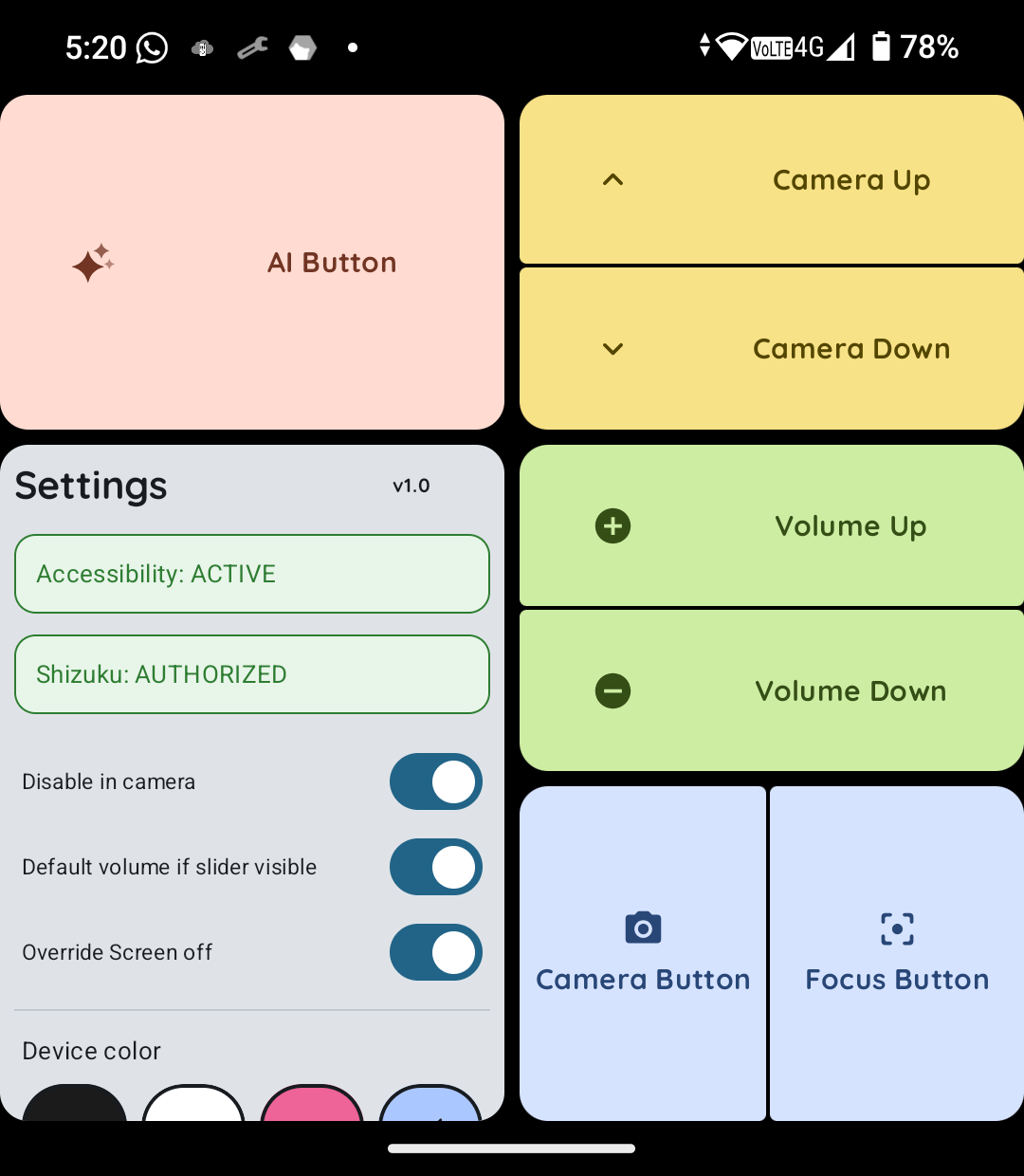
 Main Dashboard |
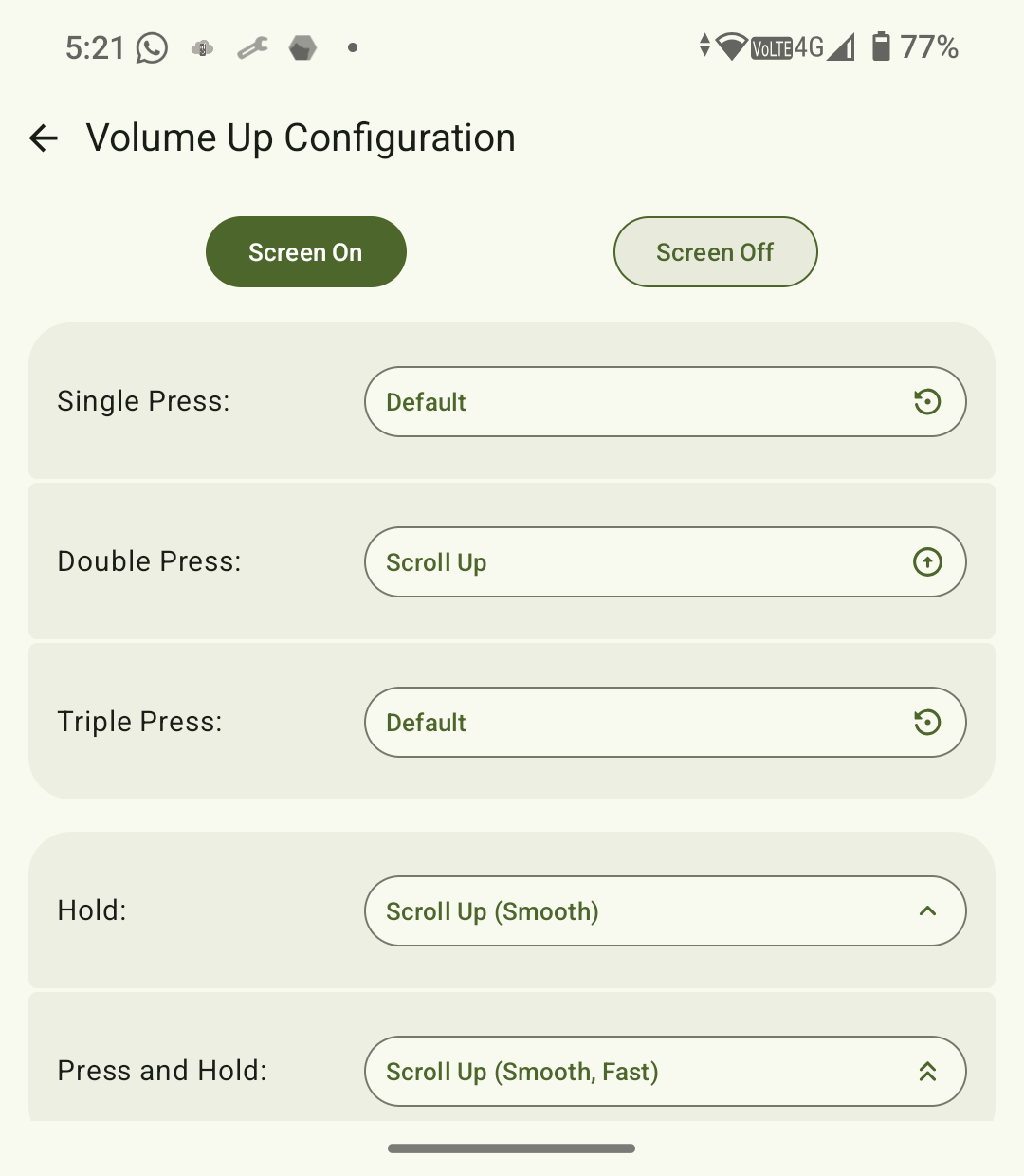
 Buttonconfig Screen |
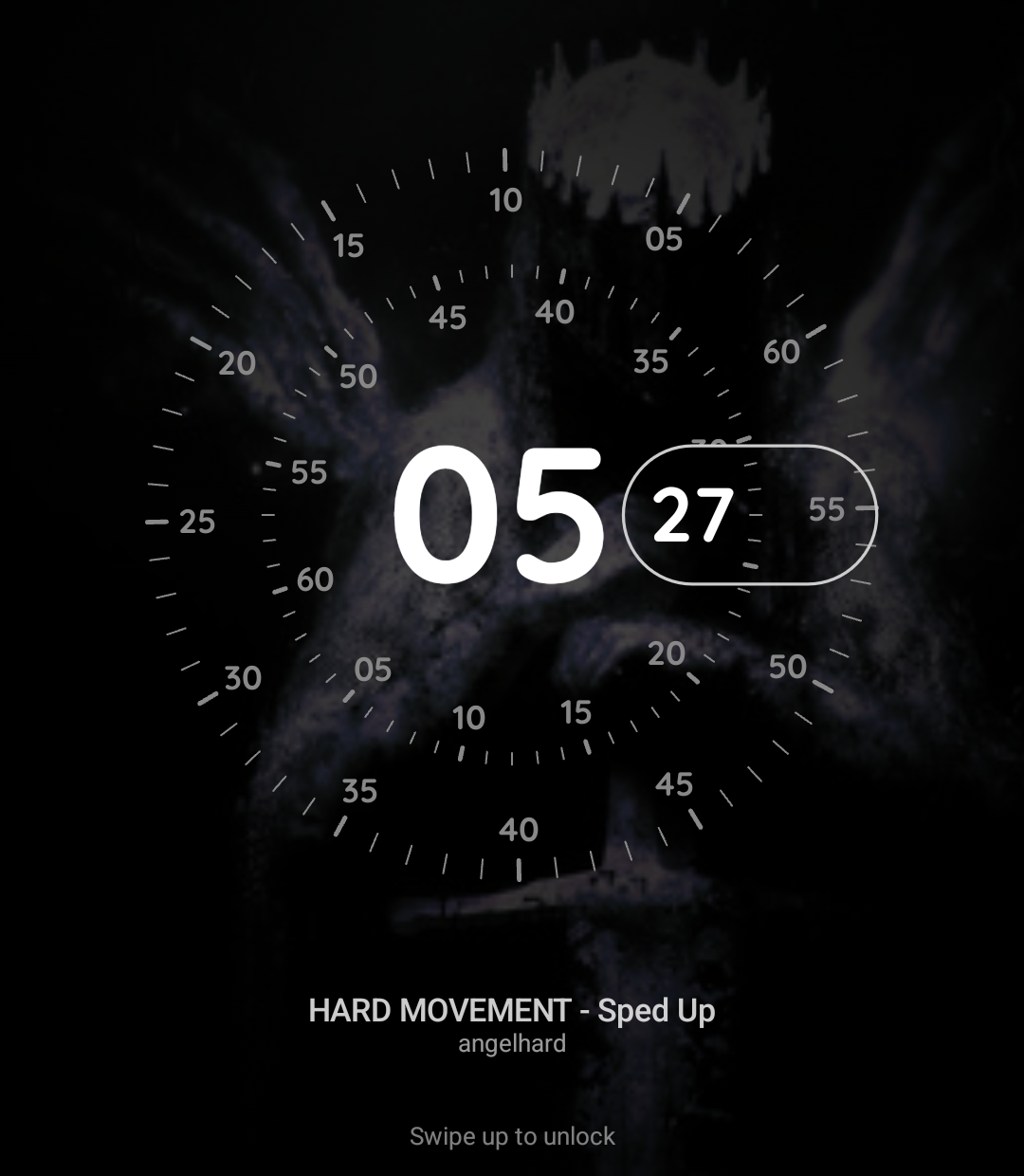
 Concentric screen with Mediaplayer |
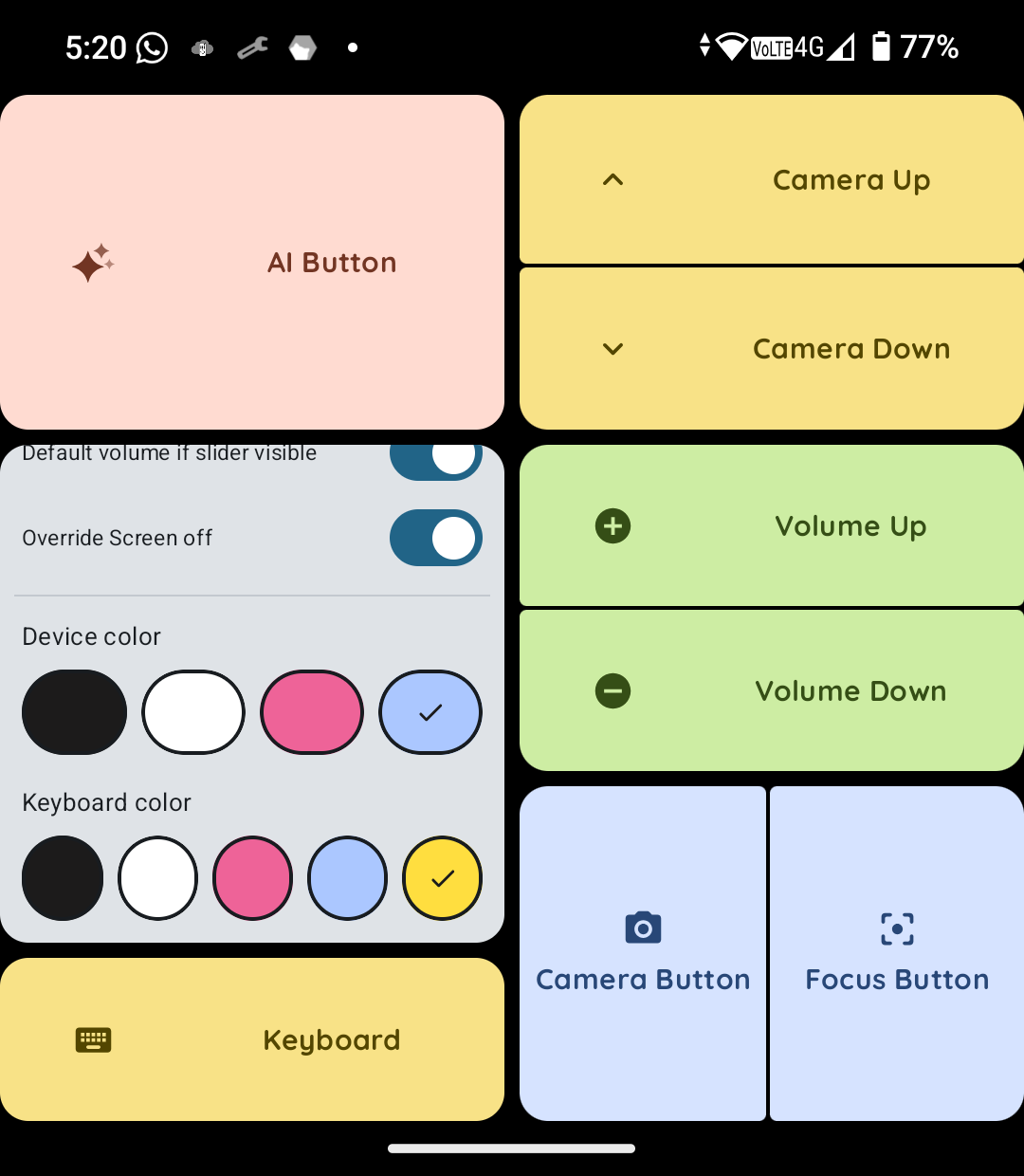
 Theme selector and Keyboard button |
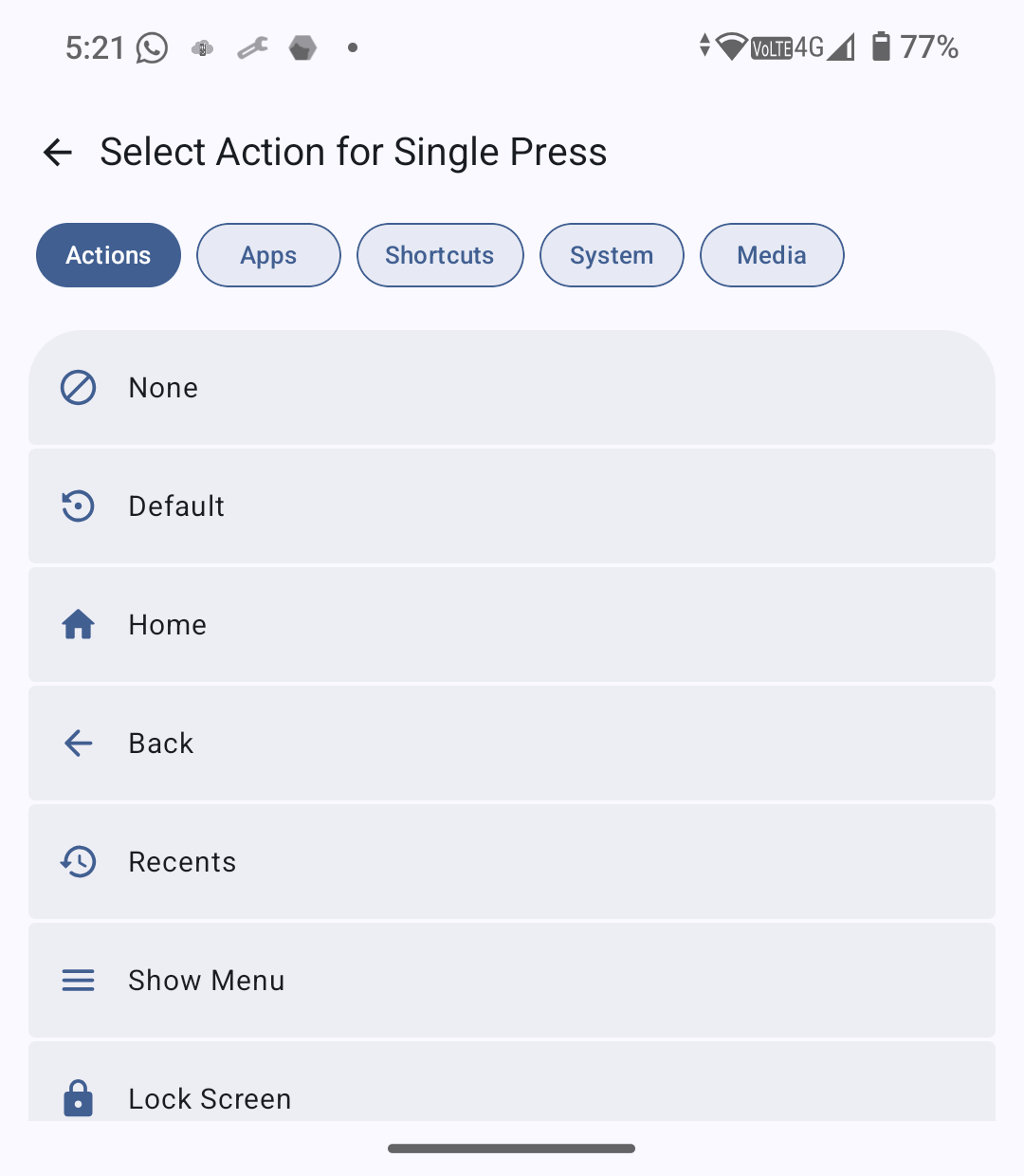
 Action selector |
 Nothing Dot Stacked |
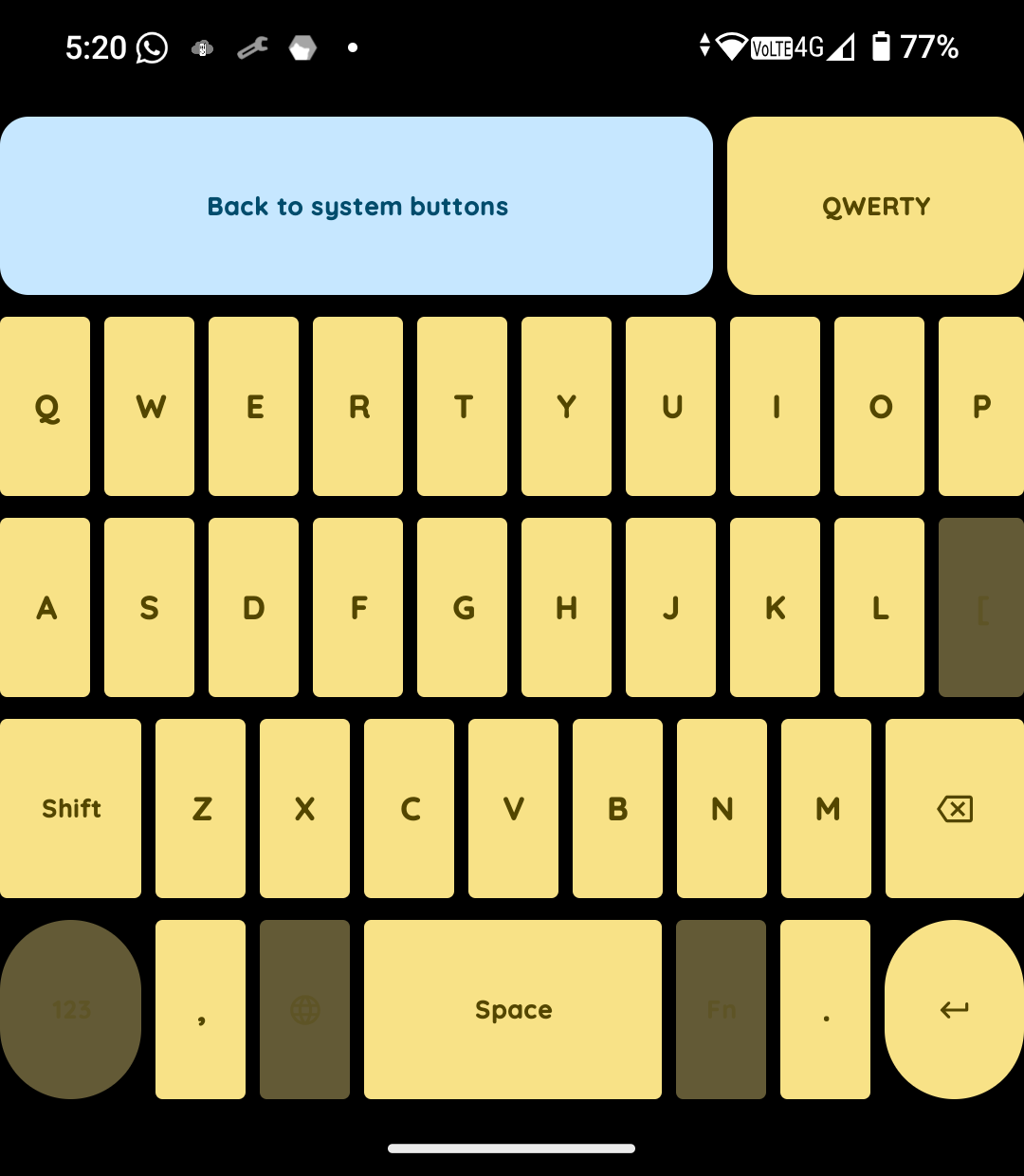
 Keyboard Dashboard |
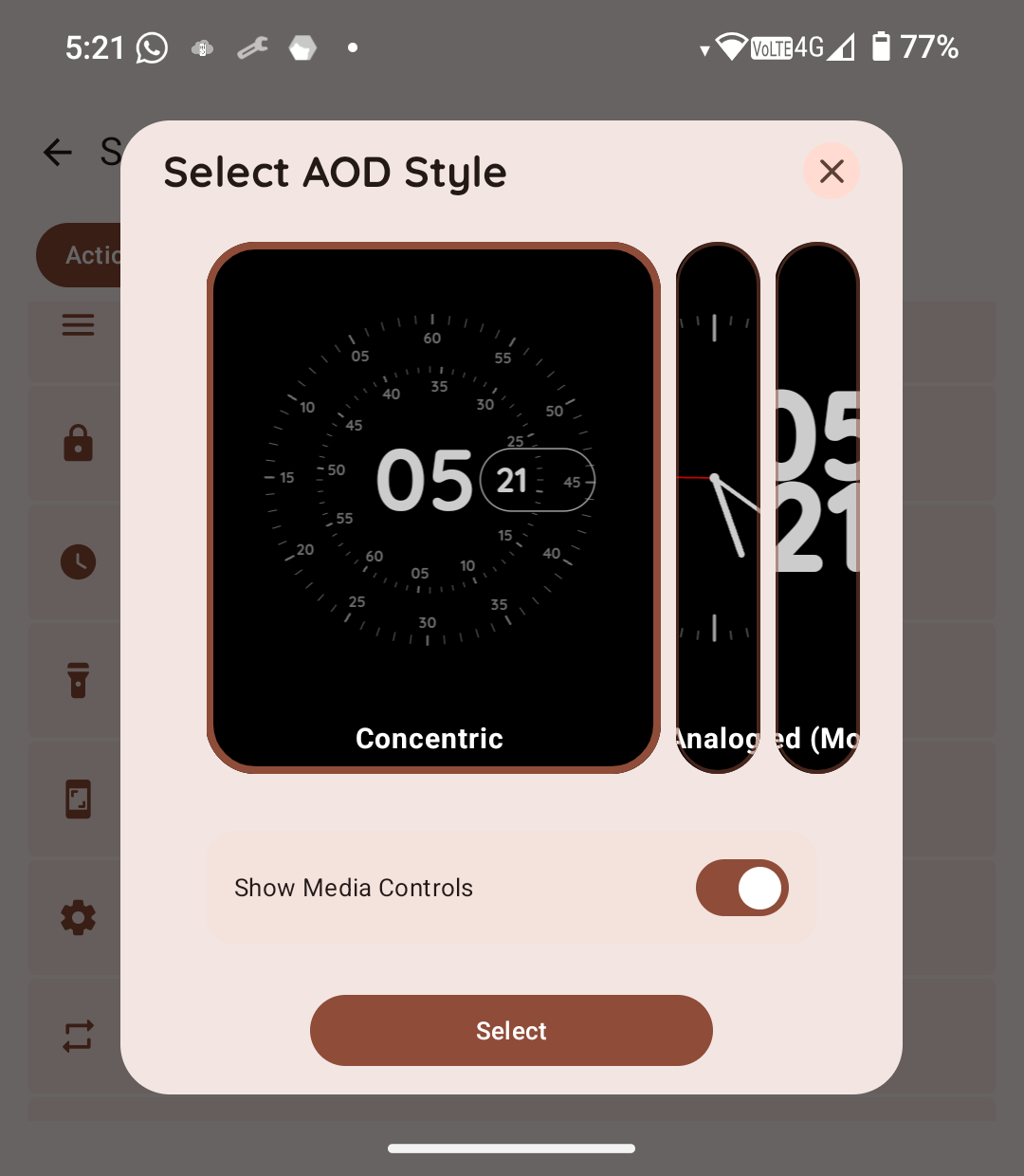
 AOD Select Action |
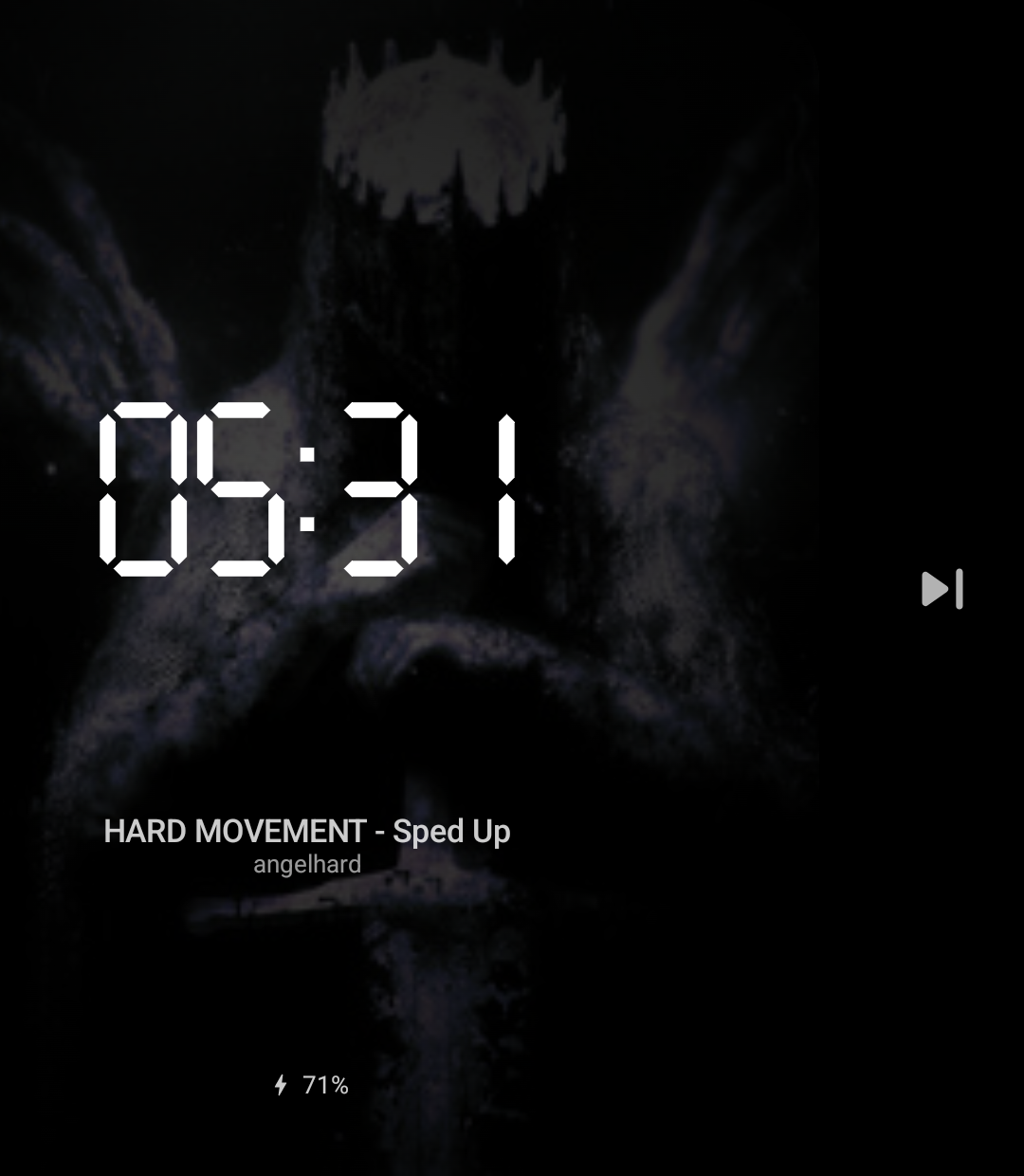
 Digital AOD With Media action triggerd and charning state |
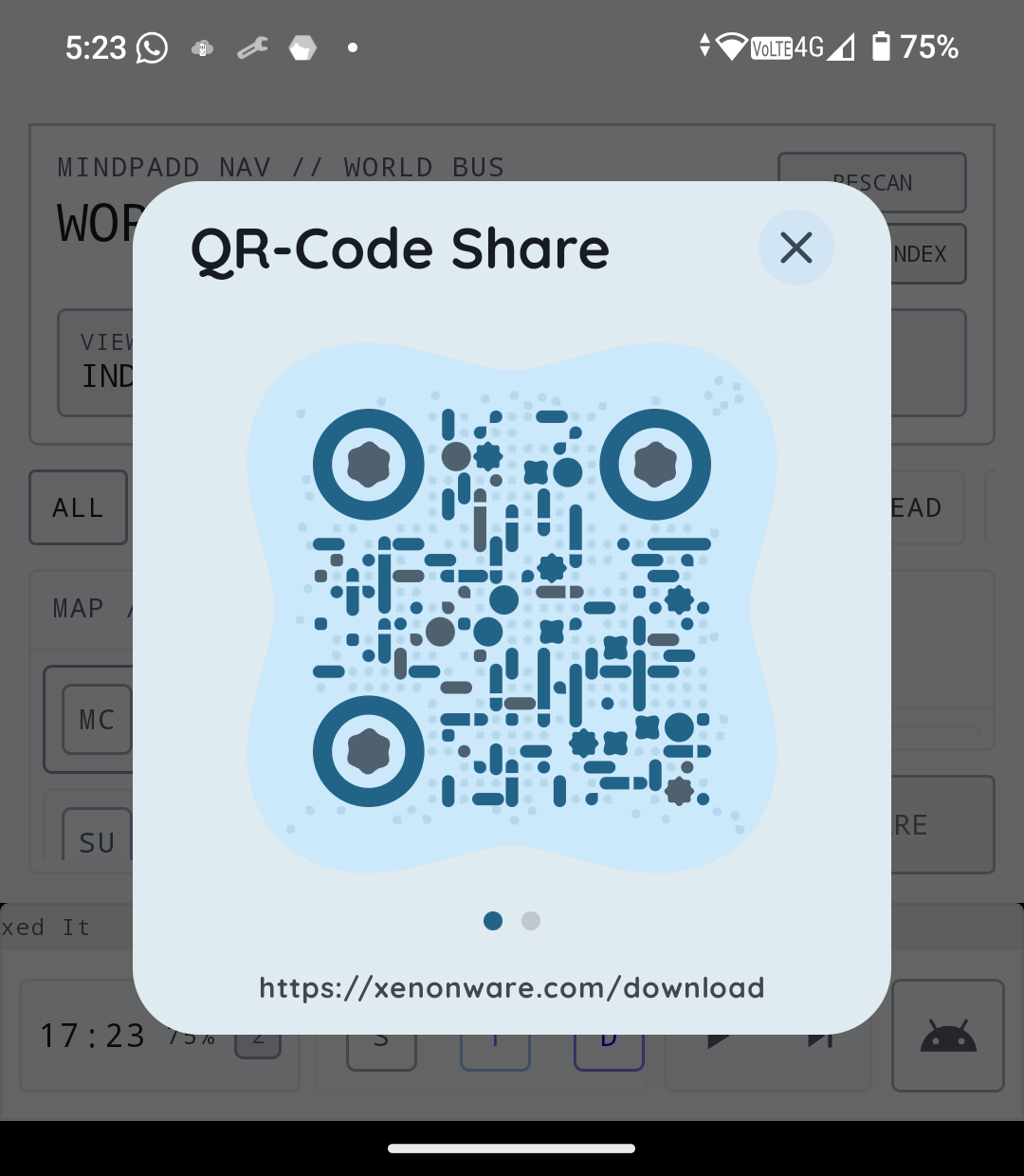
 QR-Code dialog |
🚀 Key Features
1. The Remapping Engine
Unlike standard apps, MindControl uses a low-level key filter to intercept hardware events.
- Hardware Supported: Volume Rockers, Camera Shutter, Focus Sensor, dedicated AI buttons, Keyboard, and even Camera up or down movement.
- Multi-Trigger Support:
Single,Double, andTripleclick patterns.Long Press(Hold) andPress and Holddetection.
- Contextual States: Map different actions for when the screen is On vs. Off.
2. Custom Always-On Display (AOD)
A beautiful AOD built entirely in Jetpack Compose. The AOD needs to be set as an Action for a button of user choice.
- Visual Styles:
Concentric(Pixel Watch style)AnalogModern Inline,Nothing DotandStacked Digital(Stacked/Inline).
- Smart Features:
- Dynamic Album Art: Renders the current track's artwork as a blurred, vignetted background.
- Notification Tray: Real-time mirroring of active app icons.
- Battery Analytics: Integrated charging animations and level tracking.
- Disengageable: Press power button or swipe it away.
3. Universal Keyboard Support
MindControl provides deep integration for the physical keyboard, ensuring compatibility across different regions.
- Supported Layouts: Includes
QWERTY,QWERTY (Spanish),QWERTZ(German/Central European), andAZERTY(French). - Visual Mapper: A dedicated keyboard UI allows you to visually identify and map every key on your device.
4. Personalization & Theming
- Adaptive Icons: The launcher icon physically changes color based on your chosen theme Black/White/Pink/Blue for Icon and Device as well as Black/White/Pink/Blue/Yellow for the Keyboard.
- Dynamic UI: The app interface adapts to your device's configuration, keyboard connected or disconnected.
5. Continuum: Continuous Execution
MindControl features a Continuum Engine for fluid system interaction.
- Requirement: The action must be assigned to the Hold or Press and Hold trigger in settings.
- Continuous Execution: Once the hold is triggered, the action will repeat automatically for as long as you keep the physical button pressed down.
- Fluid Control: Perfect for finding the exact volume level or gliding through long documents without repetitive clicking.
🛠 Action Library
Click to expand the 50+ available actions
Note: Actions in Bold support the Continuum Feature (Hold the button for continuous execution).
| Category | Actions |
|---|---|
| Navigation | Home , Back , Recents , Last App , Show Menu |
| Media | Play/Pause , Next , Previous , Stop , Fast Forward , Rewind , Step Forward/Back , Volume |
| Connectivity | WiFi Toggle , Bluetooth Toggle , Mobile Data , NFC , Location , Do Not Disturb |
| System | Flashlight , Screenshot , Lock Screen , Assistant , Power Dialog , Notifications , Quick Settings |
| Audio/Display | Volume Dialog , Mute Volume , Mute Mic , Brightness Up/Down , Auto-Brightness , Auto-Rotate , Rotate 360° , Cycle Sound Mode , Vibrate Ringer , Toggle AOD |
| Advanced | Scroll , Smooth Scroll (Fast/Normal) , Copy/Cut/Paste , App Info , Google Search |
| Custom | Launch App , Launch Shortcut , Speed Dial , URL Opener , QR Code Generator |
🏗 Technical Overview
How it Works
- Accessibility Service: Utilizes
flagRequestFilterKeyEventsto capture keycodes before they reach the system. - Shizuku Integration: MindControl leverages Shizuku to execute "Secured" actions (like toggling Mobile Data or simulating input while the screen is off) without requiring Root.
- Device Protected Storage: Settings are stored in a context that is accessible before the user unlocks the device after a reboot, ensuring MindControl works instantly.
📥 Installation
- Sideload the APK from the Downloads section.
- Enable Accessibility: Navigate to
Settings > Accessibility > MindControland toggle it ON. - Grant Shizuku Access (Recommended): For "Screen Off" actions to work reliably, ensure Shizuku is running and authorized.
- Battery Optimization: Exclude MindControl from battery optimization to prevent the system from killing the background service.
🛡 Privacy & Security
- No Internet Permission: MindControl does not have access to the internet; your button presses and data stay on your device.
- Local Processing: All key event filtering happens locally within the Accessibility Service.
- Open Source: Transparent code for a transparent experience.
👨💻 Developer
- Company: Xenonware
- Lead: Nico (Dinico414)
Disclaimer: This app uses Accessibility Services. It is not affiliated with Nothing Technology Ltd., Google LLC, or any other OEM.
How Shizuku is used
Can detect hardware button presses via `getevent` and toggle radios, brightness, location and mic privacy via shell commands through Shizuku.
This is an AI-assisted analysis of Shizuku-related usages in the app's public source code. It is best effort, so it may not catch every single usage.
How this app uses Shizuku
MindControl uses Shizuku to watch physical buttons at kernel level and to run privileged toggles assigned to button presses.
- Detect hardware buttons: reads raw key input with the
geteventshell command through Shizuku and maps scancodes to volume, power, camera, focus and assistant keys, including when the screen is off or locked. - Toggle wireless connections: a button press switches Wi-Fi, Bluetooth, mobile data or NFC on or off with the
svc wifi,svc bluetooth,svc dataandsvc nfcshell commands through Shizuku. - Switch auto brightness: a button press flips automatic brightness on or off with the
settings put system screen_brightness_modeshell command through Shizuku. - Switch location mode: a button press turns location off or back to high accuracy with the
settings put secure location_modeshell command through Shizuku. - Mute microphone privacy: a button press checks and flips the system microphone block with
cmd sensor_privacyshell commands through Shizuku and syncs the software mute state. - Send menu key: a button action injects the menu key with the
input keyeventshell command through Shizuku. - Assist display settings: after opening Display settings from the lift to wake prompt, the app auto scrolls to the bottom with
input swipeandinput keyeventshell commands through Shizuku.
Android APIs or commands used
geteventsvc wifisvc bluetoothsvc datasvc nfcsettings put system screen_brightness_modesettings put secure location_modecmd sensor_privacy get-statecmd sensor_privacy set-stateinput keyeventinput swipe
Notable details
Without Shizuku, Wi-Fi, Bluetooth, mobile data, NFC and location button actions do nothing. Auto brightness can still work through the normal system settings path, and microphone mute falls back to software mute only.
Changelog
What's new for version 1.1
Peace of mind restored😉
Changelog ✏️
Fixes
- Mute Microphone (Microphone Access) Toggle did not work before
- Switch to last app did not work 100%
- AOD Disables as soon as Phone Unlocks,
Tipp
- AOD on and want to unlock device with Fingerprint? Lock it and then Fingerprint Unlock it and you are right in, no need to Swipe up!

Permissions
17 permissions requested
More from this category
 Calibrate SoC
 VR Launcher
 buttonoo
 Heimdall
 SidePad
 Glyph Barty
 ha-paneld
 BooxUltimatum
 DiAuto
 Thor Volume Link (ThorVolumeLink)
 flipx
flipx
 Thor’s Lightning