 ShizuStore
memhogs
0.2.0 · GitHub
More about this app
Which apps are eating your phone's memory. Per-app breakdown via Shizuku, helpers grouped under the app that owns them
memhogs for Android
The Android companion to memhogs:
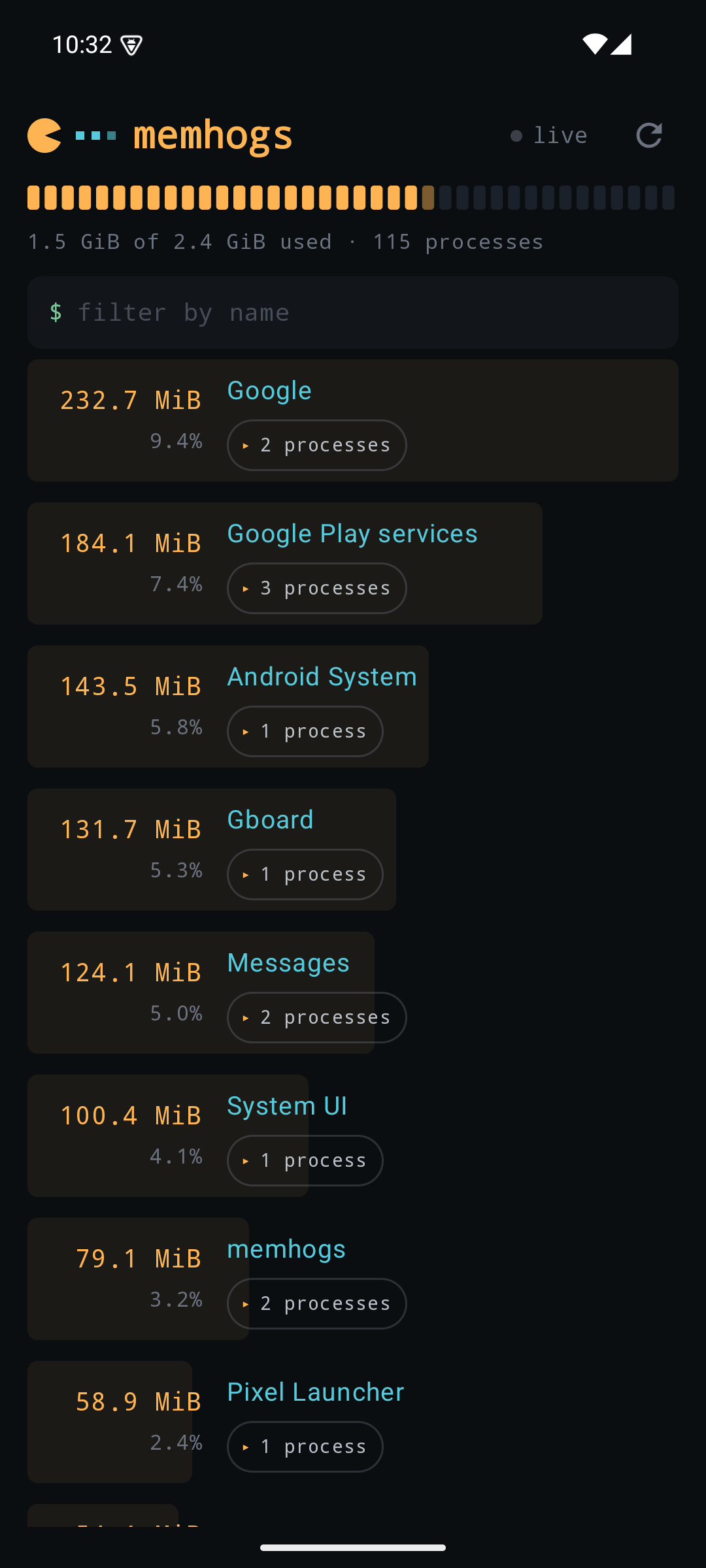
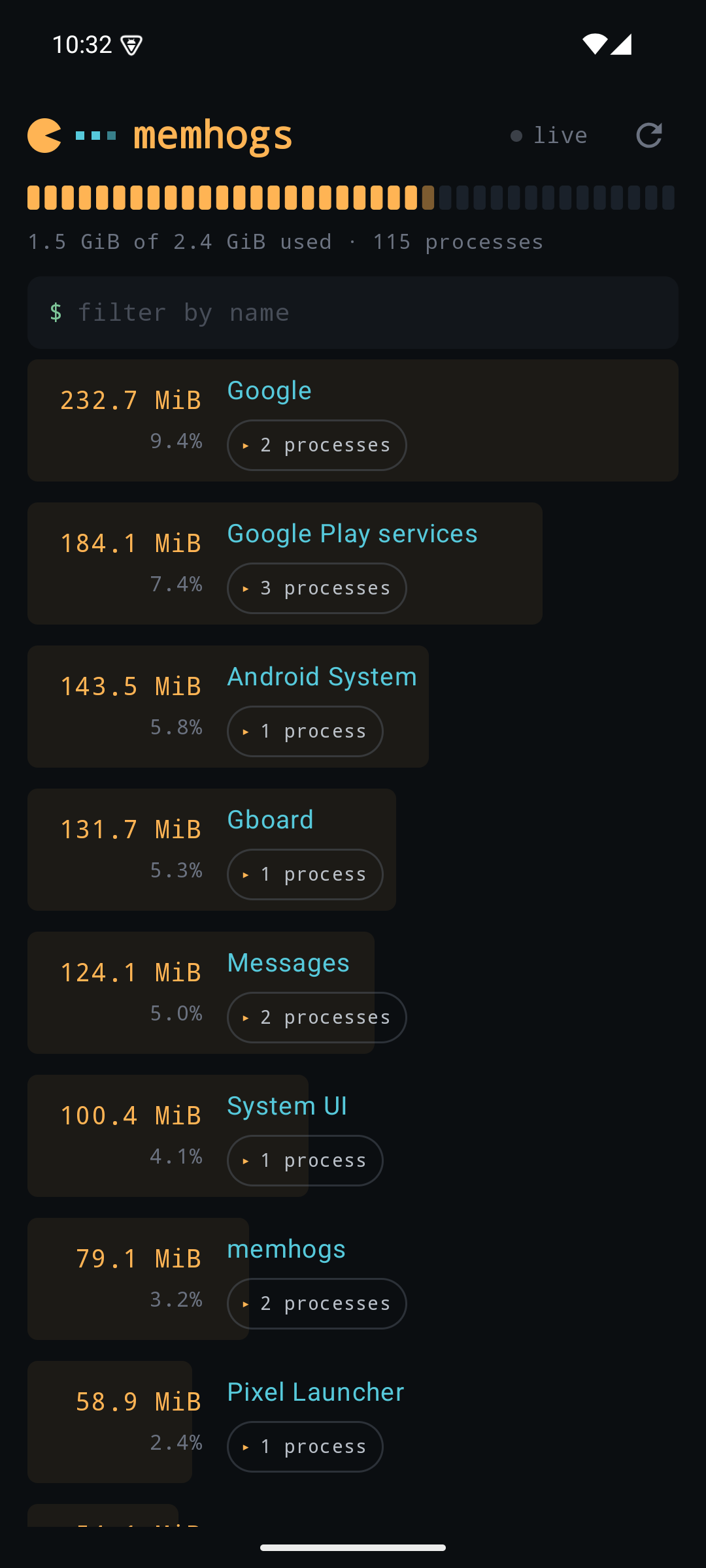
open it and see which apps are using your phone's memory, largest first,
with every helper process rolled up into the app that owns it. Chrome's
sandboxed renderers count toward Chrome, not toward twelve rows of
sandboxed_process noise.


Why it needs Shizuku
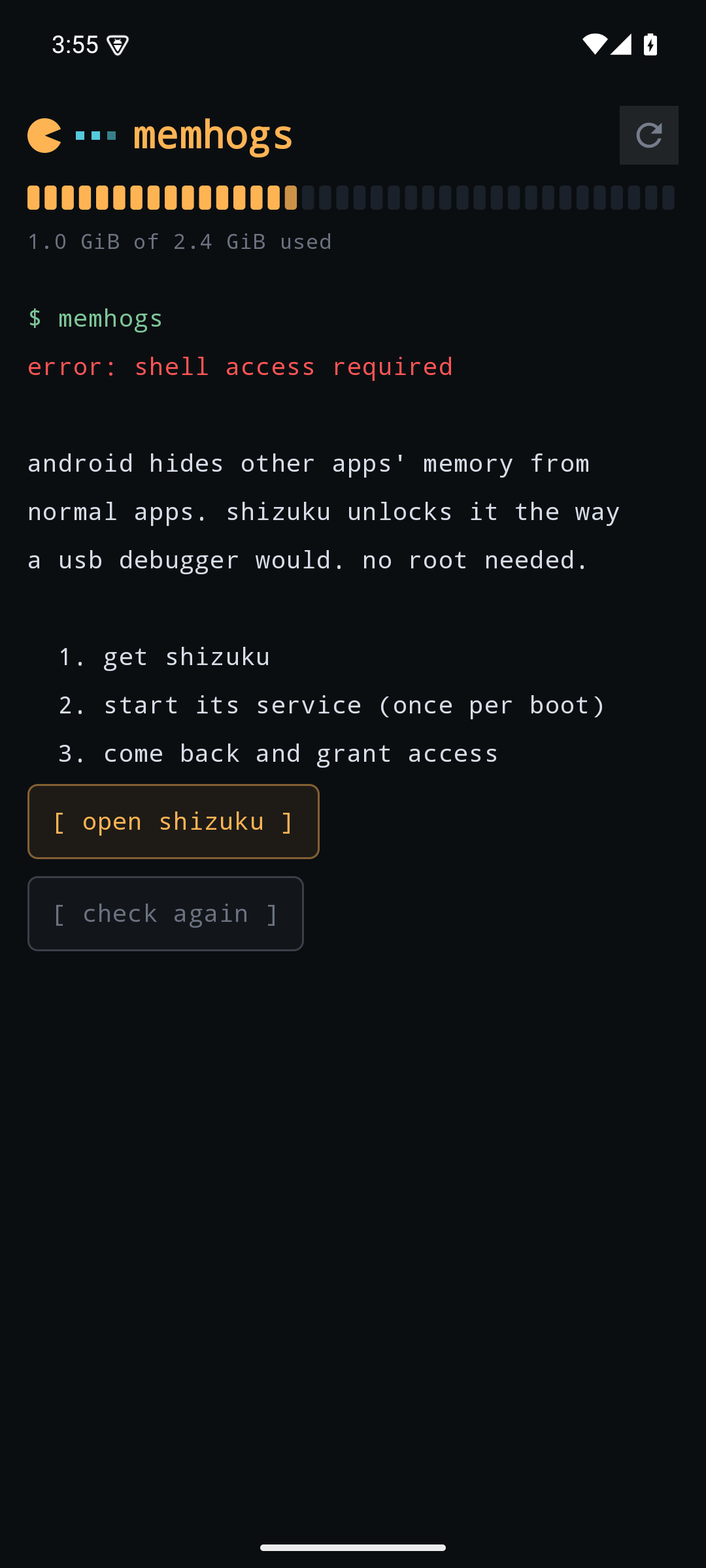
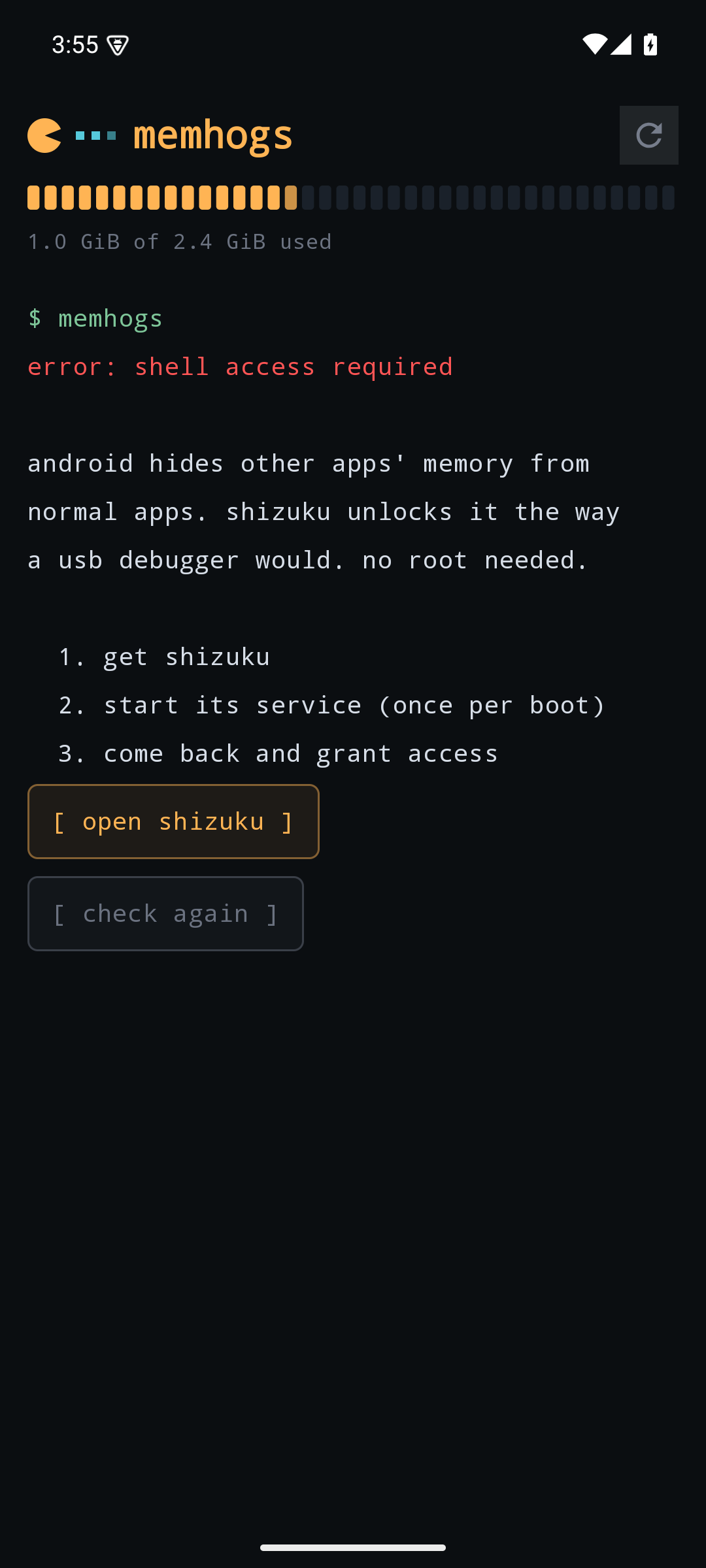
Android does not let a normal app see other apps' memory. That is why every "RAM monitor" on the Play Store shows one total and nothing else. memhogs reads per-app memory the same way a USB debugger would, through Shizuku, which grants shell-level access without root:
- Install Shizuku from the Play Store, or from its GitHub releases page if the Play Store reports it as incompatible with your device. That happens on very new Android versions before the listing catches up; the APK itself installs and works fine.
- In Shizuku, start the service. On Android 11+ this takes one tap via wireless debugging; it survives until the next reboot.
- Open memhogs and grant it access when prompted.
Without Shizuku, memhogs still shows the device-wide used/total bar from public APIs, and explains how to unlock the rest.
What the numbers mean
Memory is PSS (proportional set size), read from dumpsys meminfo. A
page shared by N processes counts 1/N toward each, so summing all apps
never counts the same physical memory twice. This is the same fair-share
metric the memhogs CLI uses on Linux, and the same one Android itself
uses to decide which app to kill under pressure.
- Amber numbers are memory, cyan names are installed apps, green names are system daemons that do not resolve to an installed package.
- An app using 15% or more of RAM gets its share flagged in red.
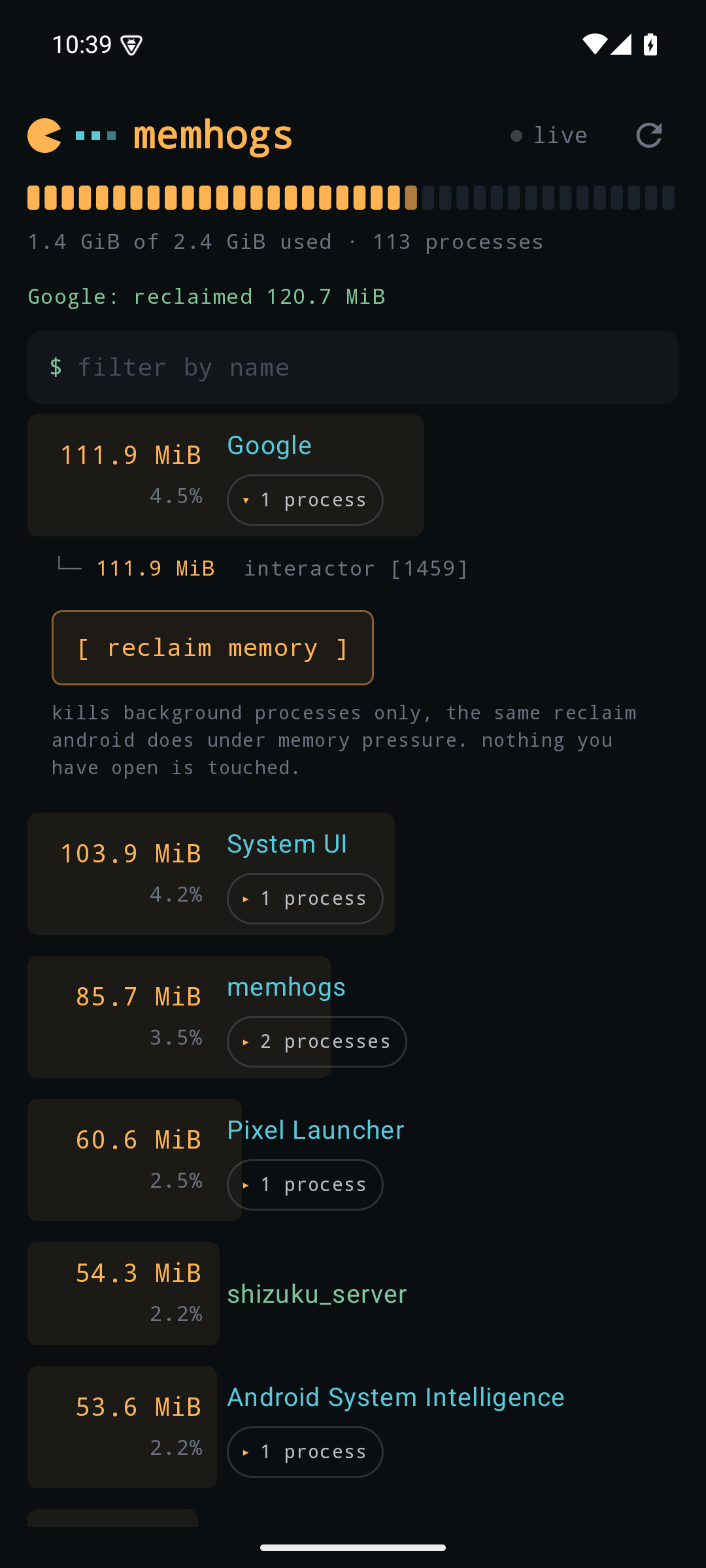
- Tap a row to expand its member processes with their PIDs.
- The filter field narrows the list by name, and the live toggle
refreshes every five seconds, like the CLI's
--watch.
Reclaiming memory
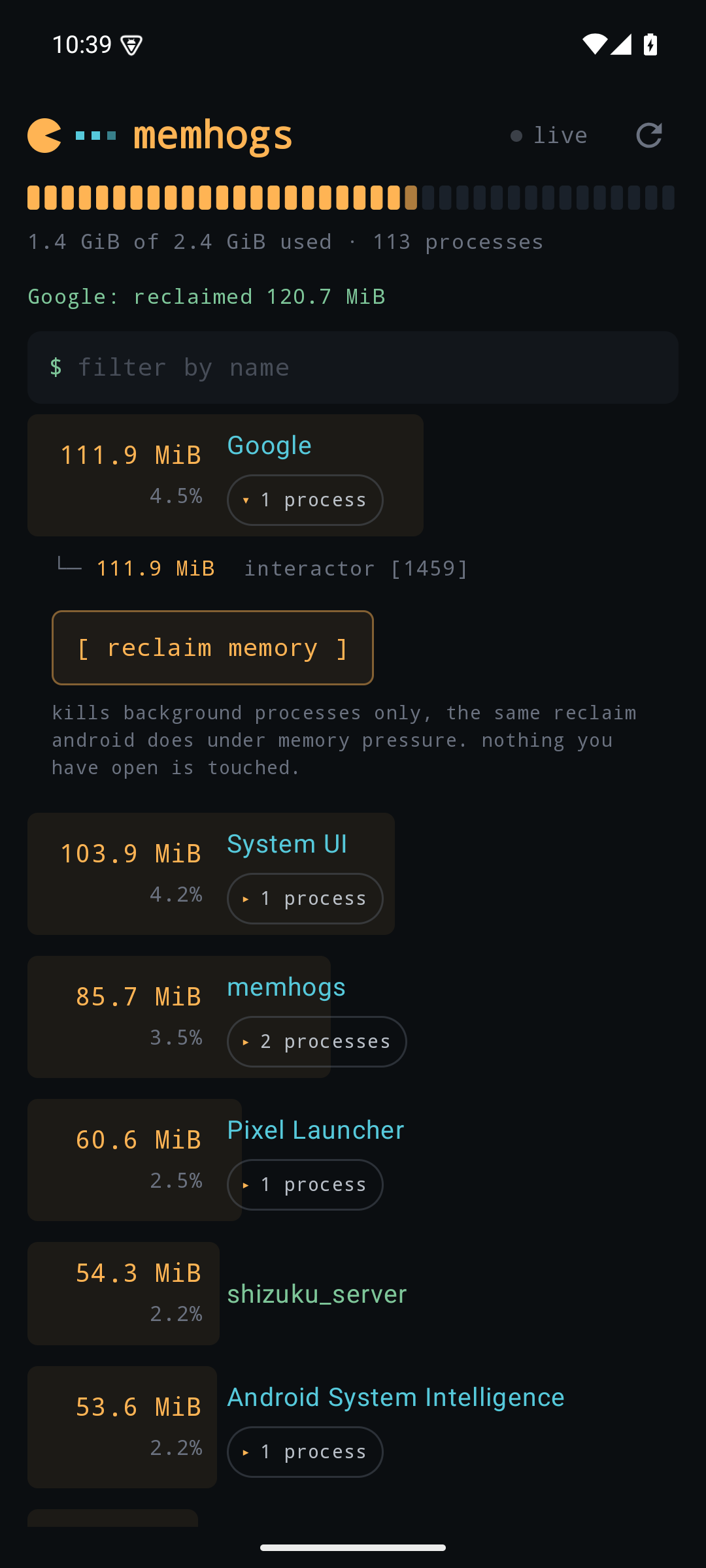
Expanding an app offers a reclaim button. It runs am kill through the
Shizuku shell, which kills the app's background processes only: the
same reclaim Android itself performs under memory pressure, so nothing
in the foreground and no active service is touched. memhogs re-measures
afterward and reports exactly how much came back. Apps the system
considers busy may return "nothing to reclaim right now", which is the
safety working as intended. System daemons never offer the button.
Install
Grab the APK from the
releases page
and sideload it. The
memhogs website has a
step-by-step walkthrough including the Shizuku setup. Store listings
(F-Droid, Play) may come later; the releases page is the canonical
source either way, and the repo carries ready-to-submit F-Droid
metadata in fdroid/ for when that day comes.
Requires Android 8.0 or newer. The full experience requires the Shizuku service to be running.
Building
./gradlew assembleDebug   # APK in app/build/outputs/apk/debug/
./gradlew test            # unit tests
Needs JDK 17 or newer. See CONTRIBUTING.md for the full check CI runs and the code standards, and ARCHITECTURE.md for how the pieces fit.
Kotlin and Jetpack Compose, with the Shizuku API as the only non-AndroidX dependency.
License
MIT
How Shizuku is used
Can show per-app memory use and reclaim memory or force-stop apps via Shizuku with `dumpsys` and `am` commands.
This is an AI-assisted analysis of Shizuku-related usages in the app's public source code. It is best effort, so it may not catch every single usage.
How this app uses Shizuku
Shizuku is used to read detailed system memory state and to stop selected apps to free memory.
- Show per-app memory: shows which apps are using memory and how much, using detailed output collected with the
dumpsys meminfoshell command through Shizuku. - Group helper processes: attributes isolated and helper processes to the app that owns them, using process ownership information collected with the
dumpsys activity lrushell command through Shizuku. - Reclaim background memory: frees memory from apps the user selects by ending their background processes with the
am killshell command through Shizuku. - Force-stop apps: fully stops a selected app with the
am force-stopshell command through Shizuku, then refreshes the memory list to show the result.
Android APIs or commands used
dumpsys meminfodumpsys activity lruam killam force-stop
Changelog
What's new for version 0.2.0
What's new
- Reclaim several apps at once. Long-press an app to start selecting, tap others, then reclaim them together. Each app still only has its background processes killed. (#2)
- Force stop. Open an app's row and tap
force stopto close it completely, even if it's open or running a service. A confirmation spells out what that turns off. Persistent system apps like System UI don't offer it. (#3) - Brazilian Portuguese. The app follows your system language, or the per-app language setting. (#2)
- No more endless loader. If Shizuku never starts the memhogs shell, you now get an error with a retry after 10 seconds instead of the Pac-Man spinning forever. This is what HyperOS 3 users were hitting. (#1)
HyperOS 3 users
This release doesn't make memhogs work on HyperOS 3 yet. It shows what's going wrong. If you see error: shizuku did not start the shell, please report the exact text and whether restarting Shizuku helps on #1.
Install
Download memhogs-0.2.0.apk below. It installs over 0.1.0 without uninstalling. Requires Android 8.0+ and Shizuku.
Verified on a Pixel 8 (Android 17) and the Android 15 emulator.
Permissions
3 permissions requested
More from this category
 Shappky
 Pensum
 Running Services Monitor
 KillMyApps
 ReAppzuku
 ProcessLens
 TaskManager
 RvSystem Monitor
 Recents
 内存快照
内存快照