 ShizuStore
Mafza
0.1.0 · GitHub
More about this app
Emergency actions runner with one configurable profile, external emergency triggers, and a safe Dry Run mode
Mafza





Emergency actions runner with one configurable profile, external emergency triggers, and a safe Dry Run mode.
Caution
This project was developed with heavy use of AI assistance, including OpenAI Codex.
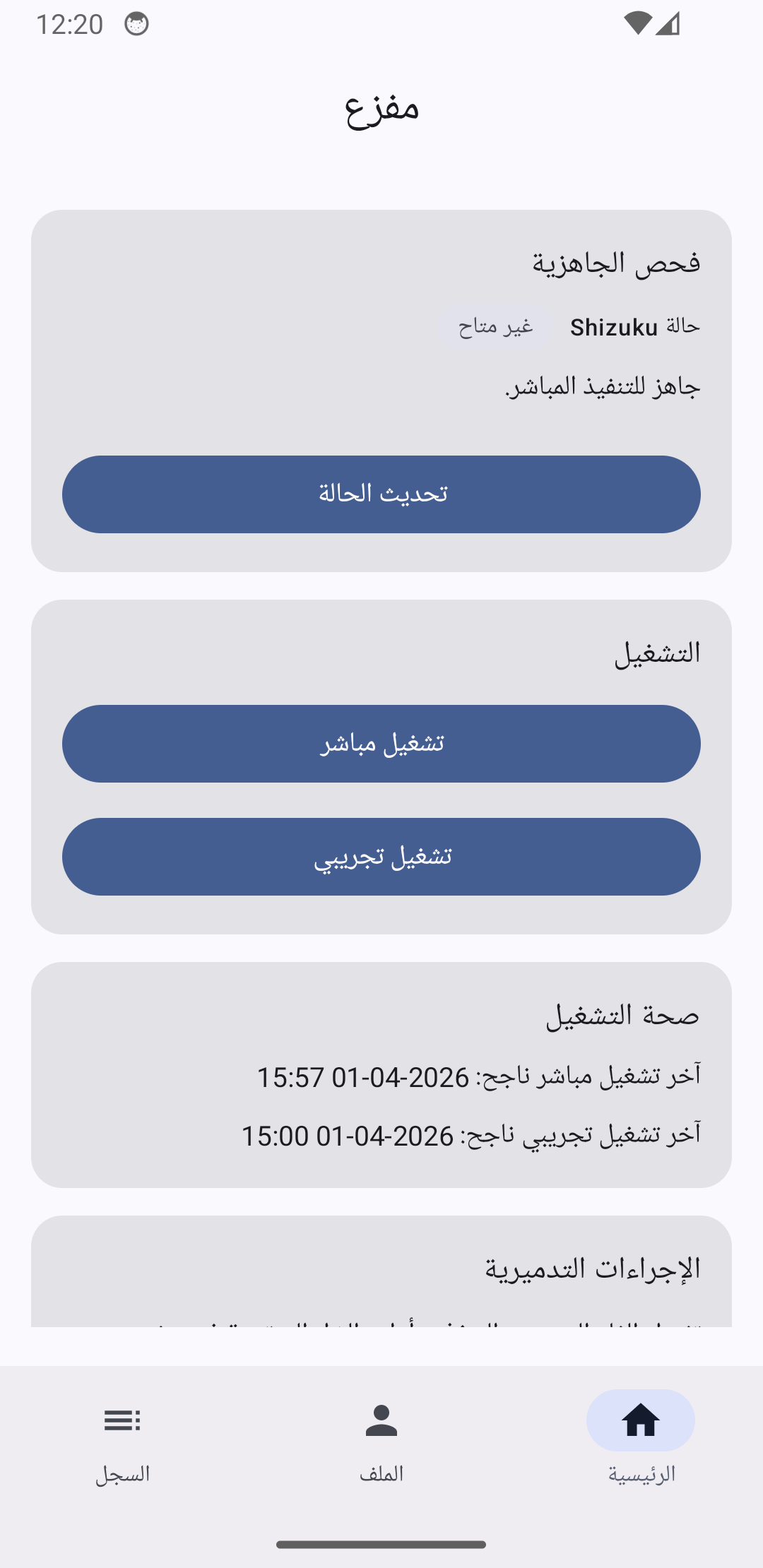
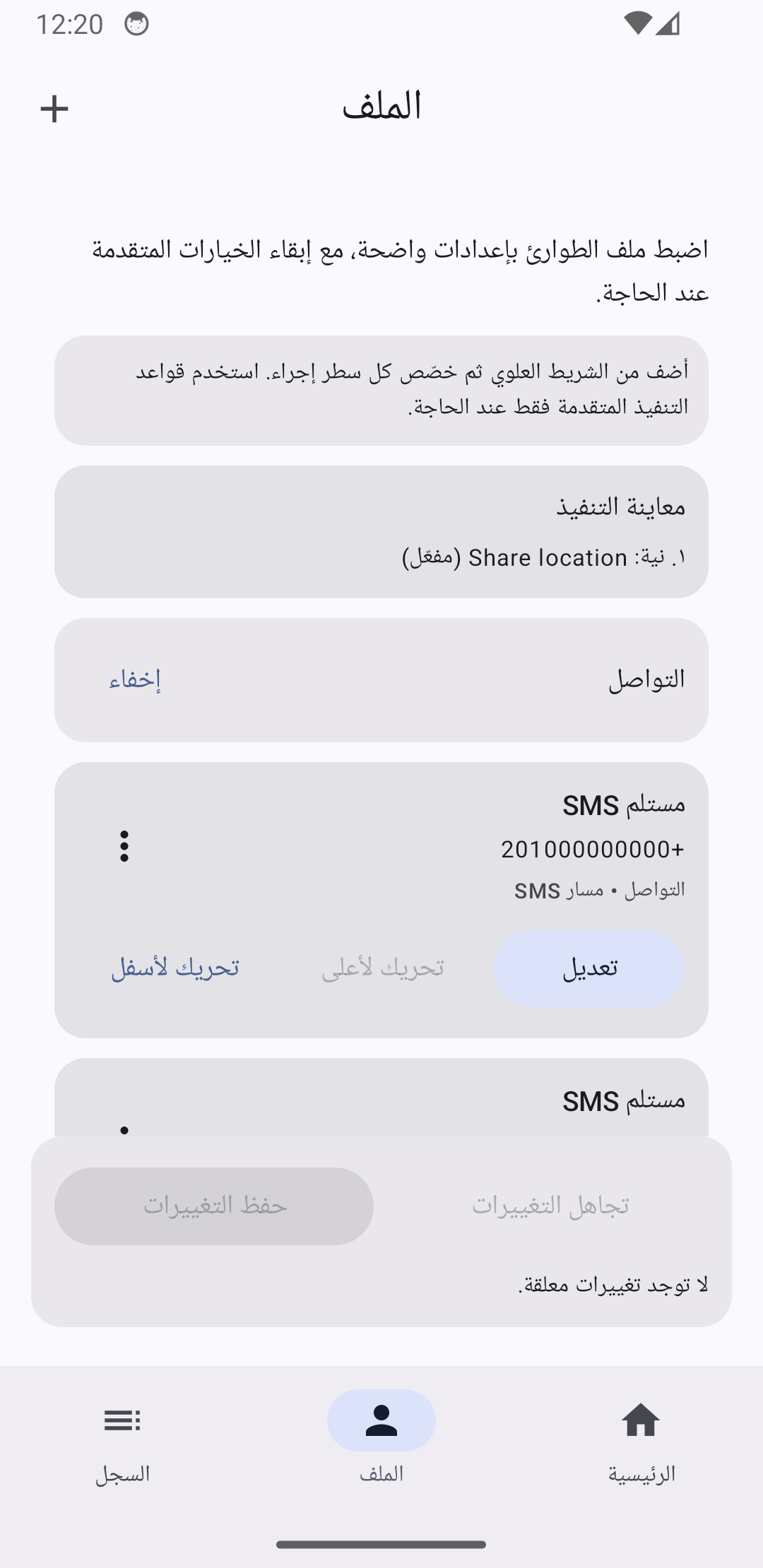
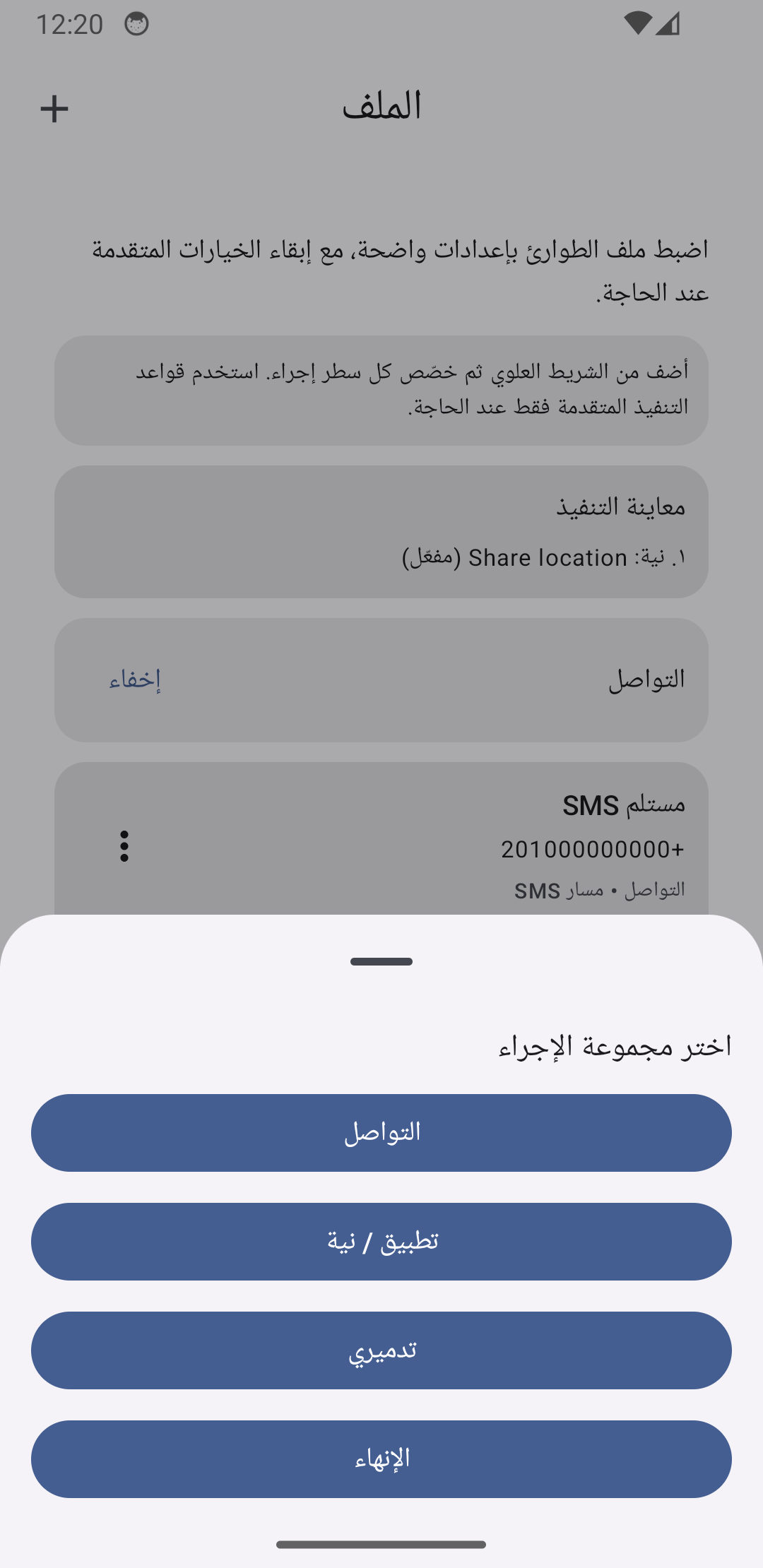
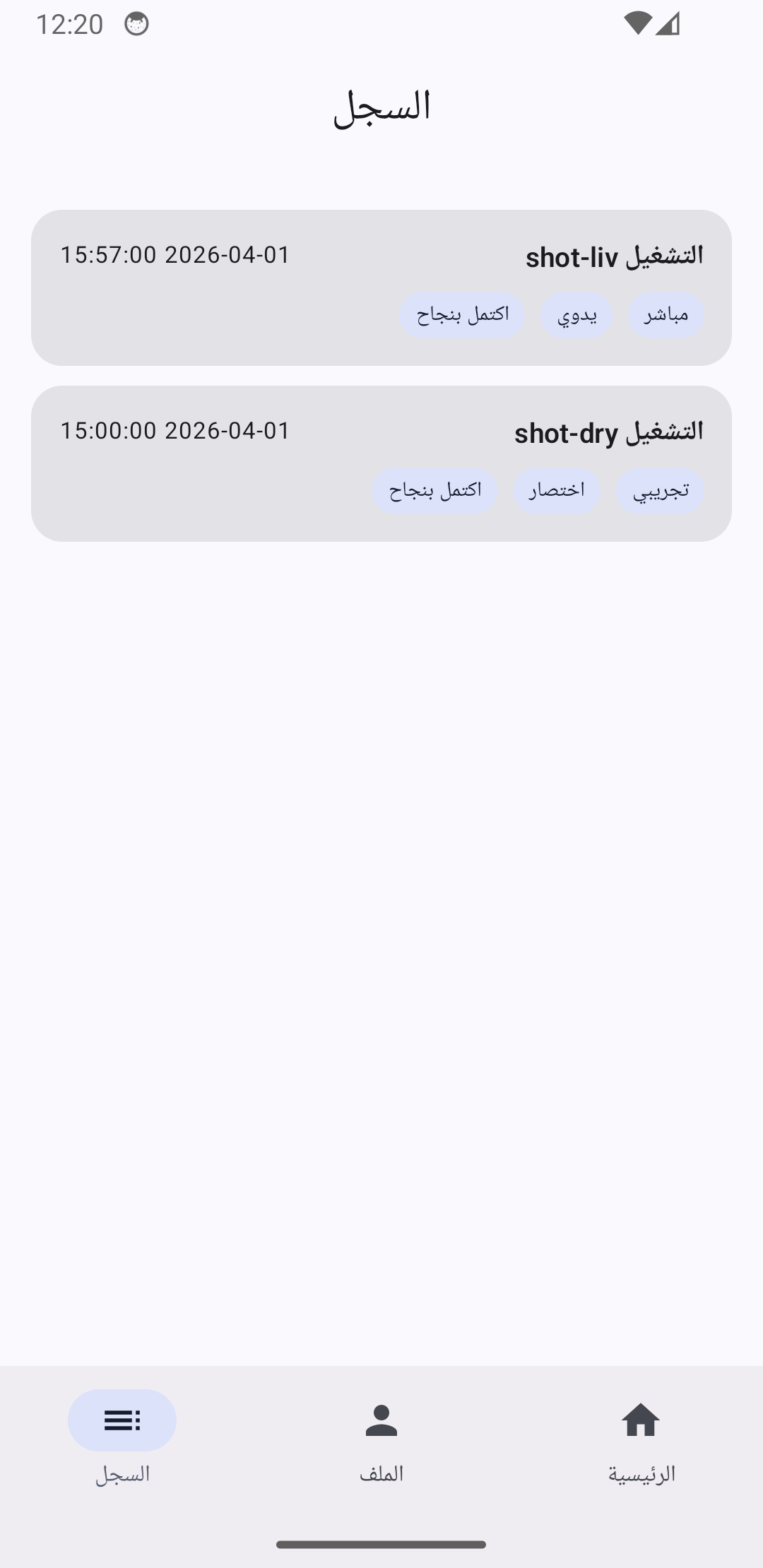
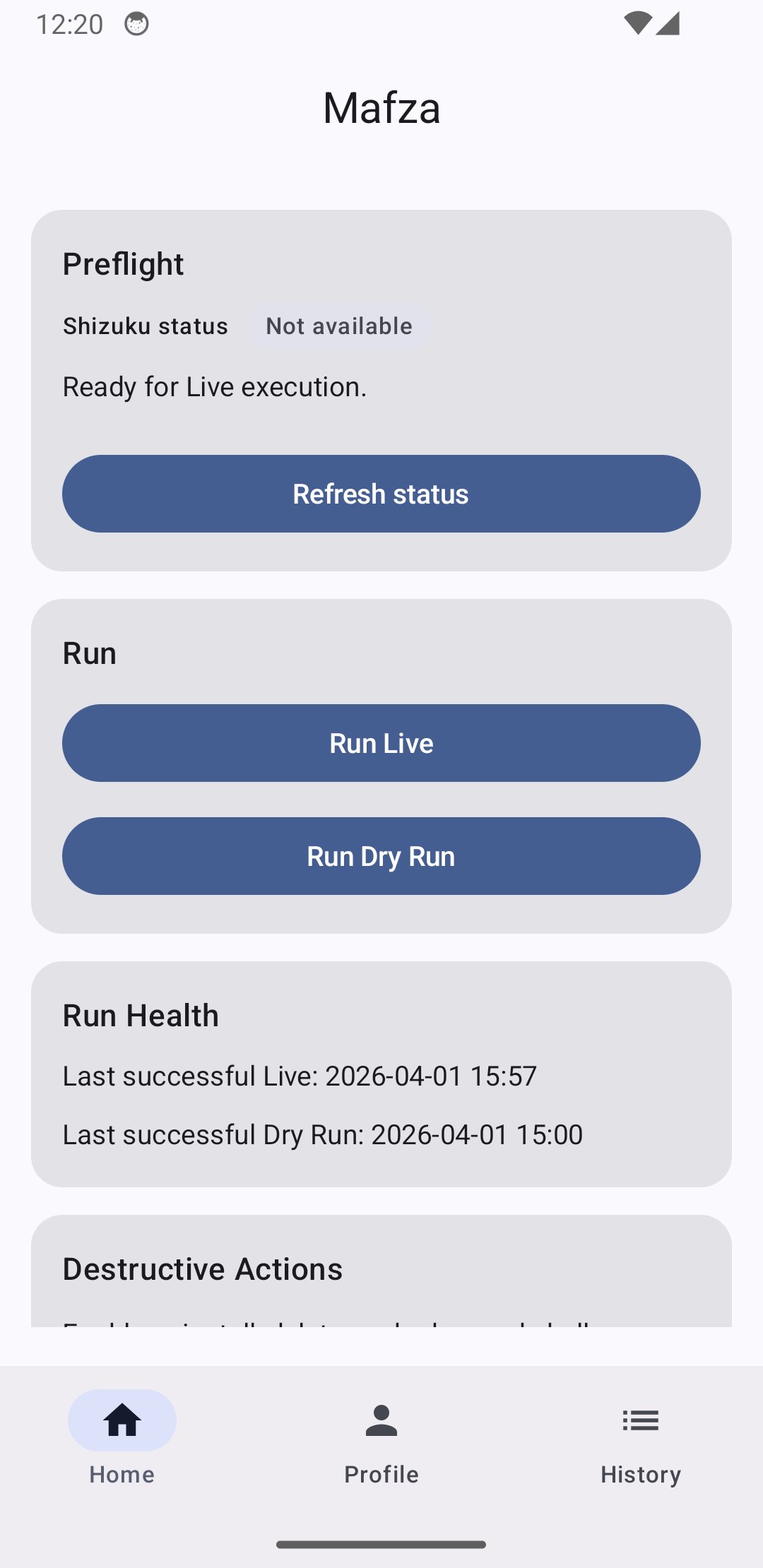
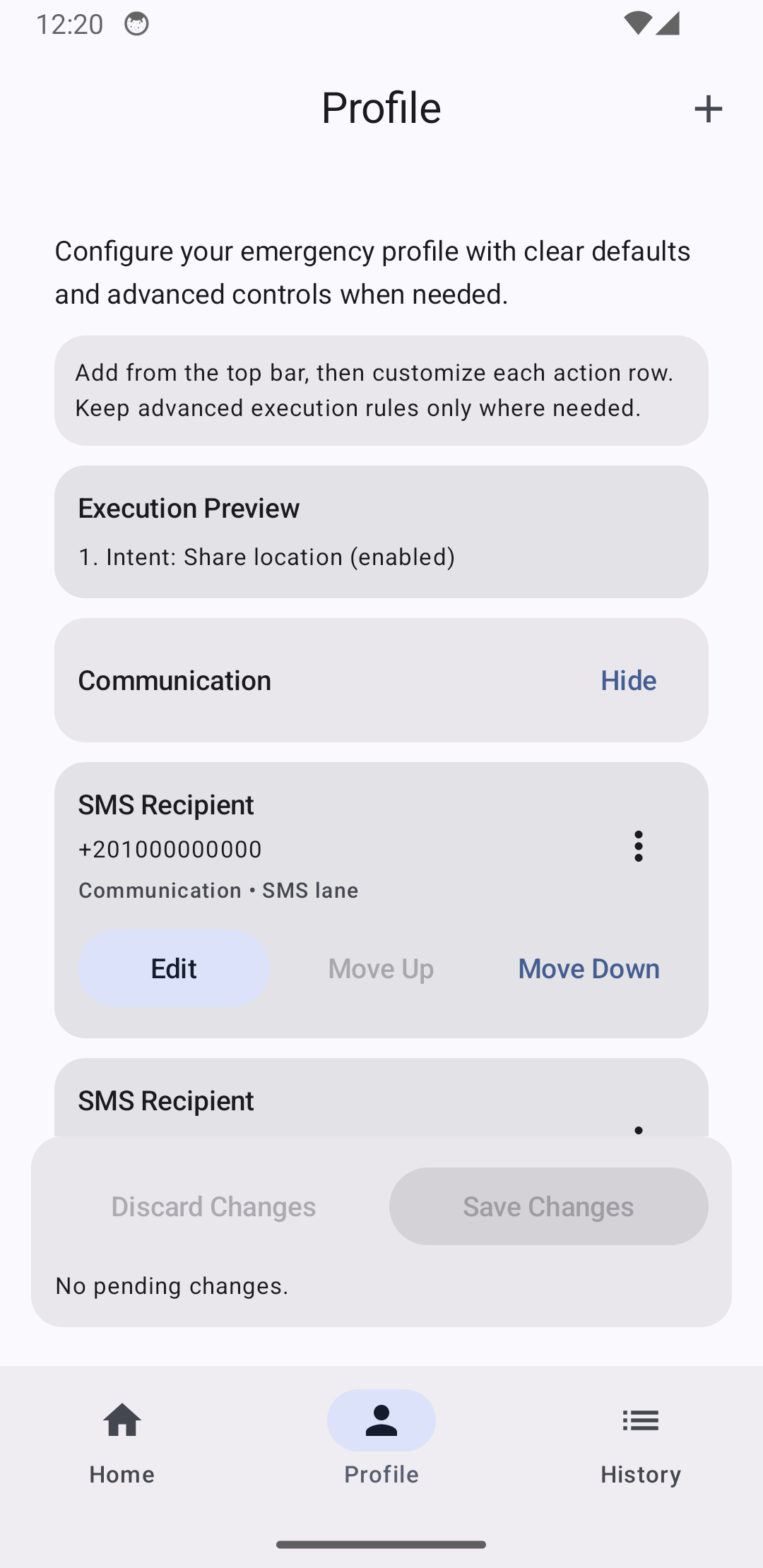
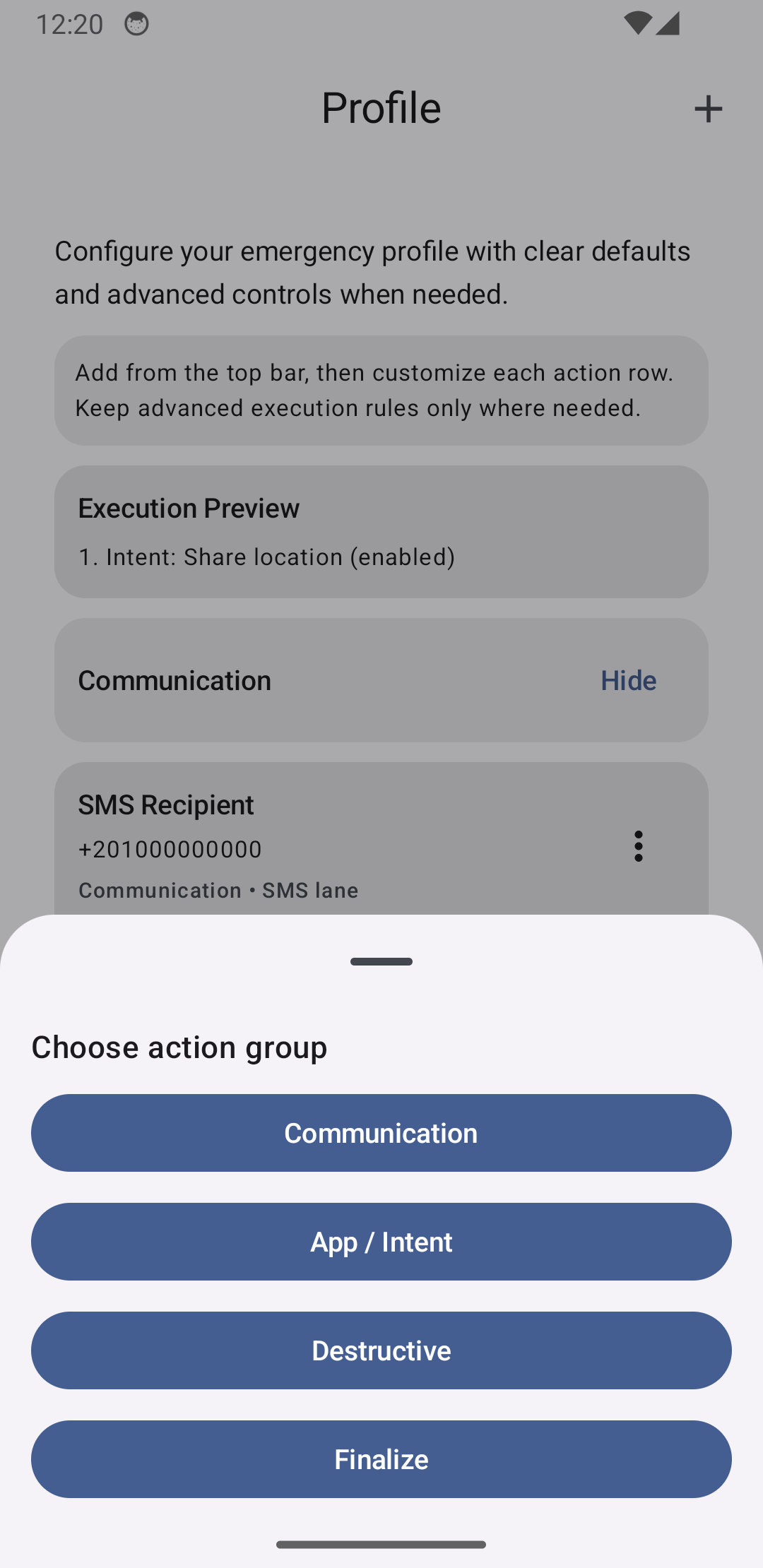
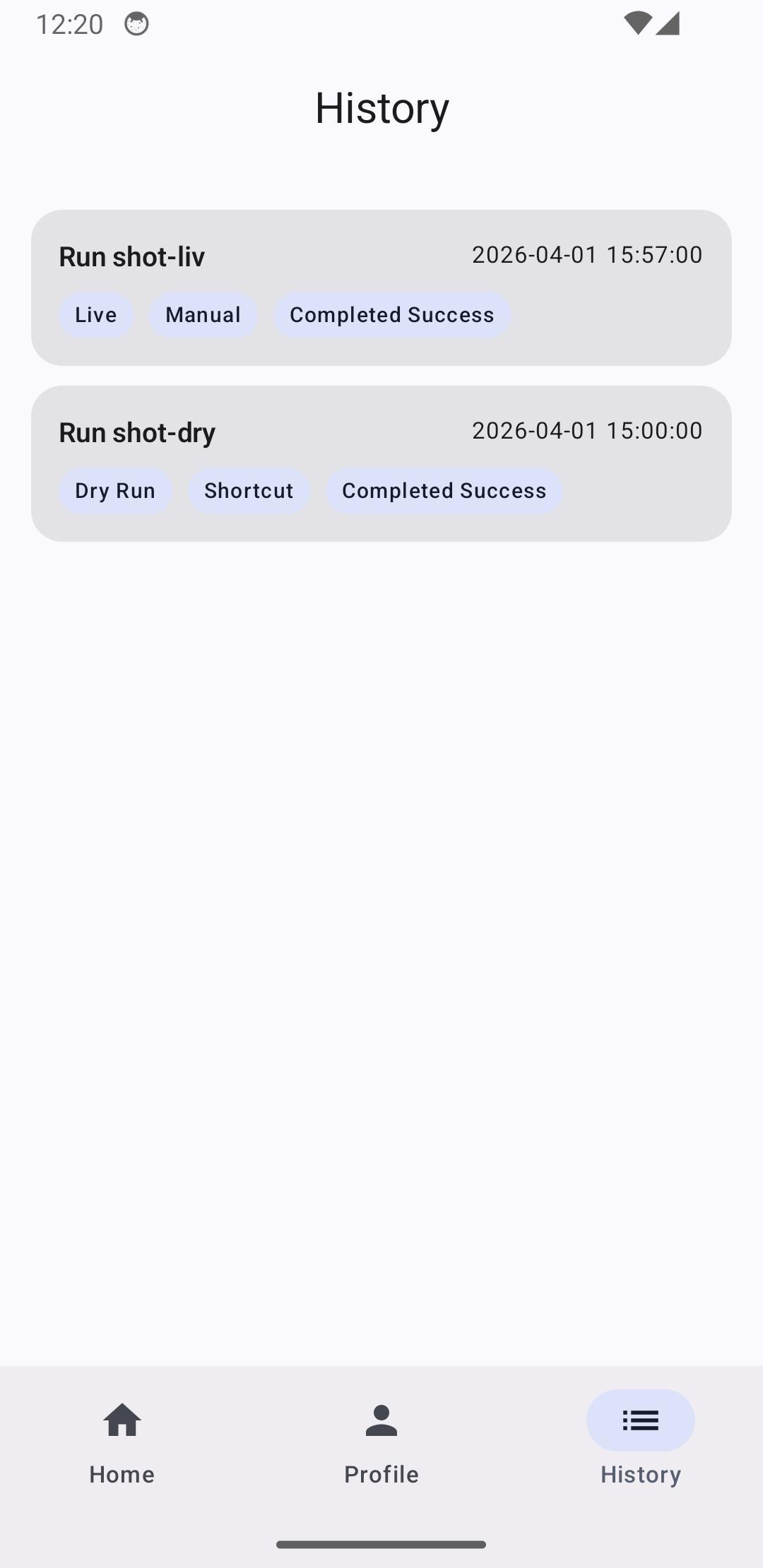
Screenshots
| English | Arabic (RTL) |
|---|---|
|
Home (preflight + run controls)

|
Home (الصفحة الرئيسية)

|
|
Profile (actions + policies)

|
Profile (الإعدادات)

|
|
Action Drawer (available actions)

|
Action Drawer (لوحة الإجراءات)

|
|
History (runs + statuses)

|
History (السجل)

|
What This App Does
- Runs emergency pipelines in
LiveorDry Run. - Supports external trigger surfaces: launcher shortcut, home widget, and Quick Settings tile.
- Uses a pre-start cancel window and preflight checks before live execution.
- Sends communication actions via SMS, message-app provider bindings, and Telegram bot actions.
- Supports custom intent actions as executable steps.
- Supports destructive actions with explicit allowlists:
- uninstall package allowlist
- absolute-path delete allowlist
- advanced shell commands
- Uses Shizuku for privileged destructive actions (uninstall, self-uninstall, advanced shell).
- Supports path-delete fallback via Android All files access when Shizuku is unavailable.
- Captures run history with step-level statuses and redacted command audit.
- Supports encrypted backup/restore for profile and optional history (replace semantics).
- Captures cell metadata and supports optional OpenCellID fallback when platform location is unavailable.
Requirements
- Android
minSdk 30(Android 11+) - Runtime permissions for configured live features (
ACCESS_FINE_LOCATION,ACCESS_BACKGROUND_LOCATION,READ_PHONE_STATE,SEND_SMS) MANAGE_EXTERNAL_STORAGE(All files access) when path-delete actions are enabled without Shizuku- Shizuku installed/running and permission granted for privileged destructive live actions (uninstall, advanced shell, self-uninstall)
- Optional OpenCellID API key for location fallback
Architecture
Core pieces:
:appand:coremodulesMainActivity: Compose host forHome,Profile,HistoryEmergencyExecutionService: foreground execution runtime and run orchestrationEmergencyStartReceiver: shared external trigger receiverEmergencyShortcutProxyActivity,EmergencyWidgetProvider,EmergencyQuickSettingsTileService: trigger surfacesPreflightValidator: live/dry-run readiness checksEncryptedProfileStore+ DataStore: encrypted profile persistenceRunHistoryStore+ Room: run history and command audit retentionEncryptedBackupService: encrypted export/import with rollback on restore failureEmergencyStepsFactory+ step implementations: location, notify, intent, and destructive execution
Build
This project uses mise for tool management.
# Build debug APK
./gradlew :app:assembleDebug

# Build release APK
./gradlew :app:assembleRelease

# Run app + core unit tests
./gradlew :core:testDebugUnitTest :app:testDebugUnitTest

# Build instrumentation test APK
./gradlew :app:assembleDebugAndroidTest
Fastlane And Metadata
This repo includes:
fastlane/metadata/android/en-USfastlane/metadata/android/ar- screenshot assets under
fastlane/metadata/android/*/images/phoneScreenshots - lanes for metadata validation, screenshot capture, and Play upload
Useful commands:
# Install fastlane gems
bundle install

# Validate metadata
bundle exec fastlane android validate_metadata

# Capture screenshots
bundle exec fastlane android capture_screenshots
CI
GitHub Actions workflows:
ci.yml: lint, unit tests, assemble, instrumentation subset, metadata validation- Linux emulator jobs enable KVM acceleration before running instrumentation
screenshots.yml: emulator-based screenshot capture and optional PRrelease.yml: version/tag flow, screenshot refresh dependency, release artifacts, optional GitHub release
Dependency updates are managed by renovate.json5.
Internal Docs
- Product/technical plan:
docs/PLAN.md - Release checklist:
docs/RELEASE_CHECKLIST.md - Remaining tasks:
docs/TODO.md
How Shizuku is used
Can run custom shell commands, uninstall apps, delete files and self-uninstall via `Shizuku user service`
This is an AI-assisted analysis of Shizuku-related usages in the app's public source code. It is best effort, so it may not catch every single usage.
How this app uses Shizuku
Mafza uses Shizuku to run its configurable emergency destructive actions with elevated shell privileges during a live run.
- Run custom shell commands: commands the user configures in the emergency profile are executed through Shizuku, including raw shell text run with
sh -cand argument lists run directly. - Uninstall listed apps: each package name on the user configured uninstall list is removed with the
pm uninstallshell command through Shizuku. - Delete listed files: each path on the user configured delete list is removed through Shizuku with
rm -rffor recursive targets, plusrmdirandrm -ffor single files. - Remove own app: the app uninstalls itself with the
pm uninstallshell command through Shizuku when self uninstall is enabled in the profile.
Android APIs or commands used
ProcessBuilder.start()pm uninstall --user 0rm -rf --rmdir --rm -f --sh -c
Notable details
File deletion can work without Shizuku through normal file access when Shizuku is unavailable, while app uninstalls and custom shell commands are skipped without Shizuku. Dry Run mode skips all of these privileged destructive actions.
Changelog
What's new for version 0.1.0
Permissions
11 permissions requested
More apps from this developer
 Shizuku Shortcuts
More from this category
 VineOS
 Phone Diagnostic
 OptiDroid
 Screen Recorder
 Screen Translator
 KeiOS
KeiOS
 雨晴截屏
雨晴截屏
 CaptureCap
 Kiosk Satellite
 Iris长截图
 Fern
Fern
 GhostLock