 ShizuStore
LogSleuth
0.3.3 · GitHub
More about this app
Powerful root-free logcat viewer and embeddable logging SDK with live streaming, search, filters, crash/ANR detection and session replay.
LogSleuth
A powerful, root-free logcat viewer & embedded logging SDK for Android. On a mission to be the easiest and most delightful logging tool on Android.



Screenshots
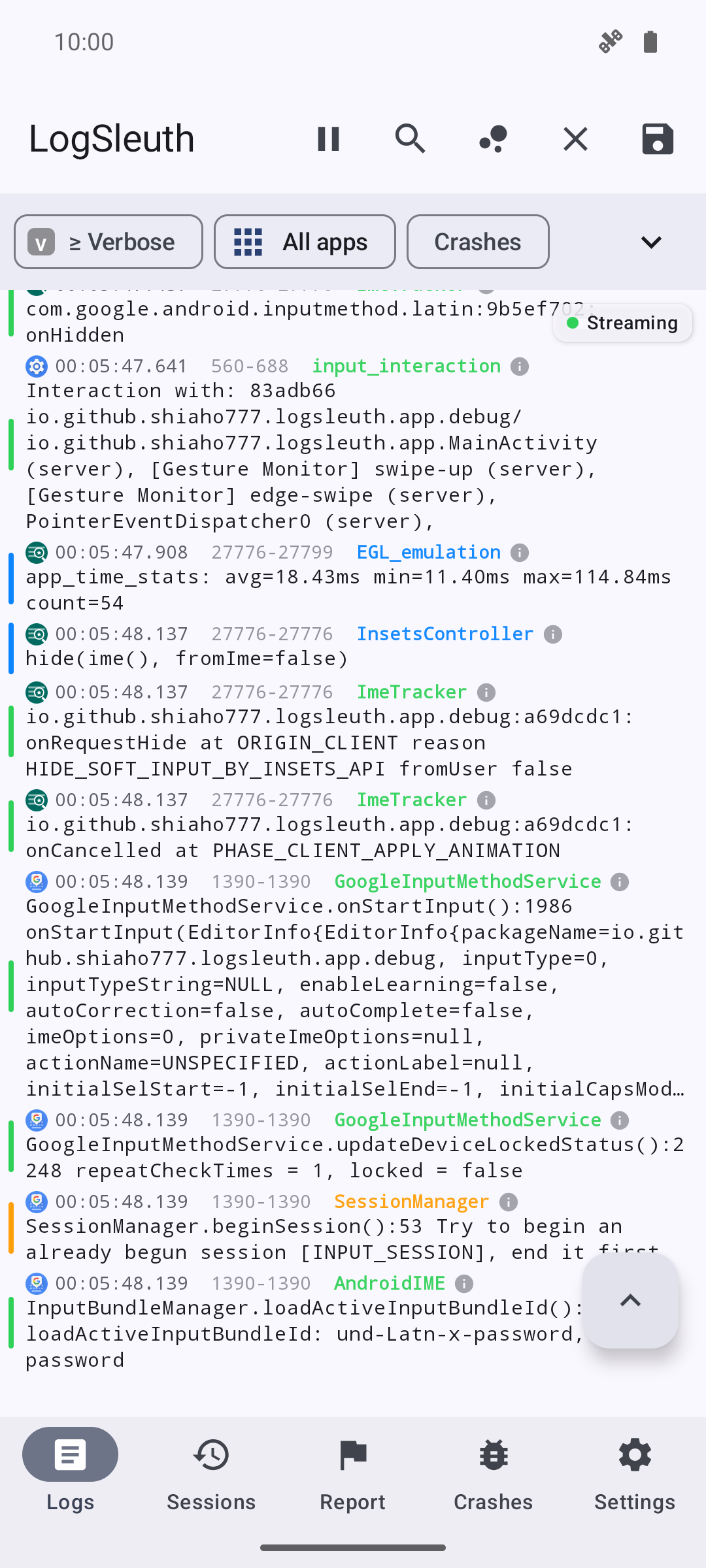
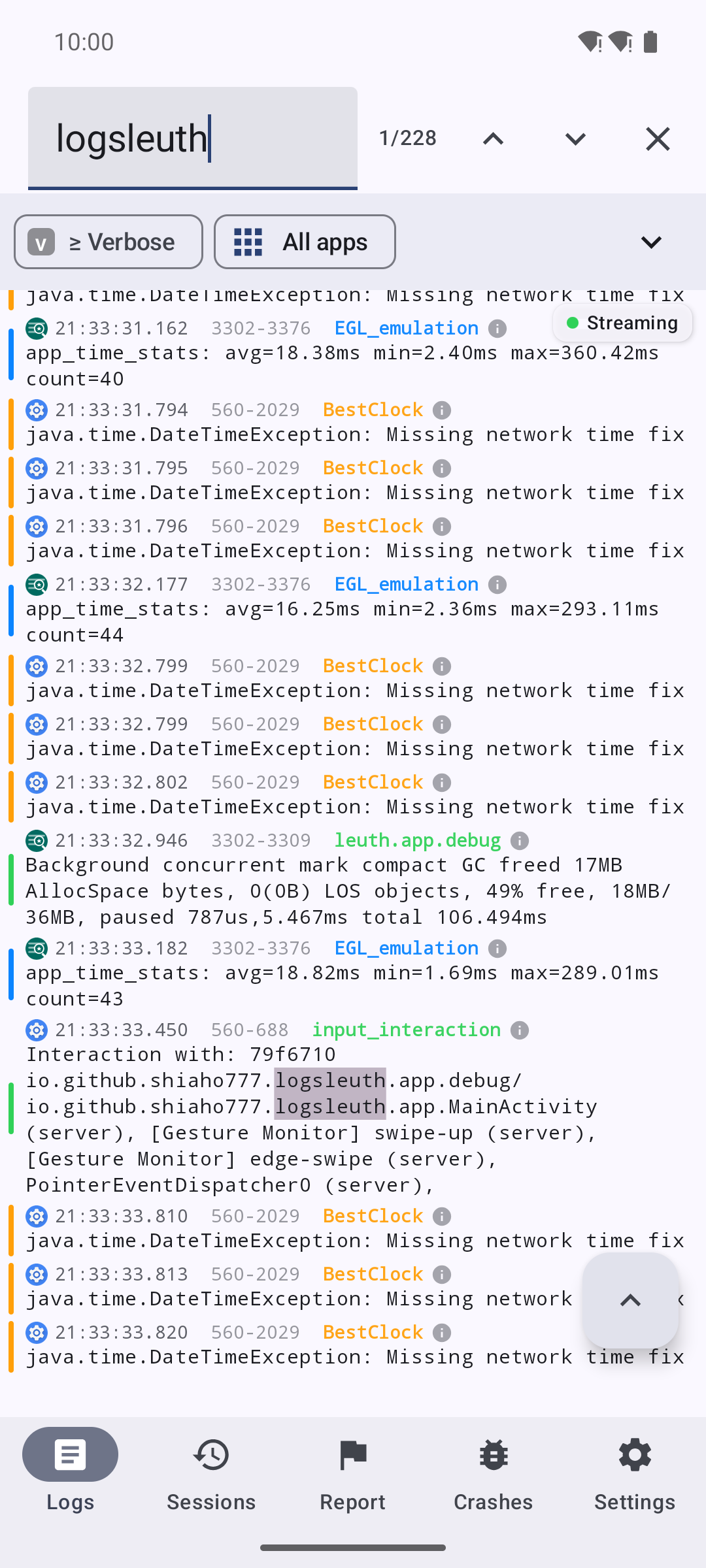
| Live logcat stream | Search & hit jumps | Filters & presets |
|---|---|---|
 |
 |
 |
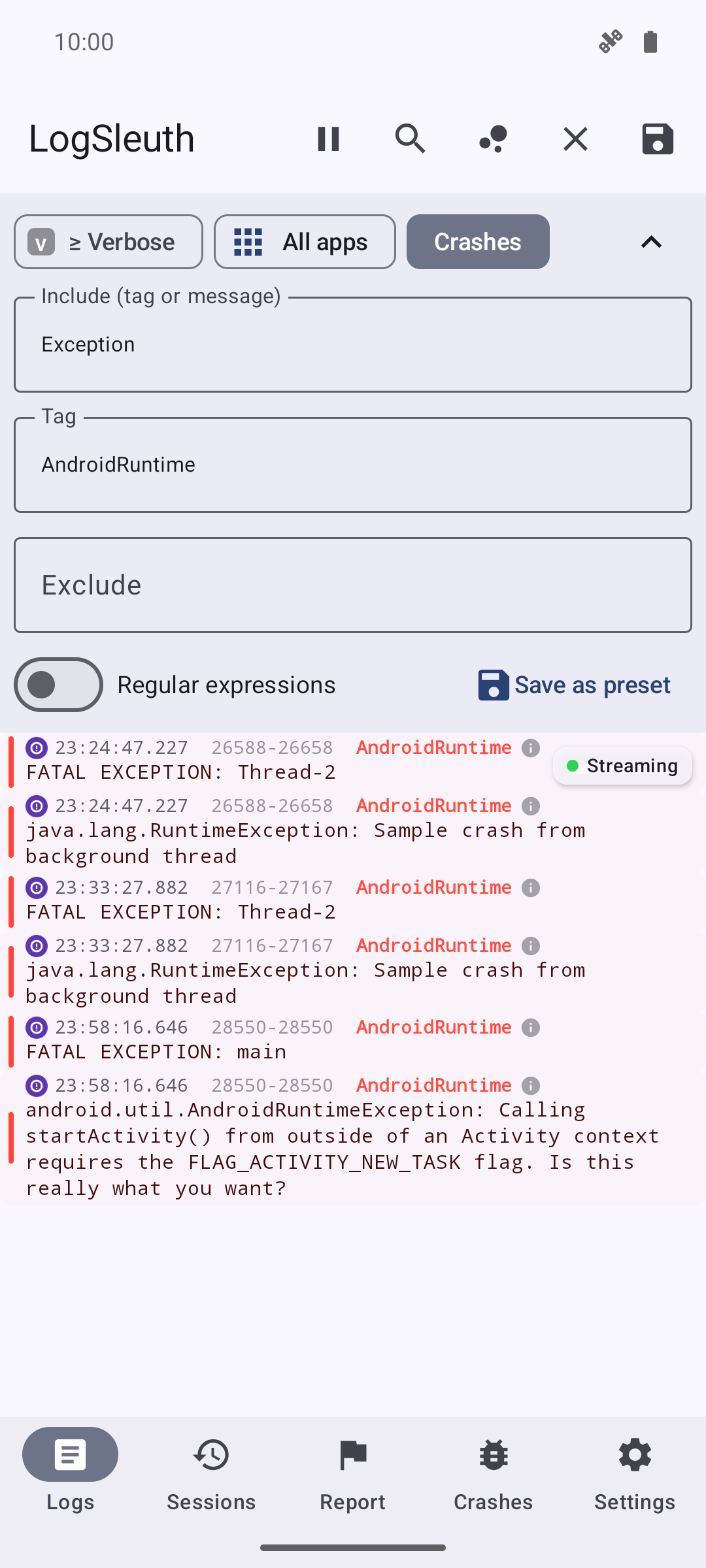
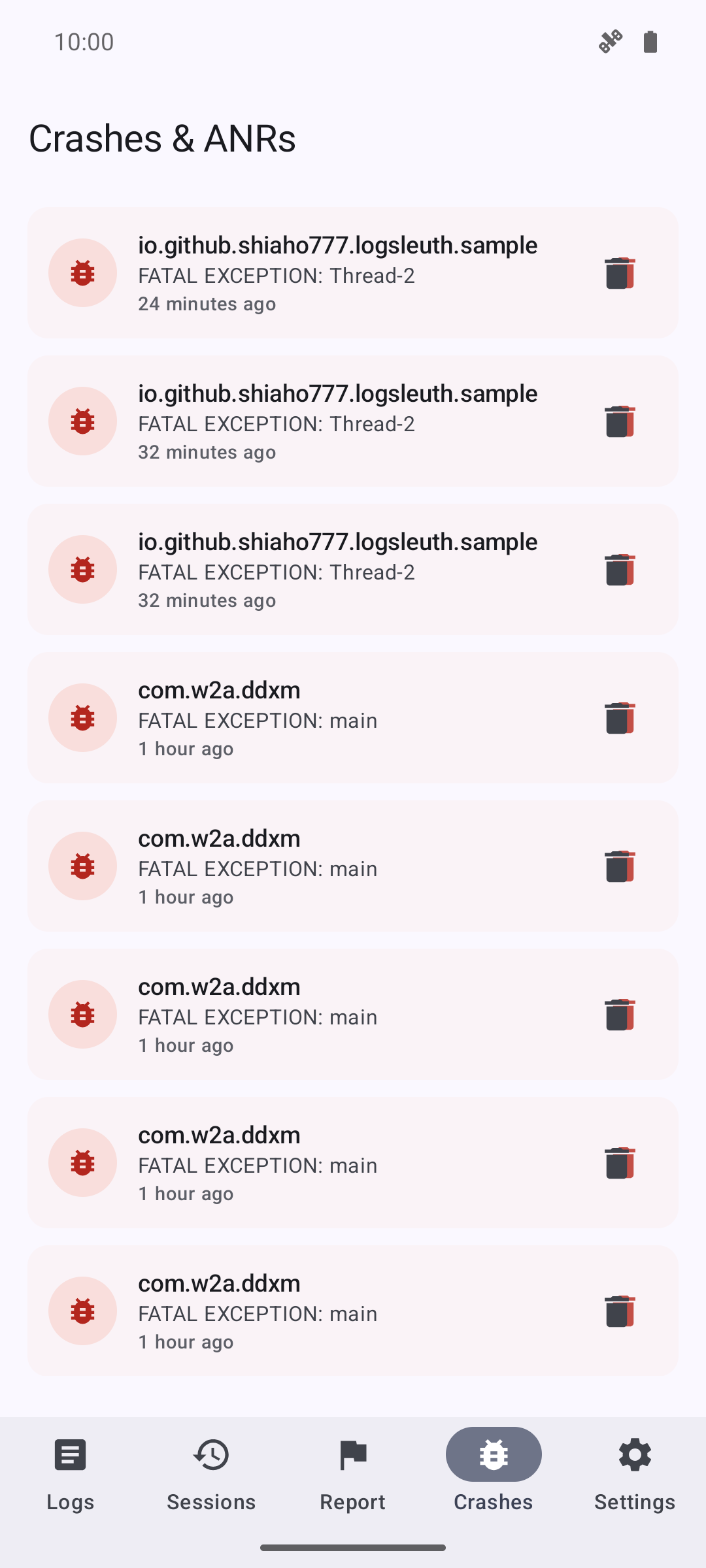
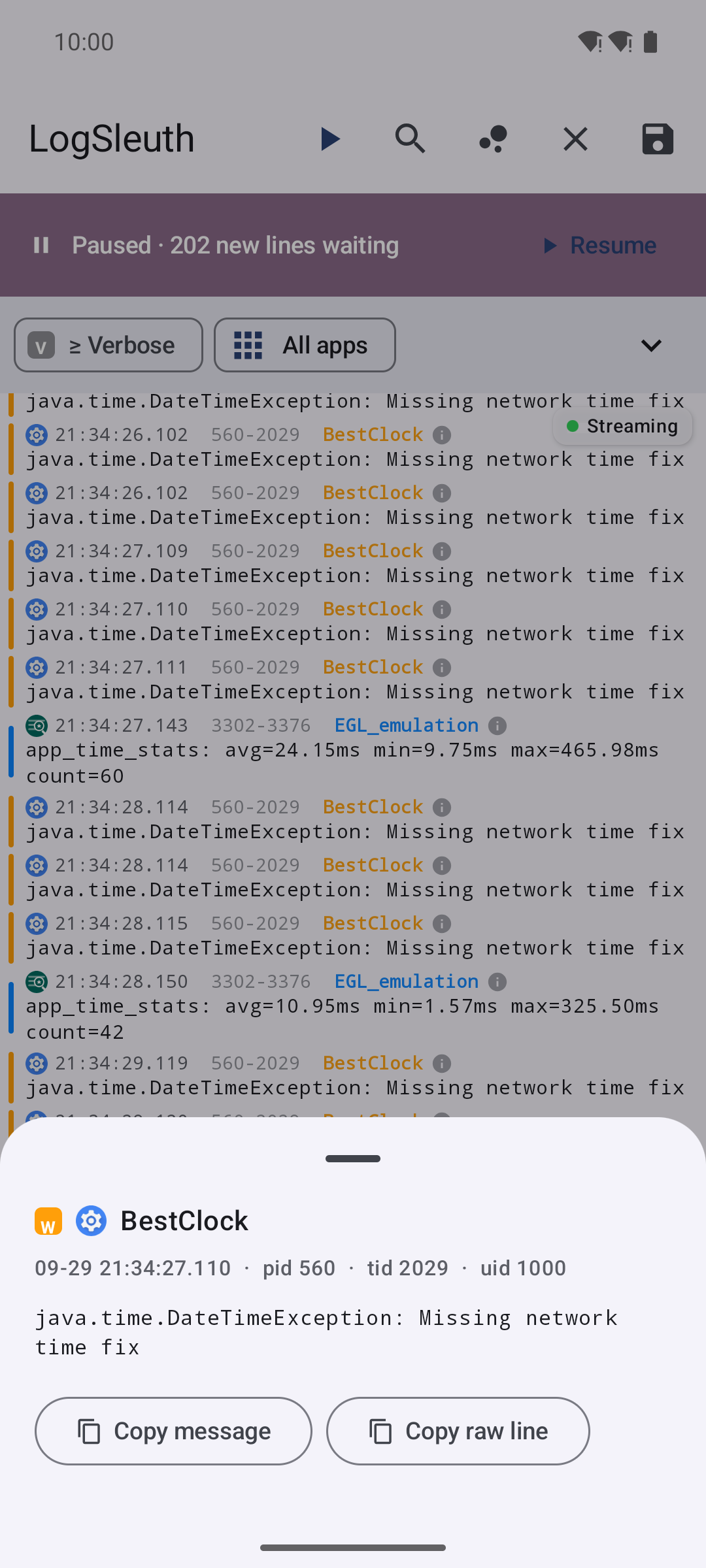
| Crash & ANR detection | Log entry detail | Multi-select & copy |
 |
 |
 |
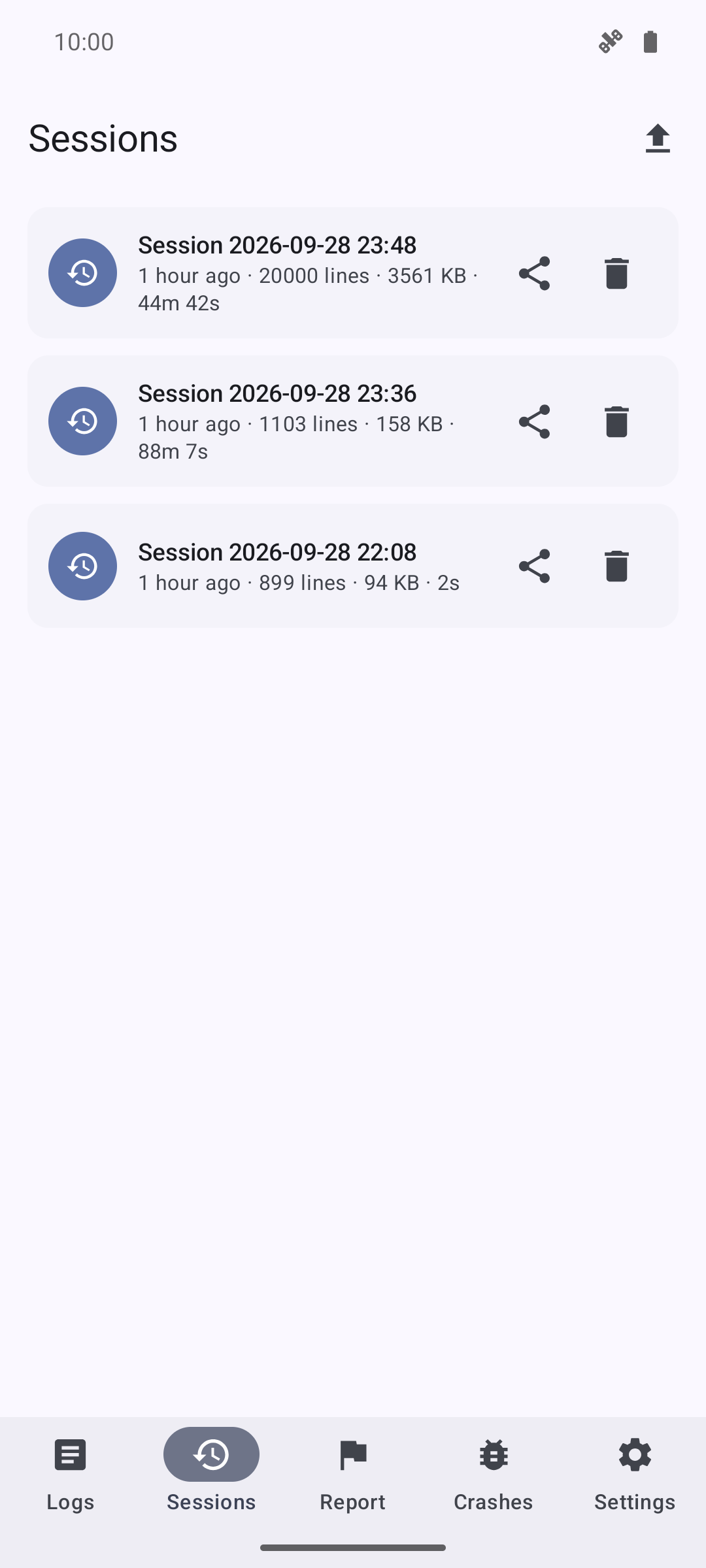
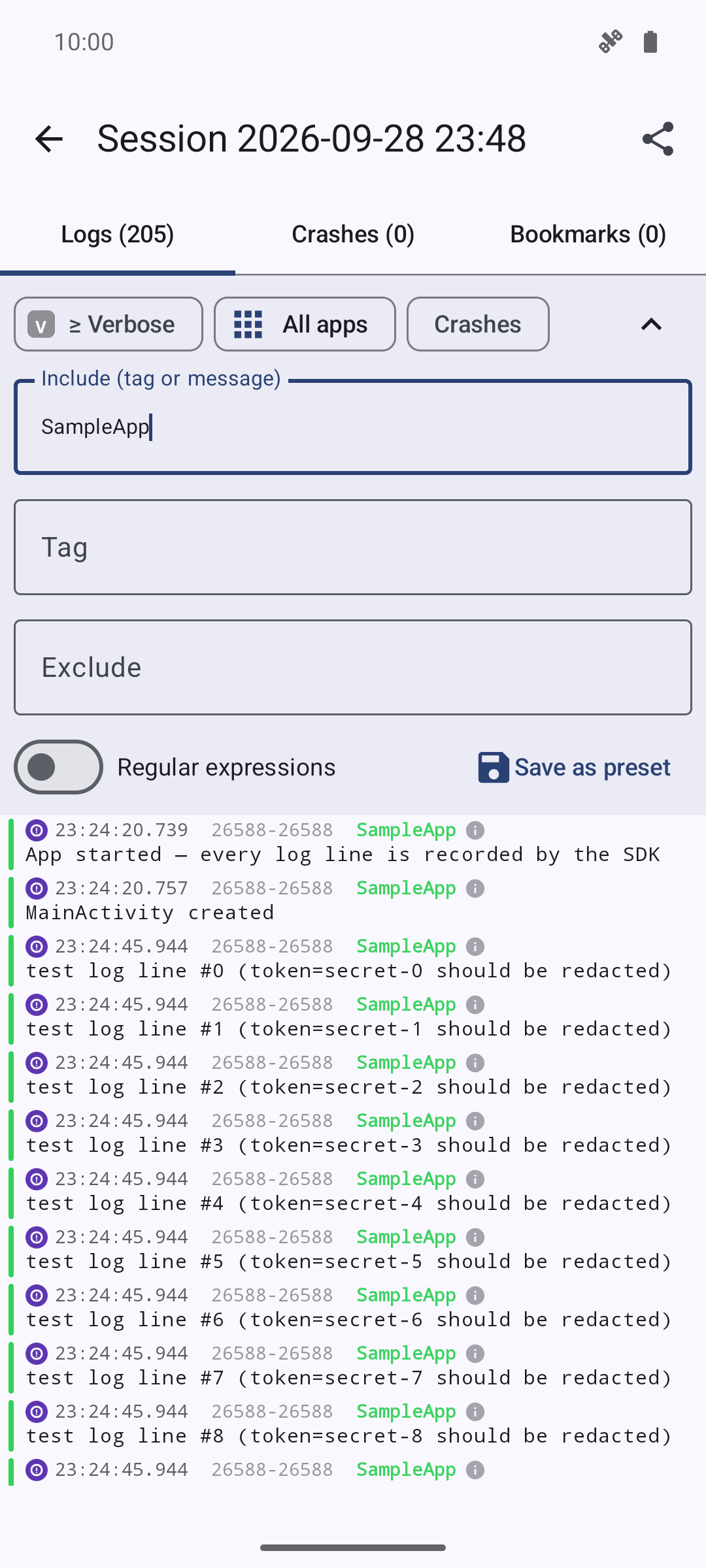
| Per-app scope picker | Recording sessions | Session replay |
 |
 |
 |
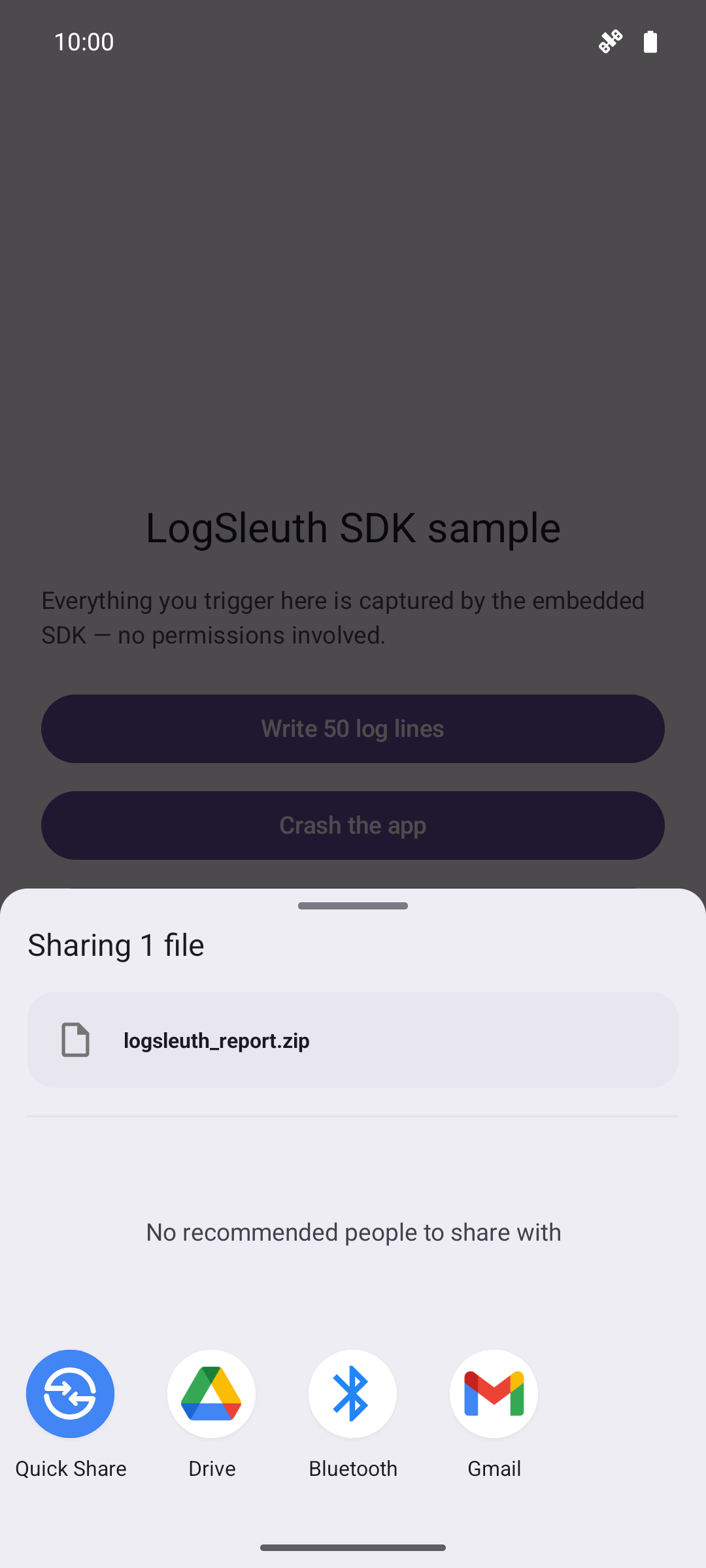
| Guided report & export | Save & share | Setup & grants |
 |
 |
 |
| Settings & in-app updates | Guided tour | Embedded SDK sample |
 |
 |
 |
What is LogSleuth?
LogSleuth is an open-source (Apache-2.0) Android logging toolkit with two halves that work together:
- The viewer app — a polished, Logcat-style live reader for the whole device, written in Kotlin + Jetpack Compose (Material 3). No root: one grant via Shizuku or ADB unlocks everything.
logsleuth-sdk— a drop-in library for your own app that records its logs, crashes and ANRs with zero permissions and zero network, then packages them into a zip your users can send you. LogSleuth the viewer opens those zips directly.
Feature overview
Watch the stream
| Feature | Details |
|---|---|
| Live logcat | threadtime rows with level colors, pid·tid·uid columns and per-app icons |
| Smooth tail-follow | Conveyor-style auto-scroll that tracks the arrival rate; a fling up detaches, a fling back re-pins |
| Pause & buffer | Freeze the display while lines keep buffering underneath — the banner counts what's waiting |
| Search | Query across the whole buffer: hit counter, highlighted matches, prev/next jumps |
| Jump controls | FABs to snap to the oldest buffered line or back to the live tail |
| Engine chip | Streaming / Connecting / Stopped / Error at a glance — with the real cause (e.g. logcat exited 1) shown when it fails; auto-reconnects with backoff |
Narrow it down
| Feature | Details |
|---|---|
| Filters | Level threshold (V–A), tag, keyword, exclude-pattern, regex toggle — combinable |
| Filter presets | Save a filter combo, reapply it later; presets manage their own screen |
| Per-app filter | Chip over the stream filters to one app (needs Shizuku for package resolution) |
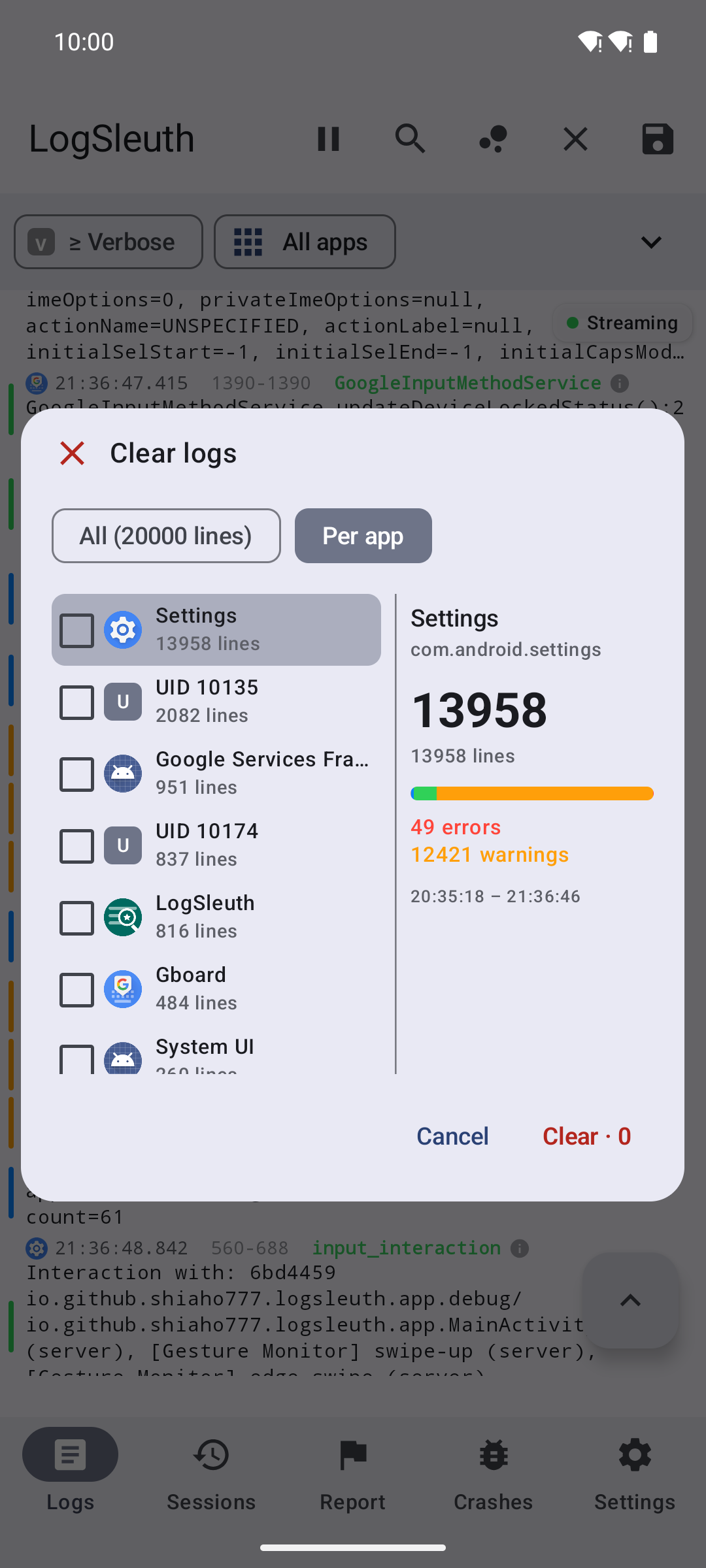
| App picker | Installed-app list with icons and per-app line stats |
Act on what you see
| Feature | Details |
|---|---|
| Entry detail | Tap a row for the full message, pid/tid/uid, copy message or raw line |
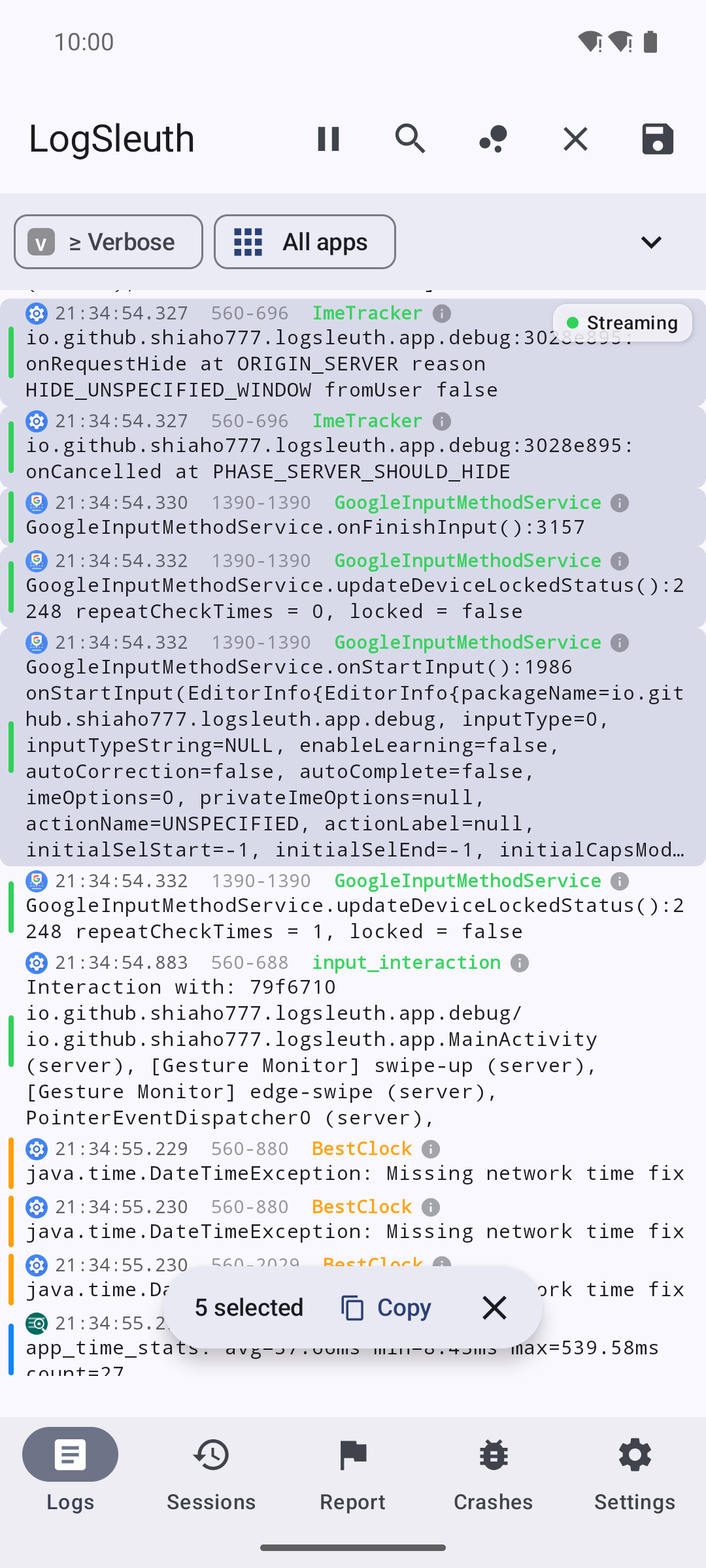
| Multi-select | Long-press a row, tap to extend the range, copy the whole block |
| Clear / save by scope | Wipe or snapshot everything, or check the apps you want in a two-pane picker with per-app stats |
| Session snapshot | Save the current buffer as a session in one tap |
Record & replay
| Feature | Details |
|---|---|
| Background recording | Foreground service with a live line-count notification (Stop / Bookmark actions) |
| Quick Settings tile | "Record logs" tile shows the live count while active |
| Floating bubble | Optional overlay with record / bookmark / hide controls over other apps (needs the overlay permission) |
| Bookmarks | Timestamp "it happened NOW" during a recording — visible in the session's Bookmarks tab |
| Auto-stop limits | Configurable size cap (8–512 MB, default 64) and duration cap (0–24 h, default unlimited) |
| Pre-start backfill | A recording can include the lines buffered before you hit record |
| Session replay | Reopen any session — Logs / Crashes / Bookmarks tabs, same filters and search as the live stream |
| Manage sessions | Swipe-to-delete with Undo; every session can be shared again later |
Crash & ANR detection
| Feature | Details |
|---|---|
| Live detection | FATAL EXCEPTION, native Fatal signal and ANR signatures flagged while streaming or recording |
| In-app event list | Crash cards expand to the full stack trace; share or delete with Undo |
| Notifications | Optional heads-up when a crash lands (off by a toggle in Settings) |
Reports, export & import
| Feature | Details |
|---|---|
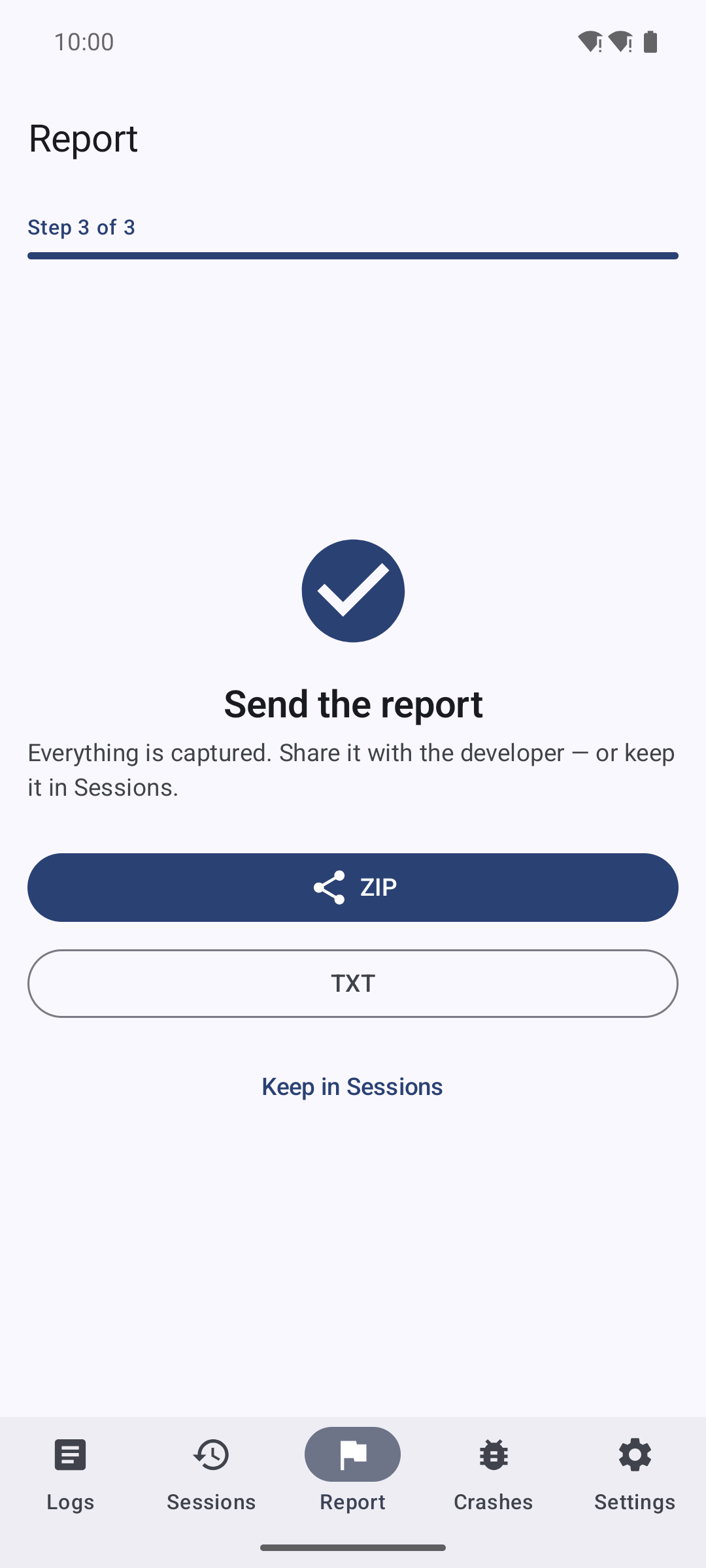
| Report wizard | Three steps: pick the misbehaving app → reproduce while LogSleuth records → share ZIP/TXT or keep it in Sessions. A crash in the target app is flagged automatically |
| Export | Sessions and the report share as .txt or .zip (the zip bundles device info) |
| Import | Open .zip/.txt/.log from a file manager or share sheet — LogSleuth renders it as a session (this is also how SDK exports arrive) |
Quality-of-life
| Feature | Details |
|---|---|
| Guided tour | A 17-step hands-on tour that drives the real UI — replay it anytime from Settings → About |
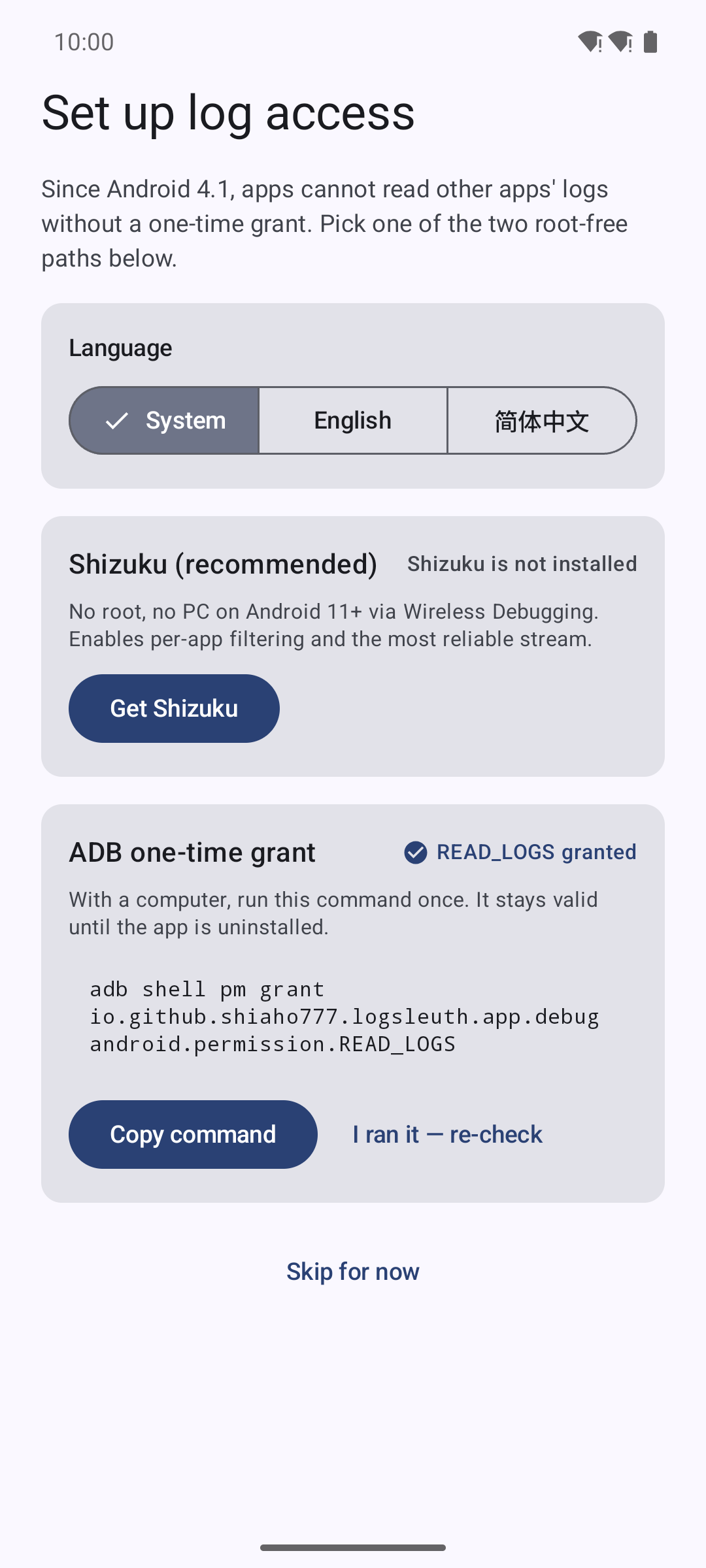
| Setup wizard | Shizuku status card + copyable ADB grant command, re-checkable in place |
| Bilingual | English & 简体中文, plus an in-app language override |
| Themes & text | System / Light / Dark themes; Compact / Default / Comfortable log text sizes |
| In-app updates | GitHub Releases check, release notes, resumable APK download (pause/resume/cancel), one-tap install, version history |
| Tunable buffer | On-screen ring buffer from 1,000 to 200,000 entries (default 20,000) |
Embedded SDK (logsleuth-sdk)
For app developers — everything above, pointed at your app's process:
| Capability | Details |
|---|---|
| Zero requirements | No permissions, no network, no accounts — an app can always read its own logs |
| Capture | Own-process logcat thread, Java crash handler (chained to the previous one), main-thread ANR watchdog |
| Storage | Ring-buffered log files (default 3 × ≤2 MB), automatic rotation |
| Privacy | addRedaction(Regex) strips secrets from recorded logs |
| Callbacks | Sleuth.onCrash { … } — fires on next start by default, or immediately if you prefer |
| Sharing | Sleuth.shareLogs(activity) zips logs + device info + metadata and opens the system share sheet |
Getting started
1. Install
Grab the APK from Releases and install it (Android 8.0+ / API 26, ~2.4 MB).
2. Grant log access
Since Android 4.1, apps cannot read other apps' logs — a platform rule that applies to every logcat app. One of these two one-time grants is required:
- Shizuku (recommended) — no root, no PC needed on Android 11+ via Wireless Debugging. Install Shizuku, start it once, and authorize LogSleuth. This also unlocks per-app filtering.
- ADB one-time grant — with a PC, run once (persists until uninstall):
adb shell pm grant io.github.shiaho777.logsleuth.app android.permission.READ_LOGS
The setup wizard walks you through either path on first launch and can be reopened any time from Settings → Log access → "Open setup guide".
3. Take the tour
On first run a 17-step coach-mark tour drives the real UI — it opens the filter bar, pauses the stream, types a search query, and pops the scope picker for you. Skip it or replay it later from Settings → About → "Replay guided tour".
Everyday workflows
- "The app keeps crashing for a user" → Report tab → pick the app → start recording → hand them the phone → Stop & share. Crashes inside the window are flagged and attached automatically.
- "It's too noisy" → unfold the filter bar, set level ≥ Warn and a tag or keyword — or filter by app (Shizuku). Save the combo as a preset.
- "I need to mark when it happened" → enable Floating controls (needs the overlay permission) or use the Quick Settings tile: record + bookmark without leaving the app under test.
- "I got a log zip / txt" → open it with LogSleuth or use Import on the Sessions tab — it lands as a replayable session.
- "That line matters" → tap its ℹ icon for the full message and copy buttons; long-press to multi-select and copy a whole block.
Embedding the SDK
Add the module to your project (source module today; a Maven artifact is planned after the public release):
// app/build.gradle.kts
implementation(project(":sdk"))
class MyApp : Application() {
    override fun onCreate() {
        super.onCreate()
        Sleuth.init(this)   // capture starts immediately — no permissions
    }
}

// Anywhere in your app — e.g. a "send logs" support button:
Sleuth.shareLogs(activity)   // opens the system share sheet with a zip
Configuration via SleuthConfig.Builder:
| Option | Default | Meaning |
|---|---|---|
tagFilter(String) |
null (all) |
Record only lines whose tag contains it (plus all ERROR lines) |
maxFiles(Int) |
3 | Ring-buffer file count, 1–20 |
maxFileBytes(Long) |
2 MB | Rotate after this many bytes per file (min 64 KB) |
captureLogcat(Boolean) |
true |
Set false to record crashes/ANRs only |
watchAnr(Boolean) |
true |
Main-looper heartbeat ANR watchdog |
onCrashInvokedOnNextStart(Boolean) |
true |
Deliver the crash callback on next init instead of at crash time |
addRedaction(Regex) |
— | Extra patterns stripped before writing to disk |
Full API:
Sleuth.init(context, SleuthConfig.Builder().tagFilter("net").build())
Sleuth.onCrash { report -> /* queue it — runs on next start by default */ }
Sleuth.log("Checkout", "order=42 placed")       // injected into the stream
Sleuth.logException("Checkout", throwable)
val files: List<File> = Sleuth.logFiles()       // raw ring-buffer files
Sleuth.shareLogs(activity)
The zip contains device.txt (manufacturer/model/Android version),
meta.txt and the log files — and LogSleuth the viewer opens it natively,
so your support flow is "send me the zip" → they open it → you replay it.
Architecture
LogcatSource (local READ_LOGS / Shizuku shell)
  → LogcatEngine (single owner of the logcat process, auto-reconnect)
      ├→ Stream UI (level colors, filters, search, pause/buffering)
      ├→ RecordingManager (foreground service → session files + Room)
      └→ CrashDetector (FATAL EXCEPTION / Fatal signal / ANR → events + notifications)

logsleuth-sdk (embedded in a host app — zero permissions, zero network):
  Sleuth.init → own-process logcat capture + crash handler + ANR watchdog
              → ring-buffered log files (with secret redaction)
              → one-tap zip share (opens in the viewer for replay)
Permissions
Everything the app asks for, and why:
| Permission | Used for |
|---|---|
READ_LOGS |
Reading the device log (granted via Shizuku or the ADB command — the whole point) |
moe.shizuku…API_V23 |
Talking to the Shizuku service |
FOREGROUND_SERVICE + …_DATA_SYNC |
Keeping background recording alive |
POST_NOTIFICATIONS |
Recording status, crash/ANR alerts, auto-stop notices |
SYSTEM_ALERT_WINDOW |
Floating record/bookmark bubble — only if you enable it |
INTERNET |
Update checks against GitHub Releases only — no analytics, no ads |
REQUEST_INSTALL_PACKAGES |
Installing downloaded APK updates |
The SDK itself declares no permissions at all — it only ever reads its host app's own logs.
Project structure
app/      The LogSleuth viewer app (Kotlin + Jetpack Compose, Material 3)
sdk/      logsleuth-sdk — the embeddable, zero-permission logging library
sample/   Demo app showing SDK integration
Build from source
Requires JDK 17+ and Android SDK platform 36.
git clone https://github.com/shiaho777/LogSleuth.git
cd LogSleuth
./gradlew assembleDebug          # app + sdk + sample
./gradlew test                   # unit tests
python3 scripts/check_string_parity.py   # bilingual string gate (runs in CI)
Download
- GitHub Releases (see Releases page)
- F-Droid (planned after first public release)
- Google Play (planned)
Contributing
See CONTRIBUTING.md. Bug reports and feature requests are welcome via GitHub Issues.
License
How Shizuku is used
Can stream full device logs live with search, crash detection and session recording via `logcat` through Shizuku.
This is an AI-assisted analysis of Shizuku-related usages in the app's public source code. It is best effort, so it may not catch every single usage.
How this app uses Shizuku
Shizuku is used to run logcat with shell privileges so the app can see full device logs without needing a PC connection for every launch.
- Stream live logs: view system wide log output in real time with live streaming, search and per app filtering, powered by the
logcatshell command through Shizuku. - Detect crashes and ANRs: spot native crashes and app freezes from the crash and events log buffers, collected with the
logcatshell command through Shizuku. - Record log sessions: save log streams for later replay, bookmarks and reports using the same
logcatshell command through Shizuku.
Android APIs or commands used
logcat -b main -b crash -b events -v threadtime -v uid
Notable details
Works without Shizuku via the READ_LOGS permission (grantable over ADB), which runs the same logcat locally with no uid column. Shizuku is the preferred path for full logs including per app attribution.
Changelog
What's new for version 0.3.3
LogSleuth 0.3.3 — hotfix for the Shizuku access path.
Fixed
- Shizuku stream failed instantly with
read failed: EBADF— theRemoteProcesswrapper mapped the AIDL streams swapped, so the reader got the write-only end of the remote stdin pipe and the first read blew up. The mapping now matches the officialShizukuRemoteProcess. Verified end-to-end against a live Shizuku service: v0.3.2 reproduces the EBADF; this build streams the full device logcat as the shell user. (#97)
Assets
| File | SHA-256 |
|---|---|
LogSleuth-0.3.3.apk |
181e3a52aed8d4ef11feebc32d2dbabe4b6ffc30af2c1105ccb8afcfce513351 |
Signed with the LogSleuth release key (v2+v3). Requires Android 8.0 (API 26)+.
Permissions
9 permissions requested
More from this category
 ADB Captain
 80bee
80bee
 Activity Manager
 FPS Meter
 ActivityLauncherShizukuPlugin
 Android Code Studio
 FrameX
 LogFox
 LibChecker
 DSU Sideloader
 开发助手
开发助手
 Accounts