 ShizuStore

Latch
0.6.3 · GitHub
More about this app
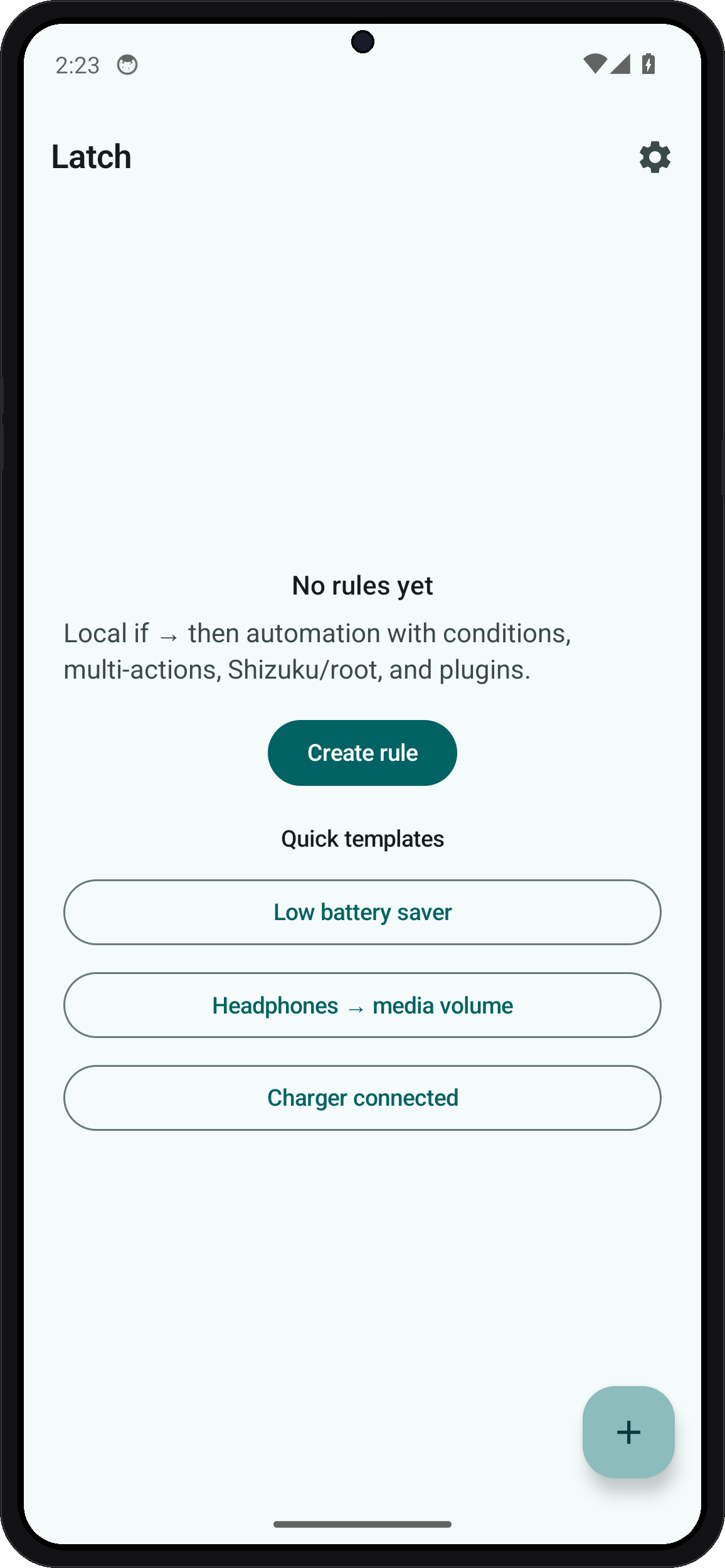
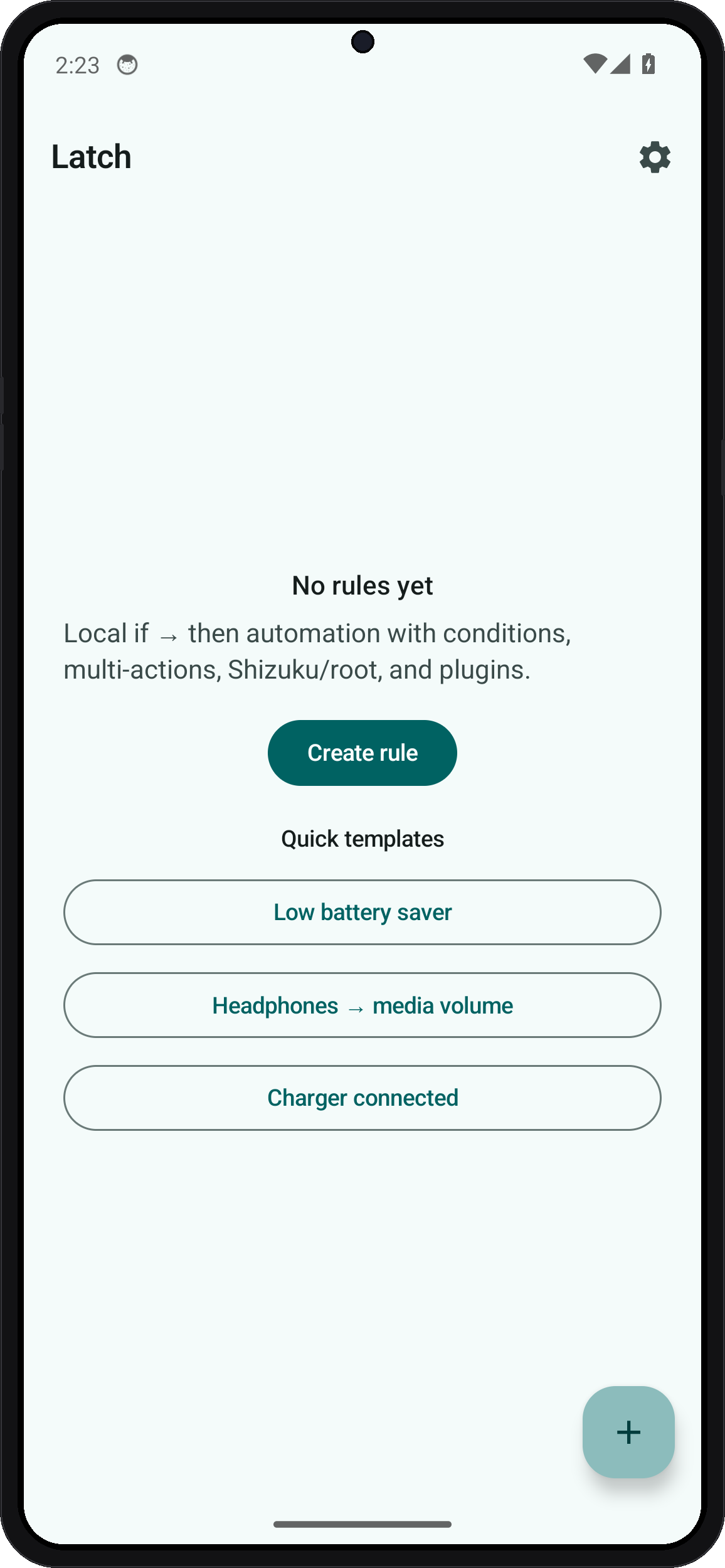
Privacy-first Tasker-style automation with local if/then rules, multi-action chains, optional Shizuku/root elevated actions, and no cloud.

Latch
Privacy-first Android automation
Local if → then rules. No account, no cloud, no ads, no trackers.


Website · Download APK · Español
Screenshots
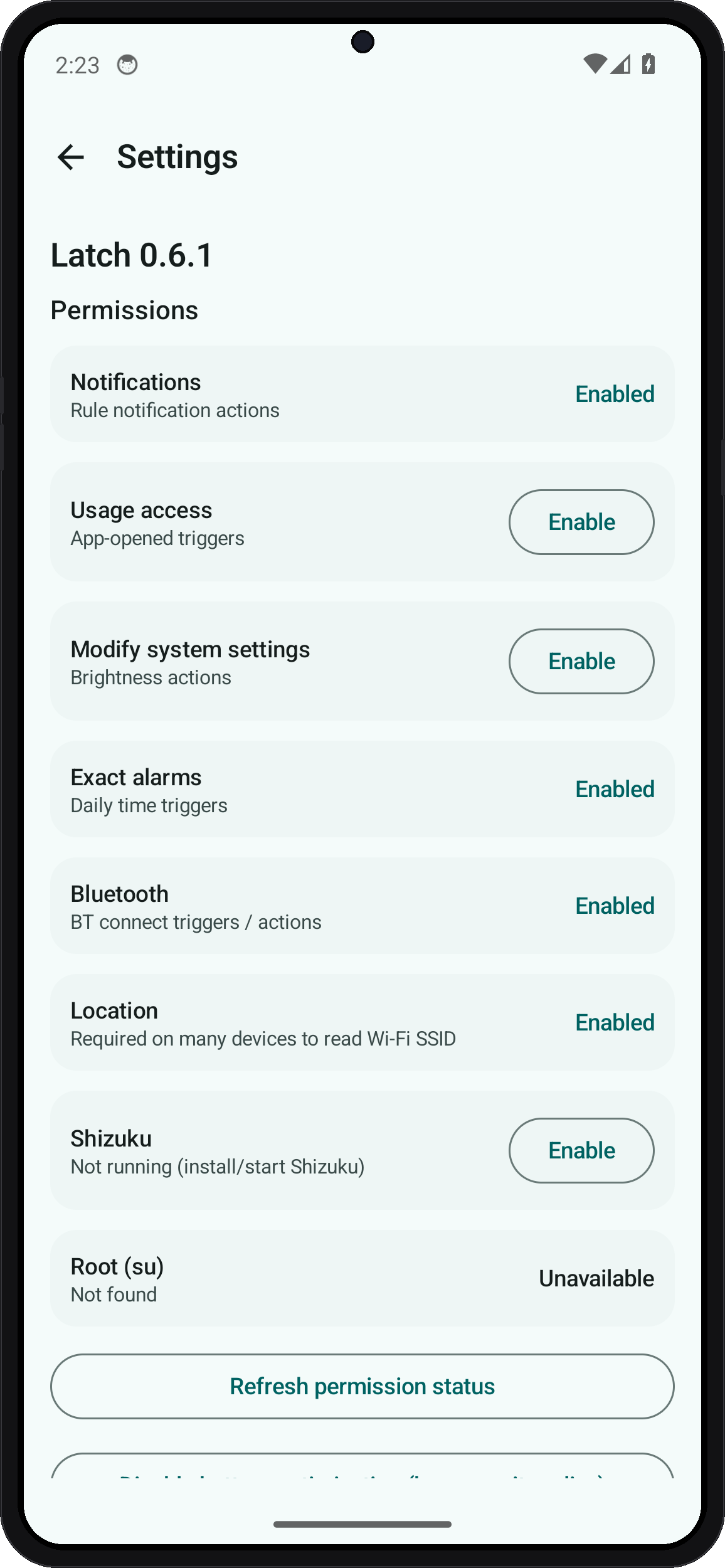
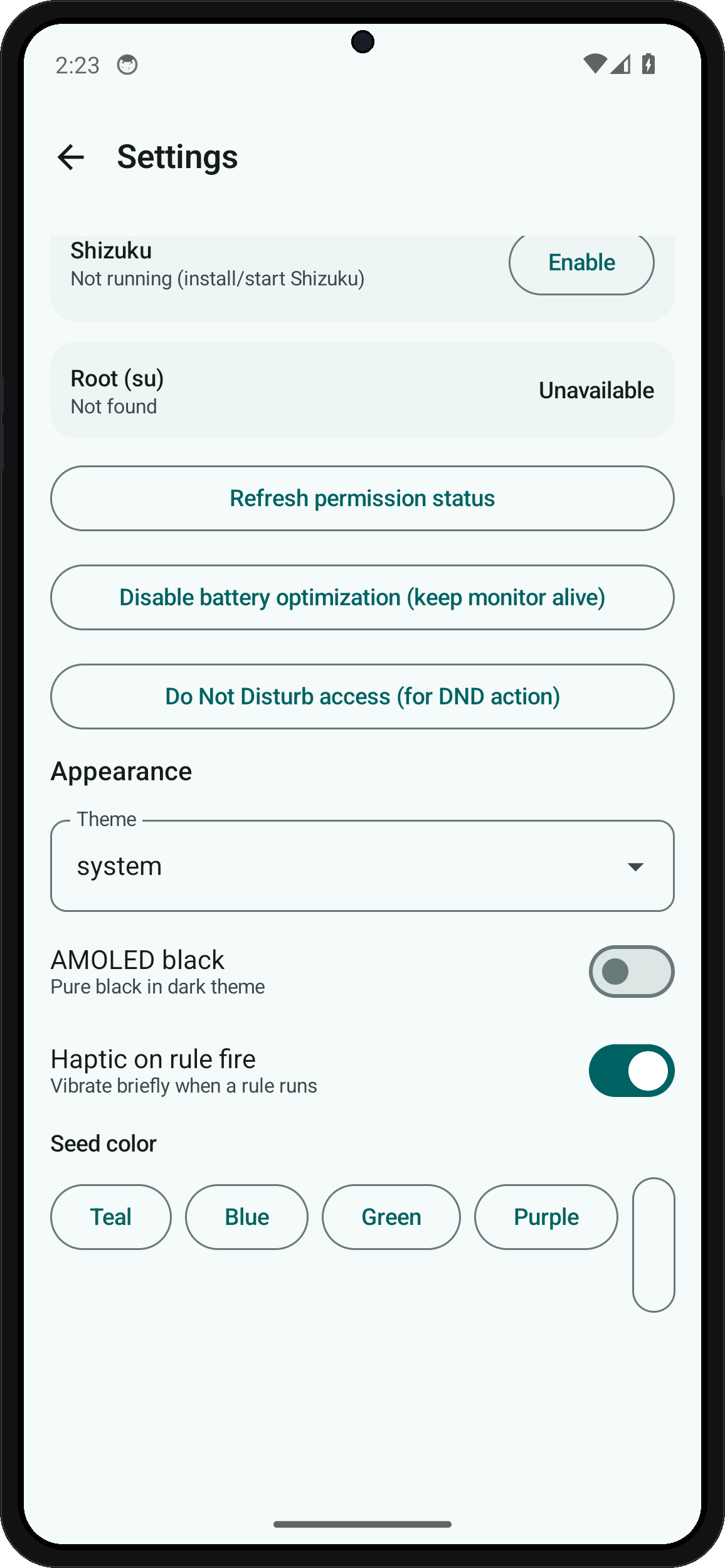
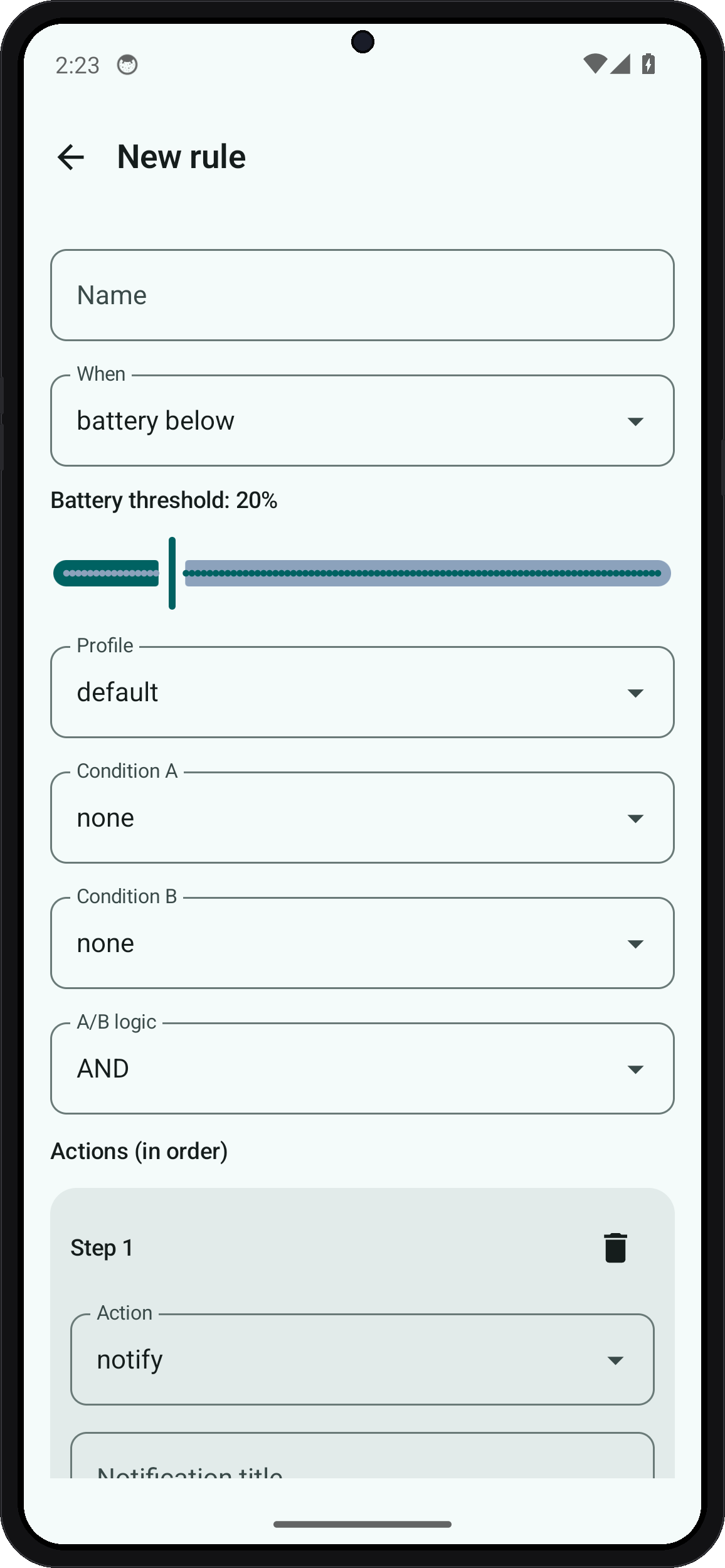
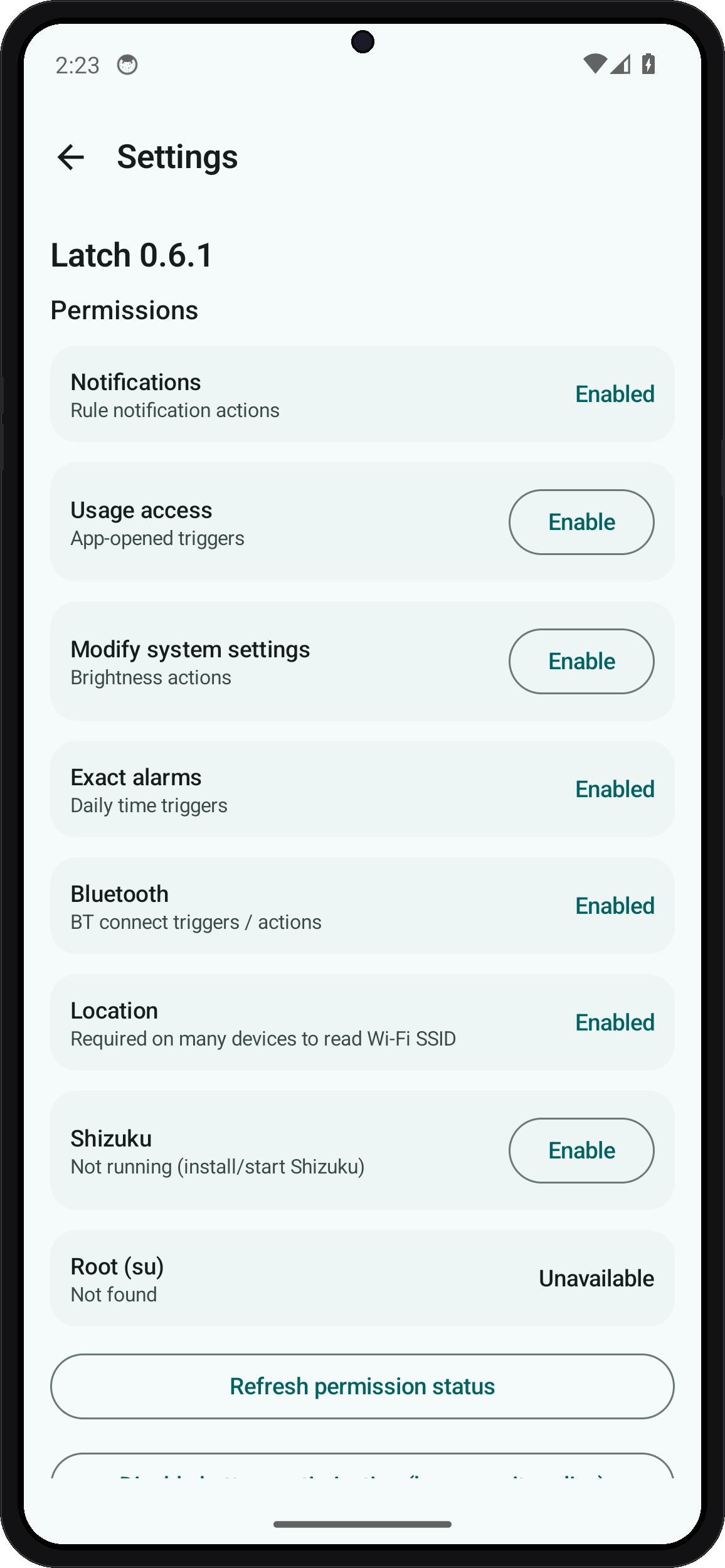
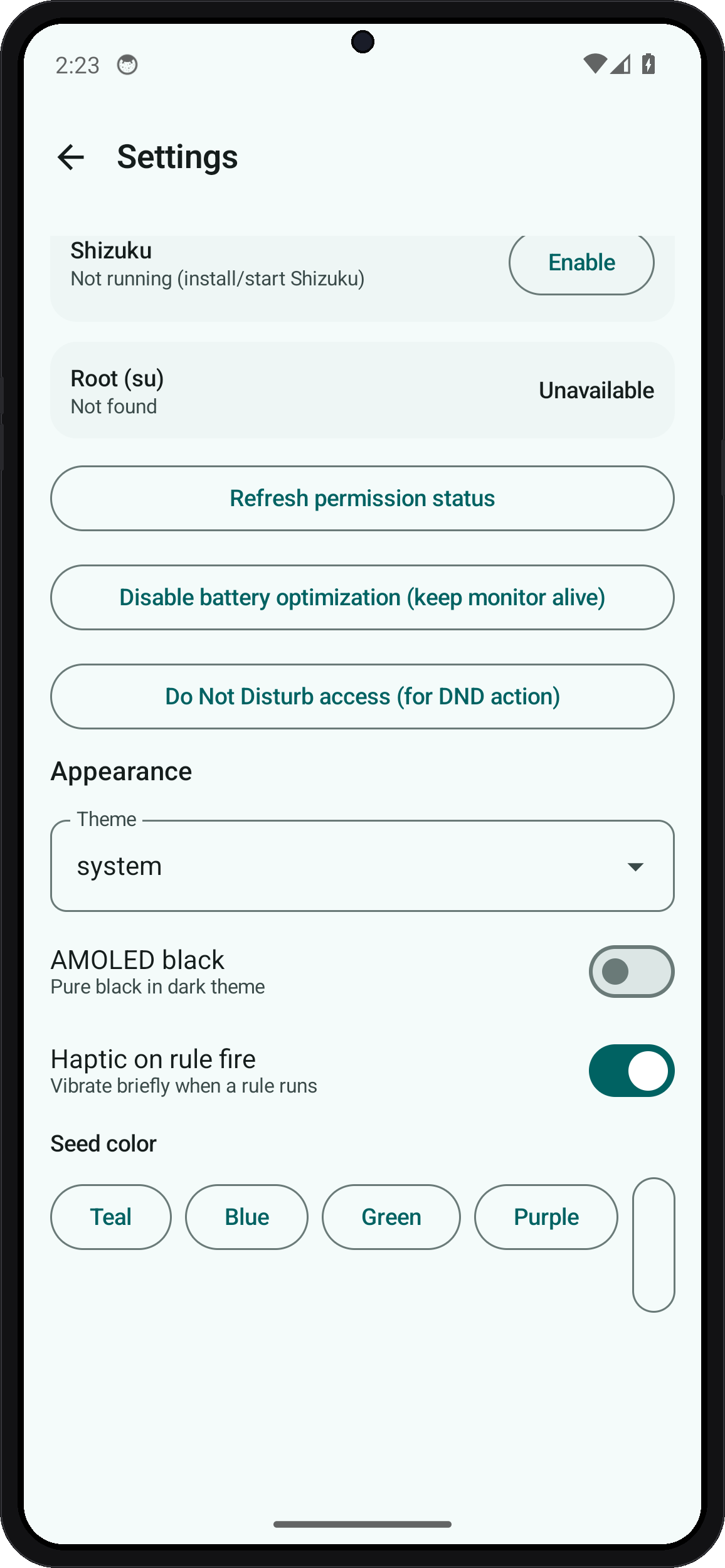
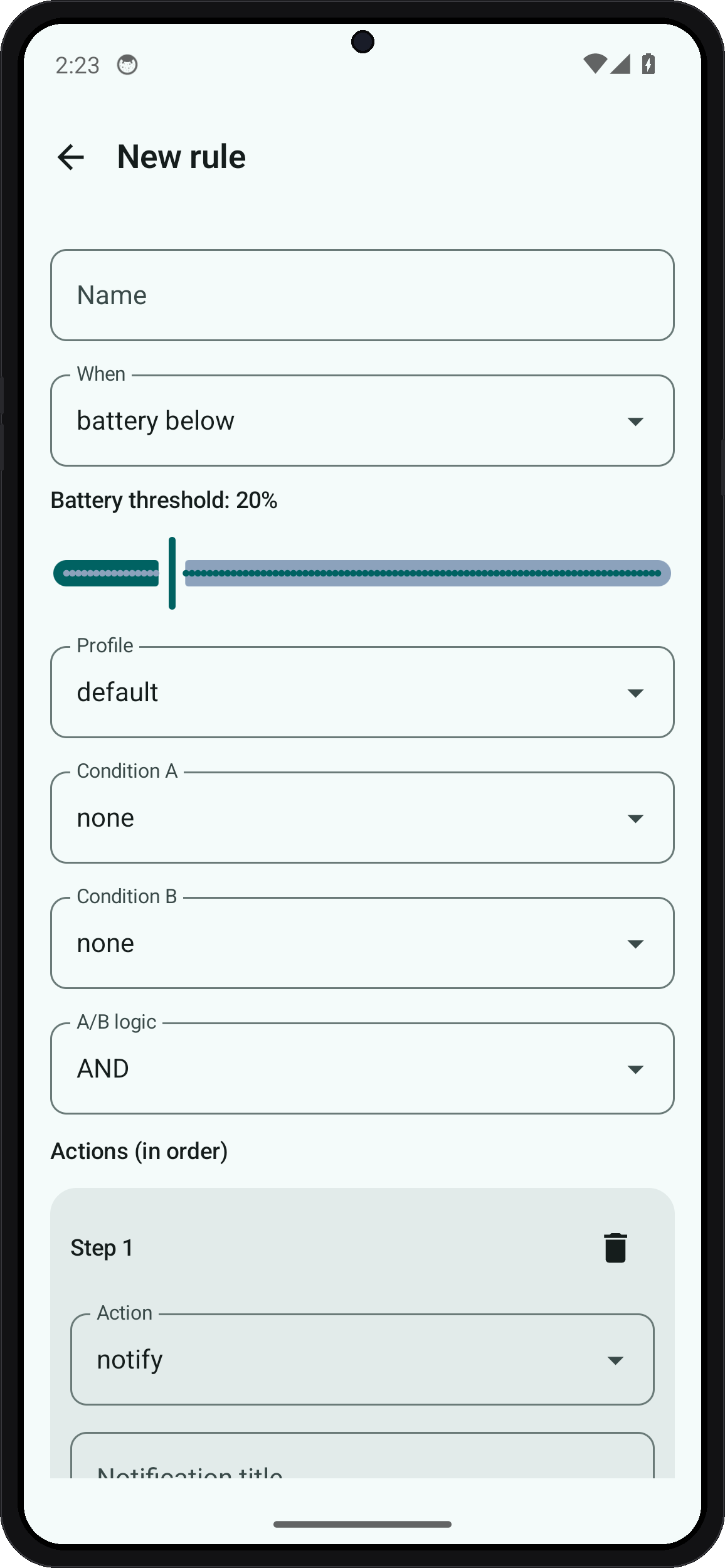
| Home | Settings | Settings (more) | Edit rule |
|---|---|---|---|
 |
 |
 |
 |
Engine (always-on)
- Sticky foreground monitor (
specialUse) hosts dynamic receivers (Wi‑Fi, power, screen, …) - Accessibility for instant App opened rules (Usage access is fallback only)
- Exact alarms for daily time windows
- Shizuku/root for elevated actions — bound only while a command runs
Features
Triggers
Battery · charger · headphones · daily time · boot · Wi‑Fi · SSID · Bluetooth · app opened · screen · custom broadcast
Actions (chainable)
Notify · toast · ringer · open app · open URL · brightness · shell (optional root) · wait · plugin broadcast
More
- Multi-step action lists per rule
- Cooldown + notes on each rule
- Search on the home list (name / trigger)
- Home-screen widget (toggle a rule)
- Plugin API for other FOSS apps
- JSON export / import of recipes
- Material You theme (light / dark / system, seed color chips)
Elevated access
Optional Shizuku (preferred) or root su for shell / svc style actions. Enable in Settings and grant when prompted.
Privacy
No INTERNET permission. No analytics. Rules stay on device unless you export them.
Plugin API
com.endroid.latch.api.FIRE_TRIGGER   extra trigger=<string>
com.endroid.latch.api.RUN_RULE       extra rule_id=<uuid>
Stable vs beta
| Channel | Branch | Application id |
|---|---|---|
| Stable | main |
com.endroid.latch |
| Beta | beta |
com.endroid.latch.beta |
Install
- Latest release APK
- Or build from source (below)
Build
./gradlew assembleRelease
Related
| Project | What |
|---|---|
| Fern | Material You system monitor (CPU, RAM, battery, Shizuku) |
Why Latch vs others?
| Latch | Tasker | MacroDroid | |
|---|---|---|---|
| Cloud / account | Never | Optional | Optional |
| Trackers / ads | None | None (paid) | Free has limits |
| Open source | MIT | No | No |
| Shizuku / root optional | Yes | Plugin ecosystem | Limited |
| Beginner recipes | JSON packs in /recipes |
Community | Built-in |
Install options
- GitHub Releases — latest APK
- Obtainium — add
https://github.com/wized2/Latchfor update checks - F-Droid / IzzyOnDroid — metadata prepared under
fastlane/; listing pending
Recipe packs
Import JSON from recipes/ (work Wi‑Fi silent, headphones → music, night silent, low battery, boot notify, …).
Why Latch?
Tasker-class power without cloud accounts or trackers. Rules are plain local data; optional elevation is explicit.
Example recipes
See docs/RECIPES.md and JSON under recipes/.
OEM battery tips: docs/OEM_BATTERY.md.
Contributing
Growth norms (no fake stars / spam): docs/GROWTH.md.
- Read docs/DEVELOPMENT.md.
- Work on
betaand open PRs againstbeta(com.endroid.latch.beta). - Grab a good first issue.
Spanish overview: README.es.md.
Example recipes
See docs/RECIPES.md and JSON under recipes/.
OEM battery tips: docs/OEM_BATTERY.md.
Contributing detail
PRs welcome — especially new triggers/actions, OEM battery tips, and accessibility.
License
MIT · Project Endroid
If Latch helps you automate privately, a star helps others find it ⭐
First contribution in 15 minutes
- Fork and clone
./gradlew assembleDebugor open in Android Studio- Create a TIME_DAILY toast rule or import
recipes/*.json - Pick a good first issue
- PR against
betawhen possible
See CONTRIBUTING.md and docs/RECIPES.md.
Contribute / contributor hunt
First-time contributors welcome:
| Start here | Link |
|---|---|
| Good first issues | https://github.com/wized2/Latch/labels/good%20first%20issue |
| Contributor hunt | https://github.com/wized2/Latch/labels/contributor-hunt |
| Help wanted | https://github.com/wized2/Latch/labels/help%20wanted |
| Recipes guide | docs/RECIPES.md |
| Guide | CONTRIBUTING.md |
Easy first PRs: recipe JSON, accessibility labels, empty-state copy, docs.
How Shizuku is used
Can run custom shell commands, toggle Wi-Fi, Bluetooth, mobile data, airplane mode and force stop apps via `svc`, `am` and `settings` shell commands.
This is an AI-assisted analysis of Shizuku-related usages in the app's public source code. It is best effort, so it may not catch every single usage.
How this app uses Shizuku
Latch uses Shizuku to run elevated shell actions from local automation rules. Each bullet below is triggered by the user's own if/then rules:
- Run custom shell commands: text the user types as a shell action in a rule is executed with elevated shell privilege through Shizuku.
- Toggle Wi-Fi connections: a rule action turns Wi-Fi on or off with the
svc wifi enableandsvc wifi disableshell commands through Shizuku. - Toggle Bluetooth connections: a rule action turns Bluetooth on or off with the
svc bluetooth enableandsvc bluetooth disableshell commands through Shizuku. - Toggle mobile data: a rule action turns mobile data on or off with the
svc data enableandsvc data disableshell commands through Shizuku. - Toggle airplane mode: a rule action turns airplane mode on or off with the
settings put globalcommand plus an airplane mode broadcast through Shizuku. - Force stop apps: a package name chosen in a rule action is stopped with the
am force-stopshell command through Shizuku.
Android APIs or commands used
sh -c/system/bin/sh -csvc wifi enablesvc wifi disablesvc bluetooth enablesvc bluetooth disablesvc data enablesvc data disablesettings put global airplane_mode_onam broadcast -a android.intent.action.AIRPLANE_MODEam force-stop
Notable details
Rule actions still run without Shizuku through a normal shell, but privileged toggles and stops need the elevated path to succeed.
Changelog
What's new for version 0.6.3
Latch 0.6.3
UI
- Home: search rules by name / trigger; enabled rules sort first
- Settings: seed colors as wrapping FilterChips (no overflow on small phones)
Docs
- README badges + website/download links
- Issue template + funding metadata
Full Changelog: https://github.com/wized2/Latch/compare/v0.6.2...v0.6.3
Permissions
22 permissions requested
More apps from this developer
 Fern
More from this category
 IMD
 Nothing Modes
 FlowPilot
 Argus
 OpenTasker
 NexaFlow
 Service Keeper
 AutoJs6
 vFlow
 Airplane Scheduler
 PhoneProfilesPlus
 自动滑动器