 ShizuStore
Language Selector
1.04 · GitHub
More about this app
Allows users to select individual app languages (Android 13+)
Language Selector
Language Selector allows users to set individual app languages. It tries to replicates the behavior of the "App languages" feature introduced in Android 13.
To use this app:
- MUST be on Android 13 or higher, there is no compatiblity with older Android versions.
- MUST have Shizuku.
You can get this app at Releases section.
Features
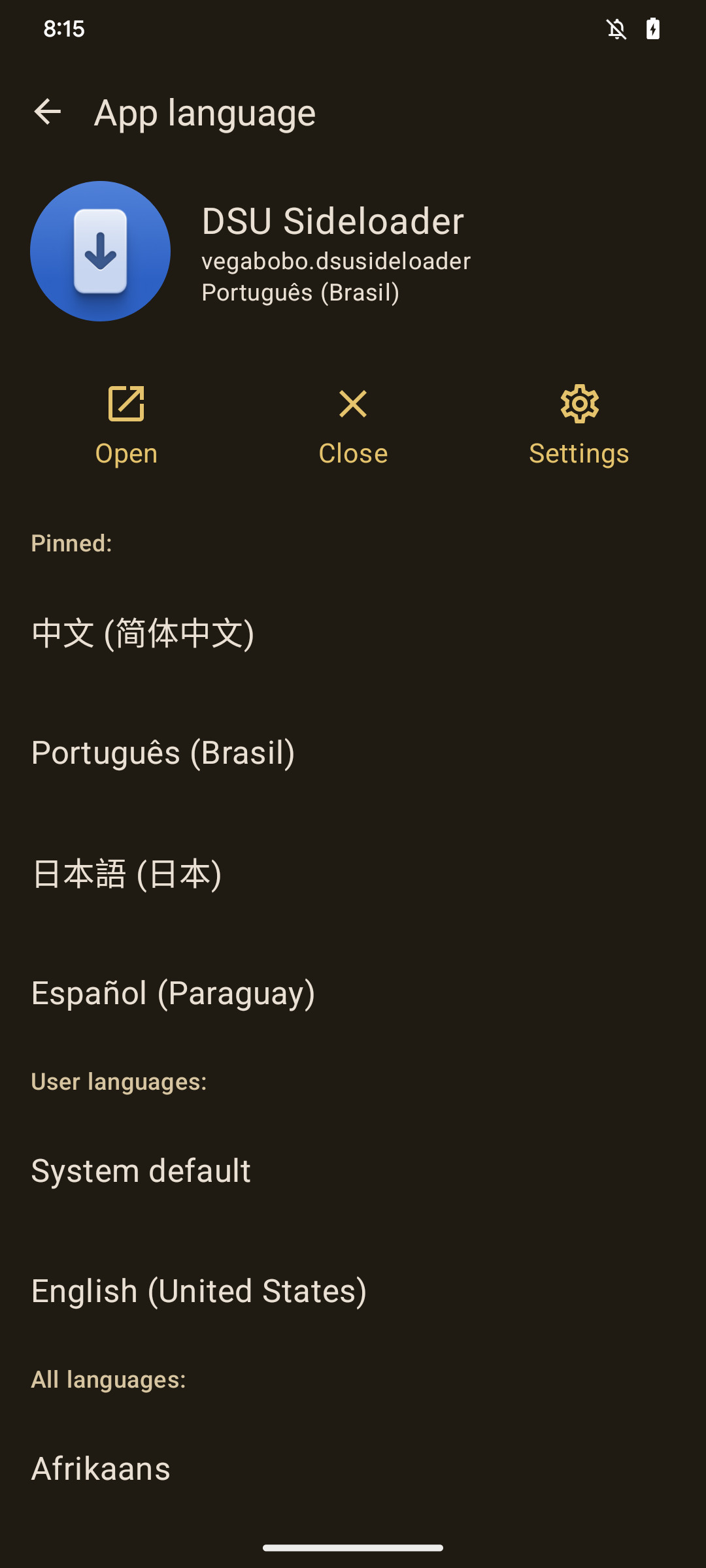
- Set individual app languages
- Allows selecting language from any app **
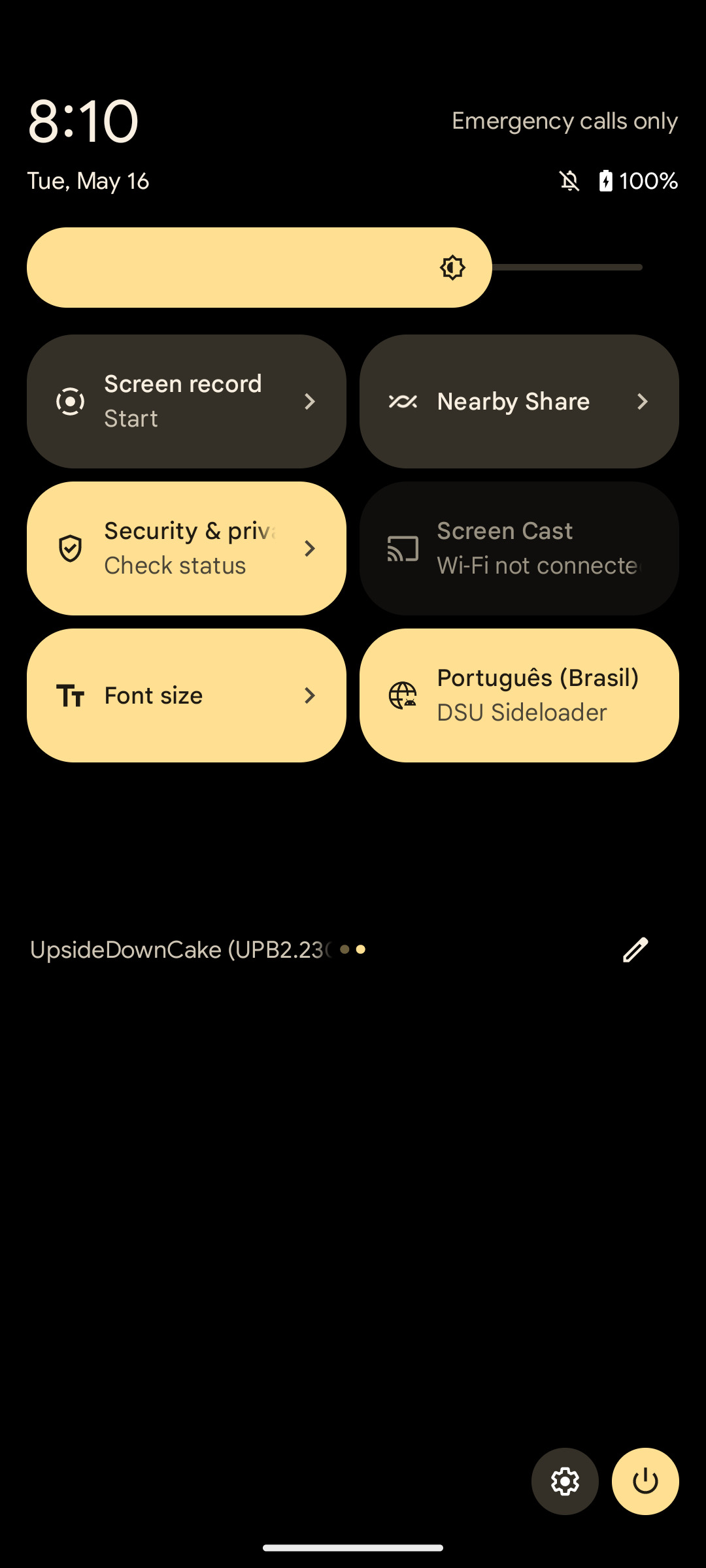
- Quick change languages with QSTile
** Language Selector DOES NOT translate apps, it just specify a locale that will be used by application, if the desired language is supported by the app, it should be displayed as expected.
** Please note that changing locale for unsupported applications and system apps may cause unexpected behavior and is NOT RECOMMENDED.
Language availability
This app parses Locale (java.util.Locale) from Locale.getAvailableLocales(), consequently, numerous locales are present in the app, the language list is huge, if someone want to improve that, feel free to send a PR, because this way is pretty slow and languages aren't filtered accurately.
Usage
Before using this app, you MUST install and start Shizuku, the way this app works makes Shizuku MANDATORY, after that, you should follow this steps:
- Install "Language Selector" (check Releases)
- Open, grant Shizuku permissions and tap on "Proceed"
- Choose a app you want to select it's language.
- Select any language from list
- That is it?
Pinning languages
You can pin languages by long-pressing on desired language, pinned languages will appear at the top of the list and will also be available in the QS tile.
Quick tile
You can quick change current running app language by adding a QS tile, available tile languages are the pinned ones, if no pinned language is set, then tile will be marked as Unavailable, changing system apps language from QS is also not supported.
Background
I've made this app because MIUI doesn't seem to have app languages in Android 13 (at least on my device, running global MIUI 14/Android 13), by not having the feature, i mean, there is no option inside Settings app to change app languages individually, but since it is as Android 13 build, there is a high change that locale service is still present, if so, we can use LocaleManager to do per-app basis locale operations.
Locale manager can be acessible via ADB, using "cmd locale" command, since adb has the ability to change other app languages, i've decided to make my own "front-end" for managing application locales, so i can set languages and use this feature, even if there is no UI for app languages in stock Settings app yet.
Since ADB is required to manage other application languages, this app uses Shizuku to interact with LocaleManager APIs at privileged level, that's why Shizuku is mandatory to use this app.
If your device is running Android 13 or higher, and your ROM doesn't include any option related to the app languages, this app may be useful.
How Shizuku is used
Can set per-app languages, view current languages and force-stop apps via `Shizuku` privileged service
This is an AI-assisted analysis of Shizuku-related usages in the app's public source code. It is best effort, so it may not catch every single usage.
How this app uses Shizuku
The app uses Shizuku to reach system language and activity services that normal apps cannot call, to manage per-app languages on Android 13 and later.
- Set per-app language: choosing a language for an app applies it through the system locale service via Shizuku, and resetting clears it back to the system default.
- Show current language: the app reads each app's chosen language and the system language list through Shizuku to display the current selection and suggested languages.
- Force stop app: the force close action stops the selected app through the system activity service via Shizuku so a new language can take effect.
- Cycle foreground language: the Quick Settings tile detects the currently open app and switches it to the next pinned language, or back to system default, using Shizuku.
Android APIs or commands used
ILocaleManager.setApplicationLocalesILocaleManager.getApplicationLocalesILocaleManager.getSystemLocalesIActivityManager.forceStopPackageIActivityTaskManager.getTasksActivityManager.getCurrentUser
Changelog
What's new for version 1.04
Initial release, for more info, is highly recommended checking README
Permissions
3 permissions requested
More apps from this developer
 DSU Sideloader
More from this category
 Essentials
 Extendroid
 ShizuTools
 Dragon Launcher
 Smart Island
 GAMA
GAMA
 Tap, Tap
 Expressive Cutout
 SystemUI Tuner
 Ambient Music Mod
 ColorBlendr
 SetEdit+