 ShizuStore
Kiosk Satellite
2026.10.3 · GitHub
More about this app
Home Assistant kiosk: voice satellite, synchronized music and photo screensaver, with Shizuku used for privileged APK updates and device bridging.



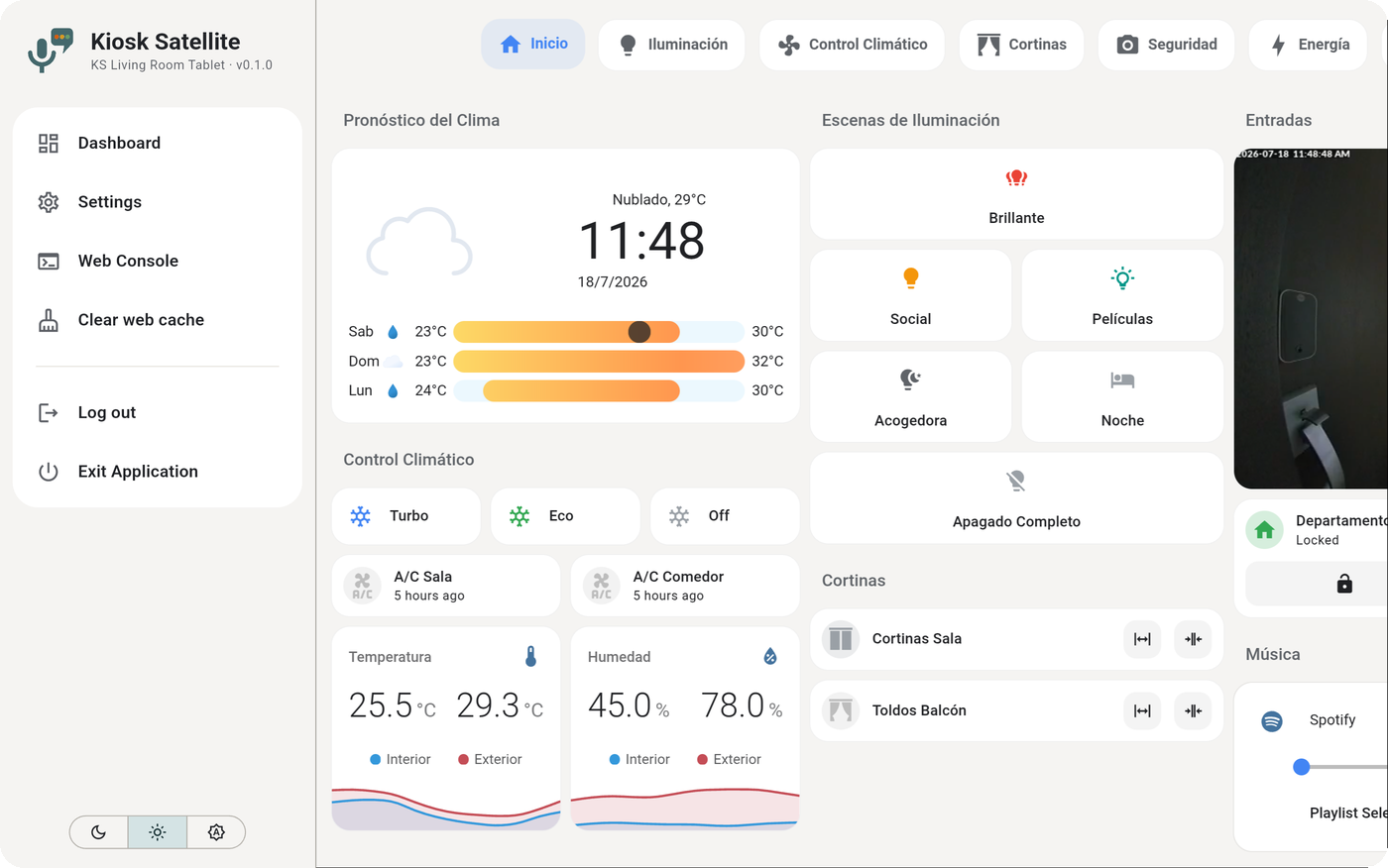
Kiosk Satellite is an Android app designed for dedicated Home Assistant kiosks, with native Voice Satellite support, synchronized music playback and photo screensavers.
Kiosk Satellite is fully local and free for personal, non-commercial use.
Download · Get started · Documentation

Features
• Native voice control: Kiosk Satellite is a Home Assistant Assist satellite on its own, with Voice Satellite built in: ten skins, timers, announcements and wake word detection that works with the screen off or, with background listening enabled, while another app is open. Nothing to install in Home Assistant.

• Dashboard performance: Optional optimizations reduce unnecessary dashboard updates and pause rendering during screensavers to lower CPU and GPU usage on older devices. Voice and the Home Assistant connection stay active.
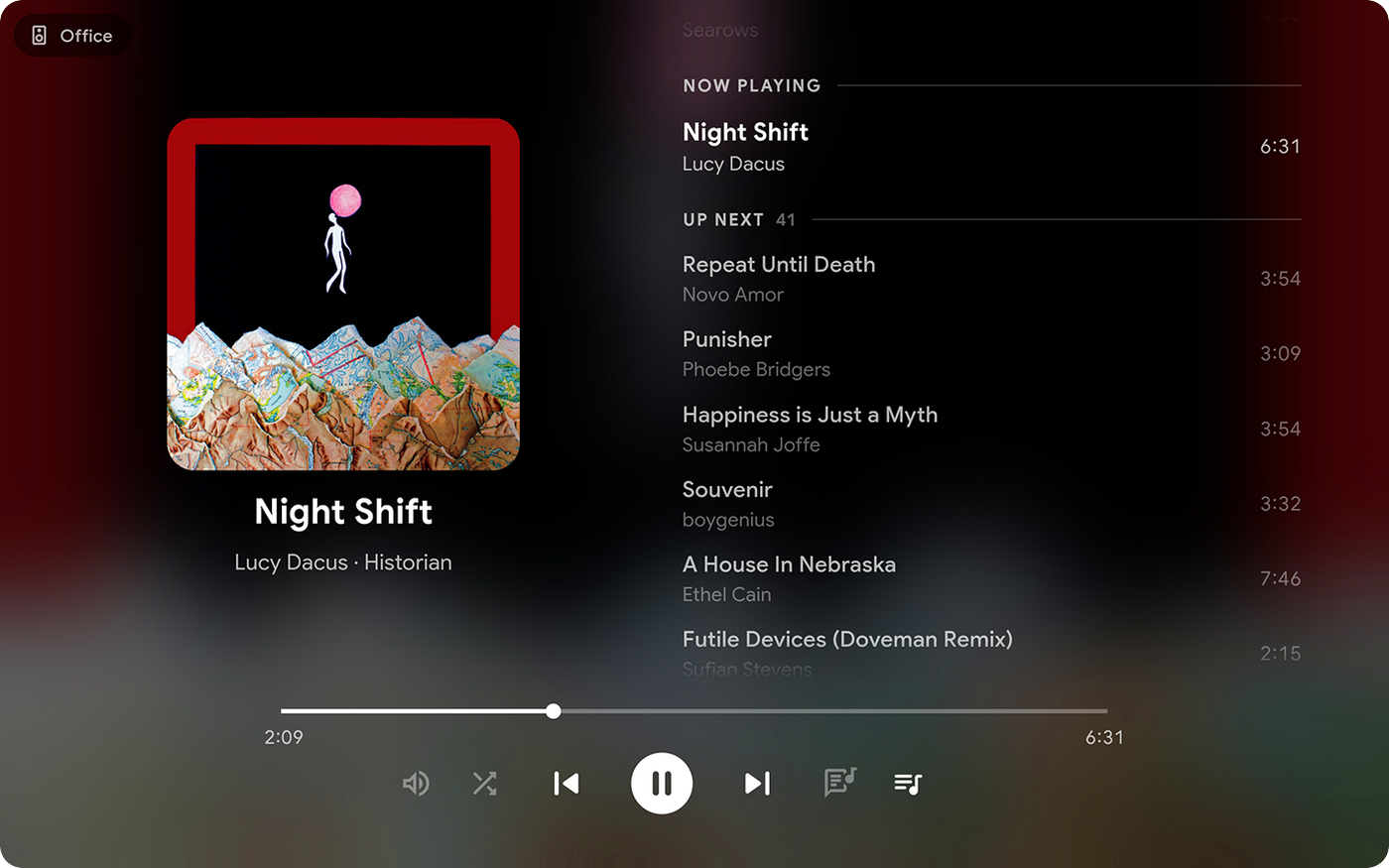
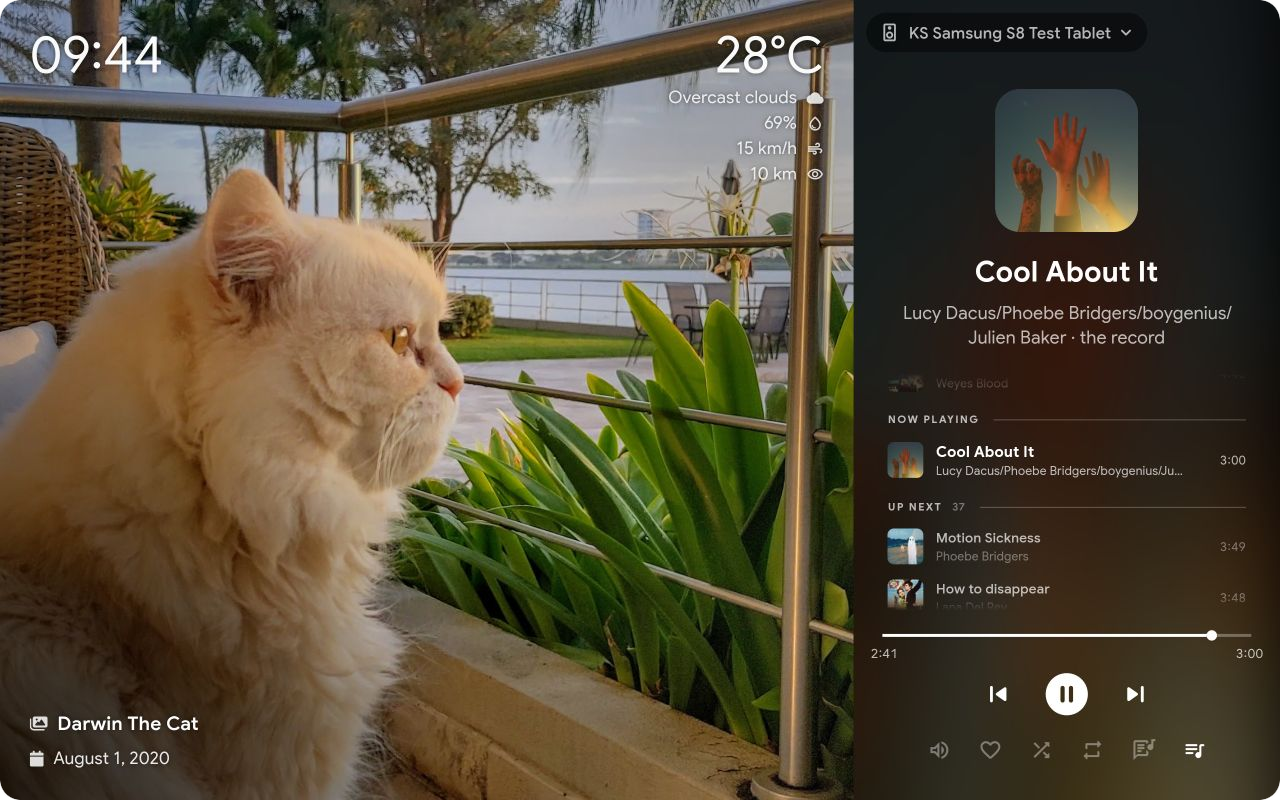
• Music playback: Synchronized Music Assistant audio through Sendspin, with the option to follow a Home Assistant or Sonos player. The full-screen Now Playing view shows album art, playback controls and supported lyrics.


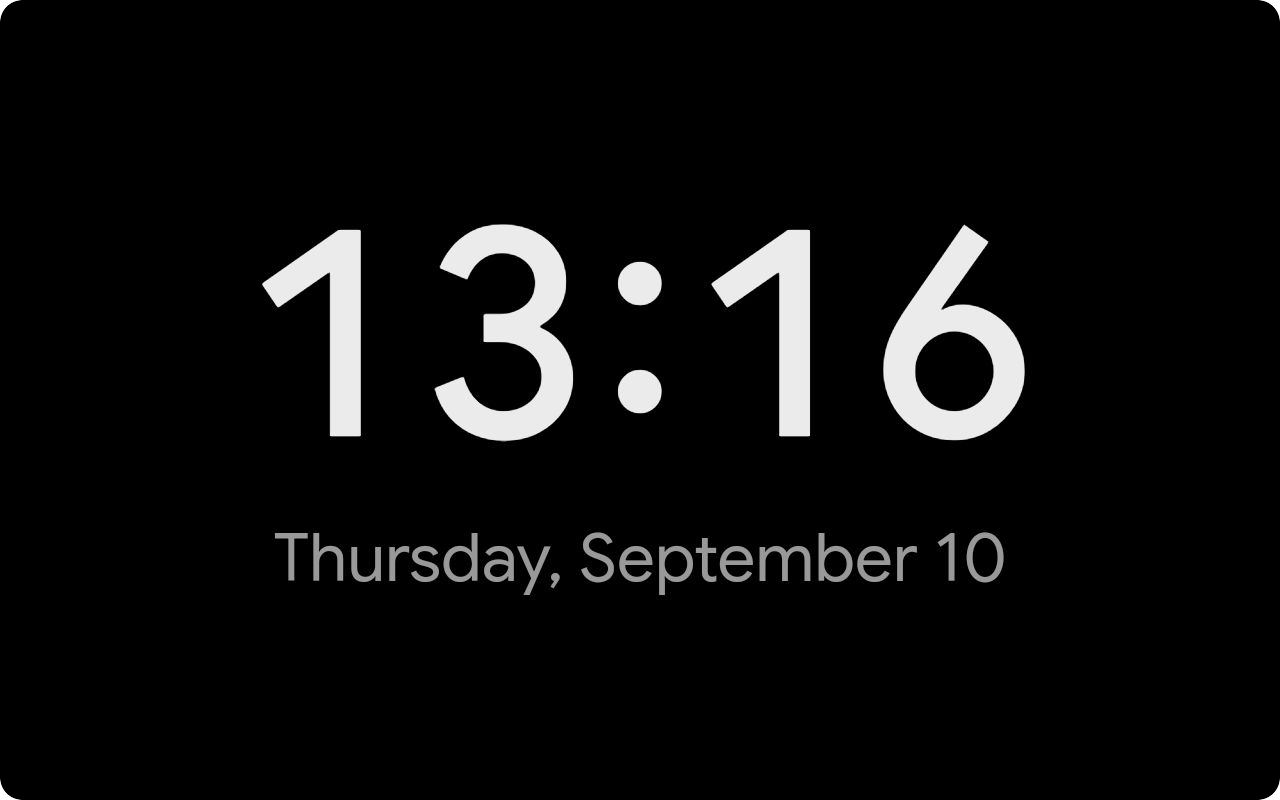
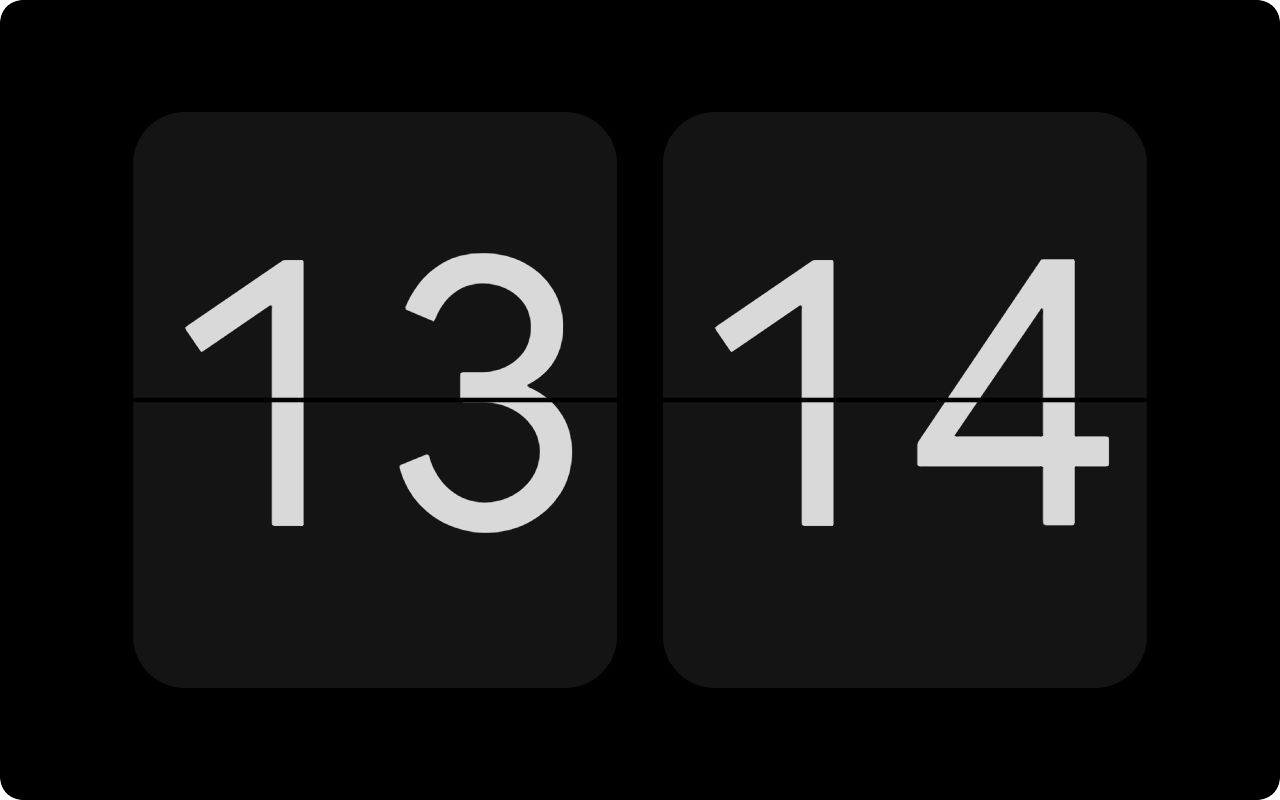
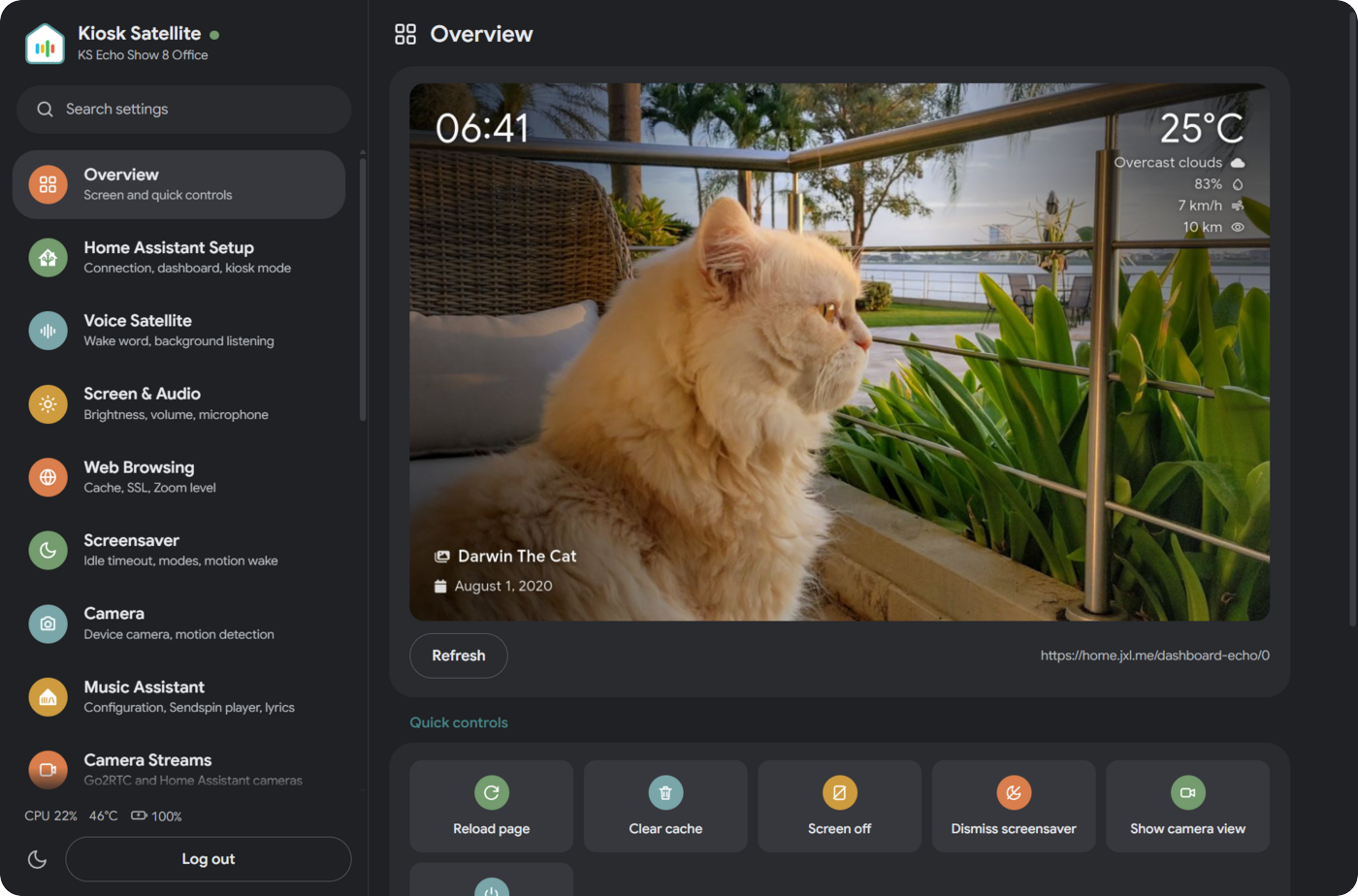
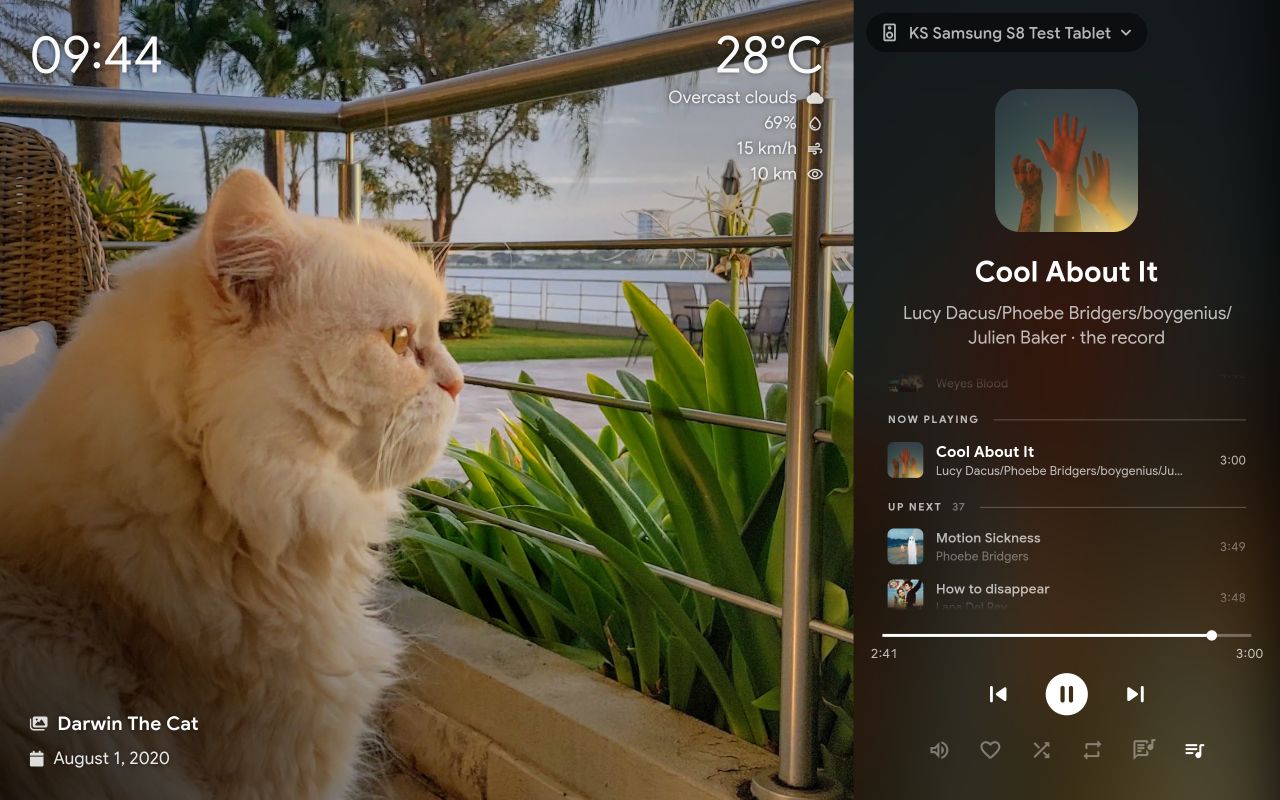
• Screensavers: Immich albums, local photos, clocks and weather mood, with motion, face or presence detection to wake the kiosk.
• Home Assistant integration: The built-in ESPHome connection exposes screen controls, volume and device sensors. An optional Bluetooth proxy relays nearby Bluetooth devices to Home Assistant.
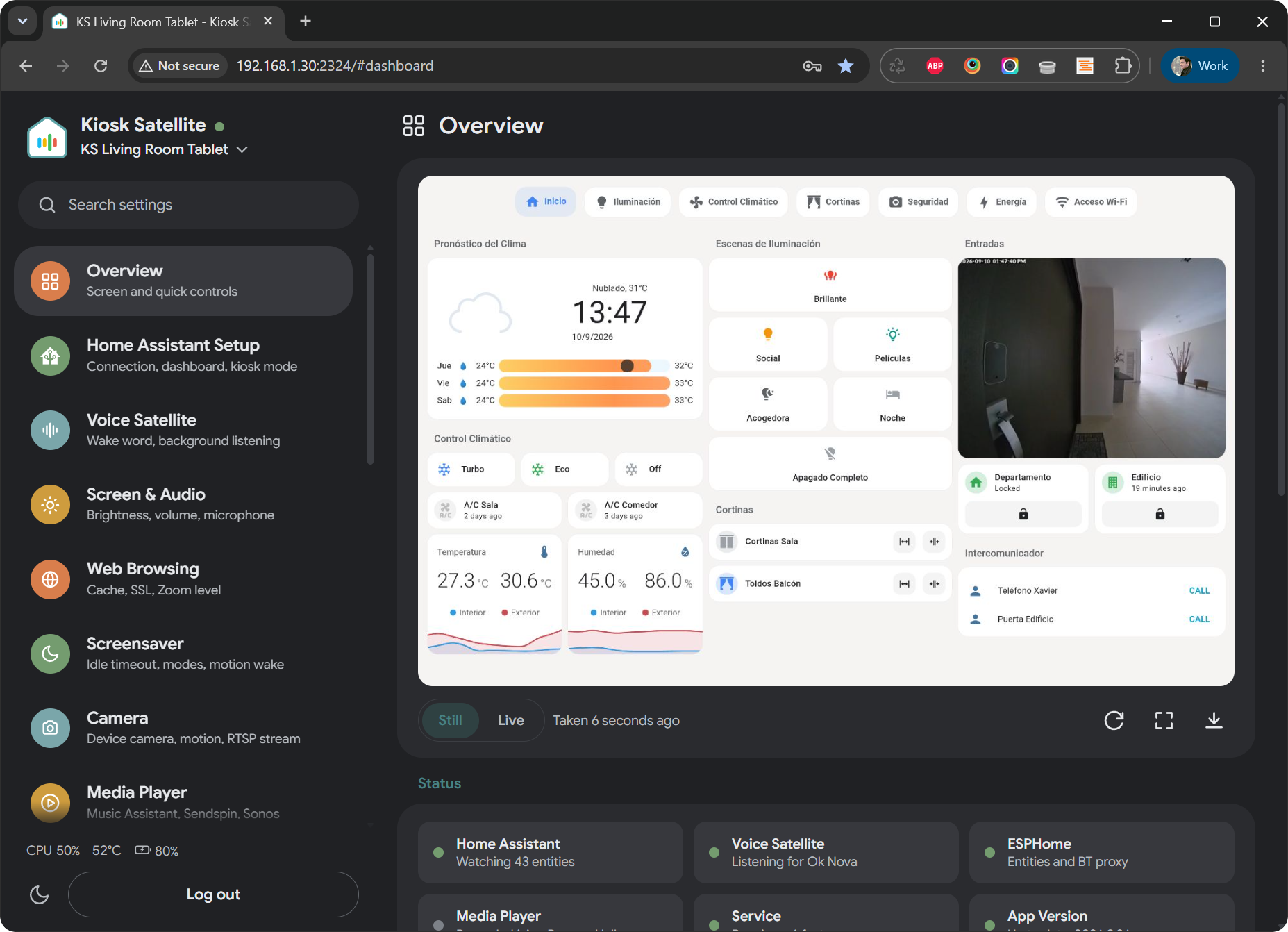
• Remote administration: Configure the app, view live screenshots, read logs and back up settings from a browser. Fleet management shares configuration profiles and coordinates updates across multiple kiosks.

• Intercom: Kiosks can call each other or broadcast to all kiosks at once using the Intercom feature. Kiosks are auto discovered in the local network.
• Alarms: Set alarms that ring on the kiosk itself, with no Home Assistant or network needed. A sunrise can brighten the screen before the alarm rings, and a Clock or Weather Mood screensaver can show the alarm with Snooze and Stop in its own style.
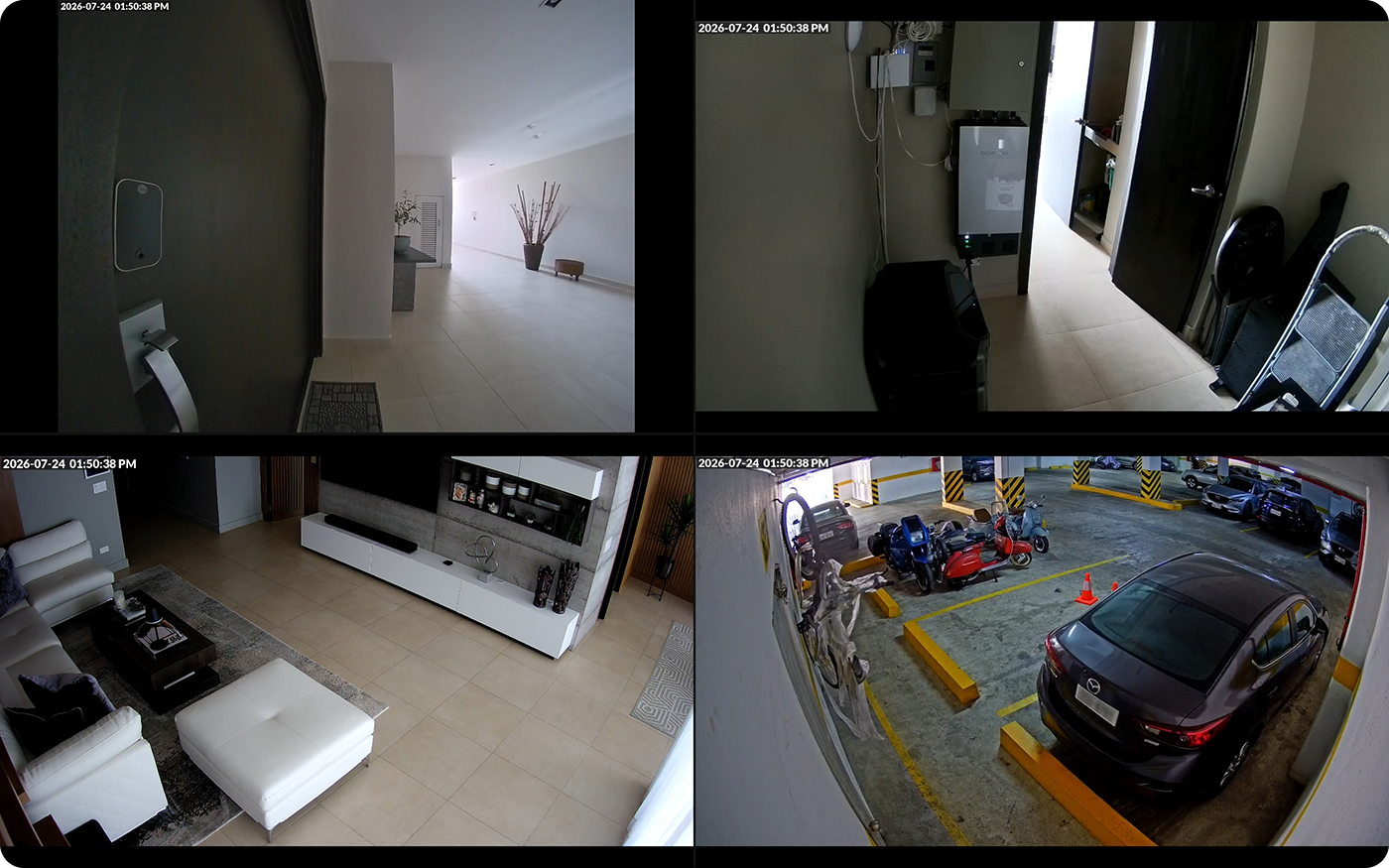
• Kiosk conveniences: Use hand gestures to run Home Assistant actions or open a camera view by holding up fingers to the device camera. Set Kiosk Satellite as the home launcher on supported devices so the Home button returns to your dashboard. Arrange up to twelve live feeds in camera views, with camera imports from Home Assistant or Go2RTC.
Also built in: PIN-protected kiosk mode, touch and clap gestures, DLNA media playback, RTSP streaming, Shizuku support and more!


Get started
You need Android 7.0 or newer, a reachable Home Assistant instance and a long-lived access token from Home Assistant Profile → Security → Long-lived access tokens.
- Download the latest APK on your Android device.
- Open it to install. Allow installation from this source if Android asks.
- Launch Kiosk Satellite and follow the setup wizard to connect Home Assistant and choose your dashboard.
You can also enable Remote Administration in the first setup step and finish setup from your computer at http://<device-ip>:2324.
For voice control, leave Voice Satellite on in the setup wizard, then add the kiosk in Home Assistant under Settings > Devices & services, where it shows up as discovered. See Voice Satellite.
Documentation
Voice Satellite · Screensavers · Music · ESPHome & Bluetooth · Fleet management
All guides and API references
• **Display:** [Screen settings](https://kiosksatellite.com/docs/screen/), [screensavers](https://kiosksatellite.com/docs/screensavers/), [Immich](https://kiosksatellite.com/docs/immich/) and [At a Glance widgets](https://kiosksatellite.com/docs/at-a-glance/).• Voice and media: Voice Satellite, microphone, media player, camera views, device camera, intercom and DLNA.
• Kiosk setup: Lockdown, home launcher, gestures, alarms, optimizations, permissions, Shizuku and updates.
• Automation and management: ESPHome, fleet management, Remote API, TLS encryption and JavaScript API.
• Device guides: Amazon Fire tablets, Meta Portal and Raspberry Pi 4.
• Plugin Manager: Install and create community plugins for Kiosk Satellite.
Thank you to everyone who supports my work through Buy Me a Coffee. I test everything on real hardware, which means buying devices to reproduce issues and check changes across different manufacturers and Android flavors. Your contributions help cover those purchases and make that testing possible.
License and credits
Free for personal, non-commercial use under CC BY-NC-ND 4.0. Commercial use of the application and redistribution of modified application builds are not permitted. Independent plugins have additional permission.
Built with these projects
Thanks to [Home Assistant](https://www.home-assistant.io/), [ESPHome](https://esphome.io/), [Music Assistant](https://www.music-assistant.io/), [Immich](https://immich.app/), [Flutter](https://flutter.dev/), [flutter_inappwebview](https://inappwebview.dev/) and [ONNX Runtime](https://onnxruntime.ai/).Wake-word support builds on vsWakeWord, openWakeWord and microWakeWord. Echo cancellation uses WebRTC audio processing and Abseil. Icons come from Material Design Icons. Fonts include Rubik, Nunito, Inter and DSEG.
Thank you to the package authors whose work makes Kiosk Satellite possible.
How Shizuku is used
Can install updates silently, grant permissions, check identity, restart and run plugin operations via `pm install` through Shizuku.
This is an AI-assisted analysis of Shizuku-related usages in the app's public source code. It is best effort, so it may not catch every single usage.
How this app uses Shizuku
Shizuku is used for silent self updates and fixed device operations for this kiosk app.
- Install updates silently: update the kiosk without on screen confirmation using the
pm installshell command through Shizuku. - Grant device permissions: grant microphone, camera, location, nearby devices, notifications, unrestricted background operation, display over other apps, system settings, all files access, usage access, notification access, device admin and accessibility guard using
pm grant,appops set,dumpsys deviceidle whitelist,cmd notification,dpmandsettingsshell commands through Shizuku. - Check connection identity: run a connection test that returns the helper identity using the
idshell command through Shizuku. - Restart the device: restart the kiosk using the
rebootshell command through Shizuku, with a power manager command as fallback. - Support installed plugins: installed plugins with the declared capability can run their own device operations through Shizuku.
Android APIs or commands used
/system/bin/pm install/system/bin/pm grant/system/bin/appops set/system/bin/dumpsys deviceidle whitelist/system/bin/cmd notification allow_listener/system/bin/dpm set-active-admin/system/bin/settings get/system/bin/settings put/system/bin/id/system/bin/reboot/system/bin/svc power reboot
Notable details
Without Shizuku, updates use the normal Android installer session, with confirmation when required. Built in device actions use fixed commands for this app only and do not accept typed shell text.
Changelog
What's new for version 2026.10.3
What's new in Kiosk Satellite 2026.10.3
This release adds Dutch, lets realtime conversations remember the session and brings back Capture mode for devices whose microphone only works on the call audio path. It also fixes the Bluetooth proxy going silent with the screen off and the microphone recording silence on some ROMs.
Improvements
- Dutch localization. Nederlands is available during onboarding and in Settings on the device and in the remote admin. All current messages are translated. Thanks to rononline, who is listed in Localization Credits.
- Realtime conversations remember the session. A new Session duration slider on the Realtime page, from 30 minutes to 12 hours and 1 hour by default, carries what was said into the next conversation. A follow up like "turn it off" after turning on the AC now works after a conversation ended. Exchanges older than the duration are dropped and nothing is kept across an app restart.
- Capture mode is back. Some OEM ROMs only deliver a working microphone on Android's call audio path, so the microphone went silent after the kiosk played a chime or an answer (#809). Capture mode in Microphone settings offers Raw microphone, the default, and Voice communication. Voice communication only changes where the kiosk records from. Android's own echo canceller, noise suppressor and gain control stay off, and sounds still play as media.
- Keep scanning with the screen off. Some devices, such as a Samsung Galaxy Tab S8 on Android 16, stop the Bluetooth proxy's scan the moment the screen turns off. A new switch under ESPHome > Bluetooth Proxy keeps those devices scanning. It is off by default because it uses extra CPU while the screen is off, and it only shows on Android 13 and newer.
- Show finished timer pills. A new switch under Voice Satellite > Timers > When a timer ends hides the "Timer finished" pill, for setups that show timers on their own dashboard (#810). The alert still rings and the stop word still ends it.
- Open the alarm list from a dashboard. A tap action pointed at
ks://alarmsopens the full screen alarm list, even while the kiosk menu hides Alarms.
Fixes
- The Bluetooth proxy keeps relaying with the screen off. Android stops giving a backgrounded app location access once the screen is off, and the proxy needs that access every time it restarts its scan. A kiosk with the screen off stopped relaying within two minutes and stayed silent until the screen came back on (#812). The Kiosk Satellite Service now keeps location access while the Bluetooth proxy is on.
- The microphone works again on devices that record silence. On some firmware, such as the Meta Portal Mini's, the raw microphone source delivers nothing but zeros, so the wake word stopped responding (#808). Capture now falls back to Android's voice recognition source and then the call source when the microphone source reads silence.
- Capture no longer abandons a working format because a sound slowed it down. Some devices slow the microphone down while they play a sound. A rate check that ran during a chime could switch to a format that really was broken (#809). A short rate measured during playback is now checked again afterward.
- Realtime conversations know which room they are in. "Turn on the lights" could reach every light in the house, because a realtime model's calls through Home Assistant's MCP server carry no device. Each conversation now starts with the kiosk's name and area, and a command that names no area applies to that one.
- The skin's bar goes away when the turn ends. With Keep the answer on screen or Keep results on screen, the skin's bar kept animating as if the kiosk were still listening (#810). It now hides once the kiosk stops listening and speaking, and the answer stays on screen.
Permissions
39 permissions requested
Sources
4 sources
Sources
4 sources
More from this category
 VineOS
 Phone Diagnostic
 OptiDroid
 Screen Recorder
 Screen Translator
 KeiOS
KeiOS
 雨晴截屏
雨晴截屏
 CaptureCap
 Iris长截图
 Fern
Fern
 GhostLock
 PoC-Deployer-System