 ShizuStore
Key Sync
1.41-beta · GitHub
More about this app
Play games using mouse and keyboard on Android device; keymapper for games
KeySync
KeySync is an Android app that allows users to play games using an external keyboard and mouse without requiring root access. It leverages Shizuku to grant necessary permissions and maps key events from external input devices to on-screen touch points.
Tip
Experimental Native Input
Work is in progress on an experimental branch feature/native introducing native input handling to reduce reliance on floating windows and UI-based listeners. Snapshot builds are available for testing, and changes will be merged into main once stable.
Features
- 🎮 Keyboard & Mouse Support - Play mobile games with a keyboard and mouse.
- 🔄 No Root Required - Uses Shizuku for permission handling instead of rooting.
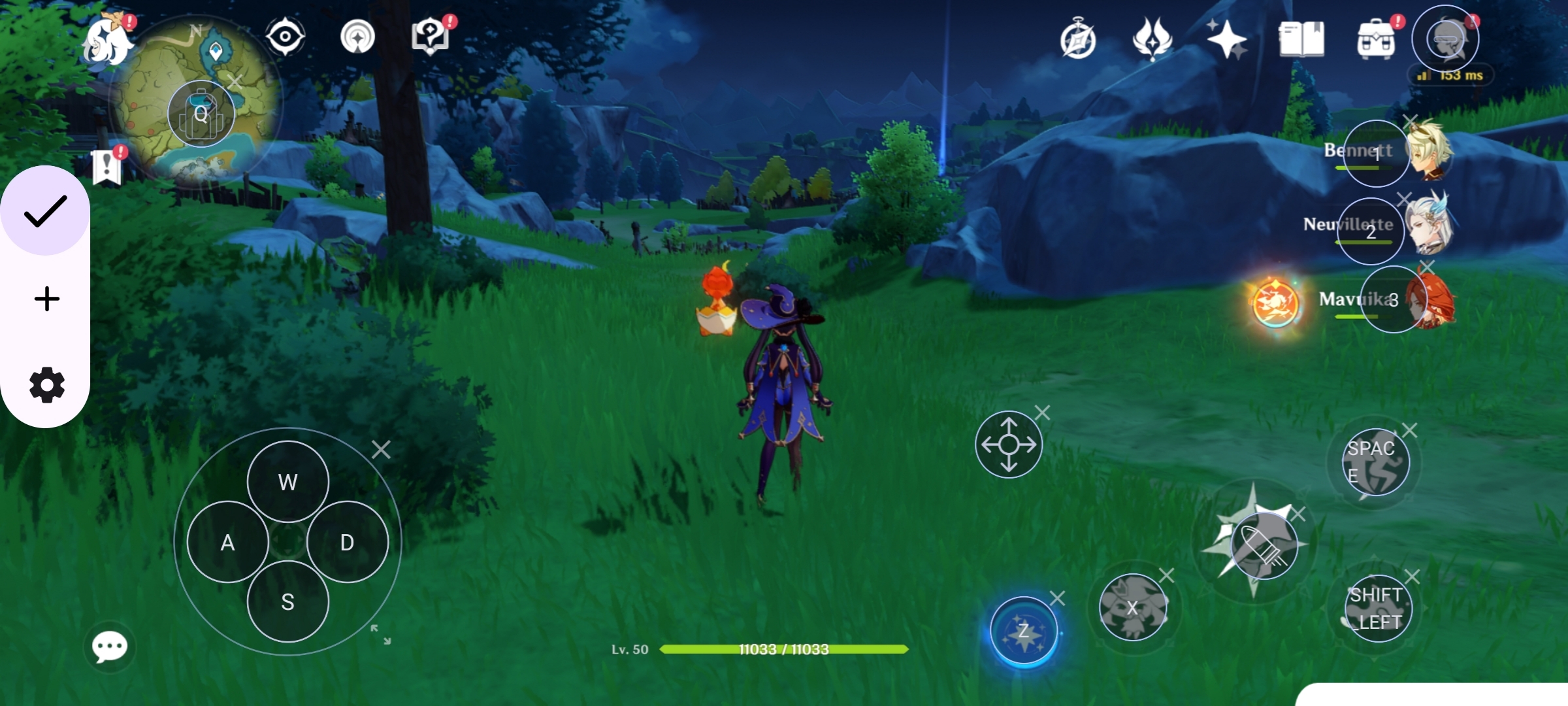
- 🎯 Custom Key Mapping - Map keyboard/mouse events to specific touch points on the screen.
- 🎭 Anti-Detection Mechanism - Introduces randomness in mapped touches to prevent detection by anti-cheat systems.
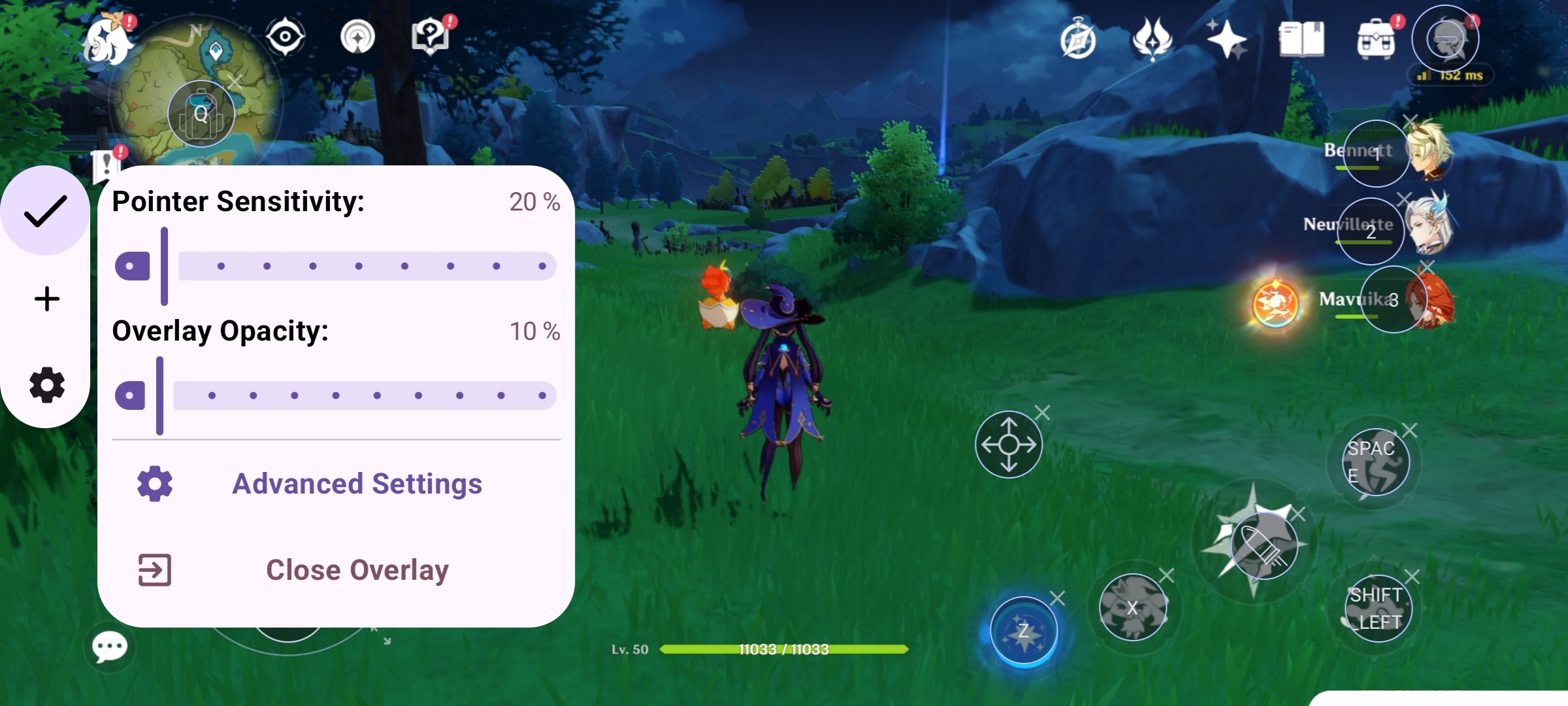
- 🔧 Configurable Settings - Customize mappings for different games and control layouts.
Installation
- Download and install the latest APK from Release.
- Install and set up Shizuku.
- Open KeySync and follow the setup instructions.
How It Works
- Install & Setup - Install KeySync and grant permission to Shizuku.
- Connect Input Devices - Attach an external keyboard and mouse(external devices will be recognised and displayed at the top of the screen).
- Add games - Add your favorite games to the launcher using the fab button at the bottm.
- Create Key Bindings -Launch the game from in-app launcher and Map keys to specific screen areas for in-game actions.
- Start Playing - Use the keyboard and mouse seamlessly in mobile games.
Usage
- Open KeySync and ensure Shizuku is running.
- Select or create a key mapping profile.
- Launch your game and enjoy enhanced controls.
Toggle Shooting Mode
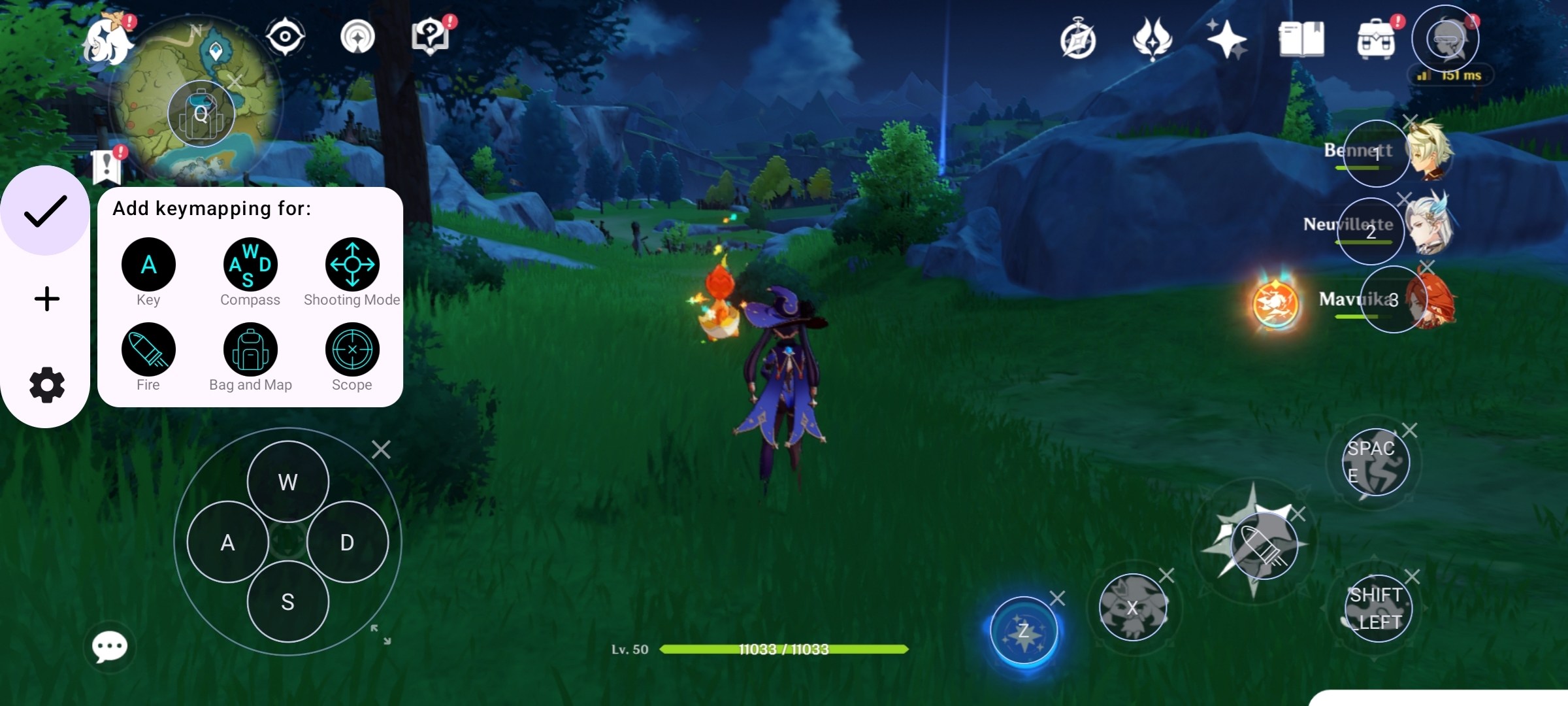
In Fps or Other Aim based games you might want to use "Shooting Mode" Draggable item to Switch between Mouse pointer and in game aim by default you can use MMB (Middle mouse button) to toggle Shooting mode.
Permissions
- Shizuku Access - Required to simulate touch events.
- Overlay Permission - Needed to display touch indicators.
Screenshots


🛠️ Build It Yourself
If you want to build KeySync from source:
Prerequisites
- Android Studio (latest stable)
- JDK 17
- An Android device (Android 11+)
Steps
git clone https://github.com/aka-munan/keysync.git
cd keysync
Note
Signing Configuration
To build a release APK and prevent gradle sync issues, add the following variables to
~/.gradle/gradle.properties:
storeFile=/absolute/path/to/your/keystore.jks
storePassword=your_store_password
keyAlias=your_key_alias
keyPassword=your_key_password
Or just comment out signing config related lines in app:build.gradle.kts
- Open the project in Android Studio
- Let Gradle sync completely
- Connect your Android device (or emulator with Shizuku support)
- Run the app using Run ▶ app
Shizuku Setup (Required)
- Install Shizuku from Play Store or GitHub
- Start Shizuku via ADB / Wireless Debugging
- Grant Shizuku permission when KeySync asks for it
⚠️ Without Shizuku running, KeySync will not function.
Notes
- No root access is required
- Works best with physical keyboard & mouse
- Emulator support may be limited due to input constraints
🤝 Contributing
Contributions are very welcome and appreciated ❤️ Whether it’s code, ideas, or bug reports — everything helps.
How You Can Contribute
- 🐛 Report bugs or crashes
- ✨ Suggest new features or improvements
- 🎮 Improve key-mapping logic
- 🧪 Test on different devices / games
- 📖 Improve documentation
Development Guidelines
- Follow existing code style
- Keep commits small and descriptive
- Test changes with real input devices
- Avoid introducing detection-sensitive behavior
Submitting Changes
Fork the repository
Create a new branch
git checkout -b feature/your-feature-nameCommit your changes
Push to your fork
Open a Pull Request
Please clearly explain what and why in your PR.
Disclaimer
Using artificial touch events in games may violate their terms of service. Use this app responsibly and at your own risk.
Contributing
Contributions are welcome! Feel free to submit pull requests or report issues.
How Shizuku is used
Can play mobile games with a keyboard and mouse by turning key and mouse input into on-screen touches via Shizuku.
This is an AI-assisted analysis of Shizuku-related usages in the app's public source code. It is best effort, so it may not catch every single usage.
How this app uses Shizuku
Shizuku is used to let a connected keyboard and mouse control touch-only games by injecting system-level touch input.
- Map keyboard to touches: keys you assign to on-screen buttons are turned into taps and holds at those positions through Shizuku.
- Aim and click with mouse: mouse movement, left, right and middle clicks, and pointer motion are converted into touch drags, taps and camera movement through Shizuku.
- Move with joystick modes: WASD keys, fire, scope and shooting mode keys drive virtual joystick gestures and toggleable aiming behavior through Shizuku.
Android APIs or commands used
android.hardware.input.IInputManager.injectInputEventandroid.view.MotionEvent
Changelog
What's new for version 1.41-beta
Permissions
6 permissions requested
More from this category
 Key Mapper
 BiBi Keyboard
 GameShift
 OpenMapper
 Joycon2Android
 Steam Controller
 XtMapper
 Button Silencer
 GIP Bridge
 Pastiera Nightly (pastiera)
 TitanPad
 C9
C9