 ShizuStore
KeiOS
1.15.0 · GitHub
More about this app
System utility console with a local MCP server, GitHub release tracking, privileged installs via Shizuku or root, and Blue Archive helper tools
KeiOS










KeiOS is an Android utility console for system inspection, local MCP service control, GitHub Releases / Actions workflows, GitHub Star import, subscription-project tracking, and Blue Archive helper tools. It combines a Compose + Miuix interface with v2 liquid-glass chrome, dense status cards, import/export tools, localized MCP skills, notification helpers, repository discovery, feedback issue drafting, cache diagnostics, and generated Baseline Profiles.
Project Signals
| Item | Value |
|---|---|
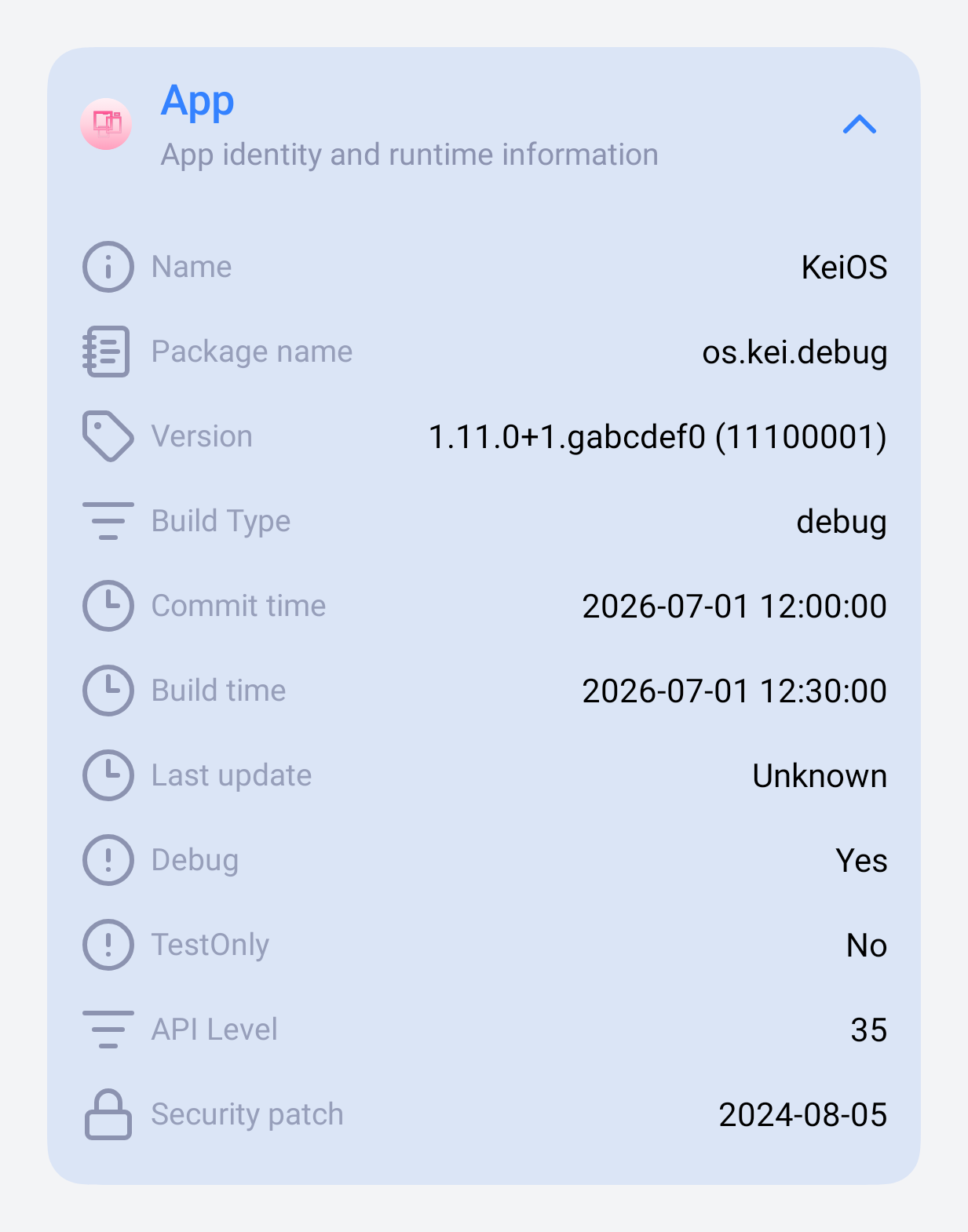
| Stable package | os.kei |
| Supported ABI | arm64-v8a |
| Android baseline | Android 15+ (minSdk 35) |
| Target SDK | Android 17 / API 37 |
| UI stack | Jetpack Compose, Miuix, liquid-glass chrome |
| Runtime stack | Kotlin, Java 21, Shizuku/Root, Media3, MMKV, Ktor, OkHttp |
| Languages | Simplified Chinese, English, Japanese |
| Source release | v1.16.0 |
Quick Links
- Latest Stable Release
- All Releases
- Debug APK CI artifact
- Benchmark APK CI artifact
- Feature Overview
- Build Guide
- Contributing
- Security Policy
Main Features
- Home dashboard with compact status pills and MCP, GitHub, and BA summary cards.
- OS tools for system tables, Android/Java/Linux properties, built-in activity shortcuts, searchable activity/shell card sheets, privileged shell cards, and card import/export.
- Local MCP server controls with config copy, runtime logs, foreground service support, Claw onboarding, localized SKILL.md output, workflow blueprints, structured tool metadata, and 51 tools across runtime, Home, OS, GitHub discovery/tracking, BA accounts, dailies, and cache inspection.
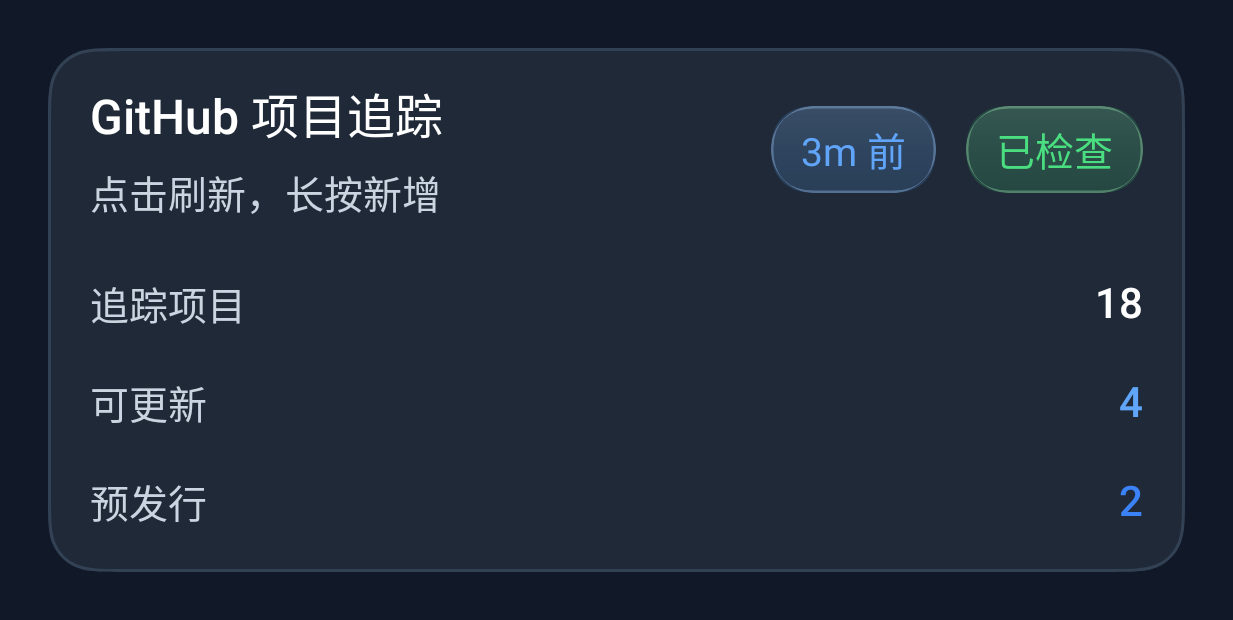
- GitHub tracking for Releases, Actions artifacts, generic Git sources, Direct APKs, and F-Droid repositories, with Atom/API strategy comparison, package-name scanning, installed-app reverse scan, subscription projects, share-import links, app linkage, and Star List import.
- GitHub Star import activity for authenticated stars, public user stars, and public Star List URLs, with list discovery, quality filters, multi-select import, APK verification, and exit confirmation.
- GitHub managed install and share-import handoff paths for privileged APK delivery, with notification/Super Island progress, manifest inspection, versionCode display, and install confirmation surfaces.
- GitHub Actions update notifications with tracked-app icons, deep links into the Actions sheet, recommended run targeting, and debug notification testing.
- History Hub for Actions, refresh diagnostics, tracking changes, and tracked-app install/update events, with per-phase network timing for slow refreshes, unread badges, search, export, and MCP query support.
- JSON import and WebDAV sync for multi-schema KeiOS data migration, including GitHub/F-Droid tracking, OS card transfer data, BA multi-account data, previews, and routed result screens.
- BA office helpers for AP, cafe visit, arena refresh reminders, six-slot Craft Chamber timers, configurable one-tap dailies, per-account Quick Settings tiles and launcher shortcuts, server-aware calendar/pool data, Super Island notifications, and student-guide entry points.
- Student Guide catalog with full-page search, sorting, long-lived implemented-student detail cache, media cache, Memorial Lobby cards and PiP video playback, BGM favorites with removal Undo, native media notifications, gallery viewing, media export, liquid bottom dock, and import/export for favorites.
- Settings for theme, motion, v2 liquid-glass components, bottom-bar effect policy, search focus behavior, grip-aware floating docks, background images, app language, permissions, cache diagnostics, structured logs, local GitHub issue feedback, telemetry-free diagnostics, and notification compatibility.
v1.16.0 Highlights
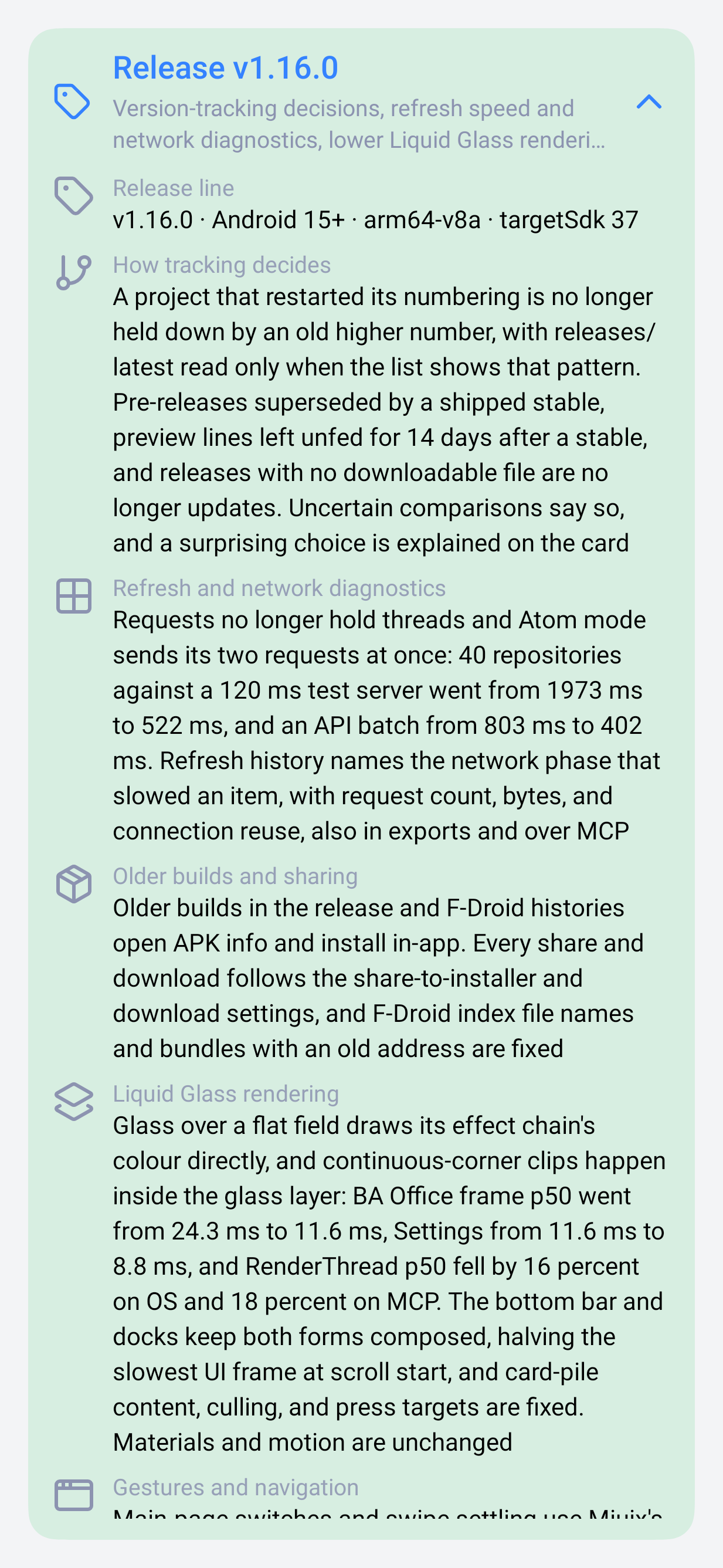
- GitHub tracking decides more reliably: projects that restarted their numbering, pre-releases superseded by a shipped stable or left unfed for 14 days, and releases with no downloadable file are read correctly, uncertain comparisons say so, and a surprising choice explains itself.
- Refresh requests no longer hold threads and Atom mode sends its two requests at once: 40 repositories went from 1973 ms to 522 ms against a 120 ms test server. Slow items name the network phase that cost them, in history, exports, and MCP.
- Liquid Glass over a flat field draws its effect chain's colour directly, and continuous-corner clips happen inside the glass layer: BA Office frame p50 24.3 ms to 11.6 ms, RenderThread p50 down 16% on OS and 18% on MCP, with materials and motion unchanged.
- Older builds in the release and F-Droid histories open APK info and install in-app; every share and download follows the installer and download settings. The Student Guide pages with Miuix Cross-Axis, and the media session gives untrusted controllers read-only access.
- Built with Gradle 9.8.0, AGP 9.4.1, Compose 1.12.1, Ktor 3.6.0, Miuix 2afdbb39, and dav4jvm 4.1.0, with a Baseline Profile re-captured on this release's code.
Read the full feature tour:
Current Distribution
- Stable APKs are published through GitHub Releases.
- The public stable channel always resolves through Latest Stable Release.
- This source snapshot and its local release tag target
v1.16.0. - Release package baseline:
os.kei,arm64-v8a, Android 15+ (minSdk 35). - Runtime and build baseline:
targetSdk=37, Java 21, Gradle Wrapper9.8.0, Kotlin2.4.20, Compose1.12.1, Android Gradle Plugin9.4.1, Ktor3.6.0. - App language resources currently cover Simplified Chinese, English, and Japanese.
Documentation
- Documentation Index
- Release Notes v1.16.0
- Build Guide (EN)
- 构建指南 (CN)
- Todo List (EN)
- 待办清单 (CN)
- Code of Conduct
- Contributing Guide
- Security Policy
Star History
How Shizuku is used
Can run custom shell commands, install GitHub APKs and block Xiaomi service networking via `Shizuku`
This is an AI-assisted analysis of Shizuku-related usages in the app's public source code. It is best effort, so it may not catch every single usage.
How this app uses Shizuku
Shizuku is used to run privileged shell commands, install downloaded apps and control app networking without extra prompts at use time.
- Run custom commands: users can create and save command cards with their own shell text and run them with shell privileges through Shizuku, with live output shown in the app.
- Inspect system settings: values shown in the system console such as system, secure and global settings plus kernel and device details are read with privileged shell commands (
settings list,uname,getenforceand related probes). - Install GitHub apps: release APKs downloaded from GitHub are written into a system install session and committed through Shizuku, so single APK share imports and tracked releases can install directly.
- Control Xiaomi networking: network access for the Xiaomi push service can be blocked and restored around notifications using the system connectivity firewall, either directly through Shizuku or with connectivity shell commands.
Android APIs or commands used
android.content.pm.IPackageManager.getPackageInstallerandroid.content.pm.IPackageInstallerandroid.content.pm.IPackageInstallerSessionPackageInstaller.createSessionPackageInstaller.openSessionPackageInstaller.Session.commitPackageInstaller.abandonSessionandroid.net.IConnectivityManager.setFirewallChainEnabledandroid.net.IConnectivityManager.setUidFirewallRulesettings list systemsettings list securesettings list globaluname -agetenforcecat /proc/versiontoybox --versioncmd connectivity helpcmd connectivity set-package-networking-enabledcmd connectivity set-firewall-chain-enabledcmd connectivity set-uid-firewall-rulesh -c
Notable details
Device and settings views fall back to the app normal local runtime when privileged output is empty, so basic info can still show without Shizuku. Managed APK installs require a privileged mode and fail with an explanatory message when it is disabled.
Changelog
What's new for version 1.15.0
KeiOS v1.15.0 Release Notes
中文
KeiOS v1.15.0 集中完善版本追踪、大屏信息密度、Liquid Sheet 流畅度、多语言一致性与发布性能基线。GitHub Release 和 F-Droid 从卡片入口延伸为可阅读、可比较、可回滚的版本历史;主要页面在平板与展开态折叠屏上获得独立双栏;手机继续使用聚焦的单栏流程。现有 Liquid 材质、动效、虚化与交互反馈在性能调整后保持完整。
发行版、F-Droid 与回滚
- 每个 GitHub 追踪项目都可打开独立发行版历史页。折叠卡集中呈现版本、时间、稳定 / 预发布状态,展开后显示完整发行说明与经过兼容性筛选的 APK。
- 历史页支持页码和标签跳转、纯标签条目过滤与旧版本直接安装。平板会把选中的版本移到右栏,最新版和最新预发布可固定展示,左栏历史列表保持完整高度。
- F-Droid 追踪项获得独立版本历史页,优先读取约 37 KB 的包页面,避免为常规版本查询下载约 58 MB 的完整索引。第三方源缺少包页面时会在体积允许范围内读取索引。
- F-Droid 页面先显示版本列表,再补充文件详情;日期、大小、ABI、minSdk、下载入口、反特性原因、哈希与签名信息保持可见。刷新沿用同一数据源,每个仓库索引在一次请求中只下载一次。
大屏双栏与页面整合
- 主页面操作集中到悬浮工具栏。设置、关于、MCP、OS 活动卡、BA 办公室、学生图鉴、GitHub 追踪列表与历史在宽窗口中使用可独立滚动的左右栏。
- OS Shell 分成命令与输出两栏,Play 分成专辑与队列;追踪项目可固定到右栏,返回按钮跟随内容列,阅读宽度和窗口边距随实时窗口尺寸变化。
- 活动日历与卡池信息合并到同一路由。手机通过分类栏切换活动和卡池,平板与展开态折叠屏会同时展示日历与卡池两栏,共享服务器上下文、通知设置和学生图鉴入口。
- 学生图鉴底栏根据实际可用宽度选择尺寸与文字标签;大屏可切换为侧栏,并独立记住图鉴导航形态。
Liquid Sheet 与运行流畅度
- 长 Sheet 使用 Lazy 布局按需组合内容,滚出视野的玻璃卡片停止绘制,减少长列表滑动时的组合与 GPU 工作。
- 拖拽位置等高频状态读取移动到布局阶段,手势期间的变化直接驱动布局;二级页面覆盖 Home 时暂停不可见背景的空闲重绘。
- 窄于窗口的 Sheet 继续对整个窗口正确采样和虚化。材质层次、弹簧动画、手势反馈、圆角、阴影和视觉效果保持原有设计。
- F-Droid 网络刷新优先选择满足请求的最小数据源,并复用仓库级索引结果,降低等待时间、流量与解析开销。
Baseline Profile 与发布效率
- Baseline Profile 由六段明确旅程组成:冷启动、主页面与历史、通用工具与组件实验室、GitHub / F-Droid、学生图鉴与媒体、手机和平板自适应流程。
- 总回放上限从 96 次降到 16 次;A17 Phone AVD 上已经验证的完整采集约 9–17 分钟,显著低于早期约 81 分钟的运行。
- 当前合并产物包含 61,226 条 baseline 规则与 24,123 条 startup 规则,Release APK 会把编译后的
baseline.prof和baseline.profm打包到assets/dexopt/。 - 新鲜度门禁会对比采集提交和后续 Kotlin / Java / AIDL 运行时代码,发布构建会同时验证 profile 生成文件与 APK 内的编译产物。
MCP、安全与多语言
- MCP 工具目录从 54 个整合为 51 个,保留完整能力并向连接客户端提供重命名映射;外部自动化可据此更新已保存的工具名。
- SSE 长连接加入心跳,会话通知在 HyperOS 上保持单次绘制;Mi Focus 操作和分享导入广播接收器限定为应用内使用。
- 简体中文、English、日本語补齐非 BA 显示面的 99 个缺失资源,重点覆盖 GitHub 发行版历史、F-Droid、WebDAV、MCP、Liquid 菜单和 v1.15 发行日志 Card。
- 自动化 locale 审计会校验资源 key、资源类型与格式化占位符,并把默认 WebDAV 文案统一为可回退的基线。
构建与安装信息
- 包名:
os.kei - ABI:
arm64-v8a - Android:Android 15+(
minSdk 35) - Target SDK:Android 17 / API 37
- 版本:
1.15.0(versionCode 11500999) - 构建基线:Java 21、Gradle
9.7.1、Kotlin2.4.20-RC2、Android Gradle Plugin9.4.0-rc02、Compose1.12.0、Ktor3.5.2 - APK:
KeiOS_1.15.0.apk - 校验文件:
KeiOS_1.15.0.apk.sha256
升级建议
建议所有 v1.14.x 用户升级到 v1.15.0。平板与折叠屏用户、GitHub 版本追踪和 F-Droid 源用户会直接获得新的历史与双栏流程;MCP 外部调用方应根据连接时下发的重命名映射更新已保存调用。
English
KeiOS v1.15.0 focuses on version tracking, large-screen information density, Liquid Sheet smoothness, locale consistency, and release-performance coverage. GitHub Releases and F-Droid sources now lead to readable, comparable, and installable version histories. Major pages gain independent two-lane layouts on tablets and unfolded foldables, while phones keep focused single-column flows. The performance work preserves the existing Liquid materials, motion, blur, and interaction feedback.
Releases, F-Droid, And Rollback
- Every tracked GitHub project can open a dedicated release-history page. Collapsed cards collect version, time, and stable/prerelease state; expanded cards show full notes and compatibility-filtered APKs.
- History supports page and tag navigation, tag-only filtering, and direct installation of an older version. On tablets, the selected release moves into the right lane, the latest stable and prerelease can stay pinned there, and the left history lane keeps its full height.
- F-Droid tracks gain a dedicated version-history page that prefers the roughly 37 KB package page over the roughly 58 MB full index for normal version reads. A size-bounded index fallback supports third-party sources that lack package pages.
- F-Droid shows the version list first and progressively adds file details. Date, size, ABI, minSdk, download entry, anti-feature reasons, hashes, and signer data stay visible. Refresh uses the same source, and one request downloads each repository index once.
Two Lanes And Consolidated Pages
- Main-page actions move into a floating toolbar. Settings, About, MCP, OS activity cards, BA Office, Student Guide, GitHub tracking, and history use independently scrolling lanes on wide windows.
- OS Shell splits into command and output, while Play splits into album and queue. A tracked project can stay pinned in the right lane, back navigation follows the content column, and reading width plus gutters adapt to the live window size.
- Calendar and pool information now share one route. Phones switch between them through the category bar; tablets and unfolded foldables show calendar and pool lanes together with shared server context, notification settings, and Student Guide links.
- The Student Guide bottom bar chooses size and label visibility from its actual available width. Large screens can use a rail and remember that catalog-specific navigation shape independently.
Liquid Sheet And Runtime Smoothness
- Long sheets use lazy layouts to compose content on demand, and glass cards stop drawing after they leave the viewport, reducing composition and GPU work during long-list scrolling.
- High-frequency drag position reads move into the layout phase so gesture changes drive layout directly. Home pauses invisible idle background redraws while a secondary route covers it.
- A sheet narrower than the window continues to sample and blur the full window correctly. Material depth, spring motion, gesture feedback, corners, shadows, and visual effects retain the established design.
- F-Droid refresh chooses the smallest data source that satisfies the request and reuses repository-level index results, reducing wait time, traffic, and parsing work.
Baseline Profile And Release Efficiency
- Six focused journeys cover cold startup; main pages and history; common tools and the component lab; GitHub and F-Droid; Student Guide and media; and phone/tablet adaptive flows.
- The total replay ceiling drops from 96 runs to 16. Verified complete captures on the A17 Phone AVD take about 9–17 minutes, well below the earlier roughly 81-minute run.
- The merged output contains 61,226 baseline rules and 24,123 startup rules. Release APKs package the compiled
baseline.profandbaseline.profmunderassets/dexopt/. - The freshness gate compares the capture commit with later Kotlin, Java, and AIDL runtime sources, while release builds verify both generated profile sources and compiled APK assets.
MCP, Security, And Locales
- The MCP catalog is consolidated from 54 tools to 51 while preserving its capabilities and supplying a renamed-tool map to connecting clients. External automations can use the map to update saved tool names.
- SSE connections gain heartbeats, the session notification draws once on HyperOS, and the Mi Focus action and share-import receivers are scoped to app-internal use.
- Simplified Chinese, English, and Japanese add 99 previously missing non-BA resources, with focused coverage for GitHub release history, F-Droid, WebDAV, MCP, Liquid menus, and the v1.15 release Card.
- Automated locale auditing checks resource keys, resource types, and formatting placeholders, with default WebDAV copy serving as the fallback baseline.
Build And Package
- Package name:
os.kei - ABI:
arm64-v8a - Android: Android 15+ (
minSdk 35) - Target SDK: Android 17 / API 37
- Version:
1.15.0(versionCode 11500999) - Build baseline: Java 21, Gradle
9.7.1, Kotlin2.4.20-RC2, Android Gradle Plugin9.4.0-rc02, Compose1.12.0, Ktor3.5.2 - APK:
KeiOS_1.15.0.apk - Checksum file:
KeiOS_1.15.0.apk.sha256
Upgrade Advice
Every v1.14.x user should upgrade to v1.15.0. Tablet and foldable users plus GitHub version-tracking and F-Droid-source users gain the new history and two-lane flows directly. External MCP callers should update saved calls from the rename map supplied at connection time.




Permissions
16 permissions requested
More from this category
 VineOS
 Phone Diagnostic
 OptiDroid
 Screen Recorder
 Screen Translator
 雨晴截屏
雨晴截屏
 CaptureCap
 Kiosk Satellite
 Iris长截图
 Fern
Fern
 GhostLock
 PoC-Deployer-System