 ShizuStore
Hyper Bridge
0.6.0-beta3 · GitHub
More about this app
Brings the native HyperIsland experience to HyperOS by bridging notifications into the camera cutout UI with themes and widgets

Hyper Bridge
Bring the native HyperIsland experience to third-party apps on HyperOS.
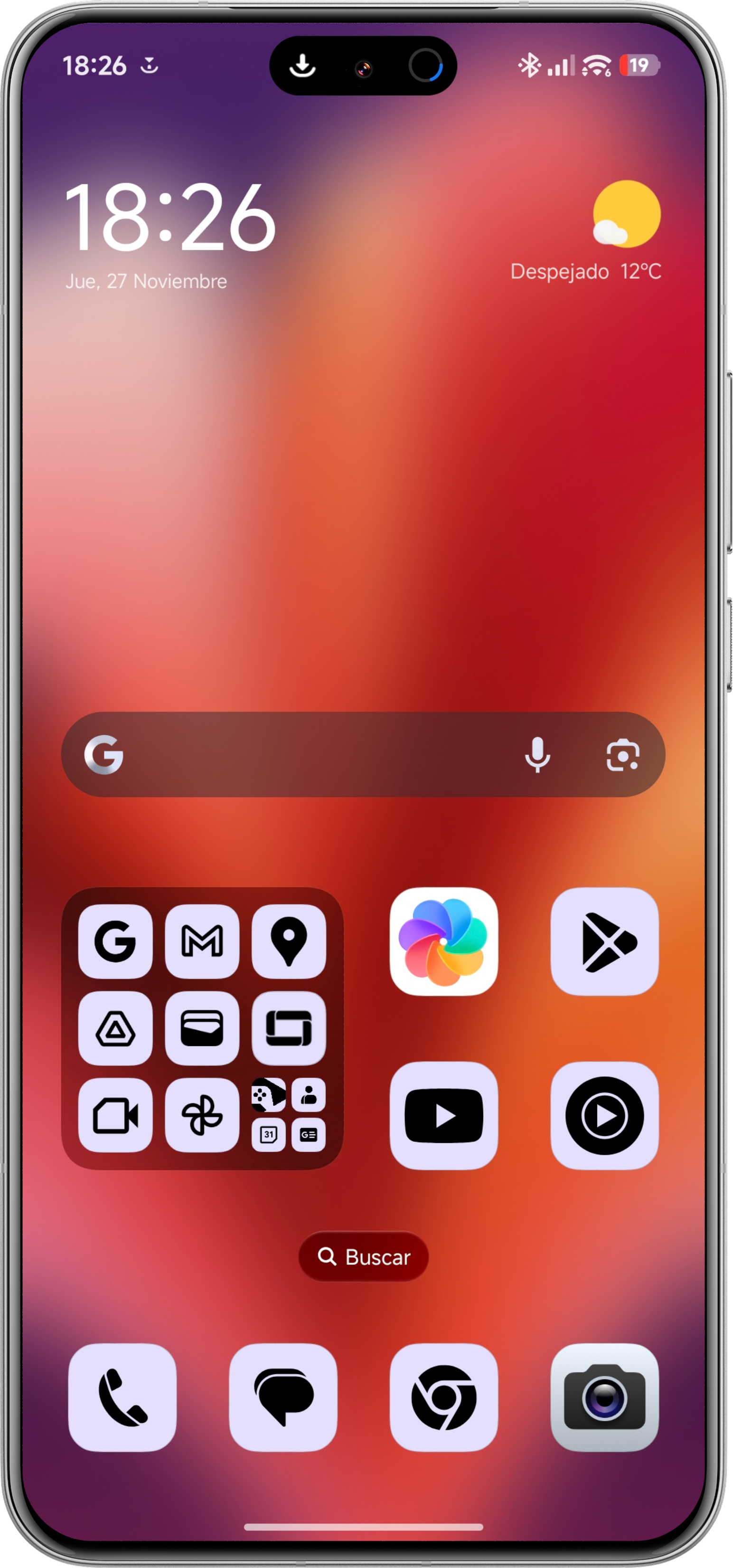
Hyper Bridge bridges standard Android notifications into the pill-shaped UI around the camera cutout, offering a seamless, iOS-like experience on Xiaomi phones. Now with full theme customization and widget support.






🚀 Features
- Native Visuals: Transforms notifications into HyperOS system-style islands.
- 🎨 Theme Engine: Customize every pixel.
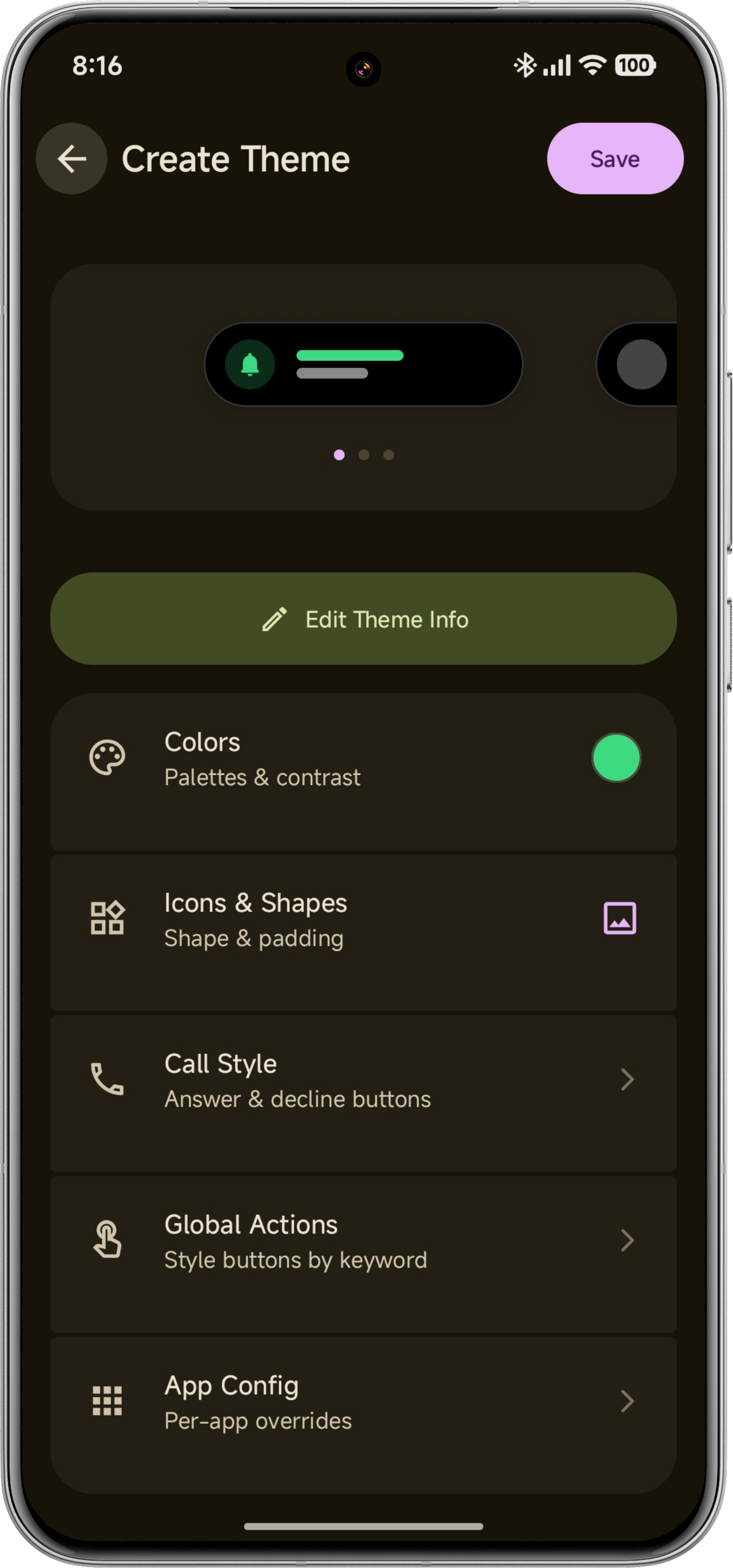
- Theme Creator: Built-in editor to design your own themes with real-time previews.
- Smart Colors: Automatically extract vibrant brand colors from app icons.
- Icon Shaping: Choose between shapes like Squircle, Clover, Arch, and Cookie.
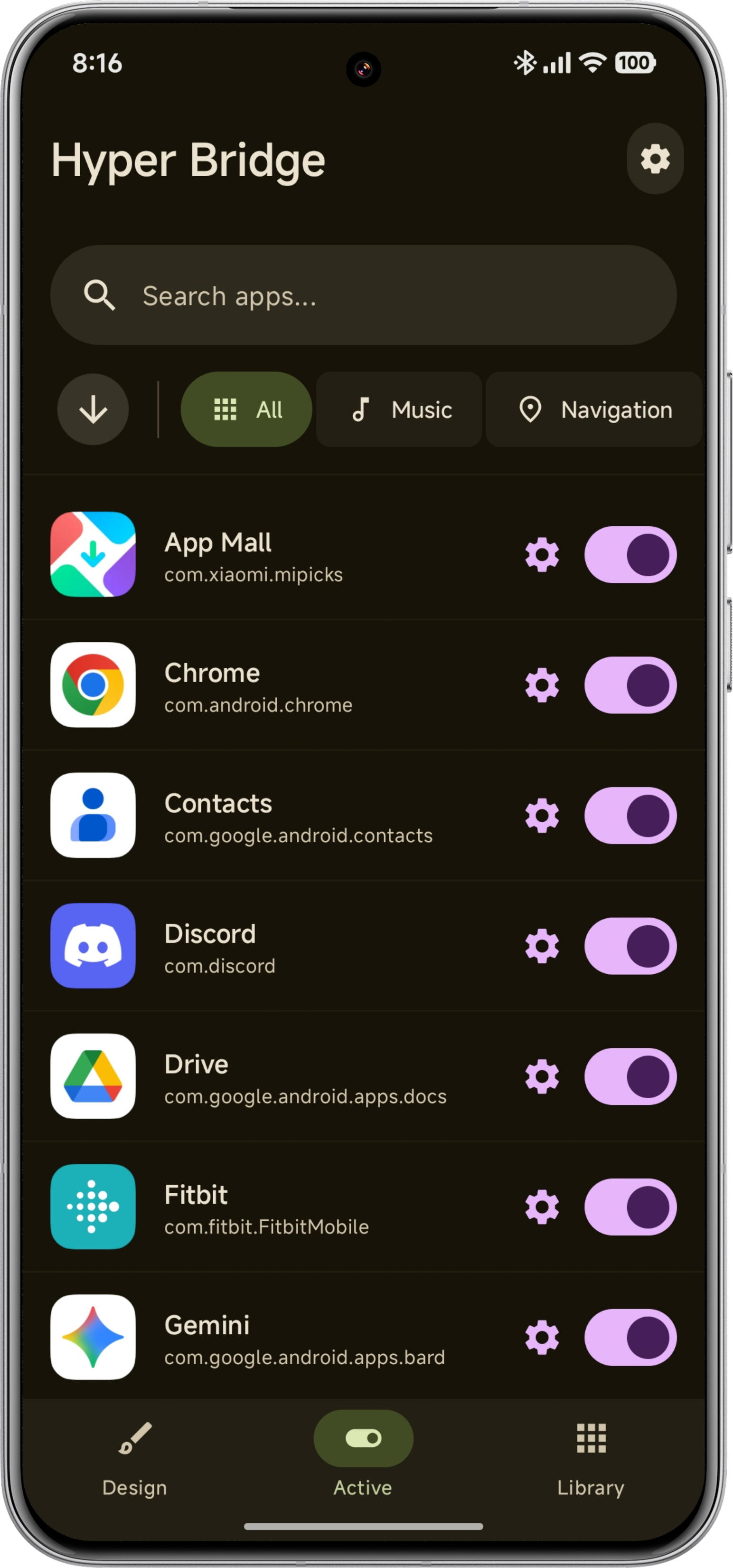
- Granular Control: Per-app overrides for colors, icons, and action styles.
- Smart Icon Tinting: Intelligently tints dark/monochrome icons to remain visible.
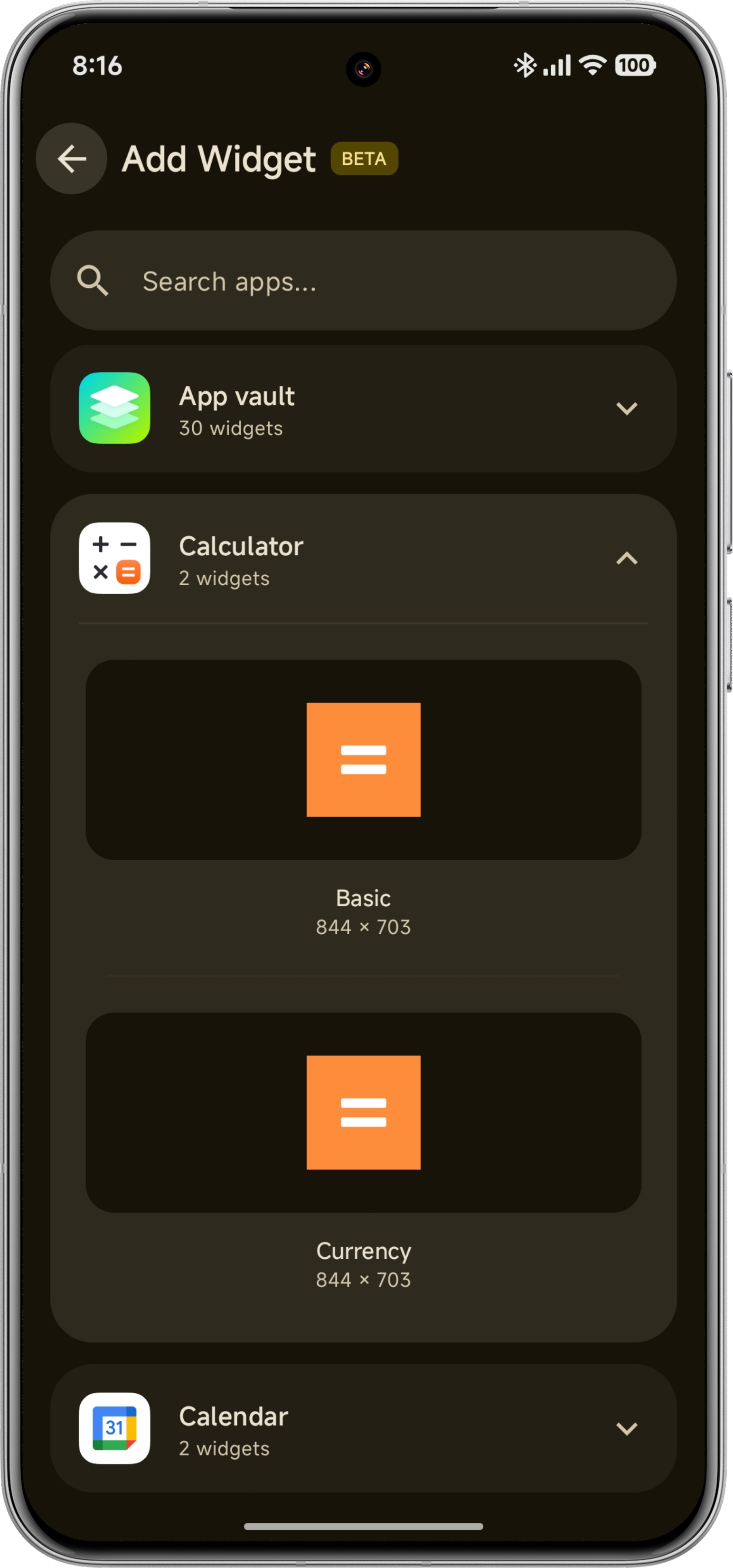
- 🧩 Widgets: Pin standard Android widgets to the island layer for quick access—even on the Lockscreen!
- 🧠 Intelligent Permanent Island: The permanent island now automatically hides itself whenever an active widget is shown on the screen, preventing awkward overlaps.
- Smart Integration:
- 🎵 Media: Show album art and "Now Playing" status with visualizer support.
- 🧭 Navigation: Real-time turn-by-turn instructions (Google Maps, Waze).
- ⬇️ Downloads: Dedicated circular progress layout with a satisfying "Green Tick" animation upon completion.
- 📞 Calls: Dedicated layout for incoming and active calls with timers.
- 🛡️ Spoiler Protection: Define blocked terms globally or per-app to prevent specific notifications (e.g., message spoilers) from popping up on the Island.
- Sui & Shizuku Support: Fully supports Sui and Shizuku for enhanced network operations and seamless integration on rooted devices.
- Total Control: Choose exactly which apps trigger the island, customize timeouts, and toggle floating behavior per app.
👩💻 For Developers: Create Themes
HyperBridge supports an open theming standard (.hbr packages). You can create themes and distribute them, or integrate a "Apply Theme" button directly into your own app (Launcher, Icon Pack, etc.).
- Documentation: Full Guide on Creating & Distributing Themes
- Intent API: Send themes programmatically using
com.d4viddf.hyperbridge.APPLY_THEME.
🌐 Supported Languages
HyperBridge is fully localized thanks to our amazing community. Want to add your language? We now use Crowdin for easy translation management.
👉 Help translate HyperBridge on Crowdin
- 🇺🇸 English (Default)
- 🇪🇸 Spanish (Español)
- 🇧🇷 Portuguese (Português Brasileiro) — Thanks to @NIICKTCHUNS
- 🇵🇱 Polish (Polski) — Thanks to @kacskrz
- 🇸🇰 Slovak (Slovenčina)
- 🇰🇷 Korean (한국어) — Thanks to @alexkoala
- 🇺🇦 Ukrainian (Українська) — Thanks to @ItzDFPlayer
- 🇷🇺 Russian (Русский) — Thanks to @kilo3528
- 🇩🇪 German (Deutsch) — Thanks to @kilo3528
- 🇮🇩 Indonesian (Bahasa Indonesia)
- 🇹🇷 Turkish (Türkçe)
🛠️ Tech Stack
- Language: Kotlin
- UI: Jetpack Compose (Material 3 Expressive)
- Architecture: MVVM
- Storage: Room Database (SQLite)
- Services: NotificationListenerService, WidgetOverlayService
- Concurrency: Kotlin Coroutines & Flow
📸 Screenshots
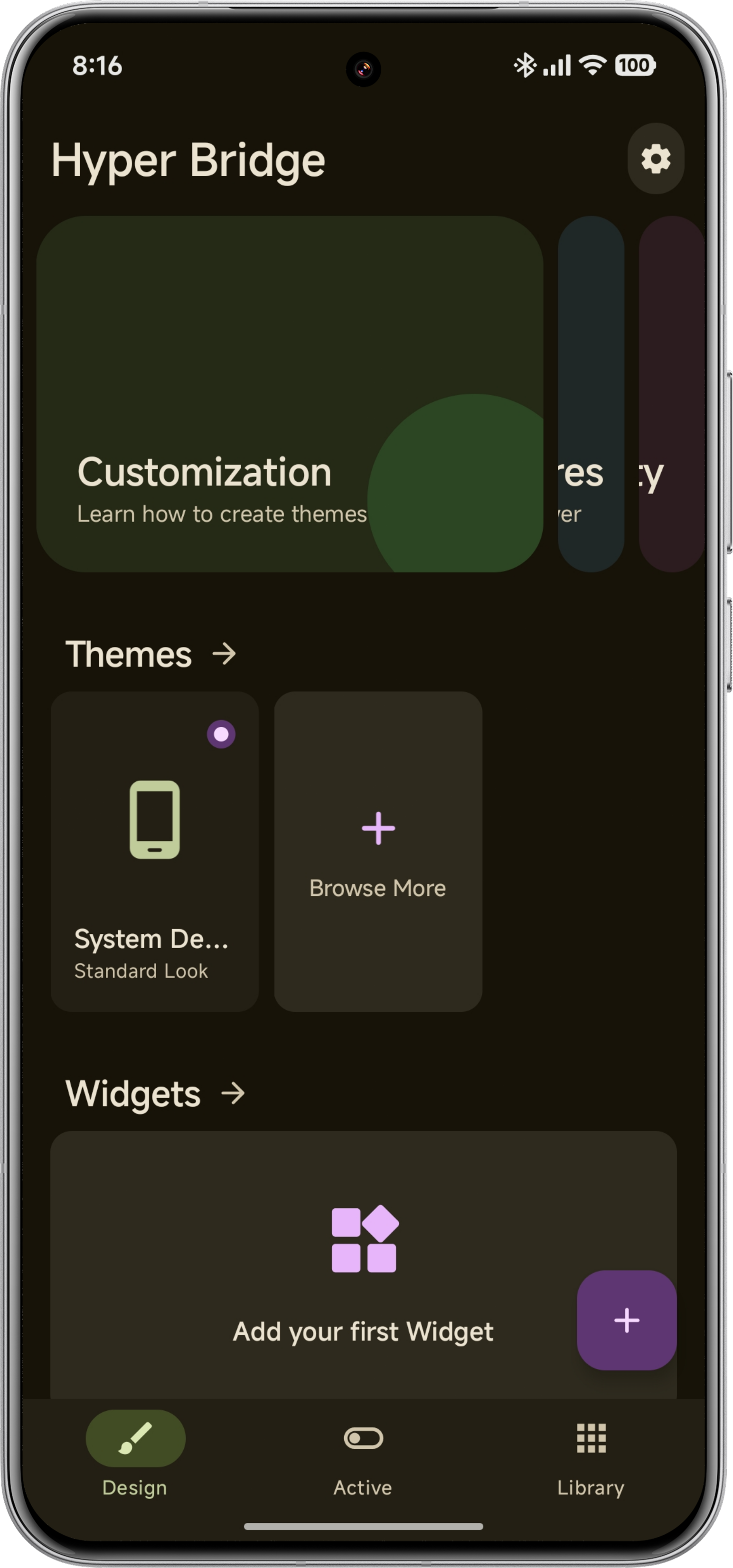
| Home Screen | Active Island | Theme Creator | Widget Picker |
|---|---|---|---|
 |
 |
 |
 |
🤝 Acknowledgements
Special thanks to the following people and projects for their invaluable contributions:
- Stardawn: For the extensive research on the XMSF notification workaround that enables HyperIslands on Chinese ROMs.
📥 Installation
Option 1: Google Play Store (Recommended)
The easiest way to install and keep the app updated.
Option 2: Manual APK
- Download the latest APK from the Releases page.
- Install the APK on your Xiaomi/POCO/Redmi device.
⚙️ Setup (Required for both methods)
- Grant "Notification Access" when prompted.
- Critical: Follow the in-app guide to enable Autostart and No Restrictions (Battery) to prevent the system from killing the background service.
🤝 Contributing
Contributions are welcome! Please read our Contributing Guidelines before submitting a Pull Request.
- Fork the repository.
- Create a new branch (
git checkout -b feature/AmazingFeature). - Commit your changes (
git commit -m 'Add some AmazingFeature'). - Push to the branch (
git push origin feature/AmazingFeature). - Open a Pull Request.
💖 Support the Project
Hyper Bridge is an open-source project developed in my free time. If this app has improved your daily experience, please consider supporting its development!

📜 License
Distributed under the Apache 2.0 License. See LICENSE for more information.
👤 Developer
D4vidDf
- Website: d4viddf.com
- GitHub: @D4vidDf
How Shizuku is used
Can briefly pause Xiaomi system messaging networking around island notifications via `setUidFirewallRule` through Shizuku
This is an AI-assisted analysis of Shizuku-related usages in the app's public source code. It is best effort, so it may not catch every single usage.
How this app uses Shizuku
Shizuku is used for a single optional workaround that helps island notifications appear correctly on some Xiaomi Chinese ROMs by briefly pausing system messaging traffic while posting notifications.
- Pause system messaging networking: when the workaround is turned on, the app briefly blocks network access for the Xiaomi system messaging service just before posting, updating or clearing an island notification, then restores access about a second later, using hidden firewall controls through Shizuku.
Android APIs or commands used
IConnectivityManager.setFirewallChainEnabledIConnectivityManager.setUidFirewallRuleINetworkManagementService.setFirewallChainEnabledINetworkManagementService.setUidFirewallRuleINetworkManagementService.setFirewallUidRule
Notable details
The workaround is off unless the user turns it on in settings, and notifications are posted normally without Shizuku when it is off or Shizuku is not granted. Diagnostic log collection and device property reads in the app run as normal app processes, not through Shizuku.
Changelog
What's new for version 0.6.0-beta3
Welcome to v0.6.0-beta3! This release introduces the all-new Design Hub with a Bento Grid layout, a visual Island Template Composer supporting all 10 official Xiaomi HyperOS island layouts, critical fixes for Xiaomi HyperOS 4 Beta compatibility, and a streamlined documentation section.
🎨 Visual Island Template Composer & New Design Hub
- Redesigned Design Screen: A modern Bento Grid interface that puts Themes, Island Widgets, Custom Designs, and Smart Translators at your fingertips.
- 10 Official HyperOS Island Templates: Compose rich Dynamic Island layouts directly within the app using official templates—ranging from delivery tracking, boarding passes, progress transfers, and call cards to media capsules.
- Visual Design Manager: Easily filter, inspect, preview, and toggle active custom designs per app or system-wide.
- 📖 Learn more in the docs:
⚠️ Note on the Featured Section:
The Featured section on the Design screen is currently a work in progress (preview placeholders). In the stable HyperBridge 0.6.0 final release, this carousel will directly connect to the official website and community hub, allowing users to discover, browse, download, and install community themes, custom designs, and smart translators with a single tap.
🚀 Streamlined Guides & Direct Documentation Access
- In-app help sheets and guide links have been consolidated into clean, direct section cards pointing straight to official, up-to-date online guides:
- 🎨 Customization: Themes, templates, custom translators, and island widgets.
- ⚡ Features: System apps integration (Timer, Recorder, Screen Recording), Smart Actions, Inline Reply, and Permanent Island.
- 🛠️ Advanced: Shizuku override, troubleshooting, diagnostics, and power-user configurations.
- 🧩 Custom Translators Specification: Build regex and condition-based interceptors for any notification.
🛠️ Fixes & Improvements
- HyperOS 4 Beta Compatibility: Fixed an issue where standard and messaging notification islands were skipped by the system on HyperOS 4 Beta by ensuring the
dismissibleisland parameter is explicitly set tofalse. - Direct App Launching from Messaging Islands: Tapping on message island capsules now opens the target application reliably via a direct activity intent rather than an intermediate broadcast trampoline.
- String Quota & Performance Optimization: Massive reduction and deduplication of app string resources to keep Crowdin hosted translations within limits, while keeping guides richer and always current on the website.
What's Changed
- fix: message island tap opens the app through an activity, not a broadcast trampoline (#371, #382) by @noelpatata in https://github.com/D4vidDf/HyperBridge/pull/386
- fix: ensure small and big island visibility on HyperOS 4 Beta by setting dismissible to false by @D4vidDf in https://github.com/D4vidDf/HyperBridge/pull/393
- feat(design): Visual Island Template Composer with 10 official HyperOS templates, Design Hub Bento Grid & Design Manager (#272, #327, #383, #385) by @D4vidDf in https://github.com/D4vidDf/HyperBridge/pull/390
- refactor(strings): optimize string resources for Crowdin quota and streamline documentation guides by @D4vidDf in https://github.com/D4vidDf/HyperBridge/pull/399
Full Changelog: https://github.com/D4vidDf/HyperBridge/compare/v0.6.0-beta2...v0.6.0-beta3
Permissions
9 permissions requested
More from this category
 Essentials
 Extendroid
 ShizuTools
 Dragon Launcher
 Smart Island
 GAMA
GAMA
 Tap, Tap
 Expressive Cutout
 SystemUI Tuner
 Ambient Music Mod
 ColorBlendr
 SetEdit+