 ShizuStore

Hexora
0.1.4 · GitHub
More about this app
Dual-pane file manager fork of MP-Manager with archive browsing, built-in editor and APK tools, with Shizuku support for elevated access
Hexora

An Android dual-pane file manager with archive browsing, a built-in editor, and APK tools. Hexora is developed by ZENIN, based on the open-source MP-Manager.
Repository · Releases · Report an issue · Telegram channel
Latest release: Hexora 0.1.4 · Download signed APK · Changes from 0.1.3
Version 0.1.4 updates 0.1.3 and 0.1.2 in place using package com.hexora.zenin and the
same signing certificate. Version 0.1.1 uses a separate package; its private
preferences, folder grants and editor sessions remain separate.
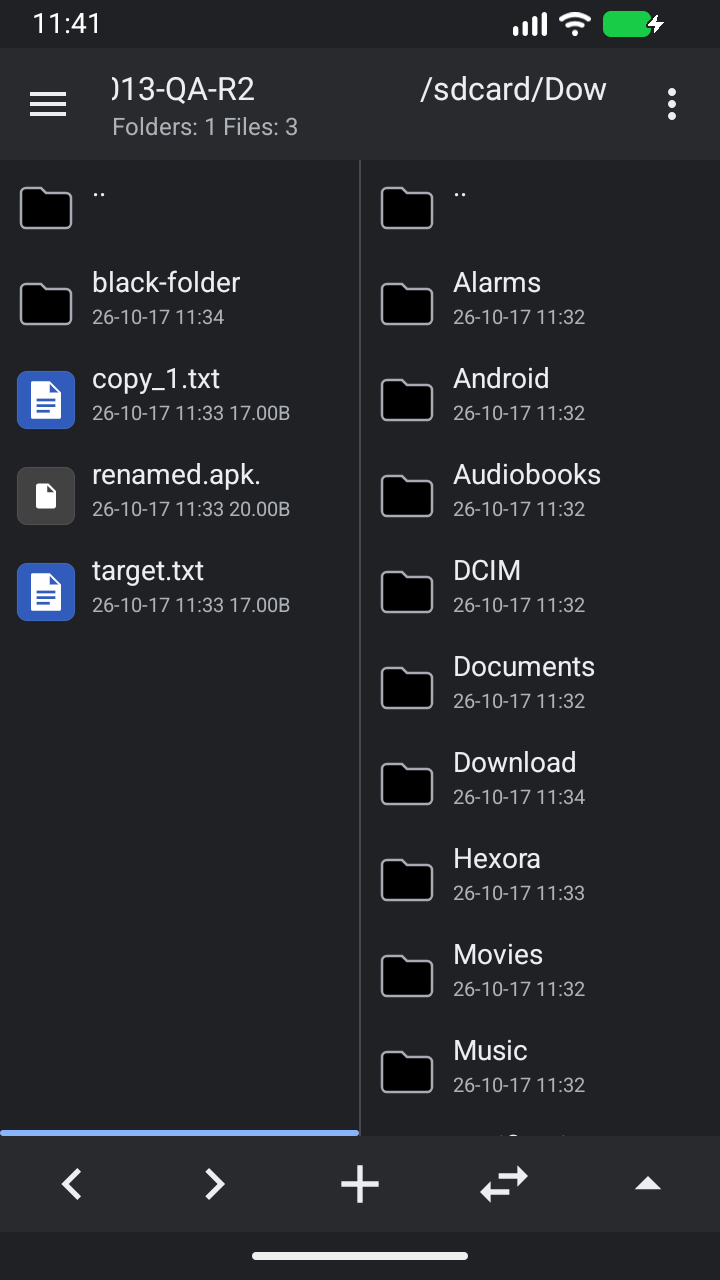
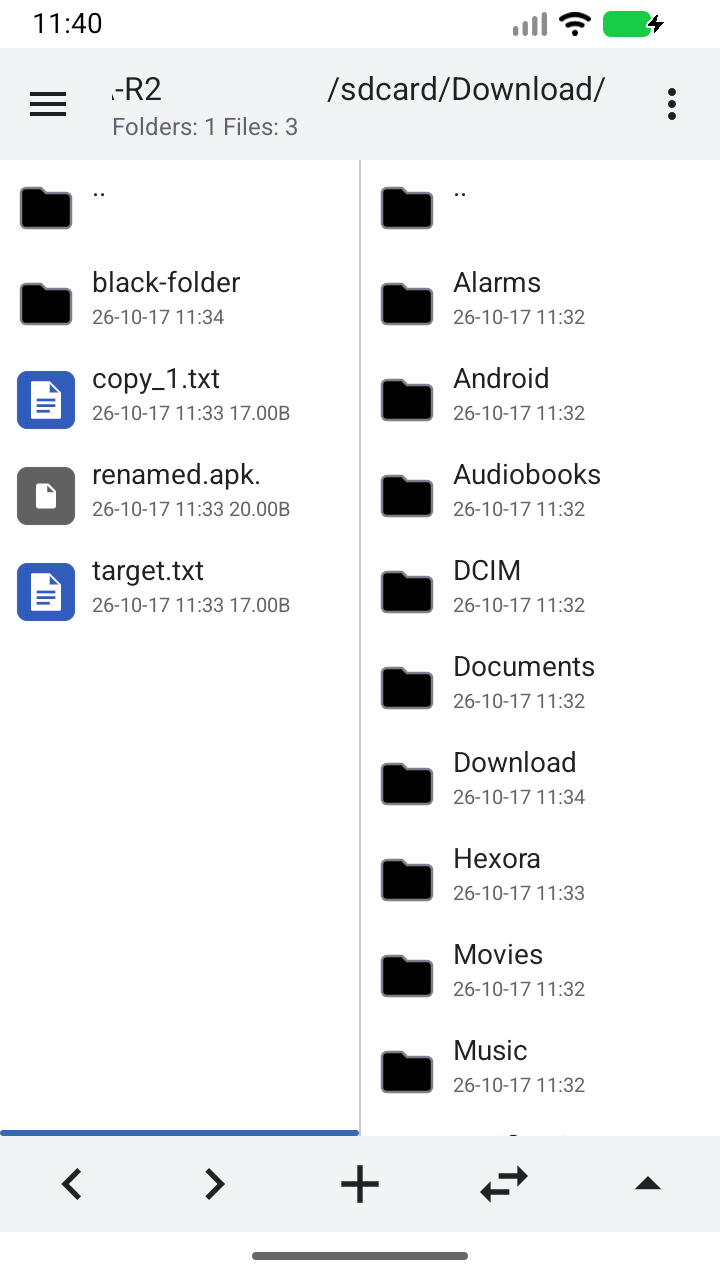
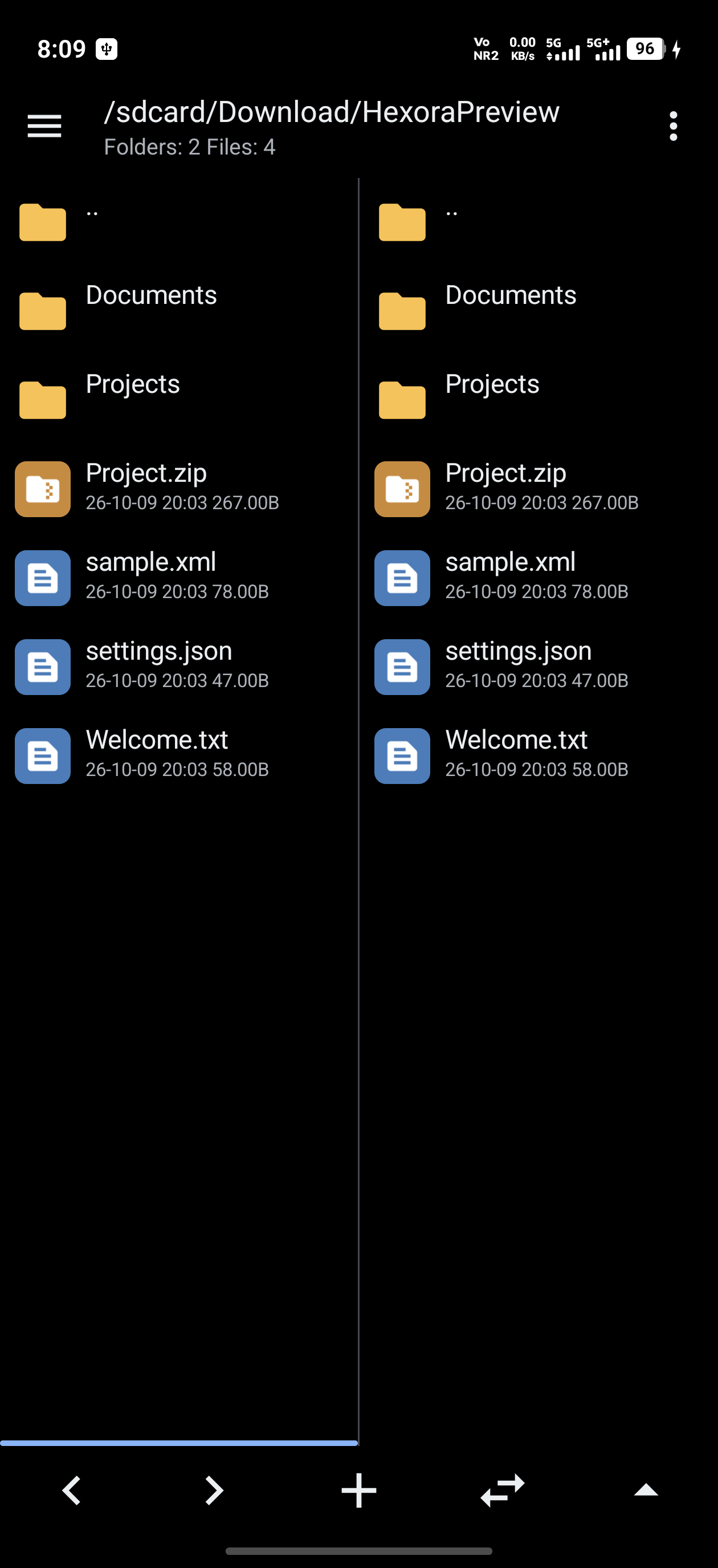
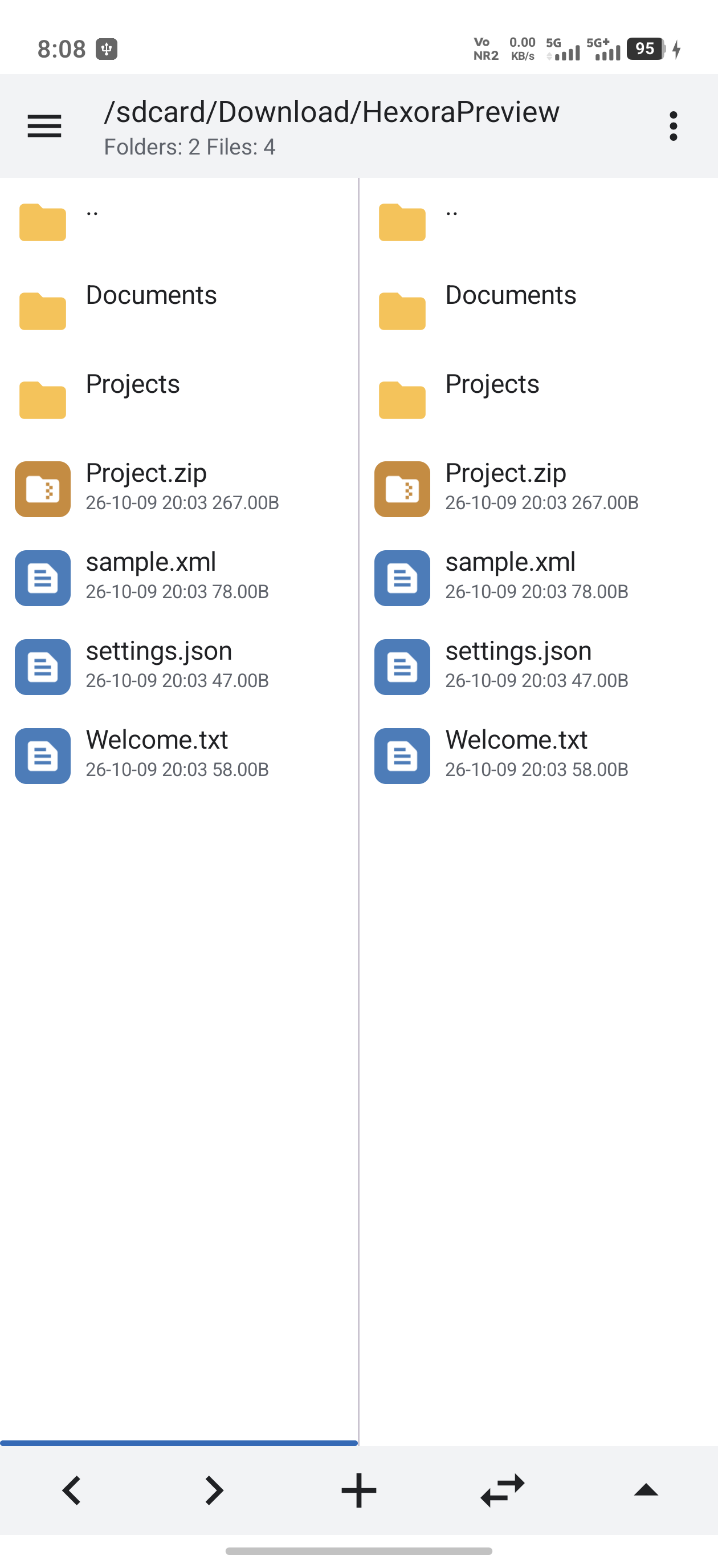
Screenshots


Captured from the signed Hexora 0.1.3 release on an isolated Android 16 QA emulator on October 17, 2026. Only disposable sample files are shown.
Features
- Two file panes with independent navigation, bookmarks, history, filtering, sorting, and multi-selection.
- ZIP and APK browsing, file editing inside archives, compression, and extraction.
- Text, XML, Smali, DEX, and resource tools, plus APK information and installation.
- Built-in image viewing and audio/video playback.
- Root and Shizuku support for locations requiring elevated access.
- Light and dark themes, with an animated sidebar toggle and configurable file rows and menus.
- Telegram/shared attachment imports, split-APK bundle merging, and a script console with arguments, input, Stop and timeout controls.
- Local file clipboard, password-protected ZIP browsing/editing, and archive filename/content search.
- DEX class import/rename, package rename and original/current comparisons; JVM bytecode inspection and read-only Java decompilation.
ZIP files
Tap a ZIP to browse its folders. Long-press a ZIP and choose Extract ZIP to unpack it into a new folder beside the archive. If that folder name already exists, Hexora chooses an unused name rather than merging into it.
The current source indexes archive folders once and reuses parsed headers for navigation and file opening. Archive reads and XML resource parsing run in the background. Cached metadata is refreshed when an archive changes or is manually refreshed. ZIP regression tests cover folder navigation, repeated reads, concurrent pane requests, and cache invalidation.
Building
Use JDK 17, the included Gradle 8.13 wrapper, and Android SDK platform 36. In Android Studio, select JDK 17 as the Gradle JDK. Java 25 is incompatible with this project's Gradle version.
Set sdk.dir in an untracked local.properties, then run:
./gradlew :app:assembleDebug
Application ID: com.hexora.zenin. The upstream Java namespace is retained
for source and extension compatibility. Hexora uses its own preferences,
provider authorities, and export directory.
Local QA
The native MuMu regression runner and instructions are in qa/README.md. Coverage, fixes, evidence, and remaining limitations are recorded in qa/REPORT.md. Generated QA APKs and emulator artifacts stay local; they are separate from the published release linked above.
Bundled LSPatch runtime provenance and its pinned recursive corresponding source are available in third_party/lspatch. Build and emulator validation for the published release are recorded in the release notes. Historical QA reports retain their original source-only status and failed attempts where applicable.
The updater checks this repository's GitHub releases. Release APK filenames
start with Hexora.. Downloadable tool packs and their signed catalog are
published with the same release and use Hexora's signing certificate.
Contributors
- ZENIN / ZENINXOP — Hexora project owner.
- OpenAI Codex — AI-assisted UI, branding, and performance development.
See CONTRIBUTORS.md for the Hexora contributor list.
License and upstream notices
Hexora retains the upstream GPL-3.0 license and attribution notices. Further background and feature documentation are available in the upstream project.
How Shizuku is used
Can manage protected app folders, apply Private DNS, auto grant permissions and run shell scripts via Shizuku with `IFileService` and shell commands.
This is an AI-assisted analysis of Shizuku-related usages in the app's public source code. It is best effort, so it may not catch every single usage.
How this app uses Shizuku
Shizuku lets this file manager work inside protected shared storage, apply system settings, and run scripts with elevated rights.
- Browse protected folders: list and check files inside Android data, obb and media folders to show names, sizes, dates and folder sizes in the panes, properties and search.
- Open and preview files: copy a protected file into temporary app storage to view images, play media, open text, inspect APK details and open archives.
- Edit and save files: write back changes made in the text and hex editors to the original protected file, including keeping backup copies.
- Create and organize files: make new folders, copy files and folders, move, rename, delete, create empty files, keep original dates and check folder sizes inside protected folders.
- Change Private DNS: apply the chosen Private DNS mode and hostname with the
settings put globalcommand through Shizuku. - Auto grant app access: enable usage access, overlay, secure settings and accessibility options with
appops set,pm grantandsettings put securecommands through Shizuku. - Run shell scripts: run a chosen shell script file with typed arguments and a chosen timeout as the shell user through Shizuku, with live output and input.
Android APIs or commands used
java.io.File.existsjava.io.File.isDirectoryjava.io.File.isFilejava.io.File.lengthjava.io.File.lastModifiedjava.io.File.listFilesjava.io.File.mkdirsjava.io.File.deletejava.io.File.renameTojava.io.File.createNewFilejava.io.File.setLastModifiedjava.io.FileInputStreamjava.io.FileOutputStreamandroid.os.ParcelFileDescriptor.createPipeRuntime.getRuntime().execlsls -lALcatcp -rmkdirmkdir -prm -rfmvshsettings put global private_dns_modesettings put global private_dns_specifiersettings put secure enabled_accessibility_servicessettings put secure accessibility_enabledappops setpm grant
Notable details
Elevated file access is limited to Android data, obb and media paths, refuses top level protected folders for destructive writes, and caps staged reads and writes around 100 MB. The file service shell only allows fixed settings and permission commands, while scripts run separately as the shell user from a file the user picks. APK installs work without Shizuku via the system installer, and Private DNS can apply directly when the secure settings permission is already granted.
Changelog
What's new for version 0.1.4
Hexora 0.1.4
Changes since Hexora 0.1.3.
Download
- Hexora.0.1.4.apk is the main app; other APK assets are optional tool packs.
- Package
com.hexora.zenin, version code 15, Android 4.4+; target SDK 28. - Signed with the existing Hexora release certificate for in-place updates.
- Verify the download with
Hexora.0.1.4.apk.sha256orSHA256SUMS. - Optional tool packs and their signed catalog are unchanged from 0.1.3.
Interface and editor preferences
- Two consistent themes, Light and Dark, with a larger animated sidebar toggle.
- Compact sidebar sections, clearer storage rows and updated folder icons.
- Redesigned settings with search, collapsible sections and access status.
- Editor font, line-number, wrapping and indentation preferences now apply consistently. Added validated TextMate JSON syntax import and improved shortcut management.
- The selection-menu preferences use readable theme colors for icons, labels, checkboxes, dialogs and drag highlights. Saved menu changes reload in the editor.
- Simplified DEX controls and improved menu and drawer contrast.
Files, access and reliability
- Archive entry properties show available metadata inside APKs and folders.
- Reuse existing root/Shizuku grants, request Shizuku authorization when needed, and resume pending supported operations after access becomes available.
- Corrected concrete APK/Smali compiler dispatch and format handling defects; staged output and failure recovery protect previous files during saves.
- Reduced repeated metadata work during sorting, filtering and icon loading.
- Buffered hex searches, bounded image previews and background media metadata work reduce main-thread work and unnecessary allocations.
- Additional cancellation, stale-callback and resource-cleanup fixes across image, media, archive, search and editor workflows.
Validation
Build, test, signing and runtime evidence is recorded in the release validation report. The original reported APK-build crash had no failing APK or trace, so reproducing that specific issue remains unverified. Root/Shizuku behavior requires testing with those services on a supported device.
AI-assisted development and validation: OpenAI Codex. Upstream licenses and attribution are retained.
Permissions
38 permissions requested
More from this category
 SD Maid SE
 Material Files
 ZenFile
 Butler
 Buge Files
 MP Manager
 File Explorer
 Continuum Explorer
 KArchiver
 Ripple Files – File Manager
 ROSE
 NFile