 ShizuStore
FPS Meter
2.3 · GitHub
More about this app
High-performance lightweight FPS monitoring overlay inspired by Samsung Perf Z for gaming and performance testing

FPS Meter Android






A high-performance, lightweight FPS monitoring tool for Android. This application provides a real-time frame rate overlay inspired by the Samsung Perf Z aesthetic, offering a professional monitoring experience for mobile gaming and performance testing.
Official Website & Showcase: https://rdevz-ph.github.io/FPS-Meter-Android/
How It Works
Note
Here is a high-level overview of how the application operates:
- FPS Measurement Providers:
- Choreographer (Default): Uses Android's
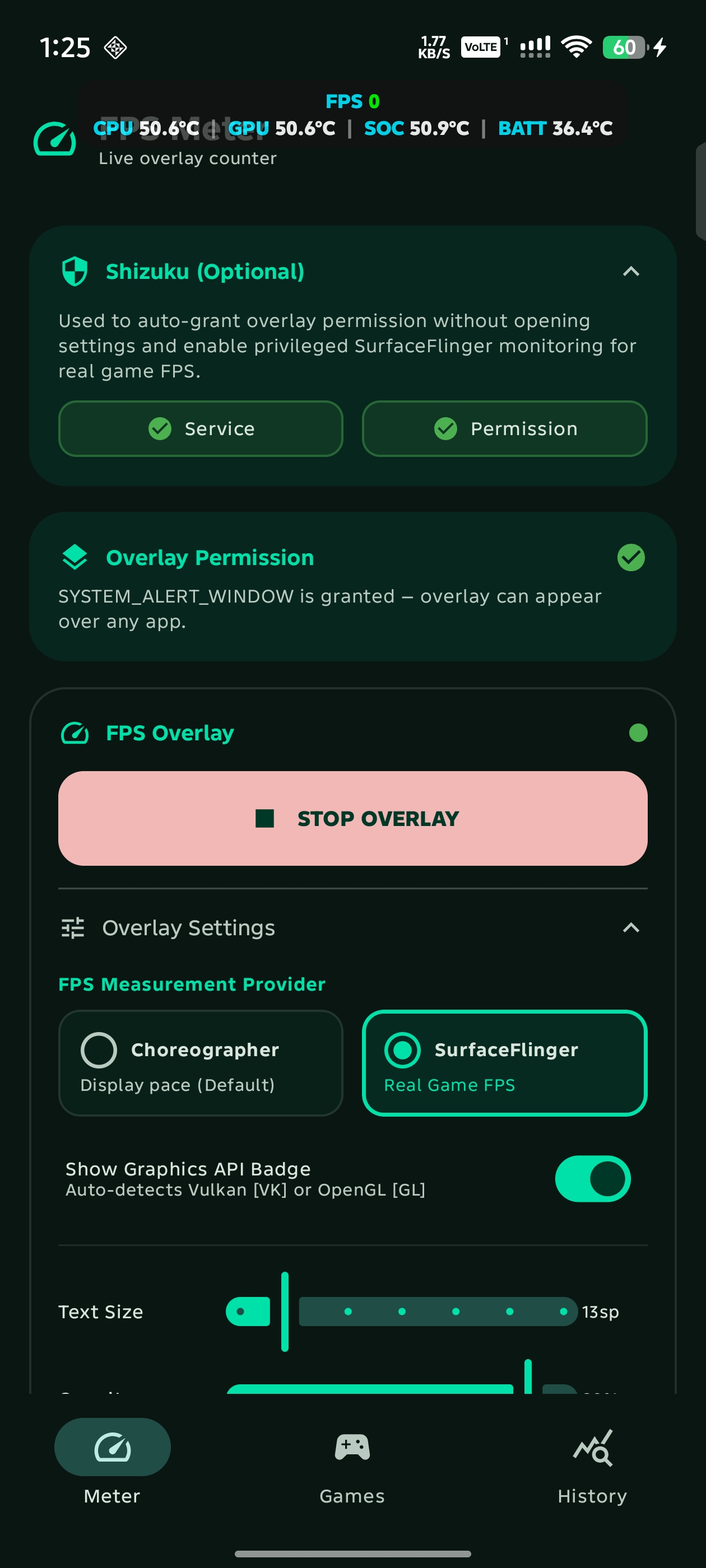
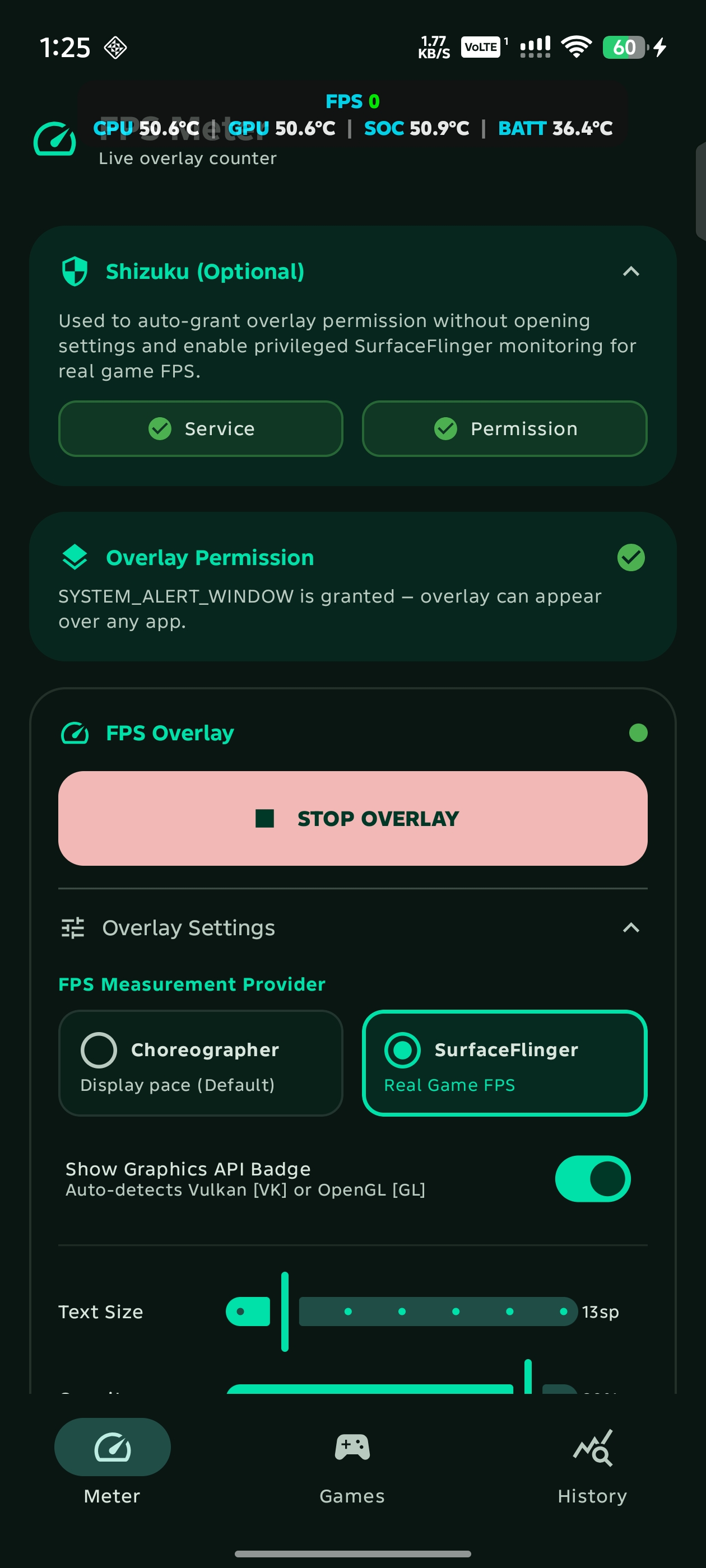
ChoreographerAPI to receive frame callbacks, measuring elapsed time to calculate real-time frames per second (FPS). Frame time (MS) is derived directly from this rate. - SurfaceFlinger (Game FPS via Shizuku): Connects to Android's compositor via privileged Shizuku shell commands to measure real game frame presentation buffers from active
SurfaceViewbuffer queues.
- Choreographer (Default): Uses Android's
- Automatic Graphics API Detection: Automatically detects whether the foreground game is rendering with Vulkan or OpenGL ES (tested on games such as Genshin Impact and Wuthering Waves) using system GPU telemetry (
dumpsys gpuanddumpsys gfxinfo), adapting the measurement method accordingly. - Hardware & Battery Telemetry:
- Battery Temperature & Charge Level (
BAT): Uses a dynamicBroadcastReceiverforIntent.ACTION_BATTERY_CHANGEDto monitor real-time battery temperature and remaining charge percentage (BAT xx%) for fullscreen gaming. When both are enabled, they automatically merge into a unified indicator:BAT <temp> (<level>)(e.g.BAT 38°C (85%)). - SoC, CPU & GPU Temps (
SOC,CPU,GPU): Queries Android's Thermal HAL (dumpsys thermalservice) and Linux sysfs thermal zones (cpu-*-usr,gpuss-*-usr) via Shizuku privileged shell access to monitor accurate live silicon hotspot, individual CPU core, and GPU temperatures during gaming across Qualcomm Snapdragon and MediaTek platforms.
- Battery Temperature & Charge Level (
- Adaptive Dynamic Layout: Automatically presents a clean single-line pill when 1 to 3 metrics are enabled, and organizes into a structured two-line layout (Line 1: Performance metrics, Line 2: Temperatures) when 4 or more metrics are active.
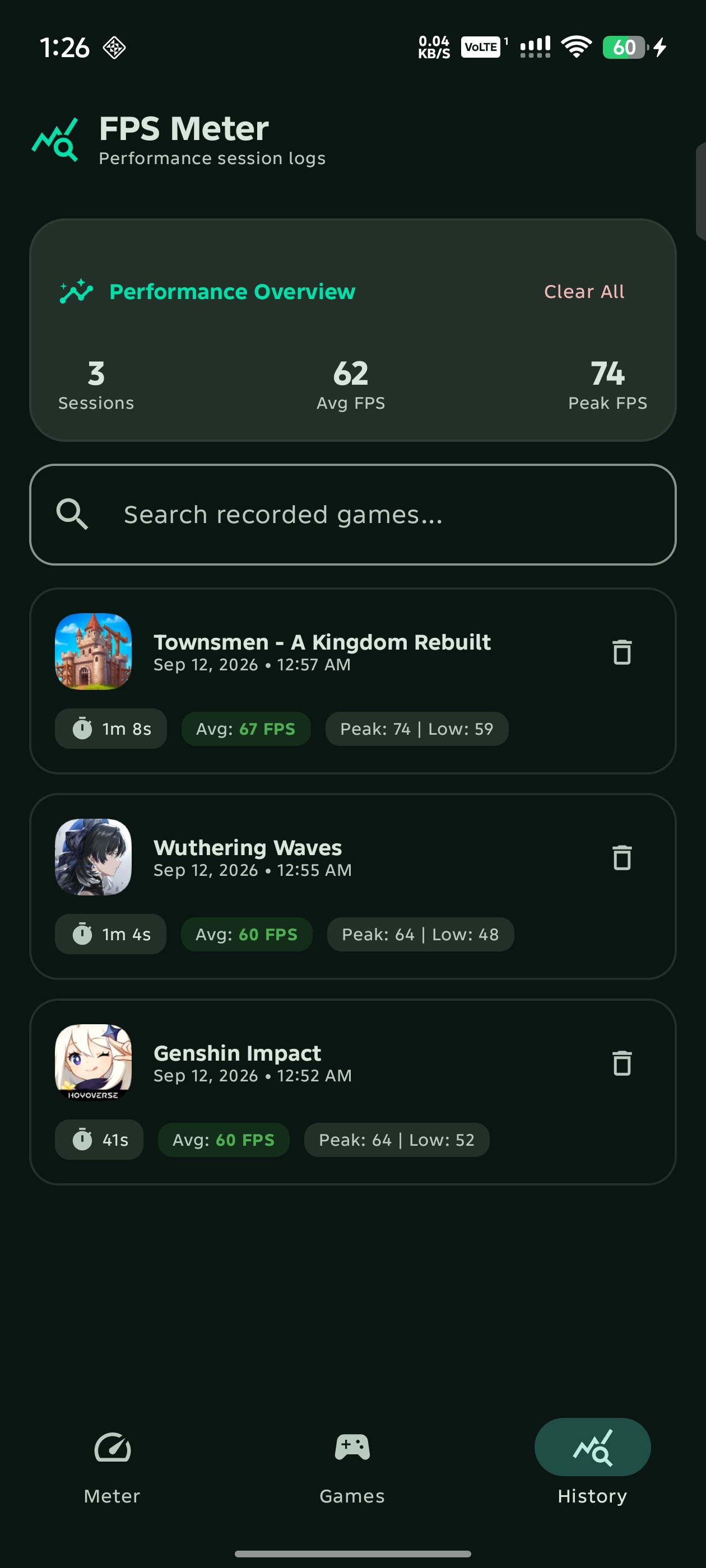
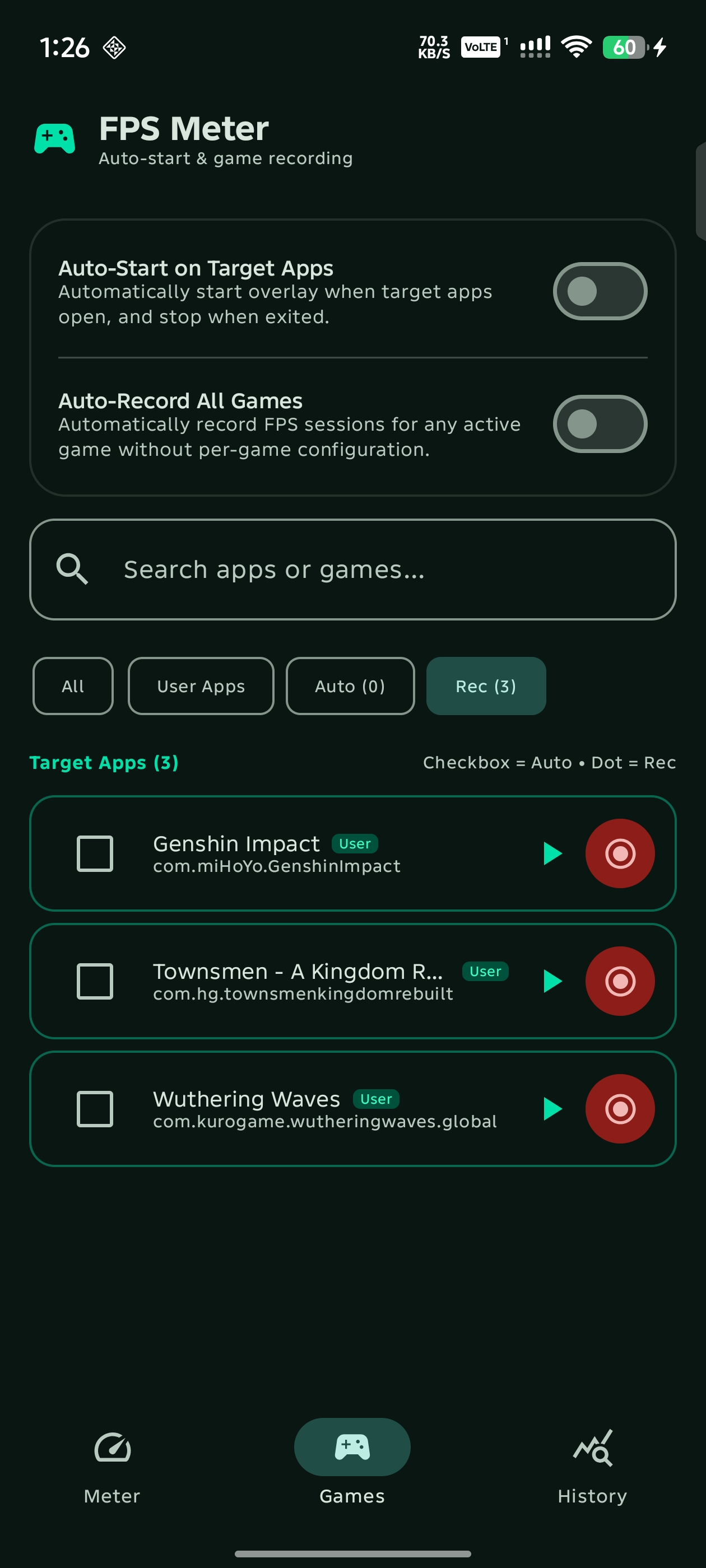
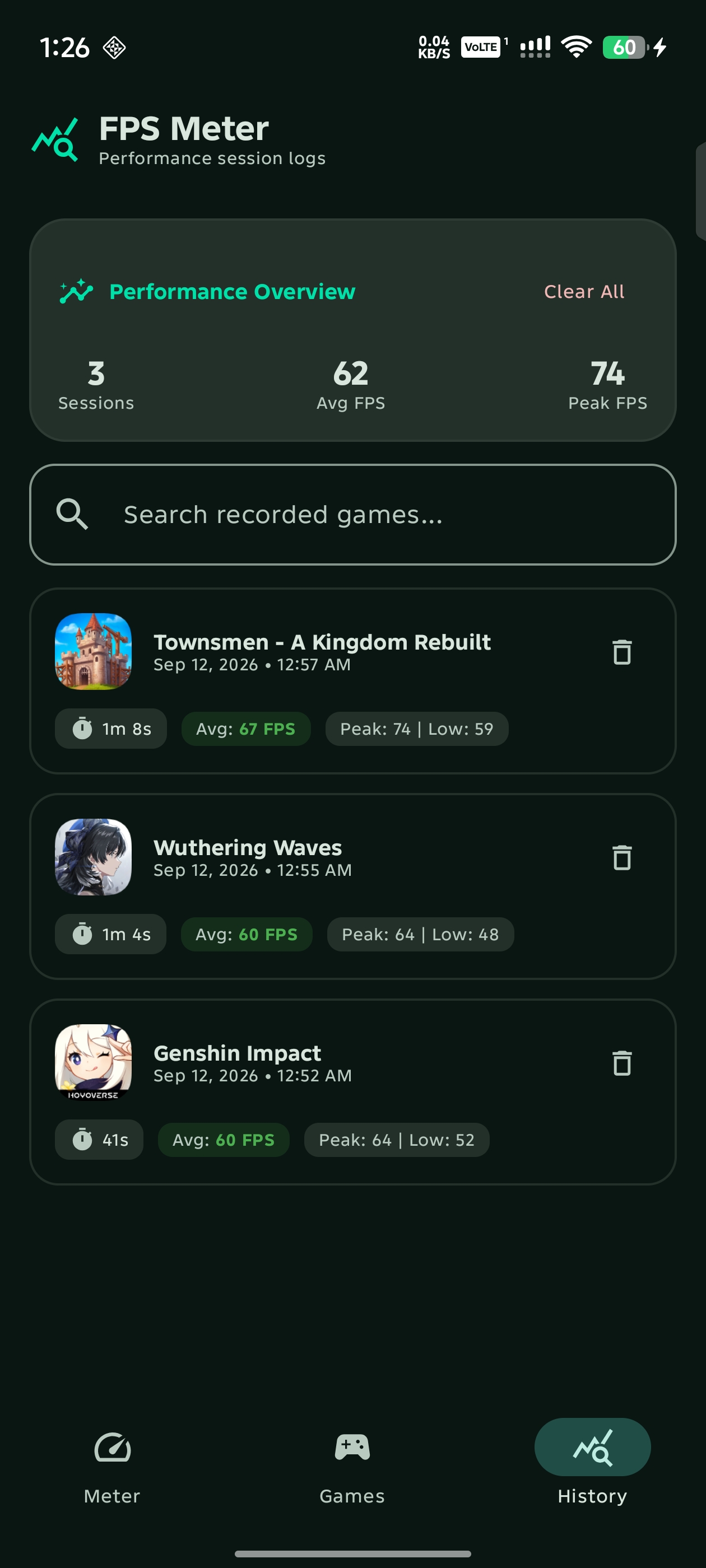
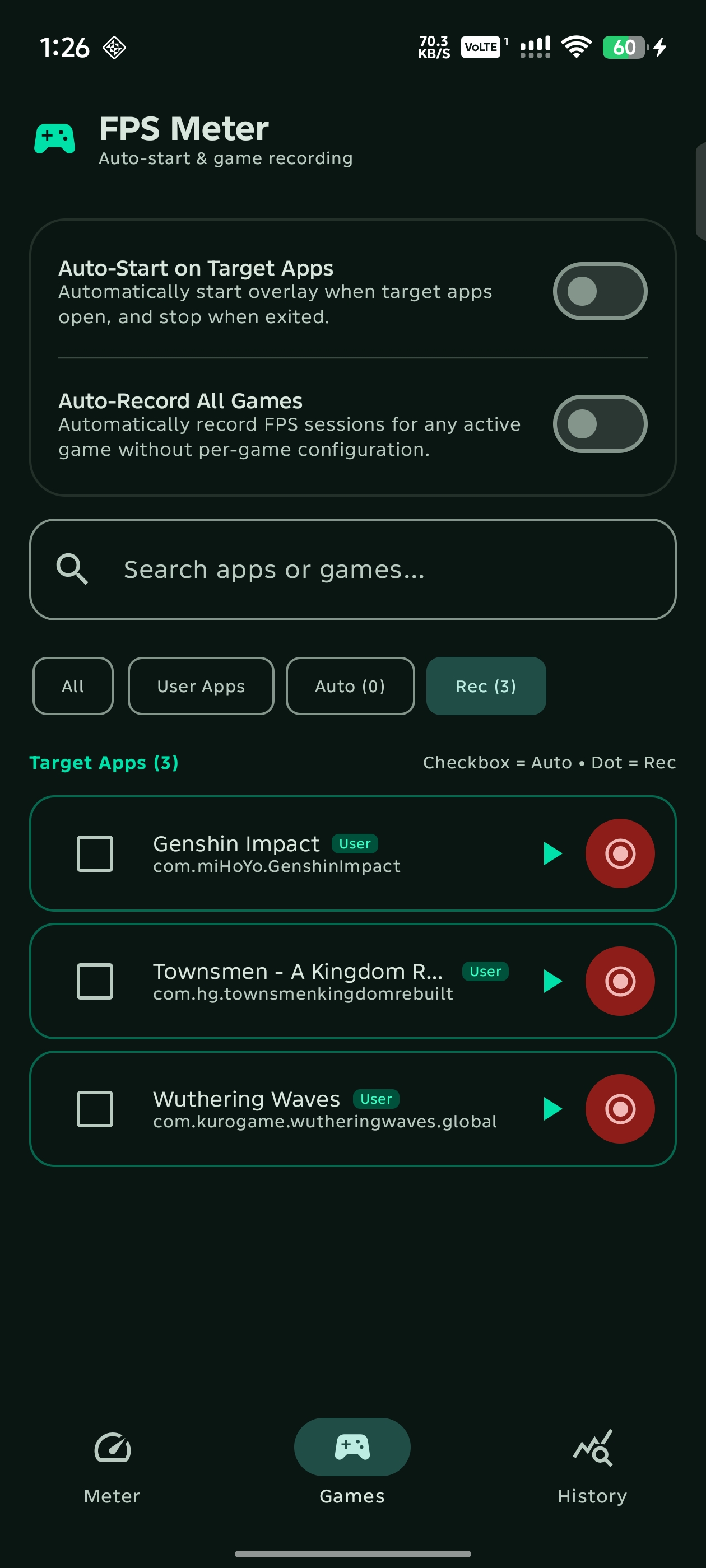
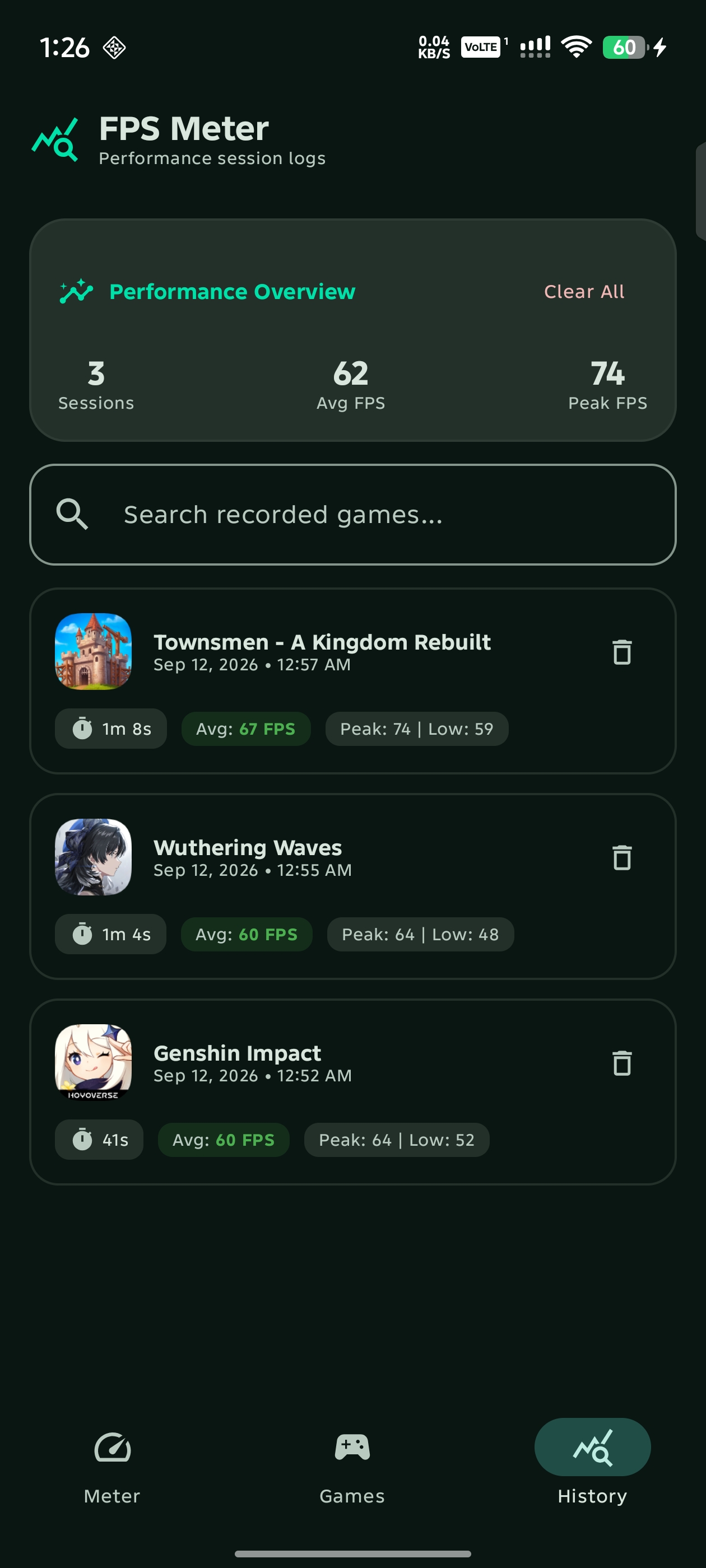
- Material 3 Navigation & Dedicated Screens: Modern navigation featuring Overlay settings, Games manager with 1-tap game launching, and dedicated FPS session History with per-app launcher icons.
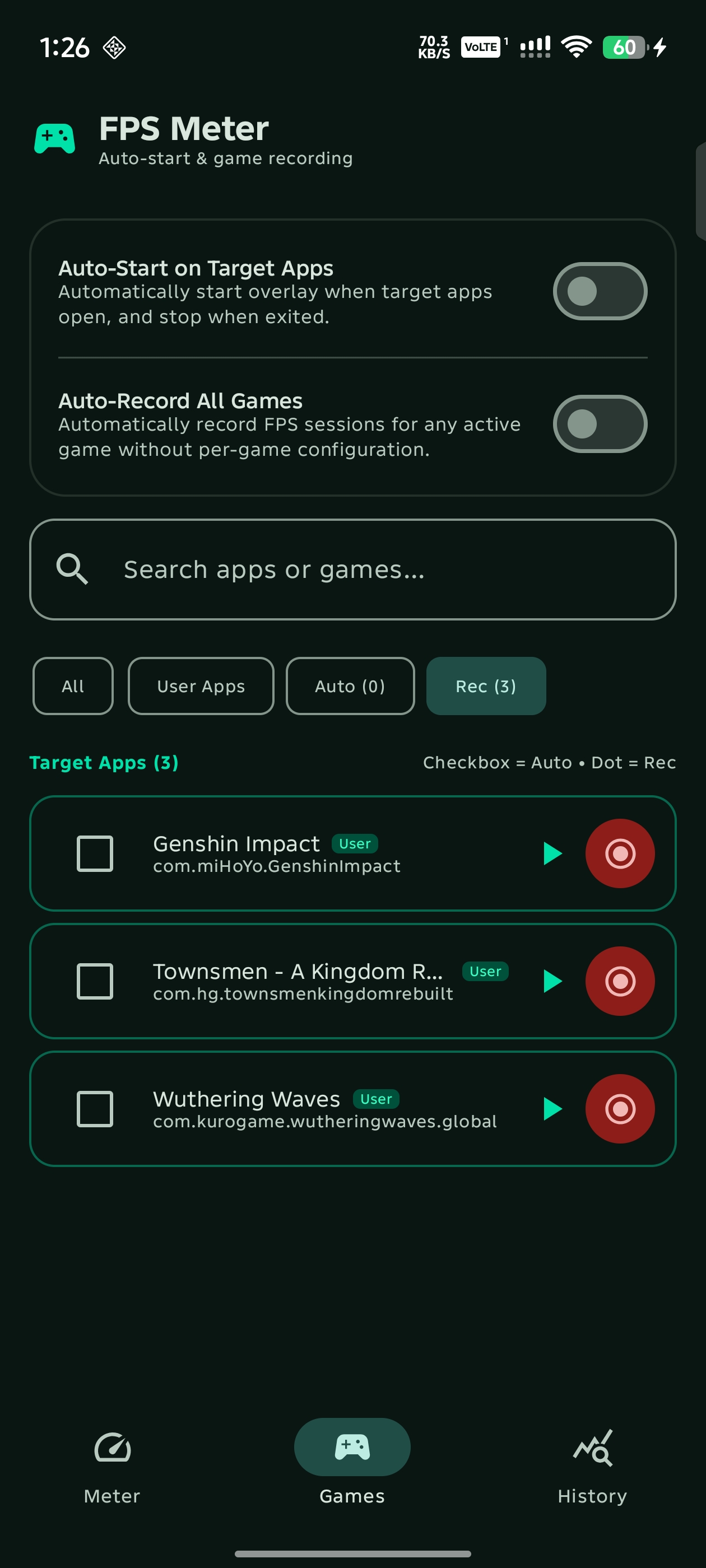
- Universal Auto-Record & Per-Game Recording: Choose between universal automated session recording for all active games or per-app configuration, aggregating average, min, and max FPS and duration with zero sample-by-sample disk overhead.
- Floating Assistive Bubble & Quick Menu: Provides an optional draggable floating on-screen bubble (
FloatingToggleButton) that expands into a quick HUD menu to start/stop game FPS recording and toggle overlay visibility from inside any active game. - Quick Settings Panel Tile: Exposes an Android
TileService(FpsTileService) that allows 1-tap toggling of the FPS overlay directly from the notification pull-down shade without opening the main app. - Auto On/Off Game Detection: An optional
AccessibilityService(FpsAccessibilityService) monitors foreground window state changes to automatically activate the overlay when designated target games/apps launch and stop when exited. - Interaction & Dragging: Tracks touch gestures using an
OnTouchListenerto support real-time dragging. The updated layout coordinates are saved inSharedPreferenceson gesture completion to persist the custom location. - Shizuku Integration: Provides privileged shell operations to grant overlay permissions without manual settings navigation, and to sample SurfaceFlinger compositor buffers for actual game FPS.
Download


Visit the Official Website & Showcase to explore interactive features, test screenshots, and view full release changelogs. You can also navigate directly to the Releases page to download the latest APK or install and receive automated updates via ShizuStore. For troubleshooting installation issues (Google Play Protect) or Android 13+ permission restrictions, check out the Troubleshooting and Setup Guide.
Screenshots
Application Interface
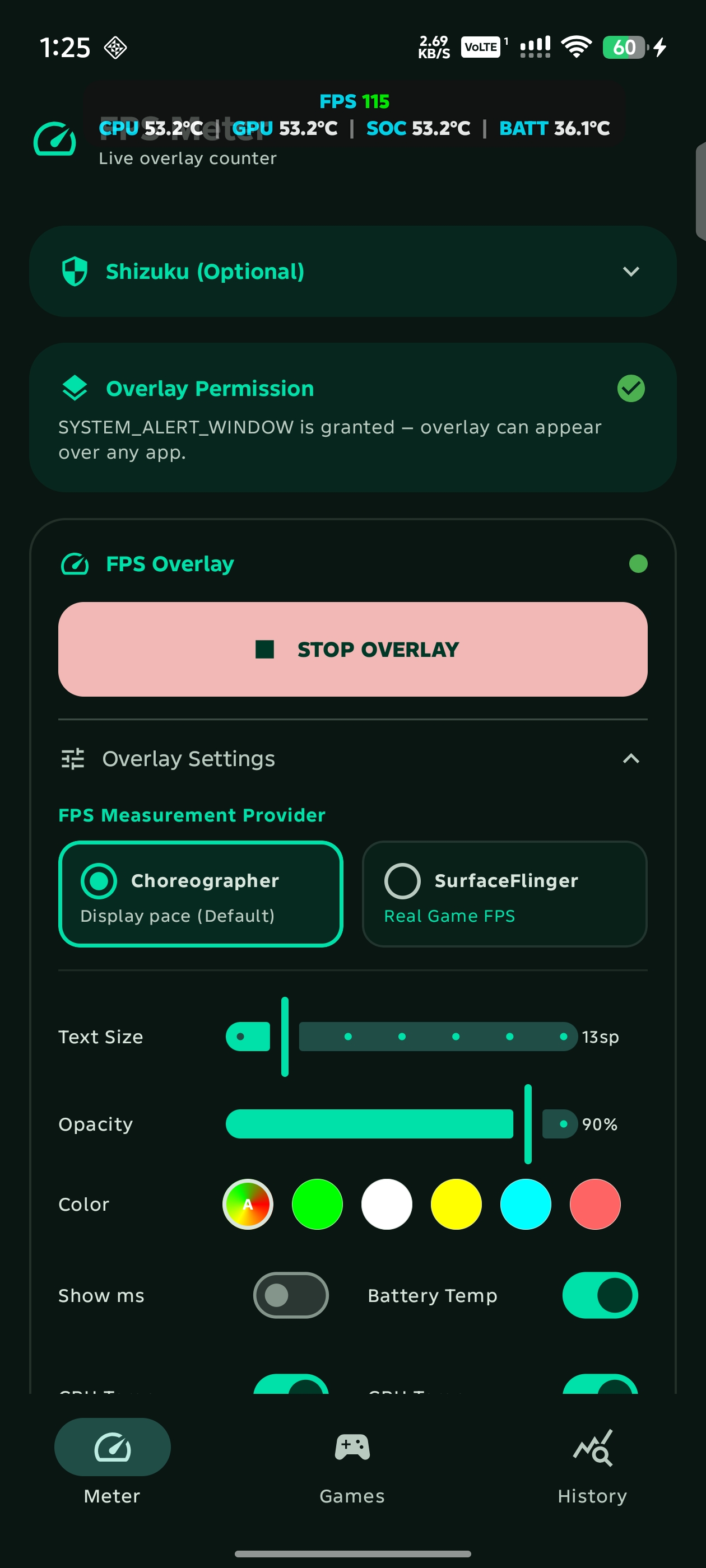
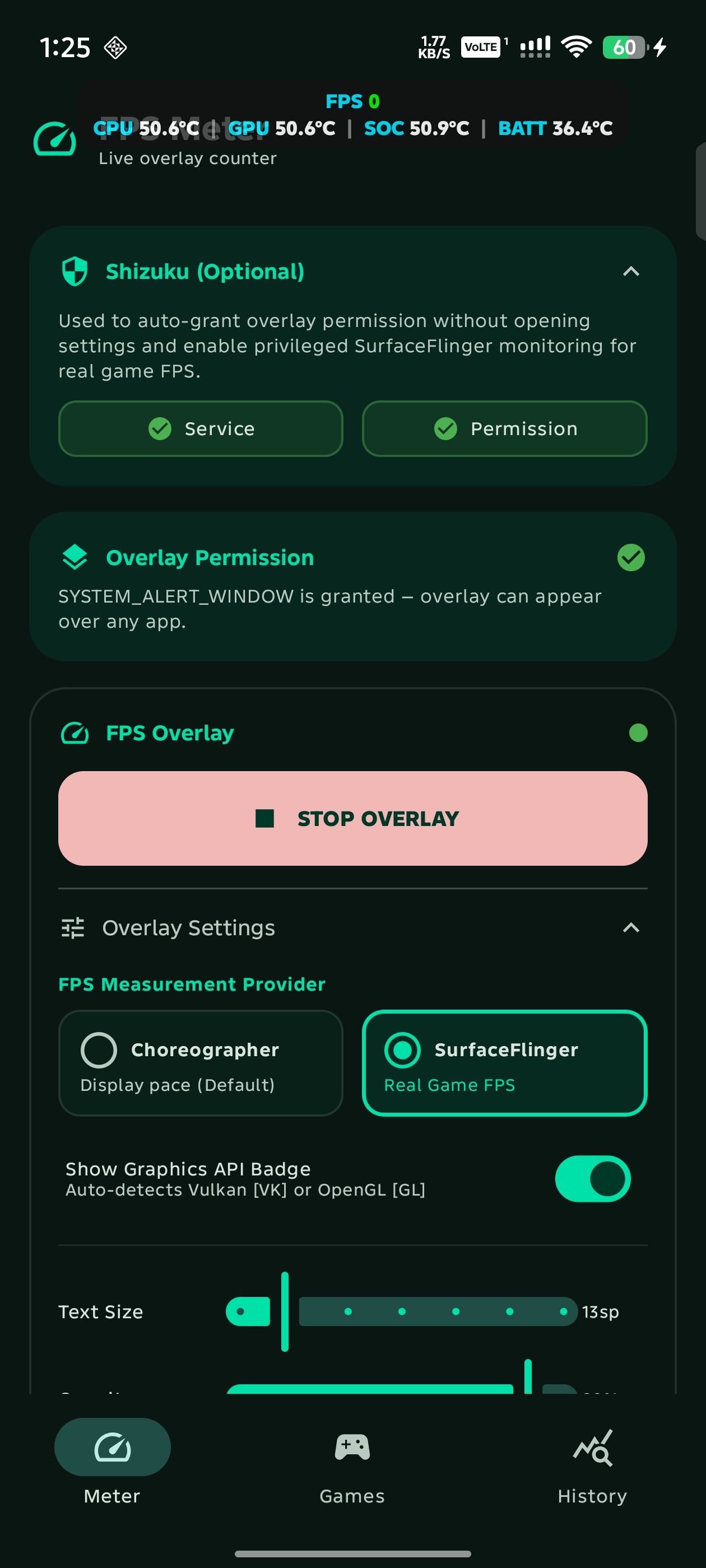
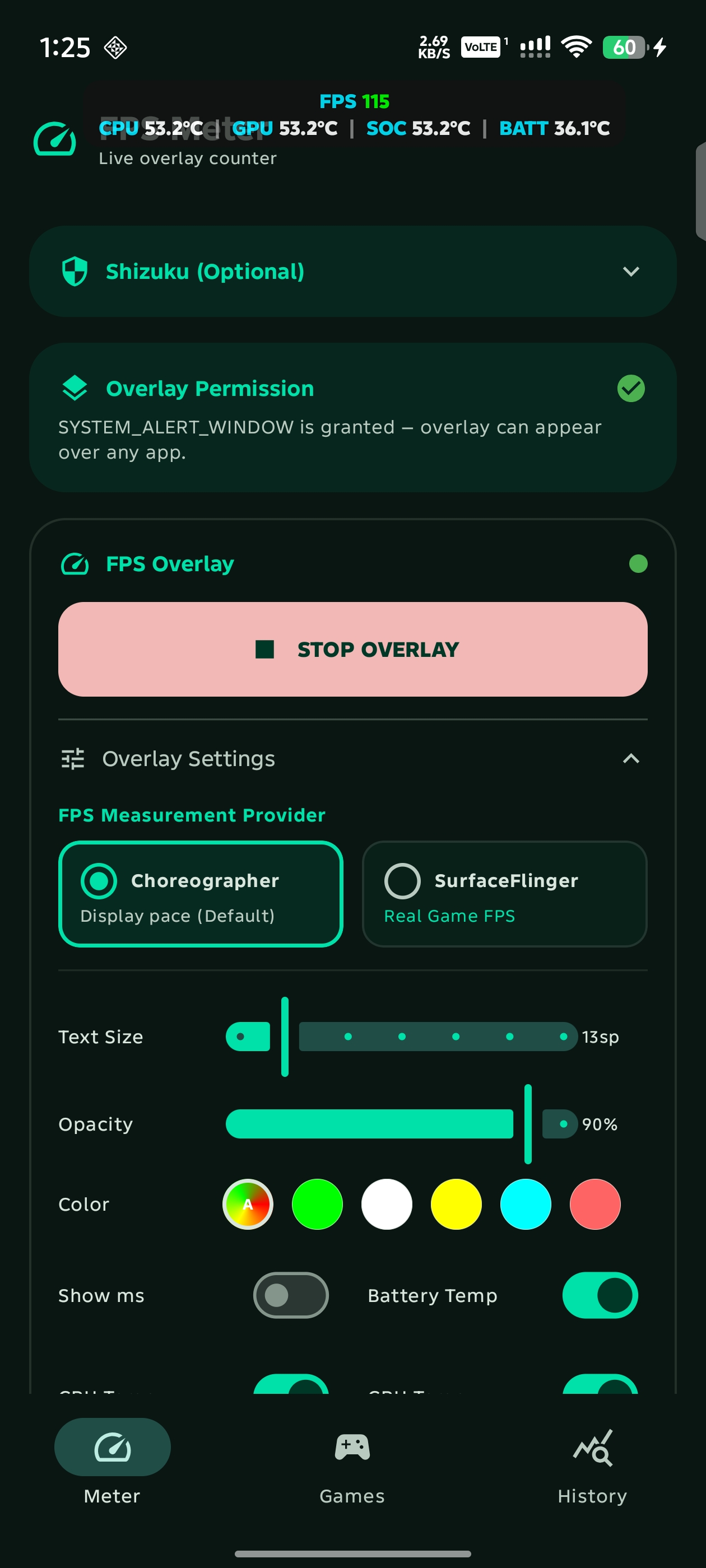
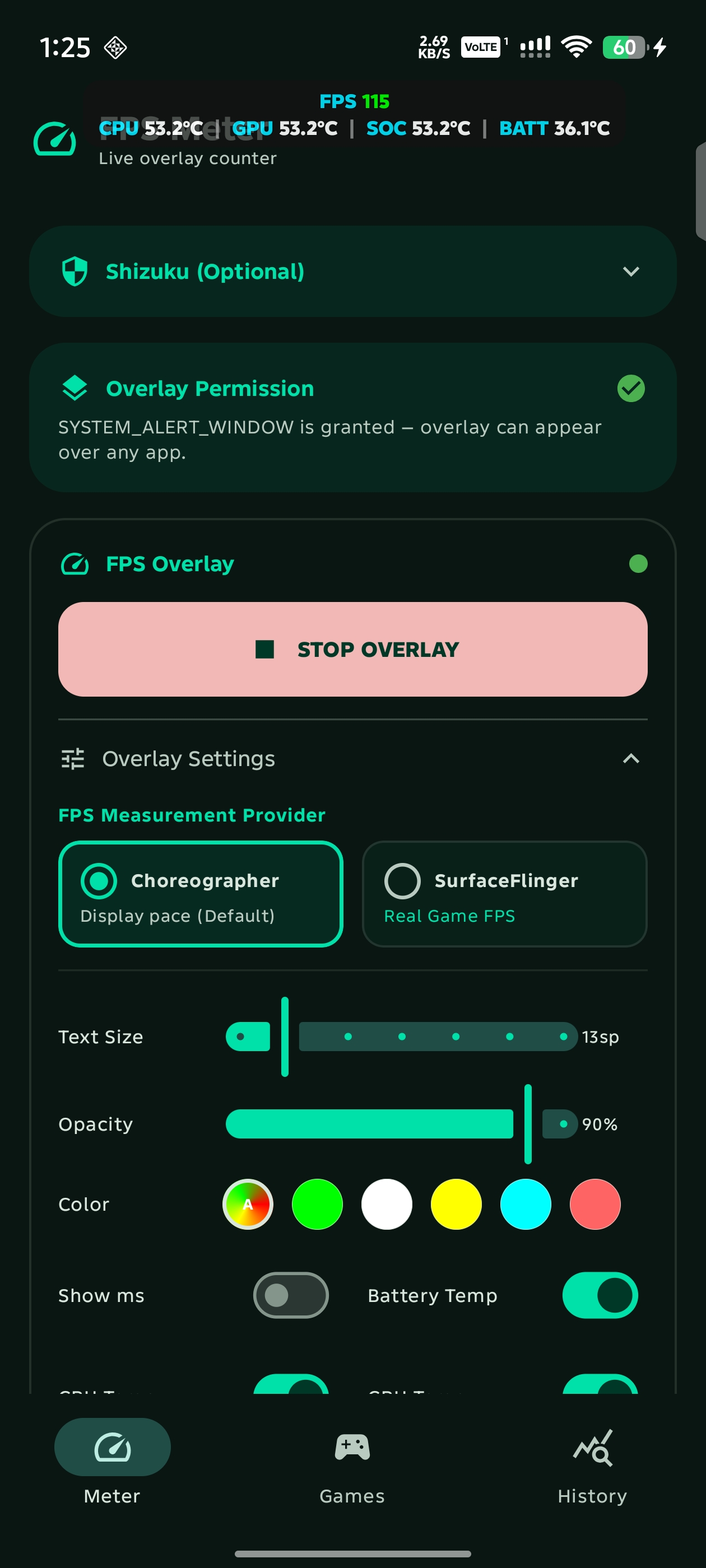
| Meter & Telemetry | SurfaceFlinger & Shizuku | Games & Auto-Recording | Performance History Logs |
|---|---|---|---|
 |
 |
 |
 |
| Auto-Record All Games Toggle | Confirmation Notice Dialog |
|---|---|
 |
 |
In-Game Performance Testing
OpenGL ES [GL] |
Vulkan [VK] |
|---|---|
 |
 |
Tip
This app theme follows system colors (Material You Dynamic Color), so UI accents and theme colors will adapt to your device's active wallpaper and system palette.
Features
- Dual FPS Measurement Providers: Choose between lightweight Choreographer (vsync display rate) and privileged SurfaceFlinger (true game rendering frame rates hooked directly into compositor presentation buffers via Shizuku).
- Automatic Graphics API Detection: Dynamically inspects the foreground game pipeline to display real-time Vulkan
[VK]or OpenGL ES[GL]on-screen badges. - In-Memory FPS Recording & History Logs: Lightweight per-game session recorder capturing Average FPS, Peak FPS, Min FPS, and duration in memory without disk I/O lag or battery drain, paired with a dedicated History screen to review historical benchmarks.
- Floating Assistive Quick Menu: An interactive on-screen bubble expanding into an in-game HUD menu to start/stop FPS recording and toggle HUD visibility without leaving your game, with outside-touch protection and auto-dismiss.
- Direct Game Launcher & Auto-Start: Built-in Games screen with direct 1-tap game launching, search filters, and automated overlay start/stop upon entering or exiting designated games via Accessibility Service.
- Hardware & Battery Telemetry: Live multi-sensor thermal monitoring across CPU, GPU, SoC, and Battery with independent metric toggles to track heat and thermal throttling, plus an on-screen Battery Percentage indicator. Automatically merges battery temperature and charge level into a compact unified readout (
BAT <temp> (<level>)) when both metrics are enabled. - Samsung Perf Z HUD Styling: Compact semi-transparent pill overlay with cyan labels, white digits, dynamic green-yellow-orange-red FPS performance color coding, adjustable text size, opacity, and drag-and-drop repositioning.
- Dark AMOLED Theme & Dedicated Settings: Pure pitch-black theme (#000000) tailored for OLED and AMOLED displays to maximize contrast and battery efficiency, paired with a full-page Settings screen for theme modes, Dynamic Colors, and developer links.
- Multi-Language Support: Built-in English and Simplified Chinese (简体中文) localization with an in-app language switcher in Settings (#12).
- Zero-Friction Setup: Optional Shizuku integration to auto-grant overlay permissions with 1 tap and a Quick Settings status bar tile for quick toggling from any screen.
Requirements
- Android 8.0+ (API 26)
- Overlay Permission (SYSTEM_ALERT_WINDOW)
- Shizuku (optional, required for SurfaceFlinger real game FPS mode)
Developer
Built by rdevz-ph GitHub Profile
License
This project is licensed under the MIT License.
How Shizuku is used
Can measure true game FPS, detect games and graphics API, show chip temperatures and enable overlay via `dumpsys` and `appops set` through Shizuku
This is an AI-assisted analysis of Shizuku-related usages in the app's public source code. It is best effort, so it may not catch every single usage.
How this app uses Shizuku
Shizuku is used to run privileged shell commands that power true game frame measurement, foreground game detection and temperature telemetry plus one tap overlay access.
- Measure true game FPS: shows the actual rendering frame rate of the foreground game in the overlay by sampling compositor frame timestamps and counters with
dumpsys SurfaceFlinger --latencyanddumpsys SurfaceFlingerthrough Shizuku. - Detect active game: identifies which game is in the foreground for FPS labeling and recording by querying focused and resumed activities with
dumpsys windowanddumpsys activity activitiesthrough Shizuku. - Detect graphics API: shows whether the active game uses Vulkan or OpenGL by inspecting GPU state with
dumpsys gpuanddumpsys gfxinfothrough Shizuku. - Monitor chip temperatures: shows live SoC, CPU and GPU temperatures in the overlay by querying system thermal sources with
dumpsys thermalserviceand thermal zone reads through Shizuku. - Grant overlay permission: enables the floating FPS overlay with one tap by allowing the overlay permission with
appops setthrough Shizuku.
Android APIs or commands used
dumpsys SurfaceFlinger --latencydumpsys SurfaceFlingerdumpsys SurfaceFlinger --listdumpsys windowdumpsys activity activitiesdumpsys gpudumpsys gfxinfodumpsys thermalservicecat /sys/class/thermal/thermal_zone*/typecat /sys/class/thermal/thermal_zone*/tempappops set
Notable details
Without Shizuku the app falls back to a basic display based FPS meter and uses accessibility detection for the foreground app, while true game FPS and temperature readings require Shizuku.
Changelog
What's new for version 2.3
FPS Meter Android v2.3
What's New in v2.3
- Internationalization (i18n) & Simplified Chinese Localization: Extracted all user-facing strings into resource files and added comprehensive Simplified Chinese (
values-zh) translations (#12). Special thanks to @CH-Hu-Bill. - In-App Language Switcher: Added a dedicated Language section to the Settings screen with options for System Default, English, and Simplified Chinese (简体中文). Changing the language dynamically applies to the application and background service contexts (
attachBaseContext) immediately. - Text Overflow & Layout Fixes: Added single-line limits and ellipsis truncation across title bars and status labels, plus horizontal scrolling for session card chips in the History screen to prevent text clipping across languages.
For the complete release history, see CHANGELOG.md.
Features
- Choice between Choreographer and SurfaceFlinger FPS measurement providers
- Automatic Graphics API detection (Vulkan and OpenGL ES)
- Samsung-style pill-shaped overlay with cyan labels and white values
- Real-time FPS, frame time (MS), and multi-metric temperature monitoring (CPU, GPU, SoC, and Battery)
- Adaptive single-line or two-line layout dynamically scaling with active metrics
- Dynamic FPS color coding (green, yellow, orange, red) based on performance thresholds
- In-memory per-game FPS session recording with dedicated History screen
- Interactive floating assistive bubble with in-game quick control menu
- Six preset positions (top/bottom left/center/right) with manual drag support
- Light and dark mode themes
- Multi-language support (English and Simplified Chinese) with in-app language switcher
- Adjustable text size and overlay opacity
- Optional Shizuku integration for one-tap permission grant, SurfaceFlinger game FPS, and hardware thermal monitoring
- Quick Settings status bar tile and automated game detection via Accessibility Service
Requirements
- Android 8.0+ (API 26)
- Overlay Permission (SYSTEM_ALERT_WINDOW)
- Shizuku (optional, required for SurfaceFlinger real game FPS and SoC temperature monitoring)
Installation & Setup Guides
Download the APK from the assets below and enable the "Display over other apps" permission when prompted.
Note
Which APK should I download?
- Release APK (
FPS-Meter-*-release.apk) [Recommended]: Signed with the developer's official release key. Use this build if you want seamless in-place updates from GitHub in the future without needing to reinstall. - Debug APK (
FPS-Meter-*-debug.apk): Signed with the default Android/Google SDK debug key generated by automated CI builds. Useful for quick testing, but switching to a release build in the future will require uninstalling first due to Android's signature verification.
If you encounter Play Protect installation blocks or Android 13+ restricted settings warnings when enabling features like Accessibility Service or Shizuku, follow the Troubleshooting and Setup Guide.
Permissions
7 permissions requested
Sources
5 sources
Sources
5 sources
More from this category
 ADB Captain
 80bee
80bee
 Activity Manager
 Android Code Studio
 ActivityLauncherShizukuPlugin
 FrameX
 LogFox
 开发助手
开发助手
 LibChecker
 DSU Sideloader
App data transfer
DSU Sideloader
App data transfer
 Accounts