 ShizuStore
Ex Astris Save Editor
1.8.1 · GitHub
More about this app
Unofficial Ex Astris save editor: inventory editing, verified backups and Arknights skin switching, with automatic save discovery through Root or Shizuku.
Ex Astris Save Editor





Unofficial Android save editor for Ex Astris. Edit your inventory, keep verified backups of your save, and switch Hime and MsBlack to their Arknights collaboration skins.
Features
- Direct save access with Root or Shizuku. The save is found automatically. Without either, pick the file manually.
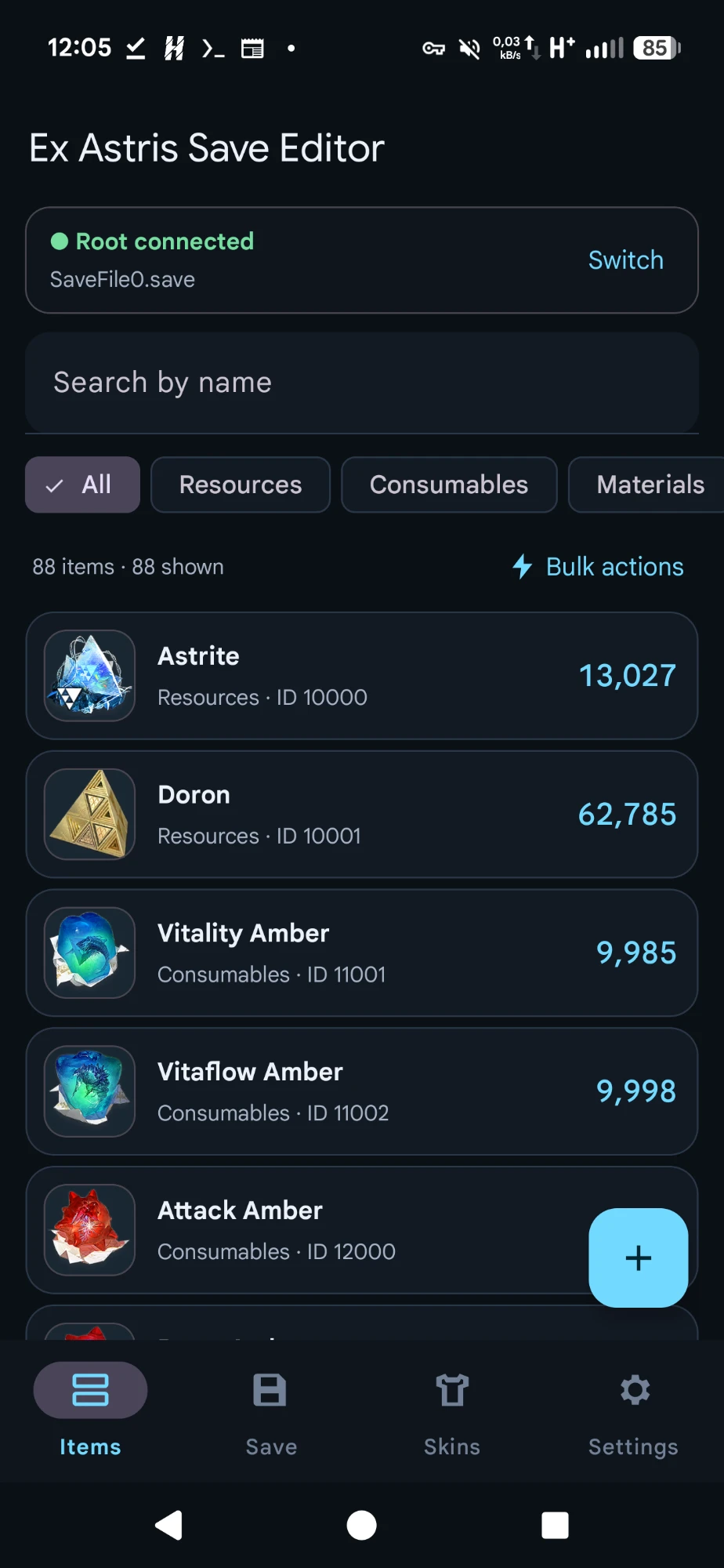
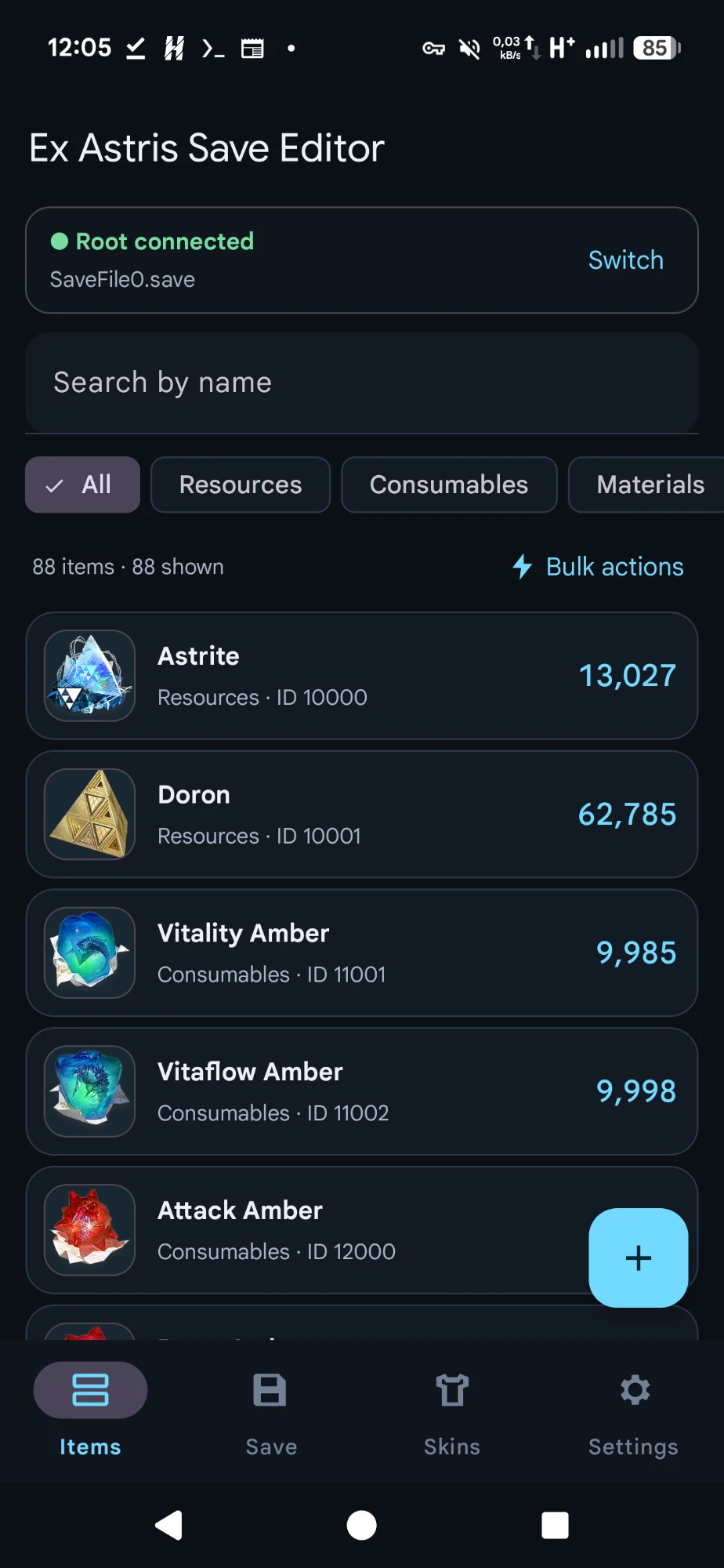
- Inventory editing. Change quantities, delete items, or add new ones from a searchable catalog of 160 items with the game's own icons.
- Bulk Set / Add / Subtract for many items at once. Unique and quest items are protected and never changed in bulk.
- Safe writes. A verified backup is made before every save, corrupt files are refused, and the result is checked after writing.
- Undo and unsaved-change warnings, so nothing is lost or written by accident.
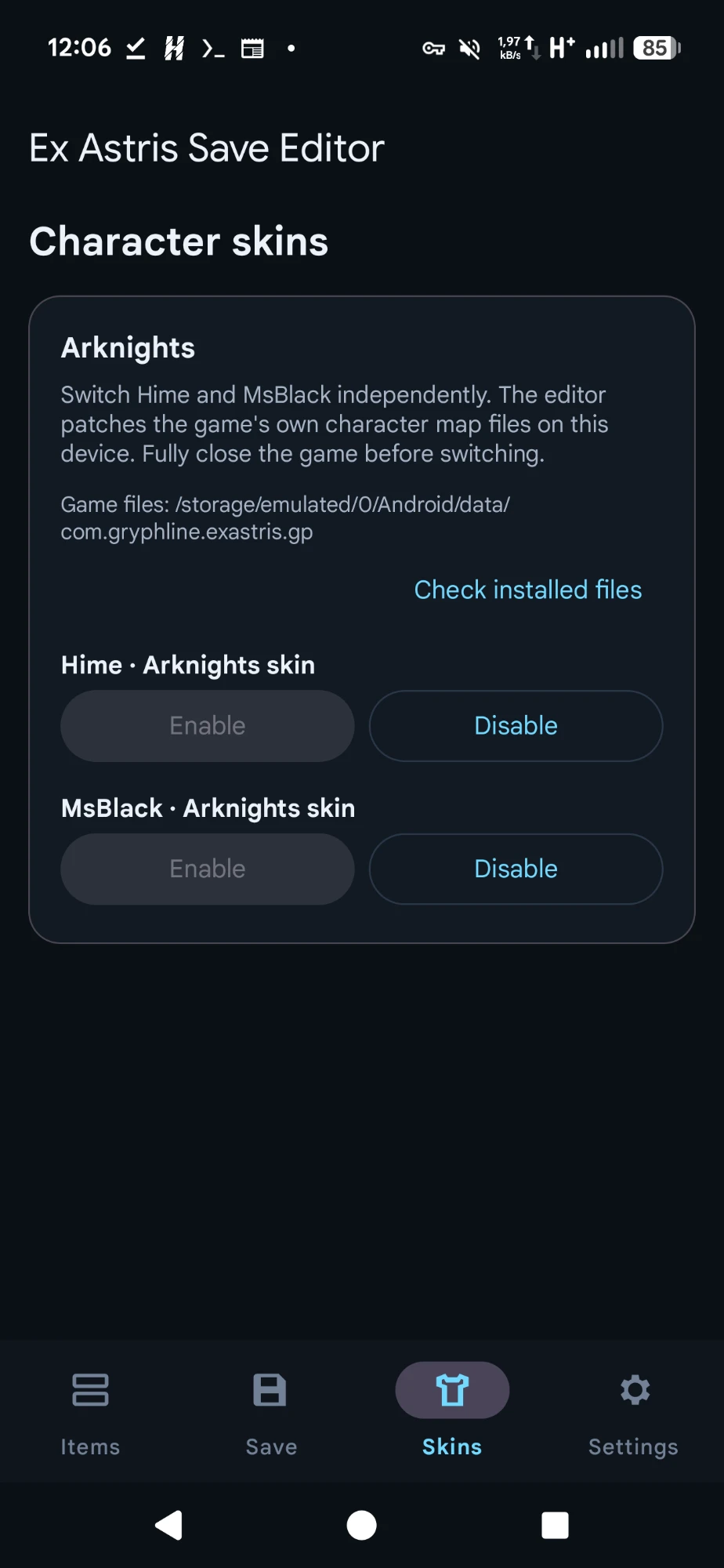
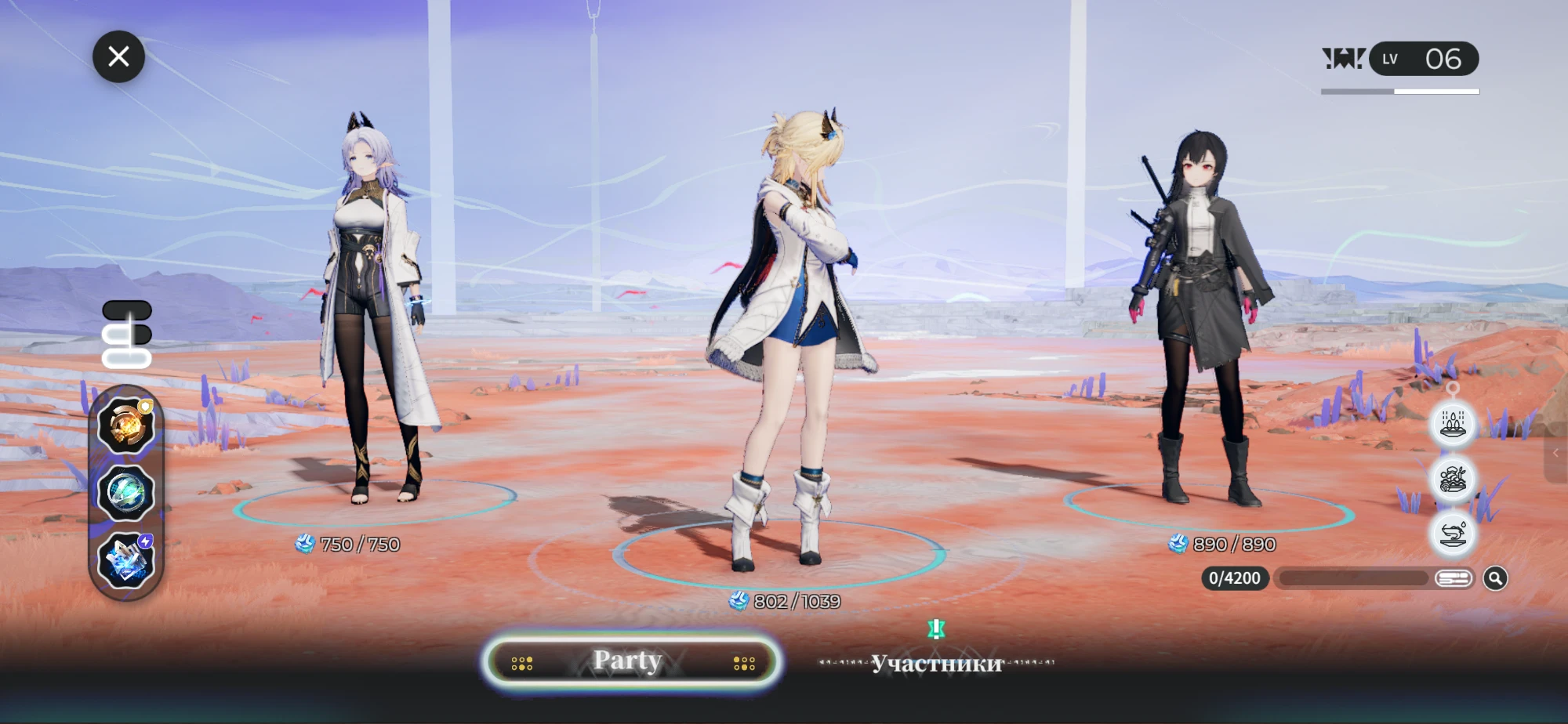
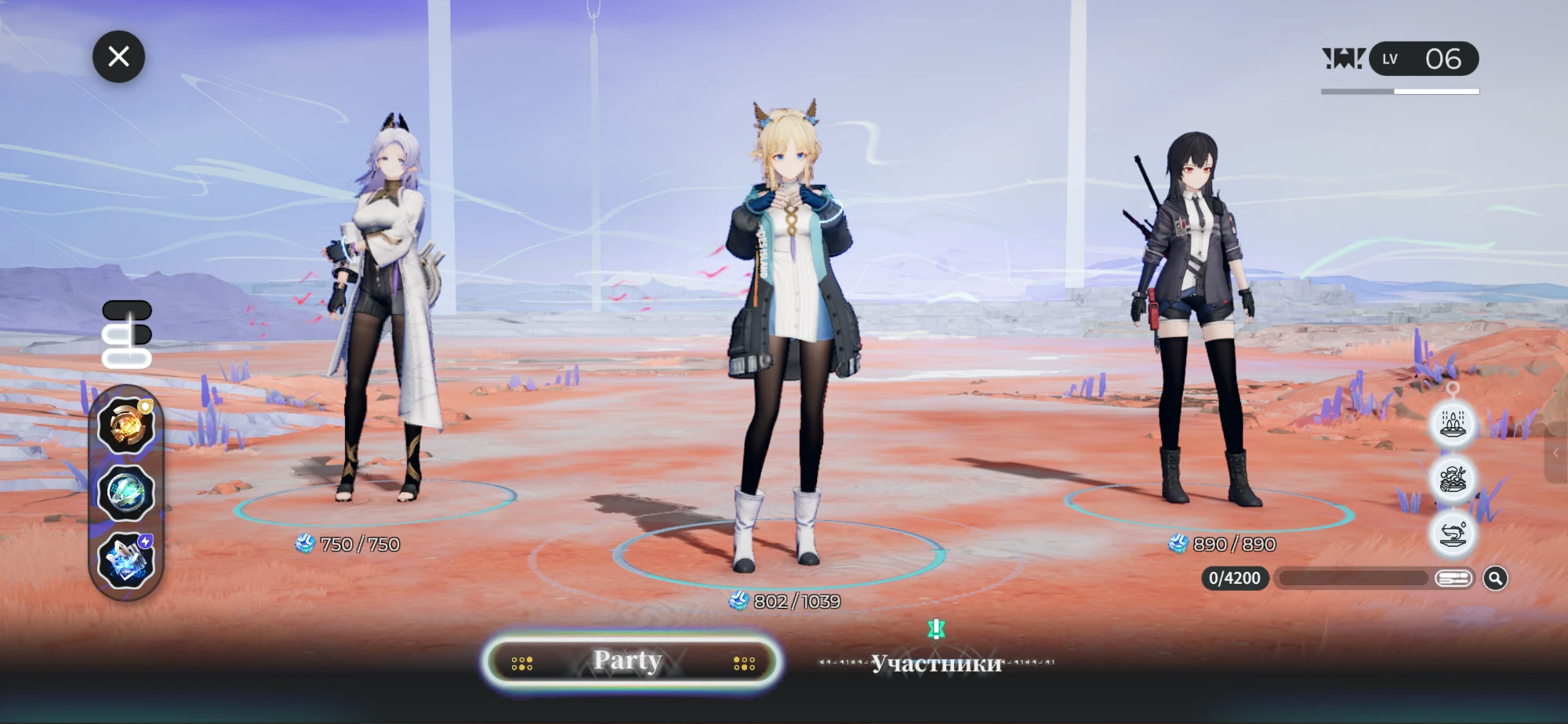
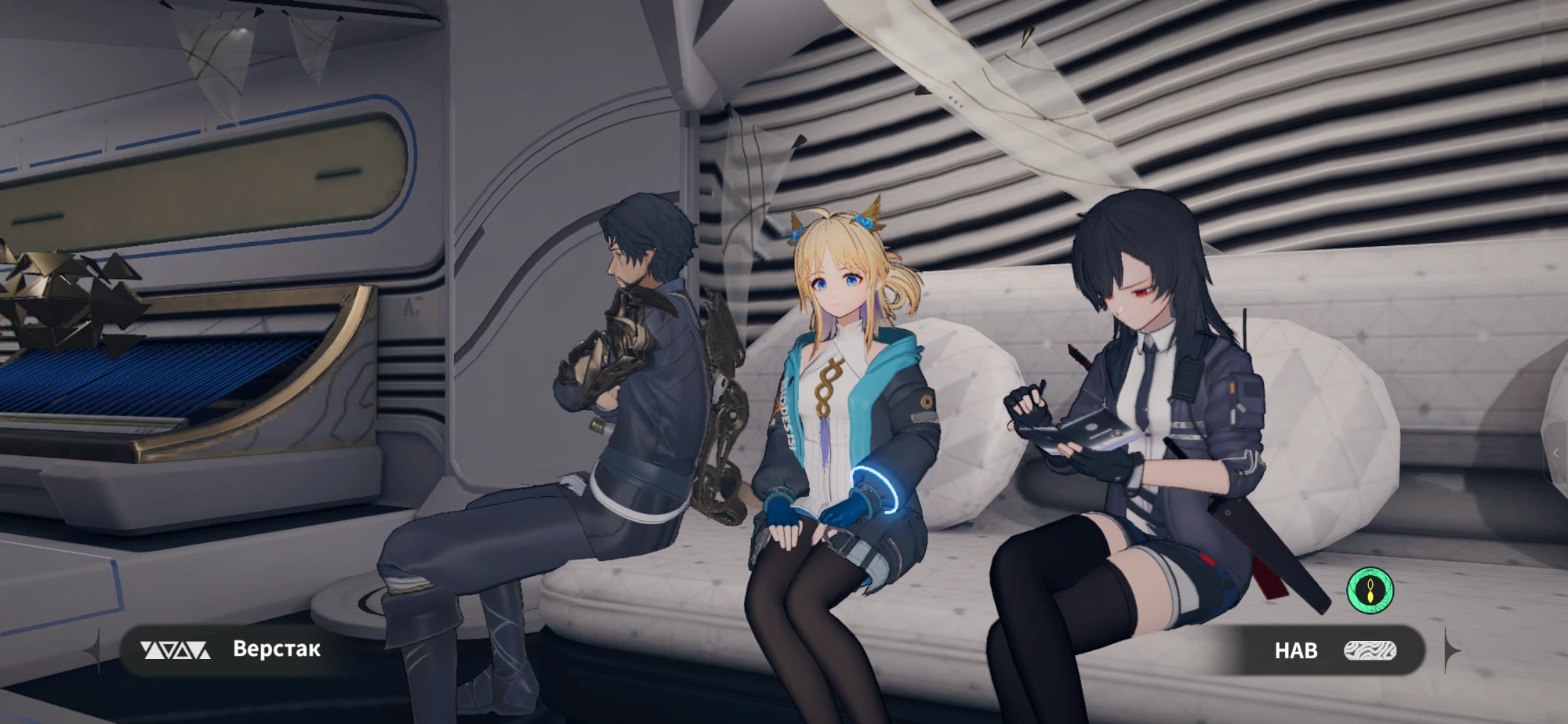
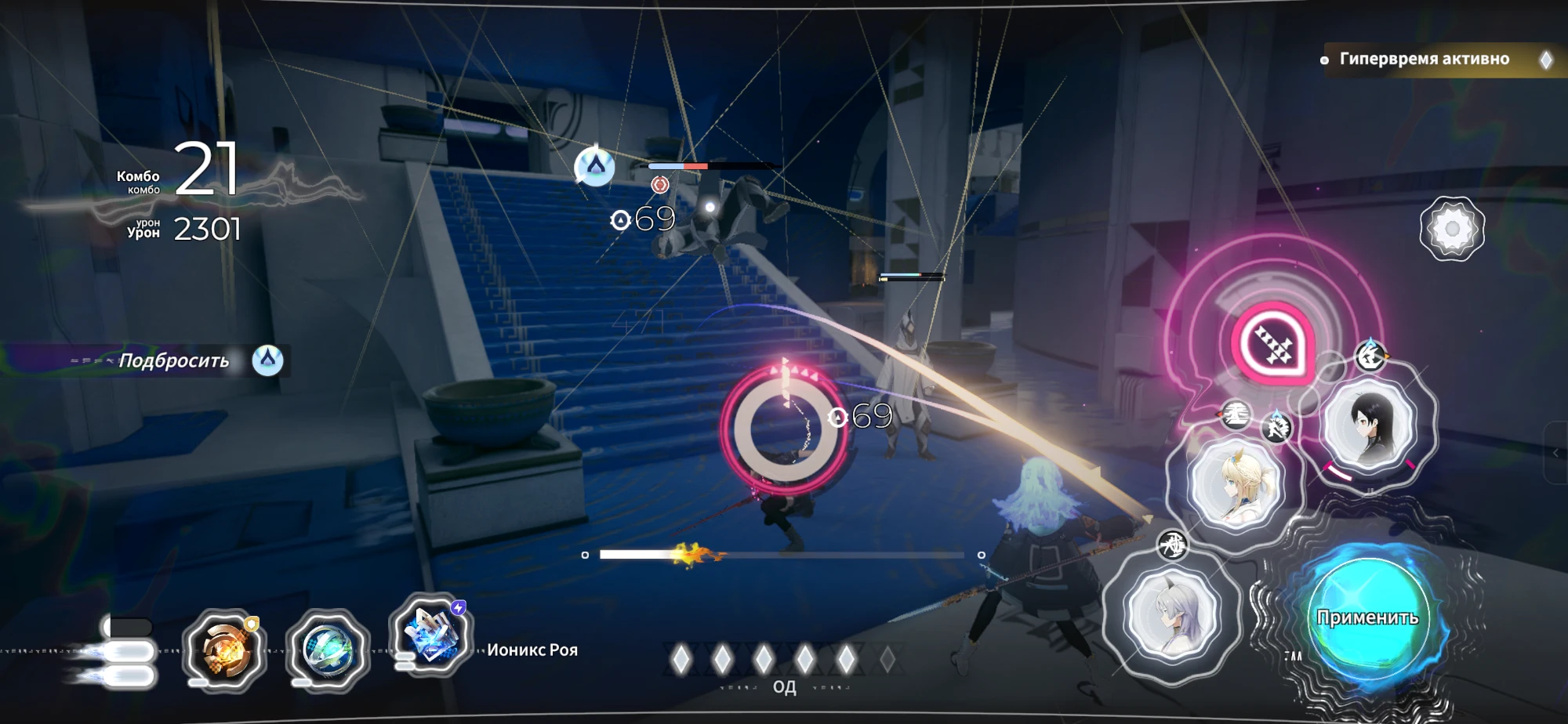
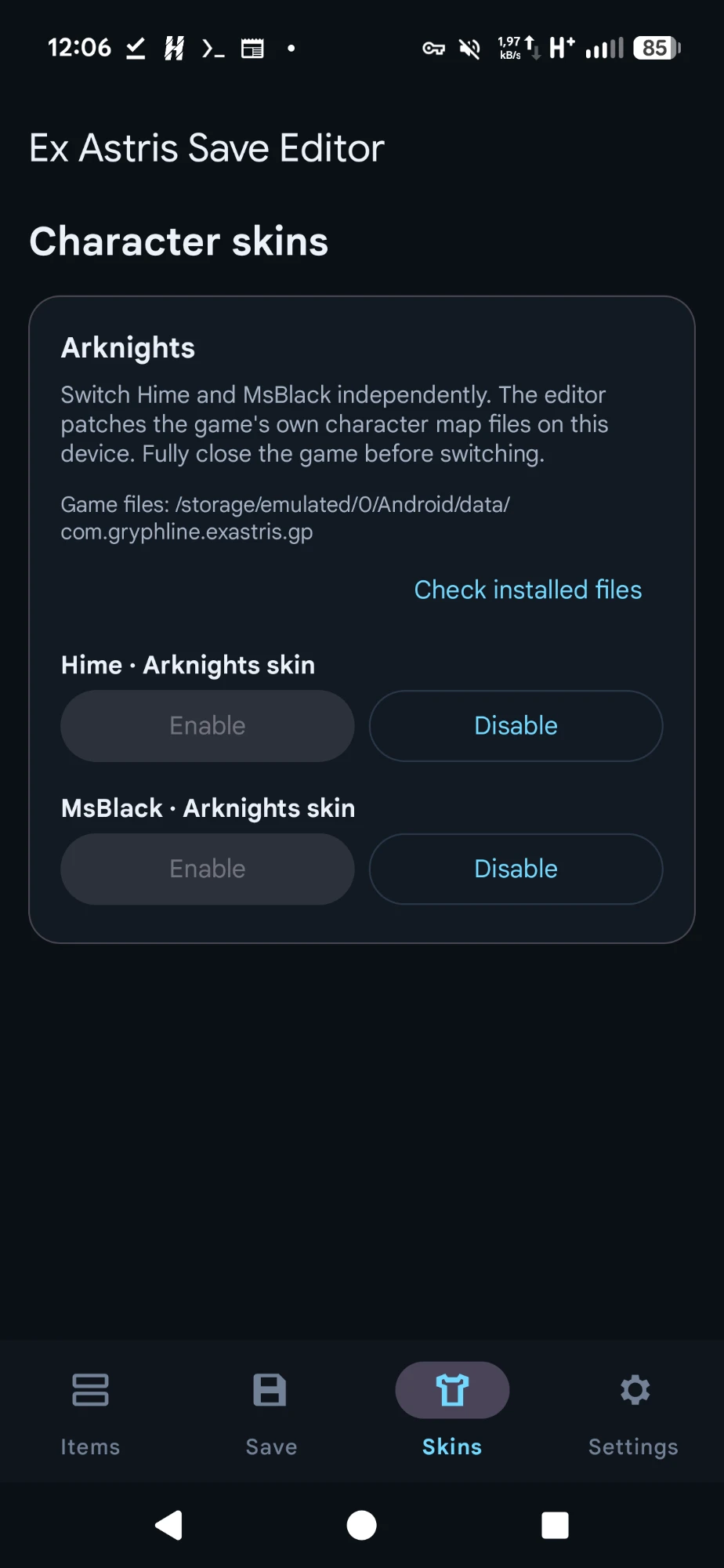
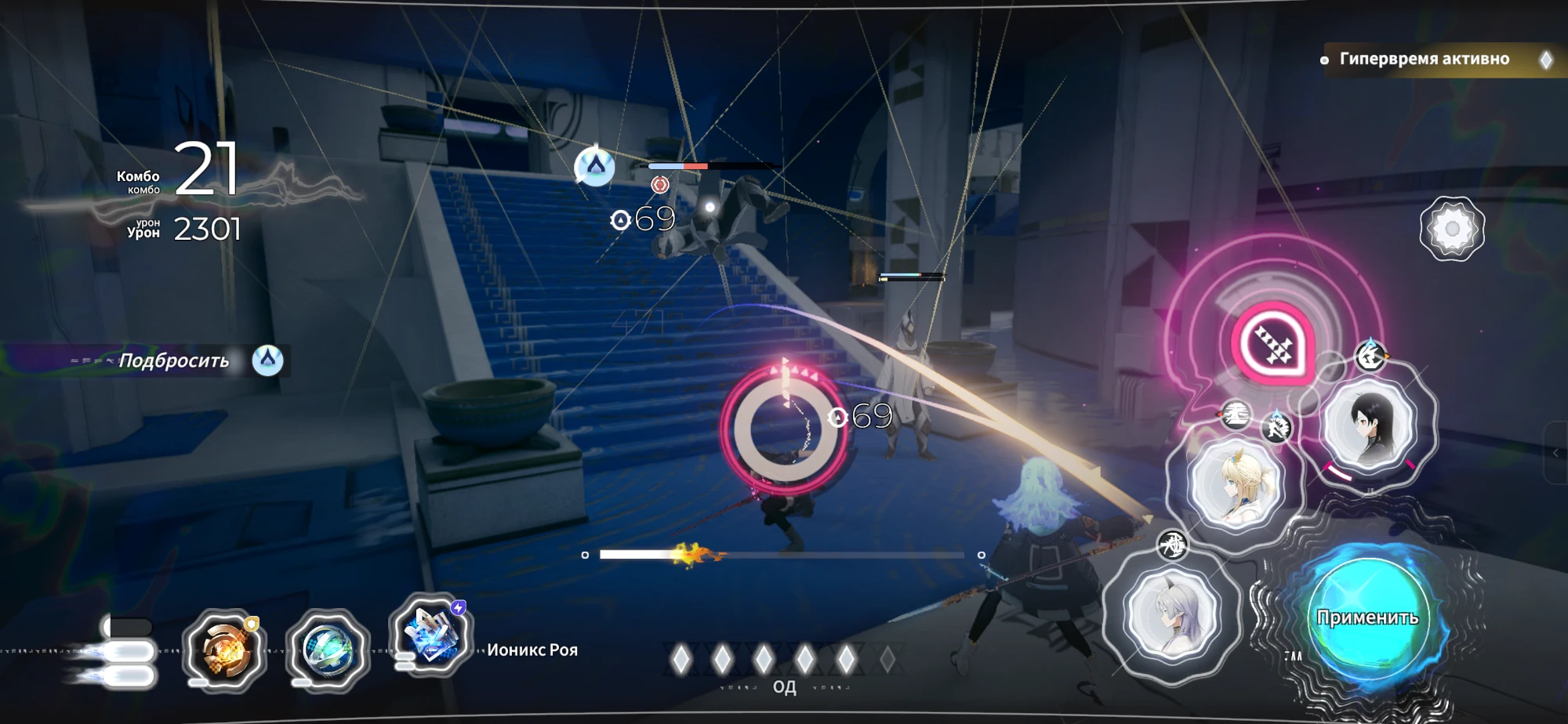
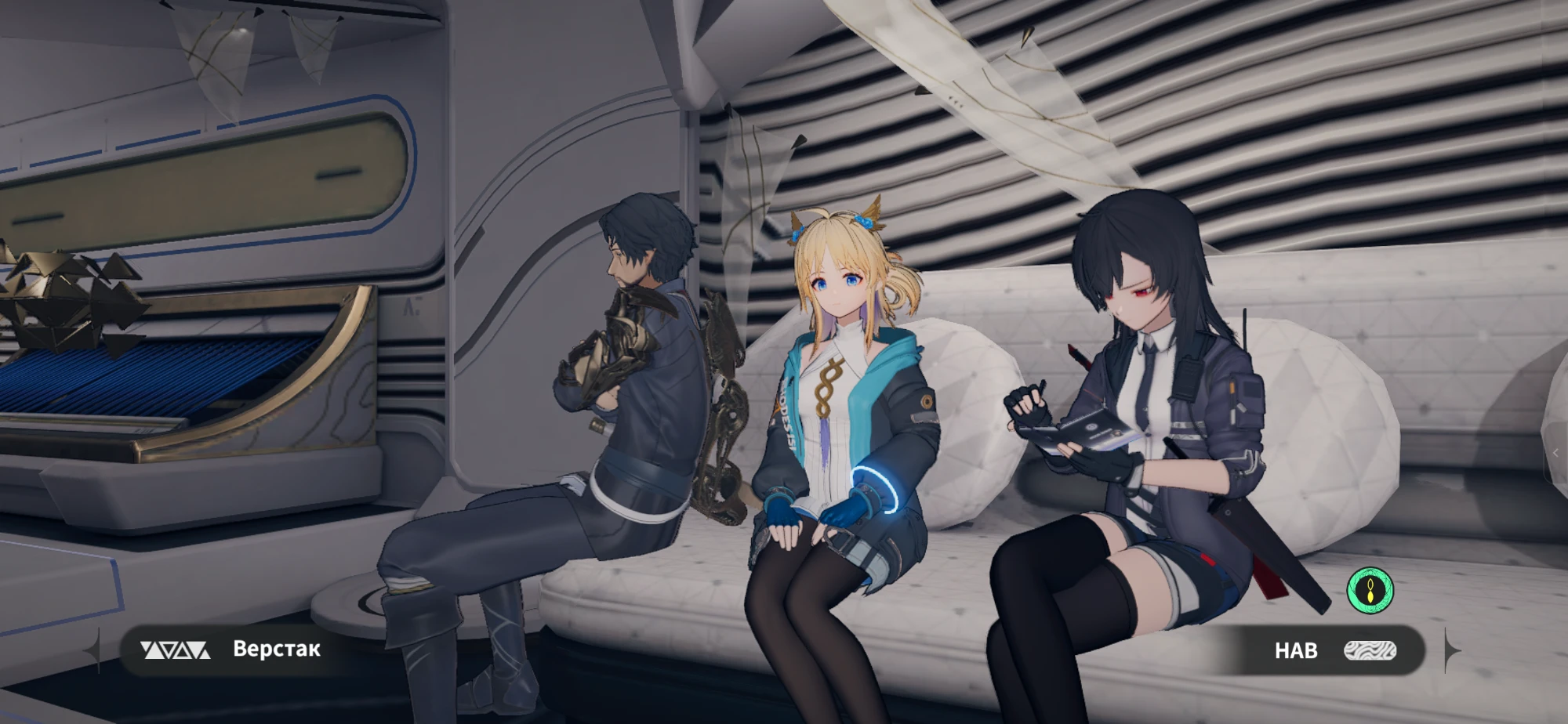
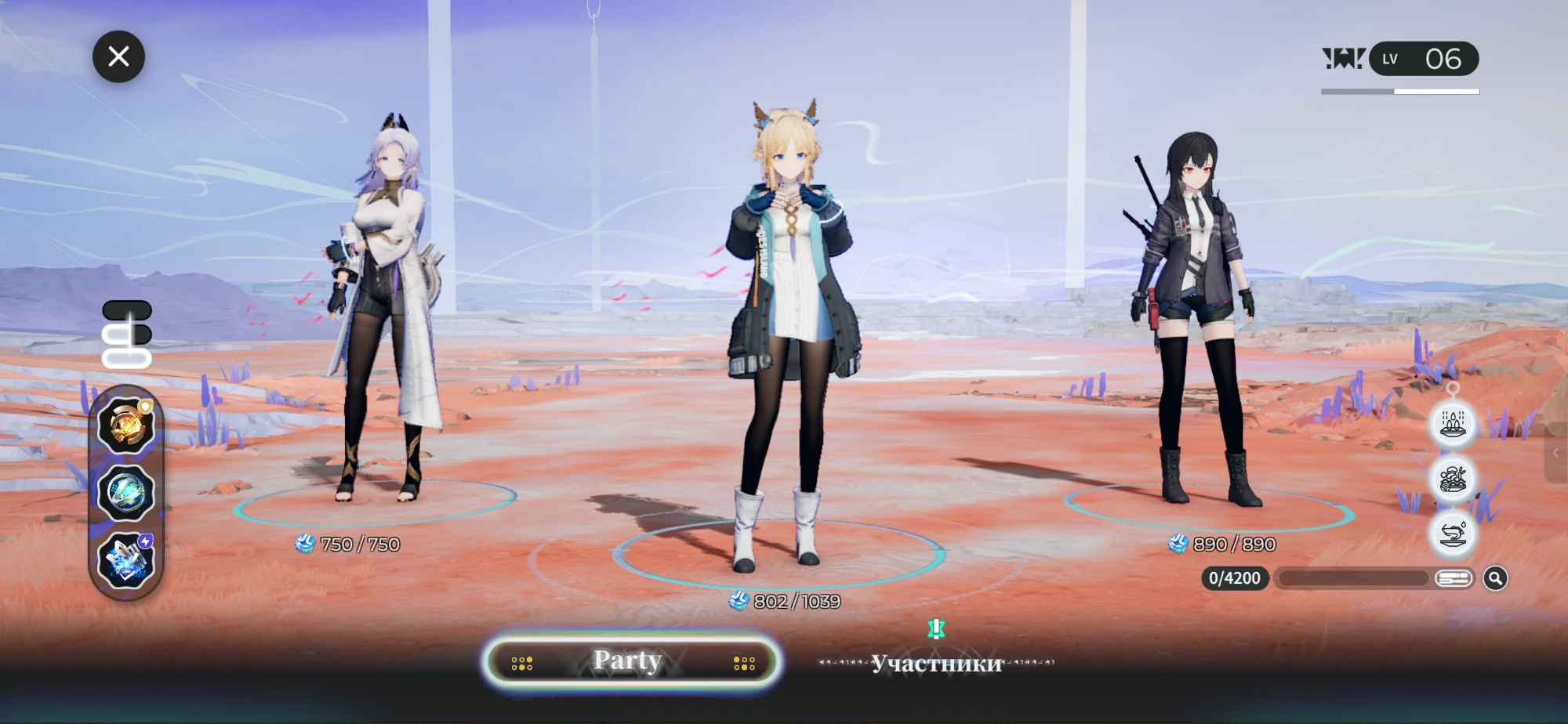
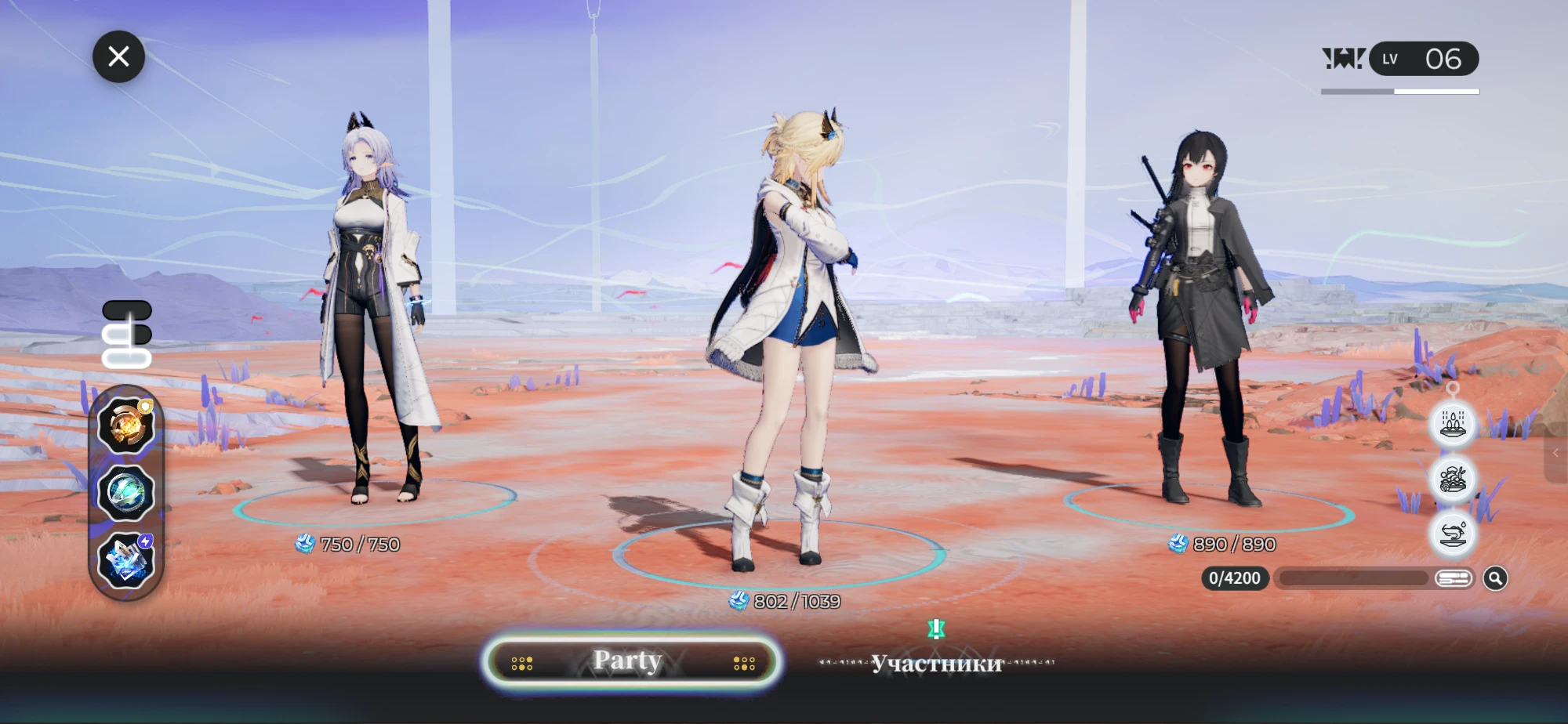
- Arknights skins for Hime and MsBlack, switched on and off independently (Root or Shizuku). The editor patches the game's own files on your phone and does not include any game files.
- English and Russian interface and item descriptions.
Screenshots
| Items | Skins |
|---|---|
 |
 |
Arknights skins in game (standard party, then Arknights party, hub and battle):


Download
Download the APK from the latest release. Requires Android 8.0 or newer.
How to use
- Fully close Ex Astris.
- Open the editor and choose an access mode in Settings → Access: Auto, Root, Shizuku or File.
- On the Save tab, open
SaveFile0.save. - Edit items on the Items tab, then tap Save.
- Start the game and check the result.
Switching skins: close the game, open the Skins tab and tap Enable or Disable for Hime or MsBlack. The change takes effect after the game restarts.
The save is usually located at:
/storage/emulated/0/Android/data/com.gryphline.exastris.gp/files/<profile-id>/Save/SaveFile0.save
Safety
- Always close the game before saving or switching skins.
- Backups can be restored from the Save tab (Restore backup).
- The editor only works inside the Ex Astris data folder and refuses unknown or damaged files instead of guessing.
- A game update may undo the skin change. If that happens, switch it on again.
Building
GitHub Actions builds every push to main: it runs the tests and produces a debug APK. Tags v<version> produce signed releases. To build locally you need JDK 17 and Android SDK 34:
gradle testDebugUnitTest assembleDebug
Documentation
- SETUP.md: Termux workflow and CI artifacts
- TESTING.md: test and release checklist
- RELEASE.md: signing and publishing releases
- CHANGELOG.md: version history
- docs/CATALOG.md: item catalog, data sources and bulk-edit safety
- docs/PATCH_METHOD_HIME_MSBLACK.md: how the skin files are modified, verified and what is still open (in Russian)
Disclaimer
This is an unofficial fan-made tool. It is not affiliated with or endorsed by GRYPHLINE, Hypergryph or the developers of Ex Astris. Editing saves is at your own risk. Keep backups.
License
Copyright (C) 2026 Exa Save Editor contributors.
The source code is free software: you can redistribute it and/or modify it under the terms of the GNU General Public License version 3 as published by the Free Software Foundation. It is distributed without any warranty; see the license for details. Modified versions that are distributed must also be released under GPL-3.0 with their source code.
Releases up to and including v1.8.1 were published under the MIT License.
The item icons (app/src/main/res/drawable-nodpi/item_*.png) were extracted from Ex Astris, and item names and descriptions in items.json are partly based on the game's text. Ex Astris, its characters, artwork and text are the property of GRYPHLINE and their respective owners. They are not covered by the GPL and are used only to identify items in this fan-made tool. Arknights is a trademark of Hypergryph.
How Shizuku is used
Can find, open and save Ex Astris game saves and switch collab skins via `Shizuku`.
This is an AI-assisted analysis of Shizuku-related usages in the app's public source code. It is best effort, so it may not catch every single usage.
How this app uses Shizuku
Shizuku lets the editor work directly with the game’s private files so saves and skins can be managed without manual file hunting.
- Discover game saves: automatically finds available Ex Astris saves in the game’s private storage through Shizuku and offers to open the main or remembered save.
- Open saves for editing: reads the selected save through Shizuku so inventory contents can be viewed, edited and backed up inside the app.
- Write saves back: writes the edited save back to its original private location through Shizuku with verification and automatic backup handling.
- Switch collaboration skins: detects the downloaded character skin bundles through Shizuku, shows whether stock or Arknights artwork is active, and replaces the bundle content to enable the chosen look after keeping a verified backup.
Android APIs or commands used
ParcelFileDescriptor.openOs.statOs.chownOs.chmodOs.renameOs.getuid
Notable details
Manual file picking remains available without Shizuku for opening and saving through the system file picker. Privileged access is deliberately limited to the game’s own storage area, covering saves and the two known collaboration skin bundles only.
Changelog
What's new for version 1.8.1
Ex Astris Save Editor v1.8.1
Changes
- The header card on the Items tab now shows Find save once Root or Shizuku is connected, and Switch when a game save is open. Previously the button disappeared after connecting, and the save could only be found from the Save tab.
- The README now states that the MIT License covers the source code only. Item icons and game-derived item texts belong to their owners.
Everything from v1.8.0 is unchanged. The Arknights skins for Hime and MsBlack are still patched on your phone, and the app contains no game files.
Checked on a device
- Connect / Find save / Switch in the header card, with both Root and Shizuku.
- Arknights skins on and off, in the world, menus, hub scenes and battle.
- Saving item changes (the game shows the edited quantities).
Screenshots
Updating
v1.8.1 is signed with the same release key and installs over v1.8.0 as a normal update.
Release metadata
Version: 1.8.1
Version code: 26
Catalog entries: 160
Item icons: 160
Build variant: release
Permissions
2 permissions requested
More from this category
 SwiftSense
 AimBuddy
 LAC Tool
 MaaMeow
 BDroid X
 Cinderbox Companion
 神原
神原
 NBT Editor
 PF Tool
 Stalker
Ascent
Stalker
Ascent
 Okkei Patcher