 ShizuStore

EtherTether
1.0.0 · GitHub
More about this app
Ethernet tethering with a fixed IPv4 address of your choice (for example for link-local devices) or normal DHCP, for any USB-C Ethernet adapter; profiles, Quick Settings tile, widget and automatic start on plug-in
EtherTether
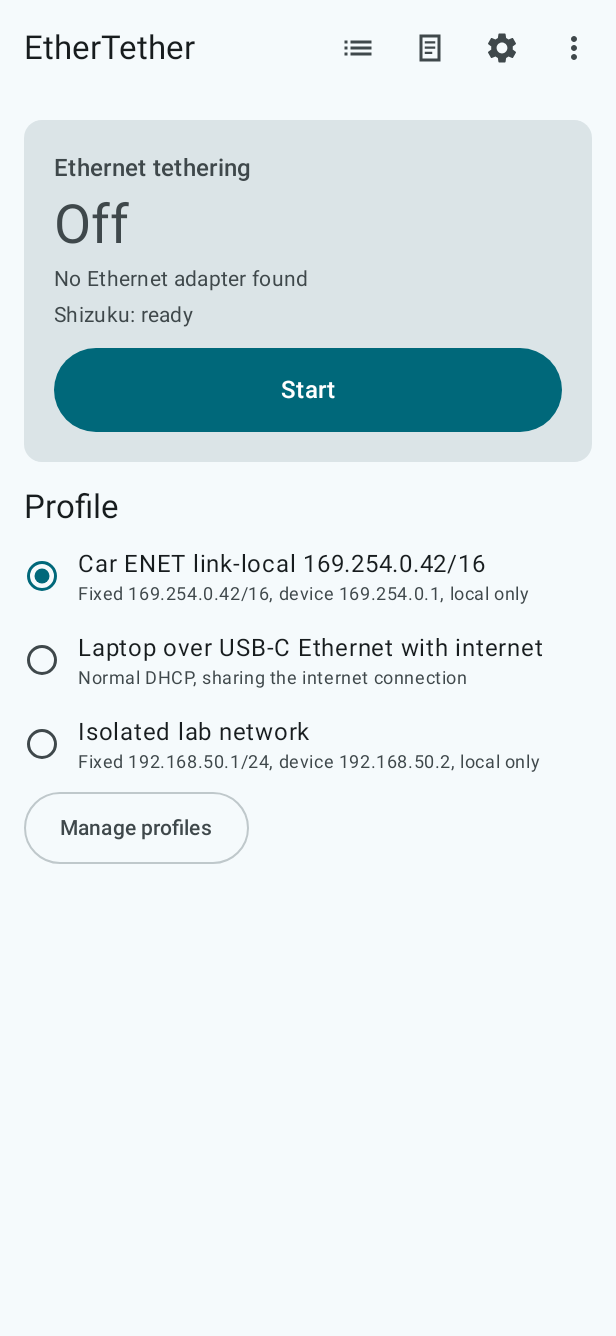
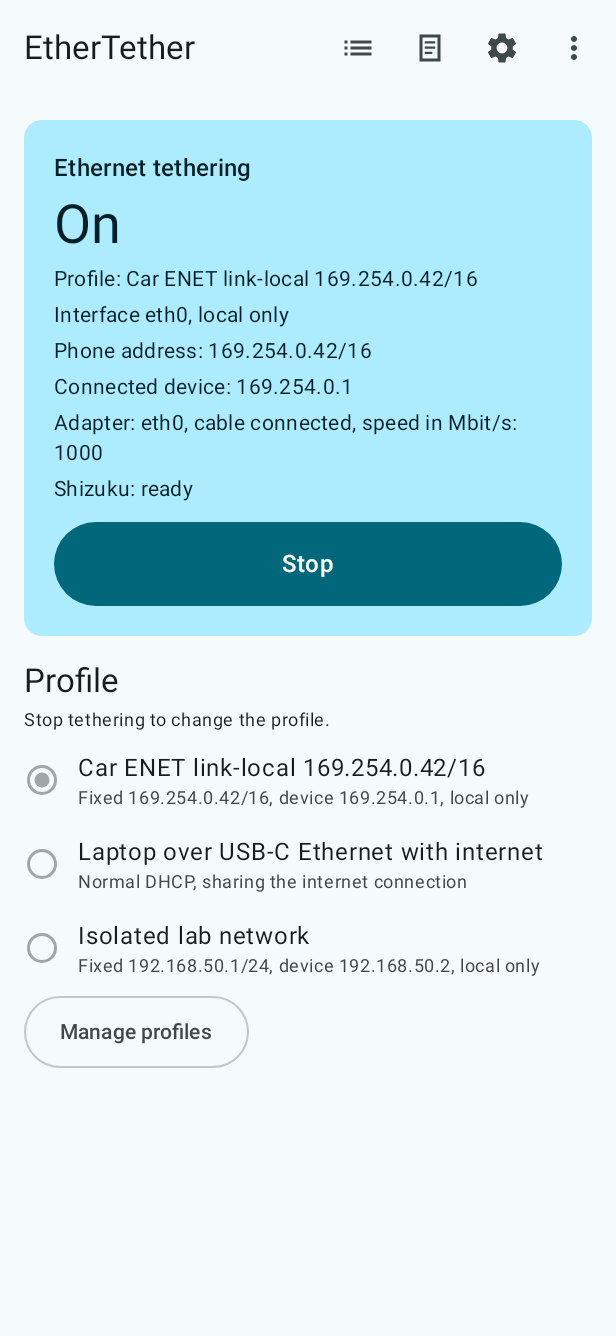
EtherTether starts and stops Android's built-in Ethernet tethering for a USB or USB-C Ethernet adapter. Plug in the adapter, pick a profile, tap Start.

Two modes:
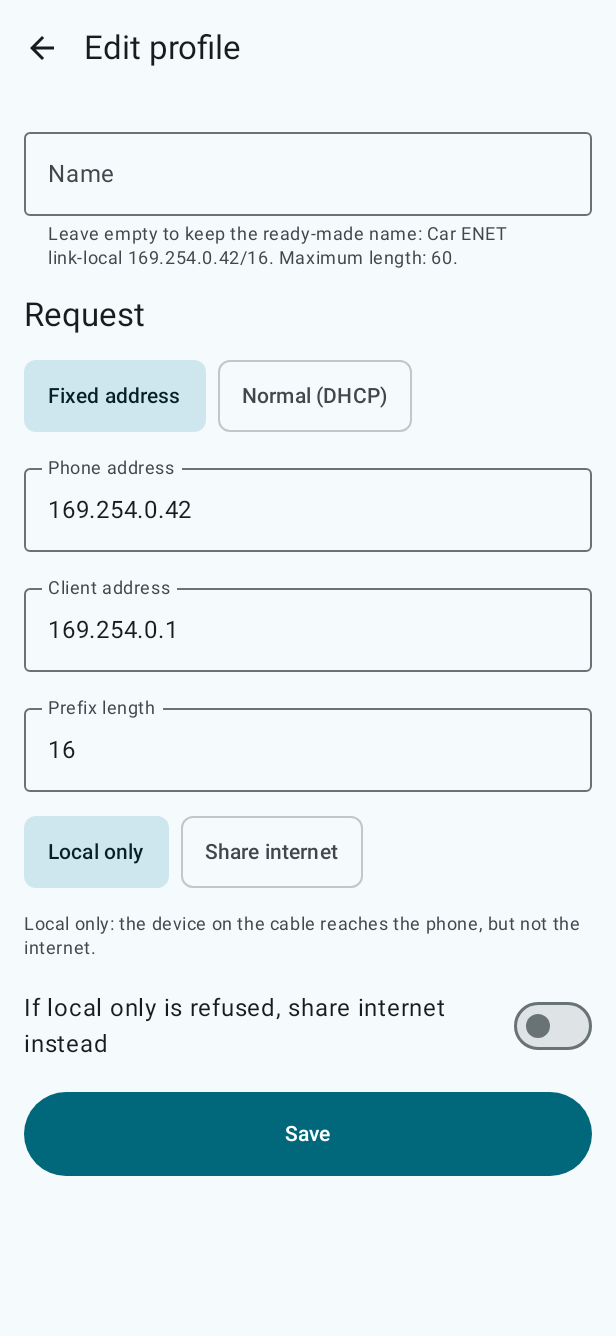
- Fixed address: the phone takes an IPv4 address you choose, for example
169.254.0.42/16, and offers one matching address to the device on the other end. This reaches devices that only speak link-local or a fixed subnet, such as diagnostic interfaces, lab equipment and embedded boards. - Normal sharing: Android's usual DHCP tethering, optionally sharing the phone's internet connection.
Start and stop from the app, the notification, a Quick Settings tile or a home-screen widget. With Keep armed, EtherTether asks Android again whenever the adapter is removed, so the next adapter you plug in is served by itself; Start after restart arms your profile after a reboot once Shizuku runs. Profiles can be exported and imported as a small JSON file.
Stop returns everything to normal. EtherTether changes nothing beyond the tethering request: no routes, no DNS, no Wi-Fi or mobile data settings, no firewall rules.
Version 1.0.0, tested on a POCO F7 (Android 16, HyperOS 3) with a USB-C Ethernet adapter. If you try it on another phone or adapter, please open an issue either way; working setups go into docs/COMPATIBILITY.md.
How it works
Android has supported tethering over USB Ethernet adapters since Android 11, and its tethering service accepts a request with a fixed address. Ordinary apps are not allowed to make that request; it takes the shell identity, which you can hand to EtherTether through Shizuku. Shizuku runs on the phone itself, started with wireless debugging (no computer needed) or with ADB, and has to be started again after every reboot.
EtherTether uses that access only to start, stop and read Ethernet tethering. Sui and plain root are not supported; on a rooted phone, start Shizuku the normal way. How the request travels through the app is described in docs/ARCHITECTURE.md, and the reasoning behind the design in docs/DESIGN.md.
Not for plugging the phone into a router
EtherTether makes the phone the host of a small cable network: it gives the phone an address and offers one address to the device on the other end (Android's DHCP server). It is for devices that need the phone, such as a laptop, a car's diagnostic port or lab equipment.
To get internet from a router or modem over a cable, do not use EtherTether: stop it, turn off Keep armed, and plug the adapter in again. Android then uses the adapter as a normal wired connection by itself (if the phone maker kept that feature). While EtherTether runs or is armed, Android uses every adapter for tethering instead, and on a router's network the phone would offer addresses that clash with the router's own.
Requirements
- Android 11 (API 30) or newer.
- A USB or USB-C Ethernet adapter that Android recognises. Common chipsets such as Realtek RTL8153 and ASIX AX88179 have drivers in Android's standard kernels; what is verified on real phones, and what is not yet, is listed in docs/COMPATIBILITY.md.
- Shizuku, started with wireless debugging or ADB.
Install
Signed APKs are available from:
GitHub Releases of this repository: download
EtherTether-X.Y.Z.apk.Obtainium, which installs and updates directly from GitHub Releases: tap the badge on the phone with Obtainium installed, or add
https://github.com/oytuncagil/ethertetherin Obtainium by hand.
Other listings are planned; see docs/LISTINGS.md.
On the first install, Google Play Protect may say that it has not seen apps from this developer yet. Tap More details, then Install anyway. Google's developer verification and EtherTether's status are explained in docs/DEVELOPER_VERIFICATION.md.
Signing certificate
Every official APK is signed with the same release key. Its certificate SHA-256 fingerprint:
75:37:BE:B7:0C:8E:EF:0E:39:88:1F:A9:BC:4A:1C:37:DE:FC:97:86:29:AC:DE:4E:A3:85:B8:24:31:1D:05:7B
apksigner prints the same value in lower case without colons: 7537beb70c8eef0e39881fa9bc4a1c37defc978629acde4ea385b824311d057b.
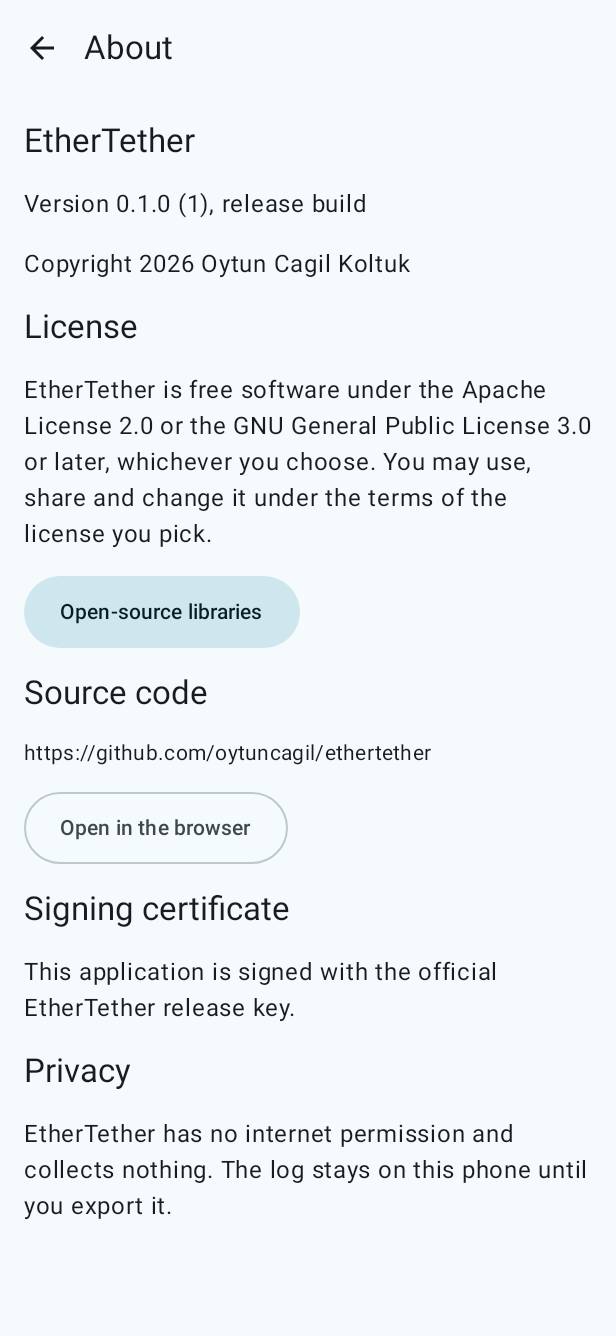
The About screen in the app says whether the installed copy is signed with the official release key. Verifier apps such as AppVerifier can check it too. How to verify a download, and how to rebuild the APK from the source and compare it (the release build is reproducible): docs/RELEASING.md.
Starting Shizuku with wireless debugging
- Install Shizuku from its official download page.
- Enable Developer options (tap Build number seven times in Settings, About phone), then turn on Wireless debugging.
- In Shizuku, choose to start with wireless debugging and pair using the pairing code shown in Wireless debugging.
- Open EtherTether and follow the introduction; tap Grant access when it asks.
Shizuku stops when the phone restarts; start it again after each reboot. Shizuku 13.6 and later can start by itself after a restart on Android 13 and later when the phone is on a trusted Wi-Fi network.
Languages
English, Turkish and German. On Android 13 and later the language can also be set per app in the phone's settings. Translations into more languages are welcome; see CONTRIBUTING.md.
Privacy
EtherTether collects nothing. It has no INTERNET permission (the build fails if anything adds it), no analytics, no crash reporting, no ads and no accounts. Logs stay on the phone until you export them yourself. Details: PRIVACY.md.
Building from source
Requirements: JDK 21 and the Android SDK with platform android-37.0 and build tools 37.0.0.
./gradlew assembleDebug
The APK is written to app/build/outputs/apk/debug/. See CONTRIBUTING.md for the full checks.
Contributing
Contributions are welcome under the project's licenses, with a Developer Certificate of Origin sign-off on every commit. Read CONTRIBUTING.md and the code of conduct. Report security problems privately as described in SECURITY.md.
License
Copyright 2026 Oytun Cagil Koltuk.
EtherTether is licensed under either of
- the Apache License, Version 2.0 (LICENSE-APACHE), or
- the GNU General Public License, version 3 or (at your option) any later version (LICENSE-GPL),
at your option. SPDX: Apache-2.0 OR GPL-3.0-or-later. Third-party notices are in NOTICE.
Name and logo
The name EtherTether and its logo identify the official app published from this repository. You are welcome to fork the code under its licenses, but please give your fork its own name, its own icon and its own application id, so that users can always tell an official build from a modified one.
Shizuku and Sui are projects of RikkaApps and are not affiliated with EtherTether.
How Shizuku is used
Can start and stop USB Ethernet tethering with static or DHCP settings and check its status through `ITetheringConnector` via Shizuku
This is an AI-assisted analysis of Shizuku-related usages in the app's public source code. It is best effort, so it may not catch every single usage.
How this app uses Shizuku
EtherTether uses Shizuku to run its tethering engine with shell identity so it can control Ethernet tethering that the normal app cannot touch.
- Start Ethernet tethering: start sharing over a USB-C Ethernet adapter with the selected profile, using a fixed IPv4 address or DHCP and local only or internet sharing, through the system tethering service via Shizuku.
- Stop Ethernet tethering: stop the active Ethernet share on demand, before a new start, or from the tile, widget and automatic triggers, through the system tethering service via Shizuku.
- Check tethering status: read whether Ethernet is serving, waiting for the adapter, available or in error, plus adapter addresses and connected clients, using tethering state callbacks and interface readings via Shizuku.
Android APIs or commands used
android.net.ITetheringConnector.startTetheringandroid.net.ITetheringConnector.stopTetheringandroid.net.ITetheringConnector.registerTetheringEventCallbackandroid.net.ITetheringConnector.unregisterTetheringEventCallbackandroid.os.ServiceManager.getServiceandroid.net.TetheringManager$TetheringRequest$Builderandroid.net.TetheringRequestParcelandroid.net.TetherStatesParcelandroid.net.TetheringCallbackStartedParcelandroid.net.IIntResultListenerandroid.net.ITetheringEventCallbackandroid.net.LinkAddressandroid.net.TetheredClientjava.net.NetworkInterface
Changelog
What's new for version 1.0.0
First public release.
Added
- Start and stop Android's Ethernet tethering through Shizuku, with a fixed IPv4 address (phone address, one client address, prefix 16 to 30) or with Android's normal DHCP sharing, local only or sharing the internet connection. Every start is confirmed through Android's tethering state.
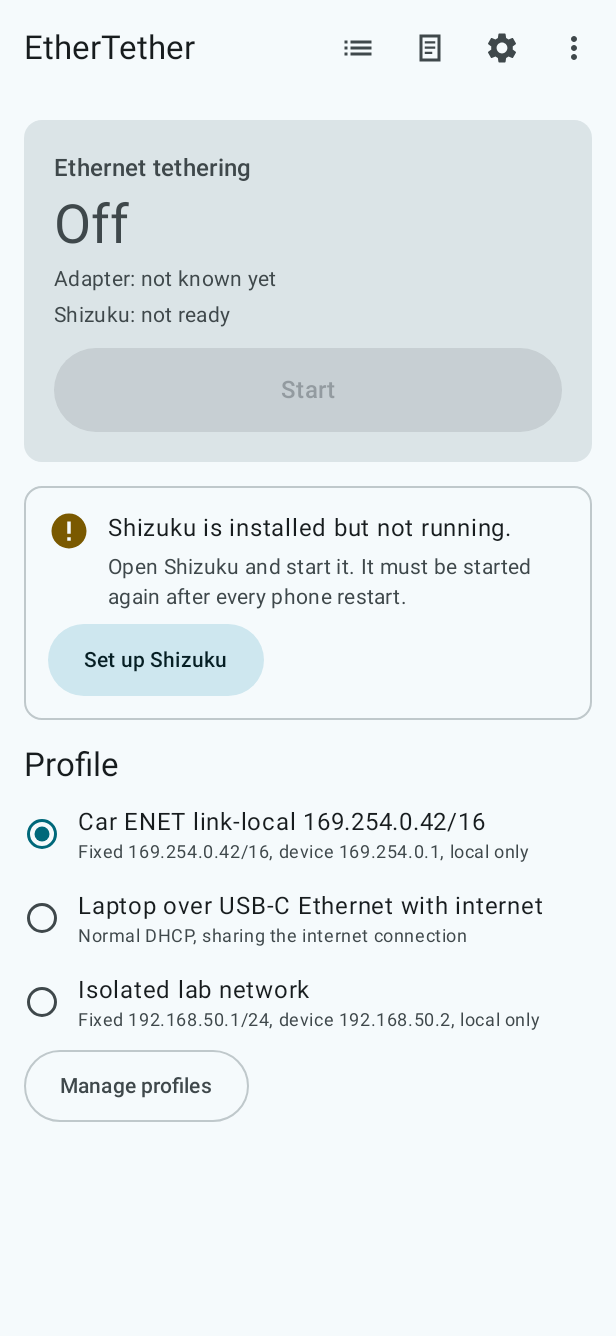
- Profiles: three ready-made ones and your own, checked before anything is sent, with suggestions for the client address and prefix, duplicate, delete, and import and export as a small JSON file.
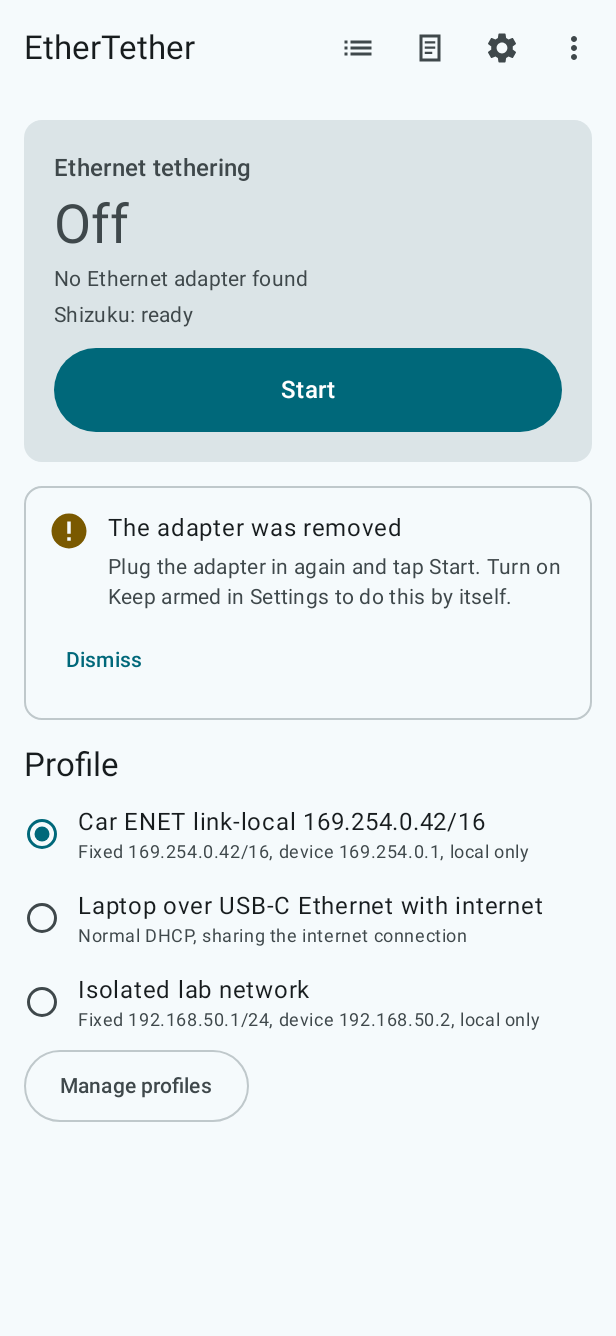
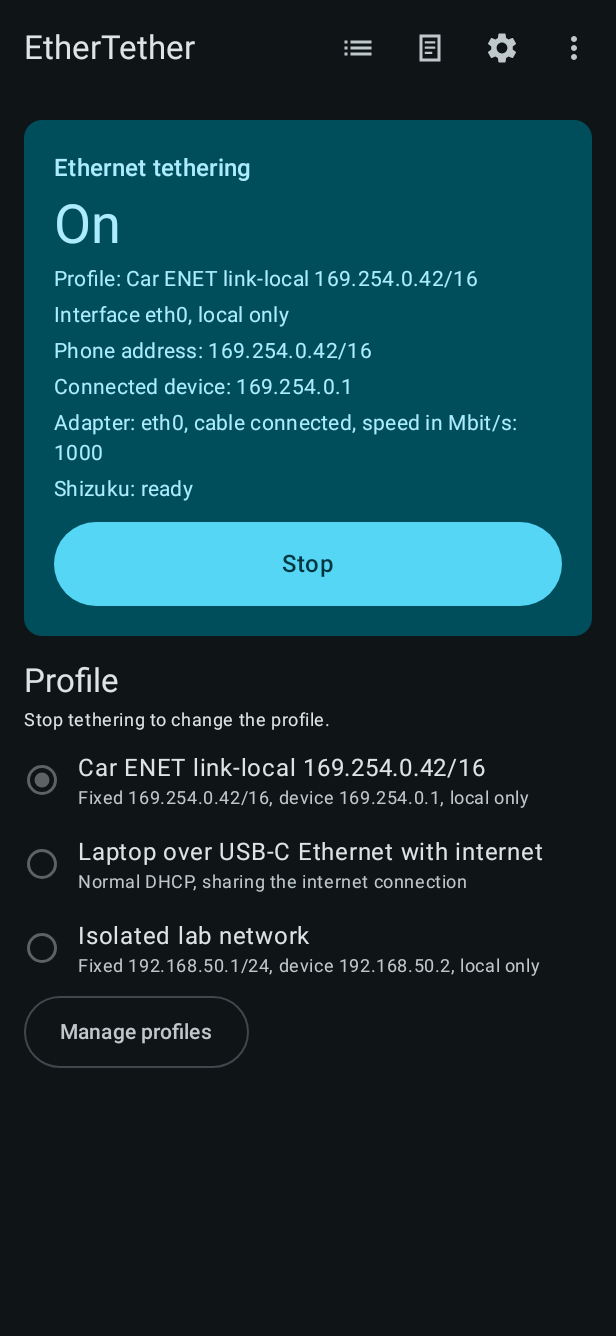
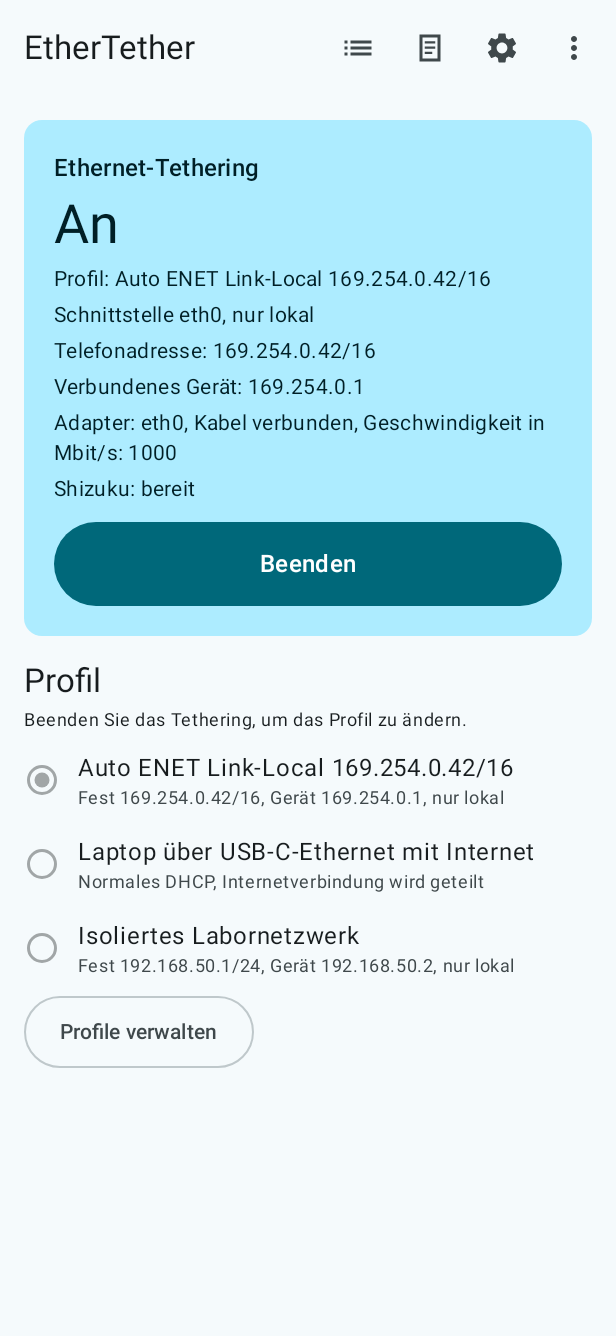
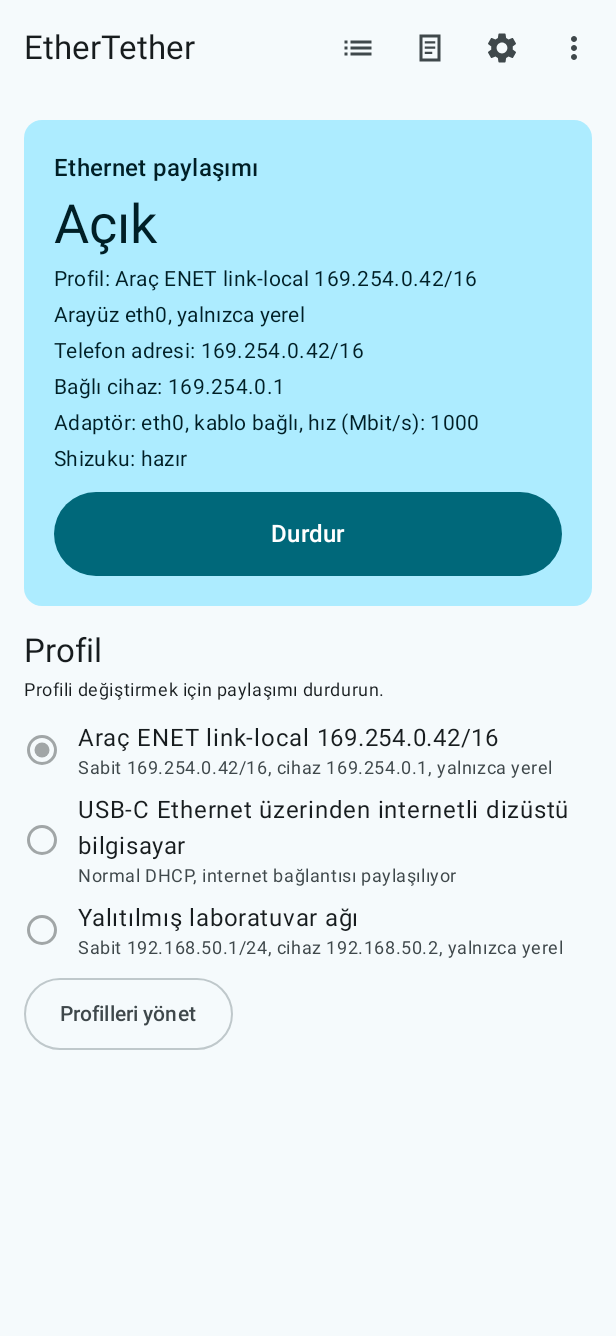
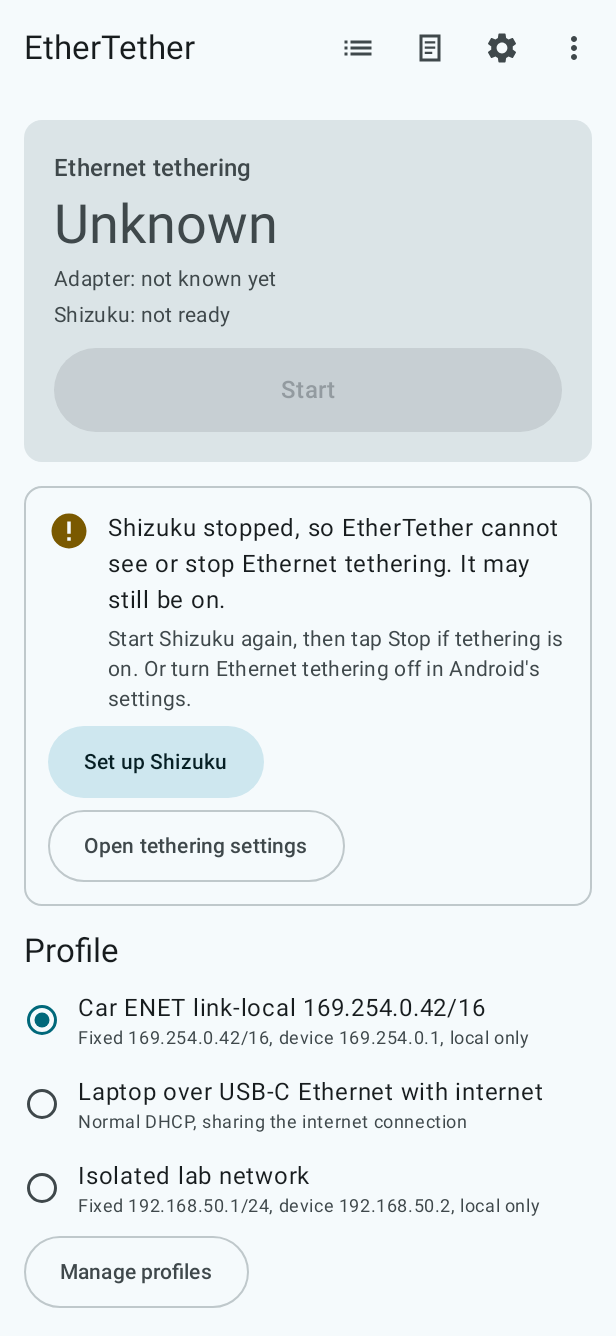
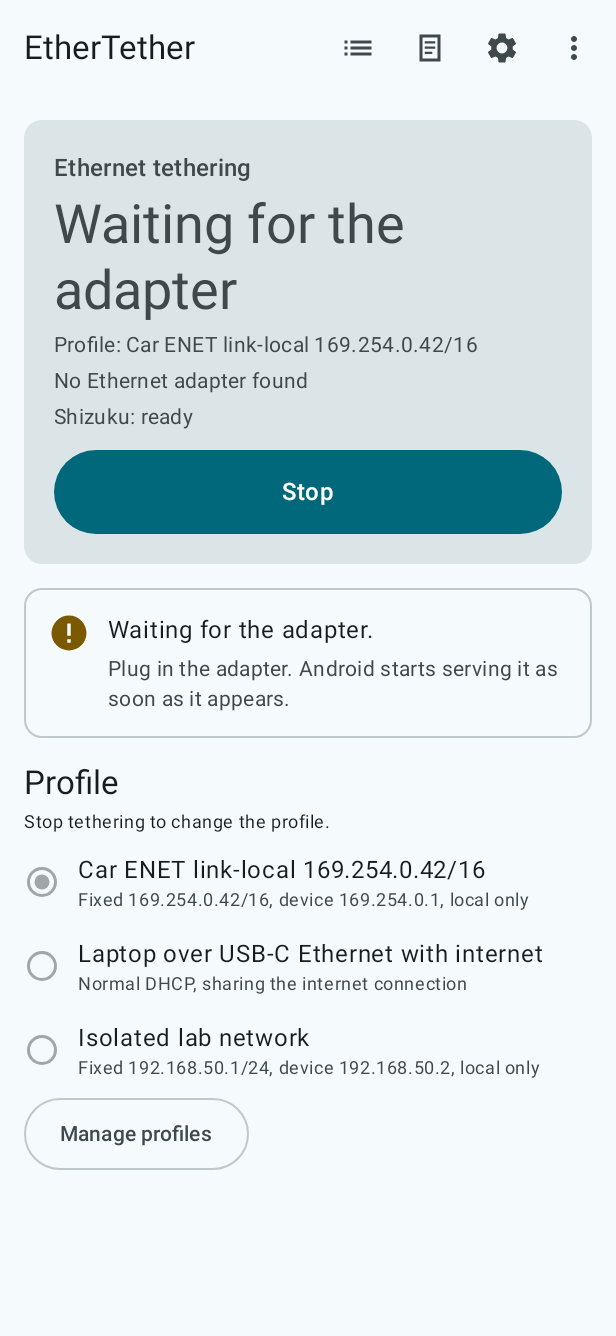
- Home screen with the live state (profile, interface, phone address, connected device, adapter and cable), one Start/Stop button and a message with the next step whenever something is missing.
- Keep armed: after the adapter is removed, EtherTether asks Android again, so the next adapter is served by itself. Start after restart arms the selected profile once Shizuku runs after a reboot.
- A notification with Stop, a Quick Settings tile and a home-screen widget.
- Alerts when tethering is stopped outside EtherTether or the adapter is removed.
- After the app was ended by Android while armed, the profile is watched or armed again on the next start; when the adapter comes back, home offers Start; a second adapter is named as not used.
- When Shizuku stops while tethering runs, the state is shown as unknown, with a way to turn tethering off in Android's settings.
- Every request has a time limit, Stop works while a start is in progress, and a start never stays stuck.
- The status follows the adapter being plugged in or out, also while tethering is off.
- Illustrated introduction and a guided Shizuku setup (wireless debugging on the phone alone).
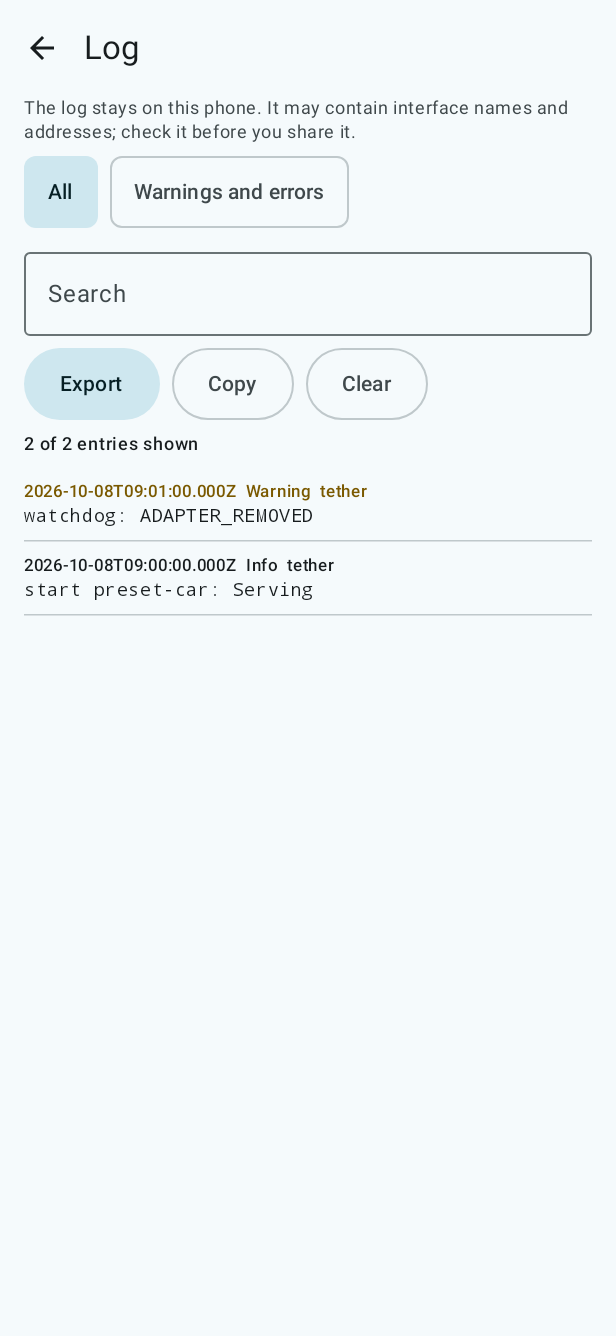
- Log screen with filter, search, copy, export through the share sheet and clear. The log stays on the phone.
- Settings for automation, notifications, theme, wallpaper colours and language, with the state of Shizuku and a hint when Android may remove the app's permissions after months without use.
- About screen with version, license, open-source libraries, source code link, and whether the installed copy is signed with the official release key.
- English, Turkish and German.
- Engine debug screen behind a developer switch, running the engine step by step with every raw result.
- Signed release APKs built by GitHub Actions, with checksums and reproducible builds anyone can verify.
- Store descriptions, screenshots, feature graphic and icon in English, Turkish and German.
Security
- No INTERNET permission; the build fails if any library adds it.
- The Stop action in the notification needs the phone unlocked (Android 12 and later).
- The engine only answers EtherTether and Shizuku (Shizuku 13 and later).
- Profile names cannot contain characters that reorder the surrounding text.
- Shared log files are removed when the app starts.
- Android's settings pages are opened only from system apps.
Signing certificate SHA-256: 7537beb70c8eef0e39881fa9bc4a1c37defc978629acde4ea385b824311d057b
Check the download with sha256sum -c SHA256SUMS. How to verify the signature and rebuild the APK yourself: docs/RELEASING.md.
Permissions
9 permissions requested
More from this category
 ShizuWall
 ADNS
 Network Scanner
 Dolphy
 WiFi Password Manager
 bunnylock
 Shizzi
 Quintz
 De1984
 Traffic Light
 sing-box
 Hikari AdBlock