 ShizuStore
Delta
2025.08+0 · GitHub
More about this app
Hotspot manager using Shizuku
delta
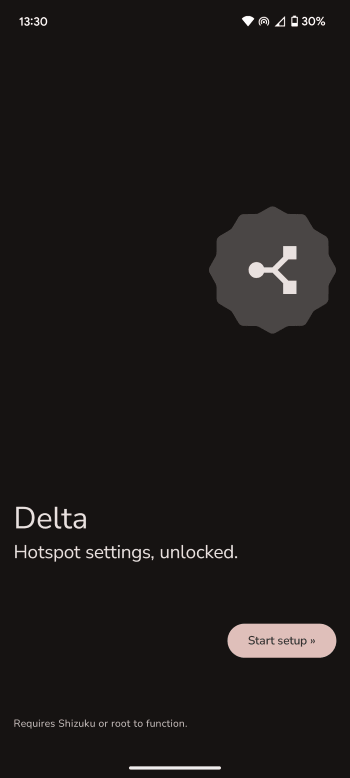
This app allows accessing advanced hotspot settings not exposed through the system settings app on devices that use Stock Android.
It provides various information and features such as:
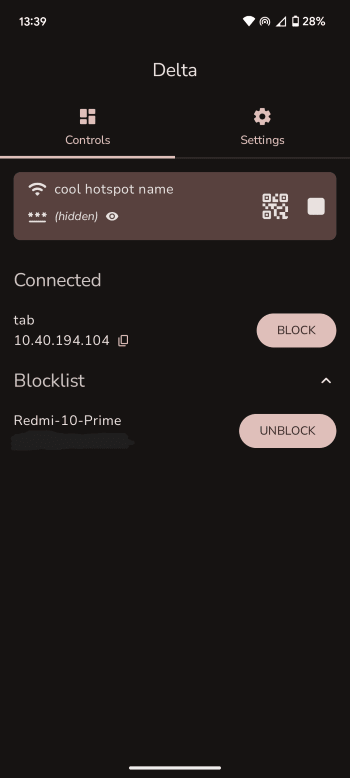
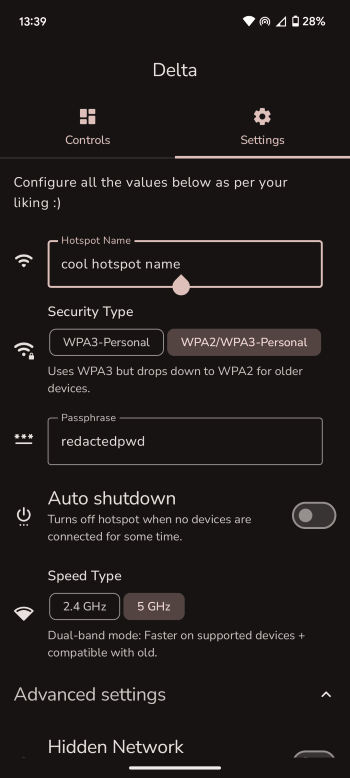
- Usual info provided by settings app such as hotspot name, passphrase, security type, frequency bands, quick connect using QR, etc.
- List of connected devices.
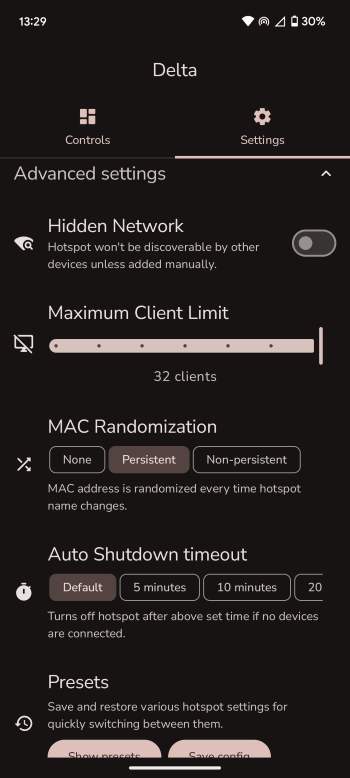
- Modifying amount of devices that can connect.
- Changing MAC randomization settings.
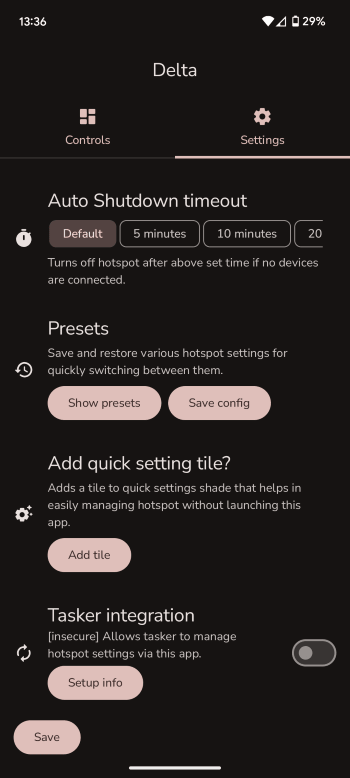
- Setting auto turn-off timeout.
- Blocklist to prevent certain devices from connecting.
- Make hotspot's SSID hidden (device doesn't appear on WiFi scans)
- Quick setting tile to easily turn hotspot on/off from notification shade.
- Control hotspot using Tasker/other automation apps.
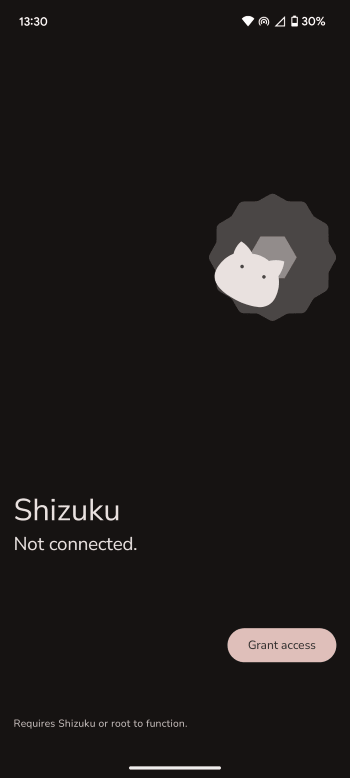
It uses Shizuku to obtain hotspot related details and to modify hotspot settings. It is also useful on devices like Samsung Tabs (WiFi-only) where hotspot settings are hidden from Settings app and SystemUI.
Installation and queries
Get started with the app using the quick start guide which has step-by-step instructions on how to install the app.
Any questions?
Refer to the FAQ section
Localization
If you wish to translate the project to a language that you are fluent in, you can contribute through Crowdin
Open up a discussion on GitHub or mail me to enable any language on Crowdin other than the ones already enabled.
Note
By providing translations on Crowdin, you agree that your translated content will be licensed under BSD-3-Clause, similar to the app.
Signing-off on commits is enforced on GitHub but not on Crowdin and thus, I wanted to make it explicit.
Want to contribute?
Check out this page on how to start! :hugs:
How Shizuku is used
Can start and stop the Wi-Fi hotspot, edit its settings and monitor clients via `tethering` and `wifi` services through Shizuku.
This is an AI-assisted analysis of Shizuku-related usages in the app's public source code. It is best effort, so it may not catch every single usage.
How this app uses Shizuku
Delta uses Shizuku to manage the Wi-Fi hotspot through privileged system services that normal apps cannot call.
- Start hotspot: turn the hotspot on from the main control, Quick Settings tile or automation receiver using privileged tethering start calls.
- Stop hotspot: turn the hotspot off from the same controls, including automatic stop when the hotspot fails, using privileged tethering stop calls.
- Change hotspot settings: apply a new name, password, security type, frequency band and other options chosen in settings, with validation where supported, and automatically restart the running hotspot to apply them.
- Block connected devices: add or remove devices from the hotspot block list, which updates the hotspot configuration to deny those hardware addresses.
- View live status: show hotspot state, supported bands and security types, current configuration and connected devices with addresses and hostnames by subscribing to privileged tethering and hotspot callbacks and polling the current configuration.
- Recover saved password: read the last configured hotspot password since boot to restore the displayed configuration.
Android APIs or commands used
ITetheringConnector.startTetheringITetheringConnector.stopTetheringITetheringConnector.registerTetheringEventCallbackITetheringConnector.unregisterTetheringEventCallbackIWifiManager.setSoftApConfigurationIWifiManager.getSoftApConfigurationIWifiManager.validateSoftApConfigurationIWifiManager.queryLastConfiguredTetheredApPassphraseSinceBootIWifiManager.registerSoftApCallbackIWifiManager.unregisterSoftApCallbackIWifiManager.is5GHzBandSupportedIWifiManager.is6GHzBandSupported
Changelog
What's new for version 2025.08+0
Message
I've been held up with other things and wasn't able to fix certain bugs faster which is kinda sad but here we are!
There's also a new docs page for first-time install guide or answers to any FAQ.
Note
If you can spare a few minutes, can you check out this survey about Delta?
New features
- Added import/export feature for backing up the app data even on devices without Play services sync.
- New translations
- Fully supported: Portugese
- Almost fully supported: Serbian
- Partial: Italian
Bug fixes
- Fixed presets not applying (#93)
- Fixed crashes on certain devices running Android 11 (#86)
- Fixed STOP_SOFT_AP intent action not running (#92) --> Tasker-related fix
Improvements
- Change max client limit from a slider to a spinbox for granular control (#84)
- More translations added for Japanese, Russian, Turkish, German and Spanish
Tip
You can directly contribute to adding support for your own language at Crowdin!
Full Changelog: https://github.com/supershadoe/delta/compare/2025.05+2...2025.08+0
Permissions
3 permissions requested
More from this category
 ADNS
ADNS
 ShizuWall
 Quintz
 Dolphy
 Traffic Light
 NetManager
 De1984
 Shizzi
 Hikari AdBlock
 sing-box
 Bluetooth Bouncer
 NetSwitcher