 ShizuStore

Crosstune
2.23.0 · GitHub
More about this app
Opens any music link in your preferred app with exact match, playlists and synced lyrics; one-tap setup via Shizuku
Crosstune
Open a link from any service in the app you listen on, name the song playing nearby, and follow its lyrics and chords. Learn the words, and practice them with the music.


⬇️ Install
Needs Android 8.0 or newer.
- Get the APK from Releases, or add
https://github.com/astrovm/crosstuneto Obtainium for updates. - Or on Google Play, which is in testing: join the testers group, tap Become a tester on the testing page, then install from Google Play.
🚀 Set up
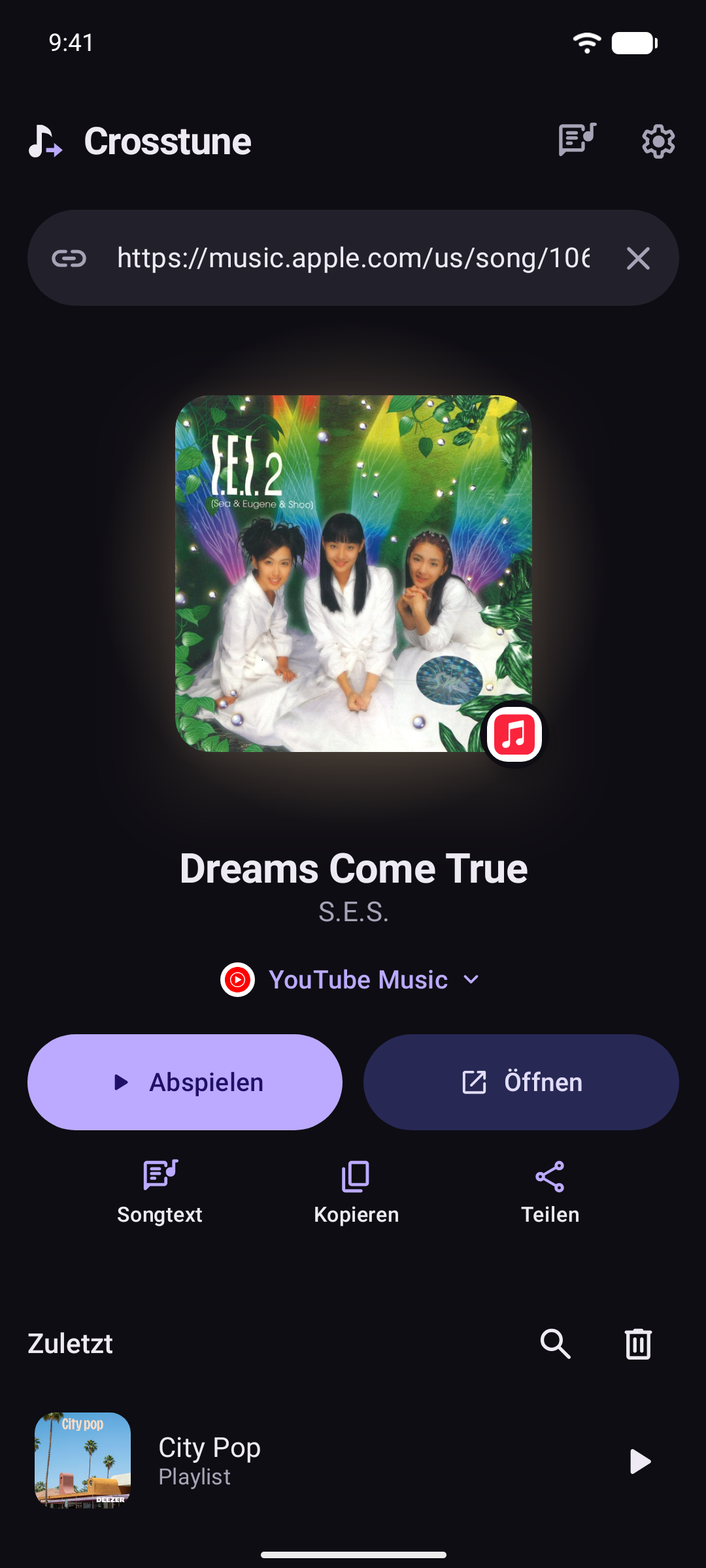
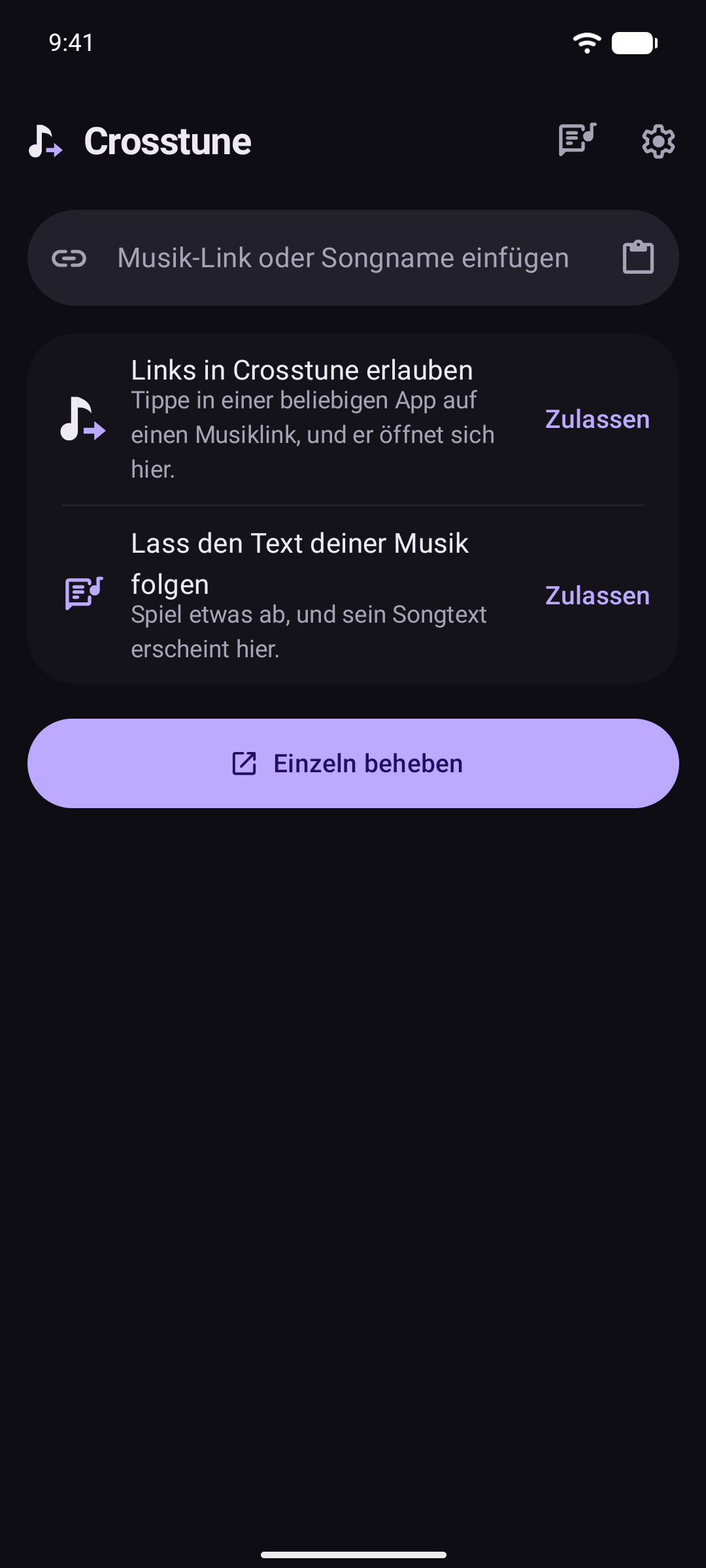
Pasting or sharing a link to Crosstune works with no setup. Crosstune opens on its main screen, and under the link field lists what Android has to allow, each with what it gets you:
- Allow links in Crosstune, so music links you tap in any app open here.
- Let lyrics follow your music, so the words of what's playing show in time.
- Tap one to see its steps: Android's page for your phone, a small guide floats over it, and it checks itself off once done. With Shizuku or root on Android 12 or newer, tap Fix all instead. It's one tap.
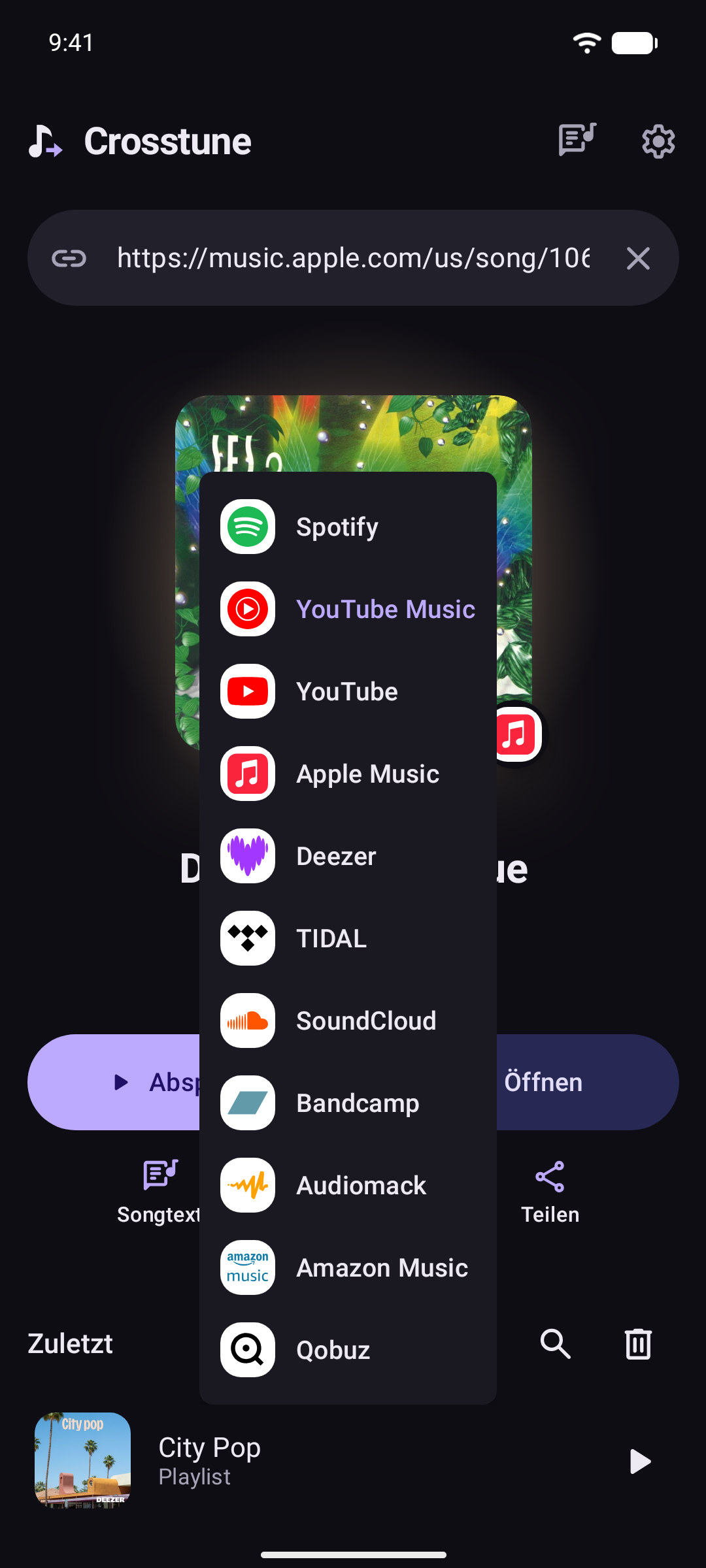
Links from Spotify, YouTube Music, Apple Music, Deezer and TIDAL open here from the start. Turn on YouTube in Settings → Open links from. SoundCloud, Bandcamp, Audiomack, Invidious and Piped links open here when shared or pasted.
With one music app on your phone, songs play there. With more, the first one you pick on a song is where they play from then on. Change it in Settings.
Once you've opened something, anything left or broken later shows as Things to fix at the bottom of the main screen: Fix all with Shizuku or root, or Fix one by one.
Features
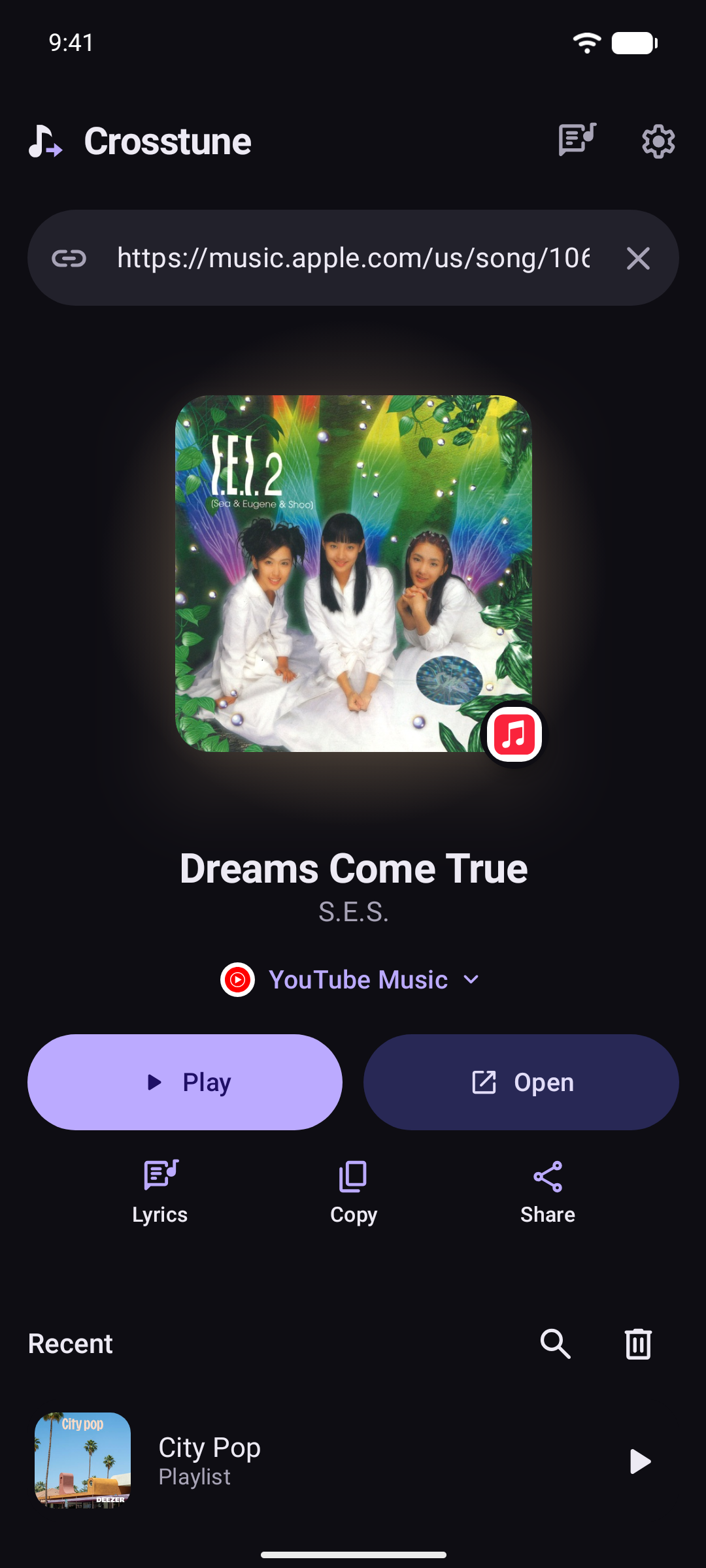
- Tap and go. A link from one service opens in another, at the exact song, album or artist when the app supports it: Spotify to YouTube Music, Apple Music to Deezer, TIDAL to Apple Music.
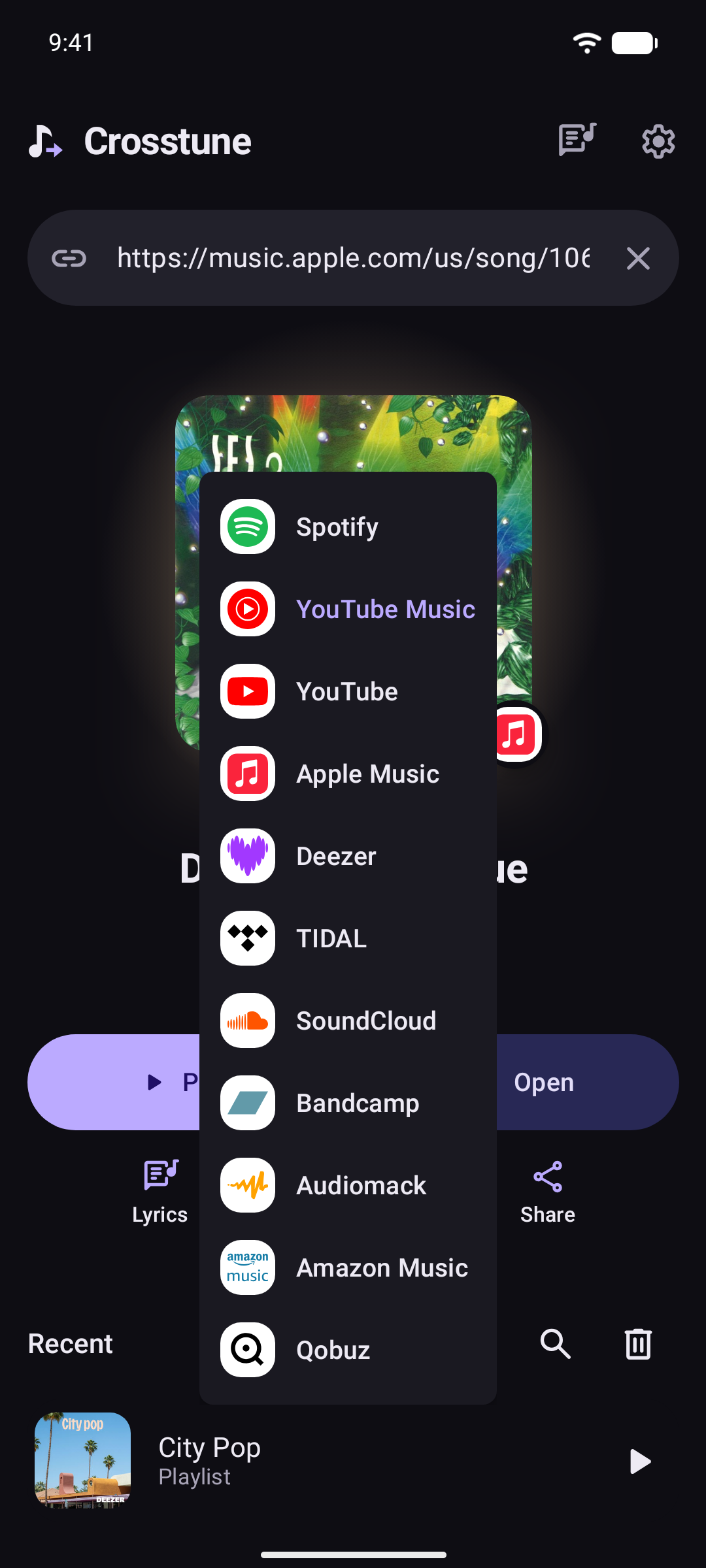
- Choose where. Pick your music app once. Links go straight to it, or show in Crosstune first, with the song playing in that app. Set one app per service. YouTube and YouTube Music patched by ReVanced, RVX, Morphe or Vanced count as apps of their own, next to the official ones. Or add any app or site with a search URL like
https://example.com/search?q={query}. - Not in the app you picked? Crosstune says so, then opens the song where it's from or searches anyway. Choose in Settings → When a song isn't found.
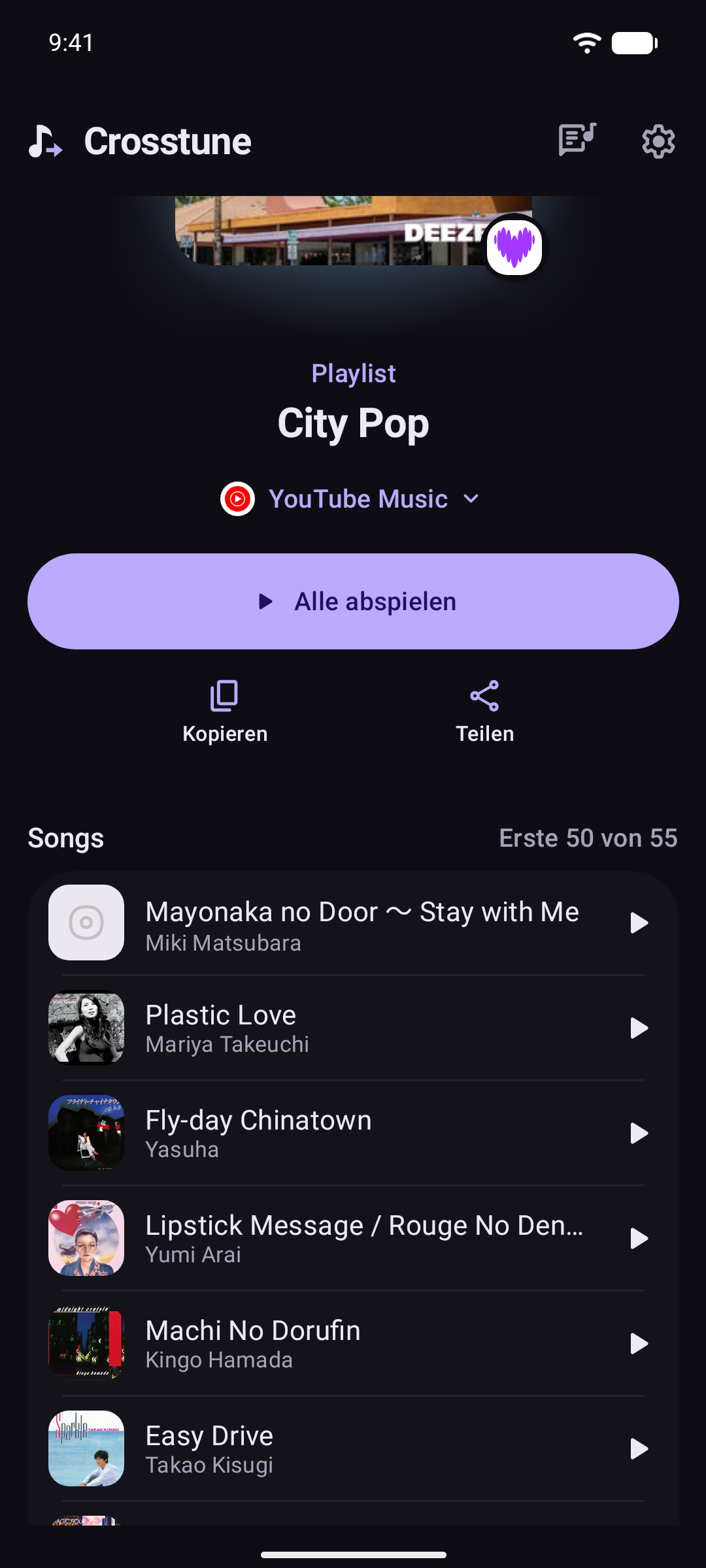
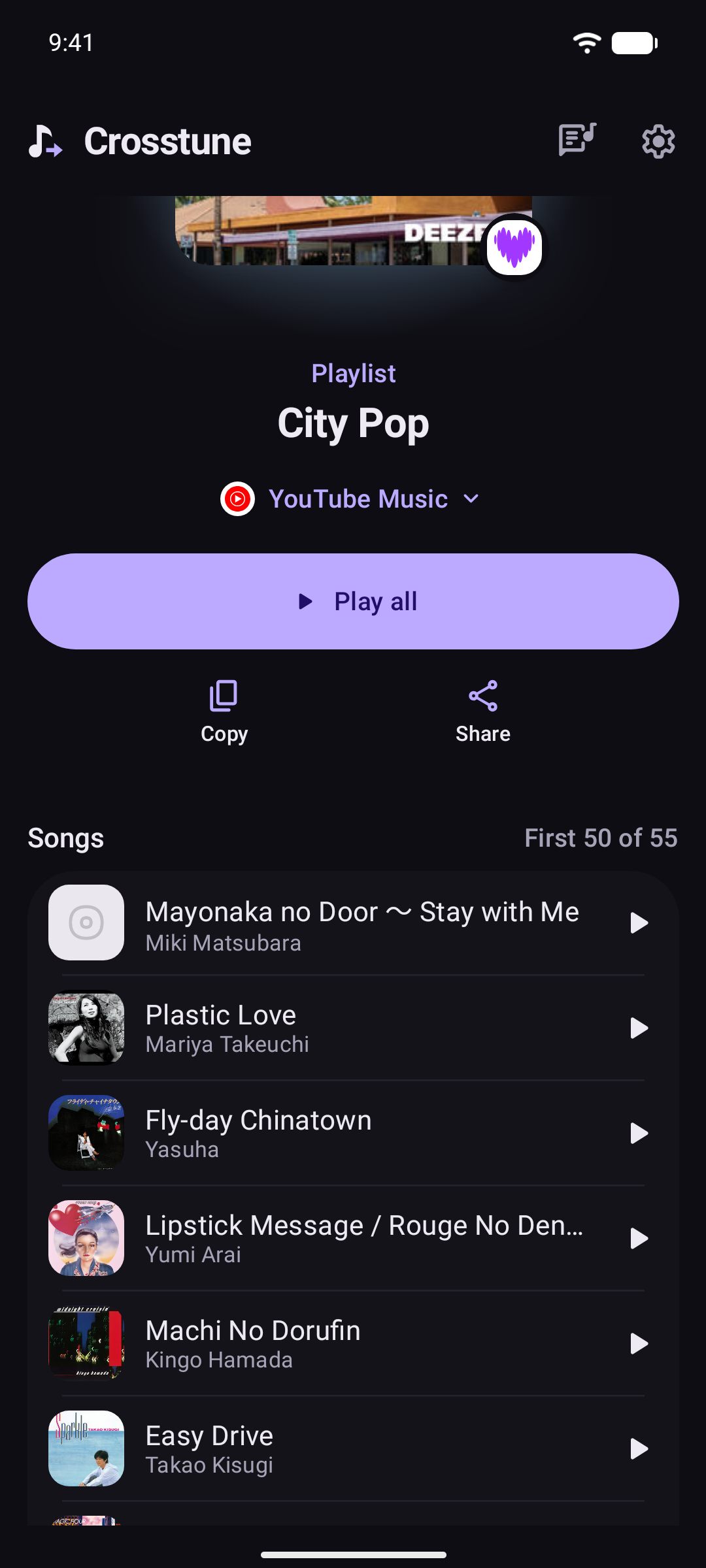
- Playlists and albums. See their songs and open any one, or play the lot, in order or shuffled, in YouTube Music, YouTube, TIDAL or Spotify. With the phone locked, Spotify waits paused at each song's end until it's unlocked; on a phone with no PIN, pattern or password, Wake for Spotify's next song in Settings → Advanced turns the screen on at each song's end so it plays on. It stays on until it times out, as Android counts it as using the phone.
- Recent. Search your recent songs, and swipe one away to remove it. Its play button goes where links do.
- Play and stay. Play a song in your music app while you stay in Crosstune, with its own player: cover, progress, pause, skip, shuffle, repeat, seek and the app's own like. Swipe the cover to skip, play anything from what's up next, or set a sleep timer. The line being sung shows at the bottom, and the title opens the song's links. Whatever is playing waits in a bar on the home screen. Swipe up for the player, up again for the words, and down to go back. An app that only plays in front, like YouTube Music without Premium, plays under Crosstune's full screen, once Crosstune may show over other apps.
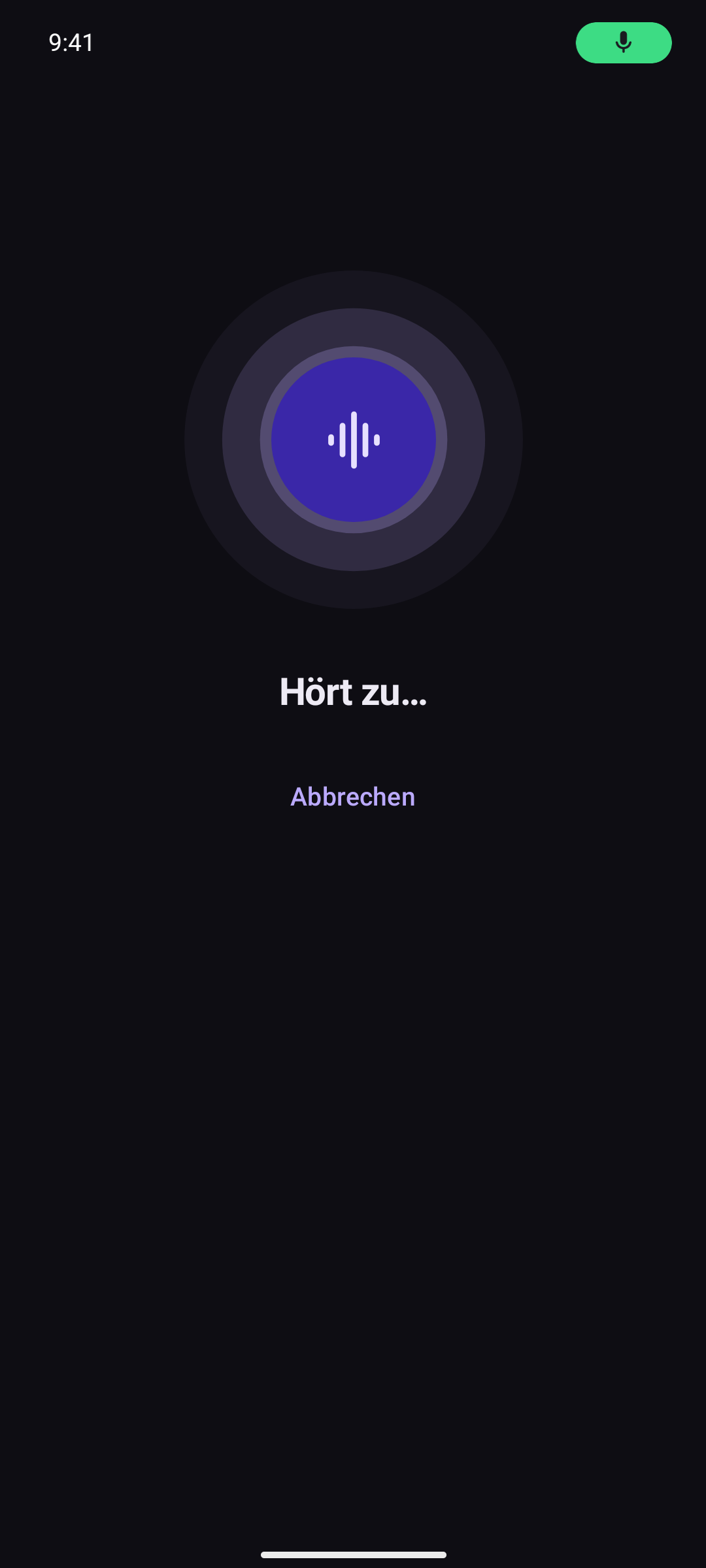
- Name that song. Crosstune listens for up to 12 seconds and shows the song playing nearby, like a pasted link. Or type a song's name to find it. If Shazam can't be reached, it opens the Shazam app or Google's song search instead, when you have them.
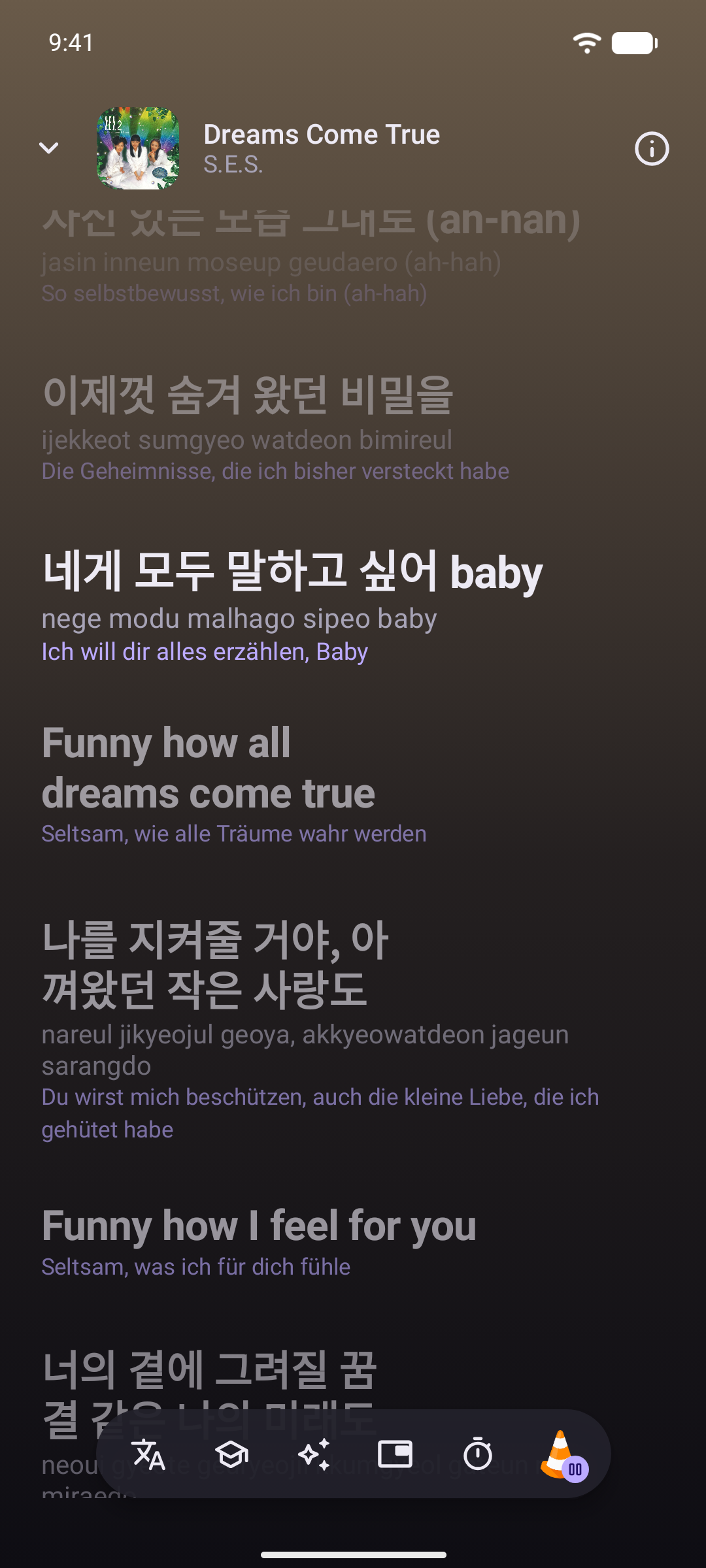
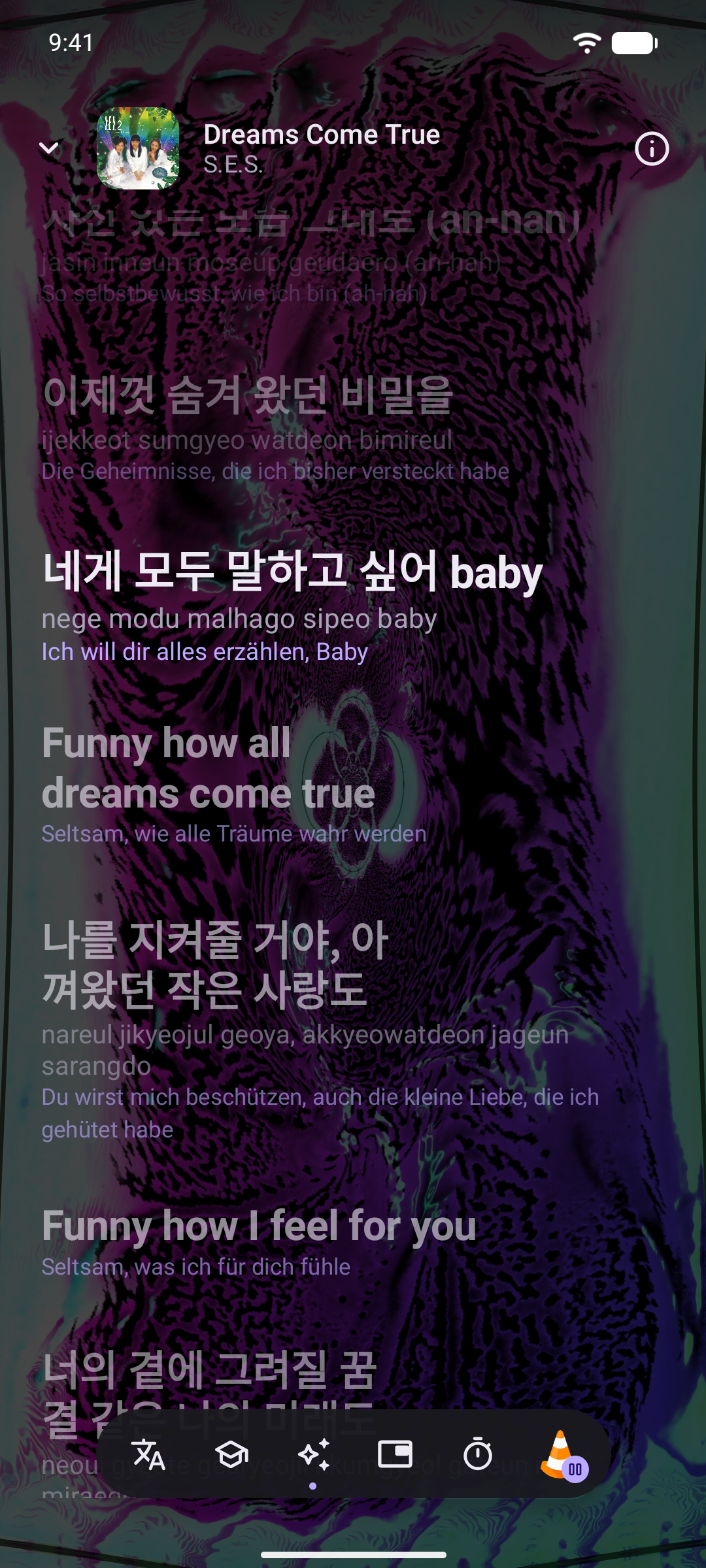
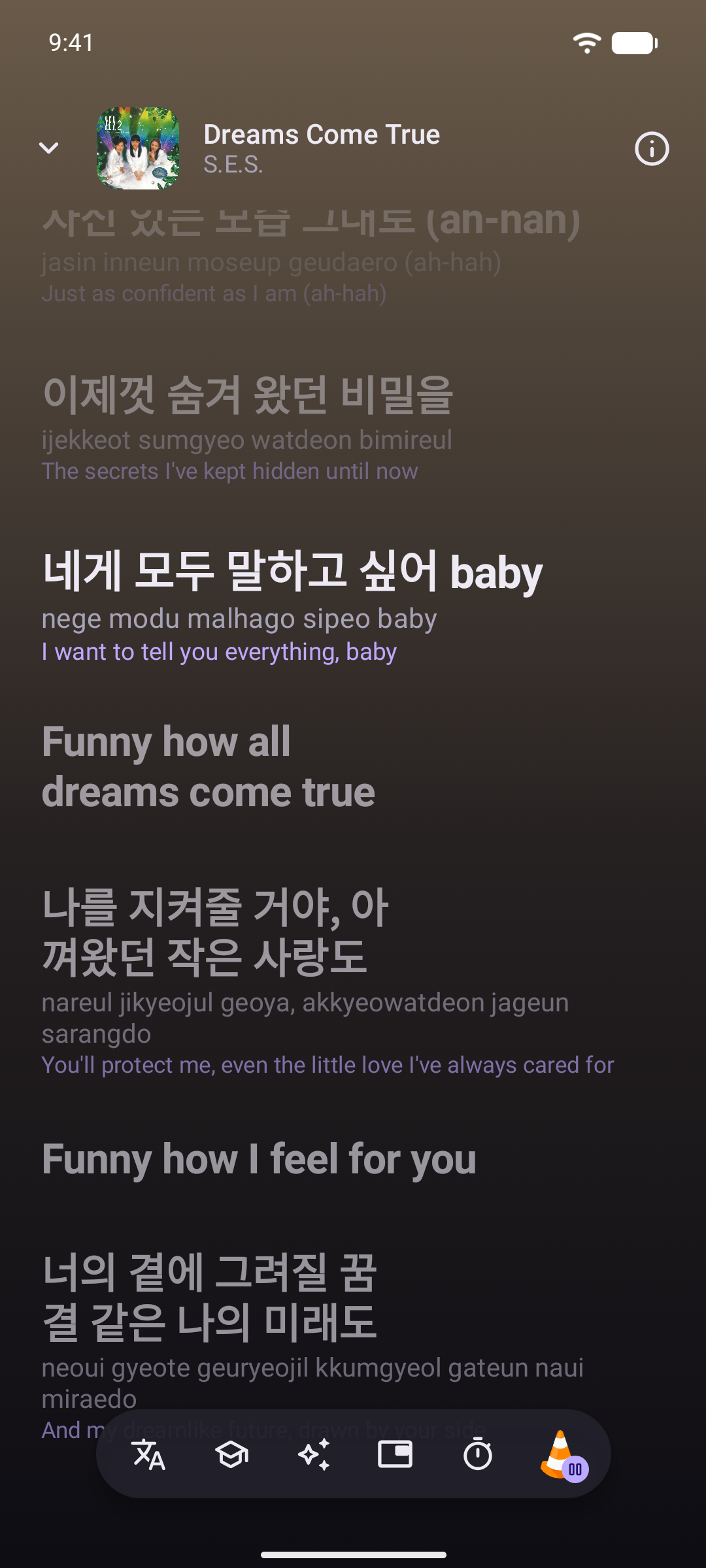
- Lyrics in time. The words follow your music app, even one on your computer that KDE Connect shows on the phone, or Crosstune listens along, song after song. Each line lights a moment before it's sung, so you've read it by then: set how early, and how far ahead the next line brightens (only its first word, when the words light one by one), in Settings → Lyrics. Tap a line to jump there, make the words bigger or smaller or center them, and fix the timing by tapping the line you hear or nudging it half a second at a time. Lyrics timed for another take offer the fix themselves. A cover with no lyrics of its own shows the original's, when its title says it's a cover or Apple credits the same songwriters. Also works with YouTube and YouTube Music patched by ReVanced, RVX or Morphe.
- Chords. Chord sheets over the words, with the capo, lined up letter by letter.
- Offline. Download on a song's, album's or playlist's card keeps it for offline: its lyrics, translation, chords and cover come over Wi-Fi and stay, up to the space set in Settings → Advanced. Each of its songs is also liked in your music app the first time it plays with Crosstune open, so the app downloads it too once it's set to download what you like: in Spotify, by downloading Liked Songs. Only apps that show whether a song's liked get it, Spotify, YouTube Music and TIDAL, so a song's never unliked; Download in your music app too turns it off. Offline, an icon says so, and a link waits until you're back online.
- Recording timing. Lyrics and corrections stay with their recording. With microphone access already allowed, lyrics briefly listen when a video, or a release longer or shorter than the one they're timed for, plays: they find how far ahead or behind it is and remember it after three agreeing audio fingerprints. Played once as the release they're timed for, they also learn how far Shazam's place in the song is from theirs, so another release Shazam matches the same way lines up too. They hear the phone's own sound, through headphones too, and the microphone only when the phone won't share it. With Shizuku or root, they hear what music apps play more cleanly, which places more lines under loud crowds in live recordings; Spotify won't share its sound this way, so it's heard as before. On phones with 3 GB of memory or more, they also hear the singing, 20 seconds at a time, and move each line to where it's sung, which Reset undoes: through the song the first time it plays from the start, and once whenever you pick it up partway or skip within it. That runs on your phone with whisper.cpp, whose 32 MB model downloads once, on Wi-Fi.
- Report a problem. Wrong words or timing? In the lyrics, one tap sends the song, its timing and what you write straight to the developer, kept private. Say yes once and Crosstune reports songs with missing lyrics, timing or chords, and timing you fix, by itself. A song with no words to find, like an instrumental, isn't one. In Settings, Report a problem opens a GitHub issue or an email instead, for you to send.
- Floating lyrics. Float them over any app.
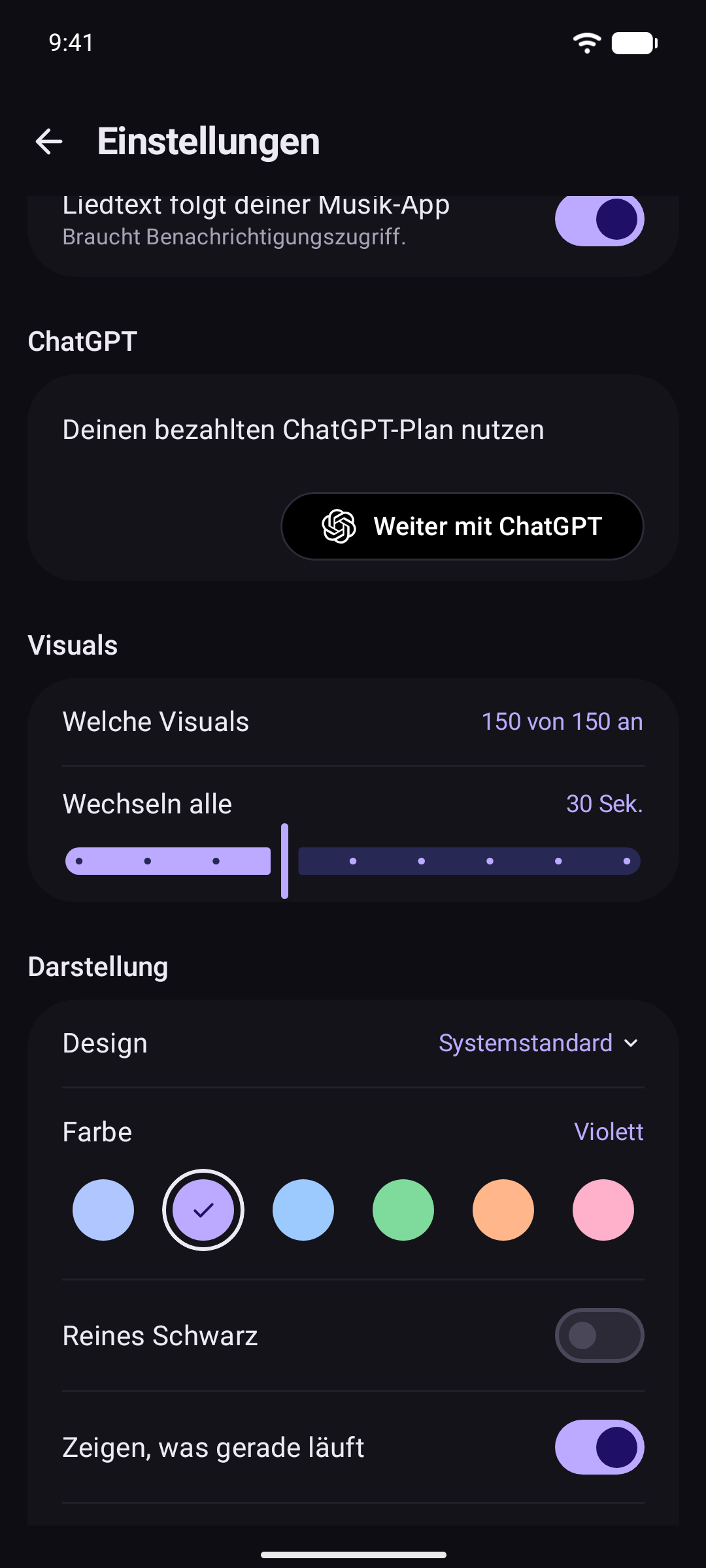
- MilkDrop visuals. 152 projectM visuals behind the lyrics, moving to what your phone plays. Pick which show in Settings → Visuals.
- Learn the words. Kana, pinyin, romaji and any other script in Latin letters under each line, translations, and the meaning of any word.
- Practice with the music. Save lines and they come back as cards that play the line in your music app. Choose the text layers and sizes for each side, and make more than one kind of card from a line, each on its own schedule. Rate each one: Again, Hard, Good or Easy. Tap the bell when a session ends and the cards that are due come back as a notification once a day, around the time you practiced. Settings or the bell on Practice turns it off. When a card, or a song opened on its own link, opens the music app, Crosstune comes back on its own if it may show over other apps. Otherwise Android asks once to allow notifications, and Back to the card brings you back in one tap. Turned down, Back still returns.
- ChatGPT, if you have it. Sign in to translate whole songs, explain a line or a song, find the words worth learning, and find songs by describing them.
- On your TV. Runs on Android TV and Google TV too: what's playing, its lyrics and visuals on the big screen, all with the remote. Play opens a song in YouTube with its lyrics over it.
- Your colors. Light or dark, your wallpaper's colors, and pure black for OLED screens.
- Shortcuts. One-tap paste, home screen widgets, Quick Settings tiles and a long-press shortcut on the app icon.
- No tracking. Drops tracking bits like
?si=from links. - 16 languages. Follows your phone, or pick one in Settings.
- On your computer. The browser extension, for Chrome, Edge, Brave and Firefox, opens music links in the service you pick, and shows the lyrics of what's playing on a music site in its side panel, in time where the site says how far in the song is.
Supported links
| Service | Reads | Exact match |
|---|---|---|
| Spotify | Songs, albums, artists, playlists, spotify.link, spotify: URIs, track IDs |
Songs |
| YouTube Music | Songs, videos and playlists | Songs, albums, artists |
| YouTube | Videos, Shorts, live streams, playlists, youtu.be |
Songs |
| Apple Music | Songs, albums, artists, playlists | Songs, albums, artists |
| Deezer | Songs, albums, artists, playlists, link.deezer.com |
Songs, albums, artists |
| TIDAL | Songs, albums, artists, playlists | Songs, albums, artists |
| SoundCloud | Tracks, artists, sets, on.soundcloud.com |
Songs, albums, verified artists |
| Bandcamp | Tracks, albums | Songs, albums |
| Audiomack | Songs, albums, playlists | Songs, albums, verified artists |
| Amazon Music | Can't read its links | Search |
| Qobuz | Can't read its links | Songs, albums |
Songs shared from Pixel Now Playing, Shazam links and songs shared from Google's search work too. "Search" means Crosstune opens a search for the title and artist.
Bandcamp's app opens no song page and plays nothing it's asked for, only searches. In it Crosstune opens a search for the song, so there's no Play, and the song is one tap away. Logged out of Bandcamp's app, a search can be lost if the app wasn't already open, and it shows its home. In the browser, the song's page opens.
🛠️ Troubleshooting
Links still open in another app. Turn the service on in Settings → Open links from. Then in Android, go to Settings → Apps → Crosstune → Open by default → Add link and turn on its links.
I got a search, not the song. Crosstune found no confident match. Choose what happens then in Settings → When a song isn't found.
Privacy
- No account, analytics or ads. History stays on your device.
- A link's service is asked only for its title, artist and cover. To open the song itself, the title and artist also go to the search of the app it opens in. For Spotify, whose search needs an account, they go to ListenBrainz instead, which knows Spotify's songs by name, and Spotify's public song pages are read. A song ListenBrainz doesn't know yet is looked for among its artist's most played: the artist's name goes to MusicBrainz, and Spotify's public page for the artist is read. Going straight to the app with Play right away off, a search opens there instead, and nothing is sent.
- Lyrics, chords and translations are looked up by title and artist on LRCLIB, YouTube Music, NetEase Cloud Music, Letras, Genius, Apple's song search and song pages, which also say who first sang and wrote a cover's song, Ultimate Guitar, Cifra Club, LaCuerda, U-FRET, J-Total Music, ChordWiki, Google Translate, MyMemory and Wiktionary. Readings are worked out on your phone. For Japanese, a bigger dictionary, UniDic, is downloaded once from Maven Central, on Wi-Fi.
- Signed in with ChatGPT, the AI features send OpenAI the song, its lyrics and what you ask. Your sign-in stays on your phone.
- A song's meaning also asks MusicBrainz, by MetaBrainz, for the year it came out and its album, by title and artist, so ChatGPT is told them instead of searching for them. What it answers is kept on your phone.
- Naming a song uses the microphone only while listening, and only a fingerprint goes to Shazam, never the audio. Offline, the sound heard waits in the app's memory, never saved, until the phone is back online. Apple is then asked how long the recording Shazam named is, so its lyrics are timed for it. The visuals use it to move to your music, and record and send nothing. Lining the words up to the singing hears it on your phone and sends nothing. Its speech model is downloaded once from Hugging Face.
- Report a problem in the lyrics sends the song, its timing and what you write to Crosstune's only server, on Cloudflare, when you tap Send. It keeps no IP address, only the developer reads reports, and each is deleted after 180 days. With Report song problems automatically on, problems Crosstune finds go too, once per song.
- Practice reminders are worked out on the phone: it counts its own cards, and nothing is sent.
- Shizuku or root is used only to change Android's link, microphone, lyrics and floating settings for Crosstune, and to let lyrics hear what music apps play without Android asking each time. That sound stays on your phone, while a notification shows it.
- The browser extension asks a link's service for its title and artist, and the search of the service it opens in, or ListenBrainz for Spotify, as the app does. Its lyrics panel reads the song's title and artist from the music site's page. Only while the panel is open, it asks LRCLIB, YouTube Music, NetEase Cloud Music and Letras for the words by title and artist, and a video that doesn't say it's music isn't looked up. Its settings stay in your browser, and it sends nothing to the developer.
Full privacy policy.
Verify your download
Release APKs are signed with this certificate. Its SHA-256 fingerprint is also listed on each release:
64:EC:D5:52:E3:4B:B4:15:8A:04:6B:DE:1B:BD:BC:C9:04:23:9D:59:33:CF:74:C4:62:B6:FD:02:A7:B0:F6:FA
Building
Clone with git clone --recurse-submodules, and use the Android SDK and JDK 17 or newer.
./gradlew :app:assembleDebug   # "Crosstune Dev", installs next to the released app
./gradlew :app:ci            # the checks CI runs
More in CONTRIBUTING.md.
Crosstune is licensed under the GNU General Public License v3.0 only (GPL-3.0-only).
How Shizuku is used
Can claim music links, block rival apps, capture playback, follow music, enable mic and floating lyrics via Shizuku with `pm`, `cmd` and `appops`.
This is an AI-assisted analysis of Shizuku-related usages in the app's public source code. It is best effort, so it may not catch every single usage.
How this app uses Shizuku
Crosstune uses Shizuku to apply system link, playback, notification, microphone and overlay settings in one tap that would otherwise need manual changes in system settings.
- Block competing apps: stops other music apps from opening supported links, using the
pm set-app-links-allowedshell command through Shizuku. - Claim music links: lets Crosstune open its supported music links and selects it for those links, using the
pm set-app-links-allowedandpm set-app-links-user-selectionshell commands through Shizuku. - Capture playback cleanly: lets lyrics and recognition hear what music apps play without asking to share the screen each time, using the
appops setshell command through Shizuku. - Follow playing music: grants notification listener access so synced lyrics can follow what music apps play, using the
cmd notification allow_listenershell command through Shizuku. - Enable microphone access: grants microphone access for music recognition and visuals that react to sound, using the
pm grantshell command through Shizuku. - Float lyrics over apps: allows showing floating lyrics over other apps and grants its notification permission on Android 13 and later, using the
appops setandpm grantshell commands through Shizuku.
Android APIs or commands used
appops setpm set-app-links-allowedpm set-app-links-user-selectioncmd notification allow_listenerpm grant
Notable details
Available only on Android 12 and later. Any step it could not complete remains available to fix manually in system settings.
Changelog
What's new for version 2.23.0
Signing certificate SHA-256: 64ecd552e34bb4158a046bde1bbdbcc904239d5933cf74c462b6fd02a7b0f6fa
What's Changed
- fix(playback): don't crash coming back with nothing opened, and test what the Qobuz work left uncaught by @astrovm in https://github.com/astrovm/crosstune/pull/724
- fix(lyrics): keep lines at a sped-up or slowed recording's own pace, as Shazam hears it by @astrovm in https://github.com/astrovm/crosstune/pull/674
- fix(build): trim idle gradle-box caches by @astrovm in https://github.com/astrovm/crosstune/pull/730
- fix(lyrics): reconcile spaces and capitals across fetched copies by @astrovm in https://github.com/astrovm/crosstune/pull/727
- fix(links): open the new song in each music app by @astrovm in https://github.com/astrovm/crosstune/pull/729
- build(emulator): declare the test emulators in the repo, and record without root by @astrovm in https://github.com/astrovm/crosstune/pull/731
- feat(reports): script the triage of the reports in D1 by @astrovm in https://github.com/astrovm/crosstune/pull/733
- test(syncreplay): add the two reported songs the set was missing by @astrovm in https://github.com/astrovm/crosstune/pull/737
- chore(deps): update all dependencies by @renovate[bot] in https://github.com/astrovm/crosstune/pull/740
- build(syncreplay): rebuild the replay set in a shared folder and remeasure main by @astrovm in https://github.com/astrovm/crosstune/pull/734
- fix(qobuz): stop superseded retries and require title evidence by @astrovm in https://github.com/astrovm/crosstune/pull/726
- fix(lyrics): find a cover's words when its first singer isn't far ahead by @astrovm in https://github.com/astrovm/crosstune/pull/742
- feat(extension): show the lyrics of what's playing in a side panel by @astrovm in https://github.com/astrovm/crosstune/pull/735
- fix(links): stop offering Play for Bandcamp, whose app only searches by @astrovm in https://github.com/astrovm/crosstune/pull/736
- fix(chords): find sheets on J-Total by @astrovm in https://github.com/astrovm/crosstune/pull/741
- fix(lyrics): read NetEase's newest words and its own instrumental flag by @astrovm in https://github.com/astrovm/crosstune/pull/743
- fix(practice): play a card kept from Spotify in Spotify by @astrovm in https://github.com/astrovm/crosstune/pull/758
- fix(chords): ask NetEase and Apple for a song's other names once per lookup by @astrovm in https://github.com/astrovm/crosstune/pull/764
- fix(reports): name the app playing the song in every report by @astrovm in https://github.com/astrovm/crosstune/pull/738
- fix(reports): a pull reads the whole table or fails, and never leaves an old table by @astrovm in https://github.com/astrovm/crosstune/pull/763
- feat(songcheck): hear previews on the GPU by @astrovm in https://github.com/astrovm/crosstune/pull/757
- docs(agents): track every known issue in GitHub by @astrovm in https://github.com/astrovm/crosstune/pull/756
- ci(mutants): preserve weekly mutation findings by @astrovm in https://github.com/astrovm/crosstune/pull/761
- chore(release): make it 2.22.3, with its release notes by @astrovm in https://github.com/astrovm/crosstune/pull/767
- ci(mutants): name a lost part in the issue by @astrovm in https://github.com/astrovm/crosstune/pull/766
- test(playback): cover the high-risk gaps from the weekly mutation report by @astrovm in https://github.com/astrovm/crosstune/pull/772
- fix(lyrics): count player speed once and align unspaced singing by @astrovm in https://github.com/astrovm/crosstune/pull/728
- fix(lyrics): find words on Genius and say when a song has none by @astrovm in https://github.com/astrovm/crosstune/pull/778
- fix(deps): update all dependencies by @renovate[bot] in https://github.com/astrovm/crosstune/pull/789
- test(playback): cover mixed queues and cancelled lookups by @astrovm in https://github.com/astrovm/crosstune/pull/790
- fix(extension): follow SoundCloud's words by its progress bar by @astrovm in https://github.com/astrovm/crosstune/pull/777
- feat(scripts): hold shared test devices for a set time by @astrovm in https://github.com/astrovm/crosstune/pull/788
- feat(practice): remind of cards due once a day by @astrovm in https://github.com/astrovm/crosstune/pull/739
- fix(lyrics): treat a Roman movement index as the Arabic one by @astrovm in https://github.com/astrovm/crosstune/pull/792
- chore: sync Renovate config by @astrovm-repo-settings[bot] in https://github.com/astrovm/crosstune/pull/796
- fix(chords): line columns up with the page and clear our warnings by @astrovm in https://github.com/astrovm/crosstune/pull/765
- fix(playback): return from the music app without overlay permission by @astrovm in https://github.com/astrovm/crosstune/pull/795
- fix(readings): put furigana over the kanji only, not the kana among them by @astrovm in https://github.com/astrovm/crosstune/pull/802
- fix(scripts): release a device lock by the name it was taken with by @astrovm in https://github.com/astrovm/crosstune/pull/801
- feat(chords): read Japanese sheets from ChordWiki by @astrovm in https://github.com/astrovm/crosstune/pull/787
Full Changelog: https://github.com/astrovm/crosstune/compare/v2.22.2...v2.23.0
Permissions
16 permissions requested
More from this category
 Mihon
 Aniyomi
 Hush
 BiliDownOut
 HLB站缓存合并