 ShizuStore
CloudSync
1.3.2 · GitHub
More about this app
An app that allows you to sync your Stardew Valley saves across multiple devices
CloudSync Mobile
CloudSync Mobile is an Android app that allows you to sync your Stardew Valley saves across multiple devices using cloud storage services like Dropbox, and Google Drive.
Installation
- Make sure you have Android 7.0 or higher
- Download the latest release from Releases, check your device's architecture and download the correct one, if you are unsure you can download the universal apk
Features
- Upload your saves to cloud storage services
- Download your saves from cloud storage services
- Backup your saves when uploading
- Get a warning if an existing save has more progress when uploading or downloading
FAQ
Which storage mode should I use?
You should always use the legacy mode if its available, its the fastest and most reliable, if you're unable to use it, shizuku mode is the second fastest, if you don't wan't to mess with shizuku, you should use SAF mode but it's the slowest and can't be used on Android 13 and above, if the selected saves path isn't a child of the Android folder the app will always use legacy mode.
Todo
- Add support for other cloud storage services
Screenshots
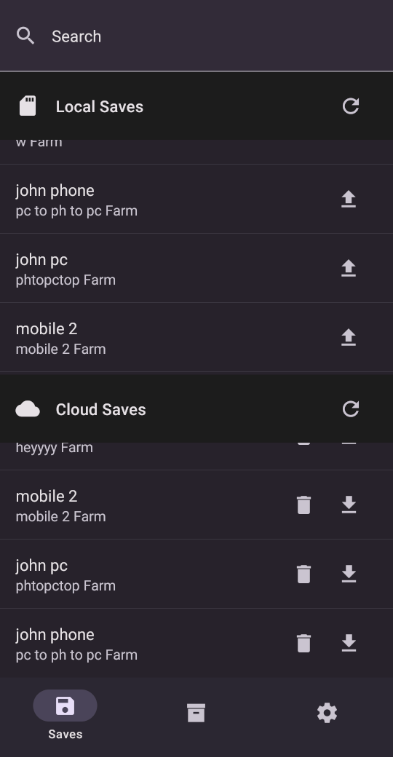
Saves Screen

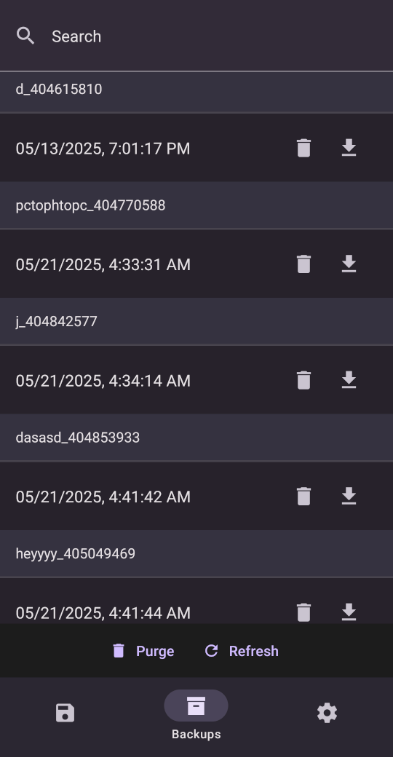
Backups Screen

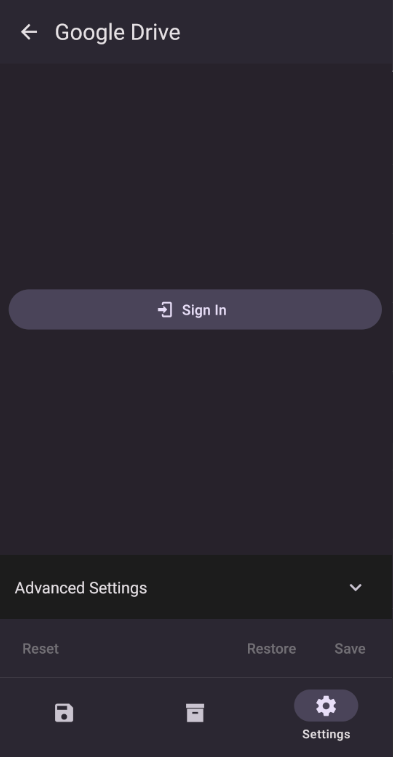
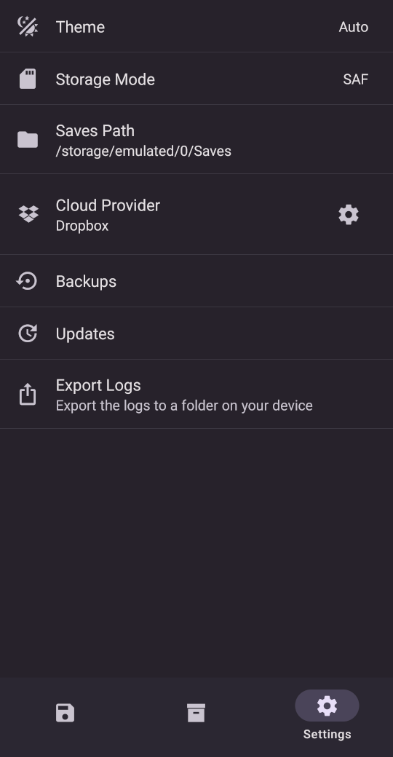
Settings Screen

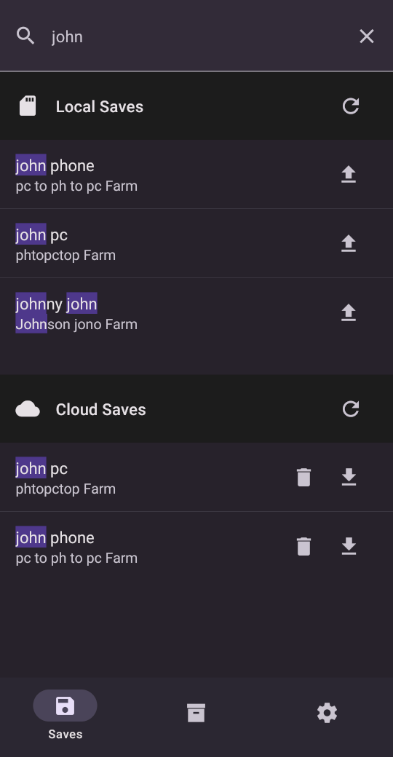
Search

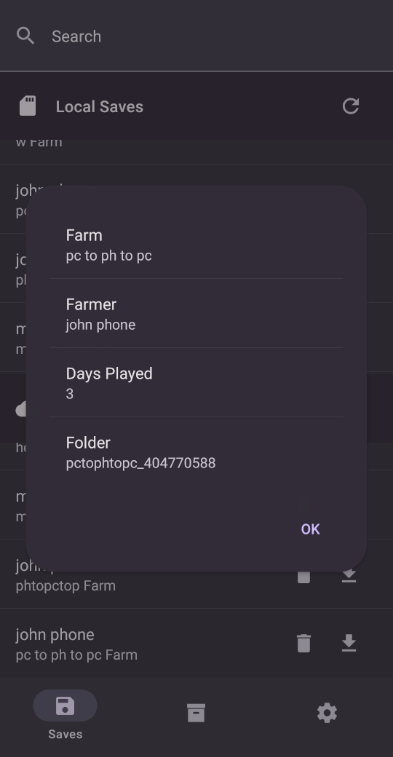
Save Info

Cloud Settings

Building
Open a terminal in the project directory and install the project dependencies using the following command
npm install
after that run the expo prebuild command
npx expo prebuild
Debugging
To debug the app start your emulator or connect your physical device with adb and run the following command
npx expo run:android
Release
- Create a keystore file in
/src/android/app - Create a
gradle.propertiesfile in (%userprofile%/.gradle|~/.gradle) and add the following variables:CLOUDSYNC_UPLOAD_STORE_FILE=Your Keystore File Name CLOUDSYNC_UPLOAD_KEY_ALIAS=Your Keystore Alias CLOUDSYNC_UPLOAD_STORE_PASSWORD=Your Keystore Password CLOUDSYNC_UPLOAD_KEY_PASSWORD=Your Keystore Password - Open a teminal in
/src/androidand run the following command to build a bundle
or this command to build apks for all architecturesgradlew app:bundleReleasegradlew app:assembleRelease - The bundle will be in
src/android/app/build/outputs/bundle/releaseand the apks will be insrc/android/app/build/outputs/apk/release - If you're having problems with the path being too long, copy the project to the root of your drive and run the commands from there
How Shizuku is used
Can sync Stardew Valley saves in protected storage via `Shizuku` privileged file access.
This is an AI-assisted analysis of Shizuku-related usages in the app's public source code. It is best effort, so it may not catch every single usage.
How this app uses Shizuku
Shizuku is used to read and write Stardew Valley saves stored in protected app storage so they can be synced with the cloud.
- Browse local saves: the app lists save folders and their files in the protected game folder through Shizuku to show available saves.
- Read save contents: the app opens and reads save files through Shizuku to show farm details and to upload saves to the cloud.
- Restore cloud saves: the app creates folders, writes downloaded files, replaces existing saves, and cleans up temporary files through Shizuku when downloading from the cloud.
Android APIs or commands used
java.io.Filejava.io.RandomAccessFilejava.nio.file.Files.isDirectoryjava.nio.file.Files.isRegularFilejava.nio.file.Files.listjava.nio.file.Files.sizejava.nio.file.Files.createDirectoriesjava.nio.file.Files.movejava.nio.file.Files.delete
Notable details
Outside the restricted game folder, or when legacy mode is selected, the app uses direct file access instead of Shizuku. Inside the restricted folder it can also use system file picker access as an alternative to Shizuku.
Changelog
What's new for version 1.3.2
What's Changed
- Accept negative timezone offsets in backup regex by @FawazTakahji in https://github.com/FawazTakahji/CloudSync-Mobile/pull/11
Full Changelog: https://github.com/FawazTakahji/CloudSync-Mobile/compare/1.3.1...1.3.2
Permissions
11 permissions requested
Sources
5 sources
Sources
5 sources
More from this category
 SwiftSense
 AimBuddy
 LAC Tool
 MaaMeow
 BDroid X
 Cinderbox Companion
 神原
神原
 NBT Editor
 PF Tool
 Stalker
Ascent
Stalker
Ascent
 Okkei Patcher