 ShizuStore

ClipHistory
1.4.7 · GitHub
More about this app
ClipHistory seamlessly saves the text you copy, so you can find and copy it again later. Works with any keyboard, with one-tap copy from Quick Settings and a super clean, highly customizable design. Passwords auto-delete if you want, and screenshots are blocked. Encrypted, private and 100% offline.
ClipHistory
A local clipboard-history companion for Android, using Shizuku or a compatible service in shell mode: started with wireless debugging or ADB, or, on a rooted phone, Sui with Shell mode. It is not a keyboard and does not modify Gboard.
Compatible services must provide Shizuku API 13 or newer and support UserServices. Some forks require a compatibility companion; follow the fork's setup instructions. The current source recognizes a running compatible service without relying on the original manager package name. Compatibility depends on the service, activation mode and Android version, so individual forks still need testing.
Version 1.4.7
1.4.7/code 17 lets rooted phones record without wireless debugging, through Sui with Shell mode: choose Always (Shell) once and recording resumes by itself after every restart. The release note lists the checks and remaining limits.
Version 1.4.6
1.4.6/code 16 names unsupported service modes plainly (root, outdated, other modes) with Setup help, hides sensitive entries in the list, quick panel and screen reader, deletes timed sensitive entries on time after sleep, shows when private copies were skipped, and fixes history sometimes appearing empty when the app is reopened.
Version 1.4.5
1.4.5/code 15 improves compatible service discovery, adds an explicit manager choice when several are installed, fixes recovery after APK updates on older Android, and clarifies setup and sensitive-history settings. The release verification records exact artifacts, device checks and F-Droid status; device procedures describe how to repeat them. Download the signed APK from GitHub Releases. F-Droid inclusion remains subject to maintainer review.
Version 1.4.4
1.4.4/code 14 includes Android 11–13 support, encrypted history, optional sensitive-text capture and the earlier privacy and recovery fixes. It also addresses a confirmed Shizuku startup failure on a Redmi device. The final release checks, candidate qualification and 1.4.3 qualification describe the tested versions and remaining limits.
All persisted history uses AES-256-GCM. Sensitive capture is off by default. When enabled, automatic deletion defaults to five minutes; timed sensitive entries also expire after reboot. Queue delay does not extend retention. The copy, search and quick-panel workflow stays the same. Earlier implementation evidence remains in 1.4 qualification.
For this and future apps, use the F-Droid development and publication guide.
Earlier release 1.3.4
1.3.4/code 8 adds the approved ClipHistory logo to the adaptive launcher and themed icon, Quick Settings tile, recovery notification, Welcome and About. GitHub and F-Droid artwork use the matching supplied exports. Asset selection and provenance are in branding; fresh qualification and submission status are in publication. Clipboard behavior and the existing UI design remain unchanged.
Native UI improvements
1.3.3/code 7 ports the reviewed HTML UI refinements into the native Android application. It adds clearer Settings summaries, guided setup, visible full-text actions, persistent single-deletion Undo and focused error recovery. See port and verification. The preceding tile launch fix is documented in tile verification. F-Droid submission status and exact release evidence are recorded in publication preparation. A prepared or submitted app is not an accepted F-Droid listing.
Public source: https://github.com/saroo98/cliphistory-android. Published signed APKs are in the repository's Releases page. Version 1.4.7 requires Android 11 (API 30) or later; compile and target remain API 37. Version 1.3.4 requires Android 14.
Version 1.3.0/code 4 adds exact unique-text history, configurable screen privacy, optional recorder recovery, a temporary floating quick-copy panel, battery guidance and consolidated Settings. Build and actual device evidence, including remaining acceptance checks, is in VERIFICATION.md. Historical 1.2 results do not establish 1.3 readiness. The F-Droid recipe is fdroid/metadata/app.cliphistory.yml, with store text and images in fastlane/metadata/android/.
The upstream project welcomes F-Droid inclusion under its MIT licence. Submission details and the prepared merge-request description are in docs/F_DROID_SUBMISSION.md and docs/F_DROID_MERGE_REQUEST.md. Bugs and compatibility reports can be filed in this repository's issue tracker.
F-Droid publication requires its independent review and build verification. Providing an APK and source does not mean it is already listed in the main repository.
What is implemented
- Text history with a default limit of 100, configurable from 20 to 500. Oldest entries drop from the current history as new entries arrive.
- Event-driven background capture in a shell-UID Shizuku UserService. Optional recovery uses a private foreground service and quiet notification with no saved text. No Accessibility service, replacement keyboard, overlay permission or polling loop.
- A Clipboard Quick Settings tile with a temporary three-entry panel or full-history action. It requires unlocking, copies full text with one tap, closes after success and never auto-pastes. Full-history mode is available if floating behavior is unsuitable on a device.
- Redesigned light/dark history: search, tap-to-copy-and-return, explicit full-text button, long-press action sheet, full-text preview, clear history, limit setting and pause/resume.
- System / Light / Dark appearance and an optional copy-and-stay mode. Preferences persist across launches.
- Exact plain-text content, including whitespace, newlines and Unicode. Default duplicate handling keeps one entry per exact text:
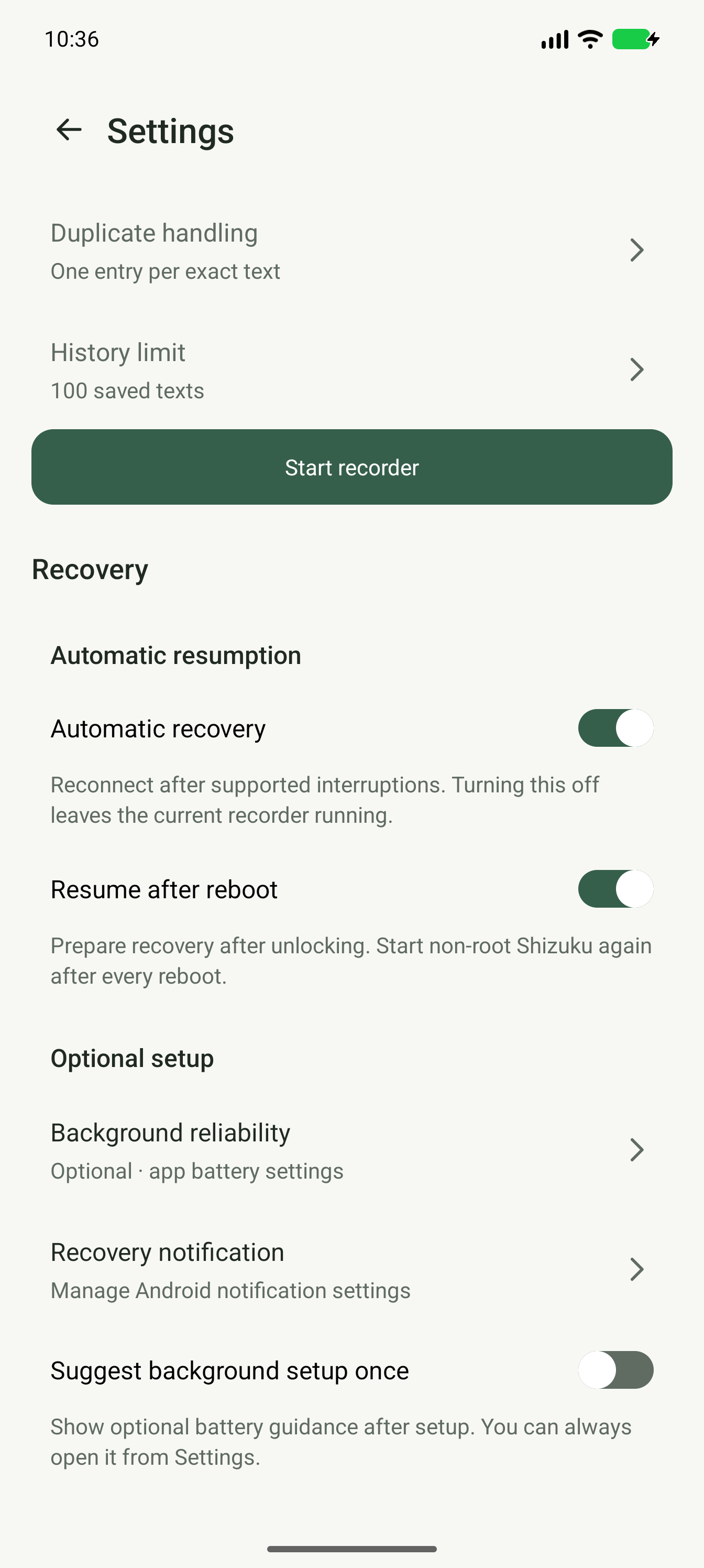
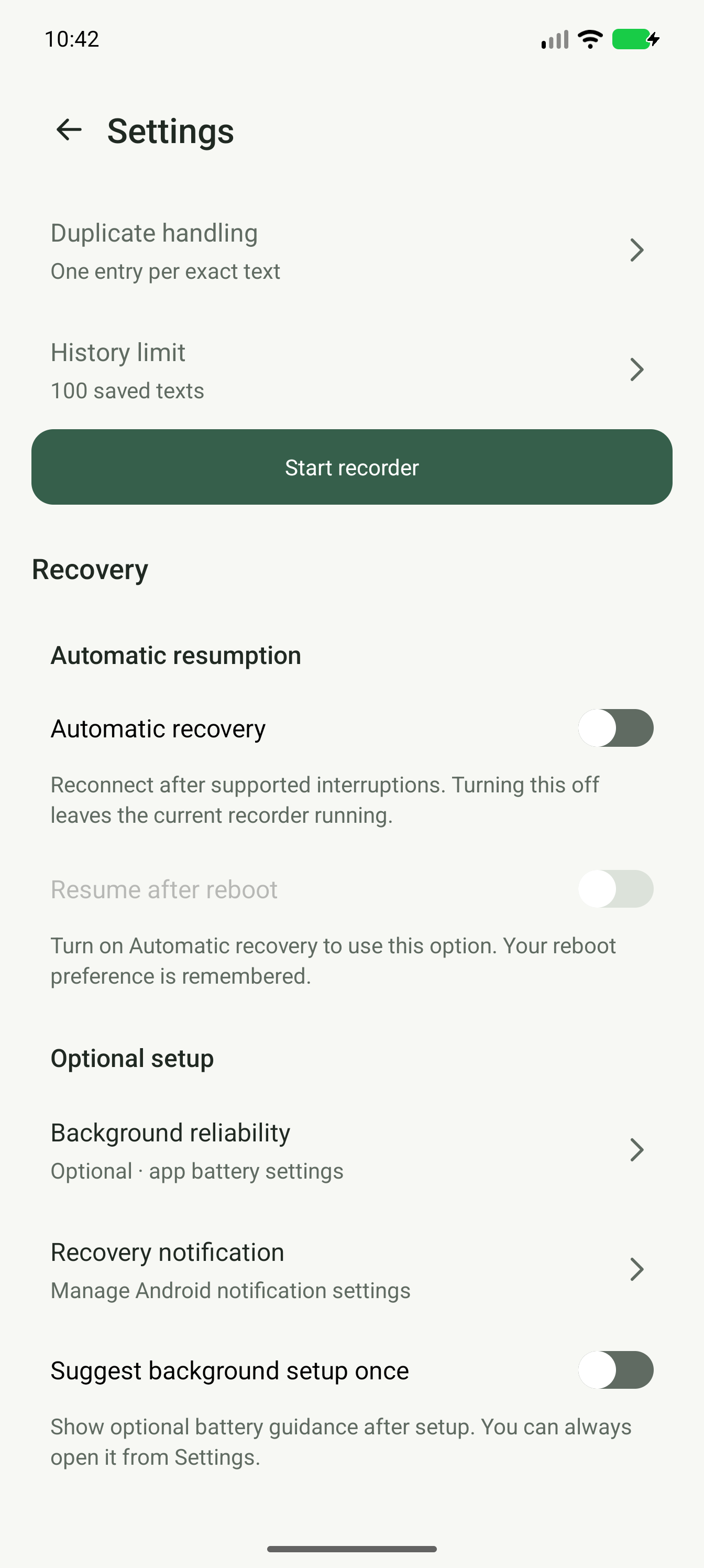
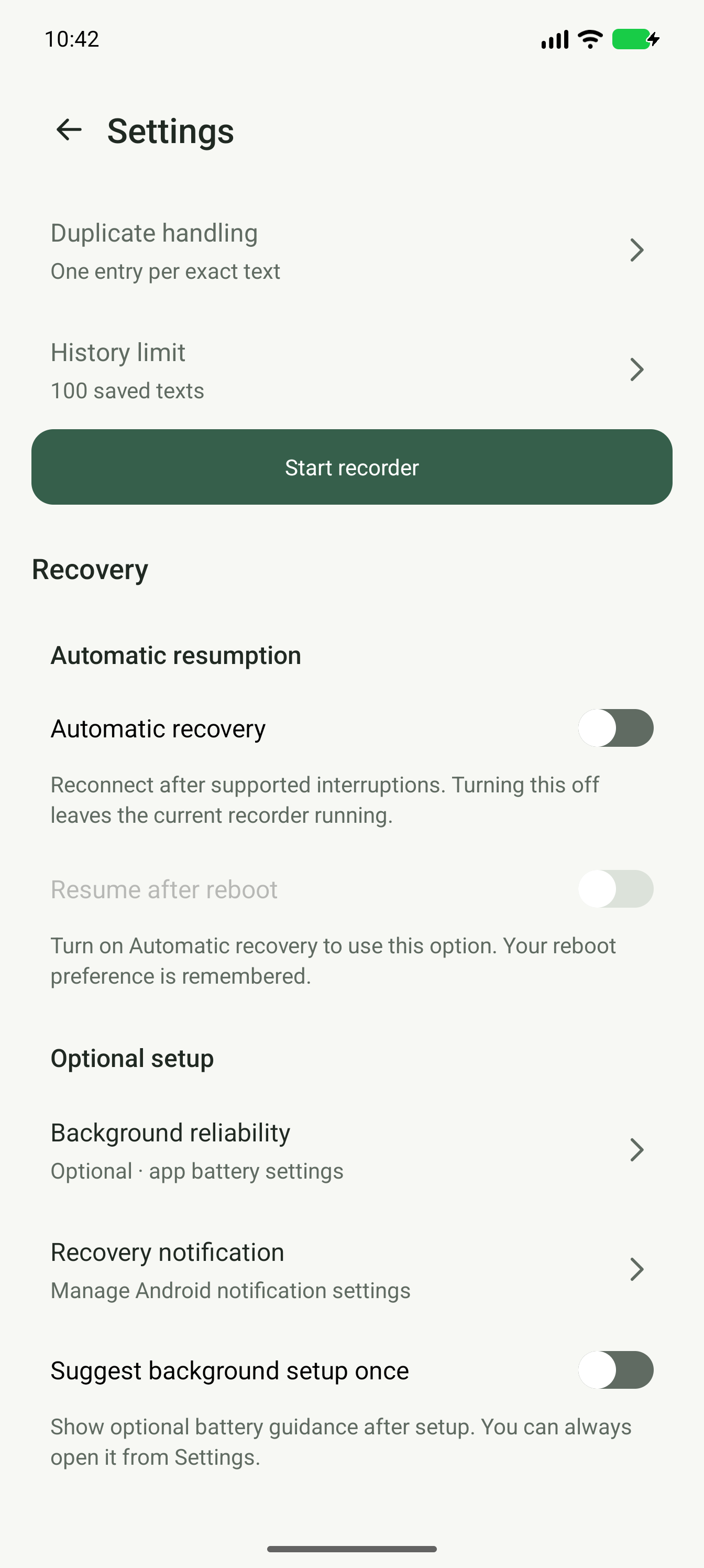
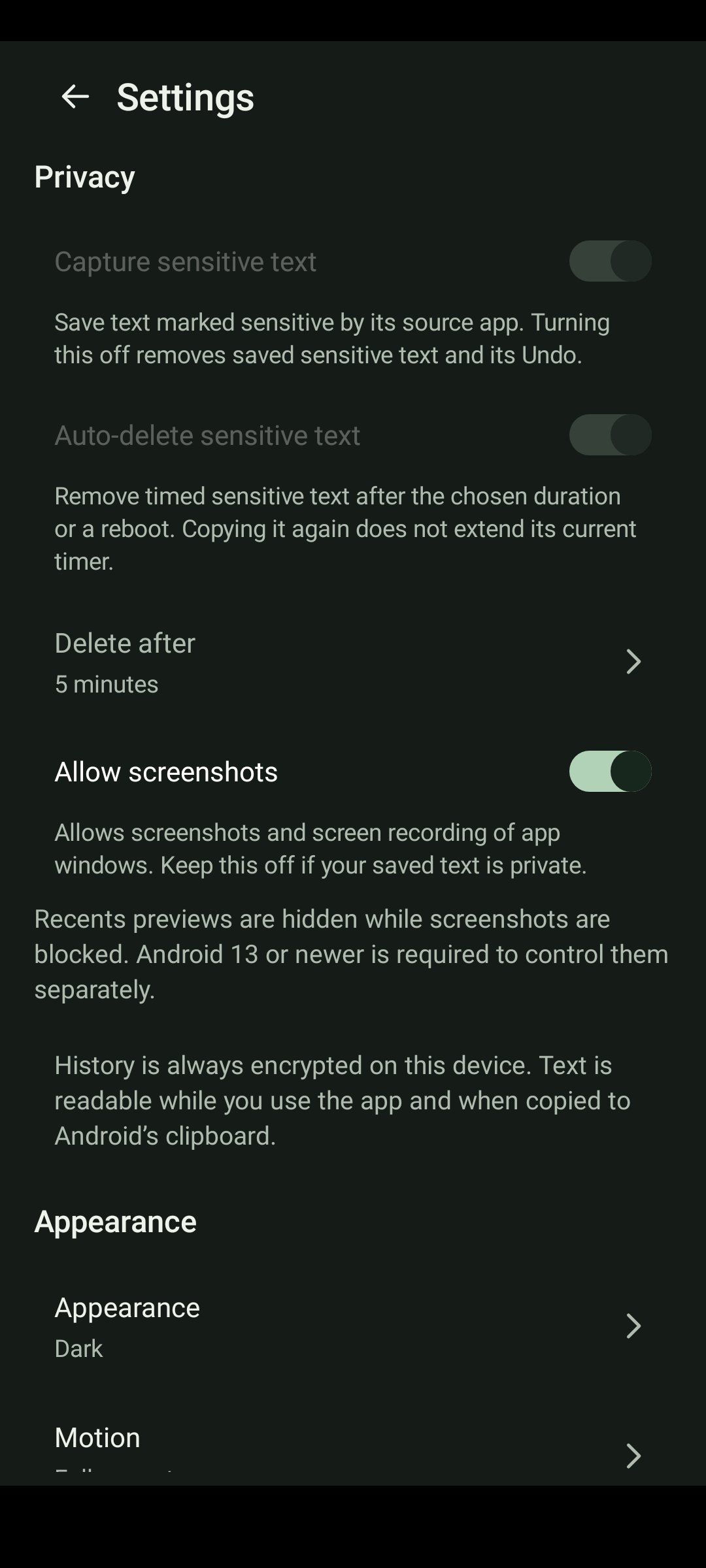
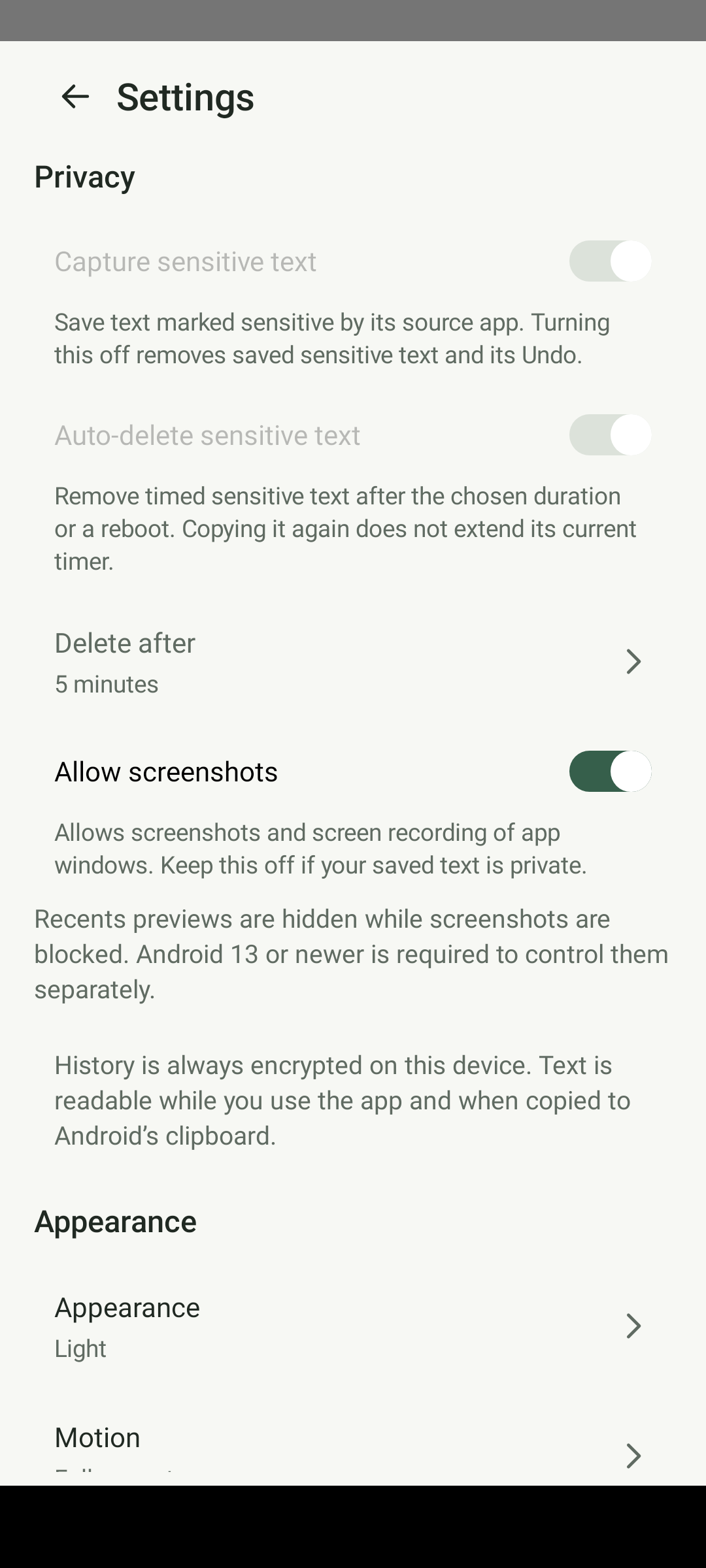
A → B → A → BproducesB, A. The previous consecutive-only mode remains selectable. - Settings grouped into Recording, Recovery, Quick access, Privacy, Appearance, Welcome and About. Choice rows show their current values; Boolean preferences use native switches. Screenshots and screen recording are blocked by default but can be enabled. Recents hiding is independently enabled by default on Android 13+; on Android 11–12 it follows screenshot blocking. Motion follows the system or can be disabled.
- Optional welcome (First time only, Every app opening, Never), real feedback/share/GitHub support destinations, optional battery guidance and a six-step Shizuku/reboot guide. Help preserves open topics and reading position. Support is never required.
- Single-entry deletion offers one-level Undo until dismissed, replaced by another deletion, cleared history or helper termination. Undo restores the original entry without evicting another entry; a full history asks for a larger limit. The pending entry exists only in helper memory, not a recovery file. Clear history has no Undo.
- Encrypted private, no-backup storage with authenticated, alternating snapshots and explicit corruption/error handling. Keystore protects the wrapped data key; normal and sensitive history use the same encryption.
- Optional source-marked sensitive text, automatic deletion with a configurable duration, and deliberately indefinite retention after confirmation. Existing active timers never extend through recopying or a longer duration setting.
- An optional shortcut to Android clipboard-access notice settings, with an explanation that the setting applies to all apps.
- Sensitive-flag filtering, bounded text/IPC/queue sizes, privacy-safe diagnostics and an explicit device connection/storage test.
- A lease on the Shizuku server Binder, independent of the normal app's process. Stopping that server makes the helper stop, rather than leaving an orphan recorder intentionally running.
Start
On Windows, extract the ZIP fully, then double-click BUILD_WINDOWS.cmd. Read START_HERE.md for the short walkthrough and BUILDING.md for details.
Once a build has succeeded, install its APK using the existing signing identity, start Shizuku, open ClipHistory and approve Shizuku access. Run the optional Connection test and add the tile through Android's confirmation. The connection test replaces the current shared clipboard with harmless text. Your usual keyboard stays unchanged.
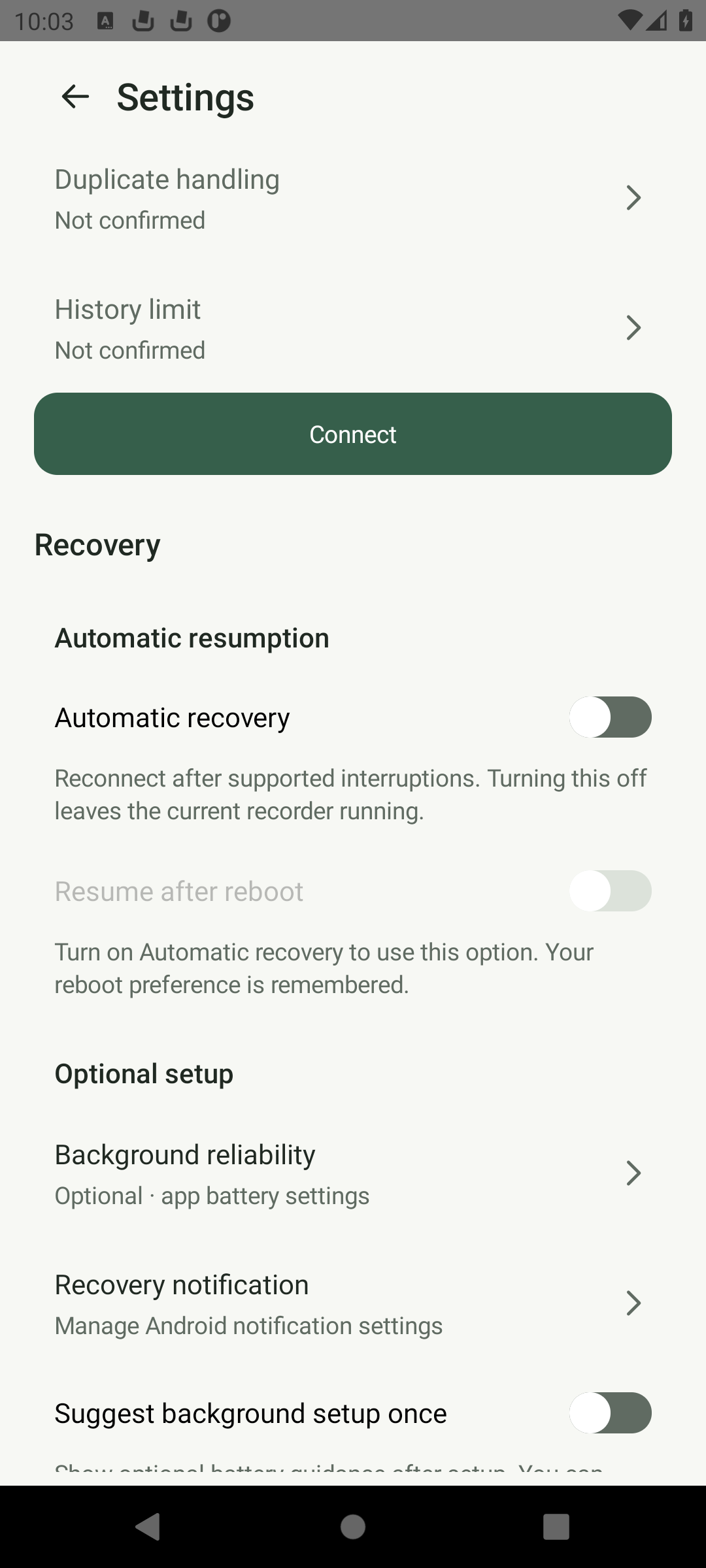
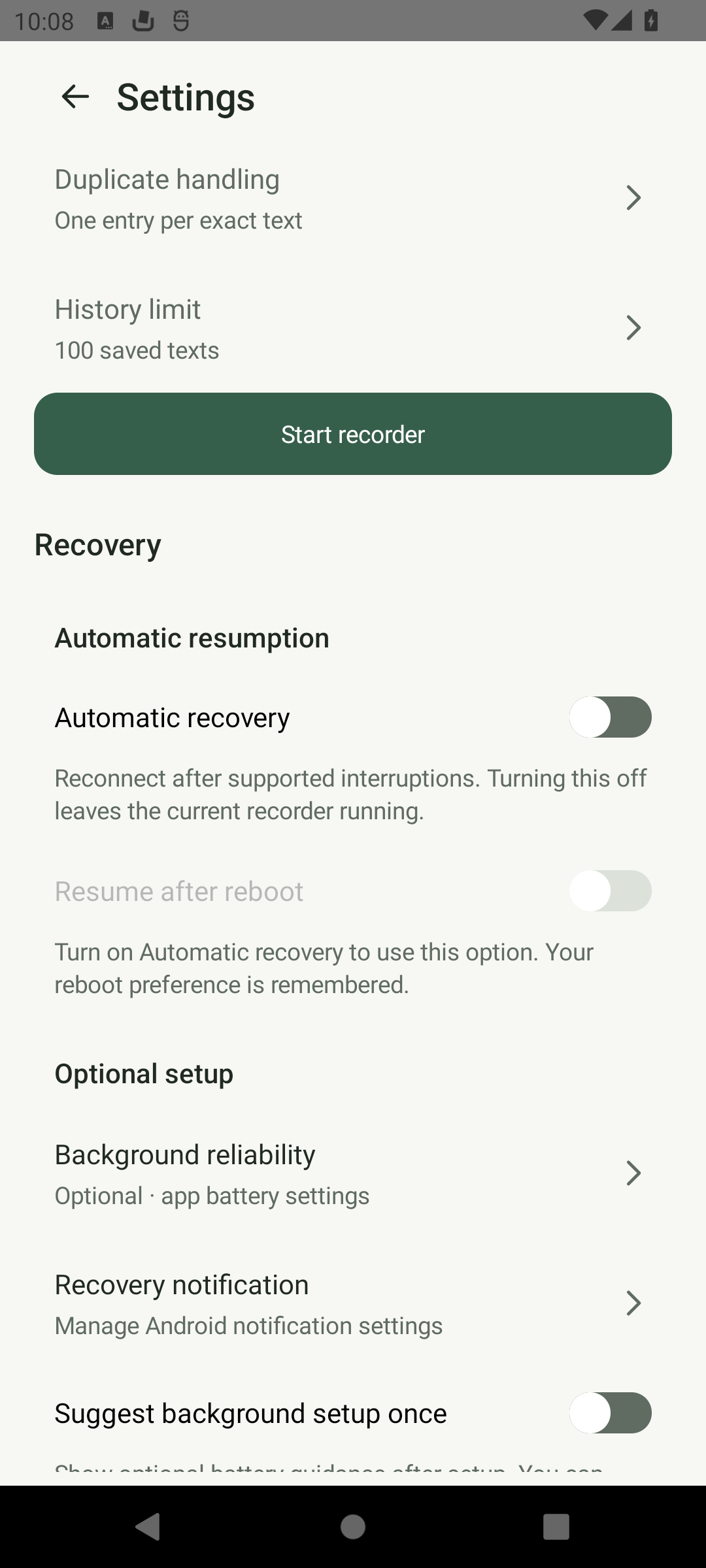
After reboot, unlock and start non-root Shizuku again (Sui with Shell mode starts by itself). Enabled recovery prepares after unlock and attempts reconnection when Shizuku becomes available and Android permits it. It does not automatically open the full Activity. Copies made before reconnection cannot be reconstructed. Battery settings are optional and cannot remove Shizuku's restart requirement.
Automatic recovery Off does not stop an already running helper. Pause stops saving; Stop recorder stops the helper and blocks recovery until explicit Start. Force stop and Android Task Manager Stop are respected. Unknown manufacturer user-stop descriptions fail closed and may require explicit reconnection.
Rooted phones
Android lets ClipHistory read the clipboard only as the shell user, not as root. On a rooted phone, the seamless setup is Sui with Shell mode, a Zygisk module that starts with the phone and can give one app Shell access while other apps keep root:
- Install the Sui module in Magisk with Zygisk enabled, or in KernelSU or APatch with a Zygisk implementation, then reboot.
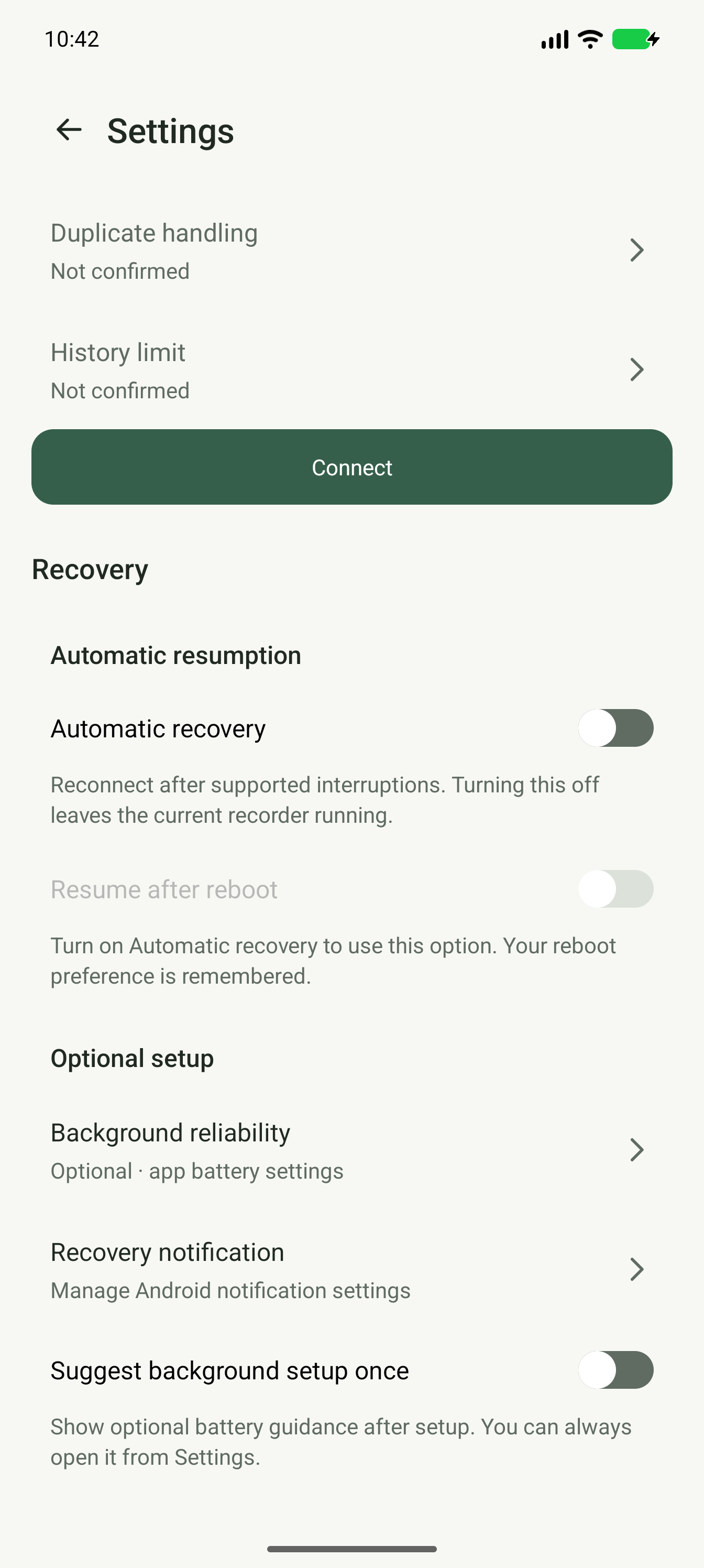
- Open ClipHistory and tap Connect. When Sui asks, choose Always (Shell).
Recording then resumes by itself after every restart, without wireless debugging. If you chose root or Deny, open Sui (long-press the Settings app icon, then tap Sui), tap ClipHistory and choose Allowed (Shell), then return to ClipHistory: it finishes connecting by itself, or tap Connect. The original Sui offers root only, and Shizuku or other services started with root stay unsupported.
Tested on an Android 16 emulator with Magisk 31.1 and Sui 13.5.4.3 in November 2026. KernelSU, APatch and real devices are not verified yet.
Boundaries
Only the primary Android phone profile and shell UID 2000 are supported by this build. Work profiles, secondary users, images, URIs and multi-item clip payloads are not claimed supported. Root mode is not supported: Android's clipboard service refuses clipboard reads from root and clears the clipboard instead (reproduced on Android 16 in November 2026), so ClipHistory refuses a root-started service and explains what to do instead. On a rooted phone, use Sui with Shell mode, or start the service with wireless debugging or ADB.
An individual text must be at most 65,536 UTF-8 bytes. Oversized items are skipped and counted, not silently truncated. Entries marked sensitive by their source app are skipped unless enabled in Settings → Privacy. Some browsers mark copies from private browsing this way; the home screen says when copies were skipped. Saved sensitive entries stay hidden in the list, quick panel and screen-reader labels until opened with View. Turning capture off removes retained sensitive entries and their Undo. Not every source app marks secrets. Text is readable during app use and in Android's clipboard after copying; encryption does not make this a password vault.
Clipboard notifications announce changes; they are not a durable queue of every intermediate clipboard value. Very rapid replacements, process death, permission failures, overload or platform changes can cause missed copies. Registered-listener status or a passed one-shot test does not prove long-term, all-app capture.
No runtime network code, account, ads, analytics, cloud service or INTERNET permission is included in our app source. Build-time downloads are separate. The shell helper has broader system privileges than a normal app; the absence of INTERNET in the app manifest is not a security sandbox for shell code. See SECURITY.md.
Architecture
Source app → Android clipboard → shell UserService listener
                                      ↓
                              bounded serial writer
                                      ↓
                        two app-private file descriptors
                                      ↓
                        history Activity / Quick Settings
The ordinary app creates its own private files and passes open descriptors to the helper via an owner-UID-guarded AIDL interface. The helper uses positional read/write and fsync, not chmod, truncate, shared storage or arbitrary path access. A length-prefixed framing format permits shorter snapshots and zeroed obsolete tails without changing file attributes as shell.
The helper remains the single writer. Opening the app reconnects to it. Without Shizuku, the UI can read and copy saved history but deliberately does not mutate its files while a potentially existing helper could still be writing them.
Explicit deletion, clearing, shrinking the limit, changing pause state, sensitive expiry and policy cleanup update both recovery slots. AES-256-GCM authenticates and encrypts each complete snapshot using a fresh random nonce. An app-owned Keystore key wraps the RAM data key; the authorized Shizuku recorder receives that key through Binder and encrypts on its serial worker. A validated recovery slot can preserve an earlier committed generation if the other is damaged. Damage to both slots or loss of the wrapping key is reported, without silently creating an empty replacement history.
The upgrade stops the previous helper before converting legacy plaintext and writes both encrypted copies before marking migration complete. For the first conversion of existing history, start Shizuku and allow ClipHistory so the old writer can be verified absent or stopped. Later encrypted history remains readable offline. Version 1.4 stores v3 history; older versions cannot read it. Do not downgrade or uninstall to fix an upgrade problem. Encryption protects stored files, not plaintext in RAM, an unlocked app or Android's clipboard. See security model.
Version 1.3 reads valid v1 history and writes v2, preserving pause and limit while combining duplicate text under the new default. Downgrading to 1.1/1.2 after migration is unsupported because those versions cannot read v2. Never uninstall to bypass a signing mismatch when history matters.
Source map
core/: history policy, codec, framed storage, clipboard signature routing and probe tracking; executable host tests.daemon/: shell clipboard bridge, descriptor access, AIDL implementation, serial persistence and lifecycle handling.client/: Shizuku permission/binding, private file ownership, async IPC and offline reading.ui/: native Android Activity, list adapter and Quick Settings tile.app/src/main/aidl/: bounded, owner-checked IPC interface and change observer.tools/: host tests, static source audit and local Gradle/Windows build bootstraps.docs/release-1.4/: local encrypted-history implementation and qualification. Earlier release folders retain their historical evidence.fdroid/andfastlane/: build recipe and store metadata.
Tests
With Kotlin CLI and Java 17+ installed:
bash tools/test-core.sh
python3 tools/audit_source.py
With a real Android SDK and the dependencies available:
./gradlew :app:testDebugUnitTest :app:lintRelease :app:assembleRelease
Release signing needs the owner-local .signing material created by the Windows build script; otherwise the Gradle release output is unsigned. No signing key is distributed in this ZIP.
Read VERIFICATION.md, DEVICE_TESTS.md, SECURITY.md and docs/SOURCES.md before treating this as a verified daily-use app.
Licence
Original project code is MIT licensed. Shizuku, Kotlin and Android build dependencies retain their respective licences. See LICENSE and THIRD_PARTY_NOTICES.md.
How Shizuku is used
Can save copied text in background and manage history via a shell `IClipboard` listener through Shizuku.
This is an AI-assisted analysis of Shizuku-related usages in the app's public source code. It is best effort, so it may not catch every single usage.
How this app uses Shizuku
ClipHistory uses Shizuku to run its clipboard recorder with shell privileges so it can see copies made in other apps. Without that recorder the app only shows previously saved entries.
- Record copies automatically: text copied in any app is detected in the background through Shizuku and added to the encrypted local history.
- Browse and search history: saved entries are read back through the Shizuku helper for listing, searching, paging and viewing full text.
- Manage recording and history: pausing and resuming capture, deleting entries, clearing history, changing the kept limit, duplicate handling and sensitive text policy are applied through the Shizuku helper.
Android APIs or commands used
android.os.ServiceManager.getServiceandroid.content.IClipboard.getPrimaryClipandroid.content.IClipboard.addPrimaryClipChangedListenerandroid.content.IClipboard.removePrimaryClipChangedListener
Notable details
When the recorder is not running, previously saved history remains viewable and copyable offline, but new copies are not captured and history changes need a reconnection.
Changelog
What's new for version 1.4.7
ClipHistory 1.4.7 lets rooted phones record without wireless debugging. With the Sui module that has Shell mode, tap Connect and choose Always (Shell) when Sui asks; recording then resumes by itself after every restart. ClipHistory guides you through that choice, explains how to switch if root or Deny was chosen, and Setup help has a new "Rooted phone" answer. Connecting no longer ends in "Recorder stopped by you" when Sui restarts the app to apply your choice. A service running as root is still refused, because Android clears the clipboard when root reads it.
Checked before release: the Windows and Linux builds are byte-identical and reproduce this signed APK; a signed upgrade from 1.4.6 kept history and settings and reconnected by itself; launch times match 1.4.6; the new screens were checked in light, dark, 200% text and right-to-left layout; the full emulator test matrix (Android 11–16) passed. Sui was tested on an Android 16 emulator with Magisk 31.1; KernelSU, APatch and real rooted phones are not verified yet. The signing key is unchanged.
Source: fd2c3c8b2a9d6cd10ac77096bf6258fba54ed8b6
APK SHA-256: df21327e460d8e6ee083f310109833ba8bdd93af17c0b612f65e122ac8caaa7d




Permissions
6 permissions requested
More from this category
 Curbox
 DetoxDroid
 Cresto
 HyperCopy
 QuickDash
 Sefirah
 Blink
 Input Leaf
 Ripple