 ShizuStore
CleanBar
1.1.0 · GitHub
More about this app
1-tap status bar and system icon hider to hide clock, battery, and icons, no root required

CleanBar
1-Tap Status Bar Hider for Android • Powered by Shizuku
Transform your screen into a 100% bezel-less, distraction-free canvas with a single tap.






Download APK • Features • Screenshots • Installation • Tech Stack
📱 Screenshots
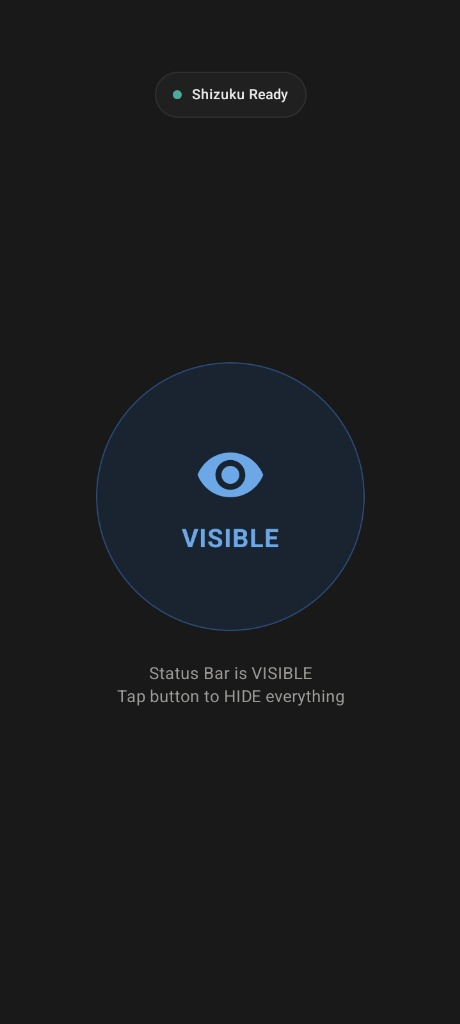
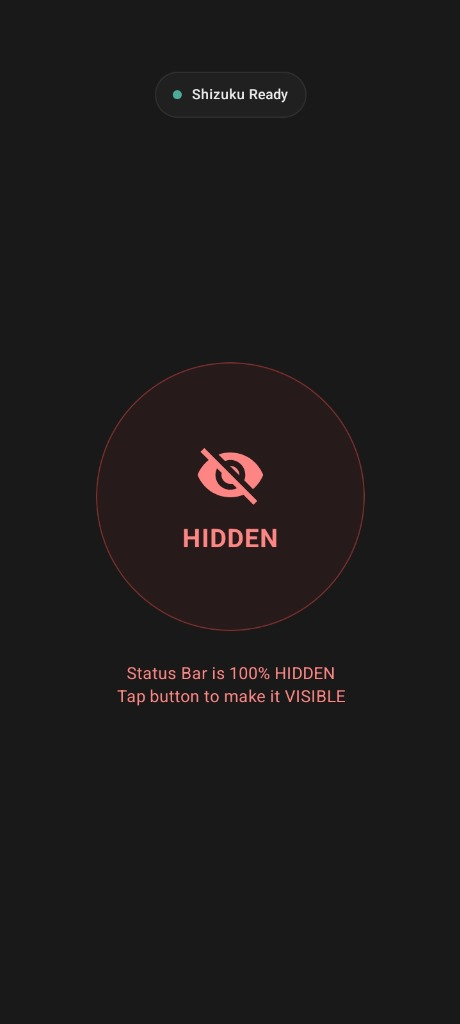
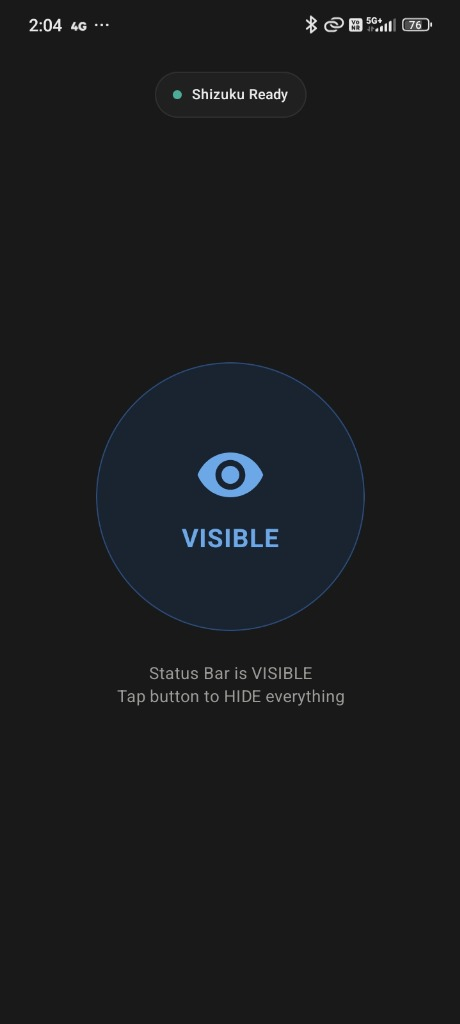
| 🟢 Status Bar Visible | 🔴 Status Bar 100% Hidden |
|---|---|
 |
 |
| Standard System Status Bar | 100% Pure Clean Screen (Zero Clock, Battery, or Icons) |
✨ Features
- ⚡ 1-Tap Master Toggle: Instantly hide or restore all status bar elements with a single click.
- 🚫 Complete Icon & Clock Removal: Disables system icons, clock, battery percentage, Wi-Fi, 5G, and notification icons seamlessly without root.
- 🎛️ Quick Settings Tile: Add the CleanBar tile to your notification quick settings shade to toggle status bar visibility from anywhere.
- 🖤 Clean Minimalist Dark UI: Ultra-clean, distraction-free aesthetic with pure flat colors and zero toast popups.
- 📳 Haptic Feedback: Crisp physical vibration feedback on every button tap.
- 🔒 No Root Required: Utilizes the privileged Shizuku Binder service via Wireless Debugging / ADB.
- 🛡️ Fail-Safe State Sync: Automatically queries and synchronizes real device status on app launch and resume.
🚀 Installation & Setup
1. Set Up Shizuku (One-Time)
- Install Shizuku from Google Play Store or GitHub.
- Start Shizuku using Wireless Debugging (Android 11+) or via ADB from your PC.
2. Install CleanBar
- Download the latest
CleanBar.apkfrom GitHub Releases. - Install the APK on your Android device.
3. Grant Permission & Toggle
- Open CleanBar and tap the top "Tap to Authorize Shizuku" pill.
- Click "Allow All The Time" on the Shizuku permission prompt.
- Tap the center VISIBLE / HIDDEN button to enjoy a 100% clean screen!
⚙️ How It Works
CleanBar communicates directly with the Android System Server through privileged Shizuku binder calls:
// 1. Hide system clock, battery, and status notification icons
cmd statusbar send-disable-flag system-icons clock notification-icons

// 2. Apply global immersive status bar policy across all apps
settings put global policy_control immersive.status=*

// 3. Restore all status bar elements instantly
cmd statusbar send-disable-flag none
settings put global policy_control null
🛠️ Tech Stack & Architecture
- Language: Kotlin 2.0
- UI Framework: Jetpack Compose & Material 3
- Privileged Backend: Rikka Shizuku API (v13.1.5)
- Quick Settings: Android System
TileService - Asynchronous Execution: Kotlin Coroutines +
Dispatchers.IO - Design System: Custom CleanBar Dark Color Palette
📄 License
This project is licensed under the MIT License - see the LICENSE file for details.
👤 Author
Sachin Mandawi — Software & Android Developer
- 🌐 Official Website & Portfolio: https://sachinmandawi.com
- 💻 GitHub: @sachinmandawi
- 📷 Instagram: @sachinmandawi
- 📌 Pinterest: in.pinterest.com/sachinmandawi
How Shizuku is used
Can hide and restore the status bar, clock and system icons via `settings`, `cmd statusbar` and `am broadcast` through Shizuku.
This is an AI-assisted analysis of Shizuku-related usages in the app's public source code. It is best effort, so it may not catch every single usage.
How this app uses Shizuku
CleanBar uses Shizuku to hide and restore the system status bar without root, from the main button and the Quick Settings tile.
- Hide status bar: one tap hides the clock, system icons and notification icons and applies a full immersive status policy through Shizuku.
- Restore status bar: one tap brings back the clock, icons and notifications and clears the immersive policy through Shizuku.
- Show hide status: the main button and Quick Settings tile show Hidden or Visible by reading the current immersive policy through Shizuku.
Android APIs or commands used
am broadcast -a com.android.systemui.demo -e command exitcmd statusbar send-disable-flag system-icons clock notification-iconssettings put global policy_control immersive.status=*cmd statusbar send-disable-flag nonesettings delete global policy_controlsettings put global policy_control nullsettings get global policy_control
Changelog
What's new for version 1.1.0

🚀 CleanBar v1.0.0 — Minimalist Android Status Bar Manager by Sachin Mandawi
Minimalist Android status bar manager built with Kotlin & Shizuku.
👤 Author & Official Links
- Developer: Sachin Mandawi (Software & Android Developer)
- 🌐 Official Portfolio & Website: https://sachinmandawi.com
- 💻 GitHub Profile: https://github.com/sachinmandawi
- 📸 Instagram: https://www.instagram.com/sachinmandawi
- 📌 Pinterest: https://in.pinterest.com/sachinmandawi/
- ✍️ DEV.to: https://dev.to/sachinmandawi
Permissions
6 permissions requested
More from this category
 Essentials
 Extendroid
 ShizuTools
 Dragon Launcher
 Smart Island
 GAMA
GAMA
 Tap, Tap
 Expressive Cutout
 SystemUI Tuner
 Ambient Music Mod
 ColorBlendr
 SetEdit+