 ShizuStore
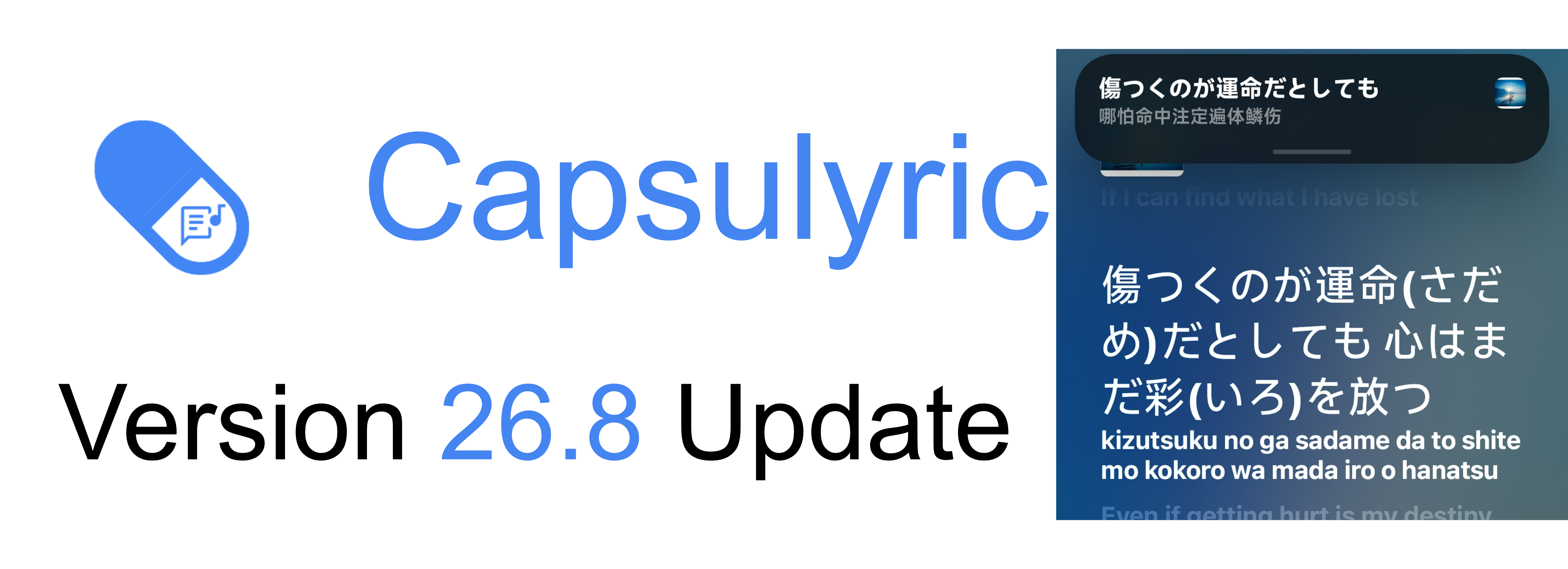
Capsulyric
26.9.Stable_C709 · GitHub
More about this app
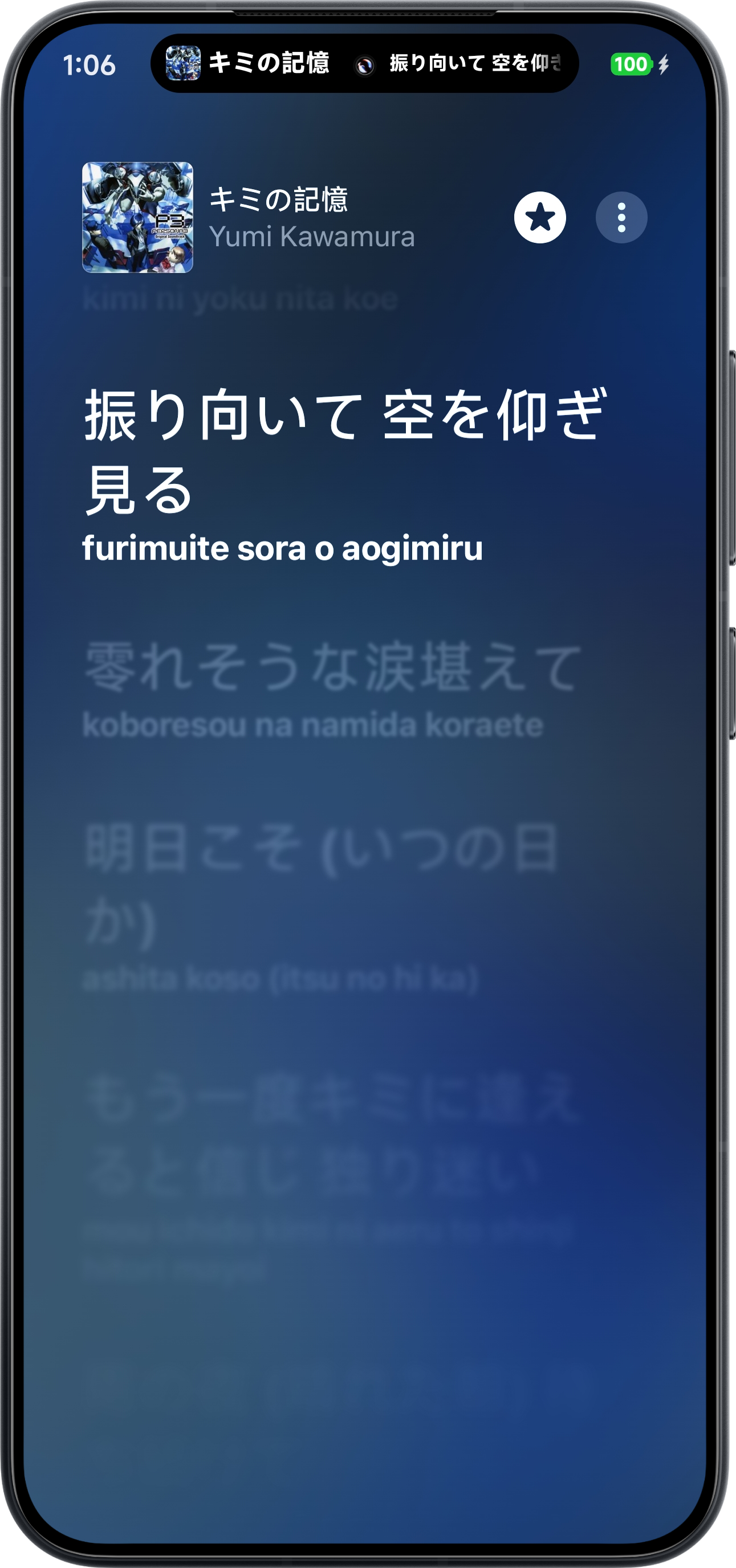
Displays now-playing lyrics on the status bar and lock screen via Android Live Update and Xiaomi Super Island
 Capsulyric


Provides status bar lyrics based on Live Update and Xiaomi Super Island.
About (项目介绍)
Capsulyric is an Android app that displays now-playing lyrics on the status bar, notification, and lock-screen area through Live Update (Android 16+) and/or Xiaomi Super Island (HyperOS 3.0+). It gathers lyrics from media notifications, online services, and local .lrc files, with support for translations and romanization.
Capsulyric 是一款 Android 歌词应用,通过实况通知(Android 16+) 和/或 小米超级岛(HyperOS 3.0+) 在状态栏、通知栏与锁屏区域显示正在播放的歌词。支持从媒体通知、在线服务与本地 .lrc 文件获取歌词,并支持翻译与拼音歌词。
Note
This project has enter the Long Term Slacking (LTS) phase. The core experience is now relatively stable. Future update frequency will be significantly reduced, and new feature development will proceed at a slower pace.
本项目已进入长周期阶段(LTS,Long Term Slacking),当前阶段为Cyrene_LTS。基础体验已趋于稳定,更新频率将降低,功能开发也将相应放缓。
Table of Contents (目录)
Features (功能特性)
- Live Update (实况通知) — System-level dynamic lyrics in the notification and lock-screen area. / 系统级实况通知,在通知栏与锁屏区域显示动态歌词。
- Xiaomi Super Island (小米超级岛) — Native island display on HyperOS 3.0+. / HyperOS 3.0+ 原生超级岛展示。
- Multiple lyric sources (多歌词源) — Media notifications, online lyrics, Superlyric, Lyric Getter, Lyricon, and local
.lrc. / 通知栏、在线歌词、Superlyric、Lyric Getter、Lyricon 与本地.lrc多来源获取。 - Translations & romanization (翻译与拼音歌词) — Available with Online Lyrics enabled. / 开启在线歌词后支持翻译与拼音歌词。
Screenshots (效果展示)
(展示机型:Xiaomi 15 | 系统版本:HyperOS 3.0.300.7 Beta | 展示应用版本:Version.26.6.2.Stable_C488)
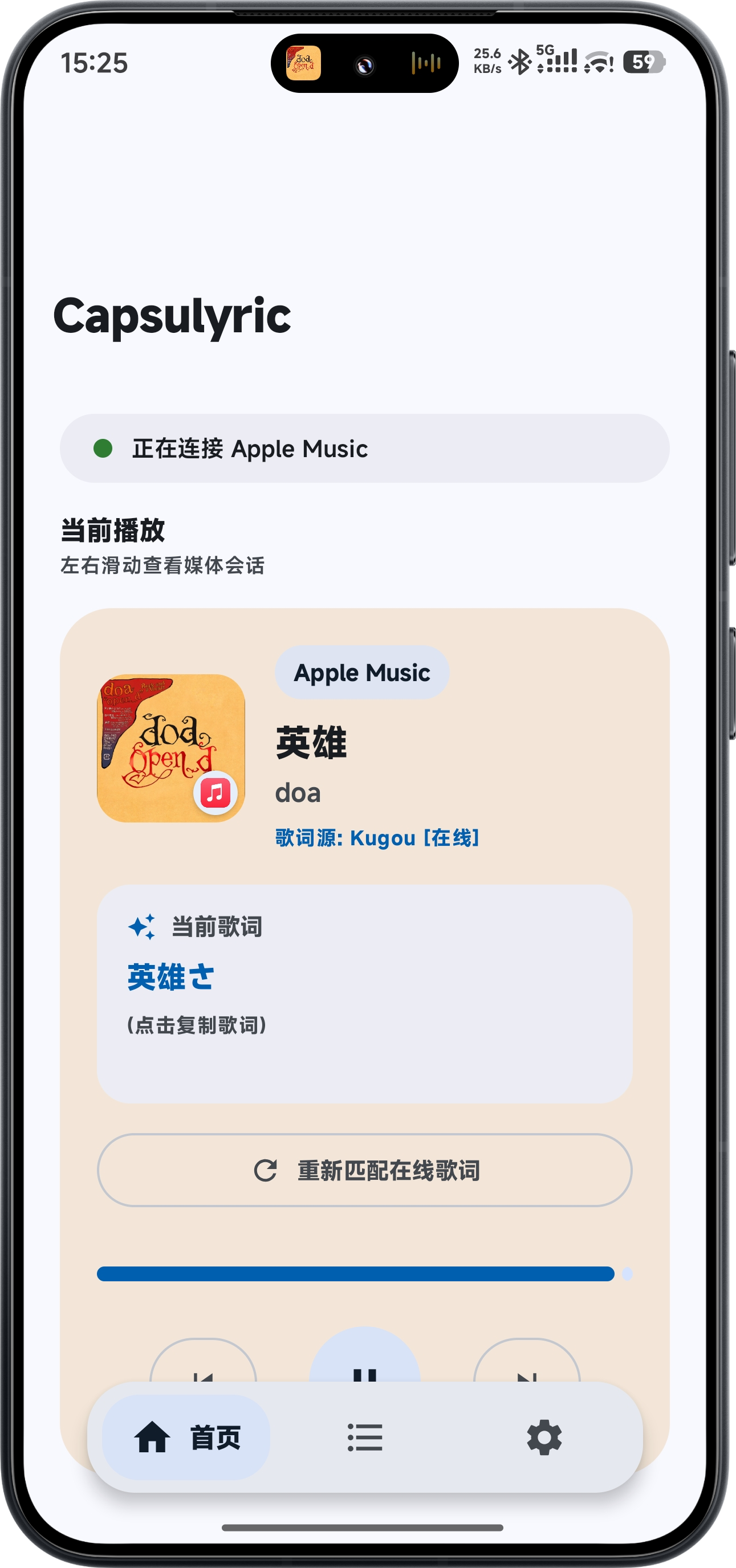
App UI (界面风格)
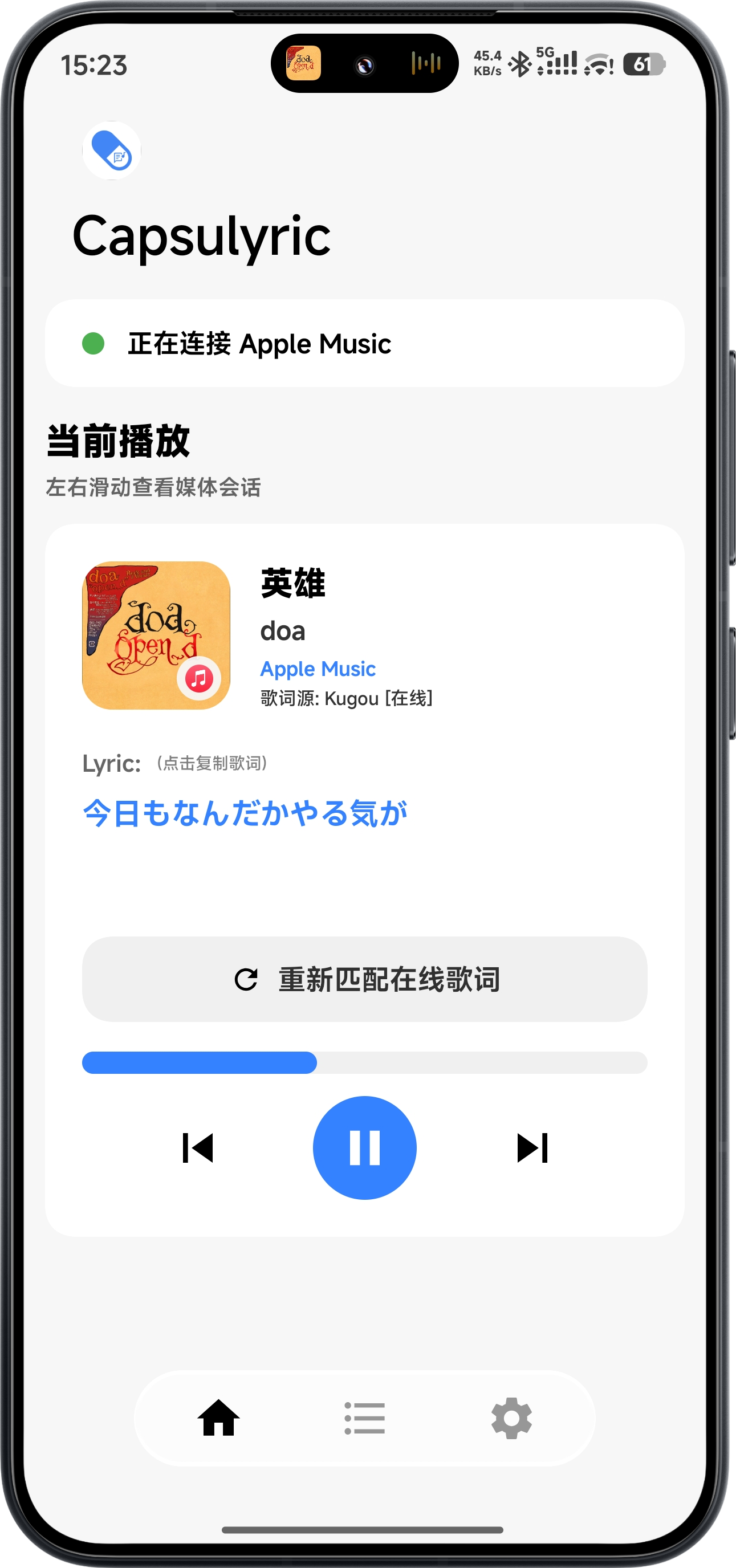
Material Design vs MIUIX


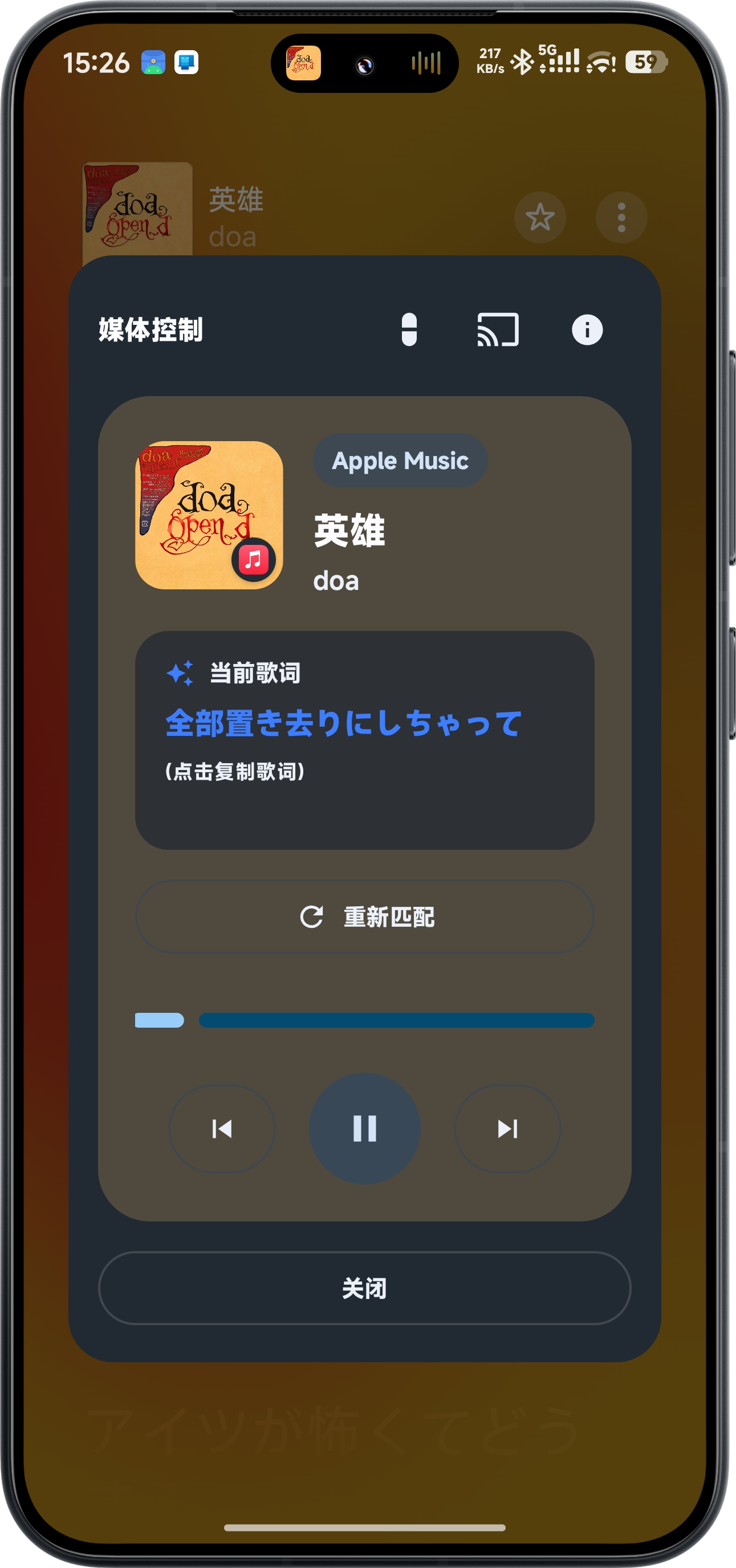
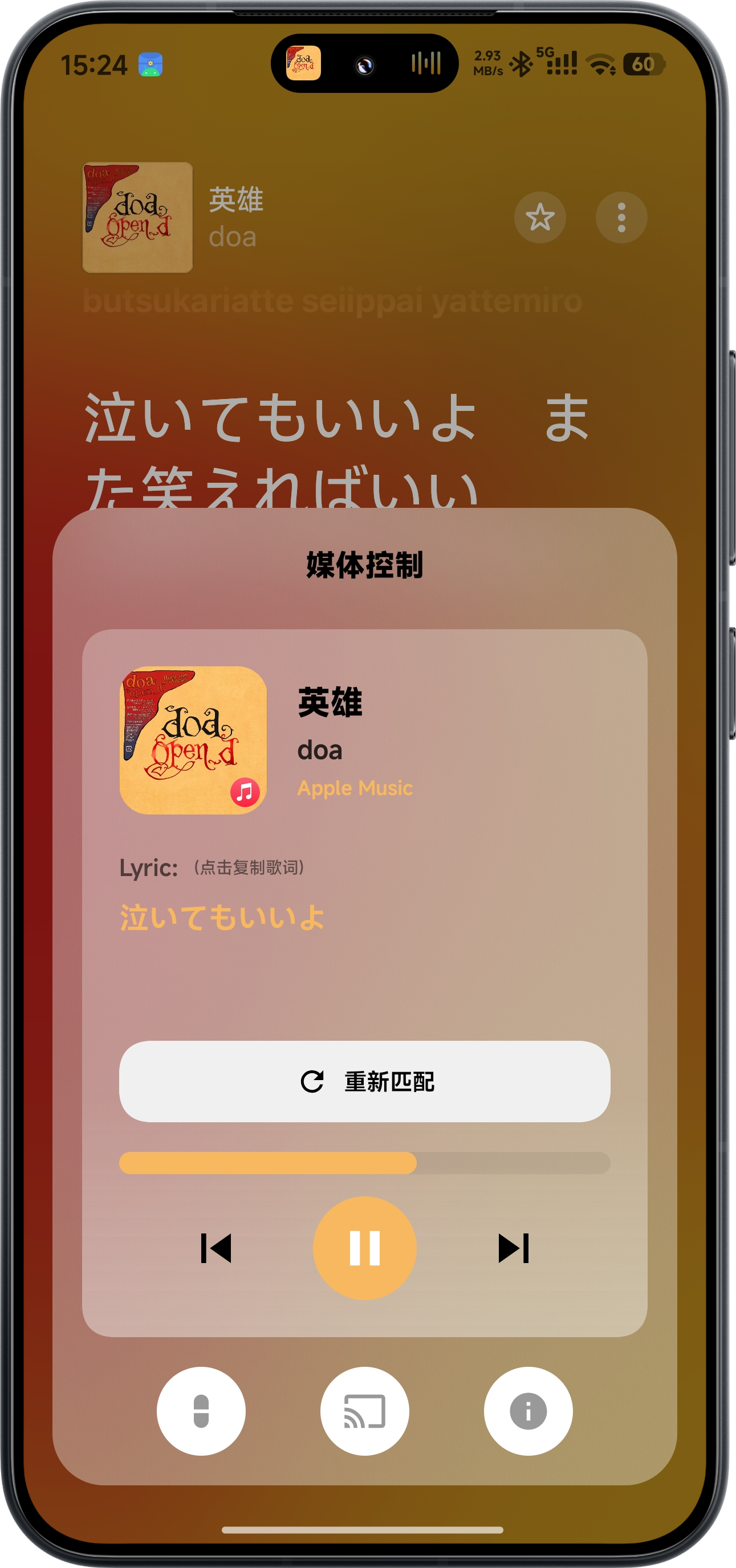
Media Control (媒体控制弹窗)


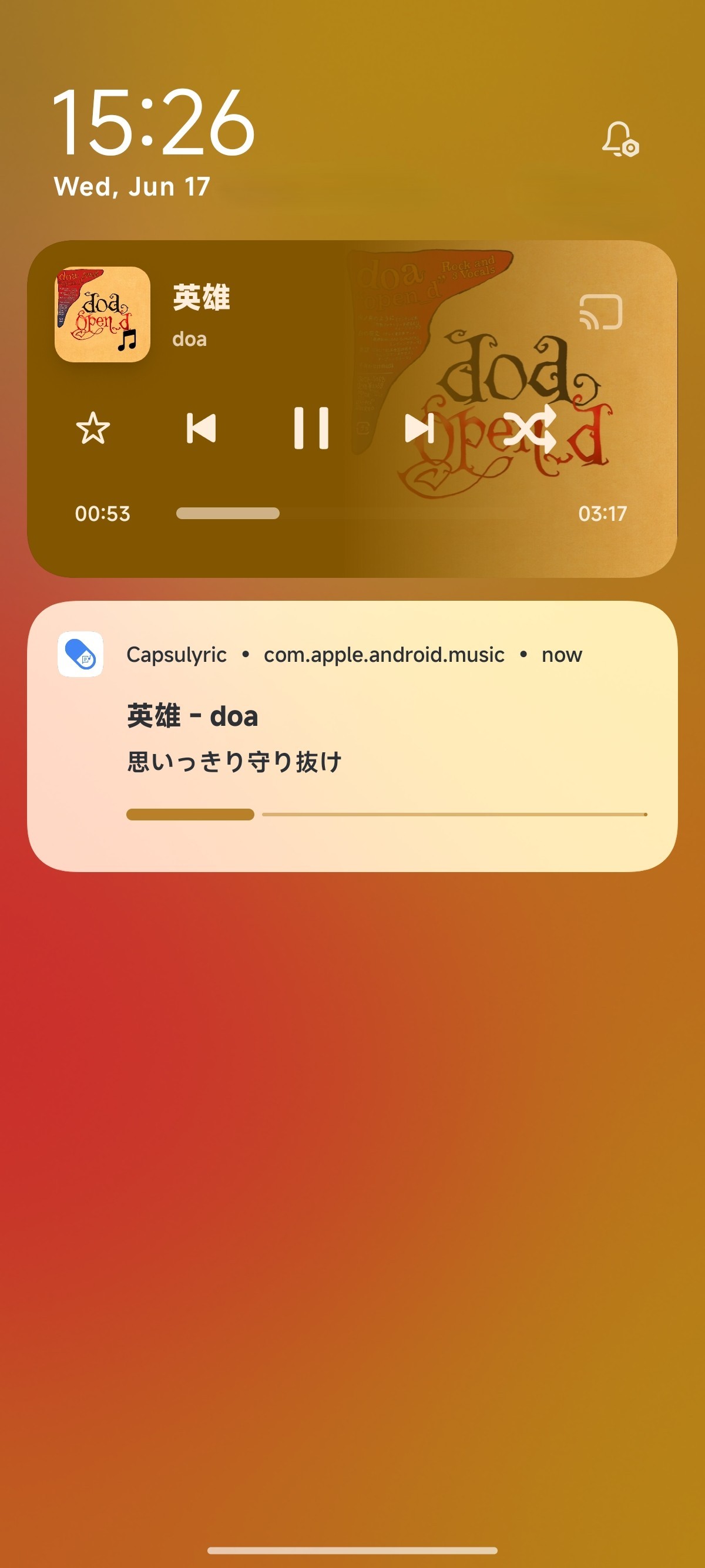
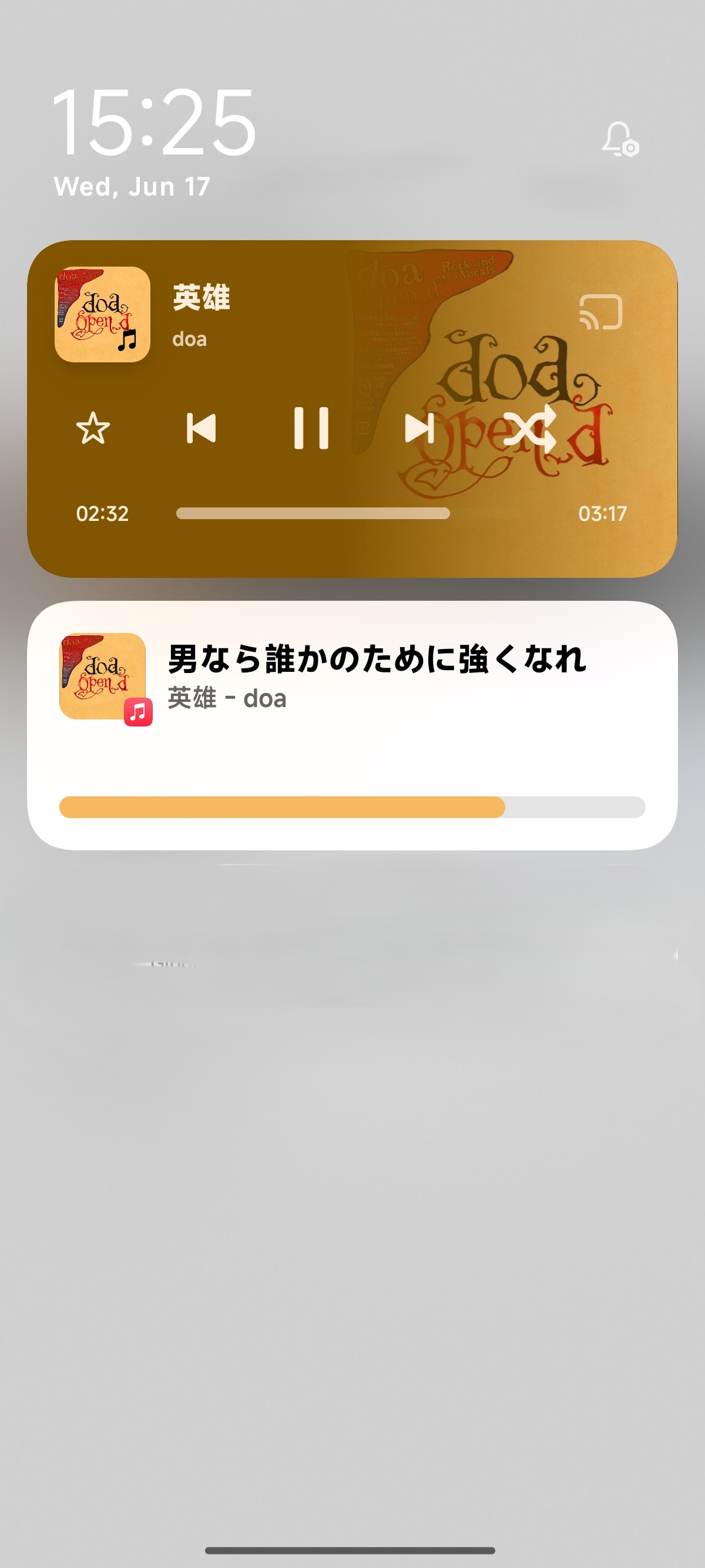
Notification (通知形态)
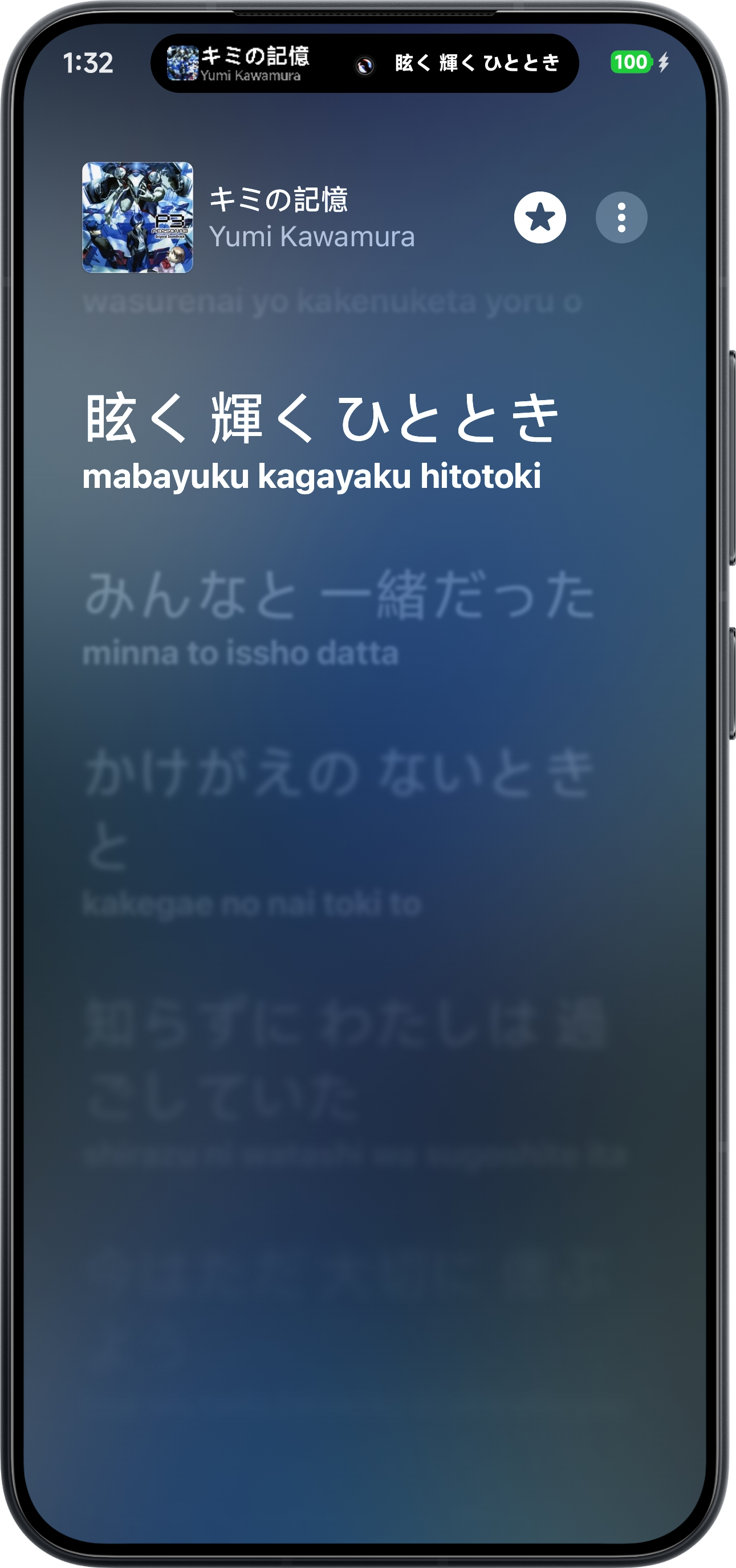
Live Update (实况通知) vs Xiaomi Super Island (小米超级岛)


Capsule (胶囊形态)


Modes & Requirements (模式与要求)
| Mode / 模式 | Requirements / 要求 | Supported Devices / 支持机型 |
|---|---|---|
| Live Update (实况通知) | Android 16+ HyperOS 3.0.300+ |
Xiaomi HyperOS (Verified) ColorOS, OneUI, AOSP (Community) |
| Xiaomi Super Island (小米超级岛) | HyperOS 3.0 & Android 15+ |
HyperOS devices with Root or Shizuku |
1. Live Update (实况通知)
- How it works / 工作方式: System-driven dynamic lyrics in the notification and lock-screen area. / 由系统实况通知机制驱动,在通知栏与锁屏区域显示动态歌词。
- EN: Generally supports Android 16+. For HyperOS, version 3.0.300+ is required.
- CN: 一般要求 Android 16+。针对小米设备,需要 HyperOS 3.0.300+ 版本。
2. Xiaomi Super Island (小米超级岛)
- How it works / 工作方式: Lyrics rendered inside Xiaomi's island capsule. / 在小米超级岛胶囊内渲染歌词。
- EN: Requires HyperOS 3.0 and Android 15+. System requires Root access or Shizuku.
- CN: 要求 HyperOS 3.0 与 Android 15+。系统需要 Root 权限 或 Shizuku 环境。
Note
Systems below Android 16 or HyperOS 3.0 do not support native dynamic lyrics. 低于 Android 16 或 HyperOS 3.0 的系统不支持原生动态歌词。
Lyric Acquisition (歌词获取方式)
| Method / 方式 | Description / 说明 |
|---|---|
| Media Notification | Detects lyrics from standard notifications. / 从标准通知栏提取。 |
| Online Lyrics | Fetches from online servers. Supports translations & romanization. / 从互联网服务器获取,支持翻译与拼音歌词。 |
| Superlyric API | High accuracy (Root/LSPosed required). / 准确度高(需 Root/LSPosed)。 |
| Lyric Getter | Supports Meizu & LSPatch (non-root). / 支持魅族状态栏歌词及免 Root 注入。 |
| Lyricon API | Root/LSPosed required. / 需 Root/LSPosed。 |
| Local Lyric | Based on local .lrc files with auto-matching. / 基于本地 .lrc 歌词文件,支持自动匹配。 |
FAQ (常见问题)
Q1: How to add parser rules? (如何添加解析规则?)
EN:
- Enable App Settings: Ensure "Notification/Car Lyrics" is enabled in your music app.
- Add Rule: Manually add or use "Recommend" in the Parser Rules page.
- Configure: Select the correct "Separator" and "Order", then restart the music app.
CN:
- 开启应用设置:确认音乐应用内已开启“通知栏歌词”或“车载蓝牙歌词”。
- 添加解析规则:在“解析规则”页面手动添加或使用“推荐”。
- 配置逻辑:选择对应的“分隔符”和“顺序”并重启音乐应用。
Q2: How to use Xiaomi Super Island? (如何使用小米超级岛?)
EN:
- Rooted: Recommended to use HyperCeiler to bypass the whitelist.
- Non-rooted: Authorize Shizuku and enable "Bypass Xiaomi Super Island Whitelist". Note potential battery impact or message delay.
CN:
- 已 Root:推荐使用 HyperCeiler 插件解除白名单限制。
- 未 Root:授权 Shizuku 并开启“绕过小米超级岛白名单”。注意可能导致耗电增加或消息延迟。
Q3: Why can't I see lyrics? (为什么看不到歌词?)
EN:
- Permissions: Check "Notification Access".
- System: Requires Android 16+ or HyperOS 3.0.300+. HyperOS below 3.0.300 cannot show native live notifications.
- App Settings: Ensure lyrics settings are enabled in your music player.
CN:
- 检查权限: 确保“通知使用权”已开启。
- 版本要求: 需 Android 16+ 或 HyperOS 3.0.300+。低于 3.0.300 的 HyperOS 无法显示原生实况通知。
- App设置: 确认音乐 App 的蓝牙/通知歌词开关已打开。
Q4: Cannot connect to service? (无法连接服务?)
EN: Permission revoked by system. Please re-grant "Notification Access".
CN: 系统回收了权限。请重新手动授予“通知使用权”。
Q5: How to backup/restore settings? (如何备份/恢复设置?)
EN: Go to Settings → Backup & Restore. Supports granular category selection (Capsule, Notifications, Appearance, General, Parser Rules, Advanced, etc.) for export/import. Sensitive data such as Last.fm credentials can be included only through an optional password-encrypted backup entry.
CN: 前往 设置 → 备份与恢复,支持按类别(胶囊、通知、外观、通用、解析规则、高级等)选择导出或导入。Last.fm 等敏感凭据只有在主动选择并设置备份口令后,才会写入加密备份项。
Q6: How to submit feedback? (如何反馈问题?)
EN: Please submit an issue at GitHub Issues with logs from the Log Console (tap version/commit to open).
CN: 请前往 GitHub Issues 提交反馈,并附带通过点击版本号唤出的 Log Console 日志。
Q7: After hiding the app icon, how can I reopen Capsulyric? (隐藏桌面图标后如何重新打开应用?)
EN: After hiding the launcher icon, you can still open Capsulyric via:
- Quick Settings Tile — Pull down the notification shade and tap the Capsulyric tile.
- URL Scheme — Type
capsulyric://settingsin any browser address bar, you can also click there.- Manage Space — Go to System Settings → Apps → Capsulyric → Manage Space to open the Cache Management page. Tap the top-left back button there to enter Capsulyric's App Settings; using the system Back button returns to System Settings. On some devices (e.g. HyperOS), this button may only appear after tapping "Clear Data".
CN: 隐藏桌面图标后,仍可通过以下方式打开 Capsulyric:
- 控制中心磁贴 — 下拉通知栏,点击 Capsulyric 磁贴。
- URL Scheme — 在任意浏览器地址栏输入
capsulyric://settings,你也可以直接点击这里快速进入。- 管理空间 — 前往 系统设置 → 应用管理 → Capsulyric → 管理空间进入缓存管理页面。点击页面左上角返回按钮可进入 Capsulyric 的应用设置;使用系统返回键则会回到系统设置。部分设备(如 HyperOS)上,该按钮需要点击"清除数据"后才能看到。
Privacy (隐私说明)
- Reads only media playback notifications: album art, artist, song title, album name, and the playing app's package name. / 仅读取媒体播放通知:专辑图、歌手、歌名、专辑名与播放应用包名。
- Used solely for: playback display, lyric extraction, online lyric matching, Last.fm scrobbles, and diagnostics. / 仅用于:播放信息显示、歌词提取、在线匹配、Last.fm 记录与应用自身日志。
- Never reads chat messages, verification codes, emails, or other non-media notifications. / 不读取聊天消息、验证码、邮件等非媒体通知。
- On-device processing by default; network requests only for features you explicitly enable (Online Lyrics, Last.fm). / 默认本机处理;仅在明确开启在线歌词或 Last.fm 时联网。
- Last.fm credentials: encrypted with Android Keystore-backed AES-GCM and excluded from Android backup/device-transfer rules. Normal exports omit them; an optional, password-encrypted manual backup entry can include them. / Last.fm 凭据:Android Keystore AES-GCM 加密,并排除在 Android 备份/设备迁移之外。常规导出不会包含这些数据;只有主动选择并设置备份口令时,才会写入加密的手动备份项。
- Apple Music lyrics require an optional login token (media-user-token); it is encrypted on-device with Android Keystore AES-GCM, excluded from normal exports, and may be included only in a password-encrypted sensitive backup. / Apple Music 歌词需要可选的登录凭据(media-user-token);该凭据以 Android Keystore AES-GCM 加密存储于本机,不随常规设置导出,仅在密码加密的敏感备份中可选包含。
Full privacy policy / 完整隐私说明: PRIVACY.md
Project Structure (项目结构)
The Android app is organized by responsibility. Main package groups: 项目主体按职责拆分,主要包职责如下:
| Package / 包 | Responsibility / 职责 |
|---|---|
core/ |
Shared platform utilities, settings, logging, cache, update, theme. / 通用平台能力、设置、日志、缓存、更新与主题。 |
lyrics/ |
Lyric sources, online fetching, parsing, scoring, local lyrics, cache, export. / 歌词来源、在线获取、解析、评分、本地歌词、缓存与导出。 |
runtime/ |
Foreground services, media-session monitoring, notification control. / 前台服务、媒体会话监听与通知控制。 |
feature/ |
Screen-level features: settings, parser rules, diagnostics, OOBE. / 设置、解析规则、诊断、缓存管理与首次引导等页面级功能。 |
ui/ |
Reusable UI, Material/Miuix themes, overlay renderers, capsule, Super Island. / 可复用 UI、Material/Miuix 主题、悬浮层、胶囊与超级岛。 |
integration/ |
Privileged/external API bridges (Shizuku, system-level). / Shizuku 等特权/外部 API 与系统级集成。 |
rules/ |
Parser-rule models, matching helpers, rule management. / 解析规则模型、匹配辅助与规则管理。 |
Build configuration is split between app/build.gradle and reusable scripts under gradle/scripts/, keeping versioning, signing, and Android app options separate. / 构建配置由 app/build.gradle 与 gradle/scripts/ 下的脚本共同维护,用于拆分版本号、签名和 Android 应用配置。
For package boundaries and runtime data flow, see Architecture. / 更详细的包边界与运行时数据流见 Architecture。
Build (构建)
Prerequisites / 环境要求:
- JDK 26 (e.g., Temurin 26) — required to compile Java 26 bytecode. / 需要 JDK 26(如 Temurin 26)以编译 Java 26 字节码。
- Android SDK Platform 37 (API 37) — install via Android Studio SDK Manager. / 通过 Android Studio SDK Manager 安装 API 37 平台。
git clone https://github.com/FrancoGiudans/Capsulyric.git
cd Capsulyric
./gradlew assembleDebug
License (开源协议)
Licensed under GPL-3.0. / 基于 GPL-3.0 开源协议。
Third-party license texts are collected in LICENSES/; the full inventory of third-party components (source-tree embeddings and direct Gradle dependencies) is documented in THIRD_PARTY_NOTICES.md. / 第三方许可证全文见 LICENSES/;完整第三方组件清单(源码嵌入与直接依赖)见 THIRD_PARTY_NOTICES.md。
Credits (致谢)
- HChenX/SuperLyric (GPL-3.0)
- HChenX/SuperLyricAPI (LGPL-2.1)
- xiaowine/Lyric Getter API (LGPL-2.1)
- wxxsfxyzm/InstallerX Revive (GPL-3.0)
- WXRIW/Lyricify-Lyrics-Helper (Apache-2.0)
- compose-miuix-ui/miuix (Apache-2.0)
- The self-wrapped controls under
app/src/main/java/com/example/islandlyrics/ui/miuix/andui/material/(e.g.MiuixBlurDialog,MiuixBlurBottomSheet,BlurOverlayDropdownPreference,MaterialBlur*) are modified from or built on miuix components (OverlayDialog,OverlayBottomSheet,OverlayDropdownPreference,TopAppBar/Scaffold,MiuixPopupUtils) andmiuix-blur. See THIRD_PARTY_NOTICES.md. - 自封装控件(如
MiuixBlurDialog、MiuixBlurBottomSheet、BlurOverlayDropdownPreference、MaterialBlur*)修改自或基于 miuix 组件与miuix-blur,详见 THIRD_PARTY_NOTICES.md。
- The self-wrapped controls under
- Kyant0/AndroidLiquidGlass (
io.github.kyant0:backdrop, Apache-2.0) — provides the Liquid Glass effects used by the app. / 为本应用提供液态玻璃效果。 - xzakota/HyperNotification (Apache-2.0)
- Ported/adapted source embeddings (Lyricify-Lyrics-Helper online lyric providers, InstallerX Revived Shizuku helpers, AOSP hidden API stubs) and the full direct-dependency list are documented in THIRD_PARTY_NOTICES.md.
- 移植/改编的第三方源码(Lyricify-Lyrics-Helper 在线歌词提供方、InstallerX Revived Shizuku 辅助、AOSP hidden API stub)及完整直接依赖清单均记录于 THIRD_PARTY_NOTICES.md。
How Shizuku is used
Can briefly block and restore Xiaomi system service networking via `firewall APIs` through Shizuku to show lyric overlays.
This is an AI-assisted analysis of Shizuku-related usages in the app's public source code. It is best effort, so it may not catch every single usage.
How this app uses Shizuku
Shizuku is used for one purpose overall, to briefly cut a Xiaomi system service off from the network so lyric notifications can appear on Xiaomi Super Island.
- Control Xiaomi service networking: when a lyric notification is shown, the app temporarily blocks networking for the fixed Xiaomi system service and restores it after a short delay or when playback stops or changes, using hidden firewall controls through Shizuku. The target is always that fixed system package, never an app chosen by the user, and the block is temporary.
Android APIs or commands used
android.net.IConnectivityManager.setFirewallChainEnabledandroid.net.IConnectivityManager.setUidFirewallRuleandroid.net.IConnectivityManager.setFirewallUidRuleandroid.net.IConnectivityManager.setUidFirewallRulesandroid.net.IConnectivityManager.setFirewallUidRulesandroid.os.INetworkManagementService.setFirewallChainEnabledandroid.os.INetworkManagementService.setUidFirewallRuleandroid.os.INetworkManagementService.setFirewallUidRuleandroid.os.INetworkManagementService.setUidFirewallRulesandroid.os.INetworkManagementService.setFirewallUidRulesandroid.os.INetworkManagementService.setFirewallEnabled
Notable details
The block only targets the Xiaomi system package com.xiaomi.xmsf, so it has no effect on devices where that package is absent, and networking is restored after the lyric display window. If Shizuku is unavailable or the firewall call fails, the lyric notification is still attempted without the network cut, and the app offers modes that do not use the network cut.
Changelog
What's new for version 26.9.Stable_C709
Release Highlights
🇨🇳
- 新增液态玻璃样式导航栏,优化拖拽交互与视觉效果。
- 新增设置项搜索与快捷跳转,更快找到并打开所需设置。
- 全面优化在线歌词匹配,提高识别命中率,并完善罗马音、Sidecar 与 TTML 歌词支持。
🇬🇧
- Added a liquid glass navigation bar with smoother dragging and refined visual effects.
- Added settings search and quick navigation to help you find and open settings faster.
- Improved online lyrics matching accuracy, including better support for romanized, sidecar, and TTML lyrics.
Release Metadata
- Version:
26.9.Stable_C709 - Codename:
Cyrene_LTS - MD5:
04fb35cb60da079a9678627d7e167c65
What's Changed
New Features
- feat(backup): 修复OOBE导入备份后解析规则内置与软件默认规则混在一起的问题 by @youximi in #117
- feat: material引入设置项搜索与快捷跳转 by @FrancoGiudans in #107
- feat(backup): 补全 OOBE 导入进度并统一进度逻辑 by @youximi in #105
- feat: 提高在线歌词识别命中率 by @FrancoGiudans in #98
- feat: update announcement system to v2 by @FrancoGiudans in #101
- feat(backup): 备份导入过程增加分阶段进度提示 by @youximi in #100
- feat: 设置项搜索功能 by @FrancoGiudans in #95
- feat(ui): 优化液态玻璃导航栏拖拽交互与液态玻璃效果 by @youximi in #86
- feat(ui): 新增液态玻璃样式导航栏 by @youximi in #82
Fixes
- fix: 按 CHANGELOG 标记校验发版频道 by @FrancoGiudans in #126
- fix: 恢复分支共同历史并按分支限制发版频道 by @FrancoGiudans in #123
- fix: 完善更新日志贡献者署名与 Highlights 标题 by @FrancoGiudans in #118
- fix: 修复通知歌词下桌面歌词不刷新 by @FrancoGiudans in #113
- fix: 修复首页状态问题 by @FrancoGiudans in #104
- fix: 在线歌词匹配算法没有考虑罗马音的问题 by @FrancoGiudans in #110
- fix: 修复桌面歌词不刷新 by @FrancoGiudans in #109
- fix(backup): 修复导航栏样式未备份并清理d217ea1双键存储 by @youximi in #108
- fix:优化备份导入体验 by @youximi in #106
- fix: sidecar lyric match and ttml issue by @FrancoGiudans in #102
- fix: 修复非澎湃设备误显示"妙播"通知按键选项 by @youximi in #99
- fix(cache): 缓存管理页左上角返回改为跳转至应用设置,同步更新QA文案及README by @youximi in #96
- fix: 修复系统设置中“管理空间”入口错误跳转至软件主页,现改为跳转至“缓存管理”页面 by @youximi in #92
Improvements
- ui: 优化关于页布局 by @FrancoGiudans in #103
- opt: 调整发版Highlights双语结构 by @FrancoGiudans in #97
- UI:修复液态导航栏显示异常 by @youximi in #88
Chores
- chore: 清理在线歌词页一段没被调用的代码 by @youximi in #112
- ci: 优化发版流程 by @FrancoGiudans in #90
- ci: 集成 AppShare 自动化发版 by @FrancoGiudans in #89
- ci: 新增 PR 轻量构建检查(develop/main 合并门禁) by @FrancoGiudans in #85
Other
Permissions
9 permissions requested
More from this category
 Essentials
 Extendroid
 ShizuTools
 Dragon Launcher
 Smart Island
 GAMA
GAMA
 Tap, Tap
 Expressive Cutout
 SystemUI Tuner
 Ambient Music Mod
 ColorBlendr
 SetEdit+