 ShizuStore
CallVault
2.4.5 · GitHub
More about this app
Non-root call recorder with on-device transcripts/summaries; self-contained over embedded ADB or via an optional Shizuku backend.





Records your calls, transcribes them, and summarises them — all on the phone itself.
Free, no ads, no accounts. Nothing leaves your phone unless you switch on Drive backup.
Recording call audio needs shell-level privilege. CallVault gets it one of two ways — pick either in the setup wizard, and switch whenever you like:
| Built-in (default) | Shizuku |
|---|---|
| Pairs once, on the phone itself. No other app, no PC. | Already run Shizuku? Nothing to pair — choose it and go. |
CallVault is a fork of ShizuCallRecorder (Copyright © kitsumed (Med)), re-architected to run self-contained over embedded ADB, so it no longer needs Shizuku — and still runs through it, as a second mode, if you prefer. It is a modified, independent version — not endorsed by or affiliated with the original author. See NOTICE.md.
What it does
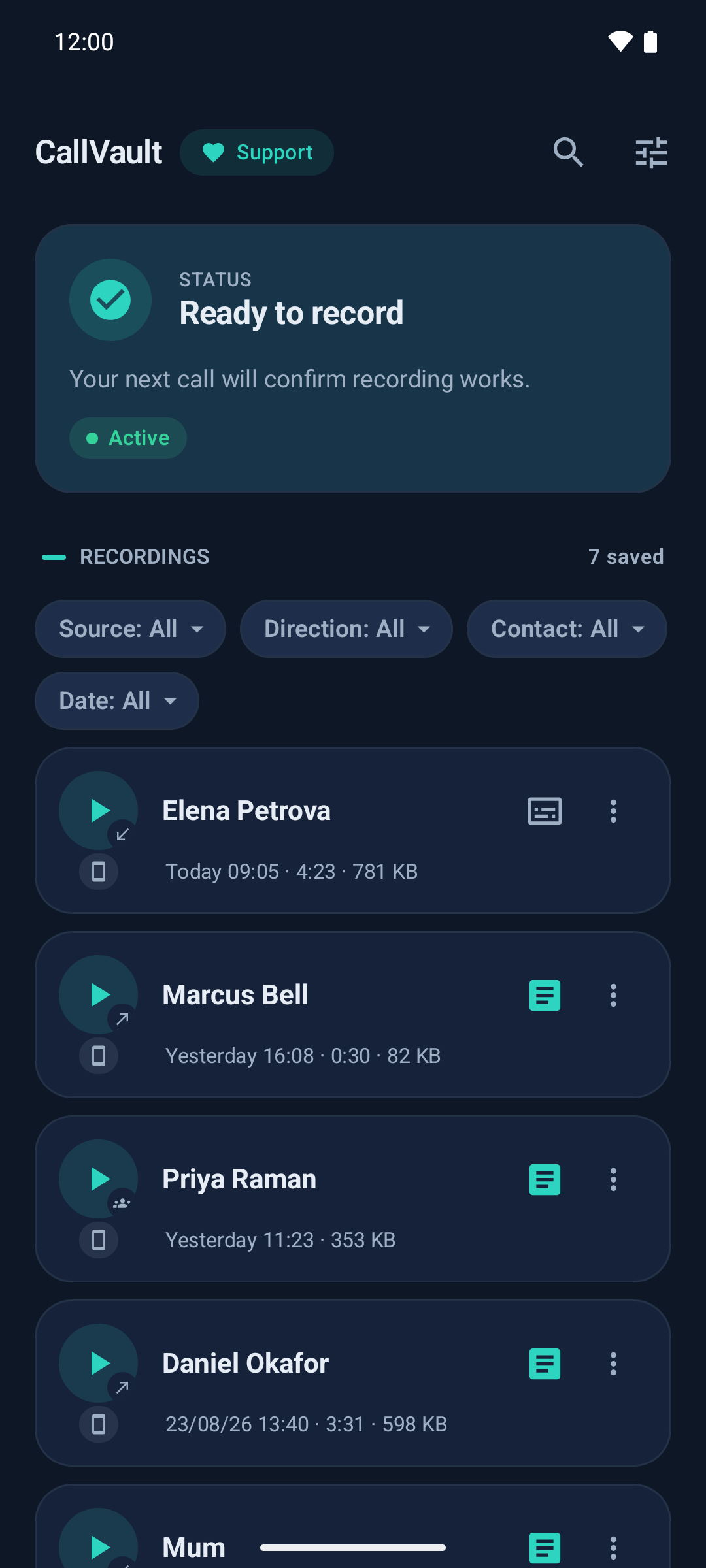
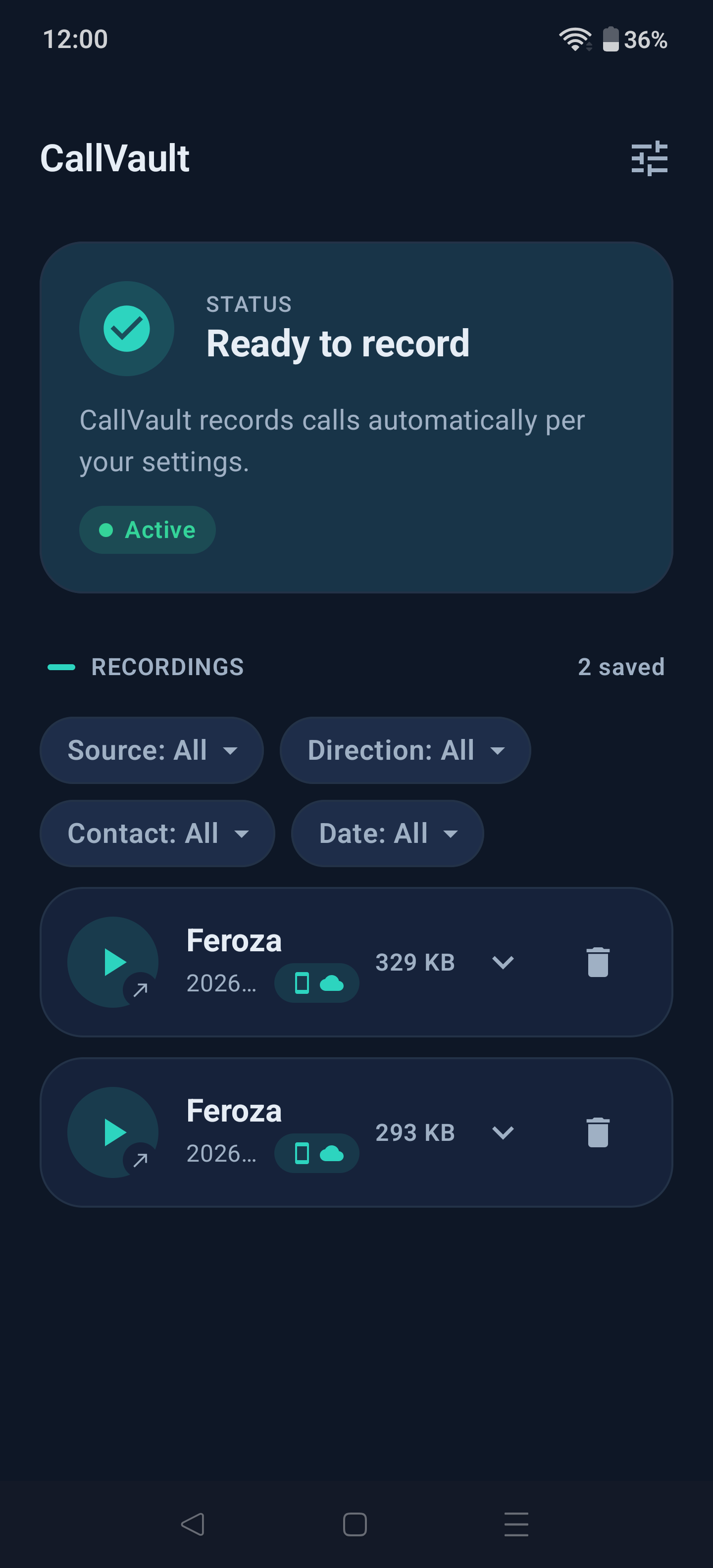
- 🎙️ Phone calls, both sides — automatically, or ask-me-each-time.
- 💬 App calls — WhatsApp, Signal, Telegram and others, and you pick which apps get recorded. Opt-in, experimental.
- 🎛️ Controls while you talk — pause, resume, stop, or mark a moment to find again later. On phone calls and app calls alike.
- 🔗 Merge calls that were one conversation — a call drops and you ring back; join them into one recording, in the order you choose. Lossless, and un-mergeable afterwards.
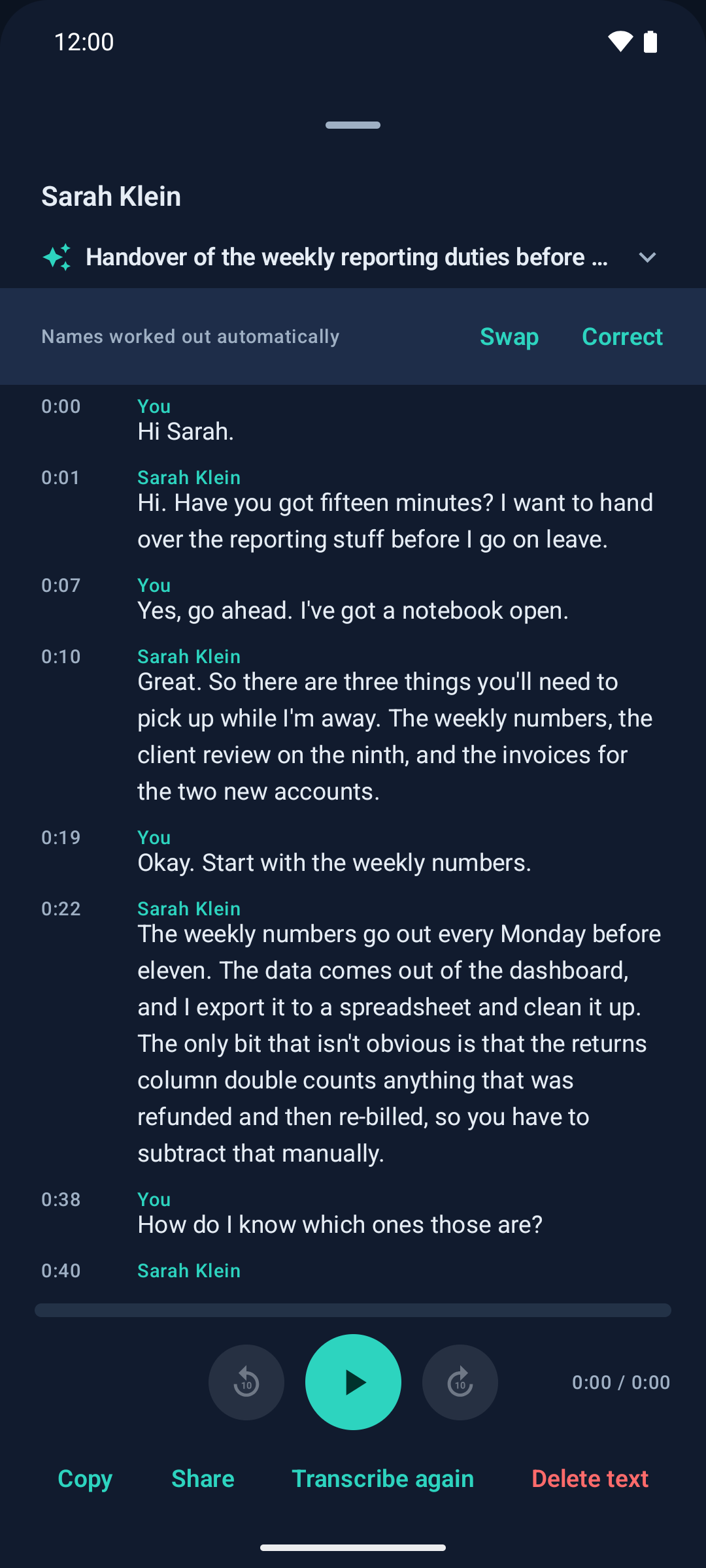
- 📝 Transcripts — 13 languages, written on the phone.
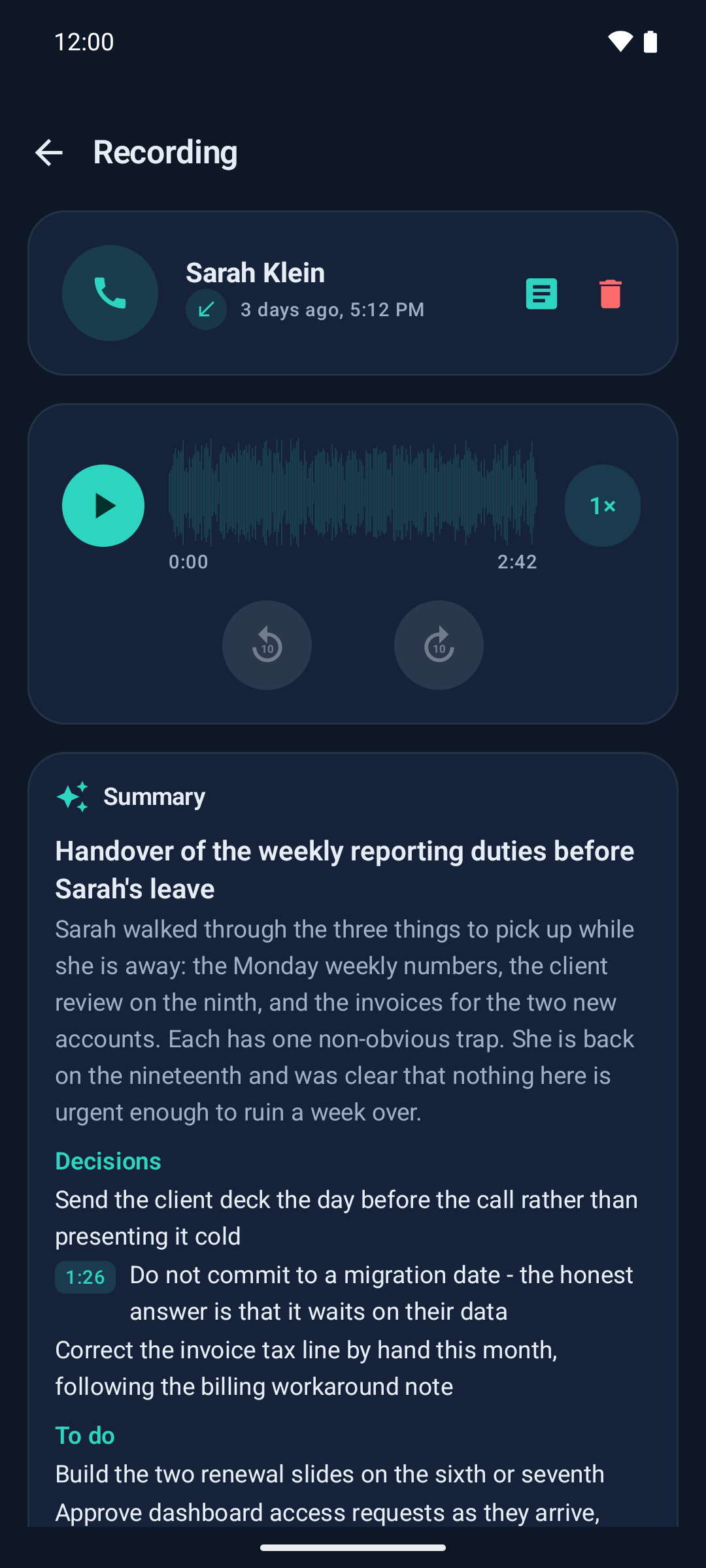
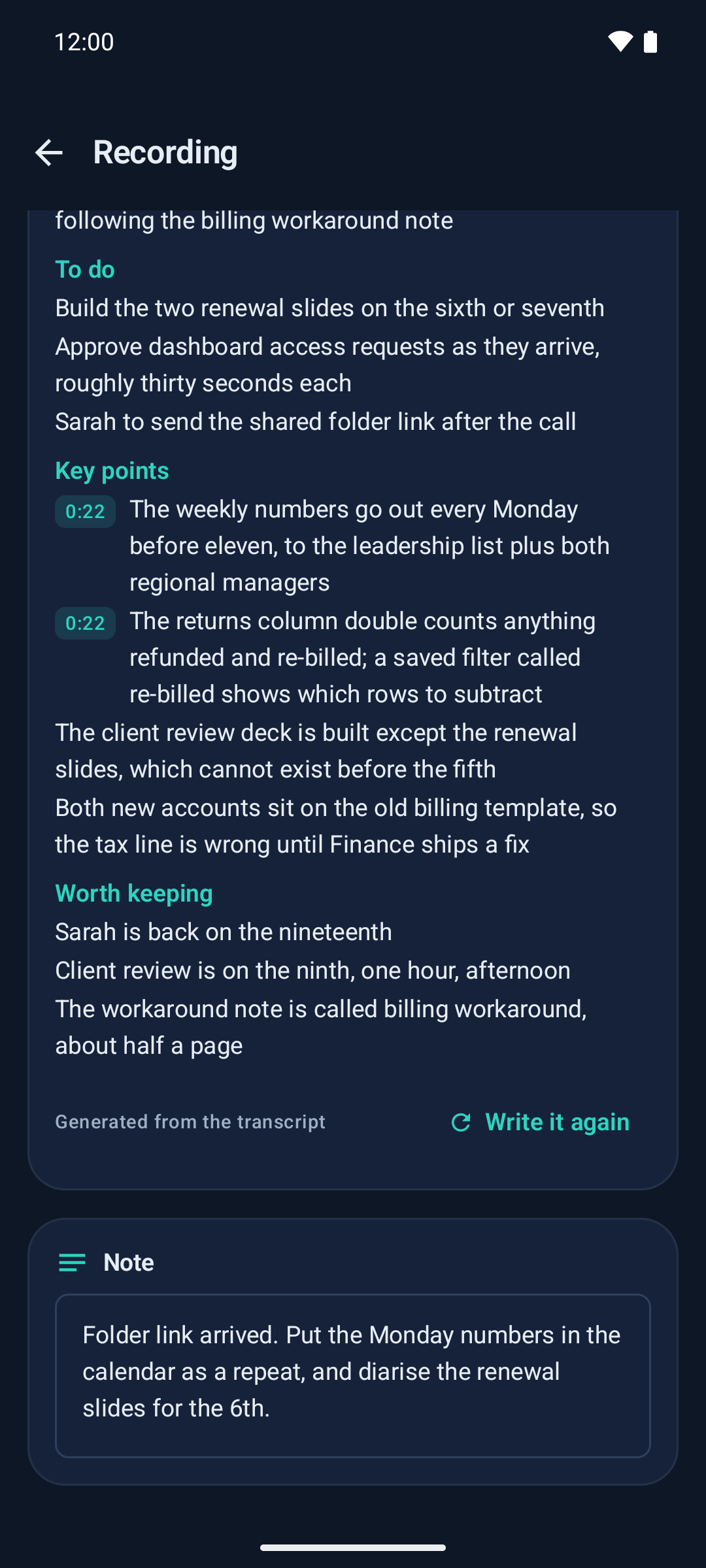
- 🧾 Summaries — intent, key points, decisions, action items.
- 🗣️ Speaker labels — who said which line, on phone calls.
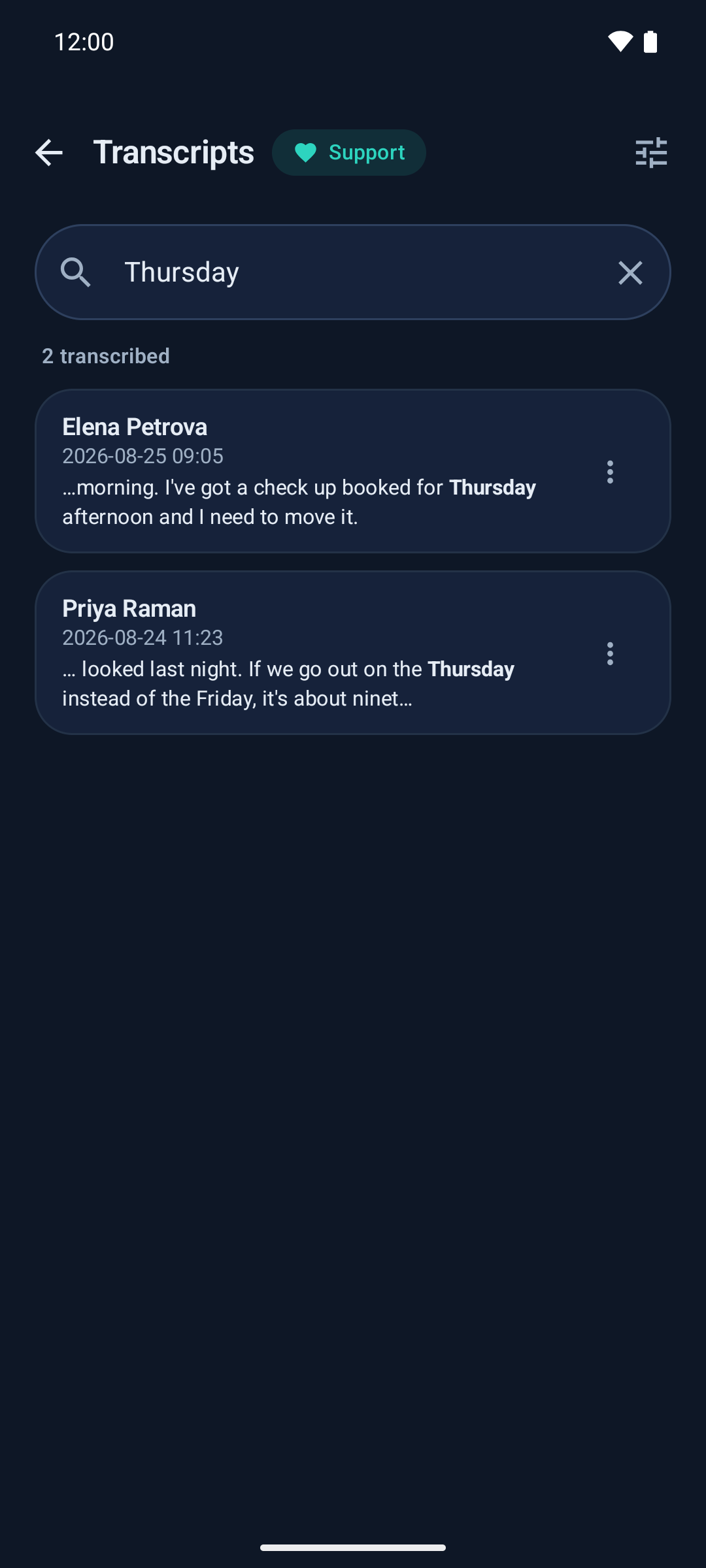
- 🔎 Search — a contact on the Recordings page, a word across transcripts or summaries, right on the page.
- 🏷️ Tags and stars — label a call, star the ones worth keeping, filter the list by either.
- 📤 Export a transcript as text, Markdown, SRT, VTT or JSON.
- ▶️ Playback with a waveform you can scrub, plus a note per call.
- 🔒 App lock — your phone's own unlock, required before any recording or transcript is shown. Optional.
- ☁️ Google Drive backup — optional.
- 🧹 Housekeeping — delete recordings past a chosen age, cap how much space they may use, or drop very short ones. All off by default, and a starred recording is never deleted automatically.
- 🔔 Says when it has stopped working — if recording can't start after a reboot, or recordings stop reaching Drive, it tells you rather than leaving you to find out from a call that is not there.
- 🔄 In-app updates — checks GitHub, verifies the signature, installs on your tap. Never on its own.
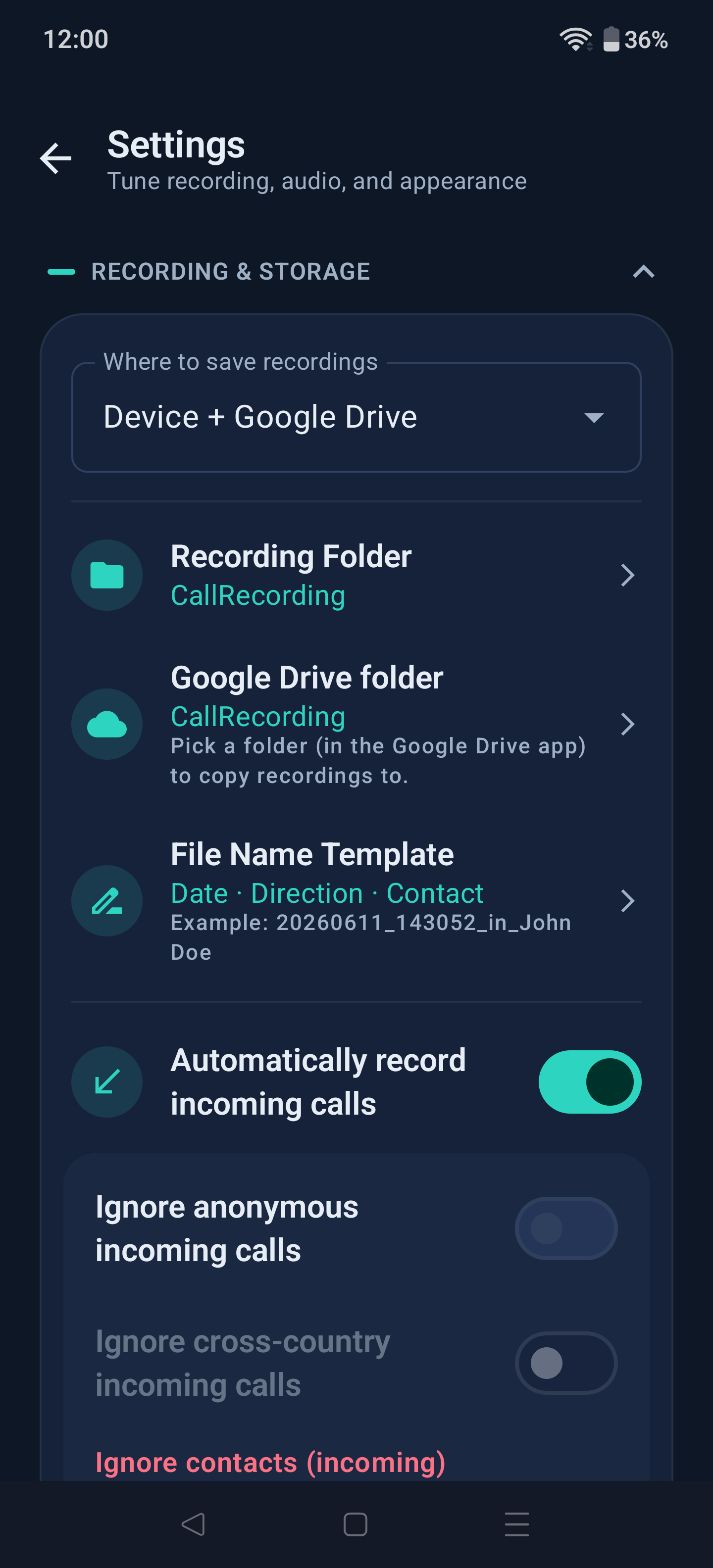
Recordings are Opus in an .ogg file at 24 kbps by default (AAC/.m4a also available, 8–128 kbps), saved to a folder you pick and can open in any other app. CallVault can also write BCR's metadata file beside each recording — off by default — so tools built for BCR, such as bcr-gui, can read your calls' details.
Note
App-call capture depends on your phone's audio stack and on each app's own build. Verified so far on OnePlus 12 (OxygenOS 16) and Galaxy S24 FE (One UI 8.5) — reports welcome. Carrier Wi-Fi calling (VoWiFi/VoLTE) is not covered, and an app call that starts before CallVault is ready is lost rather than recorded late — the routing is fixed the moment the call begins. Bluetooth headsets are fine, including AirPods; only LE Audio is untested.
| Recordings | Playback & summary | Transcript |
|---|---|---|
 |
 |
 |
| Search | Transcription settings | Settings |
|---|---|---|
 |
 |
 |
Transcripts and summaries
Both run on the phone, on the CPU, with no account and no network.
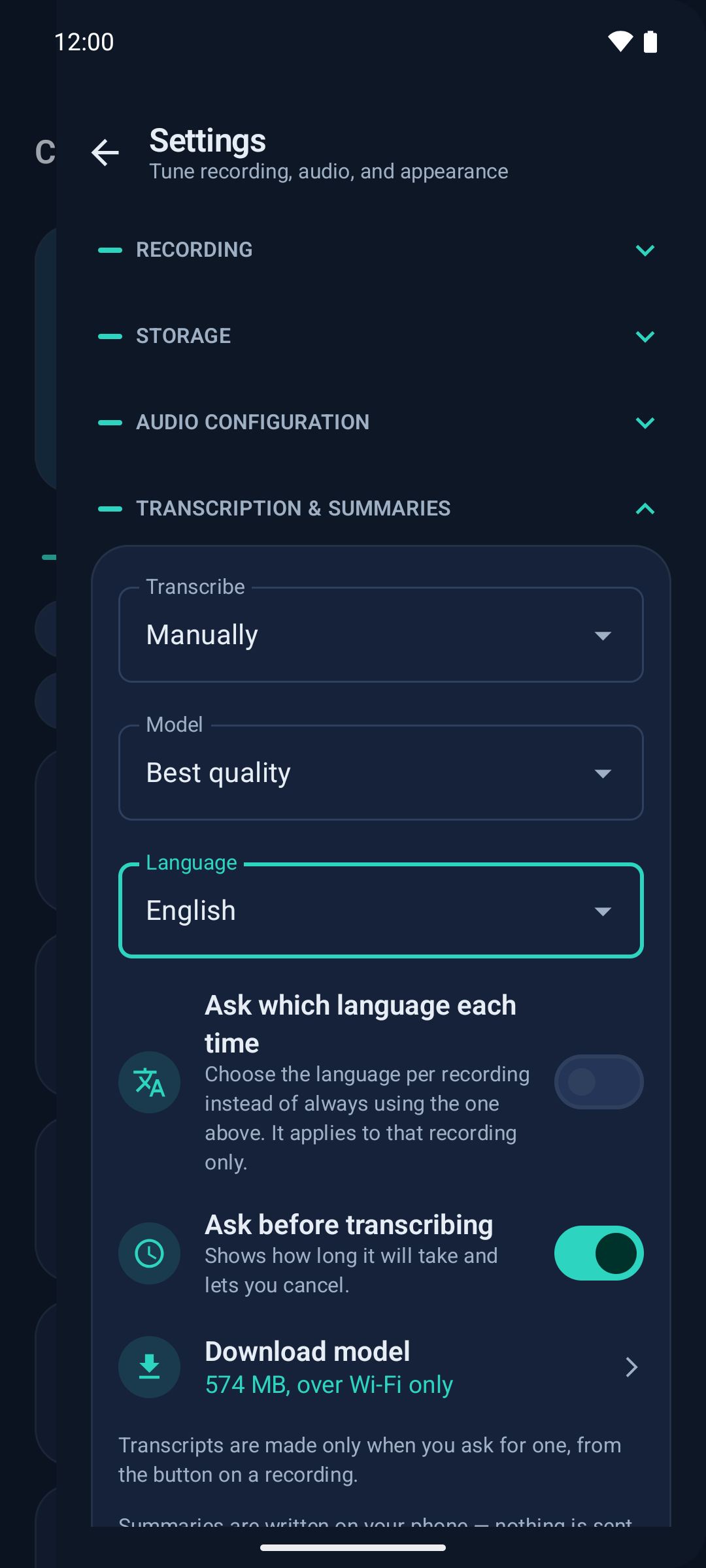
Transcription uses whisper.cpp. Two models — 190 MB, or 574 MB for better quality — downloaded once over Wi-Fi.
Summaries use llama.cpp with Google's Gemma. It is a 2.6 GB download and needs a similar amount of memory to run, so it wants a recent phone; CallVault states the cost before it downloads anything.
Speaker labels come from the call's own two channels, not from a voice model, so they cost nothing extra. One tap tells CallVault which side is you, and it renames every past phone call too. App calls stay as Speaker A and Speaker B.
Note
Pick your language rather than leaving it on auto-detect — detection is unreliable and can transcribe a language phonetically into the wrong alphabet. A long call is transcribed in passes and takes a while, but it is not refused.
What leaves your device
| Leaves the phone? | |
|---|---|
| Recordings | Only if you turn on Google Drive backup |
| Transcripts, summaries, notes | Never |
| Speaker names, contacts, call log | Never |
| Analytics, telemetry, crash reports | None exist |
CallVault reaches the network in three places, and nowhere else: GitHub, to check for a new release (on by default, roughly daily); Hugging Face, to download a model you asked for; and your local network during pairing, to find the phone's own debugging service. Drive backup goes through Android's own file picker using the Drive app already on your phone — there is no login in CallVault, and it never talks to Google's servers itself.
Requirements
- Android 11+, 64-bit ARM (
arm64-v8a). On Android 11 the screen must stay unlocked during a call. - Developer options stay on — in built-in ADB mode. Turn them off and recordings come out empty; the Home screen warns you.
- Room for a model if you want transcripts (190 MB or 574 MB) or summaries (2.6 GB, plus the memory to run it).
Important
CallVault leans on hidden Android APIs, so behaviour varies by OEM and can break on a new Android release. On phones that aggressively kill background apps (OxygenOS, MIUI, One UI), allow it in Auto-launch and exclude it from battery optimisation — see dontkillmyapp.com.
On OPPO, OnePlus and Realme phones there is one extra switch to flip before anything works — see below.
Two ways to run it
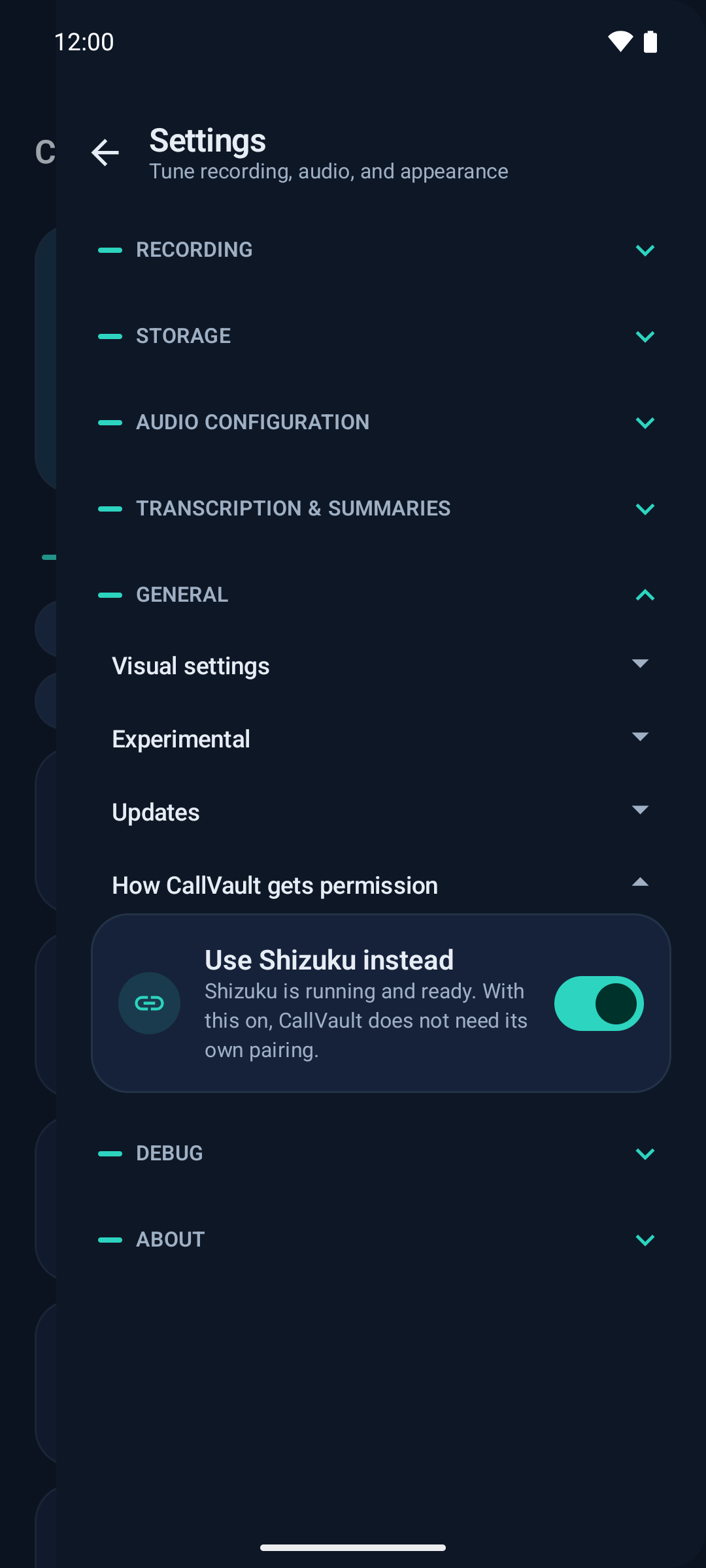
Built-in mode is CallVault's own, and the default. It pairs once, on the phone, and needs no second app at all. It is the default because it can do more, not because Shizuku is an afterthought.
Already running Shizuku? CallVault supports it directly. Choose Shizuku mode and there is nothing to pair, no wireless debugging to switch on, and CallVault starts no debugging of its own — it borrows the privilege Shizuku already holds. Phone calls record, and everything that happens afterwards — transcripts, summaries, search, tags, playback and export — is identical. What differs is capture-side only.
Switch whenever you like; any setting a mode couldn't honour comes back when you switch away. The table is the honest difference between the two.
| Built-in mode | Shizuku mode | |
|---|---|---|
| In both modes | ||
| Phone calls, both sides | ✅ | ✅ |
| Transcripts, summaries, search, tags, playback and export | ✅ | ✅ |
| Where they differ | ||
| Works without installing another app | ✅ | ❌ |
| Nothing to pair, and no wireless debugging of CallVault's own | ❌ | ✅ |
| Recording works after a reboot, with nothing to do | ✅ | ❌ |
| App calls (opt-in) | ✅ | ❌ |
| Speaker labels | ✅ | ❌ |
| Keeps recording if Android kills the background process (opt-in) | ✅ | ❌ |
| Recording away from Wi-Fi (opt-in) | ✅ | ❌ |
| Full bug-report export | ✅ | ❌ |
Note
Recording away from Wi-Fi needs USB debugging switched on — see the two debugging switches. It is armed over your network, and a reboot clears it. It comes back as soon as the phone joins any Wi-Fi network for a few seconds — it needs no internet, and a café or a hotspot will do. CallVault says when that is needed, so a missed call is not how you find out.
Install
Download CallVault.apk from Releases, or add the repo to Obtainium for automatic updates.
Important
Recording calls is regulated, and the rules differ sharply between countries and states — often every party must consent. This is your responsibility, not the app's. Where it helps, you can turn recording off for individual apps, or have CallVault ask each time rather than record automatically. Read the disclaimer before you use it.
CallVault can't be on Google Play — Play bans both call recording and the privilege mechanism it depends on. F-Droid is planned.
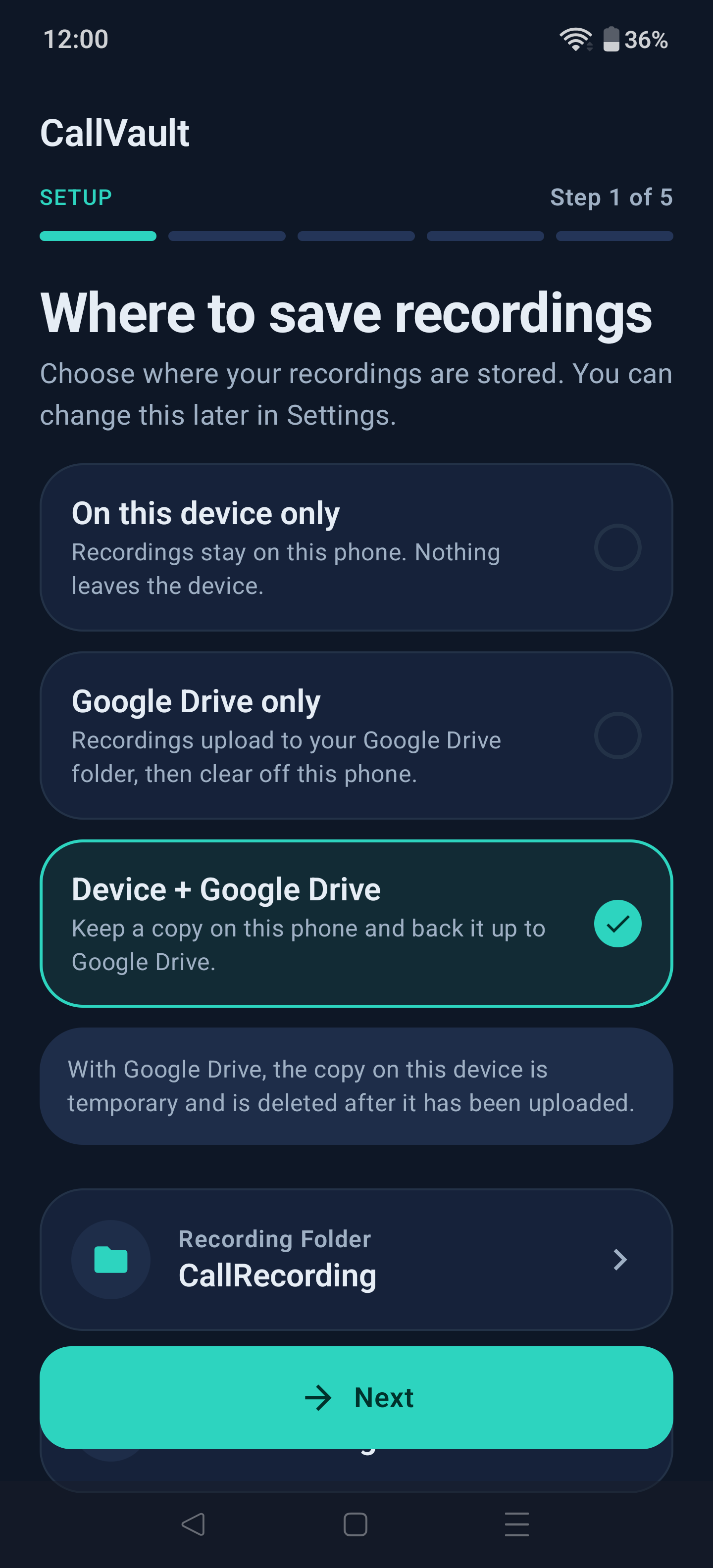
Then open it and follow the setup wizard: accept the disclaimer, grant permissions, pair once (or pick Shizuku), and choose where recordings are saved.
Pairing, step by step
- Turn on Wireless debugging — Settings → System → Developer options. CallVault detects it and offers a shortcut if it's off.
- On CallVault's Permissions screen, tap Pair. It opens the Wireless-debugging screen and waits.
- Tap Pair device with pairing code and type the six digits into CallVault's notification.
- Paired ✓ — tap it to go back and finish the wizard.
If a recording stops when you lock the screen, set Default USB configuration to Charging only. CallVault offers this during setup and from Settings.
Warning
Not while you are using Shizuku, and not during a call. Changing the Default USB configuration restarts Android's debugging service. Shizuku's server is hosted by it and stops too, so you would have to start Shizuku again before anything could be recorded — and doing it mid-call ends the recording in progress. CallVault now declines the change while a recording is live.
Warning
Keep the pairing: uninstalling CallVault wipes it and there is no way to restore it — you pair again from scratch.
The two debugging switches
Both live in Developer options, and they do different jobs. You don't need both on all the time.
- Wireless debugging is how CallVault gets in. It uses it to pair, and to start its recorder again after a reboot or an update. It only works on Wi-Fi — Android refuses it otherwise, asks you once to trust each new network, and turns it off when Wi-Fi drops.
- USB debugging keeps the recorder alive away from Wi-Fi. No cable is involved. With it on, CallVault can switch Wireless debugging off after using it, and recording away from Wi-Fi becomes possible.
| Your setup | On Wi-Fi | Away from Wi-Fi |
|---|---|---|
| USB debugging on + Recording away from Wi-Fi on (recommended) | ✅ | ✅ |
| USB debugging on | ✅ | ✅ until the recorder has to restart, then it waits for Wi-Fi |
| USB debugging off, Wireless debugging on | ✅ | ❌ |
| Both off | ❌ | ❌ |
Warning
Turning USB debugging off stops the recorder, even with Wireless debugging on — Android restarts its debugging service when the USB setting changes. On Wi-Fi, CallVault starts it again within a few seconds. Away from Wi-Fi it can't, and the notification says so.
If you switch Wireless debugging off yourself, CallVault leaves it off. The notification says recording is paused and has a button to turn it back on. If you'd rather CallVault switch it back on for you, turn on Keep Wireless debugging on for recording in Settings ▸ Experimental (you're also asked during setup).
In Shizuku mode, Shizuku runs inside the same debugging service, so anything that restarts it stops Shizuku: turning USB debugging off, or arming recording away from Wi-Fi in built-in mode. Start Shizuku again from its app — CallVault tells you when that's needed and reconnects on its own once Shizuku is back. Shizuku started after USB debugging is already off keeps running.
On OPPO, OnePlus and Realme phones
ColorOS, OxygenOS and Realme UI refuse ADB permission grants out of the box. CallVault pairs, and then the privilege it needs is quietly denied — so recordings never start. This affects Shizuku mode too; Shizuku reports it as "the permission of adb is limited".
One switch fixes it, and it is not in an obvious place:
- Open Settings → System → Developer options.
- Scroll to the bottom of the Apps section — it is the last item there.
- Turn on Disable system optimization. Older builds call it Disable permission monitoring.
Can't see it? It is hidden in some translations, which is why people conclude their update removed it. Set the phone's language to English, turn the switch on, then set the language back — it stays on.
Flip it before pairing. If you already paired, restart CallVault afterwards: a session that started earlier keeps the permissions it had at the time.
Get in touch
Join the CallVault group on Telegram — the quickest way to ask a question, report something odd, or hear about a new build. Bug reports are still welcome as GitHub issues, which is the better place for anything that needs a log attached.
What's next
- Speaker names for app calls — WhatsApp and Signal transcripts still read "Speaker A"; phone calls already get real names.
- F-Droid — so updates arrive through a store rather than a download.
Building from source
git clone --recursive https://github.com/madkongo/CallVault.git
cd CallVault
./gradlew assembleRelease
Needs JDK 17, the Android NDK (27.2.12479018) and CMake — the transcription and summary engines are built from source. Without a keystore at signing/callvault-signing.keystore the release APK builds unsigned; sign it yourself before installing.
Code shrinking stays off: the privileged recorder is launched out-of-process by app_process from a class named in a string, so R8 cannot see it as reachable and strips it.
Credits & attribution
CallVault is a modified fork of ShizuCallRecorder by kitsumed (Med); the original project's name, trademarks, and logos are the property of their owner and are used here only for this required attribution. The ADB pairing/mDNS code is adapted from RikkaApps/Shizuku (Apache-2.0).
Built on the work of:
- scrcpy — the fallback audio-capture server
- libadb-android — the embedded ADB client
- whisper.cpp and llama.cpp — on-device transcription and summaries
- Gemma by Google — the summarisation model, Apache-2.0, downloaded on request rather than bundled
License
Licensed under the GNU General Public License v3.0. ⚠️ Additional Terms under GPLv3 Section 7 apply (at the end of the license file), including trademark protection and the mandatory fork-attribution requirements that this project complies with.
CallVault is not affiliated with, endorsed by, or supported by kitsumed/ShizuCallRecorder, Shizuku, scrcpy, or Google/Android. "Android" is a trademark of Google LLC.
Disclaimer
Recording phone calls may be subject to complex and varying laws in different countries and jurisdictions. You may need consent from all parties before recording. The developers and contributors are not responsible for any misuse or legal consequences. Learn more: Telephone call recording laws. This is not legal advice — consult a legal professional for your situation. It is your responsibility to verify that CallVault's behavior on your device complies with your local laws, and to stop immediately any activity that would constitute a legal infraction.
How Shizuku is used
Can record phone and app calls with speaker labels and run fixed audio diagnostics via a Shizuku hosted recorder using `AudioRecord`.
This is an AI-assisted analysis of Shizuku-related usages in the app's public source code. It is best effort, so it may not catch every single usage.
How this app uses Shizuku
CallVault uses Shizuku as an optional host for its privileged call recorder, the same recorder that also runs over the built-in embedded ADB daemon.
- Record phone calls: starts and stops carrier call capture in the Shizuku hosted recorder with the audio source, codec and bit rate chosen in settings, writing through a file the app opened so the file finishes complete.
- Record app calls: records voice chat calls in both directions in the Shizuku hosted recorder after arming its loopback capture before the call starts, using the codec and bit rate from settings.
- Label app calls: identifies which app is calling from the audio system, looks up the caller name from that app's ongoing notification, and checks afterwards whether the far party was audible so one-sided recordings are flagged.
- Attribute speakers: collects speaker turns detected from stereo separation during capture so transcripts can show who spoke when.
- Diagnose audio issues: runs a fixed whitelist of system dumps through the Shizuku hosted recorder (audio service state, microphone app ops state, process list, logcat, call state, mixer latency, audio policy and player state, and device audio properties) for bug reports, automatic microphone healing, start when answered detection and one-sided call analysis.
- Keep recording tidy: checks whether the hosted recorder is recording, clears leftover recorder and stale capture processes when starting, shuts the hosted recorder down on teardown, and syncs diagnostic logging preferences with it.
Android APIs or commands used
AudioRecordwithMediaRecorder.AudioSource.VOICE_CALLMediaCodecaudio encoderMediaMuxerandroid.media.audiopolicy.AudioPolicyandroid.media.audiopolicy.AudioMixAudioManager.getPlaybackConfigurationsProcess.killProcess/system/bin/pgreppkill -f com.genymobile.scrcpy.Serverlogcatdumpsys audiodumpsys appopsdumpsys telephony.registrydumpsys media.audio_flingerdumpsys media.audio_policydumpsys notificationsettings get global adb_enabledsettings get global development_settings_enabledps -A -o USER,PID,ARGSgetpropsetprop log.tag.audio.vivo.verbose
Notable details
The same recorder also runs over the app built-in embedded ADB daemon, so Shizuku is an alternative host rather than the only way to record. Resilient recording that survives the daemon dying mid-call is not used in Shizuku mode. App updates use the standard system installer. No traced app code sends user typed commands to the privileged service, every call uses fixed settings or a whitelisted dump name.
Changelog
What's new for version 2.4.5
2.4.4 was published briefly and pulled the same day after a false "a call was cut off" message; 2.4.5 is 2.4.4 plus that fix, two new languages, and a vivo tip.
Added
- New languages — Persian (فارسی) and Arabic (العربية), with right-to-left layout throughout (Settings → Language).
- Transcripts beside recordings — optionally save the transcript, notes and summary as a
.mdfile next to the audio, same name, same folder — so copying the folder to a PC carries the text too (off by default). - More filename templates — contact- and number-first orders, to group a PC folder by who the call was with.
- Export/import settings — save your preferences to a file and restore them on a new phone (device-specific setup is left out).
Changed
- vivo tip — when only your side of an app call records, CallVault points you to vivo's own "In-app call recording" setting instead of blaming the other app.
Fixed
- Fixed — no more false "a call was cut off" message for a call that actually recorded fine.
Permissions
21 permissions requested
More from this category
 ShizuCallRecorder
 Rivo
Rivo
 Ghost Mode
 ClipShare
 Aliucord Manager
 Revenge Manager
 Kettu Manager
 cally
cally
 KDE Connect
 TxtNet Browser
 CatShare
 Lemmy Redirect