 ShizuStore

bunnylock
2.0.0 · GitHub
More about this app
Lock 2G/3G/4G/5G bands, RATs, frequencies and cells without root, picking the best backend available (Qualcomm, MediaTek, Pixel Tensor, Exynos, radio HAL)

bunnylock locks bands, RATs and cells on Android phones. It works through root or Shizuku and picks the right way to talk to your phone's modem.
Modems are weird, and vendors rarely implement the same controls in the same way. Something working on one phone does not guarantee that it will work on every phone with the same chipset or Android version.
 |
 |
 |
 |
| Home | Bands | Cell lock | Tools |
Caution
bunnylock changes low-level modem settings, and some of them stay after a reboot. A wrong lock can leave you without service, emergency calls included. Use it at your own risk. The author isn't responsible for any damage it causes, such as lost service, lost data or a phone that stops working properly. It comes without any warranty. See the license.
Unlock all on the Home screen tries to undo bunnylock's locks, even without service, but the modem doesn't always go along with it. Before you experiment, find out how else your phone can get back to normal, such as a network settings reset or its engineering menu.
Features
Depending on your phone, bunnylock can:
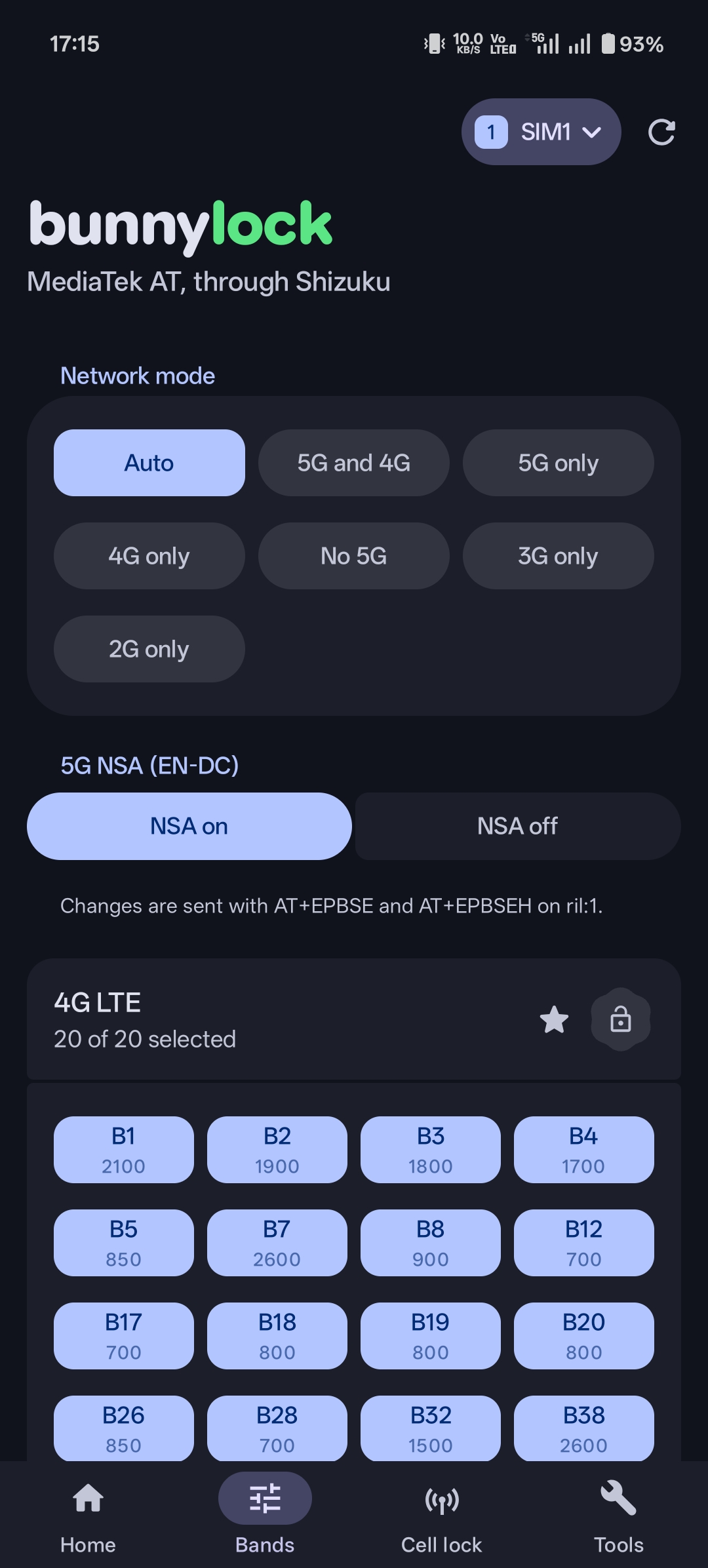
- lock 2G, 3G, 4G and 5G bands
- force a RAT, such as 4G only or 5G only
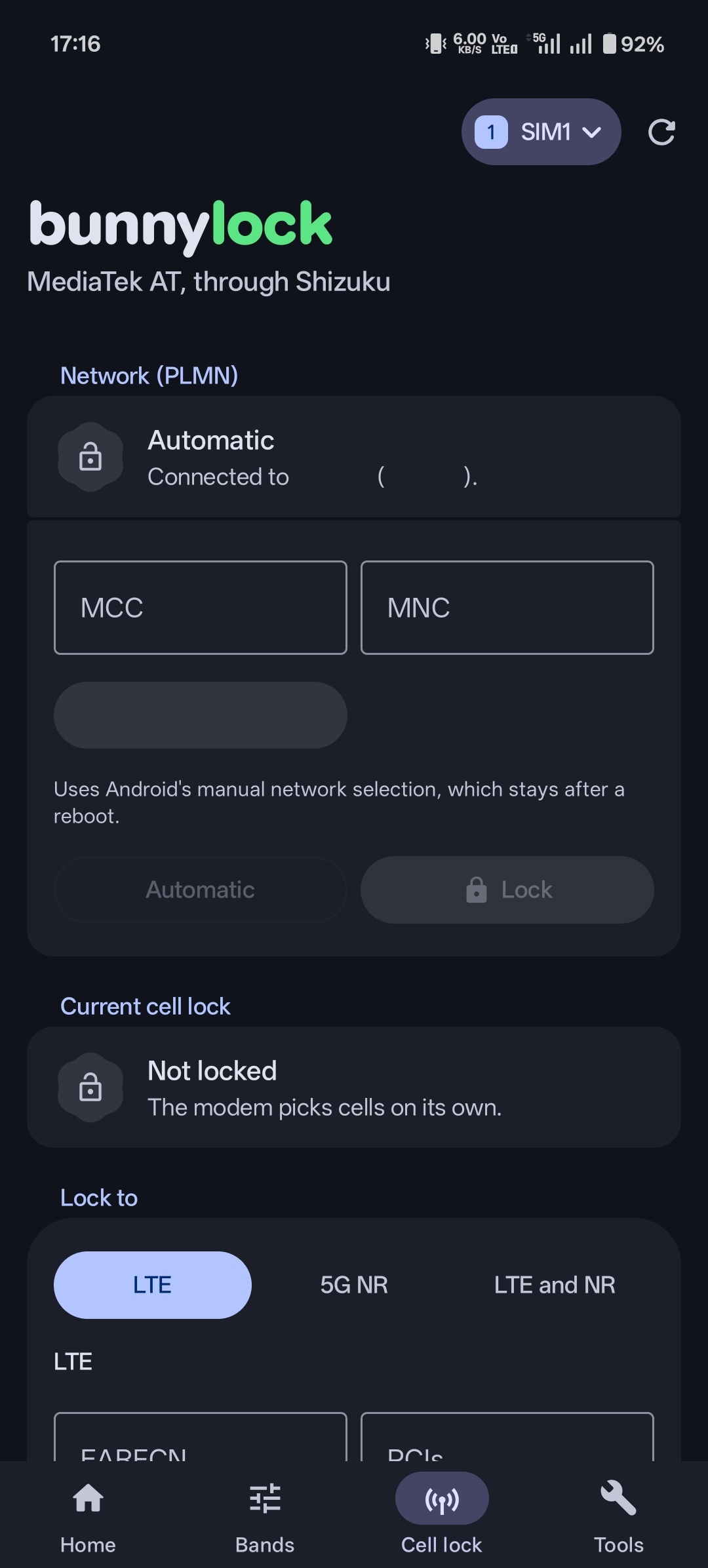
- lock 4G and 5G cells by EARFCN, ARFCN or PCI
- choose 5G SA, NSA or both
- lock to one mobile network
- turn VoLTE, Wi-Fi calling and carrier aggregation on or off
- restart the radio or reboot the modem
- open the built-in band menu on supported Samsung phones
See Tested devices for what has been tried on real phones.
Supported phones
bunnylock tries root first, then Shizuku. Shizuku started through ADB can do less, though some MediaTek and Unisoc phones can still lock bands with it.
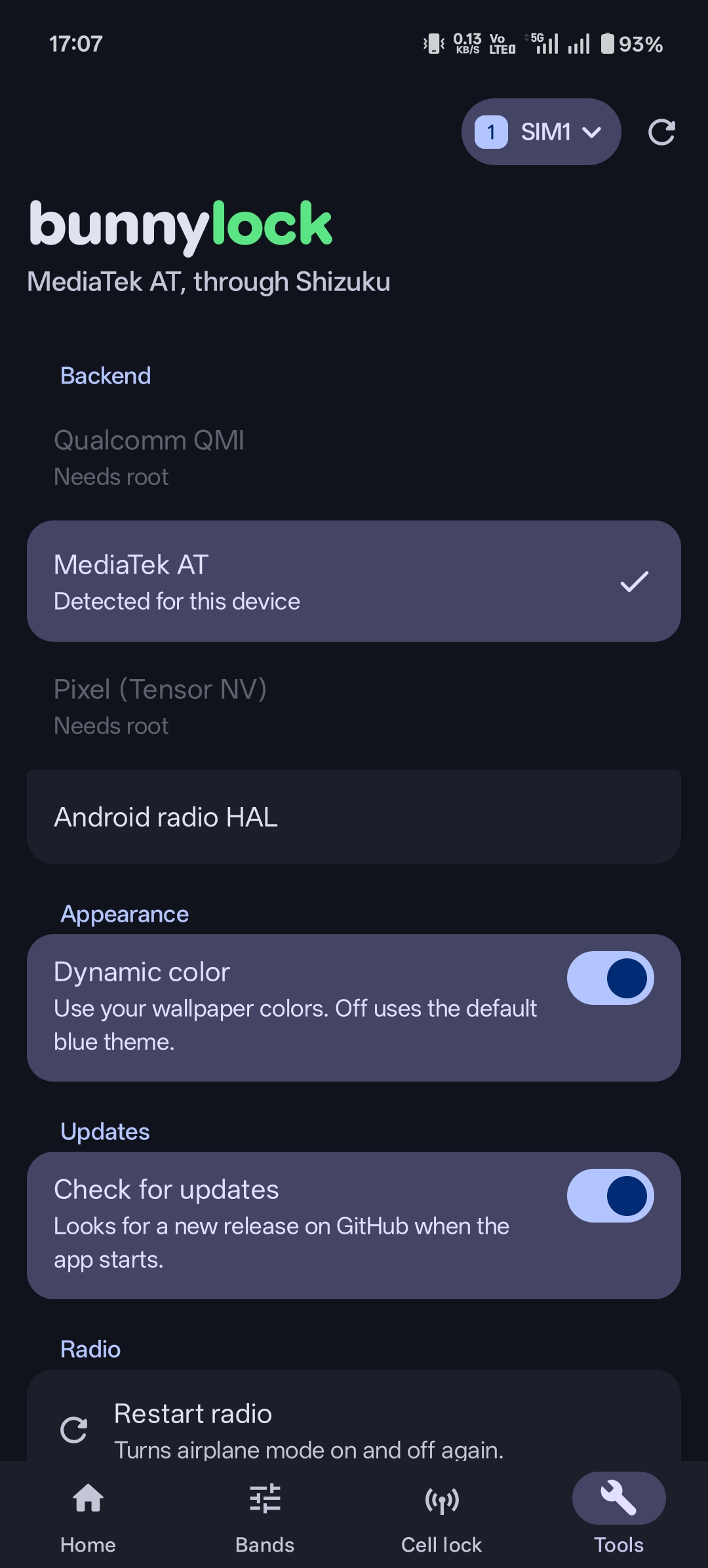
It picks a backend for your chipset, and you can change it in Settings:
- Qualcomm: QMI
- MediaTek: AT commands
- Pixel (Tensor): the modem's NV settings
- Unisoc: AT commands
- Anything else: Android's radio HAL
If something doesn't work, copy the diagnostics from Tools and include them in your report.
Building
You need the Android SDK, the NDK version set in gradle/libs.versions.toml and CMake 3.22.1. Gradle runs on Java 25 and compiles with Temurin 17, and it downloads either one if it's missing, so the first build needs a network connection.
./gradlew assembleRelease
The APK ends up in app/build/outputs/apk/release/. It's signed with your debug key unless you add a keystore.properties in the project root with storeFile, storePassword, keyAlias, keyPassword and, optionally, a lineageFile from apksigner rotate.
Translating
The strings live in app/src/main/res/values and modem/src/main/res/values. To add a language:
- In both
app/src/main/resandmodem/src/main/res, make avalues-<code>folder, for examplevalues-de,values-pt-rBRorvalues-b+sr+Latn, and copy only thestrings_*.xmlfiles fromvaluesinto it. - Translate every string and delete the ones marked
translatable="false". Setsettings_language_nameto the language's own name, likeDeutsch.
The build finds the new folders by itself and adds the language to the app's picker and to Android's per-app language settings. It fails if a language has strings in only one of the two modules.
How Shizuku is used
Can lock bands, network types, cells, carriers and radio state plus send AT/QMI commands and open Samsung menu via Shizuku `UserService` and shell
This is an AI-assisted analysis of Shizuku-related usages in the app's public source code. It is best effort, so it may not catch every single usage.
How this app uses Shizuku
Bunnylock uses Shizuku to run its modem helper with elevated privileges so it can lock and monitor the mobile radio.
- Lock frequency bands: Choose allowed 2G, 3G, 4G and 5G bands per SIM and apply them through the privileged helper using Qualcomm, MediaTek, Pixel, Exynos or radio HAL routes.
- Control network types: Switch preferred network modes, 5G modes and dual connectivity states, applied through the privileged telephony path.
- Lock cells and channels: Pin LTE cells by channel and PCI and 5G cells by channel and PCI, or clear the lock to return to automatic selection.
- Lock carriers: Manually select a carrier by MCC and MNC or return to automatic network selection.
- Manage radio state: Cycle the radio, reattach to the network, reboot the modem and control IMS features such as VoLTE and VoWiFi where supported.
- Send modem commands: Type a custom AT command for a chosen device node and raw QMI service, message and payload values on Qualcomm phones, with replies shown in the tools output.
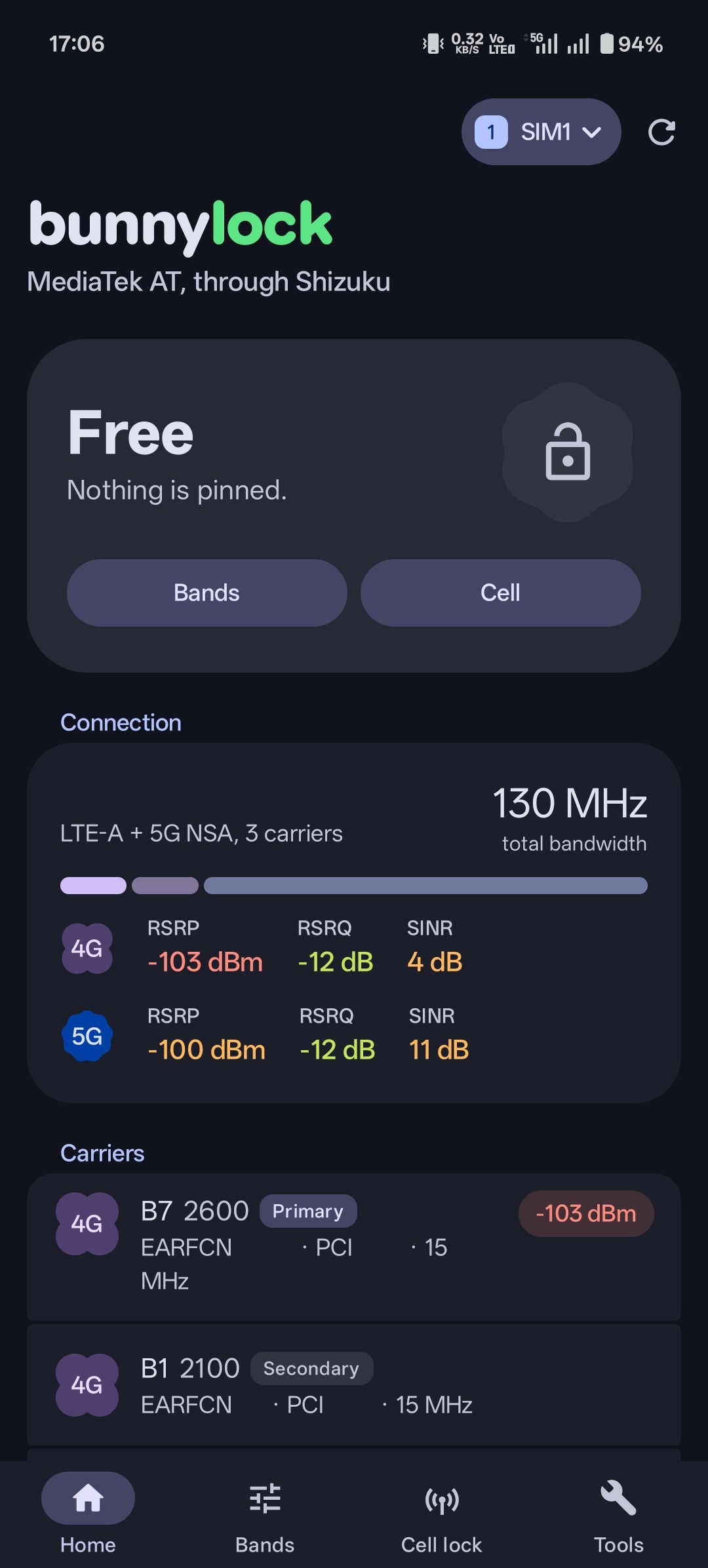
- Inspect connection: Read current bands, channels, serving cells, signal and device detection info through the same privileged helper to show lock status.
- Open Samsung band menu: Launch the Samsung ServiceMode band selection screen through the privileged activity start, with telecom broadcast and assist routes where needed.
Android APIs or commands used
ITelephony.setAllowedNetworkTypesForReasonITelephony.setAllowedNetworkTypesITelephony.getAllowedNetworkTypesForReasonITelephony.setNrDualConnectivityStateITelephony.isNrDualConnectivityEnabledITelephony.getNetworkSelectionModeITelephony.setNetworkSelectionModeManualITelephony.setNetworkSelectionModeAutomaticITelephony.setSystemSelectionChannelsITelephony.getSystemSelectionChannelsITelephony.setRadioForSubscriberITelephony.setRadioPowerITelephony.rebootModemIActivityManager.startActivityWithFeatureIPackageManager.grantRuntimePermissionandroid.app.SearchManager.launchAssistandroid.os.ServiceManager.getServicesettings get securesettings put securesettings delete secureinput keyevent
Notable details
If the privileged Samsung menu start fails, the app falls back to a telecom broadcast route and an assist route that do not need the privileged start.
Changelog
What's new for version 2.0.0
🚀 Enhancements
- New Unisoc backend: lock LTE and 5G bands on Unisoc phones with root or Shizuku (35ef8be),
- A new Material 3 Expressive look, with a floating tab bar on phones and a side rail on tablets. Each tab now keeps its scroll position (651d466),
- When you change bands on the Bands tab, a bar lets you apply or discard every changed group at once,
Unlock all,Clear celllock andReboot modemnow ask before running,- A new language picker in
Settings>Languagesuggests the languages your phone uses, Settings>Backendonly lists the backends that fit your phone's chipset,- On Samsung phones,
Open Samsung band menunow tries the*#2263#band selection screen first on root, - Changing RAT mode, 5G mode, VoLTE/VoWiFi or CA no longer shows a success message. Only notes and errors show.
🩹 Fixes
- With the Android radio HAL backend, if the RIL refuses a lock over a band it doesn't know, bunnylock now locks the other selected bands and tells you which one it left out,
- Dual-SIM phones show both SIMs even when the phone permission is denied,
- With favorites on, bands you've locked or picked stay visible, and All only selects the bands in view,
- Locking an unlocked group no longer quietly includes hidden non-favorite bands,
- Tapping the network mode that's already selected no longer sends it again,
- Tapping a visible cell on the Cell lock tab scrolls to the lock form,
- 5G SA channels on Qualcomm modems no longer show a fake PCI 0,
- On Unisoc phones, the AT console no longer opens the RIL's own ports by default.
Permissions
7 permissions requested
Sources
2 sources
Sources
2 sources
More from this category
 ShizuWall
 ADNS
 Network Scanner
 Dolphy
 WiFi Password Manager
 Shizzi
 Quintz
 De1984
 Traffic Light
 sing-box
 Hikari AdBlock
 Delta