 ShizuStore
自动滑动器
2.6.1 · GitHub
More about this app
Auto-slide tool that auto-plays short videos and flips reading pages, with floating controls
Android Auto-Slide App [AutoSlide]




An Android auto-slide tool for automated testing and content browsing
Features
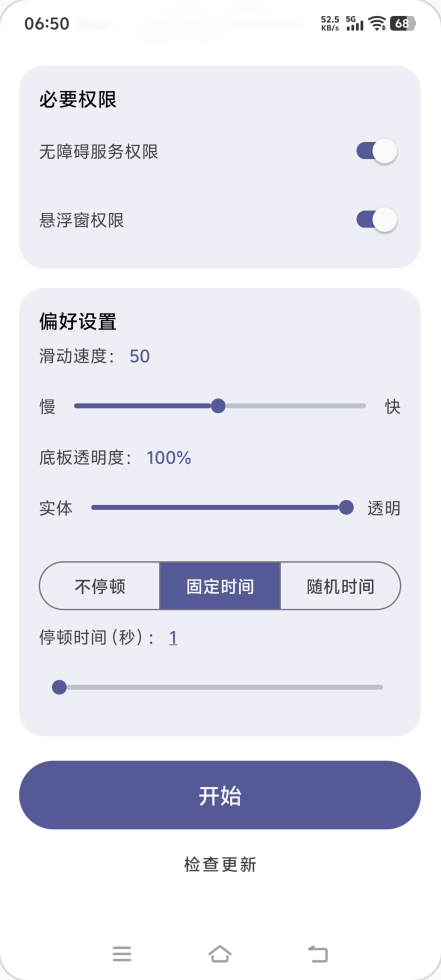
- Pause Modes: Offers three modes ⌈No Pause / Fixed Time / Random Time⌋
- Slide Speed: Multiple speed levels with a smooth gesture duration curve
- Slide Direction: Supports up down left and right
- Custom Trajectory: Long-press a direction button to record the swipe path for that direction and replay it during auto slide
- Panel Transparency: Stepless adjustment and real-time preview of the floating window panel transparency
- Floating Window Control: Start or stop via the floating ball with auto collapse while running
- Quick Settings Tile: Toggle the floating window service from system quick settings
- Safe Stop: Supports volume key force stop and auto stop on screen off
- Permission Management: Enable accessibility via ⌈Manual / Shizuku / ADB⌋
Screenshots

Quick Start
Prerequisites
- Android 8.0 or higher
Installation
- Download the latest APK file from the Releases Page
- Open the downloaded APK file and follow the on-screen instructions to install the application
- Launch the app and grant the necessary permissions for proper functionality
Contributing
Issues and pull requests are welcome
License
This project is licensed under the Apache License 2.0
How Shizuku is used
Can auto-enable its accessibility service via `pm grant` through Shizuku.
This is an AI-assisted analysis of Shizuku-related usages in the app's public source code. It is best effort, so it may not catch every single usage.
How this app uses Shizuku
Shizuku is used to grant secure-settings access so the app can turn on its own accessibility service without manual settings steps.
- Auto-enable accessibility service: the user can turn on the app's accessibility service from inside the app, the app grants itself secure-settings access with the
pm grantshell command through Shizuku and then updates the system secure settings to enable its service.
Android APIs or commands used
pm grantSettings.Secure.getStringSettings.Secure.putStringSettings.Secure.putInt
Notable details
Without Shizuku, the same setup remains available by enabling the service manually in system settings or by running the displayed ADB grant command, so Shizuku is an optional shortcut.
Changelog
What's new for version 2.6.1
Permissions
6 permissions requested
More from this category
 IMD
IMD
 Nothing Modes
 Argus
Argus
 FlowPilot
 OpenTasker
 NexaFlow
 Service Keeper
 AutoJs6
 vFlow
vFlow
 PhoneProfilesPlus
 Tasker Settings
 MacroDroid