 ShizuStore

aShell
v0.31 · GitLab
More about this app
A local ADB shell for Shizuku-powered Android devices
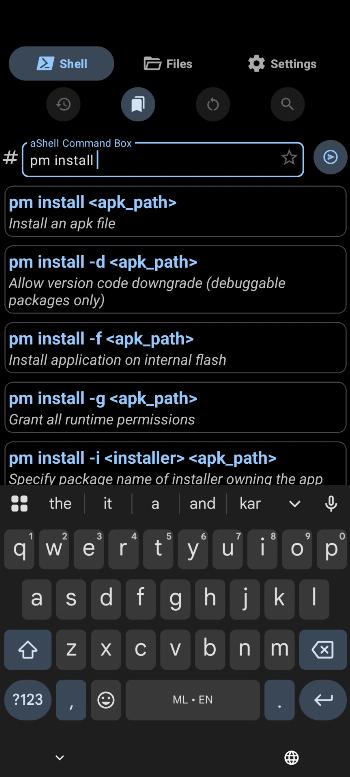
aShell - Effortlessly execute ADB commands on your Shizuku-enabled Android device.


A local ADB shell for Shizuku powered android devices!
Requirements
- A fully working Shizuku environment.
- Knowledge about basic ADB/Linux commands.
Download



Or get the APK from the Releases Section.
Features
- An elegantly designed user interface.
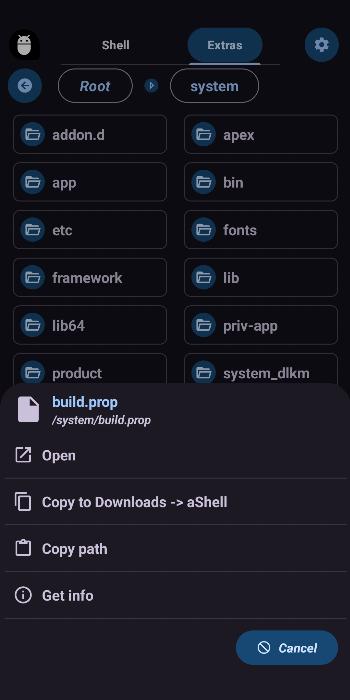
- Now comes with an in-built file manager to access privileged file system.
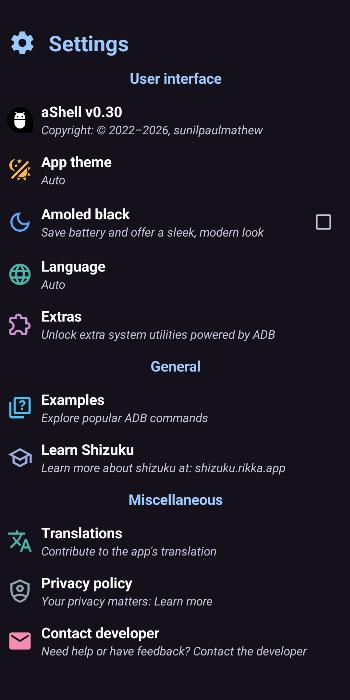
- Included a bundle of examples about common ADB commands.
- Handles continuously running commands, such as logcat, top, etc.
- Search for specific text from the last command output.
- Option to save last command output as a text file.
- Bookmark frequently using commands.
- Support multiple languages (configurable).
- An auto-dark/light theme.
- A lot more.
Support development
If you like to appreciate the efforts of the developer to provide this application entirely free, non-intrusive and without Ads, please consider supporting the development in some way. Maintaining this project takes a lot of time. So, each and every support from the android community will be hugely appreciated.



Liberapay Donation url: https://liberapay.com/sunilpaulmathew/donate
PayPal Donation url: https://www.paypal.me/menacherry
PayPal Donation email: [email protected]
Ko-fi Donation url: https://ko-fi.com/sunilpaulmathew
Some other ways to support the development includes, but not limited to
- Contribute code to this project.
- Translate this application into your local language (or improve existing translations).
- Share good words about this application with others (family, friends, and other enthusiastic android users).
License
Copyright (C) 2022-2026 sunilpaulmathew <[email protected]>

aShell is a free softwares: you can redistribute it and/or modify it
under the terms of the GNU General Public License as published by the
Free Software Foundation, either version 3 of the License, or (at
your option) any later version.

aShell is distributed in the hope that it will be useful, but WITHOUT
ANY WARRANTY; without even the implied warranty of MERCHANTABILITY or
FITNESS FOR A PARTICULAR PURPOSE. See the GNU General Public License
for more details.

You should have received a copy of the GNU General Public License along
with aShell. If not, see <http://www.gnu.org/licenses/>.
How Shizuku is used
Can run arbitrary shell commands and manage apps, files, permissions and logs via Shizuku with `Runtime.exec`
This is an AI-assisted analysis of Shizuku-related usages in the app's public source code. It is best effort, so it may not catch every single usage.
How this app uses Shizuku
aShell uses Shizuku to run shell commands with shell privileges and power its terminal and system tools.
- Run arbitrary commands: anything you type in the terminal, with an optional
adb shellprefix removed, is executed through a Shizuku hosted shell process usingsh -cwith live output streamed back. - Browse device files: opening folders in the file manager lists contents with the
ls -lshell command through Shizuku. - View file contents: opening a file shows its contents read with the
catshell command through Shizuku. - Delete files and folders: choosing delete removes the selected path with the
rm -rshell command through Shizuku. - Manage installed apps: the app list is loaded with the
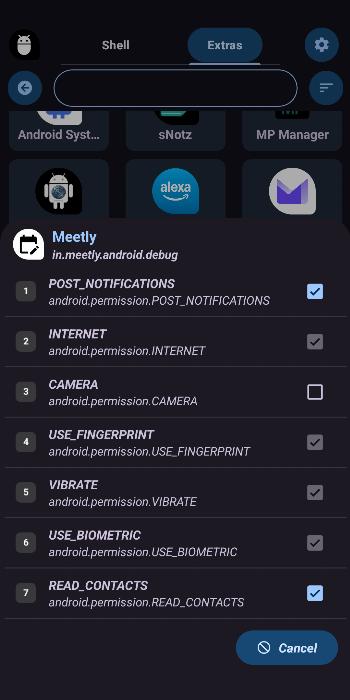
pm list packagesshell command, and you can enable or disable apps withpm enableandpm disable-user, clear data withpm clear, uninstall withpm uninstall, and force stop witham force-stopthrough Shizuku. - Manage permissions: viewing an app shows its permissions parsed from
dumpsys packageoutput, and toggling a permission applies it withpm grantorpm revokethrough Shizuku. - Manage app operations: viewing an app shows its operations from
cmd appops getand changing a mode applies it withcmd appops setthrough Shizuku. - View system logs: the log viewer streams output with the
logcatshell command through Shizuku. - Monitor battery and CPU: the extras screens show status parsed from
dumpsys batteryanddumpsys cpuinfothrough Shizuku.
Android APIs or commands used
java.lang.Runtime.execsh -cls -lcatrm -rpm list packagespm enablepm disable-userpm clearpm uninstallpm grantpm revokeam force-stopcmd appops getcmd appops setdumpsys packagedumpsys batterydumpsys cpuinfologcat -v brief
Changelog
What's new for version v0.31
- Fixed crashes that could occur during screen rotation in landscape mode.
- Improved UI and layout support for tablets and landscape mode.
- Enhanced Shell Output UI, especially for long-running commands (like logcat).
- Updated German translations and cleaned up broken Spanish and Parsi strings to ensure build stability.


Permissions
4 permissions requested
Sources
2 sources
Sources
2 sources
More apps from this developer
 IzzyOnDroid
More from this category
 Haven
 aShell You
 ShizuShell