 ShizuStore
AppVaultX
v0.5 · GitHub
More about this app
High-performance app manager powered by Shizuku
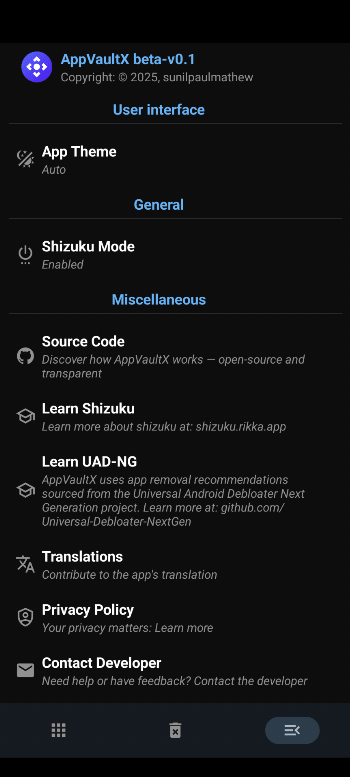
🚀 AppVaultX — App Control Made Easy






📥 Download



⚙️ Requirements
- A fully working Shizuku environment to unlock full system-level control.
✨ Features
🔍 Smart App Recommendations
- Categorizes installed apps as Recommended, Advanced, Expert, or Unsafe
- Powered by trusted data from the Universal Android Debloater Next Generation project
🛠️ App Management with Shizuku Support
Unlock powerful system-level tools when Shizuku is available:
- 🔘 Enable or Disable Apps –quickly toggle system and user apps on or off
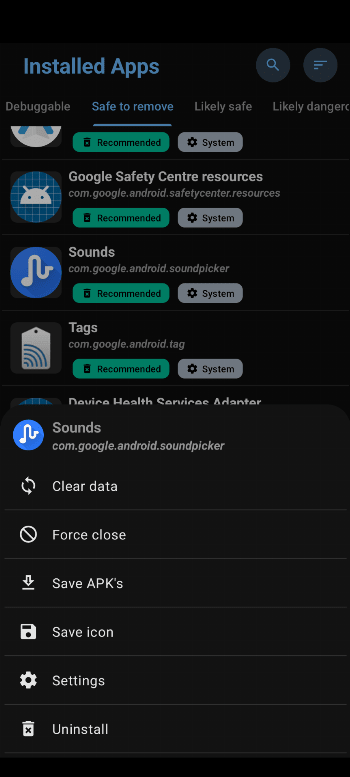
- 🧩 Force Close Apps – safely stop any running app
- 🧹 Clear Data & Cache – free storage and reset apps
- 📦 Backup APKs & Icons – save app files and icons for future use
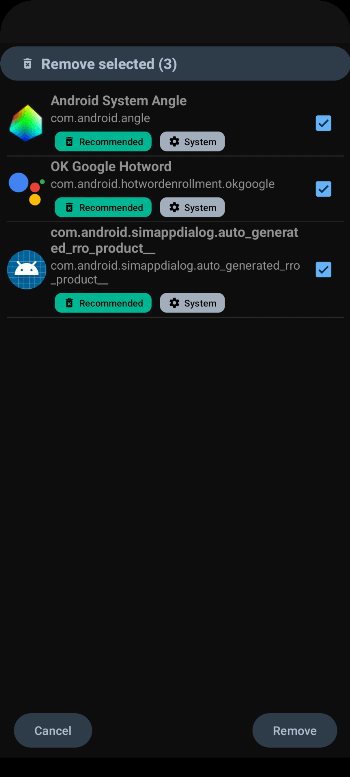
- 🗑️ Uninstall Apps (Individual or Batch) – remove unwanted apps efficiently
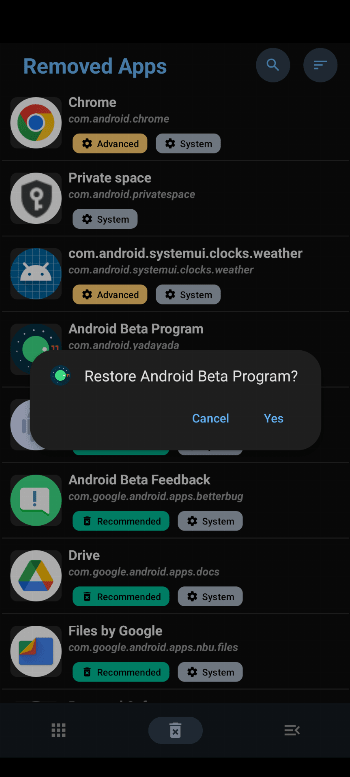
- ♻️ Restore Removed System Apps – safely recover system apps
📱 Standard App Management (Without Shizuku)
Enjoy core app control features even without elevated permissions:
- 🔍 Package Viewer – explore installed apps and details
- ▶️ Open Apps – launch any installed app directly
- 💾 Save APKs & Icons – backup apps locally
- ⚙️ Access System Settings – quick shortcuts to app-related settings
💎 User Experience
- 🎨 Modern Material Design UI – sleek, clean, and intuitive
- 🧺 Batch Operations – manage multiple apps effortlessly
❤️ Support Development
If you appreciate the developer’s effort in keeping this app free, ad-free, and open-source, please consider supporting the project.
Your contributions — even small ones — help maintain and improve AppVaultX.



Donation Links
- 🟡 Liberapay → liberapay.com/sunilpaulmathew/donate
- 💙 PayPal → paypal.me/menacherry
- 📧 PayPal Email → [email protected]
- ☕ Ko-fi → ko-fi.com/sunilpaulmathew
🤝 Other Ways to Support
- 🧠 Contribute code to improve this project.
- 🌍 Translate AppVaultX into your local language (or refine existing translations).
- 📢 Spread the word — share AppVaultX with friends, family, and Android communities.
📄 License
Copyright (C) 2025–2026 sunilpaulmathew <[email protected]>

AppVaultX is a free softwares: you can redistribute it and/or modify it
under the terms of the GNU General Public License as published by the
Free Software Foundation, either version 3 of the License, or (at
your option) any later version.

AppVaultX is distributed in the hope that it will be useful, but WITHOUT
ANY WARRANTY; without even the implied warranty of MERCHANTABILITY or
FITNESS FOR A PARTICULAR PURPOSE. See the GNU General Public License
for more details.

You should have received a copy of the GNU General Public License along
with AppVaultX. If not, see <http://www.gnu.org/licenses/>.
How Shizuku is used
Can uninstall, disable, clear, restore and install apps plus manage app ops via `pm`, `cmd appops` and `am` through Shizuku.
This is an AI-assisted analysis of Shizuku-related usages in the app's public source code. It is best effort, so it may not catch every single usage.
How this app uses Shizuku
AppVaultX uses Shizuku to run privileged package and app operations that normally need shell or system access.
- Uninstall apps: remove a single app or a batch of selected apps for the current user with the
pm uninstallshell command through Shizuku, with removed system packages kept for later restore. - Restore removed apps: bring back one removed package or a batch of removed packages with the
cmd package install-existingshell command through Shizuku. - Enable or disable apps: turn apps on or off for the current user with the
pm enableandpm disable-usershell commands through Shizuku. - Clear data and force stop: wipe an app's data with the
pm clearshell command and stop a running app with theam force-stopshell command through Shizuku. - Install APK files: install an APK opened in the app by staging it through the privileged service and then running the
pm installshell command through Shizuku. - Manage app operations: view per app privacy and operation states with the
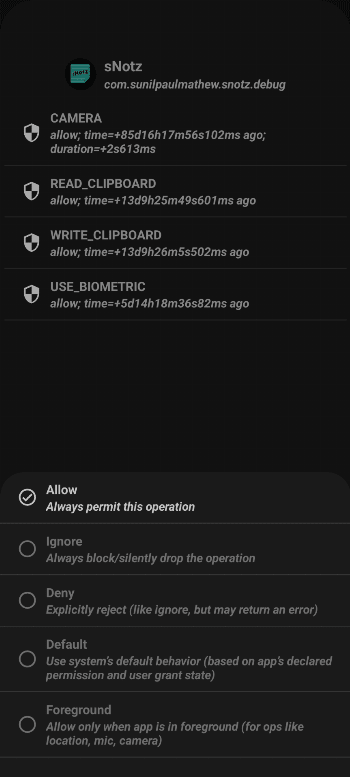
cmd appops getshell command and apply allow, ignore, deny, default or foreground choices with thecmd appops setshell command through Shizuku.
Android APIs or commands used
pm enablepm disable-userpm uninstallpm clearpm installcmd package install-existingcmd appops getcmd appops setam force-stoprm
Changelog
What's new for version v0.5
- Enhanced AppOps UI
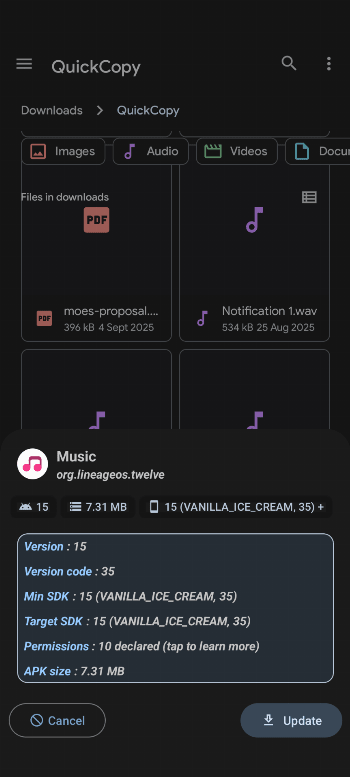
- Improved package info
- More options in removed packages
Permissions
5 permissions requested
More from this category
 Canta
Canta
 Buge App Manager
 Hail
Hail
 Thor
Thor
 AppManagerNG
 MKM
MKM
 AppControlX
 DroidUtility
 AppDual
 Blocker
 CloneCat
 AppSlim Analyzer